AI IT Help Desk Agent: Resolve Tickets Without a Support Team
Resolve Tickets Without a Support Team
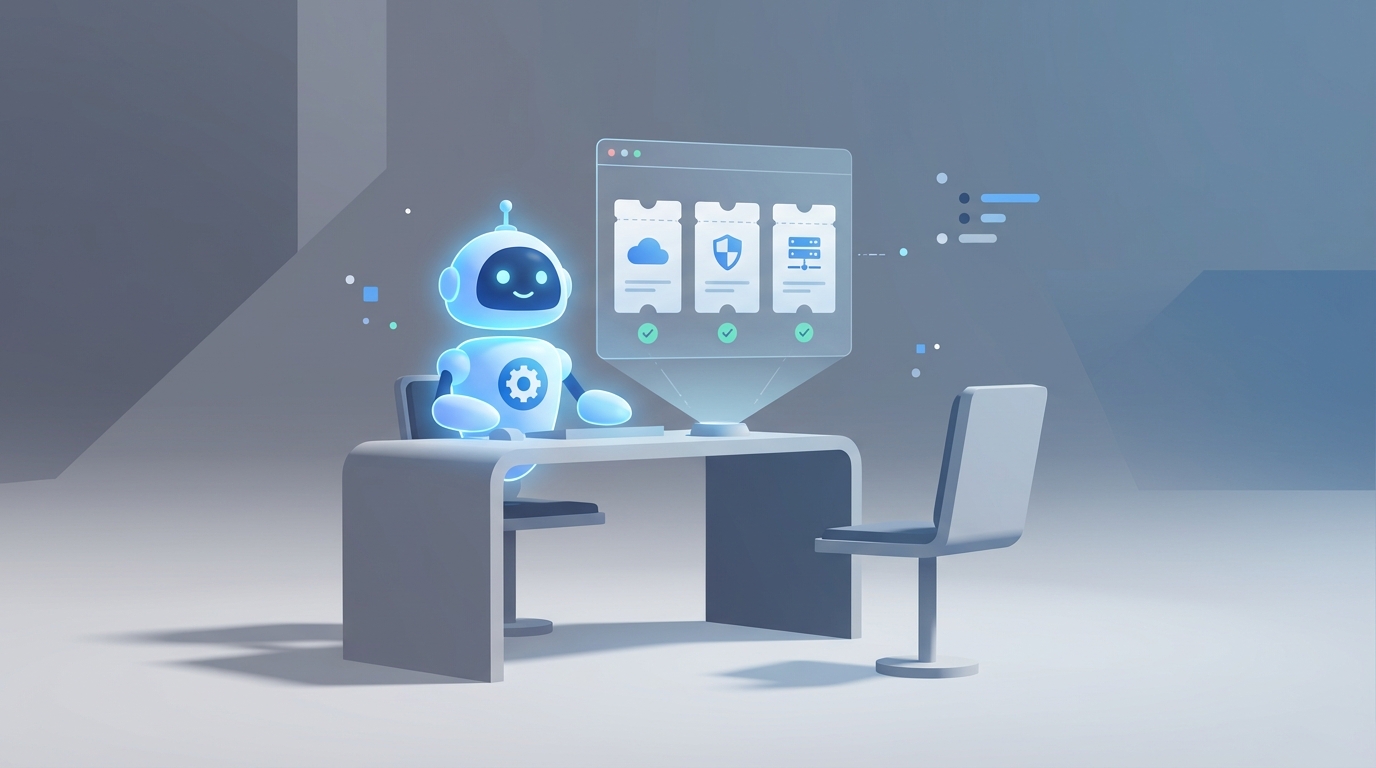
Most IT help desk teams spend their days doing the same thing over and over. Password resets. "My Outlook won't open." Printer offline. VPN not connecting. Someone locked out of their account for the third time this month.
It's not glamorous work, and that's kind of the point. The majority of Tier 1 IT support is pattern-matching — diagnosing known problems and applying known solutions. Which makes it one of the most automatable roles in any organization.
This isn't a pitch about some sci-fi future where AI replaces all human judgment. It's a practical breakdown of what an AI IT help desk agent can actually do today, what it can't, what it costs compared to a human hire, and how to build one yourself using OpenClaw.
Let's get into it.
What an IT Help Desk Agent Actually Does All Day
If you've never worked help desk, here's the reality. It's not "fixing computers." It's a triage and routing machine with a human attached to it.
A typical Tier 1 support agent handles 20 to 30 tickets per shift. Across a full year, that's north of 50,000 interactions. The actual breakdown of those tickets looks something like this:
Password resets and account unlocks make up 25 to 40 percent of all tickets. Someone forgot their password. Someone triggered a lockout. Someone needs MFA reconfigured. Each one takes 5 to 15 minutes, and they never stop coming.
Basic software troubleshooting is another 20 to 30 percent. Outlook isn't syncing. Teams won't load. A browser extension broke something. The fix is almost always the same handful of steps — clear the cache, restart the app, check for updates, reinstall if needed.
Ticket intake and triage eats a surprising amount of time. Logging the issue, categorizing it, tagging it with priority, routing it to the right team if it's beyond Tier 1. This is pure administrative overhead.
Software installation and update guidance comes up constantly, especially in organizations that don't have fully automated deployment. Walk the user through installing Office 365 or updating their antivirus. Step by step. Again.
Hardware support is where things start to get more physical. Peripherals not connecting, monitors not displaying, docking stations acting up. The agent can diagnose remotely to a point, but anything requiring hands-on work gets escalated.
Documentation and knowledge base updates round it out. Every resolved ticket should theoretically update the KB so the next agent — or the next AI — can solve it faster. In practice, this gets deprioritized because there's always another ticket in the queue.
User education is the silent time sink. Explaining to someone why they shouldn't click that link. Walking them through how to set up email on their phone. Teaching the same lesson for the fifteenth time that quarter.
About 60 to 70 percent of a help desk agent's day is consumed by repetitive, low-complexity work. That's not a knock on the role — it's an observation about where automation can have the biggest impact.
The Real Cost of This Hire
Let's talk money, because this is where the math gets interesting.
A Tier 1 help desk agent in the US makes between $45,000 and $60,000 per year at the entry level. Mid-level runs $55,000 to $75,000. In a tech hub like San Francisco or New York, add 30 percent.
But salary is never the full picture. Once you factor in benefits, payroll taxes, equipment, training, and software licenses, the total cost to employer is typically 1.25x to 1.5x the base salary. That $60,000 hire actually costs you $75,000 to $90,000 per year.
Now layer on the hidden costs:
Training time. A new help desk agent takes 2 to 4 weeks to ramp up, longer in complex environments. During that window, they're consuming senior staff time and producing at maybe 50 percent capacity.
Turnover. This is the killer. Help desk roles have 25 to 30 percent annual turnover, according to HDI benchmarks. That means roughly every three to four years, you've churned your entire team. Each departure triggers another round of recruiting, interviewing, onboarding, and training. The cost of replacing a single employee is estimated at 50 to 200 percent of their annual salary, depending on the role and organization.
Shift coverage. If you need 24/7 support, you need at minimum three full-time agents to cover shifts, plus buffer for PTO, sick days, and turnover. That's $225,000 to $270,000 per year in total cost for round-the-clock Tier 1 coverage. At a minimum.
Burnout tax. Burned-out agents make more mistakes, take longer to resolve tickets, and provide worse user experiences. The "groundhog day" nature of help desk work — the same password resets, the same printer issues, the same questions — grinds people down. You're paying full salary for declining output.
None of this means humans aren't valuable. It means the economics of staffing repetitive support work with humans exclusively are brutal, especially for small and mid-size companies.
What AI Handles Right Now (Not Someday — Now)
Let's be specific about what's actually automatable today, not in some theoretical future state. According to Gartner's 2023 data, AI can handle 30 to 50 percent of Tier 1 tickets right now, with projections hitting 70 percent by 2027.
Here's where things stand, mapped to actual help desk tasks:
Password resets and account unlocks — 90 percent automatable. This is the low-hanging fruit. An AI agent built on OpenClaw can authenticate the user, verify their identity through your existing identity provider, and trigger a reset through Okta, Azure AD, or whatever you're running. No human needed. The 10 percent that still requires a person involves edge cases — MFA device lost, policy exceptions, account compromise investigations.
FAQ-style troubleshooting — 70 to 80 percent automatable. "Outlook isn't syncing." "My VPN won't connect." "Zoom audio isn't working." These follow decision trees. OpenClaw agents can walk users through diagnostic steps, ask clarifying questions, and resolve the issue conversationally. The key is connecting the agent to your internal knowledge base so it's pulling from your actual documentation, not generic internet advice.
Ticket routing and triage — 95 percent automatable. This is where AI is arguably better than humans already. An OpenClaw agent can classify incoming tickets by category, urgency, and complexity using natural language understanding, then route them to the right team instantly. No lag time, no misrouting, no "let me transfer you."
Software installation guidance — 80 percent automatable. Step-by-step walkthroughs for installing or updating approved software. The agent can detect the user's OS, pull the right instructions, and guide them through it. For organizations with MDM or SCCM, the agent can trigger remote installations directly.
Knowledge base generation — largely automatable. Every resolved ticket becomes training data. OpenClaw agents can auto-generate draft KB articles from successful resolutions, which a human can review and publish. This turns your support operation into a self-improving system.
Status updates and follow-ups — fully automatable. "What's the status of my ticket?" is one of the most common help desk inquiries, and it requires zero human judgment. The agent checks the ticketing system and responds.
This isn't theoretical. Microsoft uses Copilot for Service to handle 40 percent of internal employee IT queries. ServiceNow's Virtual Agent deflected 28 percent of IT tickets at Duke Energy, saving over 1,000 agent hours per month. IBM Watson resolved 65 percent of Vodafone's employee IT support queries — passwords, VPN, basic troubleshooting — without a human touching them.
The technology works. The question is implementation.
What Still Needs a Human
Here's where I'll be straight with you, because overpromising is how AI projects fail.
Physical hardware issues. If a laptop screen is cracked, a docking station is fried, or a network cable needs to be run, no AI agent is fixing that. Anything requiring hands-on physical intervention needs a human. Full stop.
Complex multi-system diagnostics. When the issue spans your network, your SaaS stack, your VPN, and a custom internal application, and nobody's seen this exact combination before — that's Tier 2 or 3 work. AI can help gather information and narrow the problem space, but root cause analysis on novel, complex issues still requires experienced engineers.
Security-sensitive decisions. Access approvals, phishing investigation, compliance-related requests under HIPAA or GDPR — these need human judgment and audit trails that involve a person making a decision. You don't want an AI agent autonomously granting admin access to a production database because someone asked nicely.
Emotionally charged interactions. When a frustrated executive has been locked out of their account during a board presentation, they don't want to talk to a bot. They want a human who can empathize, escalate immediately, and own the resolution. Sentiment analysis can flag these situations, but handling them requires a person.
Truly novel problems. The first time a new issue appears — a zero-day bug, a weird interaction between two recently updated systems, an edge case nobody documented — AI has no playbook. Humans figure out the solution the first time. AI handles it the second time onward.
The honest split right now is roughly 50/50 for most organizations. AI handles the repetitive volume. Humans handle the exceptions, the complex, and the sensitive. Over time, as the AI learns from more resolutions, that ratio shifts — but it never hits 100 percent automation. Plan accordingly.
How to Build an AI IT Help Desk Agent with OpenClaw
Here's the practical part. Let's build this thing.
OpenClaw gives you the infrastructure to create an AI agent that connects to your existing IT systems, pulls from your knowledge base, and resolves tickets autonomously. Here's how to approach it.
Step 1: Define Your Scope
Don't try to automate everything at once. Start with the highest-volume, lowest-complexity tickets. For most organizations, that means:
- Password resets and account unlocks
- Basic software troubleshooting (Outlook, Teams, VPN)
- Ticket status inquiries
- Software installation guidance
- FAQ responses from your existing KB
These alone typically cover 40 to 50 percent of your ticket volume.
Step 2: Connect Your Knowledge Base
Your AI agent is only as good as the information it has access to. In OpenClaw, you'll configure your agent with your internal documentation — runbooks, KB articles, troubleshooting guides, and SOPs.
knowledge_sources:
  - type: confluence
    base_url: "https://yourcompany.atlassian.net/wiki"
    spaces: ["IT-SUPPORT", "KNOWN-ISSUES", "SOPS"]
    refresh_interval: "6h"
  - type: document_store
    path: "/knowledge-base/it-support/"
    formats: ["md", "pdf", "docx"]
  - type: ticketing_history
    source: "servicenow"
    filter: "resolved_tickets_last_12_months"
    fields: ["description", "resolution_notes", "category"]
The ticketing history is important. Resolved tickets are your best training data — they show exactly what the problem looked like and how it was fixed.
Step 3: Set Up Integrations
This is where the agent goes from chatbot to actual help desk replacement. OpenClaw integrates with the tools your IT team already uses:
integrations:
  identity_provider:
    type: "azure_ad"
    actions: ["password_reset", "account_unlock", "mfa_reset"]
    auth: "service_principal"
    require_user_verification: true
  ticketing:
    type: "servicenow"
    actions: ["create_ticket", "update_ticket", "check_status", "escalate"]
    auto_categorize: true
  monitoring:
    type: "datadog"
    actions: ["check_service_status", "pull_recent_alerts"]
  mdm:
    type: "intune"
    actions: ["push_software", "check_compliance", "remote_restart"]
With these integrations, your agent can actually do things — not just tell users what to do. It can reset a password, check if a service is down, push a software update, or create and escalate a ticket. That's the difference between an FAQ chatbot and an actual AI agent.
Step 4: Define Escalation Rules
This is critical, and it's where a lot of AI help desk implementations fall apart. You need clear rules for when the agent hands off to a human.
escalation_rules:
  - trigger: "security_keywords"
    keywords: ["breach", "phishing", "unauthorized access", "data leak"]
    action: "immediate_escalate"
    target: "security-team"
    priority: "critical"
  - trigger: "sentiment_threshold"
    threshold: -0.6
    action: "warm_transfer"
    target: "senior-support"
    message: "User appears frustrated. Transferring to a human agent."
  - trigger: "resolution_attempts"
    max_attempts: 3
    action: "escalate"
    target: "tier-2"
  - trigger: "category_exclusion"
    categories: ["hardware_physical", "access_approval", "compliance"]
    action: "route_to_human"
    target: "appropriate_team"
The sentiment threshold is underrated. If the user is getting frustrated — short responses, negative language, repeated questions — the agent should recognize that and bring in a human before the experience degrades further.
Step 5: Configure the Intake Channels
Your agent needs to meet users where they already are. Most organizations want coverage across at least two or three channels:
channels:
  - type: "slack"
    workspace: "yourcompany"
    channel: "#it-help"
    dm_enabled: true
  - type: "teams"
    tenant_id: "your-tenant-id"
    bot_name: "IT Support Agent"
  - type: "email"
    inbox: "itsupport@yourcompany.com"
    auto_reply: true
    parse_attachments: true
  - type: "web_portal"
    url: "https://support.yourcompany.com"
    widget: true
The email channel is particularly useful because many help desks still get a high volume of email tickets. The agent can parse the email, understand the request, attempt resolution, and only create a human-assigned ticket if it can't resolve it.
Step 6: Test with Real Ticket Data
Before you go live, feed the agent your last 90 days of resolved tickets and see how it performs. OpenClaw lets you run simulations:
testing:
  mode: "simulation"
  data_source: "servicenow_resolved_last_90_days"
  metrics:
    - resolution_rate
    - accuracy
    - average_handle_time
    - escalation_rate
    - user_satisfaction_prediction
  threshold_to_deploy:
    resolution_rate: ">= 0.70"
    accuracy: ">= 0.90"
If the agent can resolve 70 percent or more of historical tickets with 90 percent or better accuracy, you're ready for a phased rollout. Start with one channel (Slack, for example), monitor closely for two weeks, then expand.
Step 7: Close the Loop
The best part of an AI agent is that it gets better over time, but only if you set up the feedback loop:
continuous_improvement:
  feedback_collection: true
  post_resolution_survey: true
  auto_update_kb:
    enabled: true
    requires_human_approval: true
  weekly_report:
    metrics: ["tickets_resolved", "escalation_rate", "new_issue_types", "satisfaction_score"]
    send_to: "it-manager@yourcompany.com"
Every ticket the agent resolves adds to its knowledge. Every ticket it escalates teaches it what it can't handle yet. Over a few months, you'll watch the resolution rate climb as the agent encounters — and learns from — more edge cases.
The Math
Let's make this concrete.
A single Tier 1 help desk agent costs $75,000 to $110,000 per year fully loaded. For 24/7 coverage, multiply by three to four. Call it $300,000 to $440,000 annually for round-the-clock support.
An OpenClaw AI agent handles 40 to 60 percent of that ticket volume from day one, running 24/7 without shifts, PTO, or turnover. It doesn't burn out on its fifteenth password reset of the day. It responds in seconds, not minutes. It scales to handle volume spikes — like the Monday morning rush or post-update chaos — without breaking a sweat.
You still need humans. One experienced Tier 2 agent to handle escalations, security decisions, and complex troubleshooting is a much more manageable hire than a three-person Tier 1 team. And that Tier 2 agent is doing more interesting, higher-value work because they're not drowning in password resets.
The realistic outcome: you reduce headcount from three or four Tier 1 agents to one experienced support engineer, backed by an AI agent that handles the volume. Your total support cost drops by 40 to 60 percent, resolution times improve dramatically for common issues, and your remaining human staff focuses on work that actually requires human judgment.
Start Building or Let Us Build It
If you've got the technical chops and want to build this yourself, OpenClaw gives you everything you need. Start with the highest-volume ticket category, connect your knowledge base, wire up the integrations, and iterate from there.
If you'd rather skip the build phase and have a production-ready AI help desk agent deployed into your environment, that's exactly what Clawsourcing does. We scope your support operation, build the agent, integrate it with your existing tools, and hand you a working system — not a proof of concept that sits in staging forever.
Either way, the days of paying six figures for someone to reset passwords are numbered. The only question is whether you get ahead of it now or keep paying the burnout tax until it becomes unavoidable.
Recommended for this post
Identify repetitive tasks, build automation, and reclaim hours per week.
 SpookyJuice.ai
Reed
Persona
Autonomous support operator — ticket triage, refund routing, FAQ generation, and 48-hour follow-up without founder invol
 Skippythemagnificent
Inbox Zero
Skill
Intelligent email triage that reads, categorizes, and responds to routine messages — while escalating what actually needs your attention. Maintains inbox zero without missing anything important.