AI Visual Merchandiser: Plan Layouts and Optimize Display Strategy
Replace Your Visual Merchandiser with an AI Visual Merchandiser Agent
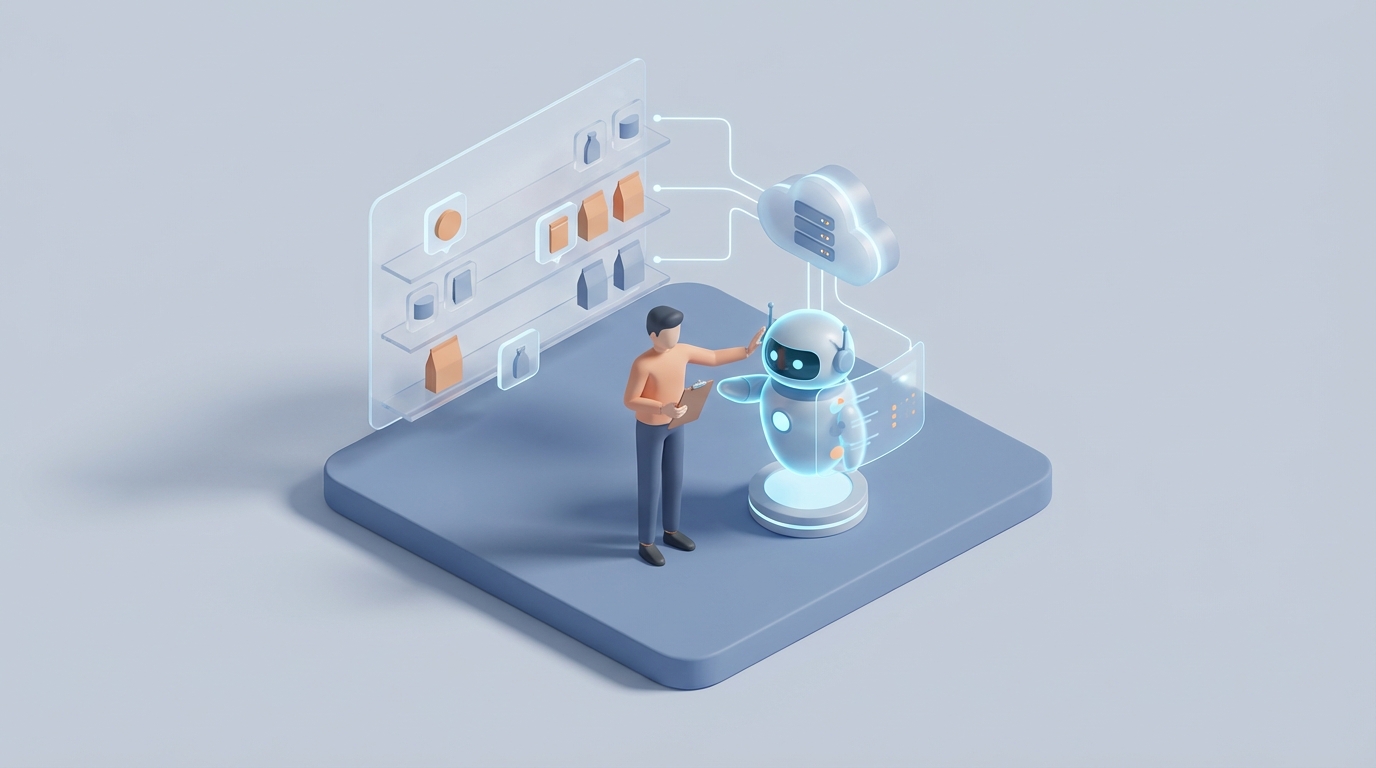
Most visual merchandisers spend their Monday mornings doing a store walk. They're checking if the weekend crew moved the mannequins wrong, if the seasonal signage arrived, if that endcap display near checkout is actually driving the attachment rate the buyer promised it would. Then they sit in a planning meeting. Then they sketch a layout. Then they source props they can't afford. Then they build a display by hand, climb a ladder, dress a form, adjust the lighting, and pray the foot traffic data next week shows it was worth the effort.
It's a real job. It's a skilled job. And about 40-60% of it can now be handled by an AI agent.
I'm not going to pretend AI can climb a ladder. It can't. But I am going to walk you through exactly which parts of the visual merchandiser role you can automate today, what it actually costs you to keep doing this with humans alone, and how to build an AI visual merchandiser agent on OpenClaw that handles the cognitive heavy lifting — so your human talent can focus on the work that actually requires hands and taste.
What a Visual Merchandiser Actually Does All Day
If you've never hired one, the role sounds fluffy. "Make the store look nice." In practice, it's a strange hybrid of designer, data analyst, project manager, and manual laborer.
Here's the real breakdown of how time gets spent:
Physical Installation and Maintenance (30-40% of time) Building displays. Dressing mannequins. Rearranging fixtures. Daily upkeep. If you're in fast fashion — Zara, H&M, even mid-market chains — this happens weekly or bi-weekly. It's physically demanding work. OSHA tracks strain injuries specific to retail VM roles. It's the biggest time sink and the one AI can't touch directly.
Trend Research and Planning (20-30% of time) Scanning Instagram, Pinterest, TikTok, competitor stores, runway recaps, and internal sales data to figure out what the next display should look like and feel like. Translating that into mood boards, sketches, 3D mockups, fixture plans. This is where the creative and analytical work lives — and where AI can do the most damage in terms of time savings.
Sourcing and Inventory Management (15-20% of time) Finding affordable props. Negotiating with vendors. Tracking what's in stock, what needs to be ordered, what the budget can handle. This is procurement work, and it's tedious. Inflation hit prop costs 20-30% between 2022 and 2023 according to NRF data. VMs are constantly being asked to do more with less.
Analytics, Reporting, and Collaboration (10-20% of time) Tracking display performance against sales data and foot traffic. Meeting with buyers, marketers, store managers to align on campaigns. Training floor staff on visual standards. Writing reports that attempt to prove ROI — which is notoriously difficult because you can't isolate the display's impact from weather, promotions, and a dozen other variables.
That's the job. It's part artist, part analyst, part construction worker, part politician. The question is which parts actually require a human brain and human hands.
The Real Cost of This Hire
Let's talk money, because this is where the decision gets made.
In the US, a mid-level visual merchandiser with 3-5 years of experience earns $55,000-$70,000 base. In New York or LA, you're looking at $70,000+ median. Senior or corporate-level VMs — the ones overseeing multi-store rollouts — run $80,000-$110,000+, often with 5-15% bonuses.
But base salary is never the real number. Add 20-30% for benefits, payroll taxes, workers' comp, and employer-side contributions. A mid-level VM at $65,000 base costs you $80,000-$90,000 fully loaded.
Then add the hidden costs:
- Training: New VM hires take 2-4 months to learn your brand guidelines, vendor relationships, and internal workflows. During that ramp-up, output is lower and mistakes are more frequent.
- Turnover: Retail turnover is brutal. The Bureau of Labor Statistics pegs it at 60%+ annually for the broader sector. Every time you lose a VM, you're re-spending that training investment.
- Tools and materials: Software subscriptions (Adobe Creative Suite, 3D rendering tools), prop budgets, travel for multi-location roles.
- Opportunity cost: Every hour your VM spends scanning Pinterest for trends or manually building a planogram is an hour they're not doing the creative, on-the-ground work that only a human can do.
For a single mid-level VM, you're realistically looking at $90,000-$110,000 per year in total cost when you account for everything. For a team of three across a mid-size retail operation, that's north of $300,000.
Now — what if you could cut 40-50% of the cognitive workload with an AI agent that costs a fraction of one salary?
What AI Handles Right Now (No Hype, Real Capabilities)
I want to be specific here because the AI-in-retail conversation is drowning in vague promises. Here's what actually works today, with real examples:
Trend Forecasting and Research
AI is genuinely good at this. Heuritech — which companies like LVMH use — predicts fashion trends six months out with roughly 85% accuracy by scanning millions of social media images. You don't need Heuritech's enterprise contract to get similar results. An AI agent built on OpenClaw can ingest social media feeds, competitor product pages, Google Trends data, and your own sales history to generate trend reports that would take a human VM 8-10 hours per week.
Macy's uses Vue.ai for this. Zara's internal AI tools cut their VM update cycles from weeks to days. You don't have to be Zara to access this capability anymore.
Layout Optimization and Planograms
Tools like Shelfgram AI generate shelf and fixture recommendations that have been shown to boost sales 10-20%. Walmart uses Simbe Tally robots and Symbotic AI to handle 80% of their inventory and VM analytics. The underlying capability — analyzing traffic flow, heatmap data, and product performance to recommend optimal placement — is something an OpenClaw agent can do with your specific store data.
Virtual Mockups and 3D Rendering
This used to require a skilled designer with hours in SketchUp or Blender. Now, an AI agent can generate display concepts, window layouts, and fixture arrangements from a text prompt. Levi's partners with PTTRNS.ai to generate window display ideas virtually before committing to physical builds. They reported saving 25% on prop costs by testing concepts digitally first.
Performance Analytics
Linking display changes to sales outcomes, foot traffic patterns, and dwell times. RetailNext and similar platforms already offer AI dashboards. An OpenClaw agent can go further by correlating your specific display rotations with POS data and generating actionable recommendations — "the endcap near register 3 underperformed by 15% this week; here are three alternative product groupings based on attachment rate data."
Sourcing Assistance
Image search for props, vendor comparison, budget tracking, and purchase order drafting. Not glamorous, but it eats hours every week. An AI agent handles this faster and more consistently than a human scanning supplier catalogs.
The honest summary: AI can handle roughly 50-70% of the cognitive tasks in visual merchandising today. The companies already doing this — Macy's, Nike, Walmart, Sephora, Levi's — aren't replacing their VMs entirely. They're making each VM two to three times more productive.
What Still Needs a Human
Here's where I level with you, because pretending AI can do everything would be dishonest and would waste your money.
Physical installation. No AI agent is going to dress a mannequin, mount a wall display, adjust a spotlight angle, or rearrange a floor layout. Simbe Robotics has shelf-scanning robots, but we're years away from general-purpose retail installation bots. Your humans are still climbing the ladders.
Creative intuition and brand feel. AI can generate a hundred display concepts. It cannot tell you which one feels right for your brand, your neighborhood, your customer. That gut-level creative judgment — the difference between a display that's technically optimized and one that makes someone stop on the sidewalk — is still a human skill.
On-site, real-time adjustments. The lighting looks different at 2pm than it did at 10am. The traffic flow shifts when it rains. A delivery came in wrong and you have to improvise. These in-the-moment calls require someone who's physically there with good judgment.
Stakeholder management. Getting buy-in from the store manager who hates change, the buyer who wants their product front and center, the exec who thinks everything should look like it did in 2019. This is politics, and AI doesn't do politics.
Sustainability and compliance checks. Hands-on material verification. Ensuring displays meet ADA requirements. Checking that brand guidelines are followed in practice, not just in theory.
The right model isn't replacement. It's restructuring. You shift the research, planning, analytics, and sourcing to an AI agent, and you let your human talent focus on the physical, creative, and interpersonal work that actually requires them.
How to Build an AI Visual Merchandiser Agent on OpenClaw
Here's the practical part. OpenClaw lets you build AI agents that combine multiple capabilities — data analysis, content generation, workflow automation — into a single system that operates against your specific business context.
Here's how to architect a visual merchandiser agent:
Step 1: Define Your Agent's Scope
Don't try to automate everything at once. Start with the highest-ROI tasks:
- Weekly trend reports (replaces 6-8 hours of manual research)
- Display concept generation (replaces 4-6 hours of sketching and mood boarding)
- Performance analytics (replaces 3-5 hours of report building)
- Sourcing recommendations (replaces 2-4 hours of vendor research)
That's 15-23 hours per week — roughly half a full-time role — automated from day one.
Step 2: Connect Your Data Sources
Your agent is only as good as the data it can access. On OpenClaw, configure integrations for:
# Core data connections for your VM agent

data_sources:
  - type: pos_system
    provider: "your_pos"       # Shopify, Square, Lightspeed, etc.
    data: [sales_by_sku, sales_by_location, attachment_rates]

  - type: foot_traffic
    provider: "traffic_counter"  # RetailNext, Dor, ShopperTrak
    data: [hourly_traffic, dwell_time, heatmaps]

  - type: social_trends
    provider: "social_feeds"
    platforms: [instagram, pinterest, tiktok]
    filters: [industry_hashtags, competitor_accounts]

  - type: inventory
    provider: "your_ims"
    data: [current_stock, incoming_shipments, prop_inventory]

  - type: competitor_intel
    provider: "web_scraper"
    targets: [competitor_websites, google_trends]
Step 3: Build Your Workflows
This is where OpenClaw shines. You're not just setting up a chatbot — you're creating automated workflows that run on schedule and produce deliverables.
Workflow 1: Weekly Trend Brief
workflow: weekly_trend_brief
schedule: every_monday_6am
steps:
  1. scan_social_trends:
      sources: [instagram, pinterest, tiktok]
      lookback: 7_days
      filters: [your_product_categories]

  2. analyze_competitor_displays:
      sources: [competitor_websites, google_images]
      compare_to: current_store_displays

  3. correlate_with_sales:
      source: pos_data
      metric: top_performing_skus_by_display_location

  4. generate_report:
      format: summary_with_recommendations
      include: [trend_highlights, competitor_moves,
               suggested_themes, product_groupings]
      deliver_to: [vm_team_email, slack_channel]
Workflow 2: Display Concept Generator
workflow: display_concept_generator
trigger: on_demand
inputs:
  - campaign_theme
  - target_products
  - available_fixtures
  - budget_limit
  - store_dimensions

steps:
  1. generate_concepts:
      count: 5
      style_reference: brand_guidelines_doc
      constraints: [budget, fixture_availability,
                    floor_plan_dimensions]

  2. render_mockups:
      format: 3d_visual
      views: [front, overhead, customer_perspective]

  3. predict_performance:
      model: historical_display_sales_correlation
      output: estimated_sales_lift_per_concept

  4. present_options:
      format: ranked_recommendations
      include: [mockups, predicted_roi, materials_list,
               estimated_build_time]
Workflow 3: Performance Dashboard
workflow: display_performance_tracker
schedule: daily_9am
steps:
  1. pull_sales_data:
      granularity: by_display_zone
      compare: previous_period

  2. overlay_traffic_data:
      metrics: [foot_traffic, dwell_time, conversion_rate]

  3. flag_underperformers:
      threshold: below_15_percent_of_average
      action: generate_alternative_recommendations

  4. update_dashboard:
      format: visual_summary
      alerts: [underperforming_zones, top_performers,
              restock_needs]
Step 4: Set Up Your Sourcing Assistant
workflow: prop_sourcing_assistant
trigger: on_demand
inputs:
  - display_concept_id
  - budget_remaining
  - delivery_deadline

steps:
  1. extract_materials_list:
      from: approved_display_concept

  2. search_vendors:
      sources: [preferred_vendor_list,
               marketplace_search]
      rank_by: [price, delivery_time,
               sustainability_rating]

  3. generate_purchase_order_draft:
      format: your_po_template
      include: [vendor_quotes, delivery_estimates,
               budget_impact]

  4. submit_for_approval:
      route_to: vm_manager
Step 5: Train the Agent on Your Brand
This is the step most people skip, and it's the one that separates a generic tool from something actually useful. Upload your brand guidelines, past display photos (tagged with performance data), approved color palettes, fixture specifications, and any documentation that defines what "on-brand" looks like for your stores.
On OpenClaw, you feed this into your agent's knowledge base:
knowledge_base:
  - brand_guidelines: "brand_standards_2024.pdf"
  - past_displays:
      source: "display_archive/"
      metadata: [date, store, sales_lift, theme]
  - approved_vendors: "vendor_list.csv"
  - fixture_specs: "fixture_catalog.pdf"
  - floor_plans: "store_layouts/"
  - seasonal_calendar: "marketing_calendar_2025.xlsx"
The more context you give it, the better its recommendations get. After 4-6 weeks of feedback loops — where your human VM rates and corrects the agent's outputs — accuracy improves significantly.
What This Costs vs. a Human
A fully configured OpenClaw agent running these workflows costs a fraction of a single VM salary. Even accounting for the platform subscription, compute costs, and the time investment to set it up and train it, you're looking at a payback period measured in weeks, not years.
The math is straightforward: if your mid-level VM costs $90,000 fully loaded and the agent handles 40-50% of their cognitive workload, you've either freed up $36,000-$45,000 worth of that person's time for higher-value work, or you've avoided hiring a second VM as you scale.
The Honest Bottom Line
You're not going to fire your visual merchandiser and replace them with software. Not yet. Maybe not ever, if your brand depends on the kind of physical, intuitive, human-crafted retail experience that wins customers.
But you are going to restructure the role. The VM of 2026 doesn't spend Monday morning scanning Pinterest. Their AI agent already did that at 6am and delivered a trend brief to their inbox. They don't spend Tuesday afternoon building a planogram from scratch. The agent generated five options, ranked by predicted ROI, with 3D mockups attached. They don't spend Wednesday arguing about whether the endcap is working. The performance dashboard already flagged it and suggested alternatives.
The VM of 2026 walks into the store, reviews what the agent prepared, makes judgment calls, and spends their time on the work that actually requires human presence: building, adjusting, creating, and collaborating.
That's a better job. It's also a cheaper operation.
Next Steps
You have two options:
Build it yourself. Everything I described above is achievable on OpenClaw. The platform gives you the agent framework, the integration layer, and the workflow engine. If you have someone on your team who's comfortable with configuration and wants to own this, start there. Begin with the weekly trend brief workflow — it's the fastest win and requires the least integration work.
Or hire us to build it. If you'd rather have a working AI visual merchandiser agent deployed in your operation without the learning curve, that's exactly what Clawsourcing does. We scope the role, identify the highest-ROI automations for your specific retail setup, build the agent, train it on your brand, and hand you back a system that's already running. You focus on what you're good at. We handle the build.
Either way, the capability exists now. The question is whether you start using it this quarter or wait until your competitors do.