How to Automate Support Ticket Escalation with AI
How to Automate Support Ticket Escalation with AI
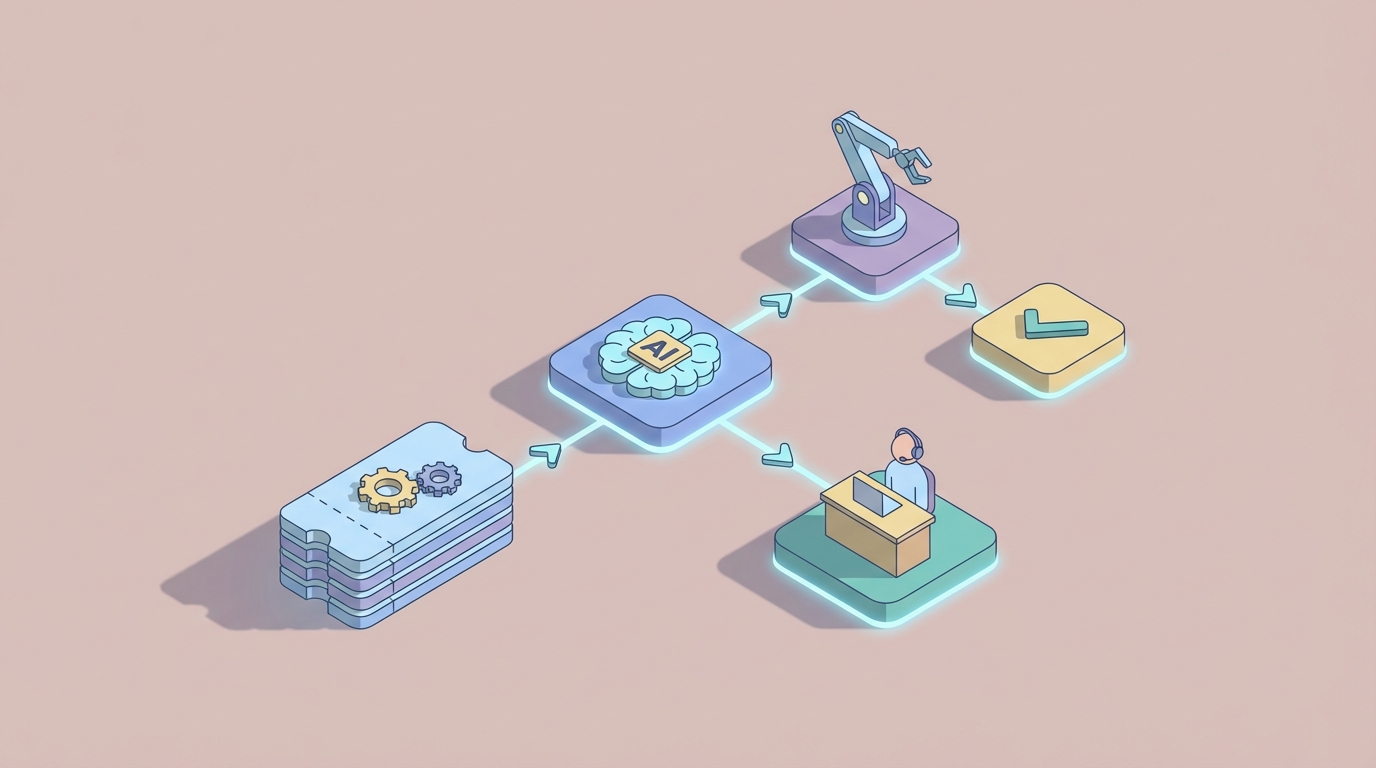
Let's be honest about what support ticket escalation looks like at most companies: someone reads a ticket, decides it's above their pay grade, spends fifteen minutes writing up context for the next person, tags a manager on Slack, and hopes the right person sees it before the SLA clock runs out.
It's slow. It's inconsistent. And it costs a staggering amount of money when you multiply it across hundreds or thousands of tickets per week.
The good news: most of this process is pattern recognition and information routing — exactly what AI agents are good at. The bad news: most teams are still running escalation on brittle if-then rules that miss context and create alert fatigue.
This guide walks through how to automate support ticket escalation using an AI agent built on OpenClaw. Not a hypothetical. Not a pitch deck vision. A practical, buildable workflow that handles the grunt work while keeping humans in the loop where they actually matter.
The Manual Workflow Today (And Why It's Bleeding You Dry)
Here's what a typical escalation looks like in a mid-size support org running something like Zendesk, ServiceNow, or Jira Service Management:
Step 1: Initial Triage (3–8 minutes per ticket) An L1 agent reads the ticket, checks the customer's history in your CRM, looks at their plan tier, reviews any previous tickets, and tries to assess severity. This often means jumping between three or four different systems.
Step 2: Priority Assessment (2–5 minutes) The agent decides whether the auto-assigned priority is correct. This is where things go sideways. Your rules engine assigned it P3, but the customer is your second-largest account and they mentioned they're "evaluating alternatives." That context lives in your CRM and in the subtext of the message — neither of which your rule engine reads.
Step 3: The Escalation Decision (5–10 minutes) Who gets this ticket? The L2 team? A specific engineer who knows the billing system? The account manager? A supervisor? This decision requires tribal knowledge — knowing which engineer is on call, who owns what, and who's already buried in a P1 from this morning.
Step 4: Writing the Escalation Brief (5–15 minutes) Now the agent writes up the context: what happened, what they've tried, why this is urgent, what the business impact is. This is where the real time sink lives. A good escalation note takes fifteen minutes. A bad one means the L2 engineer wastes another twenty minutes re-reading the entire ticket history.
Step 5: Notification and Follow-Up (5–10 minutes) Send the Slack message. Tag the right people. Update the ticket status. Set a reminder to check if someone actually picked it up.
Total time per escalation: 15–45 minutes of human effort.
HDI research shows that 12–18% of tickets escalate in a typical support org. If you're handling 500 tickets a week and 15% escalate, that's 75 escalations. At 30 minutes average, that's 37.5 hours per week — nearly a full-time employee doing nothing but shuffling tickets upward.
And that's just the direct time cost.
What Makes This Painful
The time cost is obvious. The hidden costs are worse.
SLA breaches are still rampant. Industry benchmarks put average SLA compliance at 82–88%. That means roughly one in seven tickets is already late by the time someone addresses it. Each breach is a customer trust hit, and in B2B environments, it's often contractual penalty territory.
Escalated tickets tank customer satisfaction. Zendesk's 2023 CX Trends report found that tickets requiring escalation have 3.2x lower CSAT scores. Part of that is inherent (escalated issues are harder problems), but a big chunk is the delay and the "I need to transfer you" experience.
Alert fatigue is real. When your rules over-escalate, managers start ignoring notifications. A 2022 Forrester study found that 37% of service leaders named manual escalation as a top barrier to meeting customer expectations. One SaaS company I've seen data on found that 40% of their manager-level escalation notifications were unnecessary — but managers couldn't tell which 40% without reviewing each one.
Inconsistency across teams and time zones. Your London team escalates differently than your Austin team. Night shift has different thresholds than day shift. There's no single standard because the "standard" lives in people's heads.
Senior engineers get pulled into low-value work. Your L3 engineers cost $150–200/hour fully loaded. Every false escalation that lands in their queue is expensive distraction from the genuinely complex problems that need their expertise.
Gartner and ServiceNow data suggest support teams spend 25–40% of their time on routing, prioritization, and escalation activities. That's not resolution work. That's logistics.
What AI Can Handle Now
Let's be specific about what an AI agent built on OpenClaw can realistically do today — not in some roadmap future, but right now.
Sentiment and Urgency Detection
An OpenClaw agent can analyze the full text of a ticket — not just keywords, but meaning. "This is urgent" is obvious. "We're currently evaluating our vendor stack and this issue is making the decision easier" is not obvious to a rules engine, but it's crystal clear to an LLM: this customer is a churn risk.
OpenClaw agents process natural language natively. They can read a ticket and output a structured urgency assessment that accounts for tone, business implications, and context that keyword matching will never catch.
Context Aggregation Across Systems
This is where OpenClaw shines. Instead of an agent manually checking the CRM, the billing system, and previous tickets, an OpenClaw agent can pull data from all of these through API integrations, synthesize it, and present a unified picture:
- Customer tier and contract value
- Open tickets and recent interaction history
- Account health signals from your CRM
- Current SLA clock status
- Related incidents or known outages
All of this assembled in seconds, not minutes.
Intelligent Routing
Rather than static rules ("billing issues go to Team B"), an OpenClaw agent can make routing decisions based on multiple factors simultaneously: the nature of the issue, the current workload of potential assignees, the skill match, the customer's history with specific agents, and the urgency level. This is the kind of multi-variable decision that rules engines handle poorly but ML-driven agents handle well.
Organizations using AI-driven routing typically achieve 70–85% accuracy on auto-categorization and assignment, which is significantly better than static rules alone.
Escalation Brief Generation
This might be the single highest-ROI capability. An OpenClaw agent can read the full ticket history and generate a concise, structured escalation brief — the kind that would take a human agent ten to fifteen minutes to write. Summary of the issue, steps already taken, business impact assessment, recommended priority, suggested assignee, and relevant context from connected systems.
Predictive SLA Management
Instead of escalating after an SLA is about to breach, an OpenClaw agent can predict which tickets are likely to breach based on historical resolution patterns, current queue depth, ticket complexity signals, and assignee workload. Proactive escalation before the clock runs out, not reactive scrambling after.
Anomaly Detection
When ticket volume in a specific category spikes — say, a 300% increase in login issues over two hours — an OpenClaw agent can detect the pattern, correlate it with monitoring data, and proactively escalate to incident management before individual agents even realize there's a systemic problem.
Step-by-Step: Building the Escalation Agent on OpenClaw
Here's a practical implementation path. This assumes you're running a support platform with API access (Zendesk, ServiceNow, Jira SM, Freshdesk, etc.).
Step 1: Define Your Escalation Logic as a Spec
Before you touch OpenClaw, write down your escalation criteria in plain language. This becomes your agent's instruction set.
Escalation Criteria:
- Customer is Enterprise tier AND ticket has been open > 2 hours with no response → P1
- Sentiment analysis indicates frustration + customer has open renewal in next 90 days → Flag for account manager
- Ticket category matches known outage (check incident board) → Link to incident, notify customer
- Predicted SLA breach > 70% probability → Auto-escalate to next tier
- Ticket has been reassigned > 2 times → Escalate to supervisor with summary
Get specific. The more precise your criteria, the better your agent performs.
Step 2: Set Up OpenClaw Agent with System Integrations
In OpenClaw, you'll configure your agent with connections to your support stack. The typical integration set looks like this:
- Support platform API (Zendesk, ServiceNow, etc.) — for reading ticket data and updating status/priority/assignee
- CRM API (Salesforce, HubSpot) — for customer context, contract value, renewal dates
- Communication APIs (Slack, Microsoft Teams, email) — for escalation notifications
- Monitoring tools (Datadog, PagerDuty, etc.) — for incident correlation
OpenClaw handles the orchestration layer. You define what the agent can access and what actions it's authorized to take.
Step 3: Build the Triage Workflow
Your core agent workflow looks like this:
On new ticket created:
  1. Pull ticket content (subject, description, full conversation history)
  2. Pull customer context (tier, ARR, open opportunities, recent CSAT scores, previous escalations)
  3. Check for related open incidents or known issues
  4. Analyze sentiment and urgency signals
  5. Assess against escalation criteria
  6. If escalation triggered:
     a. Generate escalation brief
     b. Determine optimal assignee (based on skill match, current workload, availability)
     c. Update ticket priority and assignment
     d. Send notification via appropriate channel
     e. Set follow-up check (e.g., re-evaluate in 30 minutes if no response from assignee)
  7. If no escalation needed:
     a. Confirm or adjust priority
     b. Log assessment for audit trail
Step 4: Configure the Human-in-the-Loop Gates
This is critical and it's where a lot of AI automation projects fail — they try to remove humans entirely instead of inserting them strategically.
Set up approval gates in OpenClaw for high-stakes actions:
- Auto-execute: Priority adjustments from P4→P3, routing to correct L1/L2 team, generating escalation briefs, sending standard notifications, linking related incidents
- Recommend + confirm: P1 escalations, executive notifications, re-routing to a specific named engineer, any action involving VIP/strategic accounts
- Alert only: Potential legal/compliance issues, situations the agent isn't confident about (below your confidence threshold)
In OpenClaw, you define these thresholds. Start conservative — require human approval for more actions than you think necessary, then loosen as you build confidence in the agent's judgment.
Step 5: Build the Monitoring Dashboard
Your agent should be generating data from day one. Track:
- Escalation accuracy (did the escalation result in meaningful action, or was it a false alarm?)
- Time savings per escalation (compare to your pre-automation baseline)
- SLA compliance rate (this is your north star metric)
- Human override rate (how often are supervisors changing the agent's decisions?)
- CSAT on escalated tickets (is the customer experience improving?)
Step 6: Iterate Based on Overrides
Every time a human overrides the agent's decision, that's training data. Review overrides weekly. Look for patterns:
- If supervisors consistently downgrade a certain type of escalation, your criteria are too aggressive there.
- If tickets the agent didn't escalate end up breaching SLAs, you've found a blind spot.
- If the agent's routing is being manually corrected, your skill-matching logic needs refinement.
OpenClaw lets you refine agent behavior based on these feedback loops without rebuilding from scratch. Adjust the instructions, add new criteria, tune the confidence thresholds.
What Still Needs a Human
AI agents are not a replacement for judgment in high-stakes, novel, or politically sensitive situations. Be clear-eyed about this.
Humans should own:
- Final calls on P1/Sev1 incidents — The agent can recommend, surface all context, and draft the communication. A human should approve the escalation to a VP or executive.
- Legal and regulatory risk — If a ticket touches data privacy, compliance, or potential litigation, a human needs to evaluate. The agent can flag it; it shouldn't decide it.
- Novel technical problems — The agent can detect that something doesn't match known patterns. But diagnosing a genuinely new failure mode requires human engineering expertise.
- VIP and executive communication — Tone, politics, and relationship nuance in executive escalation emails are still firmly in the human domain. Let the agent draft; have a human review and send.
- Empathy-driven decisions — Sometimes a customer's situation warrants special handling that no rule or model would prescribe. A recently bereaved customer. A nonprofit dealing with a crisis. These require human judgment and compassion.
The sweet spot is the agent handling 80–90% of escalation mechanics (triage, routing, brief generation, notification, follow-up) while humans focus on the 10–20% that genuinely requires their judgment, expertise, and empathy.
Expected Time and Cost Savings
Let's run the numbers on a realistic scenario.
Assumptions:
- 500 tickets/week
- 15% escalation rate (75 escalations/week)
- 30 minutes average manual effort per escalation
- Fully loaded support agent cost: $35/hour
- Fully loaded manager/supervisor cost: $65/hour
Current weekly cost of escalation:
- Agent time: 75 × 20 min = 25 hours × $35 = $875
- Manager/supervisor review: 75 × 10 min = 12.5 hours × $65 = $812.50
- Total: ~$1,687/week or ~$87,700/year
With OpenClaw automation (conservative estimates):
- Agent handles 80% of triage and routing automatically → saves ~20 hours/week of agent time
- Brief generation automated → saves ~10 hours/week
- Manager reviews only 20% of escalations (the ones that warrant it) → saves ~10 hours/week
- Predicted reduction in false escalations: 35–40% (in line with industry benchmarks from ServiceNow and Zendesk AI deployments)
Estimated savings: 60–70% of escalation-related labor, or roughly $52,000–$61,000/year. Plus the harder-to-quantify gains: better SLA compliance, higher CSAT on escalated tickets, reduced burnout on senior engineers, and faster mean time to resolution.
One major US bank using similar AI-driven escalation (on ServiceNow) reduced average escalation time from 47 minutes to 9 minutes. A SaaS company using AI-powered triggers cut unnecessary manager notifications by 42%. These aren't outlier results. They're what happens when you replace brittle rules with contextual intelligence.
Next Steps
If you're drowning in escalation overhead — tickets getting stuck, SLAs slipping, managers buried in notification noise — this is a solvable problem.
You can browse pre-built AI agent templates on Claw Mart to find starting points for support automation, or dive straight into building on OpenClaw to create an escalation agent tailored to your specific stack and criteria.
If you'd rather not build it yourself, Clawsourcing connects you with experienced OpenClaw developers who've built these workflows before. Post your project — "Automate support ticket escalation for our Zendesk/ServiceNow/Jira setup" — and get matched with someone who can have it running in days, not months.
The manual escalation process isn't just slow and expensive. It's the kind of repetitive, high-stakes logistics work that burns out your best people. Automate the mechanics. Free the humans for the work that actually requires being human.
Recommended for this post
Your Notion expert that builds databases, automates workflows, and connects your knowledge base.
 SpookyJuice.ai
Your Linear expert that automates issue tracking, builds workflows, and streamlines project management.
SpookyJuice.ai
Adam
Full-Stack Engineer
Your full-stack AI engineer that architects, builds, deploys, and automates entire applications from a single conversation. 23+ Core Capabilities.
 Clarence Maker