How to Automate Multilingual Customer Support Replies with AI
How to Automate Multilingual Customer Support Replies with AI
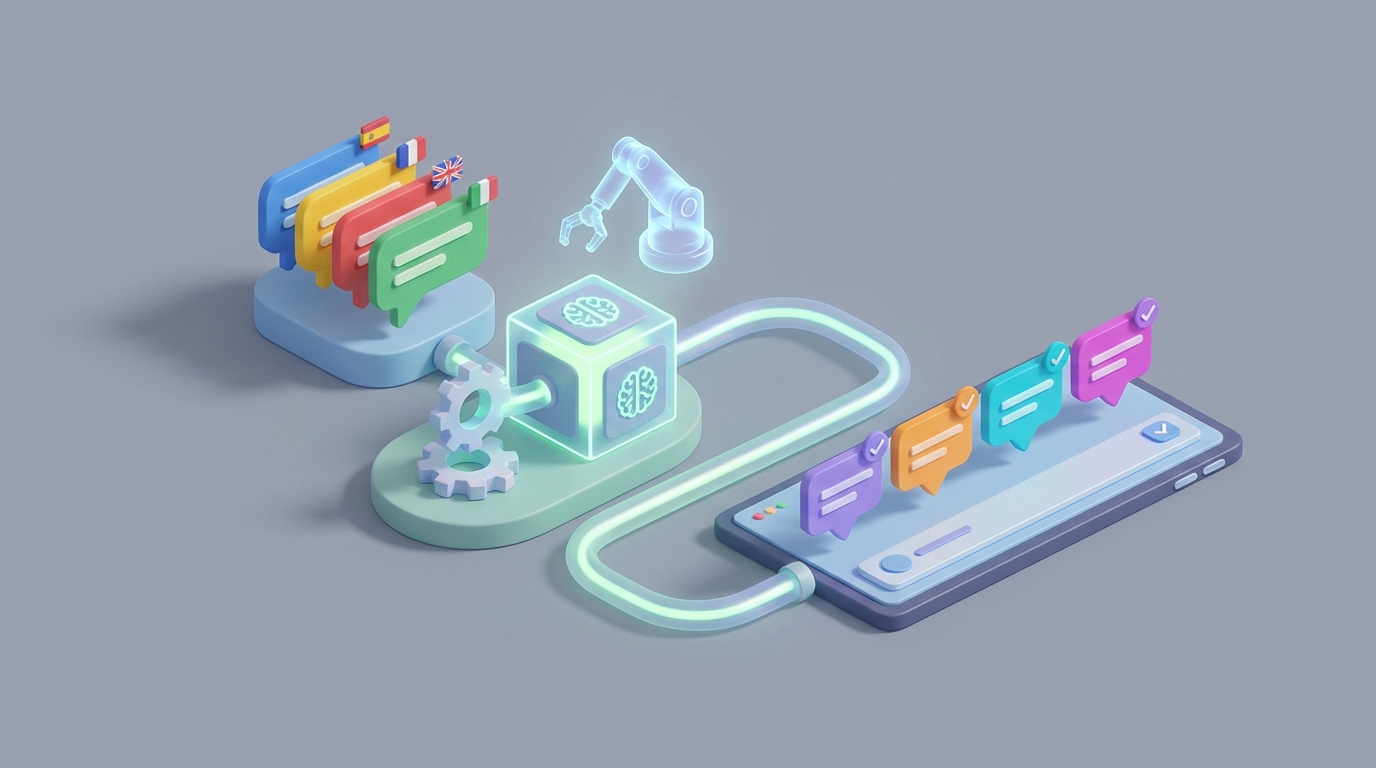
If you're running a business that serves customers in more than one language, you already know the drill. A ticket comes in. It's in Portuguese. Your agent doesn't speak Portuguese. They copy the message into Google Translate, squint at the output, try to figure out what the customer actually wants, write a reply in English, translate it back, read it again to make sure it doesn't sound insane, and then hit send. The whole thing takes three times longer than a normal ticket, and there's still a decent chance the customer writes back confused because the translation mangled something important.
This is the state of multilingual customer support at most companies in 2026. It works, barely, and it's expensive in ways that don't show up on a single line item.
Let's talk about what this workflow actually looks like, why it's such a drain, and how to automate the vast majority of it with an AI agent built on OpenClaw — without pretending that humans are suddenly irrelevant.
The Manual Workflow Today
Here's what actually happens when a non-English support ticket lands in a typical team's queue. I'm being specific because the details matter when you're figuring out what to automate.
Step 1: Language detection. The agent sees a message in a language they don't recognize. Sometimes the support platform tags it. Sometimes it doesn't. Sometimes it tags it wrong (Portuguese vs. Spanish, for example, is a common misfire). The agent spends a minute or two figuring out what they're looking at.
Step 2: Translation of the incoming message. The agent copies the customer's message, pastes it into Google Translate or DeepL, and reads the English output. For straightforward messages ("Where is my order?"), this works fine. For anything with idioms, slang, sarcasm, abbreviations, or poor grammar — which describes roughly half of all customer messages — the translation is somewhere between confusing and wrong.
Step 3: Understanding intent and context. Even with a decent translation, the agent now has to figure out what the customer actually needs. Is this a refund request or a complaint? Are they asking about a specific product or a general policy? Cultural context matters here. Directness varies wildly between languages and cultures. What reads as rude in English might be perfectly normal in German. What sounds casual in English might feel disrespectful in Japanese.
Step 4: Drafting a response. The agent writes a reply in English. They try to keep it simple because they know it's going to get translated.
Step 5: Translating the reply. Back to Google Translate. The agent pastes their English response, gets the translation, reads it (even though they can't fully evaluate it), and hopes for the best.
Step 6: Quality check and tone adjustment. This is where things get flimsy. Unless you have a bilingual team member available for a gut check, you're essentially sending a response you can't fully verify. Brand voice? Empathy? Appropriate formality? You're rolling the dice.
Step 7: Send and wait for the follow-up. Because of translation errors and misunderstandings, multilingual tickets generate 20–35% more follow-up messages than same-language tickets (per Unbabel's data). So the whole cycle repeats.
Total time per ticket: Zendesk's 2023 data puts average handling time for English tickets at about 18 minutes. For languages like Arabic, Japanese, or German, that jumps to 45–60 minutes. SQM Research corroborates this: multilingual tickets take 2.3–3.1x longer.
Multiply that across dozens or hundreds of tickets per day and you start to see the real cost.
What Makes This Painful
The time cost is obvious, but it's not the only problem.
Translation quality is inconsistent and often bad. Machine translation handles simple, declarative sentences fine. It falls apart on anything nuanced. A customer writing in frustration uses shortcuts, sentence fragments, emotional language — exactly the kind of input that trips up traditional MT. The result: your agent is working with a flawed understanding of the problem from the start.
You lose brand voice completely. Your support team has spent time developing a tone — maybe it's warm and casual, maybe it's professional and precise. None of that survives a round trip through Google Translate. Your carefully crafted reply comes out the other side sounding robotic at best, rude at worst.
Costs compound in ways you don't expect. Professional human translation runs $0.08–$0.25 per word. Multilingual agents command a 15–40% salary premium. A 2023 Forrester report found that companies spend 2.4x more on support for international customers. And that's before you count the cost of escalations, repeat contacts, and lost customers who just give up because the experience was frustrating.
Agent burnout is real. Constantly context-switching between languages, fixing bad translations, and handling the extra cognitive load of cross-cultural communication wears people down. It's one of the less-discussed reasons for high turnover in multilingual support teams.
CSA Research found that 75% of consumers prefer to interact in their native language, and 60% rarely or never buy from English-only sites. So you can't just ignore this. If you're selling internationally, multilingual support isn't optional — it's a direct revenue driver.
What AI Can Handle Right Now
Here's where I want to be precise, because the hype around AI tends to blur the line between "works well today" and "might work someday."
With an AI agent built on OpenClaw, you can reliably automate the following:
Language detection — near 99% accuracy. This is a solved problem. Your agent shouldn't be spending a single second figuring out what language a ticket is in.
Real-time translation that actually preserves meaning. LLM-powered translation (which is what OpenClaw uses under the hood) is dramatically better than traditional neural machine translation for customer service content. We're talking 30–50% better quality scores in benchmarks, specifically because LLMs handle context, idiom, and tone far more effectively. The difference between "I want to return this" and the three different ways a frustrated French customer might express that same sentiment — an LLM gets that. Google Translate often doesn't.
Drafting complete, contextually appropriate first responses. For Tier 1 issues — order tracking, password resets, return policies, shipping questions, basic product information — an OpenClaw agent can generate a complete response in the customer's language, with the right tone, in seconds. Not a translation of a template. An actual response that reads like it was written by someone who speaks the language.
Sentiment analysis across languages. Detecting whether a customer is annoyed, confused, or genuinely angry — and adjusting the response accordingly — is something OpenClaw agents can do natively. This matters because the appropriate response to "Where is my package?" changes significantly depending on whether it's a casual check-in or the third time they've asked.
Routing and escalation. Based on language, sentiment, complexity, and customer value, an OpenClaw agent can route tickets to the right queue or escalate to a human with a full summary of the conversation — already translated.
Knowledge base lookups in any language. The agent can search your English knowledge base, find the relevant article or policy, and present that information in the customer's language without needing pre-translated documentation.
Step by Step: How to Build This with OpenClaw
Here's a practical implementation path. I'm assuming you have an existing support platform (Zendesk, Freshdesk, Intercom, Gorgias, whatever) and you want to layer OpenClaw on top of it.
Step 1: Define Your Scope
Start with the languages that represent 80% of your non-English volume. For most companies, that's 3–5 languages. Don't try to launch with 40. Pick your top languages, build the system, verify quality, then expand.
Also define your Tier 1 issues — the repetitive, well-documented questions that make up the bulk of your tickets. Order status. Returns. Shipping policies. Account issues. Product availability. These are your automation targets.
Step 2: Set Up Your OpenClaw Agent
In OpenClaw, you'll create an agent with the following components:
System prompt that defines behavior, brand voice, and guardrails. Something like:
You are a customer support agent for [Company]. You respond in the customer's
language. Your tone is friendly, helpful, and concise. You never guess — if you
don't have the information needed to resolve an issue, you escalate to a human
agent. You follow these policies: [link to policy docs or paste key policies].
Knowledge base connection. Upload your support documentation, FAQs, return policies, shipping info, and product catalogs into OpenClaw's knowledge layer. The agent will use retrieval-augmented generation (RAG) to pull relevant information when responding. Your docs can stay in English — the agent handles the translation at response time.
Tool integrations. Connect OpenClaw to your support platform's API so the agent can:
- Read incoming tickets
- Access customer order history and account data
- Post replies
- Tag and categorize tickets
- Escalate with context
For Zendesk, this looks roughly like:
# Pseudocode for OpenClaw agent workflow
def handle_ticket(ticket):
    # Language is detected automatically by OpenClaw
    language = openclaw.detect_language(ticket.message)

    # Classify intent and sentiment
    analysis = openclaw.analyze(
        message=ticket.message,
        context=ticket.customer_history
    )

    # Check if this is within automation scope
    if analysis.complexity == "tier_1" and analysis.confidence > 0.85:
        # Generate response in customer's language
        response = openclaw.generate_response(
            message=ticket.message,
            language=language,
            knowledge_base="support_docs",
            customer_context=ticket.customer_history,
            brand_voice="friendly_professional"
        )
        # Post reply
        support_platform.reply(ticket.id, response)
    else:
        # Escalate with translated summary
        summary = openclaw.summarize(
            message=ticket.message,
            target_language="en",
            include_sentiment=True
        )
        support_platform.escalate(ticket.id, summary, priority=analysis.urgency)
Step 3: Build Escalation Logic
This is where most automation projects fail: they try to automate everything and end up creating a worse experience. Your OpenClaw agent needs clear escalation triggers:
- Confidence score below your threshold (start at 0.85, adjust based on results)
- Detected negative sentiment above a certain level
- Customer has already contacted you about this issue before
- The issue involves a refund above a certain dollar amount
- Any mention of legal action, regulatory complaints, or safety issues
- Customer explicitly asks for a human
When escalation happens, the agent should hand off a translated summary, the original message, sentiment analysis, and any relevant customer history. The human agent should never start from zero.
Step 4: Test Before You Go Live
Run parallel testing. For two weeks, have the OpenClaw agent generate draft responses for every multilingual ticket, but don't send them automatically. Have your agents review the drafts, compare them to what they would have written, and score them on accuracy, tone, and completeness.
Track three metrics:
- Accuracy: Did the agent understand the question and provide the right answer?
- Tone: Does the response feel natural and on-brand in the target language?
- Resolution: Would this response resolve the issue without follow-up?
If you have bilingual team members, get them to evaluate responses in their native languages. If you don't, this is a good time to bring in a freelance reviewer from the Claw Mart marketplace — there are people who specialize in exactly this kind of quality assessment.
Step 5: Go Live in Stages
Start with auto-responses for your highest-confidence Tier 1 tickets in your top 2–3 languages. Monitor resolution rates, CSAT scores, and escalation rates daily for the first two weeks. Expand language coverage and issue types as you verify quality.
What Still Needs a Human
I want to be direct about this because it matters for building trust — both with your team and your customers.
Complex, multi-step problems. When a customer's issue involves multiple departments, unclear requirements, or requires investigation, a human should be driving. The AI agent can translate and summarize, but the judgment calls need a person.
High-emotion situations. A customer whose wedding dress arrived damaged doesn't need an efficient, well-translated response. They need someone who genuinely understands the emotional weight and can respond with real empathy. AI is getting better at this, but it's not there yet, and getting it wrong is worse than being slow.
High-value customers. For your most important accounts, a human touch still matters. Use the AI agent to prep the response — translate, summarize, pull up context — but let a person write and send it.
Legal, financial, or medical content. Anywhere there's liability, keep a human in the loop. Period.
Cultural nuance in sensitive markets. If you're expanding into a new market and don't yet have deep cultural knowledge, lean on human reviewers until you've built enough data to trust the automated output.
The model that works best right now is what Unbabel calls "AI first draft + human post-editing." For Tier 1, the AI handles it end to end. For everything else, the AI does 80% of the work and a human does the final 20%. That human review step takes 3–5 minutes instead of 45–60.
Expected Time and Cost Savings
Based on published data from companies using similar approaches (Unbabel + Microsoft, the European bank case study mentioned in multiple 2023 reports, Booking.com's internal benchmarks), here's what you can reasonably expect:
- Average handling time for multilingual tickets: Drops from 45–60 minutes to 12–19 minutes (including human review for Tier 2+).
- Tier 1 automation rate: 40–65% of multilingual tickets handled end to end without human involvement.
- Follow-up ticket reduction: 20–30%, because better translation quality means fewer misunderstandings.
- Cost per ticket: 50–70% reduction for automated Tier 1. 30–40% reduction for human-assisted Tier 2.
- CSAT scores: Companies that localize support see 1.5–2.5x higher satisfaction (Zendesk CX Trends 2023). Automating well maintains or improves those numbers because response time drops dramatically.
The math is straightforward. If you're handling 500 multilingual tickets per month at an average cost of $25–$40 per ticket (fully loaded agent time), and you automate 50% of them while reducing handling time on the rest, you're saving $6,000–$10,000 monthly. For larger operations, scale accordingly.
Where to Go from Here
If you're spending real money on multilingual support and the experience is still mediocre, this is one of the highest-ROI automation projects you can take on right now. The technology is ready. The implementation isn't that complicated. And the gap between "bad machine translation + frustrated agent" and "AI-native multilingual support" is wide enough to be a competitive advantage.
OpenClaw gives you the platform to build this. You can browse the Claw Mart marketplace for pre-built multilingual support agents and components, or build your own from scratch using OpenClaw's agent framework.
If you want help with the implementation — whether that's configuring the agent, connecting it to your support platform, or finding bilingual QA reviewers to validate output quality — check out Clawsourcing. Post your project, describe what you need, and get matched with people who've done this before. No reason to figure it all out yourself when the expertise is already there.
Recommended for this post
Your Notion expert that builds databases, automates workflows, and connects your knowledge base.
 SpookyJuice.ai
Your Linear expert that automates issue tracking, builds workflows, and streamlines project management.
SpookyJuice.ai
Adam
Full-Stack Engineer
Your full-stack AI engineer that architects, builds, deploys, and automates entire applications from a single conversation. 23+ Core Capabilities.
 Clarence Maker