How to Automate Access Provisioning with AI
How to Automate Access Provisioning with AI
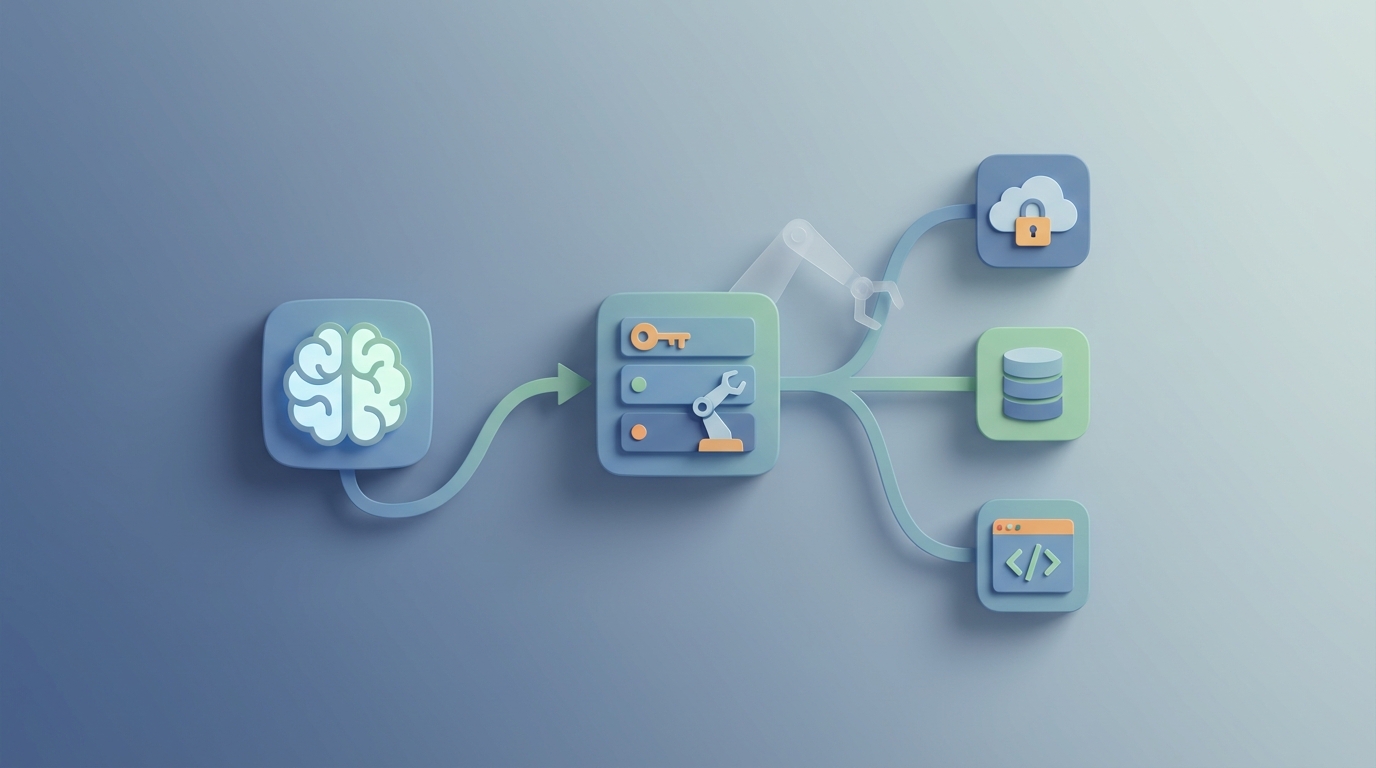
Let's be honest about access provisioning: it's a mess in most organizations, and everyone knows it.
A new hire joins your company. They need access to Slack, Jira, Salesforce, AWS, the internal wiki, three shared drives, a couple of SaaS tools specific to their team, and maybe a VPN. What should take minutes takes days — sometimes weeks. An IT admin is manually creating accounts, assigning permissions, waiting on approvals that sit in someone's inbox, and cross-referencing a spreadsheet that's six months out of date to figure out what "Marketing Analyst" even means in terms of system entitlements.
Meanwhile, when someone leaves, 20–40% of their accounts stay active after departure. That's not a guess — that's from SailPoint and Ponemon research. Those orphaned accounts are a breach waiting to happen.
The good news: this is one of the highest-ROI workflows you can automate with AI right now. Not in some theoretical future — today. And you don't need to rip out your existing IAM stack to do it.
Here's how to build an AI-powered access provisioning system using OpenClaw, step by step.
The Manual Workflow Today (And Why It's So Slow)
Before automating anything, you need to understand exactly what you're replacing. Here's the typical access provisioning workflow in a mid-to-large organization:
Step 1: Request Initiation (Day 0) HR enters a new hire into the HRIS (Workday, BambooHR, SAP SuccessFactors). A manager submits an access request through ServiceNow, Jira, or — god help you — email. Sometimes these two events aren't even connected.
Step 2: Approval Routing (Days 1–3) The request bounces between approvers: the direct manager, an application owner, maybe the security team. Each hop adds latency. Clarification rounds happen over Slack or email threads that nobody can find later.
Step 3: Entitlement Research (Days 2–4) An IT admin or identity team member tries to figure out what permissions this person actually needs. They look at what other people in similar roles have. They check a wiki page that hasn't been updated since 2021. They ask a senior team member. This step runs almost entirely on tribal knowledge.
Step 4: Manual Account Creation (Days 3–6) An admin logs into Active Directory, Okta, AWS IAM, Salesforce, and every other target system — one by one — to create accounts and assign permissions. Legacy apps without APIs get handled through their own admin consoles. Each system has its own quirks.
Step 5: Verification and Troubleshooting (Days 5–8) The new hire tries to log in. Something doesn't work. They open a ticket. IT investigates. Repeat until everything is functional.
Average total time: 4–8 business days for full access, according to Forrester's 2023 research. Complex roles with elevated privileges? Two to three weeks.
And this is just onboarding. Access reviews, role changes, and offboarding follow similarly painful patterns.
What Makes This Painful (Beyond Just Being Slow)
The time cost is obvious. The hidden costs are worse.
Financial cost is staggering. Manual identity processes cost organizations an estimated $1,500–$3,000 per employee per year, according to Gartner estimates. For a 5,000-person company, that's $7.5M–$15M annually spent on something that should be largely automated.
Access-related tickets eat your helpdesk alive. Identity and access requests typically represent 30–50% of total IT helpdesk workload. Your most expensive engineers are resetting passwords and toggling permissions instead of building things.
Errors compound into security risk. Over-provisioning is rampant because it's easier to give someone too much access than to figure out exactly what they need. Access creep — users accumulating permissions over time as they change roles without losing old entitlements — is the norm, not the exception.
Compliance is a recurring nightmare. SOX, GDPR, ISO 27001, SOC 2 — they all require evidence that access controls are working. Quarterly certification campaigns force managers to review hundreds of access decisions. The dirty secret? Managers rubber-stamp 80–90% of these reviews without analysis (per SailPoint surveys). The process exists for auditors, not for actual security.
Productivity impact is real and measurable. Thirty-seven percent of organizations say slow access provisioning directly delays employee productivity (Okta, 2023). A new hire sitting idle for a week waiting for system access isn't just annoying — it's expensive.
And the security exposure isn't theoretical. Improper access is a contributing factor in roughly 30% of data breaches (IBM Cost of a Data Breach 2026).
What AI Can Handle Right Now
Let's be specific about what's realistic today, not what's in some vendor's roadmap for 2027.
There are several areas where AI performs well enough to meaningfully reduce human effort in access provisioning:
Role mining and entitlement recommendations. This is the strongest use case. An AI agent can analyze actual system usage data — who has access to what, who actually uses that access, what patterns exist across departments and job titles — to discover and recommend role-based access profiles. Instead of an admin guessing what a "Marketing Analyst" needs, the system tells you based on what every other Marketing Analyst actually uses.
Risk-based auto-approval. Not every access request needs three humans to approve it. An AI agent can score requests based on the sensitivity of the resource, the user's role, peer comparison, behavioral patterns, and policy alignment. Low-risk, standard requests get auto-approved. High-risk or anomalous requests get escalated.
Standard provisioning triggered by HRIS data. When a new hire's record appears in Workday with a specific job title, department, and location, and those attributes match a known access profile, provisioning can happen automatically — no ticket required.
Anomaly detection and flagging. A junior contractor requesting production database admin access at 2 AM? That should get flagged instantly, not discovered during the next quarterly review.
Certification optimization. Instead of dumping 500 access decisions on a manager's desk every quarter, AI can pre-approve the obvious ones (employee still in same role, access hasn't changed, usage is normal) and surface only the 10–15% that actually warrant human review.
Natural language interfaces. A manager types "Give Sarah the same access as the other solutions engineers on the East Coast team" and the system translates that into a specific set of entitlements, applies risk scoring, and either auto-provisions or routes for approval.
How to Build This with OpenClaw: Step by Step
Here's a practical implementation path using OpenClaw as your AI layer. The key principle: you're building an intelligent orchestration layer on top of your existing identity infrastructure, not replacing it.
Step 1: Map Your Identity Data Sources
Before you build anything, inventory your systems. You need to know:
- Your HRIS (Workday, BambooHR, etc.) — the source of truth for employee data
- Your IdP (Okta, Microsoft Entra ID, Ping) — the central authentication layer
- Your target systems (AWS, Salesforce, Jira, Slack, custom apps) — where accounts and permissions live
- Your ticketing system (ServiceNow, Jira SM) — where requests currently flow
- Any existing IGA platform (SailPoint, Saviynt) — if you have one
Document the APIs available for each. Most modern SaaS tools support SCIM. Legacy apps may require custom connectors or PowerShell scripts.
Step 2: Build the HRIS Listener Agent in OpenClaw
Your first OpenClaw agent monitors your HRIS for employee lifecycle events: new hires, role changes, department transfers, terminations.
Configure the agent to watch for specific triggers:
Agent: HRIS Lifecycle Monitor
Trigger: New record or status change in HRIS
Data extracted: Employee ID, name, job title, department, location, manager, start date, employment type
Action: Route to Role Mapping Agent
This agent runs continuously and eliminates the "HR told IT via email three days later" problem entirely.
Step 3: Create the Role Mapping Agent
This is where the AI earns its keep. The Role Mapping Agent takes employee attributes and determines what access they need.
Build this in two phases:
Phase 1 — Rule-based mapping. Start with explicit rules for your most common roles. "Software Engineer in Engineering, US-East" gets GitHub, AWS (developer role), Jira, Slack, Confluence, and the VPN. Encode these as baseline profiles. This alone handles a significant percentage of provisioning.
Phase 2 — ML-driven recommendations. Feed the agent historical provisioning data: what access was granted to people with similar attributes, what they actually used (vs. what they were granted but never touched), and which requests were approved vs. denied. Over time, the agent learns the real access patterns for each role and can recommend entitlements for new or uncommon job titles.
Agent: Role Mapping Engine
Input: Employee attributes from HRIS Listener
Process:
  1. Match against explicit role profiles
  2. If no exact match, use ML model to recommend entitlements
     based on peer analysis and historical data
  3. Assign risk score to each recommended entitlement
Output: Proposed entitlement package with per-item risk scores
Action: Route to Approval Agent
Step 4: Build the Risk-Based Approval Agent
Not all access decisions should be treated equally. The Approval Agent applies logic like this:
- Risk score below threshold + matches standard profile → auto-approve and provision immediately
- Risk score moderate + matches standard profile with exceptions → route to manager for one-click approval
- Risk score high or privileged access → route to security team and application owner with full context
Agent: Risk-Based Approval Router
Input: Entitlement package with risk scores
Rules:
  - If all items risk_score < 3 AND role_match_confidence > 0.85: auto_approve
  - If any item risk_score 3-6: route_to_manager(context_package)
  - If any item risk_score > 6 OR privileged_flag = true: route_to_security_team
  - If employment_type = "contractor": always require manager approval
Output: Approved entitlement list
Action: Route to Provisioning Agent
The key insight: you're not removing humans from the loop. You're making sure humans only spend time on decisions that actually need their judgment.
Step 5: Build the Provisioning Execution Agent
Once entitlements are approved, the Provisioning Agent executes across your target systems. This agent calls APIs, runs SCIM operations, and handles system-specific logic.
Agent: Provisioning Executor
Input: Approved entitlement list
For each entitlement:
  1. Identify target system and connector
  2. Check if account exists; if not, create via API/SCIM
  3. Assign specified roles/permissions
  4. Verify assignment was successful
  5. Log action with timestamp and approval reference
  6. If any step fails: retry once, then create incident ticket
Output: Provisioning status report
Action: Notify employee and manager; update identity records
For systems without clean APIs, you can configure OpenClaw to generate and execute PowerShell scripts or trigger RPA workflows as a bridge.
Step 6: Build the Deprovisioning and Lifecycle Agent
This might be the most important agent from a security perspective. It monitors for terminations and role changes, then acts immediately.
Agent: Deprovisioning Monitor
Trigger: Employee status changed to "terminated" or "inactive" in HRIS
Action:
  1. Immediately disable authentication in IdP (Okta/Entra)
  2. Revoke all active sessions
  3. Queue full account deprovisioning across all target systems
  4. For role changes: compare old vs. new entitlement profile,
     remove excess, add new, flag conflicts
  5. Generate audit log
The goal: zero orphaned accounts. When someone's last day is Friday, their access is gone by Friday.
Step 7: Build the Certification Assistant Agent
For your quarterly access reviews (you still need them for compliance), build an agent that does the heavy lifting before a manager ever sees the review.
Agent: Certification Assistant
Trigger: Scheduled certification campaign
Process:
  1. Pull current access for all users in scope
  2. Compare against role profiles and peer groups
  3. Check usage data: flag entitlements not used in 90+ days
  4. Pre-categorize: "No action needed" vs. "Review recommended"
     vs. "Removal recommended"
  5. Generate plain-language summary for each user
Output: Pre-analyzed certification package for manager review
This is how organizations go from managers rubber-stamping 500 decisions to actually reviewing the 50 that matter.
What Still Needs a Human
Being clear about this is critical for building trust in the system and staying out of compliance trouble.
Privileged access decisions. Admin rights to production systems, access to financial data, anything touching customer PII — these should always have a human approver. AI can surface the context and recommendation. A human makes the call.
Business-context exceptions. "This contractor needs temporary access to our analytics platform for a three-week project because the client specifically requested it." AI doesn't have the context to evaluate that. A human does.
Policy creation and updates. AI can suggest policies based on usage patterns. Humans define what the organization's access philosophy actually is.
Bias monitoring. If your historical provisioning data reflects patterns where certain groups systematically received less access, AI trained on that data will perpetuate it. You need human oversight to catch and correct this.
Regulatory attestation. For SOX, SOC 2, and similar frameworks, a human must ultimately attest that controls are working. AI can prepare the evidence. The signature is still human.
Conflict resolution. When two policies conflict, when an access request doesn't fit neatly into any category, when something just feels off — that's human territory.
Expected Time and Cost Savings
Based on published case studies and industry benchmarks, here's what organizations are actually achieving:
Provisioning speed: From 4–8 days down to under 1 day for standard access (multiple Saviynt and SailPoint implementations). Some organizations report same-day provisioning for 80%+ of standard requests after implementing AI-driven automation with their existing IAM platforms.
Certification effort: 60–70% reduction in time spent on access reviews. One large insurance company went from 12 quarterly campaigns requiring thousands of manual decisions to AI-assisted reviews requiring human input on only ~15% of accounts.
Manual effort: Identity teams reclaim 60–80% of time previously spent on routine requests (KuppingerCole, 2023). That time goes to security architecture, policy refinement, and handling the complex cases that actually need expertise.
Orphaned accounts: Near-zero with automated deprovisioning tied to HRIS events, compared to the 20–40% lingering accounts that are typical today.
Helpdesk volume: 30–50% reduction in access-related tickets, which often represent the largest single category of IT support requests.
Cost: At $1,500–$3,000 per employee per year for manual identity processes, even a 50% reduction through automation saves a 5,000-person company $3.75M–$7.5M annually.
The ROI timeline is typically 3–6 months for the first agents to pay for themselves, with compounding returns as you add more target systems and refine the ML models with better data.
The Foundation Matters More Than the AI
One thing I want to be direct about: the organizations seeing the best results with AI-driven provisioning aren't the ones with the fanciest models. They're the ones with clean identity data and solid HR-to-IAM integration.
If your HRIS has inconsistent job titles, if your IdP doesn't have a reliable department field, if half your applications are provisioned through tribal knowledge — the AI agent will struggle. Garbage in, garbage out.
Treat identity as a data problem first. Clean your HR data. Standardize job titles and department names. Map your application landscape. Build the connectors. Then layer OpenClaw's AI agents on top.
The automation is powerful. But it's only as good as the foundation beneath it.
If this is a workflow you want to automate but you don't want to build and maintain the agents yourself, check out the pre-built access provisioning agents available on Claw Mart. You can also work with a Clawsourcer — a vetted OpenClaw developer who builds and deploys these systems for you. Browse available Clawsourcers and pre-built identity automation agents at claw-mart.com and skip straight to the part where provisioning actually works.