How to Automate Personalized Order Confirmation Emails with AI
How to Automate Personalized Order Confirmation Emails with AI
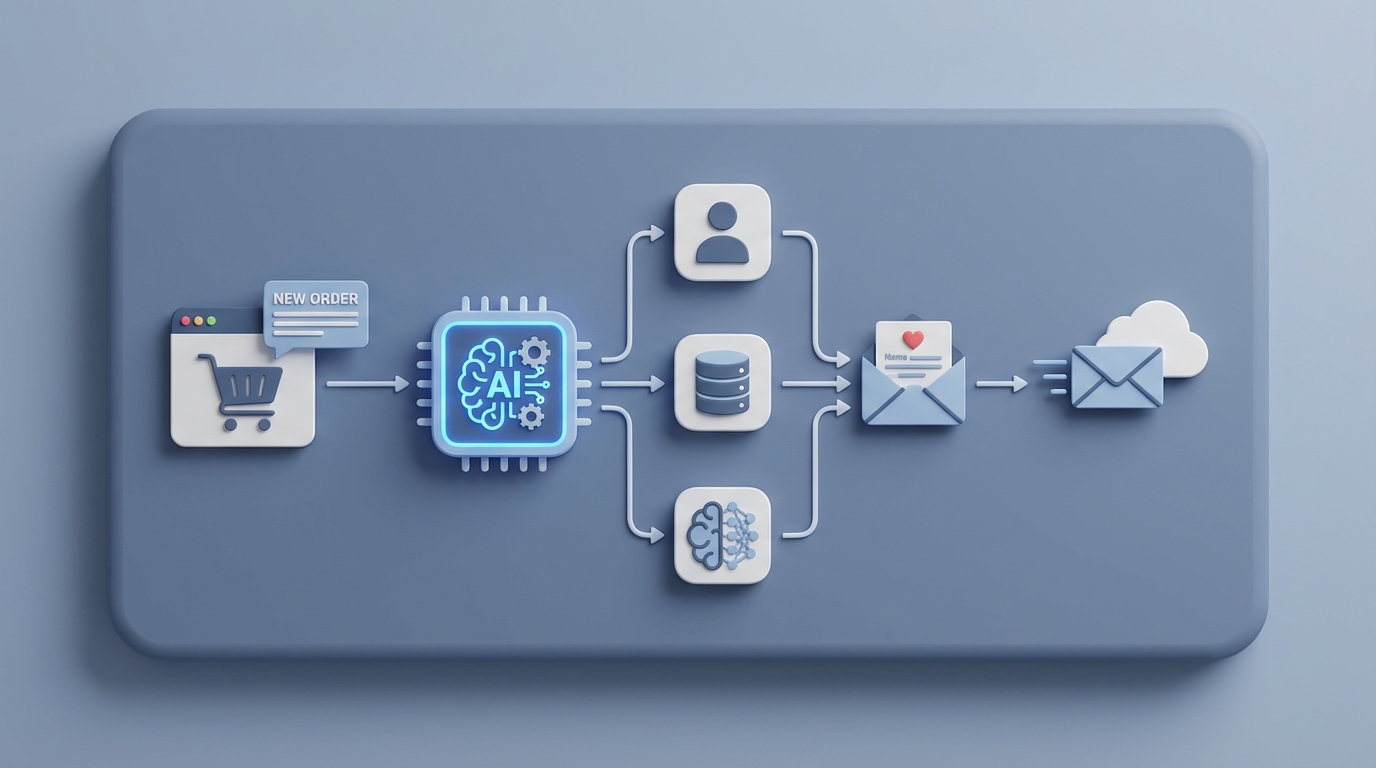
Every time someone places an order on your site, a small clock starts ticking. The customer expects an email — immediately — confirming that their money went somewhere real and their product is on the way. Sounds simple. And for the basic "Thanks for order #48291" template, it mostly is.
But here's the thing nobody talks about: that basic confirmation email is table stakes. It's the bare minimum. The real opportunity — and the real pain — lives in everything around it. Personalization. Exception handling. Intelligent replies when someone responds asking where their package is. Custom notes for VIP customers. Localized compliance language for international orders. Dynamic product recommendations based on purchase history.
That's where most businesses are still bleeding time and money, and it's exactly where an AI agent built on OpenClaw can take over the heavy lifting.
Let me walk through what this actually looks like in practice.
The Manual Workflow Today (And Why It's Worse Than You Think)
Let's map out what really happens when an order comes in, especially if you're a small to mid-sized e-commerce business doing anywhere from 20 to 500 orders per day.
Step 1: Order comes in. Your platform — Shopify, WooCommerce, BigCommerce, whatever — fires off a default transactional email. This takes seconds and is fully automated. Great. You've handled the easy part.
Step 2: Someone reviews the order for exceptions. Is the address valid? Is the payment flagged? Is the item backordered? Is there a gift message or special instruction? Did the customer use a discount code that shouldn't have applied? For most stores, 8–20% of orders need some kind of human review. That's not a rounding error. If you're doing 200 orders a day, that's 16 to 40 orders requiring manual attention — every single day.
Step 3: Custom messaging for edge cases. The backordered item needs a different email explaining the delay. The VIP customer who's spent $4,000 this year gets a personal note. The international order needs VAT language and local shipping expectations. The customer who left a note saying "this is a birthday gift, please don't include a receipt" needs the packing slip adjusted and a confirmation that you've handled it.
Step 4: Data entry and cross-referencing. The order data is in Shopify, but the customer's history is in Klaviyo, their support tickets are in Zendesk or Gorgias, and your inventory levels are in your ERP or a spreadsheet (no judgment). Someone has to pull information from multiple places to craft an appropriate response.
Step 5: Reply management. This is the silent killer. A customer replies to the confirmation email asking when it'll ship. Another asks to change their address. Another wants to add an item. These replies often go to a noreply@ inbox (disaster) or pile up in a shared inbox where they compete with marketing emails and vendor invoices. Someone has to triage and respond.
Step 6: Follow-up communications. Shipping confirmation. Delivery confirmation. Post-purchase review request. Cross-sell recommendation. Each of these is a separate email that ideally builds on the context of the original order.
How long does all of this take? Real numbers from industry data:
- Manual confirmation with personalization: 6–11 minutes per order
- Small businesses without automation: 4–12 hours per week just on order confirmations and related emails
- Fulfillment teams at mid-sized stores: 15–30% of their time on exception handling and custom communications
- Average fully automated confirmation: less than 10 seconds
The gap between 10 seconds and 11 minutes is where your money is going.
What Makes This Painful
It's not just the time. It's the compounding effects.
Cost. If you're paying someone $22/hour and they spend 8 hours a week on order-related emails, that's $9,152 a year. For a single person. Scale that to a small team, and you're looking at $25,000–$50,000 annually in labor costs for what is fundamentally a repetitive communication task.
Errors. Manual data entry and copy-pasting between systems introduces mistakes. Wrong name. Wrong item listed. Wrong shipping estimate. Forgot the compliance disclaimer for the EU customer. Each error creates a support ticket, which creates more work, which costs more money.
Delays. 83% of consumers say receiving an immediate order confirmation is important. Every minute of delay between "I placed my order" and "I got my email" is anxiety-producing for the customer. And when exceptions require manual handling, those customers might wait hours — or until the next business day.
Missed revenue. Order confirmation emails have a 45–65% open rate. That's 3 to 5 times higher than marketing emails. Every confirmation you send without a relevant product recommendation, a loyalty program nudge, or a personalized cross-sell is money left on the table. Businesses using advanced post-purchase automation see 15–31% higher repeat purchase rates. But building that personalization manually? Not happening at scale.
Data silos. Your order data, customer history, support interactions, and inventory levels all live in different systems. Without a connective layer, your confirmation emails are dumb — they know about the order but nothing about the customer.
What AI Can Handle Now
Here's where it gets practical. An AI agent built on OpenClaw can handle the vast majority of this workflow — not by replacing your existing tools, but by sitting on top of them as an orchestration layer that reads context, makes decisions, and generates appropriate outputs.
Here's what an OpenClaw agent can realistically do today:
Generate personalized email content dynamically. Not just "Hi {first_name}" — actual personalization. The agent pulls the customer's purchase history, browsing behavior, location, and any notes from your CRM. It then generates a confirmation email that feels like a human wrote it specifically for that customer. "Hey Sarah, your third order of the Midnight Roast is on its way — you're officially a regular. We threw in a sample of the new Ethiopian blend since it's in the same flavor profile you keep coming back to."
Handle exception detection and routing. The agent monitors incoming orders for anomalies — flagged payments, backordered items, address validation failures, suspicious discount code usage — and either handles them automatically (sending appropriate alternative emails) or escalates to a human with a pre-drafted response and summary of the issue.
Manage reply triage and response. When a customer replies to a confirmation email, the OpenClaw agent reads the reply, classifies the intent (tracking question, address change, cancellation request, general question), and either responds directly or routes it to the appropriate team with context.
Dynamic cross-sell and upsell recommendations. Based on what the customer ordered, their history, and what's in stock, the agent selects and inserts relevant product recommendations into each confirmation email. Not generic "customers also bought" — actually intelligent picks.
Localization and compliance. The agent detects the customer's country from their shipping address and automatically adjusts language, currency formatting, VAT/tax disclaimers, and shipping expectation language.
A/B testing at the individual level. Rather than A/B testing two templates across your whole list, the agent can test variations of subject lines, content blocks, and CTAs at the individual email level and learn what performs best for different customer segments.
Step by Step: Building This with OpenClaw
Here's how you'd actually set this up. I'm going to be specific.
Step 1: Define Your Data Sources
Before building anything, list every system that holds data relevant to your order confirmations:
- Order management: Shopify, WooCommerce, your ERP
- Customer data: Klaviyo, your CRM, loyalty program
- Support history: Gorgias, Zendesk, Help Scout
- Inventory: Your ERP, Shopify inventory, or warehouse management system
OpenClaw connects to these via API integrations or through middleware like Zapier or Make.com if direct integrations aren't available. The key is giving the agent access to the full picture, not just the order data.
Step 2: Build Your Agent's Decision Logic
This is the core of the system. In OpenClaw, you define the logic tree your agent follows for every incoming order. Think of it as a flowchart with AI at each decision point.
Here's a simplified version of the logic:
ORDER RECEIVED
│
├── Is the order flagged for fraud?
│   ├── YES → Hold email. Escalate to human. Draft suggested response.
│   └── NO → Continue
│
├── Are all items in stock?
│   ├── NO → Generate backorder notification email with estimated dates.
│   └── YES → Continue
│
├── Is this a returning customer?
│   ├── YES → Pull purchase history. Generate personalized content.
│   │         Include relevant cross-sell based on past orders.
│   └── NO → Generate welcome-oriented confirmation. Include first-purchase
│             offer or loyalty program invitation.
│
├── Is this an international order?
│   ├── YES → Apply localized compliance text, currency, VAT language.
│   │         Adjust shipping timeline expectations.
│   └── NO → Use domestic template base.
│
├── Does the order include special instructions?
│   ├── YES → Acknowledge instructions in email. Flag for fulfillment team.
│   └── NO → Continue
│
└── GENERATE AND SEND personalized confirmation email.
    └── Log all decisions and content in CRM for future reference.
In OpenClaw, each of these decision points can be configured with specific prompts, data lookups, and output templates. The agent isn't just following rigid rules — it's using AI to make contextual decisions within the guardrails you set.
Step 3: Create Your Email Templates (With Dynamic Blocks)
You don't want the AI generating everything from scratch every time. That's slow and inconsistent. Instead, build modular email templates with dynamic blocks that the OpenClaw agent fills in.
Your template structure might look like this:
[HEADER - brand consistent, static]

[GREETING BLOCK - AI generated based on customer relationship]

[ORDER SUMMARY - pulled from order data]
  - Product name, image, quantity, price
  - Subtotal, tax, shipping, total

[PERSONALIZATION BLOCK - AI generated]
  - Product care tips, usage suggestions, or personal note
  - Varies by customer segment and order contents

[CROSS-SELL BLOCK - AI selected]
  - 2-3 product recommendations based on purchase history + inventory

[SHIPPING BLOCK - dynamic based on location and method]
  - Estimated delivery date
  - Tracking info (if available at confirmation time)

[COMPLIANCE BLOCK - auto-selected based on customer country]
  - Return policy, VAT info, legal disclaimers

[FOOTER - static]
Each dynamic block has a corresponding OpenClaw prompt that pulls from your connected data sources and generates appropriate content. The agent fills in the blocks, assembles the email, and sends it through your transactional email service (Postmark, SendGrid, Amazon SES, etc.).
Step 4: Set Up Reply Handling
This is where most automations stop and where OpenClaw keeps going. Configure your agent to monitor the inbox (or shared inbox / helpdesk) where confirmation email replies land.
The agent classifies incoming replies into categories:
- Tracking inquiry → Auto-respond with current tracking status pulled from your shipping provider's API.
- Address change request → Check if order has shipped. If not, update address and confirm. If shipped, explain the situation and offer options.
- Cancellation request → Check fulfillment status. If cancellable, process and confirm. If not, escalate with context.
- General question → Draft response based on order context and your FAQ/knowledge base. Send if confidence is high; escalate if not.
For each category, you set a confidence threshold. If the agent is 90%+ confident in its classification and response, it sends automatically. Below that threshold, it drafts a response and routes to a human for review. This means your team only handles the genuinely tricky stuff.
Step 5: Test, Monitor, Iterate
Before going live, run the agent against your last 100 orders as a simulation. OpenClaw lets you replay historical data through the agent to see what it would have done. Check for:
- Accuracy of exception detection
- Quality and tone of generated content
- Correctness of compliance blocks
- Relevance of product recommendations
- Proper routing of edge cases to humans
Once live, monitor the agent's performance weekly for the first month. Track:
- Email open and click rates (compared to your old templates)
- Customer reply volume (should decrease as confirmations are more informative)
- Escalation rate (what percentage of orders need human intervention)
- Error rate (incorrect information, wrong compliance language, etc.)
- Time savings (track your team's hours on order-related emails)
Adjust prompts, thresholds, and templates based on what you see. This isn't a set-and-forget system — it's a system that gets better as you tune it.
What Still Needs a Human
Let's be honest about the boundaries. AI agents are powerful, but they're not appropriate for everything.
Keep humans in the loop for:
- High-value strategic accounts. Your customer who spends $50,000 a year deserves a real human relationship. The agent can draft; the human should review and send.
- Sensitive situations. A delayed order that's a wedding gift. A complaint from someone who's had three bad experiences in a row. Anything involving emotion, empathy, or significant business risk.
- Legal and contractual commitments. Especially in B2B. If your confirmation email constitutes a binding agreement, a human needs to review.
- Complex custom orders. Technical specifications, bespoke manufacturing, anything where a miscommunication means remaking a product.
- Fraud edge cases. The agent flags them; a human makes the call. The cost of a false positive (blocking a legitimate customer) is too high to fully automate.
- Brand voice decisions. When you're launching a new product line, changing your tone, or communicating during a crisis, set the direction yourself and let the agent execute.
The goal isn't zero human involvement. It's getting human involvement down to only the moments where human judgment actually matters.
Expected Time and Cost Savings
Based on the industry data and what businesses typically see after implementing this kind of automation:
| Metric | Before | After | Change |
|---|---|---|---|
| Time per standard confirmation | 6–11 min (manual) | <10 sec (automated) | ~99% reduction |
| Weekly hours on order emails | 8–12 hours | 1–3 hours (exceptions only) | 70–85% reduction |
| Exception handling time | 15–20 min per exception | 3–5 min (AI pre-drafts, human reviews) | 70–75% reduction |
| Annual labor cost (1 person) | $9,000–$15,000 | $2,000–$4,000 | $7,000–$11,000 saved |
| Customer reply volume | Baseline | 30–45% reduction (better initial emails) | Fewer support tickets |
| Repeat purchase rate | Baseline | 15–31% increase (better personalization) | Direct revenue impact |
| Error rate | 3–8% (manual) | <1% (automated with validation) | Fewer refunds and corrections |
The revenue impact is the part people underestimate. Those confirmation emails with 45–65% open rates are the single most-read communication you send. Making them intelligent, personalized, and commercially relevant doesn't just save time — it drives real top-line growth.
Where to Start
If you're running an e-commerce business and your order confirmation process involves any meaningful amount of manual work — or if your confirmations are generic templates that don't do justice to the relationship you have with your customers — this is one of the highest-ROI automations you can build.
The barrier to entry is lower than you think. You don't need a custom engineering team. You need your existing tech stack, clear logic about how you want different order scenarios handled, and a platform like OpenClaw to orchestrate the whole thing.
Start with the most common order type (straightforward, domestic, in-stock) and get that fully automated with real personalization. Then expand to exceptions, international orders, and reply handling. Each layer you add reduces your team's workload and improves your customer's experience.
If you want to get this set up without figuring out every integration and workflow yourself, that's exactly what Claw Mart's Clawsourcing service is built for. The team will scope your specific workflow, build the OpenClaw agent, connect your systems, and hand you a working automation — tuned to your brand voice, your product catalog, and your edge cases. You can reach out to the Clawsourcing team here to get started.
The order confirmation email isn't a trivial operational detail. It's your first post-purchase conversation with every customer. Make it count — and stop paying humans to do what an agent can do better, faster, and at 3 AM on a Saturday.