Automate Follow-Up Emails: Build an AI Agent That Nudges Unresolved Tickets
Automate Follow-Up Emails: Build an AI Agent That Nudges Unresolved Tickets
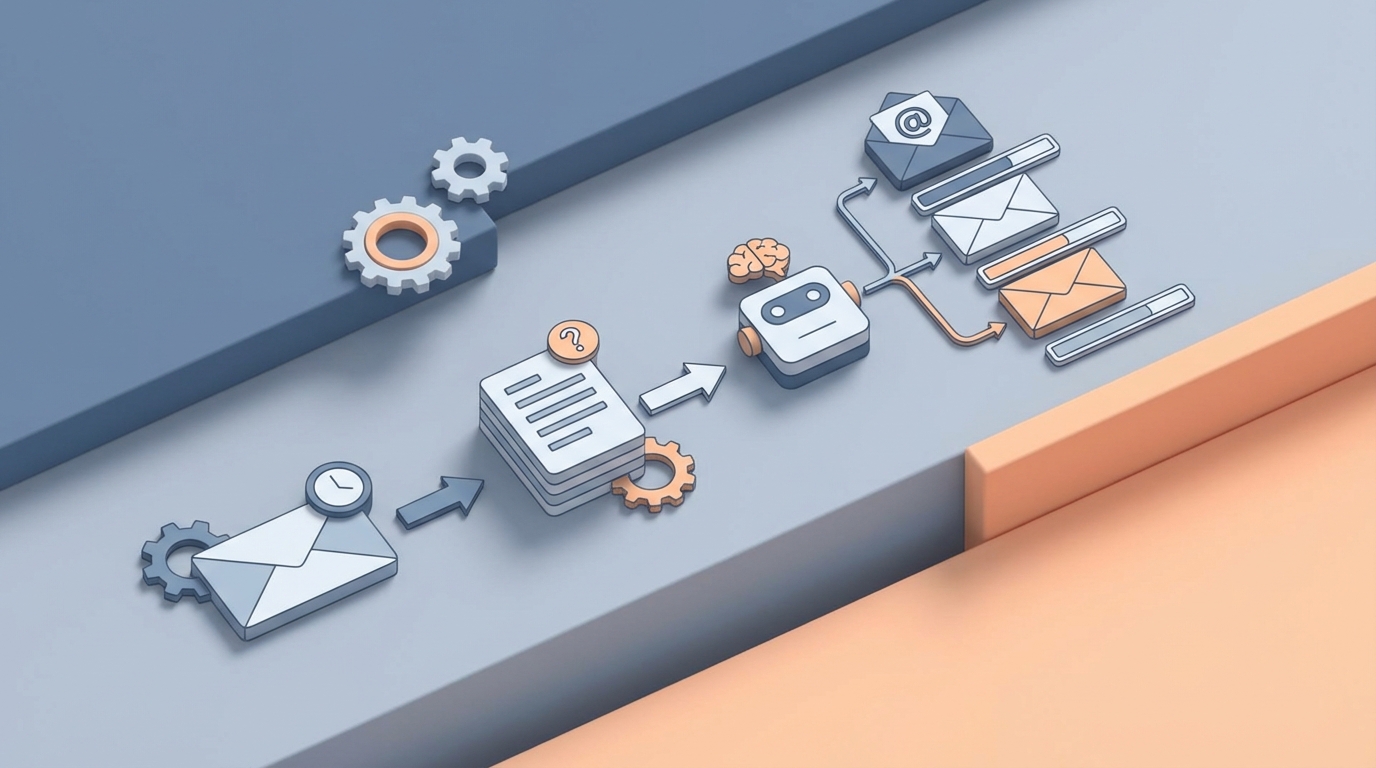
Every support team has the same dirty secret: somewhere between 15% and 40% of their tickets don't actually get resolved. They get closed. The customer stops replying, the rep marks it "solved," and everyone moves on. Except the customer didn't move on. They just gave up.
The follow-up email that should have gone out—"Hey, did this actually fix your problem?"—never gets sent. Or it gets sent three days late with a generic template that reads like it was written by a committee. Or the rep meant to send it but got buried under 47 other tickets and forgot.
This is one of the most fixable problems in customer support, and almost nobody fixes it well. So let's fix it. We're going to walk through exactly how to build an AI agent on OpenClaw that monitors your ticket queue, identifies unresolved or at-risk tickets, writes contextual follow-up emails, and sends them—without a human touching anything unless the situation actually warrants it.
No vaporware. No "imagine a world where…" Just the workflow, the build, and the math.
The Manual Workflow Today (And Why It's Quietly Bleeding Money)
Let's map out what actually happens when a support team tries to follow up on unresolved tickets manually. I'm being specific here because the details are where the time disappears.
Step 1: Identify which tickets need follow-up. Someone—usually a team lead or senior rep—opens the helpdesk dashboard (Zendesk, Freshdesk, Intercom, whatever) and filters for tickets that are "pending customer reply" or "closed without confirmation." This takes 15–30 minutes daily for a team handling 200+ tickets per week.
Step 2: Review each ticket for context. You can't just blast a generic "Did we help?" email. The rep needs to read the conversation history, understand what the issue was, check whether a solution was actually provided or if the conversation just trailed off, and look at the customer's history (are they a power user? a new signup? on a free trial?). This is 3–8 minutes per ticket.
Step 3: Draft the follow-up email. Write something that acknowledges the specific issue, references what was tried, and asks a targeted question. If you're good at this, it takes 3–5 minutes. If you're copying and pasting from a template and trying to make it sound human, it takes longer because you're fighting the template.
Step 4: Send, log, and set a reminder. Send the email, update the ticket status in your helpdesk, and set a calendar reminder or task to check whether the customer replied in 48 hours. Another 1–2 minutes.
Step 5: Handle the reply (or the silence). If they reply, great—route it back to the original rep or handle it. If they don't reply after your follow-up, decide whether to send a second nudge or close the ticket for real. This decision point often just… doesn't happen.
Total time per ticket: 8–15 minutes of human attention, spread across multiple sessions.
Total time per week for a team with 50 tickets needing follow-up: 7–12 hours. That's a part-time job. A part-time job that nobody signed up for, nobody likes doing, and everybody deprioritizes when things get busy.
And here's the kicker: Gong.io found that support and sales reps spend roughly 28% of their time writing and sending emails. Not solving problems. Not talking to customers. Writing emails. A huge chunk of that is follow-up.
What Makes This Painful (Beyond the Obvious)
The time cost is the easy thing to point at. But the real damage is subtler.
Inconsistency kills trust. When five different reps write follow-ups, you get five different tones, five different levels of detail, and five different customer experiences. One rep writes a thoughtful three-sentence check-in. Another sends "Just wanted to circle back on this!" Customer experience becomes a lottery.
Tickets fall through the cracks at the worst possible time. The tickets most likely to get forgotten are the complicated ones—the ones where the rep wasn't sure if the fix actually worked, or the customer seemed frustrated and the rep didn't want to poke the bear. These are precisely the tickets that need follow-up the most. That classic stat—80% of sales require five or more follow-ups, but 48% of reps never follow up more than once—applies equally to support.
You're training customers to leave quietly. Every unresolved ticket without follow-up is a customer who learned that your company doesn't care enough to check. They won't tell you they're unhappy. They'll just churn. And you'll never know the ticket was the reason.
The cost compounds. If your average customer is worth $1,200/year and you lose even 5% of them because of poor follow-up on support issues, that's real revenue. For a company with 2,000 customers, that's 100 customers × $1,200 = $120,000 in annual revenue walking out the door. To save 12 hours of email writing per week.
What AI Can Handle Right Now
Let's be honest about capabilities. AI in 2026 is very good at some parts of this workflow and genuinely bad at others. Here's what an AI agent built on OpenClaw can reliably do today:
Trigger detection and ticket monitoring. An OpenClaw agent can connect to your helpdesk via API, continuously monitor ticket statuses, and flag tickets that match your follow-up criteria. Tickets pending customer reply for more than 48 hours. Tickets closed by the rep but never confirmed resolved by the customer. Tickets where the customer's last message contained negative sentiment. Tickets from customers in specific segments (enterprise, trial, at-risk). This isn't fancy. It's just structured data filtering. But doing it automatically, every hour, without a human remembering to check—that's the difference between catching 95% of follow-up opportunities versus catching 40%.
Context extraction and summarization. The agent reads the full ticket history and extracts what matters: what the original issue was, what solutions were attempted, whether the customer confirmed resolution, the customer's tone and sentiment trajectory, and relevant account data (plan type, tenure, recent activity). This is where large language models genuinely shine. They're excellent at reading a messy conversation thread and producing a clean summary.
Drafting personalized follow-up emails. Based on the extracted context, the agent writes a follow-up email that references the specific issue, acknowledges what was tried, asks a clear question, and matches your brand voice. This is not a mail merge. It's not "Hi {first_name}, just checking in on ticket #{number}." It's: "Hey Sarah—wanted to check back on the CSV export issue you reported last week. Our team suggested clearing the browser cache and retrying with Chrome. Did that end up working, or are you still seeing the formatting errors?"
Timing optimization. The agent can analyze historical response patterns to determine the best send time—not just generically ("Tuesday at 10am") but per customer, based on when they've historically opened and replied to emails.
Reply classification and routing. When the customer responds to the follow-up, the agent reads the reply, classifies it (resolved, still broken, new issue, angry, wants to cancel), and routes it accordingly—back to the original rep, to a senior rep, or to the retention team.
Step-by-Step: Building the Agent on OpenClaw
Here's how to actually build this. I'm going to assume you're using a standard helpdesk (Zendesk, Freshdesk, or similar with an API) and that you have an OpenClaw account.
Step 1: Define Your Follow-Up Triggers
Before you touch any tooling, write down your trigger rules. Be specific. Vague triggers create noise; specific triggers create value. Here's a sensible starting set:
Trigger 1: Ticket status = "pending customer reply" AND last_updated > 48 hours ago
Trigger 2: Ticket status = "solved" AND customer_confirmed_resolution = false AND closed_at > 24 hours ago
Trigger 3: Ticket CSAT score < 3 AND no follow-up sent in last 7 days
Trigger 4: Customer segment = "enterprise" OR "trial" AND any open ticket > 24 hours without update
You'll refine these after seeing results. Start with these four.
Step 2: Connect Your Helpdesk to OpenClaw
Set up the integration between your helpdesk and OpenClaw. You're pulling ticket data—status, conversation history, customer metadata, timestamps. OpenClaw's agent framework lets you define data sources and connect them as inputs to your agent's decision loop.
Configure the agent to poll your helpdesk API on a schedule (every 30–60 minutes is reasonable) or set up webhooks if your helpdesk supports them for real-time triggering.
Step 3: Build the Context Extraction Layer
This is where the AI does its heaviest lifting. For each triggered ticket, the agent needs to:
- Pull the full conversation thread
- Identify the core issue
- List solutions that were proposed
- Determine whether the customer confirmed resolution
- Assess customer sentiment (frustrated, neutral, happy)
- Pull account-level data (plan, tenure, lifetime value, recent product usage)
In your OpenClaw agent definition, you'll set up a prompt chain that handles this extraction. Here's the logic structure:
Input: Full ticket conversation thread + customer metadata

Extract:
- issue_summary: One-sentence description of the customer's problem
- solutions_proposed: List of solutions the support rep suggested
- resolution_confirmed: Boolean (did the customer explicitly say it was fixed?)
- customer_sentiment: Scale of 1-5 or categorical (frustrated/neutral/satisfied)
- last_customer_message: The customer's most recent reply
- days_since_last_activity: Calculated from timestamps
- customer_tier: From account metadata
This structured output becomes the input for your email drafting step.
Step 4: Design the Email Templates (As Guidance, Not Straitjackets)
You don't want the AI writing from scratch every time—that's how you get inconsistency. But you also don't want rigid templates—that's how you get "just checking in" emails.
The middle path: give your OpenClaw agent template guidance that sets structure and tone while leaving room for contextual personalization.
Create 3–4 template archetypes:
Template A: Gentle nudge (ticket went quiet)
Tone: Warm, low-pressure
Structure: Reference the issue → acknowledge the suggested fix → ask if it worked → offer alternative help
Length: 3-5 sentences
Template B: Resolution confirmation (ticket closed without confirmation)
Tone: Brief, direct
Structure: Note that the ticket was closed → ask if the issue is actually resolved → make it easy to reopen
Length: 2-4 sentences
Template C: Escalation/high-value check-in (enterprise or frustrated customer)
Tone: More formal, empathetic
Structure: Acknowledge the difficulty → summarize what's been tried → offer a call or screen share → provide direct contact
Length: 4-6 sentences
Template D: Second follow-up (first follow-up got no reply)
Tone: Even lighter, shorter
Structure: One-line reference to previous email → simple yes/no question → note that you'll close the ticket if no response
Length: 2-3 sentences
Feed these templates into your OpenClaw agent as prompt instructions. The agent selects the appropriate template based on the context extraction, then generates the actual email content using the customer-specific details.
Step 5: Set Up the Review Gate (Optional But Smart for V1)
For your first iteration, I'd recommend not going fully autonomous. Instead, have the agent draft the email and drop it into a review queue—a Slack channel, an email digest, or a simple dashboard.
A human glances at each email, approves or edits, and hits send. This takes 15–30 seconds per email instead of 8–15 minutes. That's a 90%+ time reduction while you build confidence in the agent's output quality.
After two to four weeks of reviewing and seeing that 90%+ of drafts need zero edits, flip the switch to fully autonomous for Template A, B, and D emails. Keep Template C (high-value/escalation) in the review queue permanently.
Step 6: Handle Replies
When a customer replies to a follow-up, the agent needs to classify the reply and route it:
Reply classification:
- "resolved" → Update ticket status, log resolution, trigger CSAT survey
- "still_broken" → Reopen ticket, assign to original rep or next available, bump priority
- "new_issue" → Create new ticket, link to original
- "angry" → Route to senior rep or manager immediately
- "wants_to_cancel" → Route to retention team immediately
- "out_of_office" → Reschedule follow-up for 3 days later
This classification step is straightforward for the language model and saves enormous routing time.
Step 7: Measure and Iterate
Track these metrics from day one:
- Follow-up coverage rate: What percentage of eligible tickets actually get follow-ups? (Target: >95%)
- Response rate to follow-ups: Are customers replying? (Benchmark: 25–40% for contextual follow-ups)
- Resolution rate after follow-up: How many "unresolved" tickets actually get resolved after the nudge?
- Time saved per week: Track against your manual baseline
- Customer satisfaction delta: Compare CSAT for customers who received AI follow-ups versus those who didn't (historical comparison)
- Escalation accuracy: When the agent routes a reply to a human, was that the right call?
Feed these metrics back into your OpenClaw agent configuration. Tighten triggers, adjust tone, modify timing.
What Still Needs a Human
Let me be straightforward about the boundaries.
Angry customers. When sentiment analysis flags a customer as genuinely upset—not mildly annoyed, but angry—a human needs to step in. AI-written empathy reads as hollow to someone who's already frustrated. The agent should detect this and route, not respond.
Complex technical problems. If the ticket involves a nuanced bug, a multi-step integration issue, or anything where the "solution" requires investigation, the follow-up email needs to come from someone who actually understands the problem. The agent can still draft, but a technical rep should review.
High-value accounts. Your top 10% of customers by revenue should get human attention on follow-ups. The AI can draft, summarize, and prepare the context—saving the account manager 80% of the work—but the final send should be human.
Retention-critical moments. If a customer mentions canceling, switching to a competitor, or expresses deep dissatisfaction, the agent should immediately escalate. It should not attempt to "save" the customer autonomously. This is relationship work, and it requires a real person.
The pattern here is simple: automate the routine, escalate the emotional. An OpenClaw agent handles the 70–80% of follow-ups that are straightforward check-ins. Humans handle the 20–30% that require judgment, empathy, or authority.
Expected Time and Cost Savings
Let's run the numbers for a mid-sized support team.
Assumptions:
- 5 support reps
- 200 tickets per week
- 50 tickets per week need follow-up (25%)
- Current time per follow-up: 10 minutes average
- Current follow-up coverage: 60% (they miss 40% due to time pressure)
Before (manual):
- 50 tickets × 10 minutes = 500 minutes (8.3 hours) per week on follow-ups
- But they only actually follow up on 60%, so 30 tickets get follow-ups
- 20 tickets per week fall through the cracks
After (OpenClaw agent with review gate):
- Agent handles trigger detection, context extraction, and drafting: 0 human minutes
- Human review: 50 tickets × 30 seconds = 25 minutes per week
- Follow-up coverage: 98%+ (the agent doesn't forget or get busy)
- Time saved: ~8 hours per week
- Tickets saved from falling through cracks: ~20 per week, ~1,000 per year
Revenue impact (conservative estimate): If even 5% of those 1,000 recovered follow-ups prevent a churn event, and your average customer value is $1,200/year, that's 50 saved customers × $1,200 = $60,000 in retained revenue per year. From an agent that takes a day or two to build and costs a fraction of a single support rep's salary to run.
The time savings alone—roughly 400 hours per year—are worth $10,000–$20,000 in labor costs depending on your team's loaded rate. But the retained revenue from actually following up on tickets that would have been forgotten is where the real ROI lives.
This Is the Kind of Thing You Should Be Building Right Now
The gap between "we know we should follow up on every ticket" and "we actually follow up on every ticket" is almost entirely an execution gap. The judgment required is low for most follow-ups. The data is already sitting in your helpdesk. The emails don't need to be literary masterpieces—they need to be timely, relevant, and sent.
That's exactly the kind of work an AI agent is built for.
If you want to start building agents like this—or you'd rather have someone build it for you—check out the Claw Mart marketplace for pre-built OpenClaw agents and templates, or tap into Clawsourcing to connect with builders who can scope and ship a custom follow-up agent for your stack. Either way, this is a problem that shouldn't still be eating your team's hours in 2026.
Recommended for this post
Your Notion expert that builds databases, automates workflows, and connects your knowledge base.
 SpookyJuice.ai
Your Linear expert that automates issue tracking, builds workflows, and streamlines project management.
SpookyJuice.ai
Adam
Full-Stack Engineer
Your full-stack AI engineer that architects, builds, deploys, and automates entire applications from a single conversation. 23+ Core Capabilities.
 Clarence Maker