Replace Your Support Team Lead with an AI Support Team Lead Agent
Replace Your Support Team Lead with an AI Support Team Lead Agent
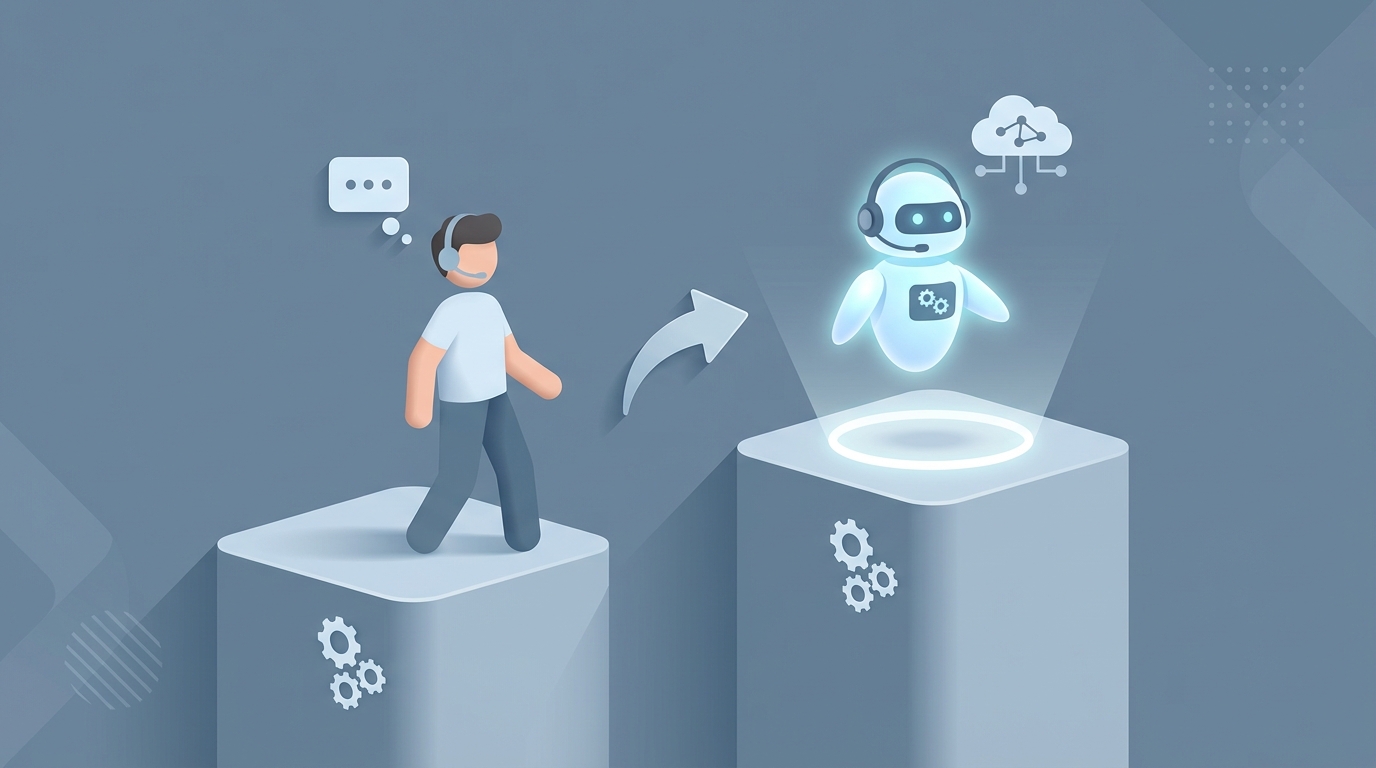
Most support team leads spend their days doing work that looks strategic but is actually mechanical. They pull up dashboards, skim a sample of tickets, paste feedback into a 1:1 doc, hop on a standup, triage escalations, update a knowledge base article, and repeat. Five days a week. For somewhere between $100,000 and $285,000 a year, fully loaded.
I'm not saying the role is worthless. I'm saying roughly 60% of what fills a support team lead's day can be handled by an AI agent right now — not in some vague future, not with a team of ML engineers — today, with the right setup on OpenClaw.
Let me walk through what this actually looks like, what's realistic, and what still requires a human being with a pulse and emotional intelligence.
What a Support Team Lead Actually Does All Day
Forget the job description. Here's what the day actually looks like for most support team leads based on industry surveys and time-tracking data:
~40% Team Oversight Scheduling shifts, assigning ticket queues, running standups, conducting weekly 1:1s with 8-15 agents. Most of this is logistical. It's calendar Tetris combined with Zendesk queue management.
~30% QA and Escalations Pulling a daily sample of 10-20% of agent interactions. Reading through tickets or listening to call recordings. Flagging issues with tone, accuracy, or SLA compliance. Handling the tickets that agents couldn't resolve — angry VIPs, edge cases, anything involving the phrase "I want to speak to a manager."
~20% Meetings and Reporting Stakeholder syncs with product and engineering (usually about bugs customers keep reporting). Building or updating dashboards in Zendesk Explore, Gainsight, or a Google Sheet held together with hope. Presenting CSAT trends, first response time, resolution rates.
~10% Admin Time-off approvals, payroll sign-offs, compliance documentation, onboarding new hires.
The pattern: most of this is information processing. Ingesting data, categorizing it, routing it, summarizing it, and acting on decision trees. That's exactly the kind of work AI agents are built for.
The Real Cost of This Hire
Let's do the math that most companies don't do before opening the req.
For a mid-level support team lead at a SaaS company in the US:
| Cost Component | Range |
|---|---|
| Base salary | $100,000 – $130,000 |
| Bonus / equity | $20,000 – $30,000 |
| Benefits (health, 401k, PTO) | 25-40% of base |
| Tooling (Zendesk, Gong, Slack, etc.) | $5,000 – $10,000/year |
| Recruiting cost | $15,000 – $30,000 (one-time) |
| Ramp time | 2-3 months at reduced output |
| Fully loaded annual cost | $150,000 – $210,000 |
And here's the part nobody puts in the spreadsheet: support team lead turnover isn't trivial. When they leave — and in support, annual turnover runs 30-50% — you restart the recruiting cycle, lose institutional knowledge, and watch team performance dip for a quarter.
You're not just paying a salary. You're paying for continuity risk.
An AI agent on OpenClaw costs a fraction of this. It doesn't need benefits, doesn't take PTO, and doesn't quit after 14 months because a competitor offered $15K more.
What an AI Support Team Lead Agent Can Handle Right Now
I want to be specific here, because vague AI promises are worthless. These are the tasks you can automate today with an OpenClaw agent, along with how they work:
1. Ticket Triage and Routing (Replaces ~90% of Manual Routing)
An OpenClaw agent connects to your helpdesk via API, reads incoming tickets, classifies them by category, urgency, and required skill level, and routes them to the right agent or queue. No rules engine with 200 if-then conditions. The agent uses natural language understanding to handle ambiguity.
Example OpenClaw setup: You define the agent's role with a system prompt like:
You are a support ticket triage agent. For each incoming ticket:
1. Classify the issue type: billing, technical, account, feature request, bug report
2. Assess urgency: critical (service down), high (blocked user), medium (degraded experience), low (question/feedback)
3. Route to the appropriate queue based on classification
4. If urgency is critical AND the customer is on an Enterprise plan, escalate immediately to the on-call senior agent
5. Tag the ticket with relevant product areas for reporting
On OpenClaw, you wire this up to your Zendesk or Intercom webhook, and the agent processes every single ticket in real time. Not a 10-20% sample. Every one.
2. QA Reviews at Scale (Replaces ~80% of Manual QA)
This is where the ROI gets absurd. A human lead samples maybe 15% of tickets per day. An OpenClaw agent reviews 100%.
You build a QA agent that ingests completed tickets and evaluates them against your rubric:
Evaluate this support interaction on:
- Accuracy: Did the agent provide correct information? (1-5)
- Tone: Was the response empathetic and professional? (1-5)
- SLA compliance: Was first response within the 2-hour target? (Yes/No)
- Resolution: Was the issue fully resolved, or does it need follow-up? (Resolved/Pending/Escalated)
- KB opportunity: Could this interaction inform a new or updated knowledge base article? (Yes/No, with suggested topic)

Flag any interaction scoring below 3 on accuracy or tone for human review.
The agent generates a daily digest: overall team scores, individual agent trends, flagged interactions, and suggested coaching points. Your human manager opens their morning with a summary instead of spending three hours reading tickets.
3. Automated Reporting and Trend Detection
Forget manually building dashboards. An OpenClaw agent can pull your support metrics — CSAT, FRT, resolution rate, ticket volume by category — and generate a narrative report.
Not just numbers. Actual analysis:
"Ticket volume for billing issues increased 34% this week, concentrated on Tuesday and Wednesday. This correlates with the pricing page update deployed Monday. CSAT for billing tickets dropped from 4.2 to 3.6. Recommend reverting the FAQ section or creating a targeted help article."
You can schedule this as a daily or weekly Slack message, email, or dashboard update. The agent spots patterns that a human lead would take days to notice — because the agent is processing every ticket, not a sample.
4. Knowledge Base Maintenance
Every time your agents answer a question that isn't in the KB, that's a gap. An OpenClaw agent identifies these gaps automatically by analyzing resolved tickets against your existing documentation.
It can draft new articles, flag outdated ones, and even suggest which articles should be surfaced more prominently based on ticket frequency. You still have a human approve and publish, but the research and drafting work is done.
5. Agent Scheduling and Workload Balancing
Feed your OpenClaw agent your team's availability, skill levels, and current queue depth. It generates optimized schedules, redistributes tickets during spikes, and flags when coverage is thin before it becomes a problem.
6. Routine Escalation Handling
For escalations that follow predictable patterns — refund requests within policy, account recovery, known bug workarounds — an OpenClaw agent can resolve these directly or draft the response for an agent to send with one click. Intercom reports that AI handles 50%+ of initial queries this way. Duolingo's AI support resolves 70% of queries autonomously.
What Still Needs a Human (Being Honest Here)
An AI agent is not a support team lead. It's the operational engine that handles the mechanical parts so a human can focus on the work that actually requires being human.
These tasks still need a person:
-
Emotional escalations. When a customer is genuinely upset — not "I'm frustrated with this bug" upset, but "I'm canceling my account and telling everyone on Twitter" upset — you need a human. AI is 2-3x worse at de-escalation than a skilled human, per Forrester's research. The stakes are too high to automate.
-
Coaching delivery. The AI can tell you what to coach on. It can identify that Agent Sarah's accuracy scores dropped 15% this week and that her tone flags increased on Thursday. But the actual 1:1 conversation — reading body language, understanding that Sarah's dealing with personal stress, adjusting your approach — that's human work.
-
Strategic interpretation. The AI tells you CSAT dropped. A human figures out why it matters and what to do about it in the context of your company's roadmap, budget, and team dynamics.
-
Hiring and team culture. No agent is interviewing candidates, making gut calls on culture fit, or building the kind of team cohesion that keeps turnover below 30%.
-
Cross-functional politics. Getting the engineering team to actually prioritize that bug your customers keep reporting? That requires relationships, persuasion, and sometimes a well-timed Slack message. Not an AI's strength.
The honest framing: you're not replacing the support team lead. You're replacing $150K worth of operational overhead and letting a $70K senior agent (or a part-time manager) handle the 40% that requires judgment, empathy, and organizational influence.
How to Build This on OpenClaw
Here's the practical implementation path. You don't need to build everything at once. Start with the highest-ROI agent and expand.
Phase 1: Ticket Triage Agent (Week 1-2)
-
Connect your helpdesk. OpenClaw integrates with Zendesk, Intercom, Freshdesk, and others via API. Set up the webhook to send incoming tickets to your OpenClaw agent.
-
Define your classification schema. Map out your ticket categories, urgency levels, and routing rules. Be specific — the agent performs better with clear, structured instructions than with vague guidance.
-
Test on historical data. Run 500-1,000 past tickets through the agent. Compare its classifications to your existing tags. You're looking for 85%+ accuracy before going live.
-
Deploy with human oversight. Start with the agent suggesting routes, not auto-routing. Let your team validate for two weeks, then flip to auto-routing with exception flags.
Phase 2: QA Review Agent (Week 3-4)
-
Define your QA rubric in the agent's instructions. Be explicit about scoring criteria. Include examples of good and bad interactions from your actual ticket history.
-
Set up daily batch processing. The agent reviews all closed tickets from the previous day and generates a scored report.
-
Create alert thresholds. Any ticket scoring below your minimum on accuracy or tone gets flagged for human review immediately, not in the daily digest.
-
Build the feedback loop. When a human reviewer disagrees with the AI's assessment, log that as training data. Over time, the agent's evaluations align more closely with your standards.
Phase 3: Reporting Agent (Week 5-6)
-
Connect your metrics sources. Pull from your helpdesk API, CSAT survey tool, and any internal dashboards.
-
Define your reporting cadence and format. Daily Slack summary? Weekly email with charts? The agent adapts to whatever your leadership team actually reads.
-
Add anomaly detection. Instruct the agent to flag any metric that deviates more than 15% from the trailing 30-day average, with a hypothesis about the cause.
Phase 4: KB Maintenance Agent (Ongoing)
-
Index your existing knowledge base. The agent needs to know what documentation already exists.
-
Set up gap analysis. Every resolved ticket gets compared against the KB. If the answer wasn't in the docs, the agent drafts an article.
-
Queue drafts for human review. A human editor approves, edits, and publishes. The agent handles the 80% of work that's research and drafting.
The Math That Matters
Let's say you implement Phases 1-3 on OpenClaw. Conservatively:
- Triage agent saves 8-10 hours/week of manual routing
- QA agent saves 12-15 hours/week of ticket reviews
- Reporting agent saves 5-8 hours/week of dashboard building
That's 25-33 hours per week. More than half a full-time support team lead's operational workload.
Your OpenClaw costs will vary based on volume, but even at scale, you're looking at a fraction of that $150K-$210K fully loaded human cost. The agent doesn't need a 2-month ramp period. It doesn't have a bad Monday. It processes every ticket, not a sample.
Companies like Shopify, Intercom, and Duolingo have already proven this model works. Shopify cut escalations by 30% with AI triage. Intercom reduced lead operational time by 40%. These aren't projections — they're published results.
The difference with OpenClaw is that you don't need to be Shopify-sized to do it. You can build these agents for your 8-person support team and see ROI in the first month.
Next Steps
You have two options:
Build it yourself. Sign up for OpenClaw, start with the triage agent, and follow the phased approach above. Most teams have Phase 1 running within two weeks.
Or hire us to build it. If you'd rather have the full AI Support Team Lead Agent built, tested, and deployed for your specific stack and workflow, that's exactly what Clawsourcing does. We'll scope your current support operations, identify the highest-ROI automation targets, build the agents, and hand you a system that runs. You focus on the human parts — coaching, culture, strategy — and the agents handle the rest.
Either way, stop paying $200K for someone to read tickets and update spreadsheets. That's not a good use of a human.
Recommended for this post

The skill every OpenClaw user needs. Gives your agent persistent memory across sessions — daily logs, long-term recall, and structured knowledge that survives restarts. Less than a coffee.
Identify repetitive tasks, build automation, and reclaim hours per week.
 SpookyJuice.ai
Close the performance gap between OpenClaw and Claude Code