Replace Your Sales Coordinator with an AI Sales Coordinator Agent
Replace Your Sales Coordinator with an AI Sales Coordinator Agent
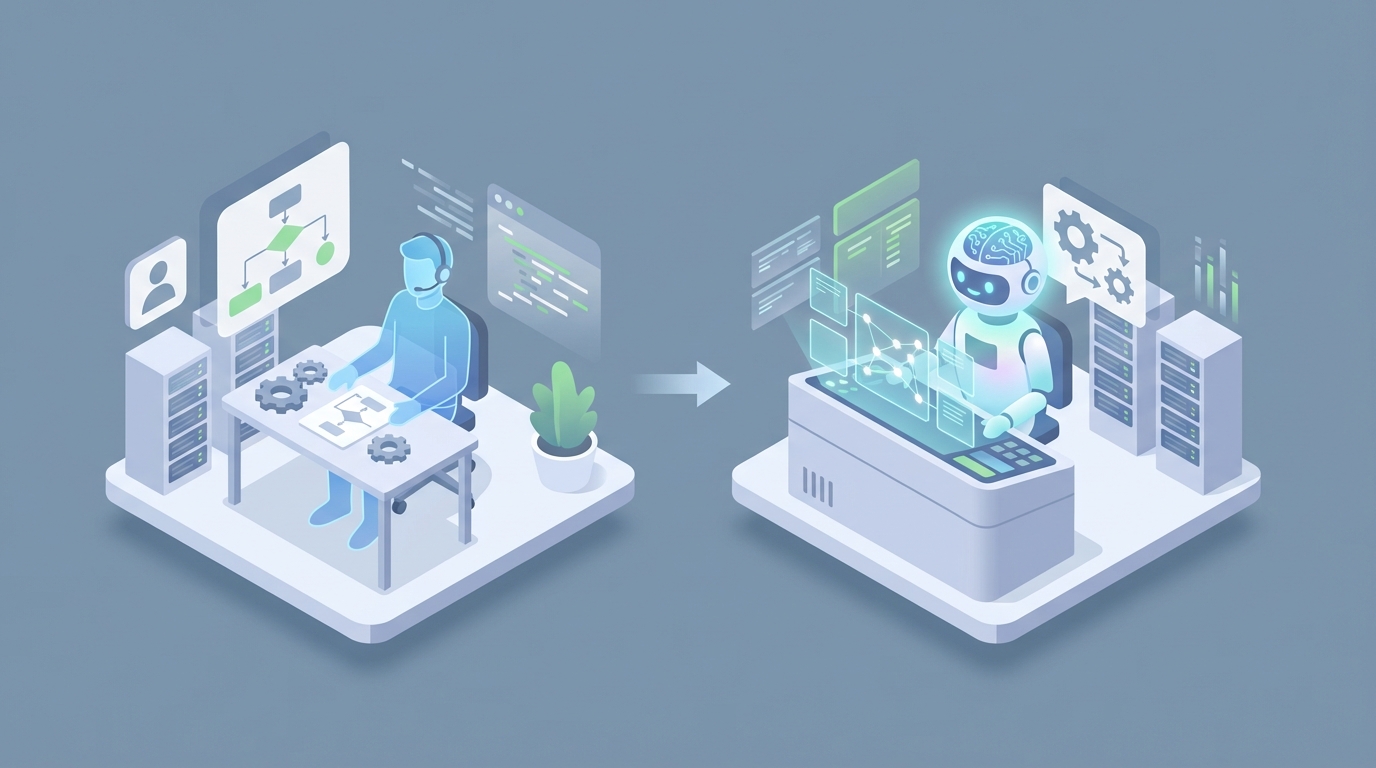
Most sales coordinators spend their days doing work that looks productive but isn't actually selling anything. They're updating CRM fields, chasing people for meeting times, copying data from one tool to another, and assembling reports that someone glances at for thirty seconds in a Monday standup. It's necessary work. But it's also the kind of work that an AI agent can handle today — not in some speculative future, but right now, with tools that already exist.
I'm not going to tell you AI replaces the entire role. It doesn't. But it replaces a solid 60-70% of what a sales coordinator actually does day to day, and it does those things faster, more consistently, and without burning out after six months of data entry. If you build it right, you end up with an AI sales coordinator agent that runs 24/7, costs a fraction of a full-time hire, and frees your human team to do the work that actually requires a brain and a pulse.
Let's break down what this looks like in practice, what it costs, and how to build one on OpenClaw.
What a Sales Coordinator Actually Does All Day
If you've never worked alongside a sales coordinator (or been one), here's what the role looks like in reality — not the sanitized job description, but the actual day-to-day:
CRM Babysitting (25-35% of the day): Logging calls, updating deal stages, adding notes from meetings, deduplicating contacts, fixing records that reps mangled. This is the single biggest time sink. A coordinator at a mid-size SaaS company might touch 50-100 CRM records per day. It's tedious, error-prone, and the kind of task where one missed update means a lead falls through the cracks.
Calendar Tetris (15-25%): Booking discovery calls, demos, and internal syncs across time zones. The back-and-forth alone — "Does 2pm ET work? No? How about Thursday?" — can eat an entire morning. Multiply that by a team of eight reps and you've got a full-time scheduling job.
Email Follow-Ups and Lead Nurturing (15-20%): Sending personalized follow-ups to inbound leads, nudging prospects who've gone quiet, making sure no one slips through the pipeline. This is often templated but requires enough customization that you can't just set up a basic autoresponder and walk away.
Reporting and Dashboards (10-15%): Pulling pipeline metrics, compiling weekly reports, building forecasts. Usually involves exporting data from three different tools, cleaning it up in a spreadsheet, and presenting it in a format the VP of Sales can actually read.
Everything Else (10-20%): Preparing quotes and proposals, coordinating with marketing on collateral, organizing logistics for trade shows or webinars, handling internal requests that don't fit neatly into anyone else's job description.
The pattern here is clear: the majority of the role is structured, repetitive, rule-based work. It's important — bad CRM data alone causes an estimated 20-30% pipeline leakage — but it doesn't require creative judgment or deep relationship skills. It requires consistency and speed.
The Real Cost of This Hire
Let's talk numbers, because this is where the case for automation gets concrete.
A mid-level sales coordinator in the US costs $55,000-$70,000 in base salary. Entry-level runs $40,000-$50,000. In tech hubs like San Francisco or New York, add 20-30% on top.
But base salary is never the real number. Add benefits, payroll taxes, equipment, software licenses, training time, and management overhead, and the total cost to company lands between $60,000 and $85,000 per year. For a senior coordinator, you're looking at $85,000-$110,000 fully loaded.
Then there's the hidden cost: turnover. Sales coordination is a high-burnout role. When 60% of coordinators report frustration with repetitive data entry (a stat that tracks with every LinkedIn poll I've seen on the topic), you're looking at frequent turnover. Each replacement cycle costs roughly 50-75% of annual salary when you factor in recruiting, onboarding, ramp time, and the productivity gap while the new person gets up to speed.
So a more honest annual cost for keeping this role filled continuously is somewhere in the $75,000-$100,000 range when you amortize turnover.
An AI agent built on OpenClaw? You're looking at platform costs plus the time to build and maintain it. For most teams, that's going to come in under $15,000-$20,000 per year, all-in. Not a perfect comparison — the agent won't do everything a human does — but for the 60-70% of tasks it handles, the economics aren't close.
What an AI Sales Coordinator Agent Can Handle Right Now
This isn't theoretical. These are tasks you can automate today with an OpenClaw agent, connected to the tools your team already uses.
CRM Updates and Data Hygiene
An OpenClaw agent can monitor incoming emails, call transcripts (from tools like Gong or your VoIP system), and form submissions, then automatically update the relevant CRM records. New lead comes in through your website form? The agent creates the contact in Salesforce or HubSpot, scores it based on your criteria, assigns it to the right rep, and logs the source. Rep finishes a call? The agent pulls the transcript, extracts key details (budget mentioned, timeline, objections raised), and updates the deal record.
This alone eliminates the most painful part of the coordinator role. Instead of a human spending three hours a day on data entry, the agent handles it in real time with fewer errors.
Scheduling and Meeting Coordination
OpenClaw agents can manage the entire scheduling workflow. A prospect replies saying they want to book a demo? The agent checks the assigned rep's calendar, proposes available times, sends the invite, adds the conferencing link, and creates the CRM activity — all without a human touching it.
You can set rules for routing: enterprise leads go to senior reps, inbound from specific campaigns go to the specialist, and round-robin everything else. The agent handles time zone conversions, reschedules when conflicts arise, and sends reminders.
Lead Follow-Up Sequences
This is where the volume advantage really shows. A human coordinator might manage follow-ups for 100-200 leads per week. An OpenClaw agent handles thousands without breaking a sweat.
You define the sequences: Day 1 after form submission, send a personalized intro email. Day 3, follow up with a relevant case study. Day 7, ask for the meeting. Day 14, last-chance nudge. The agent personalizes each message based on the lead's company, role, industry, and behavior (did they open the last email? Click the link? Visit the pricing page?).
The key difference from basic email automation tools: an OpenClaw agent can make contextual decisions. If a lead replies with a question, the agent can parse the response and either answer it directly (for straightforward questions) or escalate to a human rep with full context.
Reporting and Pipeline Analytics
Instead of a coordinator spending Friday afternoons building the weekly pipeline report, an OpenClaw agent generates it automatically. Pull deal counts by stage, calculate pipeline velocity, flag deals that have been stuck for more than two weeks, highlight which reps are behind on follow-ups.
You can set this to run on a schedule — Monday morning report in Slack, real-time alerts when a high-value deal changes stage, weekly forecast email to leadership. The agent pulls from your CRM, normalizes the data, and presents it in whatever format you specify.
Quote and Proposal Generation
For standardized deals, an OpenClaw agent can generate quotes and proposals using your templates, pulling in the correct pricing, customer details, and terms. It won't negotiate custom enterprise contracts, but for the 70-80% of proposals that follow a predictable structure, it handles the heavy lifting. A human reviews and sends, which takes five minutes instead of forty-five.
What Still Needs a Human
Here's where I'm going to be straight with you, because overpromising on AI capabilities is how you end up with a mess.
Relationship building and trust. When a prospect needs to feel heard, when there's a sensitive negotiation, when the deal hinges on a personal connection — that's human territory. AI can get someone to the meeting. It can't be the reason they sign.
Complex judgment calls. A deal that looks dead in the CRM might actually be alive because the coordinator knows the prospect's company just got funding. An agent doesn't have that intuition (yet). Anything requiring reading between the lines, navigating internal politics, or making calls with incomplete information still needs a person.
Strategic interpretation. An agent can generate the report. It can't tell the VP of Sales that the pipeline slowdown is because the new pricing confused mid-market prospects. Turning data into strategic action requires human context.
Objection handling. When a lead pushes back on pricing, questions your product's fit, or raises a concern that doesn't fit neatly into your FAQ — a human rep needs to handle that conversation. The agent can flag it and route it with context, but it shouldn't be the one negotiating.
High-stakes scheduling. Booking a call with a C-suite executive at a target account? That often requires a human touch — understanding the politics, the right framing for the invite, the nuances that a template can't capture.
The honest split: AI handles the operational 60-70%. Humans handle the strategic and relational 30-40%. The result isn't fewer people — it's people doing higher-value work instead of copy-pasting data into Salesforce.
How to Build an AI Sales Coordinator Agent on OpenClaw
Here's the practical part. OpenClaw gives you the infrastructure to build, test, and deploy AI agents that connect to your existing sales stack. You don't need a machine learning team. You need a clear understanding of your workflows and some time to set things up.
Step 1: Map Your Workflows
Before you touch the platform, document the coordinator tasks you want to automate. Be specific. Not "handle leads" but "when a new lead submits the demo request form on our website, create a HubSpot contact, score based on company size and role, assign to the correct rep via round-robin, and send the Day 1 intro email from the rep's address."
List every workflow. Rank them by time saved and complexity. Start with the high-time, low-complexity ones.
Step 2: Set Up Your OpenClaw Agent
In OpenClaw, create a new agent and define its role. Here's a simplified example of the kind of system prompt and configuration you'd use:
Agent Role: Sales Coordinator
Objective: Manage inbound lead processing, CRM updates, scheduling, follow-up sequences, and weekly reporting.

Core Rules:
- All new leads must be logged in HubSpot within 5 minutes of submission
- Lead scoring: Enterprise (500+ employees) = Priority 1, Mid-Market (50-500) = Priority 2, SMB (<50) = Priority 3
- Round-robin assignment among active reps, weighted by current pipeline load
- Follow-up sequences: Use approved templates, personalize with company name, industry, and stated pain point
- Escalation: If a lead replies with a question not covered in the FAQ knowledge base, flag for human review and notify assigned rep via Slack
- Never fabricate product capabilities or pricing not in the approved materials
Step 3: Connect Your Tools
OpenClaw integrates with the tools your sales team already uses. The typical stack for a sales coordinator agent:
- CRM: HubSpot, Salesforce, or Pipedrive for contact and deal management
- Email: Gmail or Outlook for sending follow-ups from rep accounts
- Calendar: Google Calendar or Outlook for scheduling
- Communication: Slack or Teams for internal notifications and escalations
- Data Enrichment: ZoomInfo or Clearbit for auto-filling lead details
- Call Transcripts: Gong, Chorus, or your phone system's recording platform
Set up each integration with the appropriate permissions. The agent should be able to read and write to your CRM, read calendars (and create events), send emails on behalf of reps, and post to designated Slack channels.
Step 4: Build Your Follow-Up Sequences
Define your email sequences as templates within OpenClaw. Here's an example structure:
Sequence: Inbound Demo Request
Trigger: New form submission on /demo page

Day 0 (within 5 min):
  - Create HubSpot contact
  - Enrich with Clearbit data
  - Score and assign rep
  - Send Email 1: "Thanks for your interest, [First Name]" (from assigned rep)

Day 2:
  - If no reply: Send Email 2: Case study relevant to [Industry]

Day 5:
  - If no reply: Send Email 3: "Quick question" with meeting link

Day 10:
  - If no reply: Send Email 4: Final follow-up, offer async demo video

Day 10+:
  - If no reply after Email 4: Move to nurture list, add to monthly newsletter
  - If reply at any point: Parse intent, route accordingly
The agent handles the timing, personalization, and conditional logic. You write the templates once, and it executes thousands of times.
Step 5: Configure Reporting
Set up automated reports that the agent generates and delivers on schedule:
Weekly Pipeline Report (Monday 8am, delivered to #sales-team Slack):
- Total pipeline value by stage
- Deals added this week
- Deals moved forward / stalled / lost
- Rep activity summary (calls, emails, meetings booked)
- Leads awaiting response > 48 hours (flagged)

Monthly Forecast (1st of month, emailed to VP Sales):
- Weighted pipeline forecast
- Conversion rates by stage
- Average deal cycle length trend
- Top 10 deals by value with status summary
Step 6: Test, Monitor, and Iterate
This is the step most people skip, and it's the one that determines whether your agent actually works. Run it in shadow mode first — let it process leads and generate outputs alongside your existing coordinator, but don't let it send anything externally. Compare results. Look for errors, edge cases, and gaps.
Common issues to watch for:
- Misrouted leads: Scoring logic too aggressive or too loose
- Template errors: Personalization variables pulling wrong data
- Scheduling conflicts: Calendar permissions or timezone handling
- Over-escalation: Agent flagging too many messages for human review (tune your confidence thresholds)
Plan on two to three weeks of tuning before you let the agent operate independently. After that, do a weekly review for the first month, then move to monthly check-ins.
The ROI Math
Let's make this concrete. Say your coordinator currently spends:
- 10 hours/week on CRM updates
- 6 hours/week on scheduling
- 8 hours/week on follow-up emails
- 4 hours/week on reporting
- 12 hours/week on everything else (proposals, ad hoc requests, meetings)
That's 40 hours. An OpenClaw agent handles the first four categories — 28 hours of work — at near-zero marginal cost per task. Your coordinator (or the rep who's been doing double duty) gets 28 hours back every week to spend on relationship-driven work, strategic projects, or handling the volume that used to require a second hire.
If you're a team that's been debating whether to hire a second coordinator to handle growth, the agent probably eliminates that need entirely. That's $60,000-$85,000 in avoided headcount cost, not counting the recruiting and onboarding time you save.
The Pragmatic Take
An AI sales coordinator agent isn't going to high-five your reps after a big close or sense that a prospect's tone shifted in a weird way during the last call. It's not going to build the cross-functional relationships that make a great coordinator invaluable.
But it will update your CRM at 2am without complaining. It will follow up with every single lead on the exact right day. It will never forget to send the Monday report. And it will do all of this at a scale that no single human can match.
The smart move isn't to fire your coordinator. It's to automate the 60-70% of their role that's operational, and either redeploy them to higher-value work or avoid the next hire you were planning to make. The economics and the technology both support it today.
If you want to build this yourself, OpenClaw gives you everything you need to get an AI sales coordinator agent running. Start with one workflow — lead processing is usually the highest-impact starting point — and expand from there.
If you'd rather have someone build it for you, that's what Clawsourcing is for. We'll map your workflows, build the agent, connect your tools, and get it running — so you can skip the setup and go straight to the part where your pipeline runs itself.
Recommended for this post

The skill every OpenClaw user needs. Gives your agent persistent memory across sessions — daily logs, long-term recall, and structured knowledge that survives restarts. Less than a coffee.
AI Cofounder
Persona
A full-stack AI cofounder that runs sales, marketing, engineering, finance, and operations — not just answers questions. Half the price of competing personas, twice the operational depth.

Close the performance gap between OpenClaw and Claude Code