AI Project Manager Agent: Track Deliverables, Chase Updates, Hit Deadlines
Track Deliverables, Chase Updates, Hit Deadlines
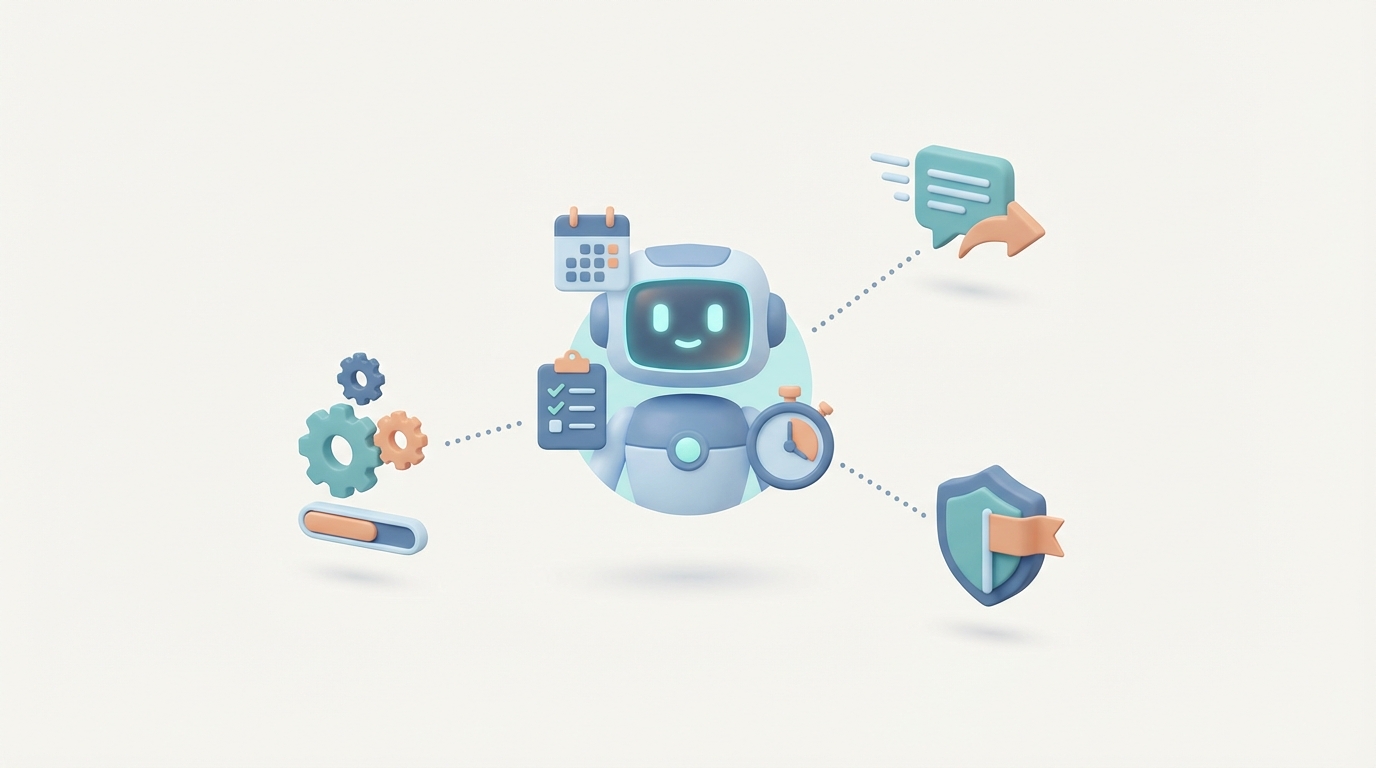
Most project managers spend their days doing two things: asking people if they did the thing, and writing up whether the thing got done.
That's not a dig. It's the reality of the role. PMI's own research shows that 30-50% of a project manager's time goes to meetings and communication, another 20-30% to status reporting and documentation, and the remaining chunk to firefighting — chasing dependencies, shuffling resources, and dealing with scope creep nobody approved.
The strategic parts of the job — the risk anticipation, the stakeholder negotiation, the creative problem-solving when everything goes sideways — those matter enormously. But they get maybe 20% of the PM's actual bandwidth because the rest is consumed by operational overhead that, frankly, a well-built AI agent can handle right now.
Let's talk about what that looks like in practice, what it costs you to not do it, and how to actually build an AI project manager agent on OpenClaw that tracks deliverables, chases updates, and keeps deadlines from quietly dying.
What a Project Manager Actually Does All Day
Forget the textbook PMBOK definition. Here's what a mid-level PM's week actually looks like at most tech companies:
Monday: Sprint planning meeting. Review Jira board. Identify blockers from last week. Send follow-up Slack messages to three engineers who didn't update their tickets. Compile status update for leadership. Sit in a stakeholder sync where half the meeting is spent re-explaining what was already in the status update nobody read.
Tuesday-Thursday: Repeat the Slack-chasing. Attend two to four more meetings. Update the Gantt chart or timeline in whatever tool the org uses. Handle a scope change request that came in via email from a VP. Re-estimate delivery dates. Send more follow-ups. Write a risk summary nobody asked for but everyone will need in two weeks.
Friday: Retrospective. Document action items. Update the project dashboard. Send the weekly digest. Start worrying about next week.
The pattern is clear: a massive portion of the role is information gathering, status synthesis, and communication routing. These are tasks that require consistency and persistence, not necessarily human judgment. The PM is acting as a human middleware layer between the people doing the work and the people who want to know about the work.
That middleware layer is exactly what AI agents are good at.
The Real Cost of This Hire
Let's be honest about numbers because most companies underestimate what a PM actually costs.
Direct salary for a mid-level PM in the US runs $110,000-$140,000. But that's just the base. Once you factor in benefits (health insurance, 401k matching, PTO), payroll taxes, tools and licenses (Jira, Asana, Confluence, Slack, Zoom — all per-seat), training, and general overhead, the total cost to the employer lands between $150,000 and $200,000 per year.
Senior PMs in tech hubs like SF or NYC? You're looking at $200,000-$300,000+ fully loaded.
Then there's the hidden costs:
- Ramp time: A new PM takes 2-3 months to understand your projects, team dynamics, and tooling. During that period, their output is maybe 40% of full capacity.
- Turnover: The average PM tenure is 2-3 years. Every departure costs roughly 50-75% of annual salary in lost productivity, recruiting, and re-onboarding.
- Context switching: Most PMs juggle 5-10 projects simultaneously, which research from the American Psychological Association shows causes a 20-30% productivity loss.
You're paying senior-engineer money for someone who spends half their time copy-pasting status updates between tools and asking "any blockers?" in Slack.
That doesn't mean PMs aren't valuable. It means a huge portion of what they're paid to do doesn't require a human.
Which Tasks AI Handles Right Now
Let's be specific. Not "AI will transform project management someday" hand-waving. Here's what an AI agent built on OpenClaw can do today:
1. Automated Status Collection and Synthesis
Instead of a PM manually asking each team member for updates, an OpenClaw agent can:
- Query your project management tool's API (Jira, Linear, Asana, ClickUp) on a schedule
- Pull ticket statuses, recent comments, and completion percentages
- Cross-reference against the project timeline to identify what's behind schedule
- Generate a clean status summary in natural language
- Post it to Slack, email it to stakeholders, or push it to a dashboard
No human chasing required. The information surfaces itself.
2. Deadline Monitoring and Proactive Alerts
An OpenClaw agent can continuously monitor task due dates and trigger escalation workflows:
- 72 hours before deadline: Gentle reminder to the assignee via Slack DM
- 24 hours before deadline: Check if the task status has changed. If not, alert the assignee and their manager.
- Past deadline: Flag in the project dashboard, notify the PM (human), and add to a blockers list for the next standup.
This is the "chasing updates" part of PM work that eats hours every week. The agent does it without getting annoyed, forgetting, or feeling awkward about pinging someone for the third time.
3. Meeting Prep and Summary Generation
Feed the agent your project data and it can:
- Generate pre-meeting briefs (what's on track, what's at risk, what needs decisions)
- After a meeting (using transcription input), extract action items and automatically create tickets
- Distribute meeting notes to the right channels
4. Risk Detection from Patterns
This is where it gets genuinely useful beyond simple automation. An OpenClaw agent can analyze patterns across your project data:
- Tasks that keep getting re-estimated (sign of unclear requirements)
- Team members who are assigned to too many concurrent items
- Dependencies where upstream tasks are slipping and downstream tasks haven't been adjusted
- Historical patterns from past projects ("Last time we had three blocked backend tickets in week 2, the launch slipped by two weeks")
5. Change Request Routing and Impact Analysis
When someone submits a scope change, the agent can:
- Estimate the impact on timeline based on team velocity data
- Identify which existing tasks would be affected
- Draft a change request summary for human approval
- Route it to the right decision-maker
What Still Needs a Human
I'm not going to pretend AI replaces a project manager entirely. It doesn't, and being honest about that matters more than selling you a fantasy.
Humans are still essential for:
-
Stakeholder relationships and politics. When the VP of Engineering and the VP of Product disagree on priorities, no agent is resolving that. Organizational navigation requires reading rooms, building trust over months, and knowing when to push back diplomatically.
-
Creative problem-solving under ambiguity. When a project hits a true unknown — a technical approach that isn't working, a vendor that falls through, a market shift that changes requirements — you need a human who can synthesize incomplete information and make judgment calls.
-
Team morale and motivation. People need to feel heard, supported, and unblocked by someone who understands their context. An AI can flag that someone has too many tasks, but it can't have a 1:1 conversation about burnout.
-
Accountability and decision-making. Someone needs to own the outcome. When things go wrong, a human PM stands in front of the stakeholders and explains what happened and what's changing. That accountability can't be delegated to an algorithm.
-
Ethics and edge cases. Cutting scope that affects accessibility features, deciding whether to push a deadline that will require weekend work — these are human decisions with human consequences.
The right model isn't "AI replaces the PM." It's "AI handles the operational gruntwork so the PM can focus on the 20% of their job that actually requires human judgment." A mid-level PM augmented with an AI agent can manage twice the portfolio without burning out.
How to Build an AI Project Manager Agent on OpenClaw
Here's a practical implementation. This isn't theoretical — these are components you can build today on OpenClaw using its agent framework, tool integrations, and workflow orchestration.
Architecture Overview
┌─────────────────────────────────────────────────┐
│              OpenClaw PM Agent                    │
│                                                   │
│  ┌───────────┐  ┌──────────┐  ┌───────────────┐ │
│  │ Scheduler  │  │ Reasoner │  │ Action Engine │ │
│  │ (Cron/     │  │ (LLM     │  │ (API calls,   │ │
│  │  Event)    │  │  Core)   │  │  notifications│ │
│  └─────┬─────┘  └────┬─────┘  └──────┬────────┘ │
│        │              │               │           │
│  ┌─────▼──────────────▼───────────────▼────────┐ │
│  │           Tool Integrations                  │ │
│  │  Jira · Slack · Linear · Google Cal · Email  │ │
│  └──────────────────────────────────────────────┘ │
│                                                   │
│  ┌──────────────────────────────────────────────┐ │
│  │           Knowledge Base                     │ │
│  │  Project plans · Past retros · Team capacity │ │
│  └──────────────────────────────────────────────┘ │
└─────────────────────────────────────────────────┘
Step 1: Define Your Agent's Core Tools
On OpenClaw, you define the tools your agent has access to. Each tool is a function the agent can call with structured inputs. Here's a simplified example:
# OpenClaw tool definitions for PM Agent

tools = [
    {
        "name": "get_project_status",
        "description": "Fetches current status of all tasks in a project from Jira",
        "parameters": {
            "project_key": "string - the Jira project key",
            "status_filter": "string - optional filter (e.g., 'overdue', 'in_progress')"
        }
    },
    {
        "name": "send_slack_message",
        "description": "Sends a message to a Slack channel or user",
        "parameters": {
            "target": "string - channel name or user ID",
            "message": "string - the message content",
            "urgency": "string - 'normal' or 'high' (high = also sends email)"
        }
    },
    {
        "name": "create_status_report",
        "description": "Generates a formatted status report from project data",
        "parameters": {
            "project_key": "string",
            "audience": "string - 'team', 'leadership', or 'client'",
            "format": "string - 'summary', 'detailed', or 'dashboard'"
        }
    },
    {
        "name": "check_deadlines",
        "description": "Returns all tasks due within N days, grouped by risk level",
        "parameters": {
            "days_ahead": "integer",
            "include_dependencies": "boolean"
        }
    },
    {
        "name": "get_team_workload",
        "description": "Returns current task allocation per team member",
        "parameters": {
            "team_id": "string"
        }
    },
    {
        "name": "log_risk",
        "description": "Logs a detected risk with severity and suggested mitigation",
        "parameters": {
            "project_key": "string",
            "risk_description": "string",
            "severity": "string - 'low', 'medium', 'high'",
            "suggested_mitigation": "string"
        }
    }
]
Step 2: Set Up the Agent's System Prompt
This is where you define the PM agent's personality, priorities, and operating procedures. This goes into your OpenClaw agent configuration:
You are a project management agent responsible for monitoring project
health, tracking deliverables, and ensuring deadlines are met.

Your core operating principles:
1. Surface problems early. A risk identified at 72 hours is manageable.
   A risk identified at 2 hours is a crisis.
2. Be specific, not vague. "Backend API task BE-1234 is 3 days behind
   schedule" not "some tasks may be delayed."
3. Escalate appropriately. Inform the assignee first, then their lead,
   then the PM. Never skip levels unless deadline is <24 hours.
4. Adapt communication to audience. Team gets details. Leadership gets
   outcomes and risks. Clients get milestones.
5. Never fabricate status. If data is unavailable, say so and flag it
   as a data gap.

Your scheduled routines:
- Every morning at 9am: Pull project status, identify overdue items,
  send daily brief to #project-updates
- Every Monday at 8am: Generate weekly status report for leadership
- Every 4 hours: Check for newly overdue or at-risk tasks
- On demand: Respond to status queries from team members
Step 3: Build Scheduled Workflows
OpenClaw's workflow engine lets you set up cron-based triggers that kick off agent reasoning chains:
# Daily standup automation
workflow = {
    "name": "daily_project_health_check",
    "trigger": {"type": "cron", "schedule": "0 9 * * 1-5"},  # 9am weekdays
    "steps": [
        {
            "action": "get_project_status",
            "params": {"project_key": "PROJ-ALPHA", "status_filter": "all"}
        },
        {
            "action": "check_deadlines",
            "params": {"days_ahead": 3, "include_dependencies": True}
        },
        {
            "action": "get_team_workload",
            "params": {"team_id": "backend-team"}
        },
        {
            "action": "reason",  # Agent synthesizes all data
            "prompt": "Based on the project status, upcoming deadlines, and team workload, generate a daily health brief. Flag any items that need human attention."
        },
        {
            "action": "send_slack_message",
            "params": {
                "target": "#proj-alpha-updates",
                "message": "{{reason_output}}",
                "urgency": "normal"
            }
        }
    ],
    "escalation_rules": [
        {
            "condition": "any task overdue > 2 days",
            "action": "send_slack_message",
            "params": {"target": "@pm-lead", "urgency": "high"}
        }
    ]
}
Step 4: Implement the Deadline Chase Sequence
This is the money feature — the agent that tirelessly follows up so a human doesn't have to:
# Deadline chase automation
chase_workflow = {
    "name": "deadline_chase_sequence",
    "trigger": {"type": "event", "source": "deadline_approaching"},
    "sequence": [
        {
            "timing": "T-72h",
            "action": "send_slack_message",
            "params": {
                "target": "{{task.assignee}}",
                "message": "Hey! Quick heads up — {{task.title}} ({{task.key}}) is due in 3 days. Current status: {{task.status}}. Need anything to get this across the line?",
                "urgency": "normal"
            }
        },
        {
            "timing": "T-24h",
            "condition": "task.status NOT IN ['done', 'in_review']",
            "action": "send_slack_message",
            "params": {
                "target": "{{task.assignee}}",
                "message": "{{task.key}} is due tomorrow and still shows as {{task.status}}. If this is going to slip, let's flag it now so we can adjust downstream.",
                "urgency": "normal"
            }
        },
        {
            "timing": "T+0",
            "condition": "task.status NOT IN ['done', 'in_review']",
            "actions": [
                {
                    "action": "send_slack_message",
                    "params": {
                        "target": "{{task.assignee}}",
                        "message": "{{task.key}} is now past due. Flagging for the team.",
                        "urgency": "high"
                    }
                },
                {
                    "action": "send_slack_message",
                    "params": {
                        "target": "{{task.assignee.manager}}",
                        "message": "FYI: {{task.key}} (assigned to {{task.assignee.name}}) has passed its deadline. May need reallocation or timeline adjustment.",
                        "urgency": "high"
                    }
                },
                {
                    "action": "log_risk",
                    "params": {
                        "project_key": "{{task.project}}",
                        "risk_description": "{{task.key}} missed deadline, potential downstream impact on {{task.dependents}}",
                        "severity": "high",
                        "suggested_mitigation": "Review scope or reassign. Check dependent tasks for buffer."
                    }
                }
            ]
        }
    ]
}
Step 5: Add the Knowledge Layer
To make your agent genuinely useful rather than just a fancy notification bot, load project context into OpenClaw's knowledge base:
- Project plans and timelines — so the agent understands dependencies and milestones
- Historical retro data — so it can identify patterns ("This team's estimates tend to run 20% over")
- Team capacity data — PTO schedules, part-time allocations, cross-team commitments
- Communication preferences — who prefers Slack vs. email, who's in which timezone
This context transforms the agent from "your task is overdue" to "your task is overdue, and this blocks the QA phase which starts Thursday, and the QA lead is on PTO Friday, so we need this resolved by Wednesday end of day or the release date is at risk."
That's the difference between automation and intelligence.
Step 6: Build the Human Escalation Layer
This is critical and often overlooked. Your OpenClaw agent needs clear boundaries for when to hand off to a human:
escalation_rules = {
    "auto_handle": [
        "status_collection",
        "routine_reminders",
        "report_generation",
        "workload_visibility"
    ],
    "escalate_to_human": [
        "scope_change_decisions",
        "resource_conflict_between_teams",
        "stakeholder_disagreements",
        "team_member_performance_issues",
        "budget_reallocation_requests",
        "any_risk_with_severity_high_and_no_clear_mitigation"
    ],
    "escalation_format": {
        "channel": "slack_dm_to_pm",
        "include": ["context_summary", "data_gathered", "options_identified", "recommended_action"],
        "require": "human_confirmation_before_proceeding"
    }
}
The agent does the legwork. The human makes the call. That's the right division of labor.
What This Gets You
Let's be concrete about the impact:
Time saved: Based on what companies like Microsoft and Atlassian have reported with their own AI PM features, expect the AI agent to absorb 15-20 hours per week of operational PM work. That's status chasing, report writing, meeting prep, and deadline monitoring largely running on autopilot.
Consistency: The agent never forgets to follow up. It never gets busy with another project and lets a deadline slip past without notice. It sends the same quality of status report whether it's Monday morning or Friday at 5pm.
Earlier risk detection: Pattern-based risk flagging catches problems days earlier than manual review. When your agent notices that three tasks in the same dependency chain all slipped by a day in the same week, it flags it before anyone realizes the launch date is in danger.
Cost: An OpenClaw agent costs a fraction of what a full-time PM costs. Even factoring in setup time and API costs, you're looking at perhaps 5-10% of the fully-loaded cost of a human PM for the operational tasks it handles. The math isn't close.
What it doesn't replace: The senior PM who navigates your organization's politics, makes tough scope calls, motivates the team through a rough sprint, and builds relationships with clients. That person becomes more valuable because they're freed from the operational drudgery that was consuming half their week.
The Honest Bottom Line
An AI project manager agent isn't going to run your projects for you. But it will do the thing that burns out good PMs: the relentless, repetitive operational work of tracking who's doing what, whether it's on time, and making sure the right people know when it's not.
Build it on OpenClaw. Start with deadline monitoring and status collection — those two workflows alone will save hours per week. Then layer on risk detection and automated reporting. Within a few iterations, you'll have an agent that handles the bottom 40-60% of PM operational work while your human PMs focus on the strategic work that actually moves projects forward.
You can build this yourself following the steps above, or you can let us build it for you. Clawsourcing is our done-for-you service where we design, build, and deploy custom AI agents on OpenClaw tailored to your team's specific tools, workflows, and project structure. Same architecture, zero guesswork on your end.
Either way, stop paying senior-level salaries for status update copy-pasting. Your PMs deserve better work. Your budget deserves better allocation. And your projects deserve the consistency that only a machine can deliver at scale.
Recommended for this post
Coordinate multiple AI agents as a team
 Charles Howard
Track, analyze, and optimize your agent's performance in real-time. Know exactly how your agent is performing.
 Just Dan
Todoist Task Manager
Skill
Complete Todoist integration for AI agents. Create, organize, and manage tasks with GTD workflows, priority frameworks, and automated reviews.
 James
James