Replace Your Knowledge Base Manager with an AI Knowledge Base Manager Agent
Replace Your Knowledge Base Manager with an AI Knowledge Base Manager Agent
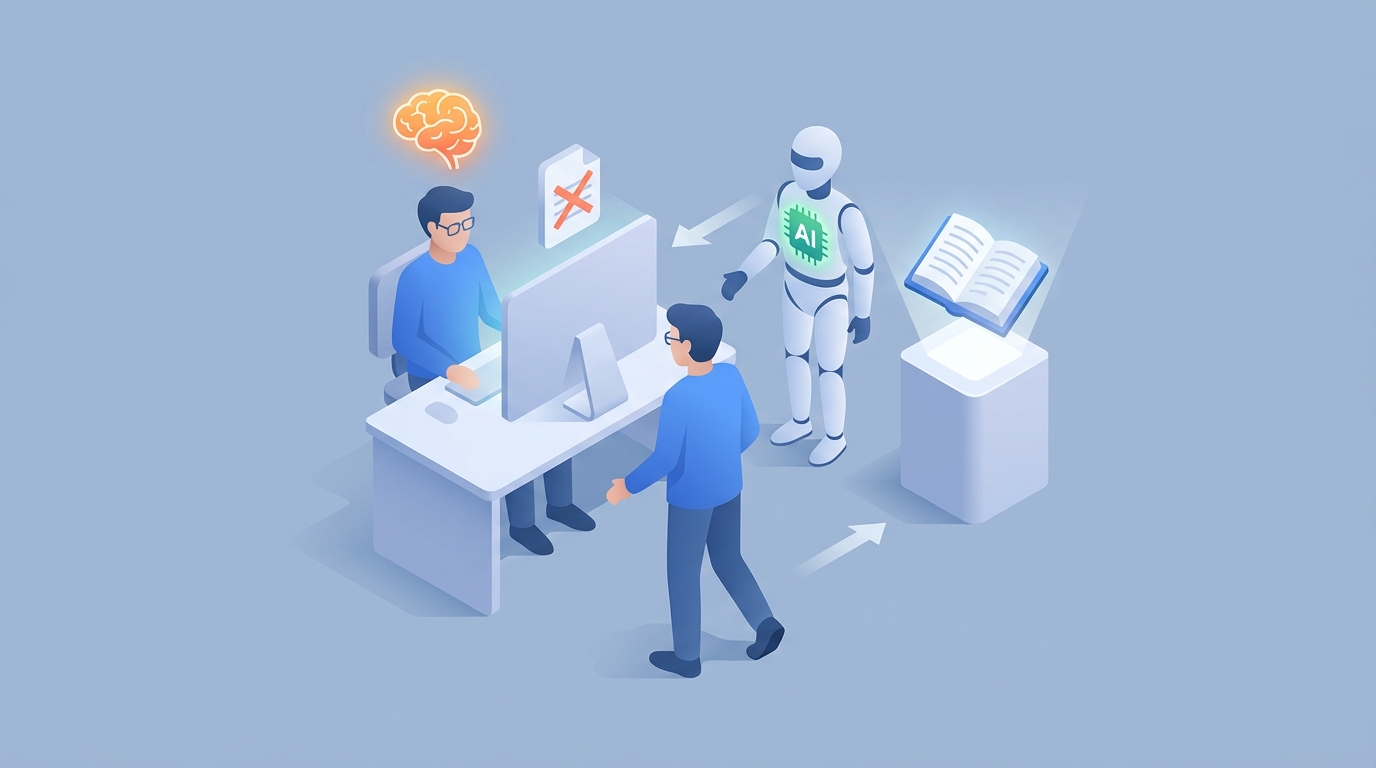
Most companies don't realize they have a Knowledge Base Manager until they lose one. Then suddenly nobody's updating the docs, the FAQ section is answering questions about a product version from 2022, and support tickets spike because customers can't find anything useful in your help center.
The Knowledge Base Manager is one of those roles that's invisible when it's working and catastrophic when it's not. It's also one of the roles most ripe for AI replacement — not because it's simple, but because the bulk of the work is exactly the kind of structured, repetitive, content-heavy labor that AI agents handle well today.
Let me walk you through what this role actually involves, what it costs you, and how to replace most of it with an AI agent built on OpenClaw.
What a Knowledge Base Manager Actually Does All Day
If you've never hired for this role, you might think it's just "the person who writes help docs." It's not. A good KB Manager is part content strategist, part librarian, part project manager, and part data analyst. Here's the real breakdown:
Content creation and curation — they write articles, FAQs, troubleshooting guides, and how-to docs. They also edit and restructure content submitted by engineers, product managers, and support agents who can write code but can't write a coherent sentence for a customer.
Content maintenance — this is the time killer. Products change. Features get deprecated. Pricing shifts. Regulations update. A KB Manager spends 30-50% of their time just keeping existing content from going stale. At any given moment, a significant percentage of your knowledge base is wrong, and their job is to minimize that percentage.
Stakeholder coordination — they chase down subject matter experts who are too busy to review a draft. They manage approval workflows. They mediate between the legal team that wants disclaimers on everything and the product team that wants clean, simple docs. This alone can eat 20-30% of their week.
Search optimization and tagging — they manually categorize articles, build taxonomies, add metadata, and structure content so that when a customer types "how do I cancel," they actually find the cancellation article instead of a blog post about subscription models.
Analytics and gap analysis — they monitor what people search for, what they find (or don't), which articles get negative feedback, and where drop-offs happen. Then they prioritize what to fix, what to write, and what to kill. Gartner estimates that 40-60% of knowledge base searches fail to return useful results. The KB Manager's job is to chip away at that number.
Platform administration — permissions, integrations with the CRM or helpdesk, software updates, vendor management. The unglamorous plumbing that keeps the whole thing running.
It's a real job. It requires judgment, writing ability, organizational skills, and the patience of someone who enjoys filing taxes. But here's the thing: most of those hours are spent on tasks that follow clear patterns, operate on structured data, and don't require genuine creative or strategic thinking.
The Real Cost of This Hire
Let's talk money, because this is where the decision gets concrete.
A mid-level Knowledge Base Manager in the US runs $95,000 to $115,000 in base salary. In a tech hub like San Francisco or New York, you're looking at $120,000 to $150,000. Senior or director-level? $130,000 to $160,000 plus bonuses.
But base salary is never the real number. Add 20-40% for benefits, payroll taxes, equipment, and software licenses, and your total cost to company lands between $120,000 and $160,000 per year for a single mid-level hire.
Now add the soft costs:
- Recruiting: 2-4 months to hire, plus recruiter fees or internal HR time.
- Onboarding: 1-3 months before they're fully productive. They need to learn your product, your tools, your internal politics, and the existing content architecture.
- Turnover: Average tenure for this role is 2-3 years. Then you start over.
- Single point of failure: When your KB Manager takes PTO or quits, the knowledge base decays in real time. Nobody else knows the system well enough to maintain it.
For a contractor or freelancer, you're paying $50-$100/hour, which sounds cheaper until you realize they lack context, need constant direction, and aren't monitoring your analytics at 2 AM when a product update goes live.
The total annual cost, including all the hidden overhead, is often north of $150,000 — for a role where the majority of daily tasks are pattern-based and repetitive.
That's not an argument against having this function. It's an argument for doing it differently.
What AI Handles Right Now (No Hype, Just Reality)
I'm not going to tell you AI can replace 100% of this role today. It can't. But it can handle roughly 60-70% of the daily workload with current technology, and it does it faster, cheaper, and without PTO.
Here's what an AI agent built on OpenClaw can do today:
Draft articles from support tickets and chat logs
Your support team resolves the same issues hundreds of times. An OpenClaw agent can ingest ticket data, identify recurring problems, and draft knowledge base articles automatically. Not publish — draft. The content still needs a human eye before it goes live, but going from raw ticket data to a polished first draft in seconds instead of hours is a massive time save.
Detect and flag stale content
Instead of a human manually reviewing articles on a calendar cycle, an OpenClaw agent monitors your knowledge base continuously. It cross-references article content against product changelogs, release notes, and internal documentation. When something looks outdated — a feature name changed, a pricing tier was removed, a process was updated — the agent flags it and can even suggest specific edits.
Auto-tag and categorize content
Manual tagging is tedious and inconsistent. Different people tag differently. An OpenClaw agent applies consistent categorization based on content analysis, maps articles to your taxonomy, and improves search relevance without anyone touching a spreadsheet.
Identify content gaps
By analyzing search queries that return zero results, support tickets that reference topics with no corresponding article, and user feedback patterns, an OpenClaw agent builds a prioritized list of "articles we need but don't have." It can even draft outlines for those missing articles.
Detect duplicate and overlapping content
Knowledge bases accumulate cruft. Three different teams write three different articles about the same feature. An OpenClaw agent scans for semantic overlap — not just keyword matching, but actual meaning — and flags duplicates for merging or removal.
Generate analytics reports
Instead of a human pulling data from your KB platform dashboard every week, an OpenClaw agent compiles usage metrics, search success rates, feedback scores, and trend analysis into reports on whatever cadence you want. It can surface insights like "search volume for 'billing' increased 40% this month but article satisfaction dropped — investigate."
Power customer-facing search and Q&A
Using retrieval-augmented generation (RAG), an OpenClaw agent can serve as the front end of your knowledge base, answering customer questions directly from your content library. This is the ticket deflection play — companies like Telstra have achieved 30% ticket deflection with similar setups, and ServiceNow users report cutting KB maintenance time by 50%.
What Still Needs a Human
Being honest about limitations is more useful than pretending AI solves everything. Here's where you still need a person:
Final editorial judgment — AI drafts are good, often surprisingly good. But they're not perfect. Tone, brand voice, nuance in complex domains (legal, medical, highly technical), and the judgment call of "is this actually helpful or just technically correct" still require a human editor. Think of the AI as a very fast, very tireless junior writer who needs a senior editor reviewing their work.
Strategic decisions — which knowledge base platform to use, how to structure the information architecture, what the long-term content strategy looks like, how KB performance ties to broader business goals. These are human decisions.
Stakeholder management — convincing the VP of Engineering to make their team review docs, negotiating with Legal on compliance language, managing the politics of who owns what content. AI can't sit in that meeting for you.
Edge cases and escalations — ambiguous queries, novel problems, situations where the right answer requires understanding context that isn't in any document. Humans handle the 10-20% of cases that don't fit the pattern.
Compliance and ethical review — in regulated industries (healthcare, finance), a human needs to verify that content meets GDPR, HIPAA, or industry-specific requirements. AI can scan for obvious issues, but the final sign-off is human.
The honest framing: an AI agent replaces the need for a full-time Knowledge Base Manager, but it doesn't eliminate the need for human oversight. You go from needing a dedicated $130K hire to needing someone on your existing team to spend a few hours a week reviewing what the agent produces. That's a fundamentally different cost structure.
How to Build a KB Manager Agent with OpenClaw
Here's where we get practical. OpenClaw gives you the building blocks to assemble an AI agent that handles the bulk of KB management work. Below is a step-by-step approach that's technical enough to be useful but doesn't require a PhD in machine learning.
Step 1: Define Your Agent's Scope
Before you build anything, decide which tasks you're automating first. I recommend starting with the highest-time-cost, lowest-judgment tasks:
- Stale content detection
- Auto-tagging and categorization
- Content gap analysis
- Draft generation from support tickets
Don't try to boil the ocean. Pick two to start. You can expand later.
Step 2: Connect Your Data Sources
Your agent is only as good as the data it can access. In OpenClaw, you'll set up integrations with:
- Your knowledge base platform (Zendesk, Confluence, Notion, whatever you use)
- Your support ticket system (Zendesk, Freshdesk, Intercom)
- Your product changelog or release notes (GitHub, internal wiki, Notion)
- Your analytics platform (Google Analytics, platform-native dashboards)
OpenClaw supports standard API connections and webhook-based triggers, so you can pipe data in from most modern SaaS tools. For platforms without native integrations, you can use OpenClaw's custom connector framework.
Step 3: Build Your Agent Workflows
In OpenClaw, agent workflows are composed of steps that chain together. Here's an example workflow for stale content detection:
Workflow: Stale Content Monitor
Trigger: Daily (scheduled)
Steps:
  1. Fetch all published KB articles (API: your KB platform)
  2. Fetch recent product changelogs (API: your changelog source)
  3. For each article:
     a. Compare article content against changelogs using semantic analysis
     b. Check article last-updated date against a staleness threshold (e.g., 90 days)
     c. Analyze user feedback scores for declining satisfaction
  4. Score each article on a staleness risk scale (0-100)
  5. Generate a prioritized report of articles needing review
  6. Send report to designated Slack channel or email
And here's one for draft generation from support tickets:
Workflow: Auto-Draft KB Articles from Tickets
Trigger: Weekly (scheduled) or on-demand
Steps:
  1. Fetch resolved support tickets from last 7 days
  2. Cluster tickets by topic using semantic similarity
  3. For each cluster with >N tickets (threshold you set):
     a. Check if a corresponding KB article already exists
     b. If no article exists:
        - Generate a draft article (title, summary, step-by-step instructions)
        - Apply your style guide and formatting template
        - Tag with suggested categories
     c. If article exists but tickets suggest it's incomplete:
        - Generate suggested additions/edits
  4. Save drafts to a review queue
  5. Notify the designated reviewer
Step 4: Set Up the Review Layer
This is critical. You don't want an AI agent publishing content directly to your customer-facing knowledge base without human review. In OpenClaw, configure an approval gate:
- All AI-generated drafts go to a review queue (not to production)
- A designated reviewer gets notified (Slack, email, whatever)
- The reviewer can approve, edit, or reject
- Approved content gets published via API to your KB platform
This is where your "few hours a week" human involvement lives. The agent does 90% of the work; the human provides the final 10% of judgment.
Step 5: Configure Your Analytics Agent
Set up a separate workflow (or add to your existing agent) for ongoing analytics:
Workflow: KB Performance Monitor
Trigger: Weekly (scheduled)
Steps:
  1. Pull search query data from KB platform
  2. Identify zero-result searches and low-satisfaction queries
  3. Cross-reference with existing content inventory
  4. Generate a gap analysis report
  5. Pull article-level metrics (views, helpfulness ratings, bounce rates)
  6. Flag articles with declining performance
  7. Compile into a weekly digest
  8. Distribute to stakeholders
Step 6: Iterate and Expand
Start with your initial two workflows. Run them for 2-4 weeks. Review the output quality. Tune the thresholds (staleness scores, ticket cluster sizes, drafting templates). Then expand to additional workflows: duplicate detection, compliance scanning, customer-facing RAG search.
The beauty of building on OpenClaw is that each workflow is modular. You're not deploying a monolithic system — you're assembling focused agents that each handle a specific piece of the KB Manager's job. When one breaks or needs adjustment, you fix that one workflow without touching the rest.
The Math That Matters
Let's bring it back to dollars.
Traditional approach: One full-time KB Manager at $130K-$160K total cost, with single-point-of-failure risk, PTO gaps, and 2-3 year turnover cycles.
AI agent approach: An OpenClaw-powered agent handling 60-70% of the workload, plus 5-10 hours per week of human oversight from an existing team member. Your knowledge base gets monitored 24/7, content stays fresher, gaps get identified faster, and you're not dependent on one person's institutional knowledge.
The agent doesn't call in sick. It doesn't need three months to onboard. It doesn't leave for a 15% raise at your competitor and take all its context with it.
This isn't about eliminating jobs for the sake of it. It's about recognizing that paying a skilled human $130K a year to manually check article timestamps and chase down SMEs for reviews is a waste of their talent and your money. The strategic parts of this role — the parts that actually require a human brain — are maybe 10-15 hours a week. The rest is automation waiting to happen.
Next Steps
You've got two options:
Build it yourself. Everything I described above is doable on OpenClaw today. Start with the stale content detection workflow, get comfortable with the platform, and expand from there. You'll have a working KB manager agent within a week or two.
Have us build it for you. If you'd rather skip the learning curve and get a production-ready agent deployed fast, that's exactly what Clawsourcing is for. We'll scope your knowledge base operations, build the agent workflows, connect your data sources, and hand you a working system with documentation. You review drafts and make strategic calls. The agent handles everything else.
Either way, stop paying six figures for a role that's mostly pattern matching. Put that budget toward the work that actually needs a human.
Recommended for this post
Executive OS
Persona
Your AI Chief of Staff — manages email, calendars, meetings, and daily ops so you don't have to
 Bungee
Clarence
Operator
Runs your business while you sleep. Handles leads, billing, follow-ups, and the 3am problems you never knew you had. 20+ Core Capabilities.
 Clarence Maker
April
Research Analyst
Your research analyst that goes deep, synthesizes fast, and delivers briefings you can act on. 10+ Core Capabilities.
Clarence Maker