Replace Your Chat Support Agent with an AI Chat Support Agent Agent
Replace Your Chat Support Agent with an AI Chat Support Agent Agent
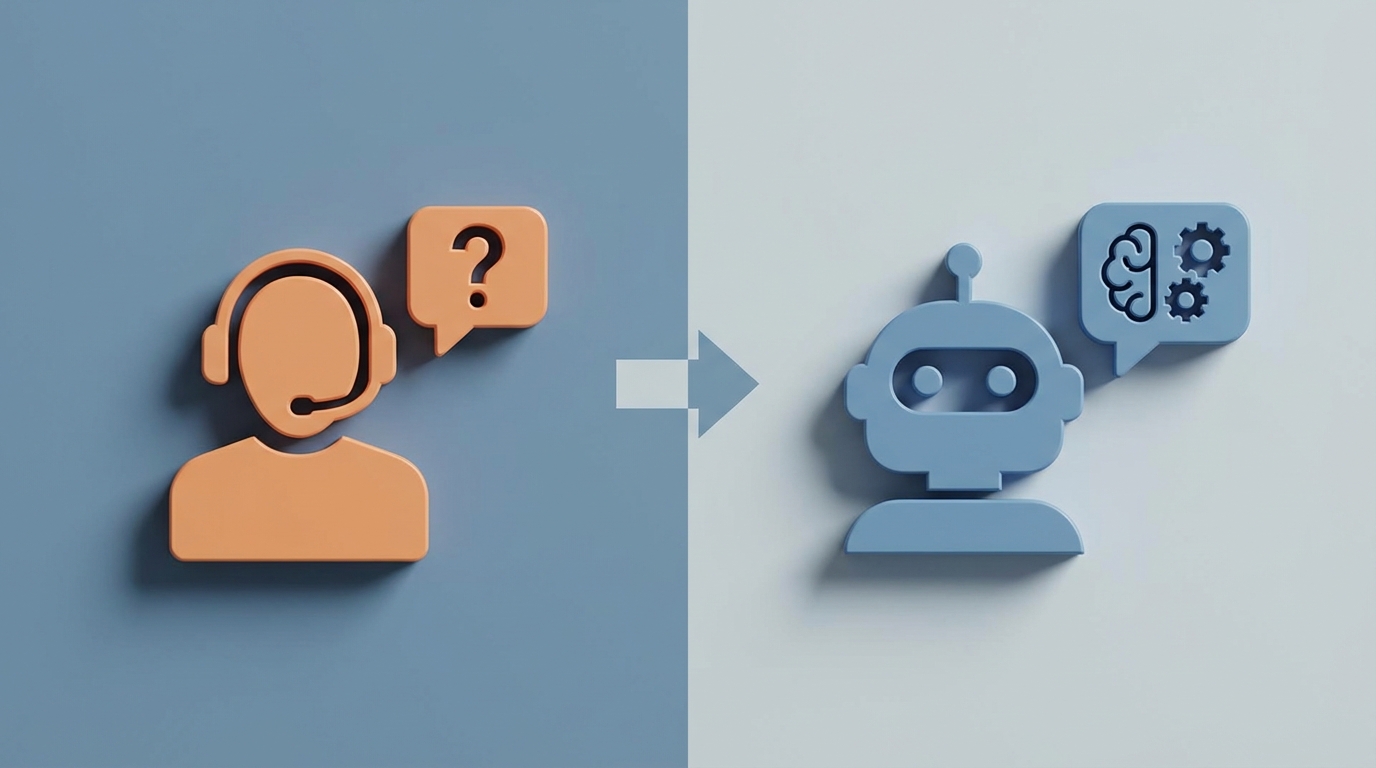
Most businesses hiring a chat support agent aren't doing it because they want to. They're doing it because customers are sitting in a queue, getting angry, and churning. The chat agent is a band-aid on a bleeding problem: people need answers, and nobody's there to give them.
Here's the thing — the vast majority of what a chat support agent does on any given day is repetitive, pattern-based, and perfectly within the capability of a well-built AI agent. Not a crappy chatbot that says "I'm sorry, I didn't understand that" every third message. A real AI agent that pulls order data, walks customers through troubleshooting, processes refunds, and knows when to shut up and hand things off to a human.
That's what you can build with OpenClaw. And in this post, I'm going to walk you through exactly how — from understanding what you're actually replacing, to what it costs, to what to build, to what to leave alone.
What a Chat Support Agent Actually Does All Day
If you've never worked in chat support, you might think it's just "answering questions." It's not. It's a cognitively demanding, emotionally draining, multitasking marathon. Here's what a typical shift looks like:
The core loop:
- Responding to 50–150 customer chats per shift across platforms like Zendesk, Intercom, or LiveChat
- Juggling 4–10 concurrent conversations at once, each in a different stage of resolution
- Searching an internal knowledge base (that's probably outdated) while maintaining a human-sounding tone
- Copy-pasting order IDs into a backend system, looking up statuses, relaying them back
- Resetting passwords, processing cancellation requests, issuing refunds
- Tagging and categorizing every conversation in a CRM for reporting
- Escalating complex or emotionally charged issues to a specialist or supervisor
The repetitive stuff that eats the day alive:
According to Zendesk's 2023 Benchmark and LiveChat's 2026 State of Customer Service Report, 60–80% of all chat conversations are repetitive queries. "Where's my order?" "How do I cancel?" "What's your return policy?" "My promo code isn't working."
Agents spend 30–40% of their time just typing and researching responses to these same questions. Another 20–25% is spent waiting for the customer to reply — dead time where they're context-switching between other chats and losing focus.
The emotional labor:
About 10–20% of interactions involve frustrated or angry customers. This requires genuine empathy, patience, and de-escalation skills — and it's the part that burns people out fastest. Turnover in customer service roles runs 40–60% annually, according to the Bureau of Labor Statistics. That means you're not just paying for one hire. You're paying for the same hire over and over.
The Real Cost of This Hire
Let's do the math, because this is where the business case gets obvious.
Direct salary:
- US average: $35,000–$55,000/year for entry-level ($17–26/hour)
- Experienced agents or team leads: $50,000–$70,000/year
- Tech hubs (SF, NYC): $60,000+
Total cost to company:
Multiply that salary by 1.25–1.5x to account for benefits, payroll taxes, equipment, software licenses, and training. A $50k agent actually costs you $62,500–$75,000/year.
But wait, there's more:
- Training: New agents take 2–6 weeks to ramp. During that time, they're slow, inaccurate, and require supervision.
- Turnover: At 40–60% annual churn, you're re-hiring and re-training constantly. Each replacement cycle costs roughly 50–75% of annual salary when you factor in recruiting, onboarding, and lost productivity.
- Coverage gaps: Sick days, vacation, shift changes. You need at least 2–3 agents to cover a single 24/7 channel reliably.
- Scaling: More customers = more agents. The cost scales linearly with volume. Double your traffic, double your headcount.
If you want 24/7 chat coverage with two shifts and some redundancy, you're looking at $150,000–$250,000/year minimum. For what is largely answering the same 20 questions over and over again.
Outsourcing doesn't fix it either. BPO firms in the Philippines or India charge $15–30/hour per agent, which sounds cheaper until you factor in quality control overhead, timezone coordination, and the fact that you still have the same linear scaling problem.
What AI Handles Right Now (and How OpenClaw Does It)
This isn't speculative. Companies are already doing this at scale.
Intercom reports that their Fin AI agent handles 50%+ of support volume for companies like Atlassian and Shopify. Bank of America's Erica chatbot resolves 90% of routine banking queries for 25 million+ users. Sephora's chatbot deflects 70% of queries from human agents. These aren't toy demos. They're production systems handling millions of interactions.
With OpenClaw, you can build the same kind of agent — one that actually resolves issues, not just deflects them. Here's what it handles well today:
High-confidence AI tasks (70–90%+ resolution rate):
| Task | How It Works in OpenClaw |
|---|---|
| FAQ responses | Agent pulls from your knowledge base and generates natural, contextual answers. No more "click here for our FAQ page." |
| Order status lookups | Agent connects to your order management API, pulls tracking info, and presents it conversationally. |
| Password resets / account changes | Agent triggers automated workflows via tool integrations — actually performs the action, not just tells the customer how to. |
| Return/refund initiation | Agent checks eligibility against your policy rules, then processes or escalates based on the outcome. |
| Product recommendations | Agent uses customer history and current context to suggest relevant products — smarter than a human scrolling through a catalog. |
| Proactive engagement | Agent detects cart abandonment, browsing patterns, or confusion and initiates a chat with relevant help. |
| Ticket logging and tagging | Every conversation is automatically categorized, summarized, and logged — no manual CRM entry. |
| Multilingual support | Agent handles conversations in multiple languages without needing to hire language-specific staff. |
The key difference between OpenClaw and a basic chatbot is that OpenClaw agents use tools. They don't just generate text — they take actions. They query databases, call APIs, execute workflows, and make decisions based on your business logic. That's what turns a chatbot into an agent.
What Still Needs a Human (Be Honest About This)
I'm not going to pretend AI handles everything. It doesn't, and pretending otherwise is how you end up with viral screenshots of your bot telling a customer to go screw themselves.
Keep humans in the loop for:
- Complex billing disputes involving multiple transactions, partial refunds, or edge cases that require judgment calls
- High-emotion situations where a customer is genuinely upset and needs to feel heard by another person — AI can detect sentiment, but it can't truly empathize
- Legal or compliance-sensitive conversations where a wrong answer creates liability
- Novel or edge-case technical issues that aren't covered in your knowledge base and require creative problem-solving
- Negotiations and retention offers where a human's ability to read tone and adjust in real-time matters
- Sarcasm, cultural nuance, and ambiguity — LLMs are getting better at this, but they still misread tone about 10–20% of the time on novel situations
The smart play isn't full replacement. It's triage and augmentation. Let the AI agent handle the 60–80% of conversations that are routine. Route the rest to humans who now have the bandwidth to actually do those conversations well, instead of rushing through them because they're juggling nine other chats.
In OpenClaw, this looks like configuring escalation rules: if sentiment drops below a threshold, if the customer explicitly asks for a human, if the query type matches a "human-required" category, or if the agent's confidence score on its response falls below a certain level — hand off seamlessly, with full context, so the human doesn't have to ask the customer to repeat themselves.
How to Build Your AI Chat Support Agent with OpenClaw
Here's the practical part. This isn't a weekend project, but it's not a six-month enterprise deployment either. A competent team can have a working agent in production within 1–3 weeks.
Step 1: Audit Your Conversation Data
Before you build anything, export your last 3–6 months of chat transcripts. Categorize them:
- What are the top 20 question types by volume?
- Which ones are resolved without escalation?
- Which ones require system access (order lookups, account changes)?
- Which ones require human judgment?
This gives you your automation roadmap. Start with the highest-volume, lowest-complexity queries. That's your 80/20.
Step 2: Build Your Knowledge Base
OpenClaw agents need a source of truth. Upload your:
- FAQ documents
- Product catalogs and specs
- Return/refund/shipping policies
- Troubleshooting guides
- Internal SOPs that agents currently reference
OpenClaw indexes this content and uses it for retrieval-augmented generation (RAG), which means the agent's answers are grounded in your actual documentation — not hallucinated from training data.
# Example: Adding a knowledge source in OpenClaw
knowledge_base:
  sources:
    - type: document
      path: /docs/return-policy.md
      refresh: daily
    - type: url
      url: https://yoursite.com/faq
      refresh: weekly
    - type: api
      endpoint: https://api.yoursite.com/products
      auth: bearer_token
Step 3: Define Your Tools
This is where OpenClaw agents go from "chatbot" to "agent." Tools are the actions your agent can take:
# Example: Tool definitions for a chat support agent
tools:
  - name: lookup_order
    description: "Look up order status by order ID or customer email"
    endpoint: https://api.yourstore.com/orders
    method: GET
    parameters:
      - order_id: string
      - email: string
    auth: api_key

  - name: initiate_refund
    description: "Process a refund for an eligible order"
    endpoint: https://api.yourstore.com/refunds
    method: POST
    parameters:
      - order_id: string
      - reason: string
      - amount: float
    requires_confirmation: true

  - name: reset_password
    description: "Send a password reset link to the customer's email"
    endpoint: https://api.yourstore.com/auth/reset
    method: POST
    parameters:
      - email: string
The requires_confirmation: true flag is important. For destructive or irreversible actions (refunds, cancellations, account deletions), you want the agent to confirm with the customer before executing. "I can process a $45.99 refund for order #12847. Should I go ahead?" That's the kind of guardrail that prevents disasters.
Step 4: Configure Escalation Rules
Don't skip this. Your agent needs to know its limits.
# Example: Escalation configuration
escalation:
  triggers:
    - condition: sentiment_score < 0.3
      action: transfer_to_human
      message: "I want to make sure you get the best help possible. Let me connect you with a team member."
    - condition: customer_says "talk to a person" OR "speak to someone"
      action: transfer_to_human
    - condition: confidence_score < 0.6
      action: transfer_to_human
      message: "I want to make sure I give you the right answer. Let me bring in a specialist."
    - condition: topic IN ["legal", "compliance", "harassment"]
      action: transfer_to_human
      priority: high

  handoff:
    include_transcript: true
    include_summary: true
    include_sentiment_history: true
The handoff configuration is critical. When a human takes over, they should see the full transcript, an AI-generated summary of the issue, and the sentiment trajectory. No "Can you tell me again what the problem is?" That's the fastest way to lose a customer who's already frustrated.
Step 5: Set Your Agent's Personality and Guardrails
# Example: Agent system configuration
agent:
  name: "Support Agent"
  personality: |
    You are a helpful, friendly customer support agent for [Your Company].
    Be concise. Don't over-apologize. Get to the solution quickly.
    If you don't know something, say so — don't guess.
    Never make promises about timelines you can't verify.
    Never share internal policies or system details with customers.

  guardrails:
    - never_discuss: ["competitor pricing", "internal metrics", "employee info"]
    - max_response_length: 150 words
    - always_confirm_before: ["refunds", "cancellations", "account_deletion"]
    - fallback_on_uncertainty: true
Step 6: Test With Real Conversations
Take those transcripts from Step 1 and replay them against your agent. Score the responses:
- Did it answer correctly?
- Did it use the right tool?
- Did it escalate when it should have?
- Did it escalate when it didn't need to? (Over-escalation kills your ROI.)
- Was the tone appropriate?
Iterate until you're hitting 85%+ accuracy on your test set. Then deploy to a small percentage of live traffic (10–20%) and monitor closely for the first two weeks.
Step 7: Monitor and Improve
OpenClaw gives you analytics on:
- Resolution rate (% of conversations resolved without human intervention)
- Escalation rate (and why)
- Customer satisfaction scores
- Average handling time
- Tool usage and failure rates
Review escalated conversations weekly. Every one that didn't need a human is a training opportunity for your agent. Update your knowledge base, add new tool capabilities, refine your escalation rules.
The Math That Makes This Obvious
Let's say you currently spend $200,000/year on chat support (3 agents covering extended hours, fully loaded cost).
An OpenClaw-powered agent handling 65% of conversations autonomously means:
- You reduce to 1–2 human agents for complex/escalated issues: ~$75,000–$130,000
- OpenClaw platform cost: significantly less than a single agent's salary
- Total savings: $50,000–$100,000+/year, conservatively
But the savings aren't even the best part. The best part is:
- 24/7 coverage without shift scheduling nightmares
- Instant response times (no more 5-minute queues)
- Consistent quality — your AI agent doesn't have bad days, doesn't rush through chats at the end of a shift, doesn't forget to tag tickets
- Your remaining human agents are happier because they're handling interesting problems instead of answering "where's my order" for the 400th time
Start Building, or Let Us Build It For You
If you've got a technical team and want to dig in, OpenClaw has everything you need to build, deploy, and iterate on an AI chat support agent. Start with the audit, build the knowledge base, wire up your tools, and go live in weeks, not months.
If you'd rather hand this off to someone who's done it before — we build these agents for companies through Clawsourcing. We'll audit your support data, design the agent, configure the integrations, and get it into production. You focus on your business; we'll handle the build.
Either way, stop paying six figures a year for someone to answer "Where's my order?" 150 times a day. That's not a good use of anyone's time — human or otherwise.
Recommended for this post
Identify repetitive tasks, build automation, and reclaim hours per week.
 SpookyJuice.ai
Reed
Persona
Autonomous support operator — ticket triage, refund routing, FAQ generation, and 48-hour follow-up without founder invol
 Skippythemagnificent
AI Cofounder
Persona
A full-stack AI cofounder that runs sales, marketing, engineering, finance, and operations — not just answers questions. Half the price of competing personas, twice the operational depth.