Sentry Auto-Fix + Coding Agent Loops: Build a Zero-Downtime Deployment Pipeline
End-to-end CI/CD with AI catching and fixing bugs before they ship. Build a zero-downtime deployment pipeline with Sentry Auto-Fix and Coding Agent Loops.
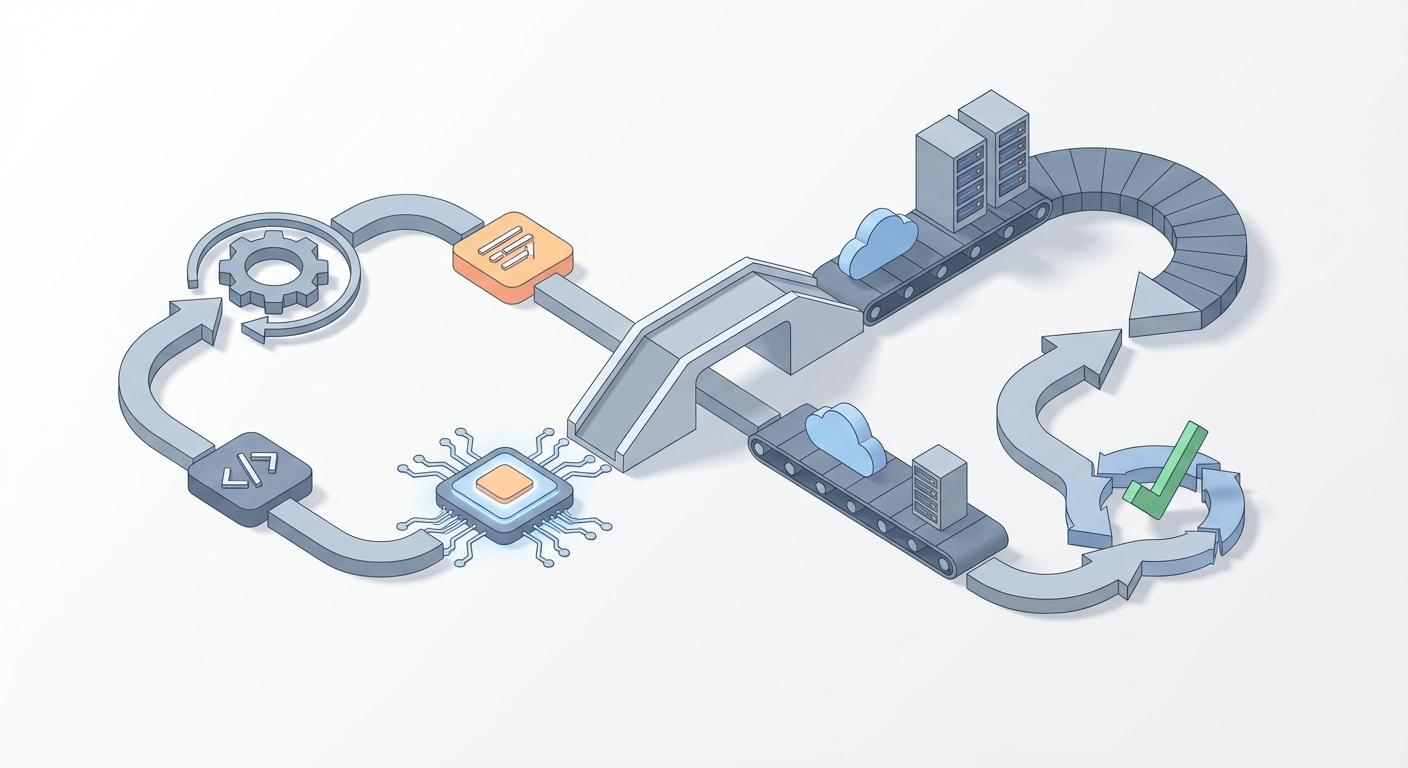
Most production bugs follow a depressingly predictable lifecycle: something breaks at 2 AM, an on-call engineer gets paged, they spend 45 minutes context-switching from deep sleep to deep stack traces, push a fix that may or may not introduce a new bug, and then everyone pretends the process works fine in the next sprint retro.
It doesn't work fine. It's slow, expensive, and brittle. And the worst part? A huge percentage of production errors—null reference exceptions, missing environment variables, dependency mismatches, off-by-one errors—are exactly the kind of repetitive, pattern-matchable problems that AI agents can fix faster and more reliably than a half-awake human.
So here's what we're building today: a pipeline where Sentry catches production errors, its Auto-Fix feature proposes code patches, a coding agent loop validates and iterates on those patches until tests pass, and then the fix deploys to production with zero downtime. No human wakes up. No one gets paged. The bug gets squashed before most of your users even notice it existed.
This isn't theoretical. Every piece of this pipeline exists today, and I'm going to walk you through wiring it all together.
The Real Problem Isn't Bugs—It's Response Time
Let's be honest about what actually kills uptime. It's rarely the severity of a bug. It's the time between detection and resolution.
A null pointer exception in your checkout flow isn't hard to fix. A senior engineer could patch it in ten minutes. But that fix doesn't take ten minutes in practice. It takes:
- 5-15 minutes for Sentry/PagerDuty to alert someone
- 10-30 minutes for the on-call to wake up, open their laptop, read the alert
- 15-45 minutes to reproduce, understand, and write the fix
- 10-20 minutes for CI to run and deploy
- ∞ minutes if the on-call silences the alert and goes back to sleep (we've all done it)
That's 40 minutes to two hours minimum for a trivial bug. Meanwhile, your checkout is broken and you're hemorrhaging revenue.
The fix for this isn't "hire better engineers" or "write more tests." The fix is removing humans from the loop for the class of bugs that don't require human judgment.
That's where Sentry Auto-Fix and coding agent loops come in. And that's where OpenClaw turns this from a weekend hackathon project into a production-grade system.
The Architecture: How It All Fits Together
Before we get into code, here's the flow at a high level:
Production Error Occurs
    ↓
Sentry Captures + Triages
    ↓
Sentry Auto-Fix Generates a PR/Patch
    ↓
Webhook Triggers Coding Agent Loop (via OpenClaw)
    ↓
Agent: Applies Fix → Runs Tests → Iterates (up to 5 loops)
    ↓
Tests Pass → Auto-Merge PR
    ↓
CI/CD: Blue-Green or Canary Deploy
    ↓
Sentry Monitors Post-Deploy → Confirms Fix
    ↓
If Regression → Auto-Rollback + Re-Loop
The critical insight is that Sentry Auto-Fix is good but not perfect. It generates reasonable patches—maybe 60-70% of them work on the first try. The coding agent loop is what takes that 60-70% to 90%+ by iterating: apply the fix, run tests, if tests fail, analyze the failure, modify the fix, try again.
Think of Sentry Auto-Fix as the first draft and the coding agent loop as the editor who won't let anything ship until it's clean.
Step 1: Enable Sentry Auto-Fix
This is the easy part. If you're already using Sentry (and if you're not, go set it up—this post will wait), enabling Auto-Fix takes about fifteen minutes.
Requirements: Sentry Business or Enterprise plan, GitHub or GitLab integration.
- Go to your Sentry dashboard → Project Settings → Auto-Fix → Enable
- Connect your GitHub/GitLab repo (Sentry will create PRs directly against your repo)
- Configure triage rules so Auto-Fix only fires on errors worth fixing automatically:
- High-frequency errors (seen 10+ times in an hour)
- Specific error types (TypeError, ReferenceError, NullPointerException)
- Exclude low-signal noise (bot traffic, known edge cases)
Quick test: Throw a deliberate error in your app:
// Intentional test error — remove after verifying
app.get('/test-sentry-autofix', (req, res) => {
  const user = null;
  res.json({ name: user.name }); // TypeError: Cannot read property 'name' of null
});
Hit that endpoint, wait a few minutes, and check Sentry. You should see the error captured and, if Auto-Fix is working, a PR proposed that adds a null check or similar guard.
That PR is your starting material. Now we need something to validate it.
Step 2: Build the Coding Agent Loop with OpenClaw
Here's where this gets interesting. You need an AI agent that can:
- Receive a webhook when Sentry creates a PR
- Check out the repo and apply the proposed fix
- Run your test suite, linter, and security scans
- If anything fails, analyze the failure and iterate on the fix
- Repeat until everything passes (with a hard cap on iterations)
- Auto-merge the PR if successful
You could cobble this together with raw API calls, a custom LangChain pipeline, and duct tape. Or you could use OpenClaw, which is purpose-built for exactly this kind of autonomous agent workflow.
OpenClaw gives you the agent orchestration layer you need: tool execution, iterative reasoning loops, context management across iterations, and—critically—the ability to cap loops and escalate to humans when the agent can't resolve an issue. You can find it and other agent tools on the Claw Mart marketplace, where Sentry Auto-Fix integration and Coding Agent Loop templates are available as pre-built components you can wire into your pipeline.
Here's what the agent loop looks like in practice. This GitHub Actions workflow gets triggered by a Sentry webhook and uses OpenClaw to run the validation loop:
# .github/workflows/sentry-autofix-agent.yml
name: Sentry Auto-Fix Agent Loop
on:
  repository_dispatch:
    types: [sentry-fix]

jobs:
  agent-loop:
    runs-on: ubuntu-latest
    timeout-minutes: 30
    steps:
      - uses: actions/checkout@v4
        with:
          ref: ${{ github.event.client_payload.branch }}
          fetch-depth: 0

      - name: Setup Node.js
        uses: actions/setup-node@v4
        with:
          node-version: '20'
          cache: 'npm'

      - name: Install Dependencies
        run: npm ci

      - name: Run OpenClaw Agent Loop
        env:
          OPENCLAW_API_KEY: ${{ secrets.OPENCLAW_API_KEY }}
          SENTRY_PR_URL: ${{ github.event.client_payload.pr_url }}
          SENTRY_ERROR_ID: ${{ github.event.client_payload.error_id }}
        run: |
          npx openclaw-agent \
            --task "validate-and-fix" \
            --context "Sentry Auto-Fix PR: $SENTRY_PR_URL, Error: $SENTRY_ERROR_ID" \
            --test-cmd "npm test && npm run lint && npm run typecheck" \
            --max-iterations 5 \
            --on-success "auto-merge" \
            --on-failure "request-review @oncall-team" \
            --auto-commit

      - name: Report Status to Sentry
        if: always()
        run: |
          curl -X POST "https://sentry.io/api/0/issues/${{ github.event.client_payload.error_id }}/comments/" \
            -H "Authorization: Bearer ${{ secrets.SENTRY_AUTH_TOKEN }}" \
            -d "text=Agent loop completed. Status: ${{ job.status }}"
What's happening here:
--max-iterations 5: The agent gets five attempts to make the fix work. This is important. Without a cap, you'll burn through API credits and potentially create a mess. Five iterations is the sweet spot—enough to handle cascading test failures, not enough to go off the rails.--on-success "auto-merge": If all tests pass, the PR gets merged without human intervention. This is the zero-downtime part.--on-failure "request-review @oncall-team": If the agent can't fix it in five iterations, it escalates. This is your safety net. Not every bug should be auto-fixed, and the system needs to know when to tap out.--auto-commit: Each iteration's changes get committed so you have a full audit trail.
The OpenClaw agent handles the hard part: it reads test output, understands what failed, modifies the code accordingly, and re-runs. It's not just retrying the same thing—it's actually reasoning about what went wrong and trying a different approach.
Step 3: Wire Sentry to the Agent
The glue between Sentry and your agent loop is a webhook. When Sentry Auto-Fix creates a PR, it fires an event. You catch that event and trigger the GitHub Actions workflow.
In Sentry:
- Go to Settings → Integrations → Internal Integrations → Create New
- Set the webhook URL to trigger a GitHub repository dispatch:
https://api.github.com/repos/YOUR-ORG/YOUR-REPO/dispatches
- Configure the payload:
{
  "event_type": "sentry-fix",
  "client_payload": {
    "pr_url": "{{ data.pull_request.url }}",
    "branch": "{{ data.pull_request.head_ref }}",
    "error_id": "{{ data.event.issue_id }}",
    "error_title": "{{ data.event.title }}",
    "error_count": "{{ data.event.count }}"
  }
}
- Subscribe to the
issue.resolvedand pull request events.
You'll also need a GitHub Personal Access Token with repo scope stored in Sentry's webhook headers for authentication. Standard stuff.
Test it: Trigger your test error again, wait for Sentry to create the Auto-Fix PR, and watch your Actions tab. You should see the agent loop kick off within a minute or two.
Step 4: Zero-Downtime Deployment
Once the agent loop validates the fix and auto-merges the PR, you need a deployment strategy that doesn't take your app down. There are three solid options, and the right one depends on your infrastructure:
| Strategy | How It Works | Best For | Tools |
|---|---|---|---|
| Blue-Green | Two identical environments; swap traffic after deploy | Apps with fast startup | ArgoCD, Helm, AWS CodeDeploy |
| Canary | Route 1-5% of traffic to new version first | High-traffic apps where you want gradual rollout | Flagger, Istio, AWS App Mesh |
| Rolling | Replace pods/instances one at a time | Kubernetes-native apps | kubectl, native K8s |
Here's a GitHub Actions deploy job that chains onto the agent loop:
# .github/workflows/deploy.yml
name: Zero-Downtime Deploy
on:
  pull_request:
    types: [closed]
    branches: [main]

jobs:
  deploy:
    if: github.event.pull_request.merged == true
    runs-on: ubuntu-latest
    steps:
      - uses: actions/checkout@v4

      - name: Build & Push Docker Image
        run: |
          docker build -t myapp:${{ github.sha }} .
          docker push myregistry/myapp:${{ github.sha }}

      - name: Canary Deploy (5% traffic)
        run: |
          kubectl set image deployment/myapp-canary \
            myapp=myregistry/myapp:${{ github.sha }}
          kubectl rollout status deployment/myapp-canary --timeout=120s

      - name: Health Check (wait 5 min, check Sentry)
        run: |
          sleep 300
          ERROR_COUNT=$(curl -s "https://sentry.io/api/0/projects/my-org/my-project/stats/" \
            -H "Authorization: Bearer ${{ secrets.SENTRY_AUTH_TOKEN }}" | jq '.[-1][1]')
          if [ "$ERROR_COUNT" -gt 10 ]; then
            echo "Error spike detected, rolling back"
            kubectl rollout undo deployment/myapp-canary
            exit 1
          fi

      - name: Full Rollout
        run: |
          kubectl set image deployment/myapp \
            myapp=myregistry/myapp:${{ github.sha }}
          kubectl rollout status deployment/myapp --timeout=300s

      - name: Confirm Fix in Sentry
        run: |
          curl -X PUT "https://sentry.io/api/0/issues/${{ github.event.pull_request.body }}/" \
            -H "Authorization: Bearer ${{ secrets.SENTRY_AUTH_TOKEN }}" \
            -d '{"status": "resolved", "statusDetails": {"inRelease": "${{ github.sha }}"}}'
The key detail: after the canary deploy, we check Sentry for new errors. If the "fix" introduced a regression, we roll back automatically. The loop is closed. Sentry detects → Auto-Fix proposes → Agent validates → Deploy canaries → Sentry monitors → Rollback if needed.
Step 5: Add the Safety Rails
This system is powerful, but you need guardrails. Without them, you're one hallucinated patch away from an autonomous agent deploying garbage to production.
Hard rules to implement:
- Branch protection on main: Even auto-merged PRs should require passing CI. No exceptions.
- Iteration caps: Never let the agent loop more than 5-10 times. After that, it's going in circles.
- Scope limits: Only allow auto-fix for specific error categories. A null reference? Auto-fix. A data corruption bug? That needs human eyes.
- Blast radius: Start with canary deploys at 1-2% traffic. Only increase after you trust the pipeline.
- Kill switch: A single environment variable or feature flag that disables the entire pipeline. You will need this at some point.
# In your agent workflow
- name: Check Kill Switch
  run: |
    if [ "${{ vars.AUTOFIX_ENABLED }}" != "true" ]; then
      echo "Auto-fix pipeline disabled"
      exit 0
    fi
- Audit logging: Every agent iteration, every test result, every deploy decision should be logged. OpenClaw provides this out of the box—each agent run produces a full trace you can review after the fact.
What This Actually Looks Like in Practice
When this pipeline is running well, here's the timeline for a typical production bug:
- T+0 min: Error occurs in production
- T+2 min: Sentry captures, groups, and triages the error
- T+5 min: Sentry Auto-Fix generates a PR with a proposed patch
- T+6 min: Webhook fires, OpenClaw agent loop begins
- T+8 min: First iteration—tests fail (fix was incomplete)
- T+10 min: Second iteration—agent adjusts fix, tests pass
- T+11 min: PR auto-merged
- T+14 min: Canary deployed with 5% traffic
- T+19 min: Health check passes, full rollout begins
- T+22 min: Fix live in production, Sentry marks issue resolved
Twenty-two minutes from error to fix in production. No human involved.
Compare that to the two-hour-minimum manual process. For a checkout bug on a site doing $10K/hour in revenue, that's the difference between losing $3,600 and losing $200 in affected traffic during the canary phase.
The Cost Breakdown
People always ask what this costs. Here's the honest math:
- Sentry Business: $26/month base (you probably already have this)
- OpenClaw agent runs: Varies by complexity, but typical fixes run ~$0.05-0.15 in compute per agent loop. Budget $5-10/month for 50-100 auto-fixes.
- GitHub Actions: Free tier covers most of this. Maybe $10/month in compute for heavier usage.
- Kubernetes: You're already running this. Zero-downtime strategies don't add meaningful cost.
Total incremental cost: ~$40-50/month. That's less than one hour of engineer on-call time.
Where to Go From Here
If you're sold on this approach, here's the order I'd build it in:
-
Today: Enable Sentry Auto-Fix on your highest-traffic project. Just turn it on and watch what it proposes for a week. Don't auto-merge anything yet. Get a feel for the quality of patches.
-
This week: Set up an OpenClaw agent loop on a staging environment. Browse Claw Mart for the Sentry integration and coding agent loop components—they'll save you hours of configuration. Wire it to your test suite and let it iterate on Sentry's proposed fixes. Review every output manually.
-
Next week: Once you trust the agent's output, enable auto-merge on a low-risk service. Monitor closely. Tune your iteration caps and scope limits.
-
This month: Extend to your critical services with canary deploys. Add the Sentry post-deploy monitoring loop. Set up the kill switch. Brief your team.
-
Ongoing: Track metrics. Fix success rate (target 85%+), mean time to resolution, false positive rate. Feed failures back into your agent's context to improve over time.
The tools are ready. Sentry Auto-Fix generates solid starting patches. OpenClaw gives you the agent orchestration to validate and iterate on those patches autonomously. Standard CI/CD handles the deployment. The only thing missing is someone wiring it all together.
That someone might as well be you. Your on-call rotation will thank you.
Recommended for this post
Coding Agent Loops
Skill
Run persistent, self-healing AI coding sessions with tmux, Ralph loops, and completion hooks
 Felix Craft
Nightly Build System
Skill
Your agent picks tasks from a queue, builds them at night, self-reviews, and commits by morning
 Dima Vogel
26 battle-tested skills for marketing, sales, and growth — your AI becomes a strategic partner
 D'Jasper Probincrux III