How to Automate Warranty Claim Processing with AI
How to Automate Warranty Claim Processing with AI
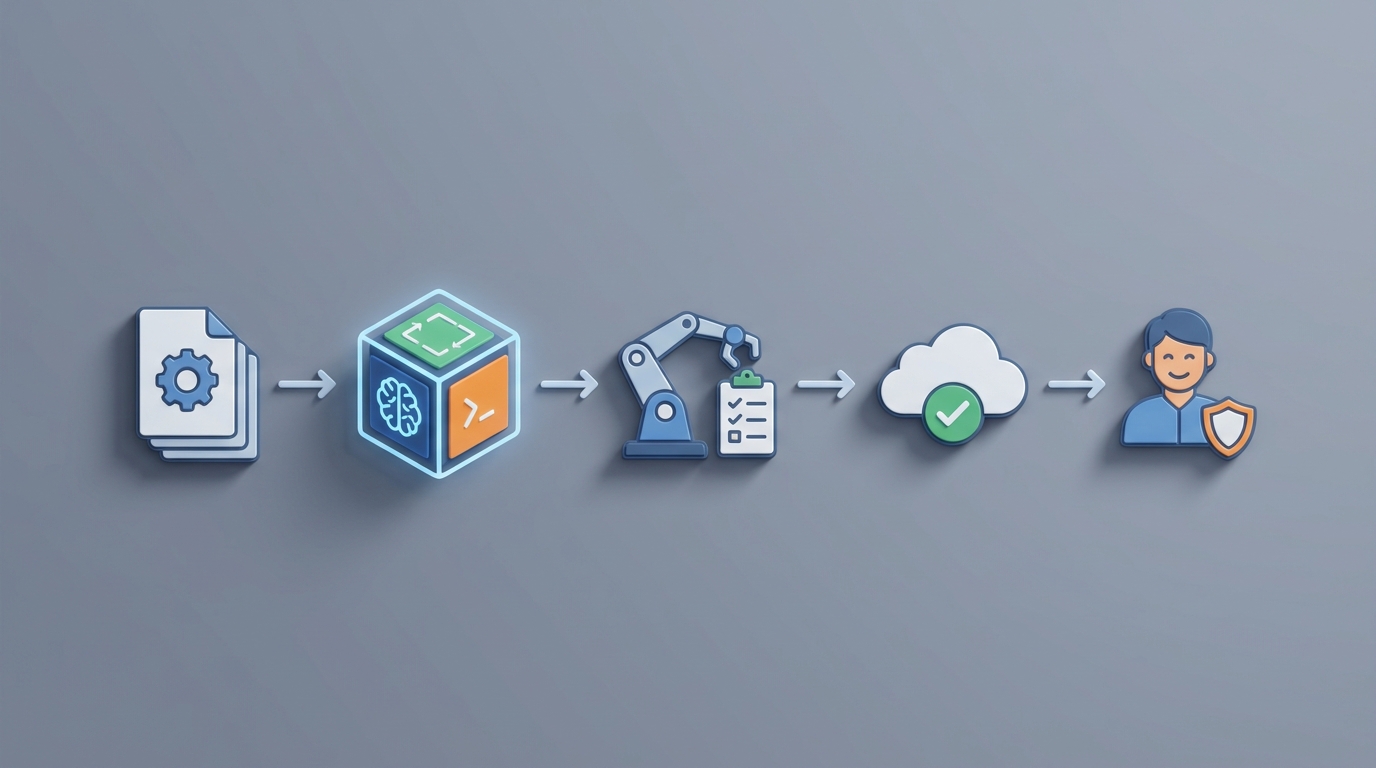
If you're running a warranty claims department, you already know the drill. A customer emails a blurry photo of a cracked product, a receipt from seven months ago, and a one-liner that says "it just broke." Your team then spends the next 30 minutes cross-referencing serial numbers in one system, checking warranty terms in another, pulling up purchase records in a third, and typing up a response that may or may not satisfy anyone.
Multiply that by hundreds or thousands of claims per month, and you've got a department that's expensive, slow, and constantly behind.
The good news: most of that workflow is now automatable. Not in a "someday, when AGI arrives" way — right now, with current AI capabilities. The trick is knowing exactly which pieces to automate, which to leave to humans, and how to wire it all together without a six-month enterprise integration project.
That's what this guide covers. We'll walk through the manual warranty claims process, identify what's actually painful about it, show you how to build an AI-powered claims agent on OpenClaw, and give you realistic expectations on what changes.
The Manual Warranty Claims Workflow (And Why It Takes 5–21 Days)
Let's map the typical process from the moment a customer submits a claim to resolution. Most organizations follow some version of these seven steps:
Step 1: Claim Submission (Day 1) The customer contacts you via email, phone, web form, or retailer portal. They provide (hopefully) a proof of purchase, serial number, photos or video of the issue, and a description of what happened. In reality, at least half of submissions are missing one or more of these items, which triggers a back-and-forth that can eat 1–3 days on its own.
Step 2: Eligibility Verification (Day 1–3) A claims processor manually checks the purchase date against warranty terms, validates the serial number against your records, confirms the product was registered (if required), and reviews exclusion criteria — misuse, accidental damage, unauthorized modifications. This step alone takes 10–20 minutes per claim when everything is clean, and significantly longer when data is messy or spread across disconnected systems.
Step 3: Issue Assessment (Day 2–7) Someone reviews the submitted photos and descriptions — or waits for the product to be physically returned and inspected. A technician or claims adjuster determines whether the issue is a covered manufacturing defect or something excluded from warranty. For simple cases (obvious screen crack, dead-on-arrival unit), this is quick. For ambiguous situations (intermittent failure, cosmetic vs. functional damage), it can take days.
Step 4: Approval or Denial Decision (Day 3–10) Straightforward claims get approved by the processor. Anything above a certain dollar threshold or anything remotely ambiguous gets escalated to a supervisor or warranty manager. This introduces wait time that's purely organizational, not technical.
Step 5: Processing (Day 5–14) Once approved, someone issues an RMA number, coordinates repair or replacement or refund, updates inventory systems, and arranges logistics. If a replacement unit needs to ship, add transit time.
Step 6: Documentation and Compliance (Ongoing) Every claim needs to be logged in the CRM or ERP, filed properly for financial reporting, and potentially flagged for supplier recovery. In regulated industries (medical devices, automotive), there are additional compliance documentation requirements.
Step 7: Customer Communication (Throughout) Status updates, denial explanations, follow-up surveys. In the manual world, this is often the most neglected step — customers hear nothing for days, then get a terse email.
The total time cost per claim: 15–60 minutes of staff time for simple claims. Hours to days for complex or disputed ones. End-to-end cycle times typically land at 5–21 days for consumer products, and 30–60 days in automotive and industrial sectors.
What Makes This Painful (Beyond Just Being Slow)
The time cost is obvious. Here's what's less obvious but arguably more expensive:
Labor costs are enormous. Manual warranty processing costs manufacturers 2–4% of annual product revenue in warranty-related expenses, according to research from Aberdeen Group and Deloitte. One large appliance manufacturer documented spending over 40,000 labor hours per year on manual warranty validation alone. Automotive dealers routinely spend 45–90 minutes per claim just on paperwork and OEM follow-up.
Error rates compound. Misread serial numbers, incorrect eligibility determinations, and data entry mistakes don't just slow things down — they create downstream problems. Wrongful approvals cost you money. Wrongful denials cost you customers. Both create rework.
Fraud is a real line item. Warranty fraud and abuse cost U.S. companies an estimated $10–20 billion annually across industries. Common schemes — duplicate claims, counterfeit receipts, misrepresented damage — are hard to catch when humans are processing claims one at a time without pattern visibility.
Customer satisfaction tanks with delays. A Salesforce study found that 68% of service organizations still have significant manual work in claims and returns. Customers who wait two weeks for a warranty resolution don't come back. NPS scores drop measurably with every additional day of processing time.
You can't scale for peaks. Product recalls, holiday-season returns, and viral defect reports all create claim volume spikes that a fixed-size team can't absorb. You either overstaff year-round (expensive) or drown during peaks (also expensive, just differently).
Data stays siloed. When claims live in disconnected CRM tickets, email threads, and spreadsheets, you lose the ability to spot recurring defects, identify supplier recovery opportunities, or forecast warranty costs accurately. The intelligence locked in your claims data never gets extracted.
What AI Can Actually Handle Right Now
Let's be specific. Here's what's automatable today with a well-built AI agent on OpenClaw, and what's not.
High-confidence automation (current AI, high ROI)
Data extraction and eligibility checking. This is the single biggest win. An OpenClaw agent can use natural language processing to parse claim descriptions, extract serial numbers and purchase dates from uploaded receipts via OCR, and validate everything against your warranty terms and sales records. What takes a human 10–20 minutes takes the agent seconds. OpenClaw's ability to connect to your existing databases and APIs means the agent can pull ERP data, check registration status, and apply warranty rules in a single pass.
Image and video analysis. Computer vision models can identify cracks, burns, water damage, corrosion, and other visible defects from customer-uploaded photos. They can also flag indicators of misuse or accidental damage (impact patterns, liquid intrusion markers). This is already deployed at scale in auto glass, consumer electronics, and industrial equipment.
Fraud detection. AI excels at pattern recognition that humans miss: serial numbers appearing in multiple claims, photo metadata inconsistencies, abnormal claim velocity from specific customers or regions, and statistical outliers in claim amounts. An OpenClaw agent can run these checks on every single claim, not just the ones that happen to look suspicious to a tired processor.
Initial triage and routing. An intelligent intake form or chatbot built on OpenClaw can collect all required information upfront (reducing incomplete submissions), auto-populate claim tickets, classify the claim type, and route it appropriately — straight-through processing for simple cases, human queue for complex ones.
Document matching. Automatically matching proof-of-purchase against sales records, cross-referencing retailer data, and validating that the claim matches a real transaction. Tedious for humans, trivial for an AI agent with database access.
Customer communication. Automated status updates, acknowledgment emails, basic denial explanations with specific policy references, and FAQ responses. Not a generic chatbot — an agent that knows the specific claim status and can provide real answers.
Predictive analytics. Identifying systemic product issues before they become costly recalls, forecasting warranty reserve requirements, and flagging supplier recovery opportunities based on defect clustering.
Still needs a human (or heavy human oversight)
Ambiguous causation. When it's genuinely unclear whether damage is a manufacturing defect, normal wear, misuse, or environmental — that's a judgment call that needs a trained technician, especially when the customer's photos and description don't tell the full story.
Complex policy interpretation. Edge cases involving modified products, gray-market purchases, overlapping warranty and insurance coverage, or products used outside their intended application.
High-value or disputed claims. Anything above your defined dollar threshold should require human sign-off. AI can prepare the recommendation and supporting evidence; a human makes the call.
Empathy-requiring interactions. Explaining a denial to an angry customer who's had a genuinely bad experience, making goodwill gestures, or handling situations where the right business decision isn't the strict policy decision.
Legal and regulatory compliance decisions. Medical devices, automotive safety components, and products in jurisdictions with strict consumer protection laws need human review for liability reasons.
Step-by-Step: Building a Warranty Claims Agent on OpenClaw
Here's how to actually build this. We'll assume you have an existing CRM or ERP with warranty data, and you want to automate the high-volume, routine claims while routing complex ones to your team.
Step 1: Define Your Claim Types and Rules
Before you touch any technology, document your warranty rules explicitly. You need:
- Warranty periods by product line or SKU
- Covered defect categories
- Exclusion criteria (misuse, accidental damage, unauthorized repair, etc.)
- Approval thresholds (dollar amounts, claim types that require human review)
- Required documentation by claim type
This becomes your agent's "policy brain." If your rules aren't documented, the AI can't apply them. Most companies discover during this step that their rules are inconsistent or incomplete — fixing that is valuable regardless of automation.
Step 2: Connect Your Data Sources
Your OpenClaw agent needs access to:
- Sales/purchase records (ERP or order management system) — to validate purchases and warranty dates
- Product catalog — serial number ranges, warranty terms by SKU, known defect bulletins
- CRM/ticketing system — to create and update claim records
- Customer database — purchase history, previous claims, registration status
OpenClaw supports API integrations and can connect to common platforms (Salesforce, SAP, Dynamics 365, Shopify, custom databases via REST APIs). Set up these connections first — the agent is only as good as the data it can access.
Step 3: Build the Intake Flow
Create an intelligent intake process that replaces your current web form or email-based submission:
- Guided information collection: The agent asks for serial number, purchase date, issue description, and photo uploads. It validates inputs in real-time (e.g., "That serial number format doesn't match our products — can you double-check?").
- OCR on receipts: Customer uploads a receipt photo; the agent extracts the relevant fields automatically.
- Photo analysis: Customer uploads defect photos; the agent runs initial image classification.
In OpenClaw, you'd configure this as a multi-step agent workflow. The agent handles the conversation, calls your OCR and vision tools, and validates against your connected databases — all within a single flow. This alone eliminates the majority of incomplete submissions and the back-and-forth that follows them.
Step 4: Build the Eligibility Engine
This is the core logic. Your OpenClaw agent should:
- Match the serial number to a product record
- Confirm the purchase date falls within the warranty period
- Check registration status (if required)
- Review the issue description against covered defect categories
- Check photos against exclusion indicators (water damage, impact damage, etc.)
- Run fraud checks (duplicate serial numbers, claim velocity, metadata analysis)
- Calculate a confidence score for the overall claim
Claims that pass all checks with high confidence → auto-approve. Claims that fail clearly (expired warranty, obvious misuse) → auto-deny with explanation. Everything in the middle → route to human review with the agent's analysis attached.
You can define these rules and thresholds directly in OpenClaw's agent configuration — no custom code required for the rule logic, though you can add custom functions for complex calculations.
Step 5: Configure the Processing Actions
For auto-approved claims, the agent should:
- Generate an RMA number
- Trigger the appropriate resolution (replacement shipment, refund, repair authorization)
- Update the CRM/ERP record
- Send the customer a confirmation with next steps and tracking information
These are API calls to your existing systems, orchestrated by the OpenClaw agent. You configure the actions once; they execute automatically for every qualifying claim.
Step 6: Build the Human Review Queue
For claims routed to humans, the agent should prepare a review package:
- Claim summary (extracted and validated data)
- Eligibility check results (what passed, what flagged)
- Photo analysis results with highlighted areas of concern
- Fraud risk score with supporting signals
- Recommended action (approve/deny/investigate) with confidence level
- Relevant policy excerpts
Your team reviews the pre-analyzed claim, makes a decision, and the agent handles the rest (communication, processing, documentation). This turns a 30–60 minute task into a 5–10 minute review.
Step 7: Set Up Monitoring and Feedback Loops
Track automation rates, accuracy, customer satisfaction, and processing times. Use the data to:
- Refine confidence thresholds (too many false approvals? Tighten. Too many unnecessary escalations? Loosen.)
- Identify new patterns for the fraud detection model
- Feed defect data back to product and engineering teams
- Optimize the intake flow based on common submission errors
OpenClaw provides analytics on agent performance, which you can combine with your existing warranty KPIs.
Expected Time and Cost Savings
Let's be concrete, based on documented results from companies that have implemented AI-powered warranty processing:
Processing time reduction: Straightforward claims drop from 5–14 days to same-day or next-day processing. Complex claims that still need humans drop from 14–30+ days to 3–5 days, because the AI pre-processes everything. One documented case from a Tier-1 auto supplier (via Deloitte) showed claims processing time dropping from 18 days to under 3 days, with an 85%+ automation rate on eligibility checks.
Automation rate: Expect 60–80% of claims to be handled with minimal or no human touch once the system is tuned. The remaining 20–40% (complex, high-value, ambiguous) get human review but with significantly less effort per claim.
Cost reduction: Published case studies from Accenture and Capgemini show 30–50% cost reduction in warranty claims operations when combining AI, computer vision, and workflow automation on top of existing CRM/ERP infrastructure.
Fraud detection improvement: AI-powered pattern analysis catches fraud that manual review misses. Given that fraud accounts for an estimated 3–10% of claims in many sectors, even modest improvement here pays for the entire automation investment.
Customer satisfaction: Same-day acknowledgment and dramatically faster resolution directly improve NPS and retention. Customers who get a fast, clear response — even a denial with a specific explanation — rate the experience higher than customers who wait two weeks for an approval.
Staff redeployment: Your claims team doesn't disappear — they shift from data entry and manual validation to handling the genuinely complex cases that benefit from human expertise. Higher-value work, less burnout, better outcomes.
The Realistic Timeline
Don't believe anyone who says you'll have this running in a week. Here's a realistic timeline:
- Weeks 1–2: Document rules, audit data sources, identify integration requirements
- Weeks 3–4: Build and connect the OpenClaw agent, configure intake flow and eligibility logic
- Weeks 5–6: Test with historical claims data, tune confidence thresholds
- Weeks 7–8: Pilot with live claims (human review on all AI decisions)
- Weeks 9–12: Gradually increase automation authority as accuracy is validated
Three months from start to meaningful production automation. Not instant, but dramatically faster than a traditional enterprise software implementation — and the ROI starts showing up almost immediately once you're in pilot.
Where to Start
If your warranty claims process currently involves your team copying data between systems, manually checking serial numbers, and spending 20+ minutes per straightforward claim, you have a clear automation opportunity.
The fastest path is to build a dedicated claims processing agent on OpenClaw that connects to your existing systems and handles the repetitive validation work. Start with eligibility checking — it's the highest-volume, most rule-based step, and it delivers measurable ROI within weeks.
You can explore pre-built agent templates and integrations on the Claw Mart marketplace. If you want to skip the build-it-yourself phase entirely, Clawsourcing connects you with experienced builders who can design, build, and deploy a warranty claims agent tailored to your specific products, systems, and warranty terms. You define the rules and thresholds; they handle the implementation.
Stop paying humans to do what a well-configured AI agent does better. Save the human judgment for the cases that actually need it.