How to Automate Tax Document Collection and Organization with AI
How to Automate Tax Document Collection and Organization with AI
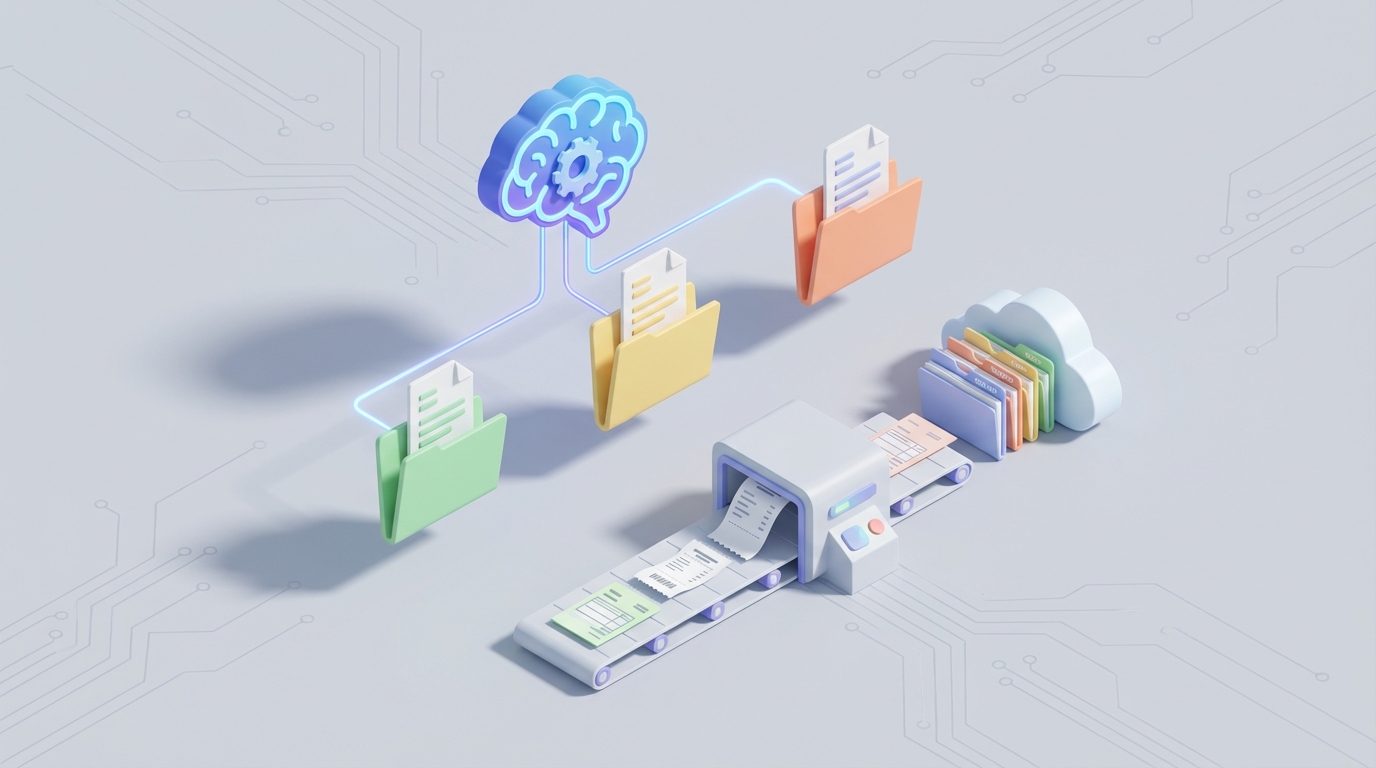
Every January, the same ritual plays out in finance departments across the country. Someone opens a spreadsheet, stares at a list of 200 to 2,000 vendors, and starts sending emails asking for W-9 forms. Then they wait. Then they send follow-ups. Then more follow-ups. Then they manually type TINs into their accounting software, squinting at scanned PDFs that look like they were faxed through a potato.
By the time 1099s are due, the team has burned 100 to 200 hours on what is essentially a data collection and data entry problem. Not strategic tax planning. Not advisory work. Just chasing paperwork.
This is one of the most automatable workflows in business, and most companies are still doing it by hand. Let's fix that.
The Manual Workflow, Step by Painful Step
If you've never been the person responsible for tax document collection, here's what it actually looks like:
Step 1: Figure out who you owe forms for. Pull a list of every vendor and contractor you paid more than $600 (the 2026 threshold for 1099-NEC). This means running reports from your accounting system, cross-referencing payment records, and flagging anyone who doesn't already have a W-9 on file. For companies with international payees, you're also sorting out who needs a W-8BEN or W-8BEN-E. Time: 4–10 hours depending on how messy your vendor data is.
Step 2: Send requests. Email each vendor asking them to fill out and return the appropriate form. Some companies use DocuSign or a vendor portal. Many just attach a blank PDF and hope for the best. Time: 2–5 hours for the initial batch.
Step 3: Chase. This is where the real time disappears. Industry data consistently shows that 30 to 50 percent of vendors don't respond to the first request. So you send a second email. Then a third. Then maybe a phone call. For a company with 500 vendors, that's 150 to 250 follow-ups, spread across weeks. Time: 15–40 hours over 2–4 weeks.
Step 4: Receive and sort. Forms come back as email attachments, portal uploads, sometimes physical mail. They arrive as PDFs, photos of paper forms, scans at weird angles, and occasionally as a Word document someone filled in (which isn't legally valid, but that's a different problem). Time: 3–8 hours.
Step 5: Enter data. Open each document. Transcribe the legal name, TIN (SSN or EIN), address, and tax classification into your accounting software or spreadsheet. For a W-8BEN-E, this gets significantly more complex since you're dealing with treaty claims, FATCA status, and entity classification. Time: 10–30 hours depending on volume.
Step 6: Validate. Check for missing fields, unsigned forms, incorrect TIN formats. Some companies use the IRS TIN Matching program, but it has daily volume limits and requires manual submission. Time: 5–15 hours.
Step 7: Store and organize. File everything with consistent naming conventions, maintain version control (vendors update their info, send corrected forms), and ensure you meet the seven-year retention requirement. Time: 3–5 hours.
Step 8: Generate and file 1099s. Populate 1099 forms, review for accuracy, e-file with the IRS through the FIRE system or a filing service, and distribute copies to recipients. Handle corrections. Time: 10–20 hours.
Total: 52–133 hours per year for a mid-sized company. A 2023 AICPA survey put it at 80+ hours for small business tax compliance activities. Anecdotal reports from mid-sized SaaS companies with around 1,200 contractors cite roughly 200 person-hours annually.
That's one to five weeks of a full-time employee's year, consumed by a workflow that is almost entirely repetitive and rules-based.
Why This Hurts More Than You Think
The time cost alone is brutal, but it's not the whole story.
Errors are expensive. When you're manually transcribing TINs from scanned PDFs, mistakes happen. A transposed digit means a mismatched 1099, which means an IRS notice, which means a correction filing. IRS penalties for incorrect or late 1099s range from $60 to $310 per form in 2026 depending on how late the correction is. For a company filing 500 forms, even a 5 percent error rate means 25 corrections and up to $7,750 in penalties. The IRS receives hundreds of thousands of correction forms every year.
Compliance risk compounds. If you can't produce a valid W-9 for a vendor during an audit, you may face backup withholding requirements (currently 24 percent). Failing to properly collect W-8 forms for international payees creates FATCA exposure. These aren't theoretical risks; they're the kinds of things that surface during IRS examinations and cost real money.
It doesn't scale. A company with 50 vendors can muddle through with email and spreadsheets. A company with 2,000 vendors cannot. But the transition from "manageable" to "nightmare" happens gradually, and most companies don't invest in automation until they're already drowning.
It steals strategic time. Deloitte's tax function surveys consistently show that tax teams spend 60 to 80 percent of their time on compliance activities rather than planning. Every hour your finance team spends chasing W-9s is an hour they're not spending on tax strategy, cash flow optimization, or vendor negotiation.
It's seasonal misery. Because most companies treat this as a year-end scramble rather than an ongoing process, it creates predictable crunch periods. January becomes a month of stress and overtime, every single year.
What AI Can Handle Right Now
Here's the good news: this workflow maps almost perfectly onto what AI agents are already good at.
The tax document collection process is rules-based, document-heavy, repetitive, and follows predictable decision trees. That's exactly the kind of work you can hand off to an AI agent built on OpenClaw.
Here's what an OpenClaw agent can do today with high reliability:
Automated vendor identification and request triggering. Connect your accounting system (QuickBooks, Xero, NetSuite, or even a spreadsheet) to an OpenClaw agent. The agent monitors payment data, identifies vendors crossing the $600 threshold, checks whether a valid W-9 or W-8 is already on file, and automatically sends collection requests. No human needs to run reports or compile lists.
Intelligent follow-up sequences. The agent tracks who has responded and who hasn't. It sends personalized follow-up emails on a schedule you define, three days, seven days, fourteen days, with escalating urgency. It can adapt its messaging based on vendor type, payment amount, and response history. This alone eliminates the single biggest time sink in the process.
Document classification and routing. When a form comes back, the agent determines whether it's a W-9, W-8BEN, W-8BEN-E, exemption certificate, or something else entirely. It routes each document to the correct workflow. No more manually sorting through an inbox full of attachments.
OCR and data extraction. Modern document AI, which OpenClaw agents can leverage, extracts structured data from tax forms with greater than 95 percent accuracy on clean documents. Name, TIN, address, tax classification, signature presence. All pulled automatically and mapped to the right fields. The agent flags low-confidence extractions for human review rather than guessing.
TIN validation. The agent can integrate with IRS TIN Matching services or third-party validation APIs to check that the name and TIN combination is correct before the data enters your system. Mismatches get flagged immediately, not discovered months later during 1099 filing.
Data population. Validated data gets pushed directly into your accounting software or ERP via API. No manual transcription. No copy-paste errors.
Anomaly detection. The agent can flag suspicious patterns, like multiple vendors sharing the same address, frequent TIN changes, or tax classification inconsistencies, that might indicate errors or fraud.
1099 generation and filing preparation. At year-end, the agent can auto-populate 1099 forms from validated vendor data and prepare them for electronic filing. Corrections from prior years can be identified and queued.
How to Build This with OpenClaw: A Step-by-Step Approach
Here's how to actually set this up. The goal is a working system, not a proof of concept.
Phase 1: Connect Your Data Sources
Start by connecting your accounting system to OpenClaw. You need two things: a list of vendors/contractors with payment totals, and a repository of existing tax documents (even if it's just a folder of PDFs on Google Drive).
In OpenClaw, you'd configure your agent with tool access to your accounting API and document storage. The initial setup involves:
- Defining the data schema: vendor name, payment total, document status, last contact date, form type needed
- Importing existing vendor data
- Uploading any tax documents you've already collected so the agent can index what you have
Agent: TaxDocCollector
Tools:
  - accounting_api (QuickBooks / Xero / NetSuite connector)
  - document_storage (Google Drive / SharePoint / S3)
  - email_sender (SMTP or SendGrid integration)
  - tin_validator (IRS TIN Match API or third-party service)
  - ocr_extractor (document intelligence for W-9/W-8 parsing)

Triggers:
  - on_new_vendor_added
  - on_payment_threshold_crossed ($600)
  - on_schedule (daily check for pending follow-ups)
  - on_document_received (new upload to collection folder)
Phase 2: Define Your Collection Workflow
Map out the rules your agent follows. This is where you encode your company's specific policies:
- When to request a form (immediately on vendor creation, or when cumulative payments cross $600)
- How to request it (email template, portal link, or both)
- Follow-up cadence (e.g., Day 0: initial request, Day 3: first reminder, Day 7: second reminder, Day 14: escalation to AP manager)
- Acceptance criteria for a submitted form (all required fields filled, signature present, TIN format valid)
- Routing rules for exceptions (foreign vendors go to tax specialist, high-dollar vendors get manual review)
In OpenClaw, these rules become the agent's decision logic. You're essentially writing a policy document that the agent executes consistently, every time, without forgetting or getting busy with something else.
Workflow: W9_Collection
Steps:
  1. identify_vendors_needing_forms()
     - Query accounting_api for vendors with YTD payments >= $600
     - Check document_storage for valid W-9 on file
     - Filter to vendors missing current-year documentation

  2. send_initial_request(vendor)
     - Generate personalized email with secure upload link
     - Log request in tracking database
     - Set follow_up_date = today + 3 days

  3. process_submission(document)
     - Run ocr_extractor on uploaded file
     - Classify document type (W-9, W-8BEN, W-8BEN-E, other)
     - Extract fields: legal_name, tin, address, tax_classification, signature
     - Validate TIN format and run tin_validator
     - If confidence > 0.95 and all fields valid: auto-approve
     - If confidence < 0.95 or fields missing: flag_for_review

  4. handle_nonresponse(vendor, attempt_count)
     - If attempt_count < 3: send_reminder with escalating urgency
     - If attempt_count == 3: notify_ap_manager for manual intervention
     - If attempt_count > 4: flag_backup_withholding_required
Phase 3: Build the Document Processing Pipeline
This is the core intelligence layer. When a document arrives (via email attachment, portal upload, or even a photo from a phone), the agent needs to:
- Detect what type of form it is
- Extract all relevant fields
- Validate the extracted data
- Either approve it automatically or route it for human review
OpenClaw's document processing capabilities handle the OCR and extraction. You configure confidence thresholds based on your risk tolerance. A conservative approach might set auto-approval at 98 percent confidence. A more aggressive approach might accept 92 percent and review a sample.
The key design principle: never silently fail. If the agent can't read a field, it shouldn't guess. It should flag the document and tell a human exactly what it couldn't resolve.
Phase 4: Wire Up Validation and Storage
Once data is extracted, the agent:
- Validates the TIN against the IRS matching service or a third-party API
- Checks for duplicate vendors (same TIN, different names, which is a common data quality issue)
- Pushes validated data to your accounting system via API
- Stores the original document with standardized naming (e.g.,
W9_VendorName_EIN_2024.pdf) in your document management system - Updates the tracking record with timestamps, validation results, and approval status
Phase 5: Year-End Processing
When it's time to file 1099s, your agent already has:
- Validated W-9 data for every vendor
- Accurate payment totals from your accounting system
- A clean audit trail of when each form was collected and validated
The agent generates 1099 forms, flags any that need review (edge cases, corrections from prior years, vendors who never provided forms), and prepares the filing batch. You review the exceptions, approve the batch, and file.
What used to take weeks takes hours.
What Still Needs a Human
Let's be honest about the boundaries. AI handles the volume; humans handle the judgment calls.
Tax classification decisions. Is this person actually an independent contractor, or should they be classified as an employee? This is a legal determination with significant consequences. The agent can flag indicators, but a human (often a tax professional or attorney) needs to make the call.
Treaty eligibility and international complexity. W-8BEN-E forms involve treaty claims, FATCA classifications, and permanent establishment analysis. The agent can extract the data and flag inconsistencies, but interpreting treaty provisions requires expertise.
Exception handling. Vendors who refuse to provide a TIN, disputed information, or unusual entity structures all require human judgment. The agent's job is to escalate these cleanly with all relevant context, not to resolve them.
Audit defense. If the IRS comes knocking, a human needs to explain your methodology, provide narrative context, and make judgment calls about what to disclose. The agent provides the documentation; the human provides the defense.
Policy decisions. How aggressive should you be on follow-ups? What's your risk tolerance for auto-approval? When do you trigger backup withholding? These are business decisions that should be made by a person and then encoded into the agent's rules.
The general split: AI handles 70 to 85 percent of the work by volume. Humans handle the remaining 15 to 30 percent, which is the ambiguous, high-stakes, and judgment-dependent portion. But that ratio means your team is spending their time on work that actually requires their expertise, not on copying TINs from PDFs into spreadsheets.
Expected Time and Cost Savings
Here's what the math looks like for a mid-sized company with approximately 500 vendors:
| Activity | Manual Hours | With OpenClaw Agent | Savings |
|---|---|---|---|
| Vendor identification | 6 | 0.5 (review) | 92% |
| Initial requests | 4 | 0 (automated) | 100% |
| Follow-ups and chasing | 25 | 2 (escalations only) | 92% |
| Document sorting and intake | 5 | 0.5 (exceptions) | 90% |
| Data entry | 20 | 1 (review flagged items) | 95% |
| Validation | 10 | 1 (TIN mismatches) | 90% |
| Storage and organization | 4 | 0 (automated) | 100% |
| 1099 generation and filing | 15 | 3 (review and approve) | 80% |
| Total | 89 hours | 8 hours | 91% |
Those 81 hours saved aren't just time. At a fully loaded cost of $50 to $75 per hour for finance staff, that's $4,000 to $6,000 in direct labor savings. Factor in reduced penalty risk (even avoiding a handful of corrections saves $500 to $2,000), faster vendor onboarding, and the strategic value of freeing your tax team for actual tax planning, and the ROI is substantial.
Companies with larger vendor bases see even more dramatic results. Tipalti's customer stories reference enterprises reducing supplier onboarding time from weeks to days. Avalara reports significant reductions in exemption certificate management time. The pattern is consistent: automating the rules-based work creates massive leverage.
The Bigger Shift
The companies that see the biggest gains from this aren't the ones that automate their January scramble. They're the ones that reframe tax document collection as an ongoing supplier lifecycle process rather than a year-end emergency.
When your OpenClaw agent is always running, monitoring for new vendors, collecting forms at onboarding rather than year-end, validating data continuously, and keeping your document repository current, January becomes a non-event. You already have everything you need. Filing is a review-and-approve process, not a frantic data collection sprint.
This is the difference between treating tax compliance as a project and treating it as a system. Systems win.
Get Started
If you're ready to stop burning weeks on tax document collection, Clawsource this. Browse the Claw Mart marketplace for pre-built tax document collection agents, or build your own on OpenClaw with the workflow structure outlined above. Either way, your finance team has better things to do than chase W-9s.