How to Automate Task Assignment with AI
How to Automate Task Assignment with AI
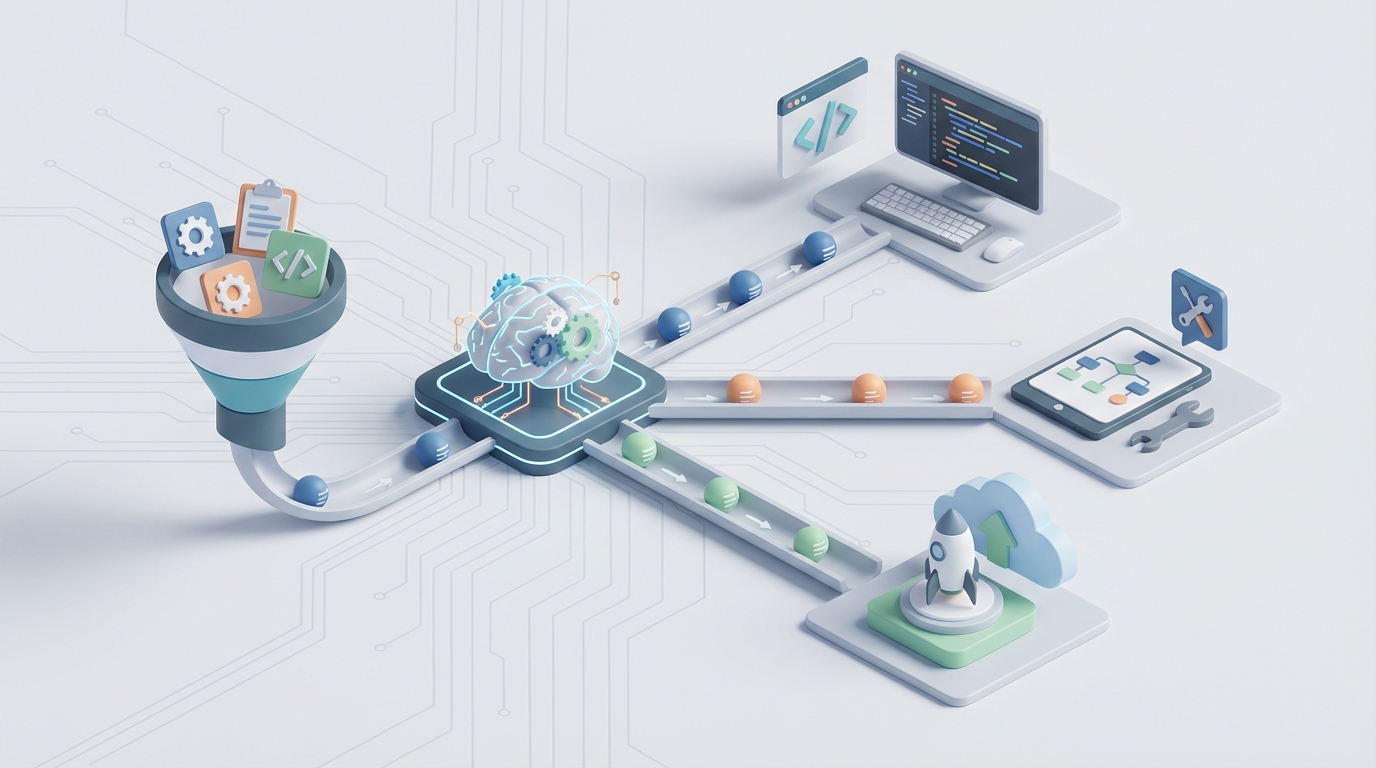
Every manager I've talked to in the last year has the same complaint: they spend more time deciding who should do the work than actually reviewing the work itself.
This isn't laziness. It's a structural problem. Task assignment — the act of taking incoming work and routing it to the right person — is one of those processes that looks trivial on paper and devours hours in practice. You're checking calendars, scanning skill sets, weighing workloads, pinging people on Slack to ask if they have bandwidth, waiting for responses, making a judgment call, typing up context, and then doing it all again forty-five minutes later when the next request comes in.
The average knowledge worker loses 31% of their time to this kind of coordination overhead, according to Atlassian's own research. McKinsey puts it at 20-30% of a manager's total working hours spent on administrative tasks like allocation. That's not a rounding error. That's one to two full days per week gone to routing work instead of doing it.
Here's the good news: this is one of the most automatable workflows that exists. Not in theory. Right now, with the tools available today. Let me walk through exactly how it works.
The Manual Workflow (and Why It's Worse Than You Think)
Let's be honest about what task assignment actually looks like in most organizations. Not the idealized version in your project management tool's marketing materials — the real one.
Step 1: Intake and triage. A task arrives. Maybe it's a Jira ticket. Maybe it's an email. Maybe someone mentioned it in a Slack thread that you'll forget about by lunch. Someone — usually a manager or team lead — reads it and tries to determine what kind of work this is, how urgent it is, and what skills are required. Time: 3-8 minutes per task, depending on complexity and how much context was provided (usually not enough).
Step 2: Skill and availability matching. Now you need to figure out who can actually do this. You check your mental model of who knows what. Maybe you open a spreadsheet. Maybe you look at someone's current sprint. Maybe you just Slack three people and ask "are you slammed right now?" Time: 5-15 minutes, including wait time for responses.
Step 3: Workload balancing. You realize your best person for the job is already overloaded because they're always your best person for the job. So you look for alternatives. You weigh whether this task is important enough to justify pulling someone off something else. Time: 5-10 minutes of deliberation, sometimes involving a second conversation.
Step 4: Assignment and handover. You assign the task, write up whatever context the assignee needs (because the original request was vague), and set expectations for timeline. Time: 5-10 minutes.
Step 5: Follow-up. Two days later, you check in because you haven't seen movement. Turns out the assignee had a question they didn't ask, or they interpreted the requirements differently than you intended. Reassignment or clarification ensues. Time: 10-20 minutes, plus the cost of the delay.
Add it up. A single non-trivial task assignment can consume 30-60 minutes of total coordination time across multiple people. In a team of fifteen handling sixty tasks per week, you're looking at 30-60 hours of collective coordination time. Every single week.
For IT support teams, it's even worse. Manual ticket triage runs 8-15 minutes per ticket. At volume, companies end up hiring full-time coordinators whose entire job is routing work — a role that exists only because the process is broken.
What Makes This Actually Painful
The time cost is obvious. But there are subtler problems that compound over weeks and months.
Wrong assignments create rework. When a task goes to the wrong person, it doesn't just get delayed — it often gets done incorrectly first. The assignee spends hours going down the wrong path before someone realizes the mistake. IBM found that improving first-time-right assignment rates was one of the single biggest levers for reducing total project time.
High performers get crushed. Every organization has this pattern: the two or three people who are most competent and reliable get assigned disproportionately more work. Not because anyone is being malicious, but because the manager's heuristic is "who do I trust to get this done?" This leads to burnout, attrition of your best people, and underdevelopment of everyone else.
Bias is invisible. Task assignment decisions are made quickly, informally, and without audit trails. Research consistently shows that managers route high-visibility, career-building work to people they're closest to or most comfortable with. Nobody tracks this because nobody has the data.
Context gets lost in transit. The person who created the task rarely provides everything the assignee needs. The assignee often doesn't know what they don't know. So they either ask (adding more coordination overhead) or guess (adding rework risk).
Visibility is a fiction. Managers think they know their team's capacity. They usually don't. Reported availability and actual availability are different things. The gap between what's on someone's calendar and what they're actually working on can be enormous.
These aren't edge cases. This is the default state of task assignment in most organizations. And it's fixable.
What AI Can Handle Right Now
Not everything in the assignment workflow needs AI. Some of it just needs better rules. But there are specific steps where AI dramatically outperforms human judgment at scale, and this is where OpenClaw comes in.
Intelligent triage and classification. An AI agent built on OpenClaw can read an incoming task — whether it arrives as a Jira ticket, a form submission, a Slack message, or an email — and immediately classify it by type, urgency, required skills, and estimated complexity. This isn't keyword matching. OpenClaw agents understand context. A ticket that says "the dashboard is showing yesterday's numbers" gets classified differently from "the dashboard is completely down," even though both mention the dashboard.
Skill matching against real data. OpenClaw agents can integrate with your existing systems — your project management tool, your HR platform, your Git history — to build a real-time picture of who knows what. Not self-reported skills from an onboarding form three years ago, but actual demonstrated capability based on what people have successfully completed. When a task comes in requiring Python expertise and familiarity with your billing system, the agent surfaces the three best candidates with confidence scores.
Workload-aware recommendations. This is where the leverage really kicks in. An OpenClaw agent doesn't just know who can do the work — it knows who has capacity to do it now. By connecting to your project management and calendar systems, it factors in current assignments, upcoming deadlines, meeting load, and historical velocity. The output isn't just "assign to Sarah" — it's "assign to Sarah (available, 73% skill match, light sprint) over Marcus (better skill match but overloaded by 15 hours this sprint)."
Automated context packaging. When the agent makes an assignment, it doesn't just tag someone. It pulls together relevant context — related tickets, linked documents, recent Slack conversations about the topic, relevant code changes — and packages it into a briefing for the assignee. This alone eliminates a huge chunk of back-and-forth.
Continuous learning. OpenClaw agents improve over time. When an assignment results in fast resolution, that's a positive signal. When it results in reassignment or rework, the agent adjusts its model. After a few weeks, your AI agent knows your team's real capabilities better than any single manager does.
Step-by-Step: Building the Automation with OpenClaw
Here's how to actually set this up. I'll use a software development team as the example, but the pattern applies to any team doing knowledge work.
Step 1: Define Your Task Sources
First, identify every channel where tasks enter your system. Common ones:
- Jira/Linear/Asana tickets
- Slack messages in specific channels
- Email to a team inbox
- Form submissions (internal requests)
- Calendar-created action items from meetings
In OpenClaw, you configure these as input triggers. Each source gets a connector. OpenClaw has pre-built integrations for major platforms, and you can use webhooks for custom sources.
# OpenClaw agent configuration - input sources
triggers:
  - type: jira_webhook
    project: "ENG"
    event: "issue_created"
    filter: "status = 'Unassigned'"
  - type: slack_channel
    channels: ["#eng-requests", "#bug-reports"]
    pattern: "task_request"
  - type: email
    inbox: "eng-team@company.com"
    classification: "actionable_request"
Step 2: Build Your Team Profile
The agent needs to know your team. This isn't a one-time setup — it's a living data model. You connect OpenClaw to:
- Your project management tool (for historical assignment data, completion rates, and velocity)
- Your code repository (for expertise mapping based on actual contributions)
- Your calendar system (for real-time availability)
- Your HR/people system (for role definitions, reporting lines, and time-off data)
OpenClaw builds a capability graph for each team member that updates continuously. Here's a simplified version of what that looks like:
# Team capability model (auto-generated, continuously updated)
team_member: sarah_chen
  skills:
    - python: 0.92 (based on: 47 completed tickets, 12 PRs last quarter)
    - billing_system: 0.85 (based on: 23 tickets in billing component)
    - frontend_react: 0.41 (based on: 3 PRs, limited history)
  current_load:
    - sprint_capacity: 40 story_points
    - current_committed: 28 story_points
    - meetings_this_week: 12 hours
  availability: available (no PTO, no blocked dependencies)
  assignment_success_rate: 0.91 (last 90 days)
Step 3: Configure Your Assignment Rules
This is where you encode your team's specific logic. Every team has preferences and constraints that go beyond raw skill matching:
# Assignment rules
rules:
  - name: "load_balance"
    description: "No one exceeds 85% sprint capacity"
    weight: high

  - name: "skill_threshold"
    description: "Minimum 0.6 skill match for assignment"
    weight: high

  - name: "growth_rotation"
    description: "10% of tasks assigned for skill development"
    weight: medium
    condition: "task.priority < 'critical'"

  - name: "timezone_preference"
    description: "Prefer assignees in same timezone as requester"
    weight: low

  - name: "hero_prevention"
    description: "Flag if any member receives >30% of high-priority tasks"
    weight: medium
    action: "redistribute"
Notice the "growth_rotation" rule. This is something managers say they want to do but almost never actually do because the pressure to assign to the safest pair of hands is too strong. An AI agent follows the rule consistently.
Step 4: Set Confidence Thresholds and Escalation Paths
This is critical. You don't want the agent making every decision autonomously from day one. Set confidence thresholds:
# Escalation configuration
escalation:
  auto_assign_threshold: 0.80  # Assign automatically if confidence >= 80%
  suggest_threshold: 0.60      # Suggest to manager if confidence 60-79%
  escalate_threshold: 0.60     # Escalate to manager if confidence < 60%

  # Always escalate these
  always_human:
    - priority: "critical"
      condition: "estimated_hours > 40"
    - type: "cross_team"
    - flag: "client_facing"
When the agent is confident, it assigns directly and notifies both the assignee and the manager. When it's uncertain, it presents its top recommendations with reasoning and lets the manager make the final call. This is the right way to roll out AI automation — not as a black box, but as a system that earns trust incrementally.
Step 5: Deploy, Monitor, Tune
Start with the agent in suggest mode for the first two weeks. It processes every incoming task and makes recommendations, but a human approves each one. This does two things: it builds the agent's accuracy through feedback, and it builds your team's confidence in the system.
Track these metrics from day one:
- First-time-right rate: What percentage of assignments stick without reassignment?
- Time to assignment: How long from task creation to assignment?
- Assignment distribution: Is work spread evenly across the team?
- Requester satisfaction: Are requesters getting faster, better responses?
After two weeks of suggest mode, move high-confidence assignments to auto-assign. Keep lower-confidence and high-stakes tasks in suggest mode. Continue expanding automation as the model improves.
What Still Needs a Human
I said this wouldn't be hype-y, so let me be clear about the limits.
Strategic assignments require human judgment. When you're deciding who leads a project that will define your product direction for the next quarter, that's not a routing decision — it's a leadership decision. Career development, team dynamics, motivation, political considerations — these are real factors that AI cannot reliably assess.
Novel or ambiguous work needs human interpretation. When a task doesn't fit neatly into existing categories, or when the success criteria are unclear, a human needs to scope it before any assignment makes sense.
Interpersonal dynamics matter. The agent doesn't know that two team members had a conflict last week, or that someone is going through a difficult personal situation and needs lighter work even though their calendar shows availability. Managers who pay attention to their people will always add value here.
Exception handling is a human skill. When the agent's confidence is low, when conflicting signals exist, when something feels off — that's when experienced human judgment is irreplaceable.
The right mental model: AI handles the 70-80% of assignments that are routine and well-defined. Humans handle the 20-30% that require judgment, context, or strategic thinking. The result is that managers spend their time on the decisions that actually benefit from their experience, instead of drowning in routine allocation work.
Expected Time and Cost Savings
Let's be conservative with the numbers.
A team of fifteen knowledge workers generating sixty task assignments per week currently spends roughly 30-50 hours on coordination. With AI handling 70% of assignments automatically and streamlining the remaining 30%:
- Coordination time drops by 60-70%, freeing up 20-35 hours per week across the team.
- Assignment speed improves by 75-90%. What used to take 30-60 minutes per task drops to seconds for auto-assigned tasks and 5-10 minutes for human-reviewed suggestions.
- First-time-right rates improve by 20-30%, based on what IBM and Zendesk have reported with similar AI assignment systems. Less rework means faster delivery overall.
- Workload distribution improves measurably. Hero syndrome decreases, burnout risk goes down, and more team members develop broader skills.
For a company with 100 knowledge workers, the coordination savings alone are worth 2-4 full-time equivalent positions. Not hypothetical future savings — real hours returned to productive work within weeks of deployment.
Get Started
If you're spending more time assigning work than reviewing it, you have a systems problem, not a people problem. And it's a solvable one.
Browse Claw Mart to find pre-built OpenClaw agents designed for task assignment automation. There are agents configured for engineering teams, support desks, creative teams, and general project management — each with the integration connectors and rule templates you need to get running fast.
If you don't see exactly what you need, Clawsource it. Post your specific workflow requirements on Claw Mart's Clawsourcing board and let the OpenClaw builder community create a custom agent tailored to your team's tools, rules, and constraints. You describe the problem, set your budget, and builders compete to deliver the solution.
Either way, stop burning thirty hours a week on work that a well-configured agent handles better than any spreadsheet-and-Slack workflow ever will.