How to Automate Risk Assessment in Project Management with AI
How to Automate Risk Assessment in Project Management with AI
Most project managers spend somewhere between 15% and 25% of their total working time on risk assessment. Let that sink in. A quarter of your project management bandwidth goes to identifying things that might go wrong, scoring them on a matrix, updating a register that nobody reads until something actually goes wrong, and then repeating the cycle.
And the kicker? According to PMI's 2026 Pulse of the Profession report, only 18% of organizations use any form of predictive analytics or AI for project risks. The other 82% are still running brainstorming sessions, manually filling out Excel registers, and hoping the color-coding on their heat maps is enough to prevent disaster.
It's not. A McKinsey study from 2023 found that manual risk processes cause an average of 19% schedule slippage and 14% cost overruns on projects — because risks get identified too late, assessed too subjectively, and monitored too infrequently.
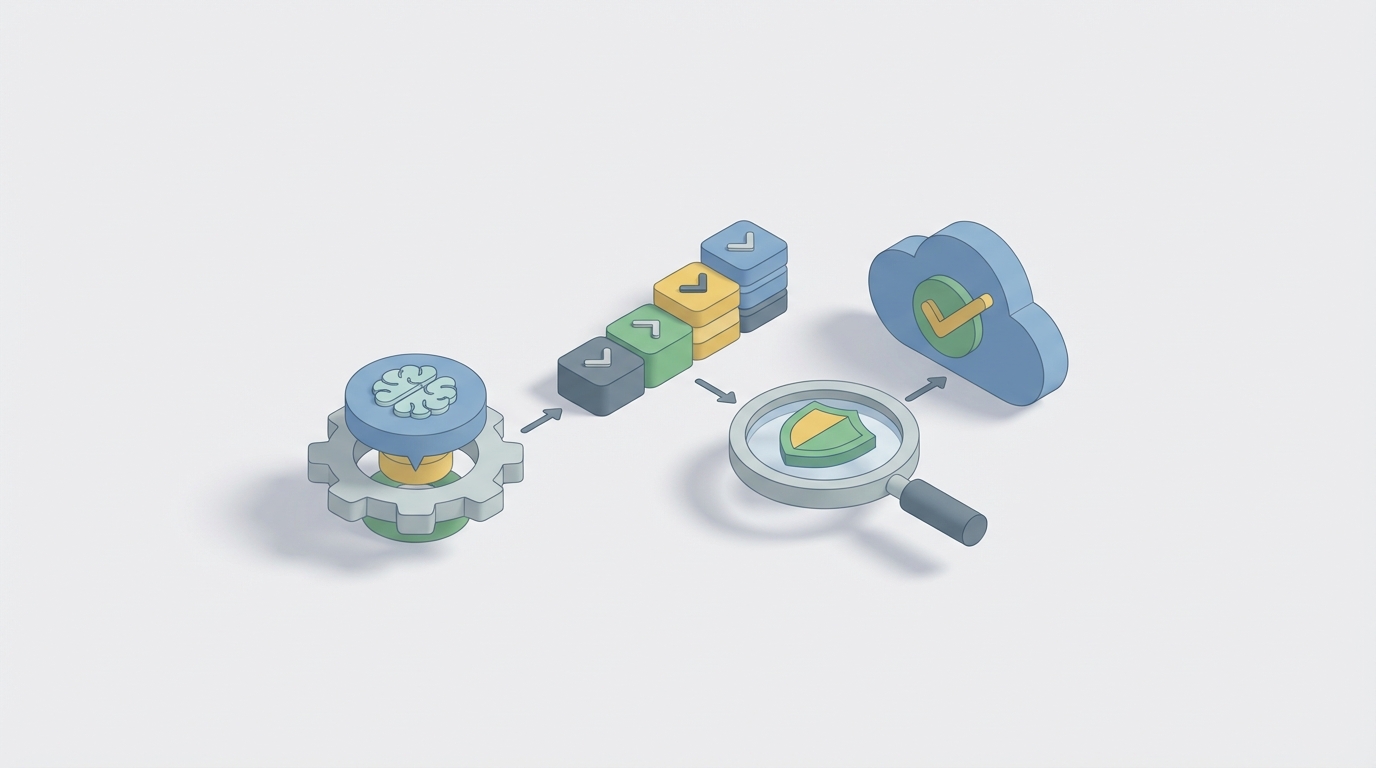
This is a workflow that's begging to be automated. Not fully replaced — there are parts of risk assessment that genuinely require human judgment. But the grunt work? The data aggregation, the pattern recognition, the register maintenance, the monitoring? An AI agent can handle all of that faster and more consistently than any human team.
Here's how to build one on OpenClaw.
The Manual Risk Assessment Workflow (and Why It Hurts)
Before automating anything, you need to understand exactly what you're replacing. The standard project risk assessment process, based on PMBOK and ISO 31000, involves six core steps:
Step 1: Risk Identification. Brainstorming sessions, stakeholder interviews, SWOT analysis, assumption analysis, reviewing lessons learned from past projects. This alone takes 18–35 hours per project according to a 2023 RIMS study.
Step 2: Risk Analysis. Qualitative scoring (probability × impact matrices) and, if you're sophisticated, quantitative analysis like Monte Carlo simulations or sensitivity analysis. Most teams stick to qualitative because they don't have the skills or tools for quantitative.
Step 3: Risk Prioritization. Ranking risks, building heat maps, deciding what gets attention and what gets filed away.
Step 4: Risk Response Planning. For each prioritized risk, developing a mitigation, avoidance, transfer, or acceptance strategy.
Step 5: Risk Monitoring and Control. Regular reviews, status updates, trigger tracking, updating probability and impact scores as the project evolves.
Step 6: Reporting and Escalation. Risk registers, dashboards, executive summaries, status reports.
For a medium-sized project running 6–12 months, this cycle consumes 40–120 hours per iteration. For large enterprise programs managing 50+ projects, it becomes a full-time job for multiple people.
And here's the painful part: 62% of organizations still do this primarily in Excel (KPMG, 2026). Manually maintained spreadsheets. Color-coded cells. Pivot tables that break when someone accidentally deletes a row.
The specific pain points are predictable:
- Risk registers go stale. Teams spend more time updating documents than actually analyzing risks.
- Subjectivity dominates. One PM scores a risk as "high probability, medium impact." Another scores the identical risk as "medium probability, high impact." There's no consistency.
- Blind spots are systematic. Teams miss emerging risks because nobody's continuously scanning project data. You catch risks at the weekly meeting or not at all.
- No real-time visibility. 71% of project managers say they don't have real-time risk data (Wrike, 2026).
- It doesn't scale. What works for one project falls apart at the portfolio level.
The result: late-identified risks, reactive firefighting, blown budgets, missed deadlines. The exact things risk management was supposed to prevent.
What AI Can Actually Handle Right Now
Let's be specific about what's automatable versus what isn't. This matters because overpromising is how AI projects fail.
AI handles well:
- Risk identification from project artifacts. Natural language processing can scan project documents, requirements, meeting transcripts, Jira tickets, Slack messages, emails, and status reports to extract potential risks. It's pattern matching at scale — and it's very good at it. Early adopters report 80–90% accuracy on known risk categories.
- Historical pattern recognition. Given data from past projects, AI can identify which types of risks tend to appear in similar projects and flag them proactively.
- Quantitative modeling. Monte Carlo simulations, Bayesian networks, and predictive forecasting run in seconds instead of hours. And they can re-run automatically whenever new data comes in.
- Real-time monitoring. Anomaly detection on project metrics — schedule variance, budget burn rate, velocity changes, sentiment shifts in status reports — can surface emerging risks before humans notice them.
- Register maintenance. Auto-updating risk probability and impact scores based on incoming project data. No more stale spreadsheets.
- Cross-project aggregation. Pulling risk signals from across an entire portfolio and surfacing portfolio-level risk concentrations.
AI does not handle well (and shouldn't):
- Strategic context. Understanding how a risk fits into broader business strategy, stakeholder dynamics, or organizational politics.
- Ethical and reputational risk. These require nuanced judgment about values, public perception, and cultural context.
- Black swan events. Truly novel risks with no historical precedent. AI needs data to learn from.
- Response strategy decisions. Choosing between mitigation approaches involves trade-offs between cost, schedule, quality, and relationships. That's a human call.
- Risk acceptance. Deciding to accept a high-impact risk is a governance decision. It requires accountability, and accountability requires a person.
The framework from Deloitte and Gartner's 2026 reports is useful here: AI is the co-pilot. It handles the "what" and "how likely." Humans handle the "so what" and "now what."
Building a Risk Assessment Agent on OpenClaw: Step by Step
Here's the practical implementation. We're building an AI agent on OpenClaw that automates risk identification, analysis, monitoring, and reporting — while routing decisions and response planning to humans.
Step 1: Define Your Data Sources
Your agent needs inputs. For project risk assessment, the most valuable sources are:
- Project management tools (Jira, Asana, Monday.com, Microsoft Project) — for task data, schedule variance, assignment changes
- Communication platforms (Slack, Microsoft Teams, email) — for sentiment signals and ad-hoc risk mentions
- Document repositories (SharePoint, Google Drive, Confluence) — for project plans, requirements docs, scope change requests
- Financial systems (SAP, QuickBooks, your ERP) — for budget actuals vs. plan
- Historical project data — past risk registers, lessons learned databases, post-mortems
In OpenClaw, you set up these connections through the platform's integration layer. OpenClaw supports API connections to standard project management and communication tools, plus custom webhook configurations for anything proprietary.
# Example OpenClaw agent data source configuration
data_sources:
  - type: jira
    connection: jira_prod_api
    sync_frequency: every_4_hours
    data_scope: [tickets, comments, sprint_metrics, velocity]
  - type: slack
    connection: slack_workspace
    sync_frequency: real_time
    channels: [project-alpha, project-alpha-risks, engineering]
  - type: sharepoint
    connection: sp_project_docs
    sync_frequency: daily
    folders: [/ProjectAlpha/Plans, /ProjectAlpha/Requirements, /ProjectAlpha/ChangeRequests]
  - type: historical_risks
    connection: risk_database
    sync_frequency: weekly
    scope: all_completed_projects
Step 2: Configure the Risk Identification Module
This is where your agent scans incoming data for risk signals. OpenClaw's agent builder lets you define risk detection rules that combine NLP analysis with structured data thresholds.
The agent should look for:
- Explicit risk mentions in documents and communications ("I'm concerned about...", "this could delay...", "dependency on...")
- Schedule signals — tasks slipping, velocity declining, critical path changes
- Budget signals — burn rate exceeding plan, unplanned expenditures, change order frequency
- Resource signals — key person turnover, overallocation, skill gaps
- Scope signals — requirements changes, scope creep indicators, ambiguous acceptance criteria
- External signals — vendor delays, regulatory changes, market shifts (if you connect external data feeds)
# Risk identification rules in OpenClaw
risk_detection:
  nlp_scanning:
    enabled: true
    sources: [slack, sharepoint, jira_comments]
    risk_indicators:
      high_confidence: ["risk", "blocker", "delay", "escalate", "concerned about", "dependency failure"]
      medium_confidence: ["might slip", "not sure about", "waiting on", "unclear requirement", "no response from"]
    sentiment_threshold: -0.3  # Flag communications with negative sentiment below threshold

  metric_triggers:
    schedule:
      - condition: schedule_variance > 10%
        risk_category: schedule_risk
        severity: high
      - condition: critical_path_change = true
        risk_category: schedule_risk
        severity: medium
    budget:
      - condition: burn_rate > planned_rate * 1.15
        risk_category: cost_risk
        severity: high
      - condition: change_orders_this_month > 3
        risk_category: scope_cost_risk
        severity: medium
    resources:
      - condition: key_resource_utilization > 90%
        risk_category: resource_risk
        severity: medium
Step 3: Automate Risk Analysis and Scoring
Once risks are identified, the agent scores them. This is where you get consistency that manual processes can't provide.
OpenClaw lets you build scoring models that combine:
- Historical base rates — What percentage of similar risks on past projects actually materialized?
- Current project context — How does the current project's health data affect probability?
- Impact estimation — Based on where the risk sits (critical path vs. non-critical, core requirement vs. nice-to-have), what's the likely schedule/cost/quality impact?
# Risk scoring configuration
risk_scoring:
  model: bayesian_with_historical
  historical_weight: 0.4
  current_signals_weight: 0.6

  probability_factors:
    - historical_occurrence_rate  # How often this risk type materialized in past projects
    - current_project_health_score  # Composite of schedule, budget, resource metrics
    - time_pressure_index  # How close to deadline, how compressed the schedule
    - dependency_complexity  # Number and health of dependencies

  impact_factors:
    - critical_path_proximity  # Is the affected work on or near the critical path?
    - budget_exposure  # What percentage of remaining budget is at risk?
    - scope_centrality  # How core is the affected deliverable to project objectives?
    - recovery_time_estimate  # How long would it take to recover if this materializes?

  output:
    risk_score: probability × impact  # Normalized 1–100
    confidence_level: based_on_data_quality
    category: [schedule, cost, scope, quality, resource, external]
The agent re-runs this scoring every time new data comes in. Your risk register is always current. Not "as of last Tuesday's meeting" — as of right now.
Step 4: Build the Monitoring and Alerting Layer
Continuous monitoring is where AI agents truly outperform manual processes. No human team can watch every Jira ticket, Slack message, and budget line item in real time. Your OpenClaw agent can.
Configure alert thresholds and routing:
# Monitoring and alerting
monitoring:
  scan_frequency: continuous  # For real-time sources like Slack

  alerts:
    critical:
      condition: risk_score > 80 OR new_risk_category = "critical_path_blocker"
      notify: [project_manager, project_sponsor]
      channel: slack_dm + email
      response_required: true
      response_deadline: 4_hours

    high:
      condition: risk_score > 60
      notify: [project_manager]
      channel: slack_channel
      response_required: true
      response_deadline: 24_hours

    watch:
      condition: risk_score > 40
      notify: [risk_register_update]  # Auto-logged, no immediate human action needed
      channel: weekly_digest

  escalation:
    - if: response_deadline_missed
      escalate_to: project_sponsor
      message: "Risk {risk_id} scored {risk_score} and has not been addressed within SLA"
Step 5: Automate Reporting
Your agent should generate risk reports automatically. No more spending Friday afternoon building a PowerPoint for the Monday steering committee.
In OpenClaw, you configure report templates that pull from the live risk data:
- Weekly risk digest — New risks identified, score changes, risks approaching trigger thresholds
- Portfolio risk dashboard — Aggregated risk posture across all projects, concentration analysis, trend lines
- Escalation reports — Auto-generated when risks cross severity thresholds
- Monthly risk narrative — AI-generated summary of risk trends, emerging themes, recommended focus areas
These can be pushed to Slack, emailed, or published to your PM tool's dashboard.
Step 6: Create the Human Decision Loop
This is critical. Your agent identifies, scores, monitors, and reports. But humans make decisions.
Build explicit handoff points in OpenClaw:
- New high-severity risks get routed to the PM with context, historical comparisons, and suggested response categories. The PM selects and refines the response strategy.
- Risk acceptance decisions get routed to the project sponsor or governance board with a full briefing packet auto-generated by the agent.
- Cross-domain risks (where technical, commercial, and legal factors intersect) get flagged for a multi-stakeholder review.
- Novel risks (where the agent's confidence level is low because there's no historical precedent) get flagged explicitly as "low-confidence identification — human review required."
# Human decision routing
human_decisions:
  response_planning:
    trigger: new_risk_score > 50
    route_to: project_manager
    provide: [risk_details, historical_similar_risks, suggested_response_categories, impact_analysis]
    decision_required: [response_strategy, owner, deadline, budget_if_needed]

  risk_acceptance:
    trigger: recommended_action = "accept" AND risk_score > 60
    route_to: project_sponsor
    provide: [full_risk_briefing, residual_risk_analysis, alternative_options]
    decision_required: [accept_or_reject, rationale, review_date]

  low_confidence_review:
    trigger: agent_confidence < 0.5
    route_to: project_manager
    provide: [raw_signals, agent_reasoning, similar_but_not_matching_precedents]
    decision_required: [validate_or_dismiss, manual_scoring_if_validated]
What Still Needs a Human
Let me be direct about the boundaries, because this is where most AI implementation guides get sloppy.
Your AI agent will not:
- Understand that the VP of Engineering is politically opposed to a certain technical approach and that this creates a hidden risk to the architecture workstream. That's organizational knowledge.
- Assess whether a risk to your brand reputation from a particular decision outweighs the cost savings. That's values judgment.
- Decide whether to spend $200K mitigating a risk or accept it and allocate that budget to a new feature. That's strategy.
- Predict a global pandemic, a surprise regulatory change, or a key competitor's acquisition. That's genuine uncertainty.
- Be accountable. When a risk materializes and the board asks "who made the call to accept this risk?" the answer needs to be a person, not an algorithm.
The agent handles the analytical heavy lifting. Humans handle context, strategy, ethics, and accountability. This isn't a limitation — it's the correct division of labor.
Expected Results
Based on published data from organizations that have automated portions of their risk assessment (Siemens, Shell, early adopters in the McKinsey QuantumBlack study):
Time savings:
- Risk identification: from 18–35 hours to 2–4 hours of human review time per project. That's an 80–90% reduction in effort.
- Risk scoring and analysis: from 10–20 hours to near-zero human time (continuous automated scoring).
- Risk monitoring: from 5–10 hours per week of manual checking to zero (continuous automated monitoring with alert-based human involvement).
- Reporting: from 4–8 hours per report cycle to zero (auto-generated, human-reviewed in 15–30 minutes).
- Total: 40–65% reduction in risk management effort, consistent with McKinsey's 2023 findings.
Quality improvements:
- Risks identified earlier (continuous scanning vs. periodic workshops).
- More consistent scoring (model-based vs. subjective assessment).
- Better coverage (agent scans everything, humans scan what they remember to look at).
- Real-time visibility instead of point-in-time snapshots.
Cost impact:
- If manual risk processes cost you $50K–$150K per major project in PM time, a 50% reduction saves $25K–$75K per project.
- If better risk identification prevents even one significant risk event per year (average cost overrun: 14%), you're looking at hundreds of thousands in avoided losses on a mid-size portfolio.
- PMI data shows organizations using advanced risk analytics achieve 2.5× higher project success rates. The ROI math works even with conservative assumptions.
Getting Started
You don't have to automate everything on day one. Here's a practical sequence:
- Week 1: Connect your primary data sources (PM tool + communication platform) to OpenClaw. Configure basic NLP risk scanning on project communications.
- Weeks 2–3: Load historical project data. Set up automated risk scoring based on your organization's risk categories and historical base rates.
- Week 4: Configure monitoring alerts and automated reporting. Run in parallel with your manual process to validate accuracy.
- Weeks 5–8: Tune the model based on false positive/negative rates. Adjust confidence thresholds. Build out human decision routing.
- Month 3+: Retire the manual process for risk identification and scoring. Shift human effort to response planning, strategic risk discussions, and cross-project risk analysis.
If you want a pre-built risk assessment agent rather than building from scratch, check Claw Mart — the marketplace for OpenClaw agents. There are risk management agents built by practitioners who've already tuned the detection rules, scoring models, and reporting templates. You can deploy one, customize it to your data sources and risk categories, and skip the first few weeks of configuration.
For organizations that want a custom-built agent tailored to their specific industry, project types, and risk frameworks, Clawsourcing connects you with experienced OpenClaw developers who specialize in building agents for project management and risk workflows. You describe what you need, they build it, you own it.
Either way, the goal is the same: stop spending a quarter of your project management capacity on manual risk busywork, and start spending it on the strategic decisions that actually determine whether your projects succeed.