How to Automate Personalized Sales Outreach at Scale with AI
How to Automate Personalized Sales Outreach at Scale with AI
Most sales teams talk about personalization like it's a religion. They'll swear by it in meetings, nod along to the data showing 2-3x reply rate improvements, then go back to blasting the same lukewarm templates with {{first_name}} swapped in and call it a day.
Not because they're lazy. Because doing real personalization — the kind where you actually reference a prospect's recent product launch, connect it to a specific pain point, and articulate why your solution matters right now — takes an absurd amount of time when you're doing it manually. We're talking 10-15 minutes per email. For a hundred prospects, that's 25-40 hours of work. Per week.
That math doesn't work. So most teams either sacrifice quality for volume or sacrifice volume for quality, and neither approach gets them where they need to be.
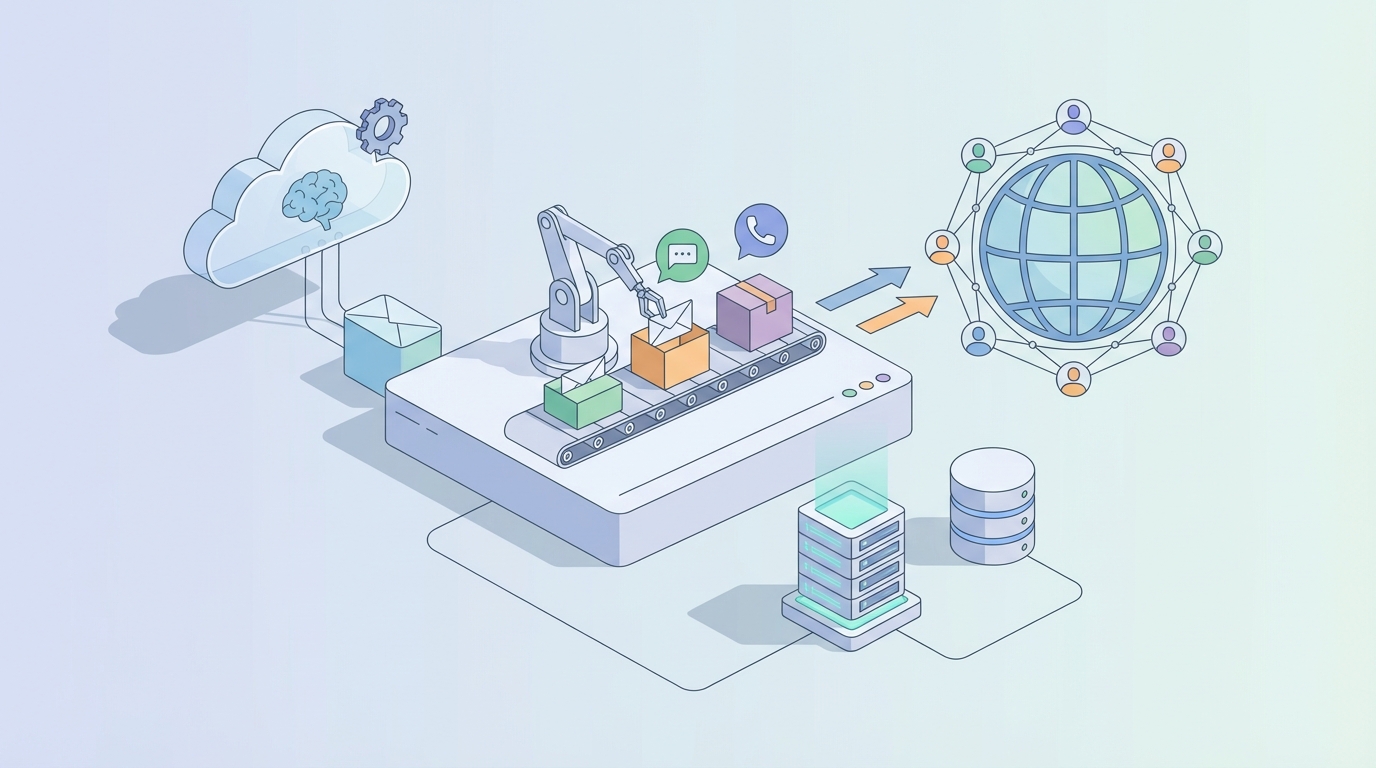
Here's what actually works in 2026: build an AI agent that handles the research, enrichment, and first-draft generation — the 70-80% of the work that's time-intensive but not strategically complex — and let your humans focus on the 20-30% that actually requires a brain. Strategy, tone, relationship nuance, knowing when something crosses the line from personalized to creepy.
This post walks through exactly how to do that with OpenClaw. No hand-waving, no "just plug in AI and watch the magic happen." Specific steps, specific architecture, specific expectations about what you'll save and where you'll still need people.
The Manual Workflow Today (And Why It's Broken)
Let's get concrete about what an SDR actually does when they're personalizing outreach properly. Here's the typical sequence:
Step 1: Lead Identification & Enrichment (15-30 min per batch of 10) Find target accounts that match your ICP. Pull them into your CRM. Then start the research — company website, recent news, funding rounds, job postings, tech stack, LinkedIn activity of the decision-maker. Most reps have 6-8 browser tabs open doing this.
Step 2: Contact Data Collection (5-10 min per prospect) Find the right person's email address and LinkedIn profile. Cross-reference across Apollo, LinkedIn Sales Navigator, maybe Hunter.io. Verify the email isn't going to bounce. Accept that 20-40% of the data you find will be wrong anyway.
Step 3: Research & Message Writing (6-15 min per email) This is the real bottleneck. Read the prospect's LinkedIn posts. Scan their company's blog or press releases. Look at their earnings call if they're public. Try to find a genuine hook — something specific that connects their world to your product. Then write an email that doesn't sound like every other SDR's email.
Step 4: Template Customization (3-5 min per email) Start from a base template, but rewrite 30-70% of it to make the personalization feel natural rather than bolted on.
Step 5: Sequencing & Follow-ups (10-20 min per prospect over the sequence lifecycle) Set up the multi-touch sequence. Schedule follow-ups. Track opens and replies. Adjust timing.
Step 6: Response Handling (varies wildly) Read replies. Determine intent. Route to the right next action. Continue the conversation.
Add it all up and a single SDR doing genuine personalization can handle maybe 30-50 prospects per week. Meanwhile, they're spending only 27-36% of their time actually selling — the rest is research, writing, and admin.
The cost is staggering when you think about it. A fully loaded SDR costs $70,000-$120,000 per year depending on market. If two-thirds of their time is spent on work that an AI agent can handle, that's $46,000-$80,000 in labor going toward tasks that don't require human judgment.
And that's before you account for inconsistency (some reps write great emails, some don't), burnout (SDR annual turnover runs 30-50%), and the compounding cost of all the conversations that never happen because you couldn't personalize at volume.
What Makes This Painful (Beyond Just Time)
The time cost is obvious. But there are deeper structural problems:
Data quality is terrible. Even the best enrichment tools have significant error rates. You're building personalized outreach on a foundation of data that's wrong 20-40% of the time. Nothing kills credibility faster than referencing a prospect's "recent Series B" when they actually raised a Series C six months ago.
The scalability wall is real. You can't hire your way out of this. Doubling your SDR team doubles your cost but also doubles your management overhead, your inconsistency problems, and your onboarding burden. It doesn't scale linearly.
Buyers are getting smarter. 63% of buyers say they can tell when an email was AI-generated — and they don't like it. But they also don't respond to obviously templated outreach. You're caught between two failure modes: too robotic or too generic.
Response rates for generic outreach are in the gutter. We're talking 1-3% reply rates for standard sequences. Well-personalized outreach hits 8-15%. That's a 3-8x difference in pipeline generated from the same number of prospects. The ROI of personalization is enormous; the problem has always been the cost of delivering it.
What AI Can Actually Handle Right Now
Let's be honest about what's realistic. AI in 2026 is very good at some parts of this workflow and still mediocre at others. Here's the breakdown:
AI handles well:
- Lead enrichment and research summarization — pulling together 20+ data points per company and synthesizing them into a usable research brief
- Contact discovery at scale
- Signal detection — funding rounds, job changes, tech stack changes, news mentions, hiring patterns
- First-draft generation of personalized emails based on research signals
- Subject line optimization
- Sequence automation and send-time optimization
- Response classification and basic routing
- A/B testing at volume
Still needs a human:
- Strategic positioning — understanding the nuanced business problem and crafting a compelling "why now"
- Tone and authenticity — making sure the email sounds like it came from a person, not a language model
- Objection handling in live conversations
- Relationship building and reading subtext
- Final quality review before send
- Ethical judgment — deciding when personalization crosses into uncomfortable territory
The winning formula for teams getting the best results right now: AI generates the research summary and 70-80% of the draft, then a human spends 1-2 minutes editing for voice, accuracy, and strategic angle. That's a 10-15 minute task compressed to 2-3 minutes. At scale, that's transformative.
Step-by-Step: Building a Personalized Outreach Agent on OpenClaw
Here's how you'd actually build this. OpenClaw gives you the scaffolding to connect data sources, orchestrate multi-step workflows, and generate outputs that don't sound like they were written by a committee of robots.
Architecture Overview
Your agent needs four core modules:
- Research & Enrichment Module — Ingests prospect data, pulls enrichment from multiple sources, synthesizes a research brief
- Personalization Engine — Takes the research brief and generates personalized email drafts, opening lines, and subject lines
- Sequence Builder — Creates multi-touch sequences with appropriate timing and channel mix
- Review & Send Pipeline — Queues drafts for human review, incorporates edits, and handles sending
Step 1: Set Up Your Data Pipeline
First, connect your data sources to OpenClaw. You'll want to pull from:
- Your CRM (Salesforce, HubSpot, Pipedrive) for target account lists
- Enrichment APIs (Apollo, ZoomInfo, or Clay) for company and contact data
- News APIs or web scraping for recent company activity
- LinkedIn (via Sales Navigator exports) for prospect activity and posts
In OpenClaw, you'd configure this as an intake workflow:
Agent: Sales Research Intake
Trigger: New prospect added to CRM with tag "outreach-ready"

Steps:
1. Pull company data from enrichment API (firmographics, tech stack, funding history, employee count, recent hires)
2. Pull contact data (role, tenure, LinkedIn headline, recent posts)
3. Search news APIs for company mentions in last 90 days
4. Search for relevant job postings (indicates pain points and priorities)
5. Compile into structured research brief
The research brief is the foundation. It should include:
- Company snapshot: What they do, size, stage, industry
- Recent signals: Funding, leadership changes, product launches, partnerships, hiring patterns
- Tech stack: What tools they currently use (especially relevant if you're selling software)
- Contact context: Their role, how long they've been there, what they post about on LinkedIn
- Potential pain points: Inferred from hiring patterns, tech stack gaps, or industry trends
Step 2: Build Your Personalization Prompts
This is where most people screw up. They write a single prompt that says "write a personalized email" and wonder why the output sounds generic. You need layered prompting with specific instructions.
In OpenClaw, set up your personalization agent with something like this:
Agent: Email Personalization Engine
Input: Research brief from Step 1

Prompt Structure:
1. ANALYSIS STEP: "Based on the following research brief, identify the single most compelling reason this prospect would care about [your product/value prop] RIGHT NOW. Do not be generic. The reason must be tied to a specific signal — a recent event, a pain point indicated by their hiring, a gap in their tech stack, or a trend in their industry. Output: one sentence explaining the 'why now.'"

2. HOOK GENERATION: "Using the 'why now' analysis, write 3 opening lines for a cold email. Rules: No flattery ('I love what you're doing at...'). No questions as openers. Reference the specific signal directly. Keep it under 25 words. Sound like a peer, not a salesperson."

3. FULL EMAIL DRAFT: "Using the best opening line, write a complete cold email. Structure: Opening line (the hook), 1-2 sentences connecting their situation to the problem you solve, 1 sentence on what you offer (not features — outcome), 1 sentence CTA (specific, low-friction). Total length: under 125 words. Tone: direct, knowledgeable, zero fluff."

4. SUBJECT LINE: "Write 3 subject lines for this email. Rules: Under 6 words. No clickbait. Should feel like an email from a colleague, not a marketing campaign."
The key insight: break the generation into discrete reasoning steps. OpenClaw's agent architecture lets you chain these so each step builds on the output of the previous one. The analysis step forces the AI to think before it writes, which dramatically improves output quality.
Step 3: Build the Sequence Logic
A single email isn't a strategy. You need a multi-touch sequence. Configure your OpenClaw agent to generate a full sequence:
Agent: Sequence Builder
Input: Research brief + initial email draft

Output:
- Email 1: Personalized cold email (generated above)
- Email 2 (Day 3): Follow-up referencing a different signal from the research brief. Shorter. New angle.
- Email 3 (Day 7): Value-add — share a relevant resource, case study, or insight. Not a pitch.
- LinkedIn touch (Day 5): Connection request with a personalized note (under 300 characters)
- Email 4 (Day 14): Breakup email. Direct, respectful, leaves the door open.

Rules: No email should repeat the same signal or angle. Each touch should stand alone as valuable even if the prospect reads only that one.
Step 4: Human Review Queue
This is non-negotiable. Do not send AI-generated emails without human review. Period.
Set up a review pipeline in OpenClaw that:
- Queues completed drafts in a dashboard or pushes them to a Slack channel / Google Sheet for review
- Flags emails where the AI's confidence in its research signals is low (e.g., the news article it referenced is more than 60 days old)
- Lets the reviewer approve, edit, or reject with one click
- Feeds edits back into the system so the personalization engine improves over time
The human review step should take 1-2 minutes per prospect. That's your quality gate. A reviewer can process 30-40 prospects per hour — compared to the 3-5 per hour when doing everything manually.
Step 5: Connect to Your Sending Infrastructure
Once approved, the sequences need to flow into your actual sending tool. OpenClaw can integrate with:
- Outreach.io or Salesloft for enterprise teams
- Instantly.ai or Smartlead for startups doing high-volume outbound
- Your CRM's native email tools if you're keeping it simple
Configure the handoff so approved sequences are automatically created in your sending platform with the right timing, tracking, and reply detection.
Step 6: Build the Feedback Loop
This is what separates teams that get incrementally better from teams that plateau. Track:
- Reply rates per personalization angle (which signals drive responses?)
- Positive vs. negative reply classification (OpenClaw can automate this)
- Conversion to meeting by sequence variant
- Which human edits are most common (indicates where the AI consistently misses)
Feed this data back into your OpenClaw agent's instructions. Update your prompts quarterly based on what's actually working.
What Still Needs a Human (Don't Skip This Section)
Even with a well-built agent, humans remain essential for:
Strategic oversight. The AI doesn't know your competitive landscape the way your team does. It doesn't know that Prospect X is best friends with your CEO, or that Company Y had a terrible experience with a competitor last quarter. Context that lives in people's heads needs to be layered in.
Voice calibration. Every company has a voice. Every rep has a voice. Your best SDR's emails sound different from your average SDR's emails. The human review step isn't just about catching errors — it's about injecting personality and authenticity that AI still can't fully replicate.
Handling live conversations. Once a prospect replies, the nuance of human interaction takes over. AI can classify the reply and suggest a response, but the actual back-and-forth requires emotional intelligence, active listening, and strategic thinking.
Knowing when to stop. Sometimes the personalized angle the AI found is too personal, too aggressive, or tone-deaf given current events. Humans catch this. AI doesn't always.
Expected Time and Cost Savings
Let's put real numbers on this.
Before (Manual Personalization):
- Time per prospect (research + writing + sequencing): 30-45 minutes
- Prospects per SDR per week: 30-50
- SDR cost: ~$80,000/year fully loaded
- Time spent on research/writing vs. selling: 65/35 split
After (OpenClaw-Powered Agent + Human Review):
- Time per prospect (human review + editing): 2-3 minutes
- AI processing time per prospect: 30-60 seconds
- Prospects per SDR per week: 200-350
- SDR cost: Same, but output is 4-7x higher
- Time spent on research/writing vs. selling: 20/80 split
The math:
- A team of 5 SDRs goes from ~200 personalized prospects per week to ~1,200+
- Reply rates hold steady or improve (because personalization quality is consistent, not dependent on individual rep effort)
- Cost per personalized outreach drops by 70-80%
- SDR burnout decreases because they're doing strategic work, not repetitive research
Conservative estimate: a team of 5 SDRs saves 100+ hours per week and generates 3-5x more qualified conversations. If your average deal size is $30,000 and your conversion rate from conversation to close is 10%, that's a lot of revenue unlocked by work that was previously bottlenecked on manual effort.
Getting Started
You don't need to build the entire system on day one. Start with the research and enrichment module — that's where the biggest time savings are and where AI is most reliable. Get your team comfortable reviewing AI-generated research briefs. Then layer on the email generation. Then the sequencing. Then the feedback loop.
OpenClaw gives you the building blocks to assemble this without stitching together a dozen disconnected tools. The agent architecture means each module talks to the others, learns from the outputs, and improves over time.
If you want to skip the build phase entirely, browse Claw Mart for pre-built sales outreach agents that you can customize to your ICP, your value prop, and your voice. Several agents on the marketplace are already configured for the exact workflow described above — research enrichment, personalized email generation, sequence building, and review queue management. Deploy one, configure it with your product context and target personas, and you can be running personalized outreach at scale within a week.
And if you've already built something that works — an outreach agent, a research workflow, a personalization engine — consider listing it on Claw Mart through Clawsourcing. Other teams are looking for exactly what you've built, and you can generate revenue from the work you've already done. The marketplace is growing fast, and agents that solve real sales workflow problems are in high demand.
The playbook is clear: let AI do the heavy lifting on research and drafting, keep humans in the loop for strategy and quality, and use the time savings to have more conversations with better prospects. The teams doing this well are already pulling ahead. The ones still debating whether AI outreach "feels right" are going to wonder where their pipeline went.
Recommended for this post
Your orchestrator that coordinates agent swarms with task decomposition and consensus protocols -- agents working together.
 SpookyJuice.ai
Your agent builder that designs self-healing autonomous systems with perception-action loops -- agents that run themselves.
SpookyJuice.ai
Your memory engineer that builds persistent context, tiered storage, and retrieval systems -- agents that remember.
SpookyJuice.ai