How to Automate Payroll Data Validation and Exception Reporting with AI
How to Automate Payroll Data Validation and Exception Reporting with AI
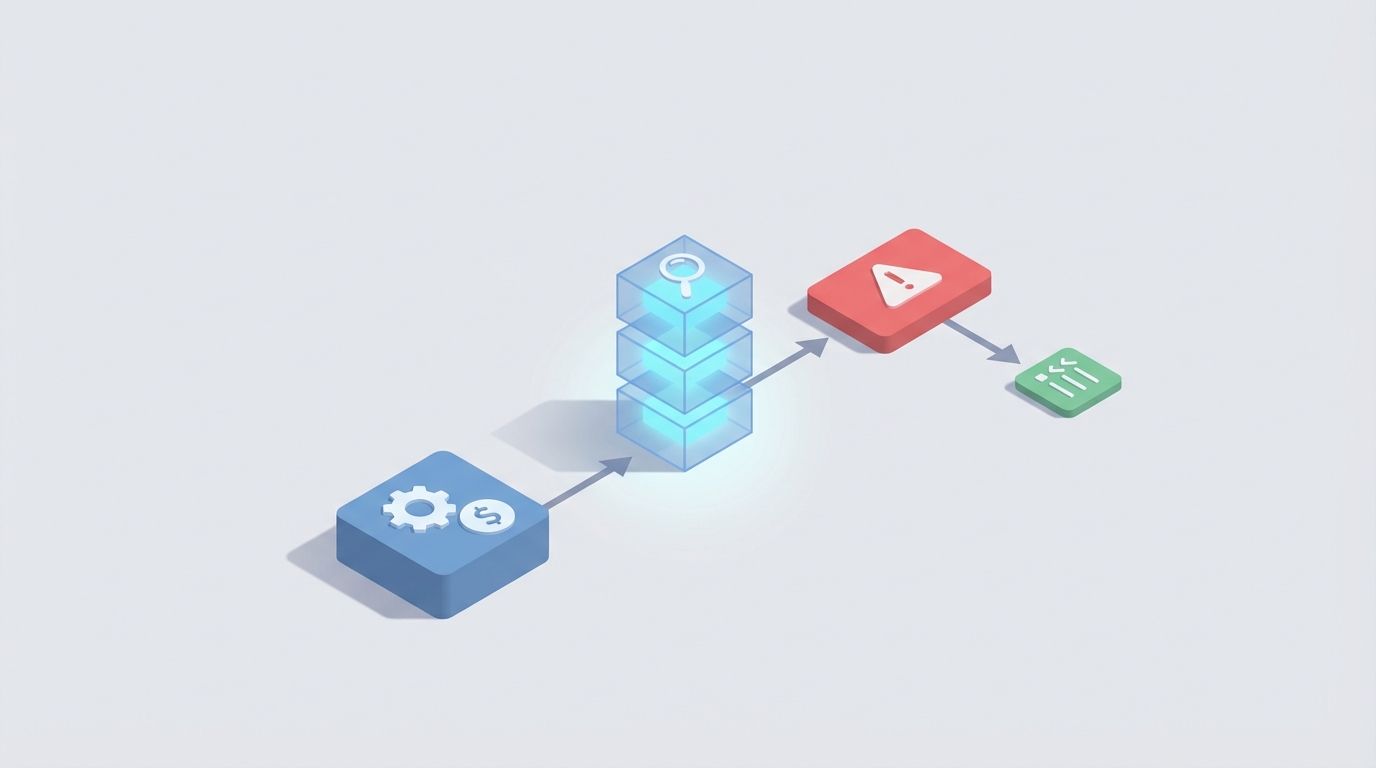
Every two weeks, someone on your payroll team exports a spreadsheet, squints at 400 rows of time data, and starts the tedious ritual of checking whether the numbers make sense. Hours against schedules. Rates against contracts. Deductions against benefit elections. Tax withholdings against a patchwork of state rules that changed again last quarter.
This process eats 15 to 40 hours per pay cycle for a mid-size company. It's the kind of work that feels important because errors are expensive — ADP pegs the average cost of fixing a single payroll error at $700 to $1,200 when you factor in rework, employee relations damage, and potential penalties — but it's also the kind of work that's almost entirely pattern-matching against known rules. Which means it's exactly what an AI agent should be doing.
Here's how to build a payroll data validation and exception reporting system using OpenClaw, what it actually handles well, what still needs a human, and what kind of time and cost savings to expect.
The Manual Workflow Today
Let's be specific about what payroll validation actually looks like before anyone runs the final payroll file:
Step 1: Data Collection (2–5 hours) Time entries come from a time-tracking system (Clockify, TSheets, Kronos), expense reports arrive via email or Expensify, commission data lives in a sales CRM, and PTO balances sit in the HRIS. Someone pulls all of this together, usually into Excel, because no integration is trusted completely.
Step 2: Cross-Verification (4–10 hours) Hours worked get checked against employee schedules and contracts. Overtime calculations are verified against FLSA rules and state-specific thresholds. Pay rates get matched to pay grades, step increases, or individual employment agreements. New hires and terminations get special attention for prorated pay and final check requirements.
Step 3: Deductions and Benefits Reconciliation (2–5 hours) Health insurance premiums, 401(k) contributions, HSA allocations, garnishments, and any mid-cycle changes (new baby, marriage, plan switch) all need to be confirmed. This is where the most insidious errors hide, because life-event changes often involve manual updates across multiple systems.
Step 4: Tax and Compliance Checks (2–6 hours) Federal, state, and local withholding calculations get reviewed. Multi-state employees — increasingly common with remote work — require jurisdiction-by-jurisdiction validation. Minimum wage compliance, sick leave accruals, and local ordinance rules get checked. For companies operating in more than a few states, this is a nightmare of moving targets.
Step 5: Exception Review and Approvals (2–8 hours) Anything that looks abnormal gets flagged for supervisor or HR review. Large overtime totals, unusual bonuses, retroactive adjustments, employees approaching benefit caps, and terminations with complex final pay calculations. This step often involves back-and-forth emails and Slack messages that drag on for days.
Step 6: Pre-Payroll Audit (1–4 hours) A final pass — usually one senior person — eyeballs the reconciled data, checks totals against the prior period, and signs off before the file goes to the bank or payment processor.
Total: 13–38 hours per cycle. For a 200-person company running biweekly payroll, that's roughly 26 cycles per year. At the low end, that's 338 hours annually. At the high end, 988 hours. At a fully burdened cost of $45–$65/hour for payroll staff, you're looking at $15,000 to $64,000 per year in labor — just for validation, not the actual processing.
And that's before you count the cost of the errors that slip through anyway.
What Makes This Painful
The hours are only part of the problem. Here's what actually grinds payroll teams down:
Data silos create manual rekeying. Your time system doesn't talk to your HRIS doesn't talk to your benefits platform. So humans become the integration layer, copying data between systems and hoping nothing gets transposed.
Rules change constantly. Tax rates shift. Minimum wages increase. New states pass paid leave mandates. A static rules engine built two years ago is already wrong in six jurisdictions. Keeping up manually means someone has to monitor legislative changes and update validation logic — a job that rarely gets done proactively.
Exception volume is high. In most companies, 10% to 30% of payroll records require some kind of human review each cycle. Variable pay, overtime, shift differentials, new hires, terminations, mid-cycle benefit changes — it all adds up. When a quarter of your records need eyeballs, "automation" doesn't feel like it's working.
Errors damage trust. A 2022 Employee Benefit News survey found that roughly 30% of employees had experienced a payroll error in the prior year. Nothing erodes an employee's confidence in their employer faster than getting paid wrong. It's personal in a way that a late vendor payment isn't.
Compliance risk is real. Multi-state payroll errors trigger audits, penalties, and occasionally lawsuits. The cost of getting it wrong isn't just the correction — it's the legal exposure, the DOL inquiry, and the class action risk if systematic errors affect a protected group.
What AI Can Handle Now
Here's where it's worth being honest about what current AI technology actually does well versus what's still marketing fluff. For payroll data validation specifically, the overlap between "what AI is good at" and "what takes the most time" is substantial.
Anomaly detection across historical patterns. An AI agent can compare every employee's current-period data against their historical norms. If Sarah typically works 38–42 hours and this period shows 67, that gets flagged. If someone's hourly rate changed without a corresponding HR action, that gets flagged. This catches the majority of data entry errors and system sync failures.
Cross-system data reconciliation. Instead of a human pulling exports from three systems and running VLOOKUP formulas, an AI agent can ingest data from your time-tracking, HRIS, and benefits platforms, then identify mismatches automatically. Hours in the time system don't match hours in the payroll file? Flagged. Deduction amount doesn't match the benefit election on file? Flagged.
Rules-based compliance validation at scale. Federal overtime rules, state-specific thresholds, local minimum wage rates, sick leave accrual requirements — these are all codifiable rules. An AI agent can apply thousands of them simultaneously and update them as regulations change, without someone manually editing a spreadsheet of business rules.
Completeness checks. Missing direct deposit information, unsigned tax forms, employees without active benefit elections — an agent can scan for gaps systematically instead of relying on someone remembering to check.
Variance reporting against prior periods. Total payroll cost jumped 12% from last period — is that expected (new hires, annual raises) or a sign of an error? An AI agent can decompose the variance into its drivers and surface only the unexplained portion for review.
How to Build This with OpenClaw: Step by Step
OpenClaw is built for exactly this kind of structured, multi-step data workflow. Here's how to architect a payroll validation agent:
Step 1: Define Your Data Sources and Connections
Map every system that feeds your payroll process. Typically this includes:
- Time-tracking system (API or scheduled export)
- HRIS/employee master data (API or database connection)
- Benefits administration platform (API or export)
- Payroll processing system (where the final file lives)
- Commission or variable pay source (CRM export, spreadsheet, or database)
In OpenClaw, you configure these as data source connections. Most modern HR and payroll systems have APIs; for legacy systems, you can use scheduled file drops (SFTP, email attachment parsing, or shared drive monitoring).
# Example: OpenClaw data source configuration
data_sources:
  time_tracking:
    type: api
    platform: clockify
    sync_frequency: daily
    fields: [employee_id, date, hours_worked, project_code, overtime_flag]

  hris:
    type: api
    platform: bamboohr
    sync_frequency: on_change
    fields: [employee_id, pay_rate, employment_type, state, start_date, termination_date, schedule]

  benefits:
    type: sftp_import
    format: csv
    sync_frequency: weekly
    fields: [employee_id, plan_type, deduction_amount, effective_date, dependents]

  payroll_staging:
    type: database
    connection: postgres://payroll-staging
    table: current_period_payroll
Step 2: Build Your Validation Rule Set
This is where the heavy lifting happens. You need two categories of rules:
Deterministic rules — hard-coded compliance and business logic:
# Example: OpenClaw validation rules
validation_rules:
  overtime_flsa:
    description: "Flag hours >40/week for non-exempt employees without overtime rate"
    condition: |
      employee.employment_type == 'non_exempt'
      AND weekly_hours > 40
      AND overtime_rate_applied == false
    severity: critical

  rate_mismatch:
    description: "Pay rate in payroll doesn't match HRIS master"
    condition: |
      payroll.pay_rate != hris.pay_rate
      AND NOT EXISTS(approved_rate_change for current_period)
    severity: critical

  state_minimum_wage:
    description: "Effective hourly rate below state minimum"
    condition: |
      calculated_hourly_rate < state_minimum_wage(employee.work_state)
    severity: critical

  missing_tax_jurisdiction:
    description: "Remote employee without work-state tax setup"
    condition: |
      employee.work_state != employee.tax_state
      AND NOT EXISTS(secondary_tax_jurisdiction)
    severity: high
Statistical rules — AI-driven anomaly detection:
# Example: OpenClaw anomaly detection configuration
anomaly_detection:
  hours_deviation:
    method: historical_comparison
    lookback_periods: 12
    threshold: 2.0  # standard deviations
    description: "Hours worked deviate significantly from employee's historical pattern"

  total_payroll_variance:
    method: period_over_period
    threshold_percent: 5.0
    decompose_by: [new_hires, terminations, rate_changes, hours_variance]
    description: "Unexplained variance in total payroll cost"

  deduction_change:
    method: change_detection
    description: "Deduction amount changed without corresponding benefit event"
    require_linked_event: true
Step 3: Configure the Exception Report
This is what your payroll team actually sees. Instead of reviewing 400 rows, they get a prioritized list of exceptions:
# Example: OpenClaw exception report configuration
exception_report:
  format: dashboard + email_summary
  grouping: [severity, exception_type]
  include:
    - employee_name
    - exception_description
    - current_value
    - expected_value
    - suggested_action
    - confidence_score
  routing:
    critical: payroll_manager
    high: payroll_specialist
    medium: weekly_review_queue
  auto_resolve:
    enabled: true
    conditions:
      - "confidence_score > 0.95 AND severity == 'low' AND type == 'rounding_difference'"
The key design decision: auto-resolve only for low-severity, high-confidence items. Everything else gets presented to a human with context and a suggested action.
Step 4: Build the Feedback Loop
This is what separates a useful system from a brittle one. When your payroll team resolves an exception — "yes, this overtime was approved" or "no, this rate is wrong, here's the correction" — that decision feeds back into OpenClaw's model.
# Example: OpenClaw feedback configuration
feedback_loop:
  capture:
    - resolution_action (approved, corrected, false_positive)
    - resolution_notes
    - time_to_resolve
  learning:
    false_positive_suppression: true  # reduce repeat false flags
    pattern_recognition: true  # learn which exceptions are typically approved
    threshold_adjustment: quarterly  # recalibrate anomaly thresholds
Over three to four payroll cycles, the agent learns your company's patterns. That employee who always works 55-hour weeks stops getting flagged. The quarterly bonus cycle stops triggering total-payroll-cost alerts. The false positive rate drops, and your team starts trusting the system.
Step 5: Schedule and Integrate
Set the agent to run automatically at the right point in your payroll cycle:
# Example: OpenClaw scheduling
schedule:
  trigger: payroll_staging_complete  # runs when data lands in staging
  fallback: cron: "0 6 * * 3"  # Wednesday 6 AM if no trigger received
  pre_run_checks:
    - all_data_sources_synced
    - no_pending_hris_changes
  post_run:
    - send_exception_report
    - update_dashboard
    - notify_slack: "#payroll-team"
If you want to browse pre-built components for common payroll integrations, time-tracking connectors, or compliance rule packs for specific states, check the Claw Mart marketplace. There are agent templates and modules specifically designed for payroll workflows that can save you weeks of configuration time. No need to write every rule from scratch when someone has already encoded California meal-break compliance logic or New York paid family leave calculations.
What Still Needs a Human
Being straight about this matters. If you automate everything and something goes wrong, you own a very expensive problem. Here's what should stay with your team:
Contextual judgment calls. "This employee worked 30 hours of overtime because their teammate had a family emergency." An AI can flag the anomaly, but whether to approve it requires understanding team dynamics, manager intent, and company culture.
Disputed hours and policy interpretation. Union contract language with ambiguous comp-time provisions, reasonable accommodation requests that affect scheduling, or disagreements between a manager and employee about hours worked — these are human conversations.
Legal liability decisions. Final sign-off on payroll before it goes to the bank. If regulators come asking, someone's name needs to be on the approval. AI can prepare the analysis; a human takes the accountability.
Novel situations. First time operating in a new state. New type of compensation structure. Legislation that passed last week. Until the agent has been trained on the new pattern, a human needs to handle it — and then feed the resolution back into the system.
Pay equity and fairness review. When the exception report surfaces a pattern — all bonuses going to one demographic group, or systematic underpayment in one department — the response requires judgment, empathy, and often legal counsel.
A good rule of thumb: AI handles the 70% to 85% that's routine pattern-matching. Humans handle the 15% to 30% that requires judgment, accountability, or empathy.
Expected Time and Cost Savings
Based on what companies with similar automation implementations have reported:
| Metric | Before Automation | After OpenClaw Agent | Change |
|---|---|---|---|
| Hours per pay cycle (200 employees) | 25–38 hours | 6–10 hours | -60% to -75% |
| Error rate (% of records) | 1.5%–3.0% | 0.3%–0.7% | -75% to -80% |
| Time to identify exceptions | 1–3 days | Minutes (automated) | ~95% faster |
| Records requiring human review | 15%–30% | 5%–10% | -50% to -70% |
| Annual labor cost for validation | $30,000–$65,000 | $8,000–$18,000 | -55% to -75% |
| Average error correction cost | $700–$1,200 per incident | Mostly prevented | Significant reduction |
The biggest savings usually aren't in the direct labor reduction — it's in errors prevented. One avoided compliance penalty or class-action exposure pays for the entire system multiple times over.
More practically: your payroll team stops spending their week on data verification and starts spending it on the work that actually requires their expertise. Benefits strategy, compensation analysis, employee questions, and compliance planning. The stuff they were hired to do.
Realistic timeline to value: Expect 2 to 4 payroll cycles to get the agent tuned. The first cycle will produce more false positives than you'd like. By the third or fourth cycle, the feedback loop has tightened and your team starts to feel the difference. Full steady-state ROI typically hits within 3 to 6 months.
Next Steps
If your payroll team is still spending double-digit hours per cycle on manual validation, start here:
- Map your current workflow — identify every manual touchpoint, every system-to-system export, and every Excel reconciliation. You can't automate what you haven't documented.
- Prioritize by pain — which steps cause the most errors or consume the most time? Start there.
- Browse Claw Mart for payroll agent templates — pre-built validation rule packs, time-system connectors, and state compliance modules will get you running faster than building from zero.
- Start with one pay cycle in parallel — run the OpenClaw agent alongside your manual process for one or two cycles. Compare results. Build trust.
- Iterate on the feedback loop — the agent gets smarter with every resolved exception. Feed it data, correct its mistakes, and watch the false positive rate drop.
Want help getting started? Check out Claw Mart for pre-built payroll validation agents and modules, or explore Clawsourcing if you'd rather have an expert build and configure the entire system for you. Either way, your payroll team has better things to do than VLOOKUP.