How to Automate Outbound Prospecting Emails with AI
How to Automate Outbound Prospecting Emails with AI
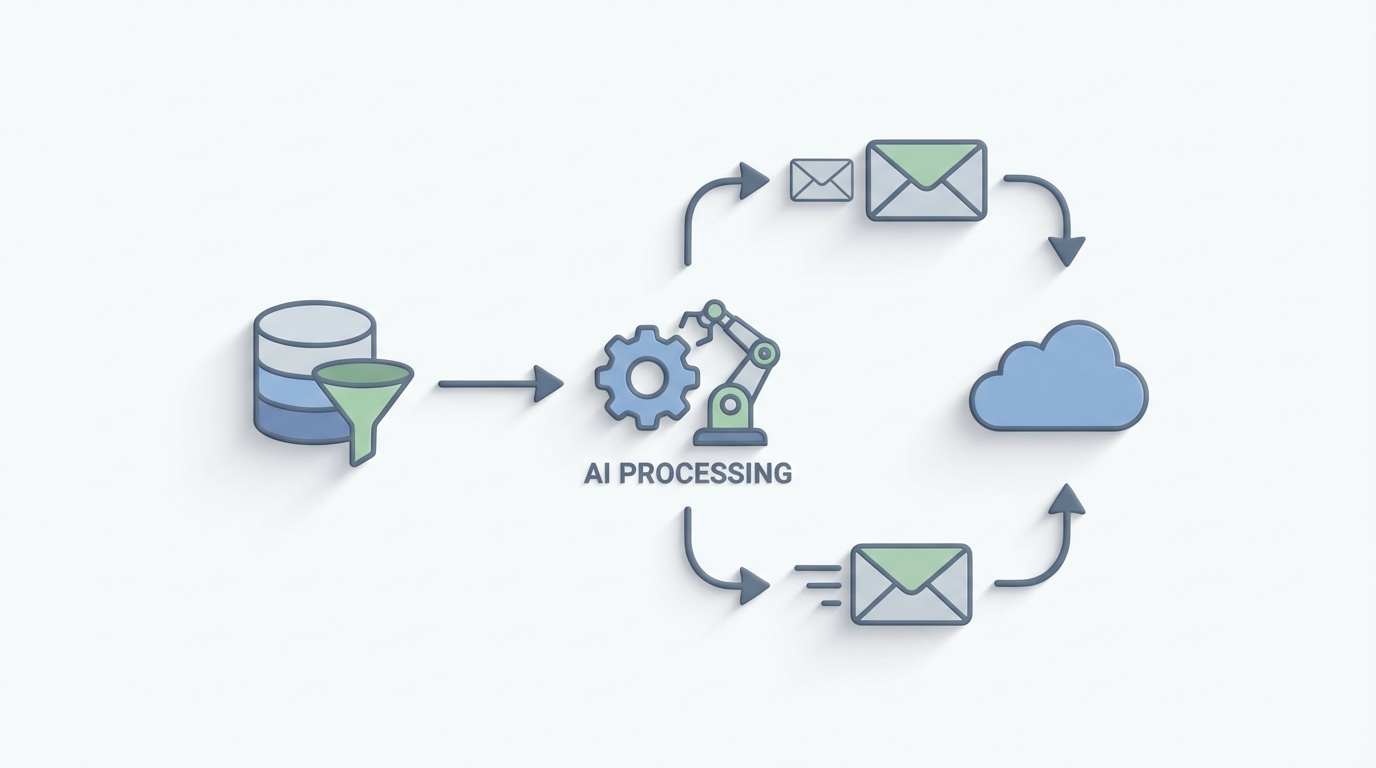
Most SDRs spend their week doing everything except selling. They're scrubbing spreadsheets, guessing at email addresses, writing the same "I noticed your company..." opener for the four hundredth time, and manually logging every touchpoint in Salesforce like it's 2009. The actual conversations — the part that generates revenue — get maybe 30% of their time if they're lucky.
This is a workflow that's begging to be automated. Not the "set up a Zapier and pray" kind of automation, but a genuine AI agent that handles the repetitive 70% of outbound prospecting while you focus on the parts that actually require a human brain.
Here's how to build one with OpenClaw.
The Manual Outbound Workflow (And Why It's Brutal)
Let's walk through what a typical outbound prospecting workflow actually looks like, step by step, with real time estimates. This matters because you can't automate what you haven't mapped.
Step 1: Define Your ICP and Build a List (4–8 hours per batch) You open LinkedIn Sales Navigator, apply a bunch of filters, scroll through results, and start manually selecting prospects who actually fit. Then you cross-reference against your CRM to avoid duplicates. For 200 good-fit prospects, this takes a skilled SDR 15–25 hours. Most SDRs aren't skilled at this yet, so it takes longer.
Step 2: Find and Verify Contact Data (2–4 hours per batch) You run your list through Hunter.io or RocketReach, get email addresses for maybe 60–80% of them, then verify with NeverBounce or ZeroBounce because 20–40% of the data you just paid for is wrong. Every bad email that bounces hurts your domain reputation. One bad batch can get you blacklisted.
Step 3: Research Each Account (The Real Time Killer — 3–6 minutes per prospect) This is where things get ugly. To write anything beyond a generic template, you need to know what the company does, what's changed recently (funding, hiring, product launches), what tech they use, and ideally something specific that connects their situation to your product. At 5 minutes per prospect across 200 prospects, that's nearly 17 hours of pure research. For one batch.
Step 4: Write the Emails (8–11 minutes per personalized email) According to a Gong study, reps spend an average of 11 minutes per personalized email when doing it manually. Even with templates and variable insertion, you're still customizing opening hooks, adjusting value props by industry, and trying not to sound like every other SDR in their inbox. At 11 minutes each, 200 emails takes roughly 37 hours.
Step 5: Load into Sequences, Send, Monitor (2–3 hours) Upload to Outreach or Salesloft, set up your multi-touch sequence (usually 4–7 steps across email, LinkedIn, and phone), configure timing, and hit go. Then monitor for replies, bounces, and spam complaints.
Step 6: Handle Replies and Log Everything (Ongoing — 1–2 hours/day) Read every reply, classify it (interested, not interested, wrong person, out of office, angry), respond appropriately, update your CRM, and hand off qualified leads. Most teams do this entirely by hand.
Total time for one batch of 200 prospects: roughly 60–80 hours of SDR work. That's a week and a half of full-time effort to send 200 emails that will, on average, generate 3–10 replies and maybe 1–2 meetings.
This is the math that should make you uncomfortable.
What Makes This Painful (Beyond Just the Time)
The time cost alone is enough reason to automate, but it's not the only problem.
The economics don't work at the margins. If an SDR costs you $65K–$85K fully loaded and they're spending 60–70% of their time on non-selling activities (Bridge Group's 2023 benchmark confirms this), you're paying $45K–$60K a year for research and data entry. Per SDR.
Quality degrades with volume. No human can write their 80th personalized email of the day with the same quality as their 5th. By email 50, everything starts sounding the same. The personalization becomes performative rather than genuine. Prospects can tell.
Data decay is constant. B2B contact data degrades at roughly 30% per year. People change jobs, companies pivot, emails go stale. Every week you delay acting on a list, it gets worse.
Deliverability is harder than ever. Google and Microsoft's 2026 bulk sender requirements raised the bar significantly. Bad email hygiene — bounces over 2%, spam complaints, low engagement — can tank your entire domain. The margin for error shrunk.
SDR burnout is real and expensive. Annual turnover for SDRs frequently exceeds 50%. Training a new one takes 3–4 months to reach full productivity. The repetitive nature of manual prospecting is a major driver of that turnover.
The core problem isn't that outbound email doesn't work. Top-performing teams consistently hit 9–18% reply rates (per Outreach's 2023 benchmark report). The problem is that the work required to reach those numbers doesn't scale with human labor alone.
What AI Can Handle Right Now
Let's be honest about what AI is actually good at in 2026, because there's a lot of hype and not enough specificity.
AI handles the research-and-draft layer extremely well. Give a well-prompted LLM the right context — company description, recent news, tech stack, hiring patterns, funding data — and it can produce a first draft that's 70–80% of the way to a great email. The key phrase there is "right context." Raw GPT-4 with no context writes garbage cold emails. GPT-4 with rich, structured context writes surprisingly good ones.
AI is excellent at data aggregation and enrichment. Pulling together information from multiple sources (LinkedIn, company websites, job postings, press releases, Crunchbase data) and synthesizing it into a usable research brief is exactly the kind of task LLMs excel at. What takes a human 5 minutes per prospect takes an AI agent seconds.
AI can classify and route replies reliably. Interested, not interested, out of office, wrong person, do not contact — these categories are straightforward for a language model to identify with high accuracy. It's pattern matching, which is an AI strength.
AI can optimize for deliverability. Spam scoring, readability analysis, subject line testing — tools like Lavender.ai have already proven this works. Their customers report 30–40% reduction in writing time and 2–3x higher positive sentiment scores.
What AI still struggles with: overall campaign strategy, nuanced objection handling, knowing when a prospect's tone means "convince me harder" versus "leave me alone," and maintaining authentic brand voice without sounding like a robot trying to sound human. These require human judgment. More on this in a moment.
Step-by-Step: Building an Outbound Prospecting Agent on OpenClaw
Here's how to build an AI agent that handles the research, enrichment, drafting, and optimization layers of outbound prospecting. This isn't theoretical — it's a practical implementation plan.
Step 1: Set Up Your Data Pipeline
Your agent needs access to prospect data. In OpenClaw, you'll configure tool connections to your data sources — typically an enrichment platform like Apollo.io or Clay for firmographic data, plus web scraping capabilities for real-time research.
Agent: Outbound Prospecting Agent
Tools:
  - apollo_search: Search and enrich prospect data
  - web_scraper: Pull recent news, blog posts, job listings
  - crm_lookup: Check existing CRM records to avoid duplicates
  - email_verifier: Validate email addresses before adding to sequences

Trigger: New prospects added to target account list
The agent's first job is to take a target account list (even a rough one — just company names and basic criteria) and enrich it into a full prospect database. Company size, tech stack, recent funding, key decision-makers, verified email addresses, and recent company news.
What used to take 15–25 hours per 200 prospects now takes minutes. The agent pulls from multiple data sources simultaneously, cross-references against your CRM to avoid duplicates, and verifies every email address before it enters the pipeline.
Step 2: Build the Research Synthesizer
Raw data isn't useful for writing emails. Your agent needs a research synthesis step that turns data points into actionable insights.
Research Synthesis Prompt:
  "Given the following data about {company_name}:
   - Company description: {description}
   - Recent news: {news_items}
   - Tech stack: {technologies}
   - Recent job postings: {jobs}
   - Funding history: {funding}
   - Prospect role: {prospect_title}

   Identify:
   1. The most likely pain point relevant to our product ({product_description})
   2. A specific, recent trigger event we can reference
   3. The prospect's probable priorities given their role
   4. One concrete way our product addresses their situation

   Be specific. No generic statements. If the data doesn't support
   a strong connection, flag it as 'weak fit — needs human review.'"
This is the critical step that most people skip. Without structured research synthesis, your AI-generated emails will be generic. With it, they'll reference specific things happening at the prospect's company, which is what drives reply rates from 2% to 10%+.
In OpenClaw, you build this as a reasoning step in your agent's workflow. The agent processes each prospect through this synthesis before attempting to draft anything.
Step 3: Draft the Emails
Now your agent has rich, structured context for each prospect. The drafting step uses that context to generate personalized emails.
Email Drafting Configuration:
  Template Framework: Problem-Agitate-Solve
  Tone: Direct, conversational, no jargon
  Length: 50-120 words (short emails outperform long ones)

  Variables:
    - {specific_trigger}: From research synthesis
    - {pain_point}: From research synthesis
    - {value_prop}: Mapped to prospect's industry/role
    - {cta}: Soft ask (question, not a calendar link)

  Constraints:
    - No more than 1 link
    - No images or HTML formatting
    - Subject line under 6 words
    - First sentence must reference something specific to the prospect
    - No "I hope this finds you well" or similar filler
The key here is constraining the agent heavily. Left to its own devices, an LLM will write long, flowery, salesy emails. You want short, specific, and direct. OpenClaw lets you define these constraints as part of the agent's instructions so every draft adheres to your standards.
Step 4: Score and Optimize Before Sending
Before any email goes anywhere, the agent runs a quality check.
Quality Scoring:
  - Spam score check (flag if >3 on standard spam scoring)
  - Readability score (target: 5th-8th grade reading level)
  - Personalization depth (does it reference something specific
    to THIS prospect, not just their industry?)
  - Length check (reject if >150 words)
  - CTA clarity (does it end with a clear, low-friction ask?)

  If score < threshold:
    → Auto-rewrite with specific feedback
  If score < threshold after 2 rewrites:
    → Route to human review queue
This is where the agent starts paying for itself. Lavender.ai proved that automated email scoring and rewriting improves outcomes. Building this into your OpenClaw agent means every single email gets optimized before it's sent, not just the ones a human happens to review.
Step 5: Sequence Loading and Reply Classification
Once emails pass the quality gate, the agent loads them into your sales engagement platform (Outreach, Salesloft, Reply.io, or whatever you use) via API integration.
When replies come in, the agent classifies them:
Reply Classification:
  Categories:
    - INTERESTED: Prospect wants to learn more → Route to SDR immediately
    - NOT_INTERESTED: Polite decline → Log and remove from sequence
    - OBJECTION: Specific concern raised → Route to SDR with suggested response
    - WRONG_PERSON: → Ask for referral to correct person (agent can handle)
    - OUT_OF_OFFICE: → Reschedule touchpoint
    - DO_NOT_CONTACT: → Immediately remove and flag in CRM
    - NEEDS_HUMAN: Ambiguous or sensitive → Route to SDR
For straightforward replies (out of office, wrong person, clear not interested), the agent can handle the response autonomously. For anything that requires judgment — an interested prospect, an objection, an ambiguous reply — it routes to a human with full context.
Step 6: CRM Logging and Reporting
Every action the agent takes gets logged to your CRM automatically. No more manual data entry, no more "I forgot to update Salesforce." The agent creates a complete record of every touchpoint, every reply classification, and every outcome.
It also generates performance reports: reply rates by segment, best-performing subject lines, which trigger events correlate with highest engagement, and where in the sequence prospects are dropping off.
What Still Needs a Human (Don't Skip This Section)
Being clear about what not to automate is as important as knowing what to automate. Here's where you keep humans in the loop:
Campaign strategy and messaging architecture. The agent doesn't know which market segment to target next or what your core differentiator is. Humans define the strategy; the agent executes it.
Final review of the first 15–20 emails in any new sequence. Before you let the agent run at full volume, review its output. Check for tone, accuracy, and anything that feels off. This is your quality calibration step.
Interested reply conversations. When a prospect says "tell me more," a human should take over. This is the highest-value moment in the entire workflow — don't hand it to a bot.
Complex objection handling. "We're already using Competitor X" requires nuanced positioning that AI will get wrong more often than right.
Escalation decisions. When to push harder, when to back off, when to switch channels, when to involve an AE — these are judgment calls.
The companies seeing the best results in 2026 treat AI as a co-pilot: the agent handles the repetitive 70% (research, enrichment, drafting, optimization, classification, logging), and humans handle the strategic 30% (strategy, high-stakes conversations, quality control).
Expected Time and Cost Savings
Let's revisit that original math.
Before automation (200 prospects, manual workflow):
- List building and enrichment: 15–25 hours
- Account research: 15–17 hours
- Email writing: 30–37 hours
- Sequence management and monitoring: 5–8 hours
- CRM logging: 3–5 hours
- Total: 68–92 hours per batch of 200
After automation with an OpenClaw agent:
- Agent handles list enrichment: ~0 human hours (minutes of compute time)
- Agent handles research synthesis: ~0 human hours
- Agent handles drafting and optimization: ~0 human hours
- Human reviews first 15–20 emails: 1–2 hours
- Human handles interested replies and objections: 3–5 hours (depends on reply rate)
- Human maintains strategy and quality oversight: 2–3 hours
- Total: 6–10 human hours per batch of 200
That's roughly a 85–90% reduction in human time per prospecting batch. For a team running 1,000 prospects per month, that's the equivalent of reclaiming 250+ hours — or roughly 1.5 full-time SDRs worth of capacity redirected toward actual selling conversations.
The cost side is equally compelling. If you're paying $75K fully loaded for an SDR who spends 65% of their time on tasks the agent now handles, that's roughly $49K per year in labor arbitrage. Per SDR. Scale that across a team of 5–10, and you're looking at a transformative impact on unit economics.
More importantly, the quality goes up, not down. The agent researches every single prospect thoroughly. It never gets tired at email #80 and starts phoning it in. It checks every email for spam triggers. It never forgets to log a touchpoint in the CRM. Consistency is AI's superpower.
Several SaaS companies have publicly shared results from similar workflows: one well-known growth agency helped a client move from 3% to 11% reply rates by using AI for 70% of the email creation and humans editing the final 30%. Teams using Clay + LLM enrichment report cutting list-building time from 20 hours to 4 hours per 200 prospects. These numbers are real, and they're achievable.
Where to Start
If you want to build this, here's the practical path:
Week 1: Map your current outbound workflow end-to-end. Time every step. Identify which steps are pure grunt work (research, data entry, first drafts) versus genuine judgment calls.
Week 2: Build your first OpenClaw agent focused on the highest-time step — usually research synthesis and email drafting. Start with a single ICP segment you know well so you can evaluate quality easily.
Week 3: Run the agent on a batch of 50 prospects. Review every output. Tune the prompts, constraints, and quality thresholds until the output matches what your best SDR would write.
Week 4: Expand to full volume. Add reply classification. Connect to your CRM and sales engagement platform. Set up the human review queue for edge cases.
If you want to skip the build-from-scratch phase, check out Claw Mart — it's a marketplace of pre-built OpenClaw agent templates, including outbound prospecting workflows that you can deploy and customize instead of starting from zero. There are agents built specifically for this use case with data enrichment, research synthesis, email drafting, and reply classification already wired together.
The companies that figure out this workflow first get a genuine competitive advantage. Not because AI writes better emails than your best SDR — it doesn't, yet — but because it lets your best SDR spend their time on the conversations that actually close deals instead of the 60 hours of grunt work that precede them.
That's the whole game: redeploy human judgment where it matters most, and let the agent handle everything else.
Ready to build your outbound prospecting agent? Browse pre-built sales automation templates on Claw Mart and get started with Clawsourcing — where you can hire experienced OpenClaw developers to build, customize, and deploy your agent for you. Stop paying SDRs to do robot work.