How to Automate Order Status Updates for Customer Support
How to Automate Order Status Updates for Customer Support
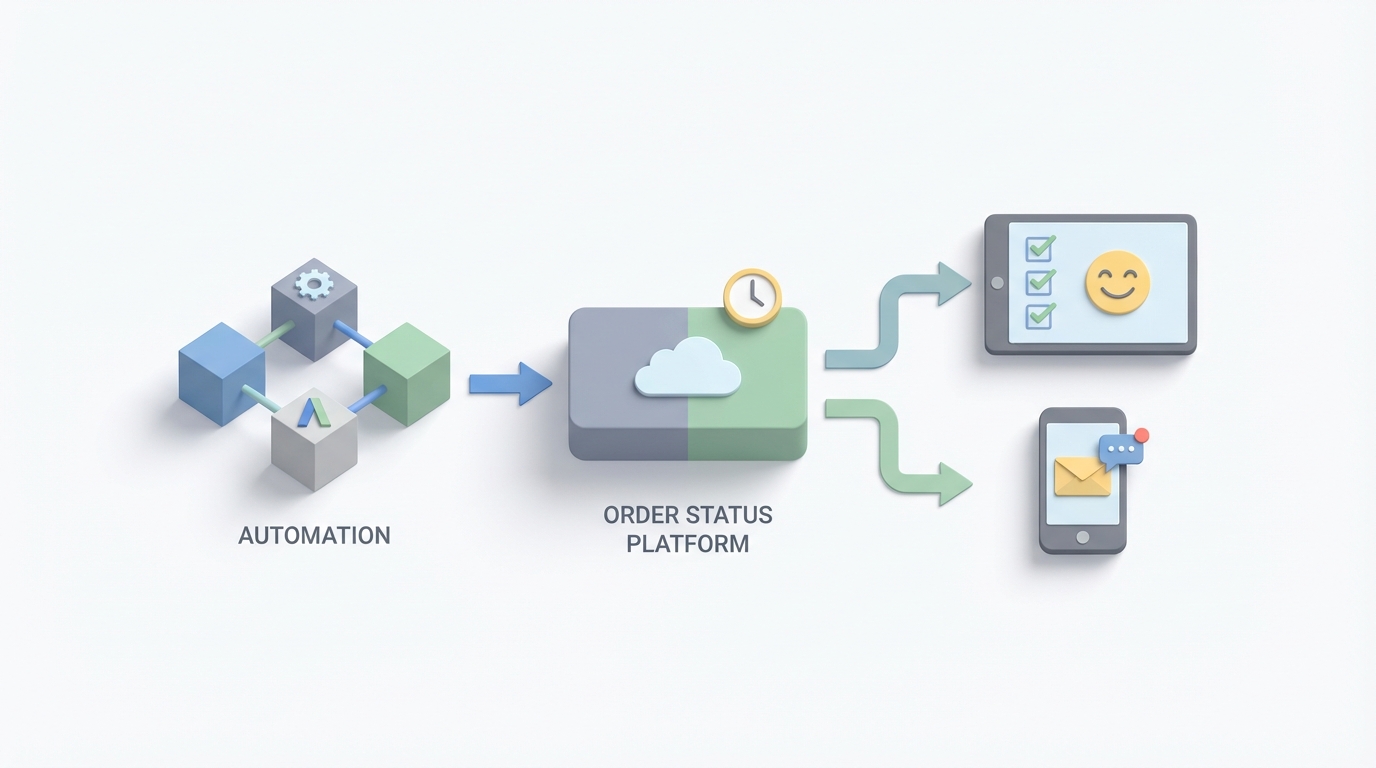
Every e-commerce support team has the same dirty secret: a terrifying percentage of their day is spent answering the same question over and over again.
"Where's my order?"
It's not a hard question. The answer exists somewhere — in a carrier's system, in your OMS, in a Shopify dashboard. But getting that answer to the customer before they ask? That's where most businesses fall apart. And when they do ask, a human has to alt-tab between three platforms, copy a tracking number, paste it into a carrier lookup, interpret the result, and type out a reply.
Multiply that by a few hundred orders a day and you've got a support team that's basically a human API connector, doing work that software should have handled years ago.
Let's fix that.
The Manual Workflow (And Why It's Eating Your Team Alive)
Here's what the typical order status update process looks like for a mid-market e-commerce brand doing, say, 5,000 orders a month:
Step 1: Order comes in. It lands in Shopify (or WooCommerce, BigCommerce, whatever). Someone eyeballs it — checks for fraud signals, verifies inventory, flags anything weird like a PO box for an oversized item.
Step 2: Warehouse picks and packs. The order moves to fulfillment. If you're using a 3PL like ShipBob, this is somewhat automated. If you're running your own warehouse, someone's scanning barcodes or — let's be honest — manually checking items off a printed pick list.
Step 3: Shipping label gets created. This might happen in ShipStation, or directly in a carrier portal. For domestic ground? Mostly automated. For international, LTL, or anything with special handling? Someone's manually entering dimensions, customs forms, and HS codes.
Step 4: Tracking number enters the system. Here's where things get stupid. The carrier generates a tracking number. That number needs to get back into your e-commerce platform so the customer can see it. Sometimes this syncs automatically. Sometimes it doesn't. Sometimes it syncs but the status doesn't update for 48 hours. Sometimes the tracking number is wrong.
Step 5: Customer gets notified. Maybe. If your Klaviyo flow is set up correctly and the tracking number actually synced. If not, silence — until the customer emails asking what's going on.
Step 6: Customer emails asking what's going on. A support rep opens Gorgias or Zendesk, sees the ticket, opens Shopify in another tab, finds the order, grabs the tracking number, opens the carrier tracking page, reads the status, translates "In Transit - Arrived at Regional Facility" into human language, and types a reply.
Step 7: Repeat 50-200 times per day.
ShipStation's 2023 data says merchants spend an average of 14 hours per week on manual order status tasks. Gorgias reports that 20-35% of all customer service tickets are just people asking where their stuff is. That's not customer service — that's data retrieval with extra steps.
What Makes This Painful (Beyond the Obvious)
The time cost is bad enough. But the second-order effects are worse:
Your support team burns out on low-value work. Nobody went into customer support to be a tracking number copy-paster. Your best reps should be handling complex issues — damaged items, VIP accounts, returns that need judgment calls. Instead, they're spending a third of their day on work a script could do.
You're always reactive, never proactive. Forrester found that 55% of consumers expect proactive notifications at every shipping stage. Only 23% of retailers deliver this. That gap is where customer trust goes to die. When someone has to ask you where their order is, you've already lost a little bit of their confidence.
Exceptions drown you. AfterShip data shows 12.4% of packages experience delays on average. For each delayed package, someone has to investigate — is it a carrier issue? A weather delay? A lost package? This creates a cascading support load that spikes unpredictably.
Data silos create blind spots. Your order lives in your e-commerce platform. Fulfillment data lives in your OMS or 3PL dashboard. Tracking lives in the carrier's system. Customer communication lives in your helpdesk. None of these systems talk to each other well enough, so your team becomes the glue. Human middleware.
The financial cost is real. If a support rep costs $45,000/year fully loaded and spends 30% of their time on status inquiries, that's $13,500/year per rep going to manual data lookups. Scale that to a five-person team and you're burning $67,500 annually on something an AI agent can handle.
McKinsey's 2023 Supply Chain Report found that companies with real-time order visibility see 15-20% higher customer retention. ShipBob customers who implemented automated tracking reduced "where's my order" emails by 67%. The ROI isn't theoretical — it's well-documented.
What AI Can Actually Handle Right Now
Let's be clear-eyed about this. AI isn't magic, and I'm not going to tell you it solves everything. But for order status updates specifically, the technology is genuinely ready. This is one of the best use cases for AI agents because the work is high-volume, repetitive, data-rich, and follows clear logical patterns.
Here's what an AI agent built on OpenClaw can realistically handle today:
Real-time status monitoring across carriers. An OpenClaw agent can connect to carrier APIs (UPS, FedEx, USPS, DHL, and dozens of regional carriers), pull tracking data on a schedule or via webhooks, and normalize it into a consistent format. No more "what does 'tendered to delivery service provider' mean?"
Proactive customer notifications. When a status changes — shipped, out for delivery, delayed, delivered — the agent triggers the right message through the right channel. Email for routine updates. SMS for delays or delivery confirmations. This isn't a dumb Zapier trigger; the OpenClaw agent can assess the context and adjust the message. A two-day weather delay gets a different tone than a "your package was delivered" confirmation.
Automated ticket resolution. Customer writes in asking where their order is? The OpenClaw agent pulls up the order, checks the current carrier status, and responds with a specific, accurate answer. Not a canned "your order is being processed" — an actual response like "Your order #4847 shipped via FedEx Ground on Tuesday and is currently at the Memphis hub. Based on current transit patterns, it should arrive by Friday." Gorgias reports that AI-assisted teams see a 38% reduction in resolution time. With a well-configured OpenClaw agent, you can auto-resolve 60-75% of status inquiries without a human ever touching them.
Anomaly detection and escalation. The agent monitors all in-transit orders and flags anything abnormal — a package that's been sitting at a facility for three days, a delivery exception, a shipment that's moving in the wrong direction. Instead of waiting for the customer to notice, the agent can proactively reach out and escalate to a human rep if the situation warrants it.
Predictive ETA updates. Using historical carrier performance data and current conditions, the OpenClaw agent can provide more accurate delivery estimates than the carrier's own generic windows. "FedEx says Thursday-Saturday, but based on this lane's actual performance, expect Friday."
Step by Step: Building the Automation With OpenClaw
Here's how to actually set this up. I'm going to walk through a practical implementation for a Shopify-based brand using OpenClaw as the AI layer.
Step 1: Map Your Data Sources
Before you build anything, list every system that touches order data:
- E-commerce platform (Shopify, BigCommerce, etc.) — order details, customer info
- Fulfillment/OMS (ShipStation, ShipBob, custom warehouse system) — picking status, tracking numbers
- Carriers (UPS, FedEx, USPS, etc.) — transit status, delivery confirmation
- Helpdesk (Gorgias, Zendesk, etc.) — customer inquiries
- Communication tools (Klaviyo, Postscript, Omnisend) — outbound notifications
Your OpenClaw agent needs to read from and write to these systems. The good news: all of them have APIs. The better news: OpenClaw's agent framework is designed to work with these integrations natively.
Step 2: Set Up the OpenClaw Agent
In OpenClaw, you're building an agent that has a defined set of capabilities and data access. Here's the basic architecture:
Agent: Order Status Manager

Data Sources:
  - Shopify API (orders, customers)
  - ShipStation API (shipments, tracking)
  - Carrier APIs (UPS, FedEx, USPS tracking endpoints)
  - Gorgias API (tickets)

Capabilities:
  - lookup_order(order_id OR customer_email)
  - get_tracking_status(tracking_number, carrier)
  - send_notification(customer_id, channel, message_type)
  - create_escalation(order_id, reason, priority)
  - resolve_ticket(ticket_id, response)

Triggers:
  - Webhook: new shipment created in ShipStation
  - Webhook: tracking status change from carrier
  - Webhook: new ticket created in Gorgias with order status intent
  - Scheduled: every 4 hours, check all in-transit orders for anomalies
The key here is that the OpenClaw agent isn't just a chatbot sitting on your website. It's an active system that monitors, acts, and communicates across your entire order lifecycle.
Step 3: Build the Proactive Notification Flow
This is where the biggest ROI comes from — reaching out before the customer asks.
Trigger: Carrier status changes to "delay" or "exception"

Agent Action:
  1. Pull order details from Shopify (customer name, items, original ETA)
  2. Pull carrier details (reason for delay, updated ETA if available)
  3. Determine notification channel:
     - If delay < 2 days → email
     - If delay >= 2 days → email + SMS
     - If order value > $200 → flag for human review before sending
  4. Generate personalized message using order context
  5. Send via Klaviyo (email) or Postscript (SMS)
  6. Log action in order notes
  7. If no updated ETA available, schedule follow-up check in 12 hours
Notice step 3 — the agent applies business logic, not just blindly firing off messages. A $50 order that's one day late gets a different treatment than a $500 order that's stuck in customs. This is where OpenClaw's agent reasoning shines versus simple Zapier automations.
Step 4: Build the Ticket Auto-Resolution Flow
Trigger: New Gorgias ticket with detected intent = "order_status"

Agent Action:
  1. Extract order identifier from ticket (order number, email, or name)
  2. Look up order in Shopify
  3. Get current tracking status from carrier API
  4. Assess situation:
     - If on track → generate status update response, auto-send, close ticket
     - If delayed but already notified → reference previous notification, provide update
     - If delayed and NOT yet notified → generate response AND trigger proactive flow
     - If delivered → confirm delivery, ask if there's an issue
     - If exception/lost → escalate to human with full context pre-loaded
  5. Tag ticket with resolution type for reporting
The escalation path is critical. The agent doesn't try to handle everything. When a package shows "delivery exception — damaged," the agent immediately routes to a human with all the context already pulled: order details, tracking history, customer's previous interactions, order value, customer lifetime value. The human can make a decision in 30 seconds instead of spending five minutes gathering information.
Step 5: Build the Anomaly Detection Loop
Trigger: Scheduled every 4 hours

Agent Action:
  1. Pull all orders with status "in_transit" from Shopify
  2. For each, check current carrier status
  3. Flag if:
     - No movement in 48+ hours
     - Tracking shows delivered but order not marked delivered in Shopify
     - Package appears to be moving away from destination
     - Carrier ETA has slipped more than 2 days from original estimate
  4. For flagged orders:
     - Low severity → send proactive customer update
     - Medium severity → send customer update + internal Slack alert
     - High severity → create escalation ticket for human review
This loop catches problems before customers even notice them. It's the difference between a customer thinking "wow, they're on top of it" versus "I've been waiting a week and nobody told me anything."
Step 6: Test, Iterate, Refine
Start with a subset of orders. Run the OpenClaw agent alongside your existing manual process for two weeks. Compare:
- Did the agent catch delays the team missed?
- Were auto-generated responses accurate?
- Did any auto-resolved tickets need to be reopened?
- What percentage of tickets did the agent handle without escalation?
Tune the thresholds. Adjust the message templates. Tighten the escalation criteria. The OpenClaw agent gets better as you refine its rules and it processes more order data.
What Still Needs a Human
Being honest about this matters. Automation that overpromises creates worse problems than no automation at all. Keep humans in the loop for:
Complex exception resolution. A package marked delivered but the customer says they never got it. This requires judgment — check the delivery photo, look at the customer's history, decide whether to reship or refund. AI can gather all the information, but the decision should be human.
High-value and VIP customer communication. Your top customers deserve a personal touch, especially when things go wrong. The OpenClaw agent can flag these and pre-draft responses, but a human should review and send.
Fraud investigation. Patterns of "item not received" claims, suspicious addresses, mismatched billing — these need human investigation.
Compensation decisions. Offering a 15% discount code vs. a full refund vs. a reship with expedited shipping — this requires business judgment that accounts for customer value, margin on the order, and company policy. AI can recommend, humans should approve.
Novel situations. A customs hold due to new regulations, a carrier strike, a warehouse fire — anything that's never happened before needs human thinking.
The goal isn't to eliminate your support team. It's to transform them from data-retrieval workers into decision-makers who handle the interesting, high-stakes stuff.
Expected Time and Cost Savings
Let's put real numbers on this. For a mid-market brand doing 5,000 orders/month with a 3-person support team:
Before automation:
- 30% of tickets are order status inquiries → ~450 tickets/month
- Average handling time per status ticket: 4 minutes
- Total time on status inquiries: ~30 hours/month
- Cost at $25/hour fully loaded: $750/month just on status lookups
- Plus: reactive-only communication leading to higher refund rates and lower retention
After OpenClaw automation:
- 70% of status tickets auto-resolved → 315 tickets handled by AI
- Remaining 135 tickets reach humans with full context pre-loaded
- Human handling time drops to 1.5 minutes (context already gathered)
- Total human time on status inquiries: ~3.4 hours/month
- Proactive notifications reduce inbound status tickets by 40-50%
- Net time saved: 25+ hours/month
- Net cost saved: $625+/month on direct labor alone
But the bigger wins are indirect:
- Higher retention from proactive communication (McKinsey says 15-20% improvement)
- Fewer refund requests because customers feel informed, not ignored
- Better team morale because reps work on interesting problems instead of tracking lookups
- Faster scaling — you can 3x order volume without 3x-ing your support team
What to Do Next
If you're still manually handling order status updates — or duct-taping it together with Zapier workflows that break every time Shopify changes their API — it's time to build this properly.
Start by auditing your current workflow. Count how many status inquiries you're getting. Measure how long each one takes. Calculate the cost. Then build an OpenClaw agent that handles the straightforward cases first, and expand from there.
The technology is ready. The ROI is clear. The only question is how long you want to keep paying humans to copy and paste tracking numbers.
Need help building this? Claw Mart's Clawsourcing service can build a production-ready OpenClaw order status agent for your stack — configured for your specific e-commerce platform, carriers, and helpdesk — so your team can stop answering "where's my order?" and start doing work that actually matters.
Recommended for this post
Your Notion expert that builds databases, automates workflows, and connects your knowledge base.
 SpookyJuice.ai
Your Linear expert that automates issue tracking, builds workflows, and streamlines project management.
SpookyJuice.ai
Adam
Full-Stack Engineer
Your full-stack AI engineer that architects, builds, deploys, and automates entire applications from a single conversation. 23+ Core Capabilities.
 Clarence Maker