How to Build an E-Commerce Chatbot with AI
Deploy custom Shopify chatbots for cart abandonment recovery and upsell recommendations. Charge $1K setup + $200/month. Tap into the $10B e-commerce market.
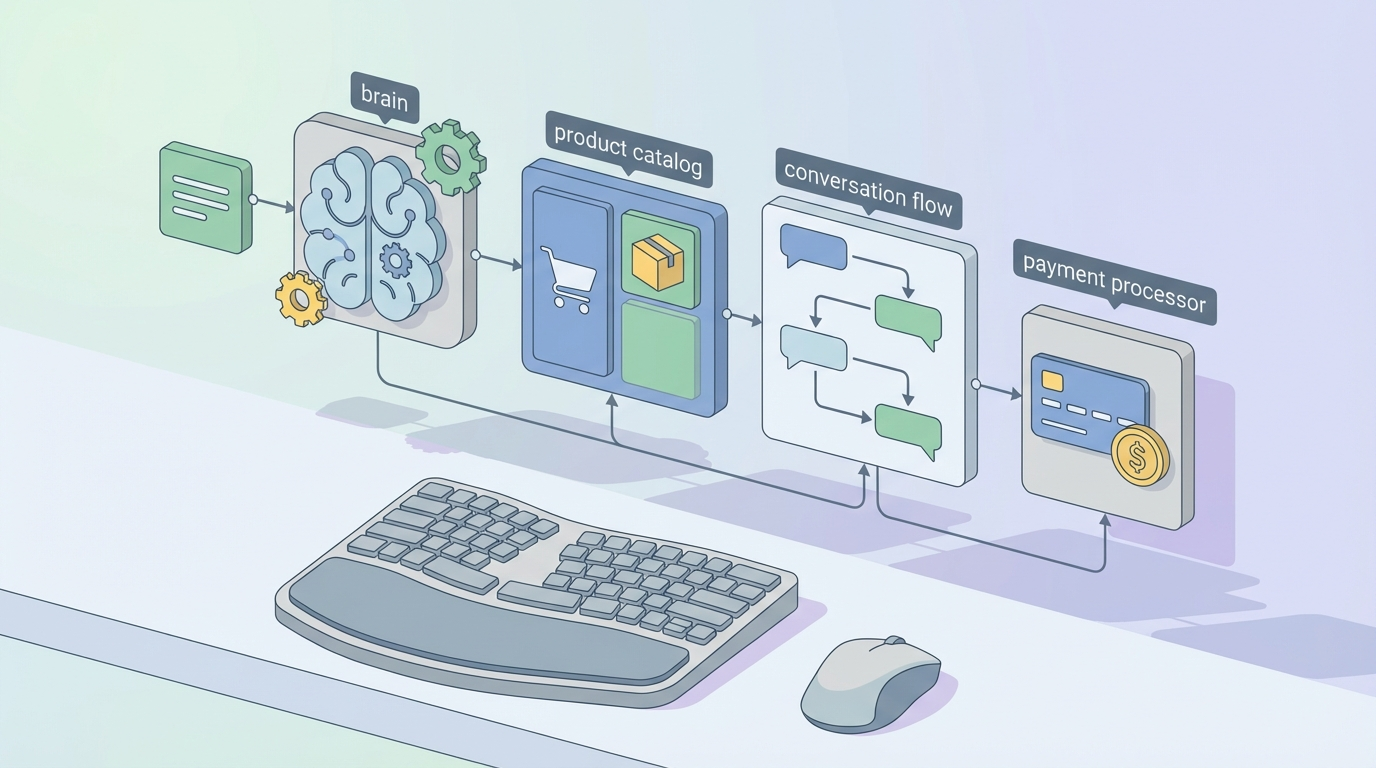
Most people overthink the "how do I make money with AI" question. They chase shiny demos, build tools nobody asked for, and wonder why their Stripe dashboard looks like a flatline.
Here's what's actually working right now: building AI chatbots for e-commerce stores.
Not the cute "ask me anything" kind. The kind that intercepts a customer about to abandon a $147 cart, nudges them with a personalized discount, and recovers revenue the store owner never knew they were losing. The kind that says "hey, that jacket pairs great with these boots — want 15% off the bundle?" and actually moves the AOV needle.
This is a real business. $1,000 setup fee. $200/month retainer. Ten clients and you're clearing $20K/month with room to breathe. Let me show you exactly how to build it.
The Market Is Stupid Big (and Stupidly Underserved)
The conversational AI market in e-commerce is projected to hit $10 billion. That's not hype — that's Shopify alone processing hundreds of billions in GMV annually, with the average store hemorrhaging 70% of its carts to abandonment.
Do the math on that. If a store does $50K/month and 70% of initiated checkouts get abandoned, that's $35K in potential revenue evaporating. Industry benchmarks from Shopify and Klaviyo show that well-implemented chatbots recover 10-30% of those abandoned carts. Even at the low end, you're recovering $3,500/month for that single store.
You charge $200/month for that. The ROI is so obvious it's almost embarrassing.
And here's the thing most freelancers miss: the store owners already know this is a problem. They've seen the Shopify analytics. They've stared at their abandoned checkout reports. They just don't know how to fix it beyond sending the same tired "you forgot something!" email that lands in the promotions tab and dies there.
That's you. You're the fix.
The sweet spot is Shopify stores doing $20K-$200K/month. Big enough to have real abandonment losses, small enough that they can't justify hiring a full-time dev or paying enterprise rates for Gorgias or Intercom. There are literally millions of these stores. You need ten.
What You're Actually Building
Let's get specific because vague descriptions of "AI chatbots" help nobody.
You're building three things for each client:
1. Abandoned Cart Recovery Bot A chat widget that detects when a customer has items in their cart and is showing exit intent or has been inactive for 5-10 minutes. It pops up with a contextual message — not a generic "wait!" but something like "Still thinking about the Merino Wool Pullover? Here's 10% off if you checkout in the next 15 minutes."
If they leave anyway, the bot triggers an SMS or email sequence 1-24 hours later with cart contents, urgency signals ("only 3 left in stock"), and a recovery link.
2. Upsell and Cross-sell Engine During active browsing or after an item is added to cart, the bot recommends complementary products. "Customers who bought that coffee maker also grabbed the burr grinder — want to bundle them for 20% off?" This isn't random. It's pulling from purchase history data and product relationships.
3. Customer Support Deflection The bot handles the top 10 questions every store gets: shipping times, return policy, sizing, order status. This alone saves store owners 5-10 hours per week of customer service time, which makes the $200/month feel like stealing.
Building It With OpenClaw
Here's where the rubber meets the road. You need a platform that lets you build these bots fast, customize them per client, and maintain them without wanting to throw your laptop out the window.
OpenClaw is what makes this business model actually viable at scale. It's an AI platform purpose-built for creating these kinds of production-ready agents without needing to stitch together five different APIs and pray they keep working.
The reason I recommend OpenClaw over rolling your own stack is simple: time is money, and wiring up webhook handlers, NLP pipelines, and conversation state management from scratch for every client will eat you alive. OpenClaw gives you the AI backbone so you can focus on the parts that actually differentiate your service — the strategy, the copy, the client-specific customization.
You can explore ready-made components and tools on the Claw Mart marketplace to accelerate your builds even further. Think of it as a parts shop for AI agents. Instead of building every conversation flow from zero, you grab pre-built modules for cart recovery, product recommendation logic, and support deflection, then customize them for each client's brand and catalog.
Here's the technical architecture:
The Stack
- AI Platform: OpenClaw (core chatbot logic, NLP, conversation management)
- E-commerce: Shopify Admin API + Storefront API (GraphQL)
- Frontend: Embedded chat widget injected via
theme.liquid - Data: Customer browsing history, cart contents, purchase data via Shopify webhooks
- Channels: Web chat, SMS (via Twilio), email (via Klaviyo or Postmark)
Step-by-Step Implementation
Step 1: Shopify App Setup
Create a Shopify Partner account at partners.shopify.com. This is free and gives you access to development stores for testing.
shopify app create node
This generates your boilerplate. In your shopify.app.toml, you need these scopes:
scopes = "read_checkouts, read_products, write_checkouts, read_customers, read_orders"
These permissions let your bot access cart data, product catalogs, and customer information — everything it needs to have intelligent conversations.
Step 2: Webhook Registration for Cart Abandonment Detection
Shopify fires webhooks when checkouts are created and updated. You need to listen for these:
// Register webhooks on app install
const webhooks = [
  { topic: 'checkouts/create', address: 'https://yourapp.com/webhook/checkout-created' },
  { topic: 'checkouts/update', address: 'https://yourapp.com/webhook/checkout-updated' }
];

webhooks.forEach(async (wh) => {
  await shopify.rest.Webhook.create({ session, ...wh });
});
Store every checkout event in your database with a timestamp. Then run a cron job (or use a queue like BullMQ) to check for checkouts that haven't completed after your threshold — usually 30-60 minutes:
// Check for abandoned carts every 30 minutes
cron.schedule('*/30 * * * *', async () => {
  const abandonedCarts = await db.checkouts.find({
    completed: false,
    createdAt: { $lt: new Date(Date.now() - 60 * 60 * 1000) }, // 1 hour old
    recoveryAttempted: false
  });

  for (const cart of abandonedCarts) {
    await triggerRecoveryFlow(cart);
  }
});
Step 3: Build the Chat Widget
Inject your widget into the store's theme. This goes in theme.liquid before the closing </body> tag:
<script src="https://yourapp.com/chat-widget.js"
        data-shop="{{ shop.permanent_domain }}"
        data-customer="{{ customer.id }}"
        async>
</script>
The widget itself monitors browsing behavior — time on page, scroll depth, exit intent (cursor moving toward the browser chrome), and cart status. When triggers fire, it initiates a conversation powered by your OpenClaw agent.
Step 4: The Recovery Conversation Flow
This is where OpenClaw shines. Instead of hard-coding every possible conversation path, you define the intent and let the AI handle the natural language part while you control the business logic:
// Recovery flow triggered by abandonment detection
async function triggerRecoveryFlow(cart) {
  const customer = await getCustomerData(cart.customerId);
  const cartItems = cart.lineItems.map(item => item.title).join(', ');

  // OpenClaw handles the conversational AI
  // You configure the agent with store-specific context
  const recoveryMessage = await openClawAgent.generate({
    context: {
      customerName: customer.firstName,
      cartItems: cartItems,
      cartValue: cart.totalPrice,
      storeName: store.name,
      discountAvailable: true,
      discountPercent: 10
    },
    intent: 'cart_recovery',
    tone: store.brandVoice // configured per client
  });

  // Send via preferred channel
  if (customer.acceptsMarketing && customer.phone) {
    await sendSMS(customer.phone, recoveryMessage);
  } else if (customer.email) {
    await sendEmail(customer.email, recoveryMessage);
  }

  // Also queue for chat widget next visit
  await db.pendingMessages.create({
    customerId: customer.id,
    message: recoveryMessage,
    cartUrl: cart.recoveryUrl
  });
}
Step 5: Upsell Recommendations
Pull product data from Shopify's Product Recommendations API and let your OpenClaw agent contextualize them:
async function recommendUpsell(cartItems, customerId) {
  // Get Shopify's native recommendations
  const recs = await fetch(
    `https://${shop}/recommendations/products.json?product_id=${cartItems[0].productId}&limit=4`
  );

  // Let OpenClaw personalize the pitch
  const upsellPitch = await openClawAgent.generate({
    context: {
      currentCart: cartItems,
      recommendations: recs.products,
      customerHistory: await getCustomerPurchaseHistory(customerId)
    },
    intent: 'upsell_recommendation',
    constraints: ['max 2 recommendations', 'include bundle discount if applicable']
  });

  return upsellPitch;
}

// Add to cart seamlessly via Shopify Ajax API
// This runs client-side when customer accepts the upsell
async function addUpsellToCart(variantId) {
  await fetch('/cart/add.js', {
    method: 'POST',
    headers: { 'Content-Type': 'application/json' },
    body: JSON.stringify({ id: variantId, quantity: 1 })
  });
}
Step 6: Test and Deploy
Use Shopify CLI for local development:
shopify app dev
Test webhooks:
shopify webhook trigger --topic checkouts/create
For each client deployment, you're customizing:
- Brand voice and tone
- Discount thresholds and rules
- Product recommendation logic
- Trigger timing (when the bot initiates)
- Channel preferences (chat vs. SMS vs. email)
This customization is what you're charging $1,000 for. The OpenClaw foundation stays the same. The client-specific layer is what makes each bot feel native to their store.
The Pricing Model That Actually Works
After watching people screw this up in every possible way, here's the model that works:
$1,000 One-Time Setup Fee This covers: initial consultation (1 hour), Shopify app installation and configuration, custom conversation flows for their specific products and brand, integration with their existing email/SMS tools, testing across devices, and a 30-minute training session.
Your actual time investment: 8-12 hours per client. That's $80-$125/hour for the setup alone.
$200/Month Retainer This covers: hosting and AI API costs (your actual cost: ~$20-30/month per client), monthly performance review, flow optimization based on conversion data, and support for product catalog changes.
Your margin on the retainer: 85%+.
The ROI Pitch When you're selling this, the conversation is dead simple. You pull up their Shopify analytics, find their abandoned checkout rate, and do the math in front of them:
"You're losing approximately $25,000/month to cart abandonment. Even a conservative 10% recovery rate puts $2,500 back in your pocket every month. I charge $200/month. That's a 12x return. Want to try it for 60 days?"
Nobody with a functioning brain says no to 12x ROI.
Scaling to 10+ Clients Without Losing Your Mind
The beautiful thing about this model is that it's inherently scalable because the core product is the same. You're not building bespoke software for every client. You're deploying a proven system with client-specific customization.
Here's how the time breaks down once you're past client #3:
- Client acquisition: 5 hours/week (outreach, demos, proposals)
- New client setup: 8-12 hours per new client (front-loaded)
- Ongoing maintenance: 1-2 hours/month per client (monitoring, optimization)
- Total at 10 clients: ~25 hours/week
That's a part-time workload for $22,000/month ($10K setup fees amortized + $2K/month recurring × 10 clients).
Where to find clients:
The Shopify ecosystem is your hunting ground. Browse the Shopify Community forums — store owners constantly post about abandonment problems. Join e-commerce Facebook groups and Slack communities. Search Twitter/X for people complaining about cart abandonment. Partner with Shopify theme developers and agencies who don't offer this service. Cold email stores in the $20K-$200K/month range (you can estimate revenue from their traffic via SimilarWeb and average conversion rates).
Your outreach template:
"Hey [Name], I noticed [Store] is running on Shopify — great products. Quick question: what's your cart abandonment rate looking like? I build AI chatbots specifically for Shopify stores that typically recover 10-30% of abandoned carts. Happy to show you a 5-minute demo with your actual product data. No pitch, just proof."
That's it. No fancy funnel. No webinar. Just a direct offer to solve a specific, expensive problem.
The Tools You'll Want From Claw Mart
Before you start building from absolute zero, check out what's available on Claw Mart. The marketplace has pre-built components and agent templates that can cut your development time significantly.
Look for:
- E-commerce conversation flow templates — pre-built recovery and upsell sequences you can customize per client
- Shopify integration modules — webhook handlers and API connectors that are already battle-tested
- Analytics dashboards — so you can show clients their recovery rates and justify your retainer
Building on top of existing components from Claw Mart instead of starting from scratch is the difference between setting up a new client in 8 hours versus 30. That efficiency is what makes the $1,000 setup fee pure profit instead of barely-breaking-even.
What to Do Right Now
Stop reading and do these three things today:
-
Set up your OpenClaw account and explore the platform. Build a basic cart recovery bot for a test store. Get familiar with how the agent configuration works. This takes 2-3 hours.
-
Create a Shopify Partner account and spin up a development store. Install your bot. Test the webhook flow. Make sure abandoned cart detection actually fires. Break things in dev so they don't break in production.
-
Find your first client. Not your tenth. Your first. Offer it at half price ($500 setup, $100/month) to get a case study. Once you can say "I recovered $4,200 in abandoned carts for [Store Name] in the first 30 days," your close rate on full-price deals goes through the roof.
The market is massive. The technology works. The ROI is undeniable. The only variable is whether you actually do it.
Go build the thing.
Recommended for this post
New client signed? Your agent handles the entire onboarding flow automatically.

Life Leverage Audit
Persona
Discover exactly where AI can create the most leverage in your life — not generic advice, a personalized map
 Atlas Forge
Financial Dashboard
Skill
Real-time financial monitoring across Stripe and Mercury — tracks MRR, churn, failed payments, runway, and cash flow with automated weekly reports and anomaly detection.