Client Onboarding Automation with AI Agents
Build an agent that handles intake forms, contract signing, project scoping, and kickoff calls. Scale from 5 to 20 clients without hiring.
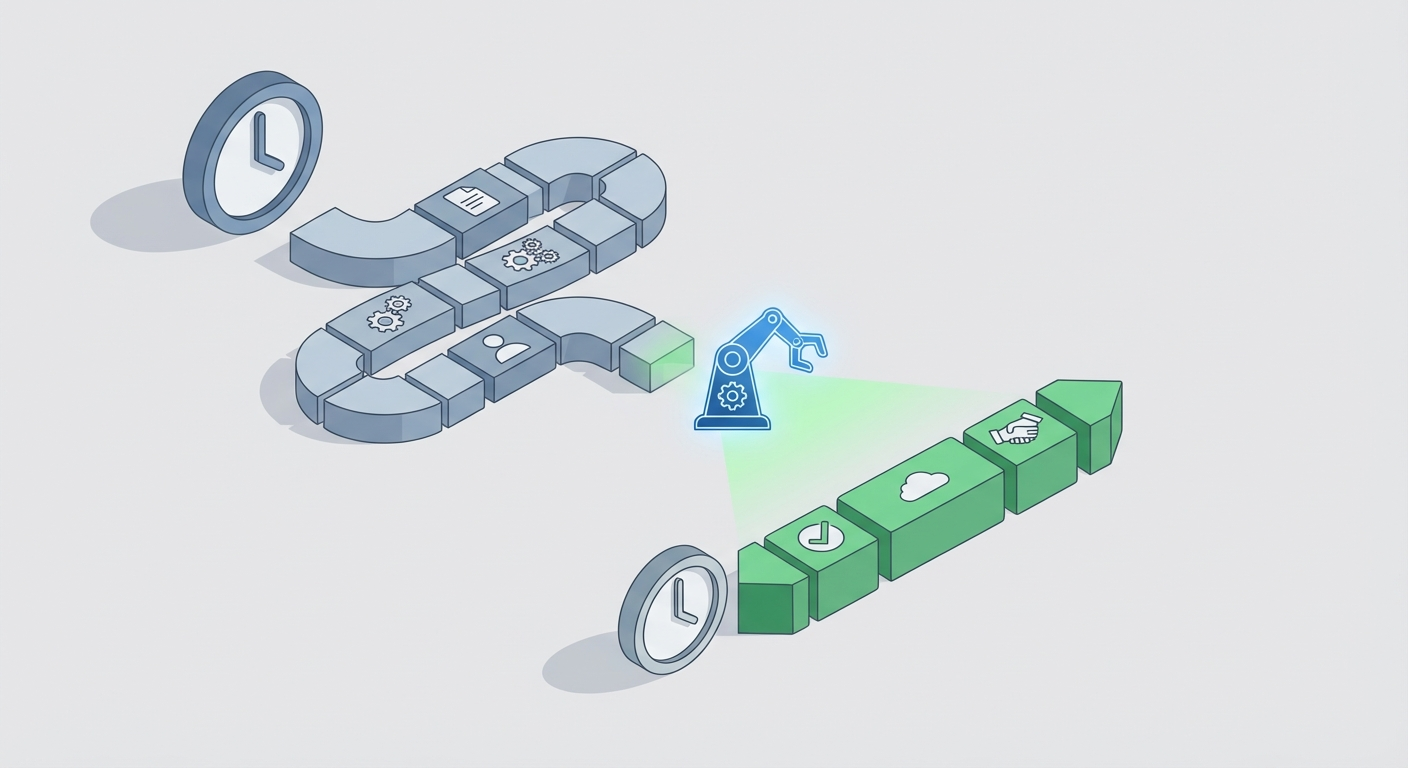
Every agency owner hits the same wall.
You close your fifth client, and suddenly you're spending more time onboarding people than actually doing the work they're paying you for. Intake forms. Contracts. Scope documents. Kickoff calls. Follow-up emails to chase the stuff they forgot to send.
You do the math and realize you're burning 5+ hours per new client just on administrative setup. That's not strategy. That's not creative work. That's data entry with extra steps.
Then someone tells you to "just hire an ops person," which sounds great until you realize that's $4,000-6,000/month for someone whose primary job is copying information from one tool into another. You're not scaling. You're just adding headcount to manage the overhead of adding headcount.
Here's the thing: client onboarding is almost entirely procedural. It follows the same pattern every single time. Collect information. Generate documents. Get signatures. Schedule meetings. Create project infrastructure. Notify the team.
That's not a job for a person. That's a job for an agent.
I'm going to walk you through exactly how to build a client onboarding automation agent using OpenClaw that takes your onboarding process from a 5-hour slog to a 30-minute interaction — and lets you scale from 5 to 20 clients without hiring anyone.
Why Most Agency Onboarding Is Broken
Let me describe what "onboarding" actually looks like at most agencies:
- Client says yes
- You send them a Google Form or Typeform for intake
- You wait 3 days for them to fill it out
- You manually transfer that info into a scope document
- You send a contract through DocuSign or PandaDoc
- You wait another 2 days for them to sign
- You send a Calendly link for the kickoff call
- You create a project in Asana or ClickUp
- You write a kickoff email with all the relevant details
- You brief your team in Slack
Ten steps. Five different tools. Multiple days of elapsed time. And every single one of those steps requires you (or someone on your team) to manually trigger the next one.
The real cost isn't just the hours. It's the cognitive overhead. Every new client means you're context-switching between doing actual work and playing traffic cop for an administrative process. It's death by a thousand paper cuts.
Worse, it doesn't scale. Client number 6 takes just as long to onboard as client number 1. There are no economies of scale because every step requires a human in the loop.
The fix isn't more people. It's removing the human from the loop entirely — except where human judgment actually matters.
What an Onboarding Agent Actually Does
An onboarding agent is an AI-powered workflow that handles the entire chain from "client said yes" to "team is briefed and project is live." It:
- Conducts intelligent intake — not a static form, but a conversational interaction that adapts based on what the client says
- Generates scope documents — pulling from your past projects and pricing models to create accurate, client-ready scopes
- Creates and sends contracts — auto-populated with the right terms, deliverables, and pricing
- Handles scheduling — triggering calendar invitations at the right time in the right sequence
- Builds project infrastructure — creating tasks, channels, and folders automatically
- Notifies your team — with everything they need to know, in the format they need it
The key insight is that these aren't separate automations. They're one continuous agent workflow where each step feeds the next. The output of intake becomes the input for scoping. The scope feeds the contract. The signed contract triggers scheduling and project setup.
That's what makes this an agent and not just a Zapier chain. It reasons about the data at each step, makes decisions, and handles edge cases — instead of just passing static data between tools.
Building the Agent with OpenClaw
OpenClaw is where you build this. It's designed for exactly this kind of multi-step, tool-connected agent workflow — without requiring you to stitch together six different platforms and pray the webhooks don't break.
Here's the architecture, step by step.
Step 1: Conversational Intake (Replace Your Static Forms)
Static forms are terrible for onboarding. They ask the same questions regardless of context. A branding client gets the same form as a web development client. The client doesn't know what half the fields mean. They leave things blank. You end up on a call asking all the same questions anyway.
With OpenClaw, you build a conversational intake agent that adapts in real time. Instead of 30 form fields, the client has a conversation. The agent asks smart follow-up questions based on their responses.
Here's what this looks like in practice:
Agent: "Welcome! Tell me a bit about your project. What are you looking to accomplish?"
Client: "We need a complete rebrand. New logo, brand guidelines, and we want to redo our website to match."
Agent: "Got it — branding + website redesign. Let me ask a few questions about each. For the rebrand, do you have existing brand assets you'd like to evolve, or are we starting from scratch?"
The agent is doing several things simultaneously:
- Categorizing the project type (branding + web design)
- Loading the relevant question set for each service
- Extracting structured data from natural language responses
- Flagging anything that needs human review
You configure this in OpenClaw by defining your service categories, the information you need for each, and the logic for how the conversation should flow. The agent handles the rest.
The output is a structured JSON object with everything you need — client details, project type, requirements, timeline preferences, budget range — ready to feed directly into the next step.
Pro tip: Connect this to your website via an embedded chat widget or a dedicated onboarding link you send after closing. The agent is available 24/7, so clients can complete intake at 11pm on a Sunday if that's when they get to it. No more waiting 3 days for a form submission.
Step 2: AI-Powered Project Scoping
This is where the agent earns its keep.
Once intake data is collected, the agent generates a complete project scope. Not a vague outline — a real scope document with deliverables, timeline, milestones, and pricing.
The secret sauce here is RAG (Retrieval-Augmented Generation). You feed the agent your past project scopes, your pricing matrix, and your standard deliverables. When it generates a new scope, it's not hallucinating — it's pulling from your actual historical data.
In OpenClaw, you set this up by:
- Uploading your knowledge base — past scopes, pricing sheets, service descriptions, SOWs
- Defining your scoping prompt — the instructions that tell the agent how to structure the output
- Setting validation rules — minimum project values, required deliverables per service type, timeline constraints
A simplified version of the scoping logic:
# OpenClaw agent scoping step
scope_prompt = """
Based on the following intake data, generate a project scope document.

Client: {client_name}
Project Type: {project_type}
Requirements: {requirements}
Timeline Preference: {timeline}
Budget Range: {budget}

Reference similar past projects from the knowledge base.
Include: Executive summary, deliverables list, timeline with milestones,
pricing breakdown, assumptions, and next steps.

Format as a professional scope document ready for client review.
"""

# The agent retrieves relevant past scopes via RAG
# and generates a tailored scope document
scope_output = agent.run(
    prompt=scope_prompt,
    knowledge_base="past_scopes",
    output_format="pdf"
)
The agent generates the scope, flags anything unusual (e.g., "Client's budget of $3,000 is below our minimum for branding + web projects"), and either sends it for your review or pushes it directly to the contract step — depending on your confidence level.
When you're starting out, you'll want to review every scope before it goes out. After 20-30 successful scopes, you'll realize the agent is nailing it 90%+ of the time and switch to review-by-exception. That's where the real time savings kick in.
Step 3: Automated Contract Generation and Signing
Once the scope is approved (by you or automatically), the agent generates the contract.
This isn't complex. You have contract templates. The agent populates the merge fields with data from intake and scoping — client name, project deliverables, timeline, payment terms, pricing.
OpenClaw connects directly to your signing tool of choice. Here's the workflow:
Scope approved
  → Agent populates contract template with project data
  → Contract sent via DocuSign/PandaDoc API
  → Webhook listens for signature event
  → On signature: trigger Step 4
The integration flow in OpenClaw:
# Contract generation and sending
contract_data = {
    "client_name": intake.client_name,
    "client_email": intake.client_email,
    "deliverables": scope.deliverables,
    "timeline": scope.timeline,
    "total_price": scope.pricing_total,
    "payment_schedule": scope.payment_schedule,
    "start_date": scope.proposed_start
}

# OpenClaw sends via connected DocuSign integration
agent.tools.docusign.send_contract(
    template_id="standard_sow_v3",
    recipients=[intake.client_email],
    merge_fields=contract_data,
    on_complete="trigger_scheduling"
)
You can also set up automatic follow-ups. If the contract isn't signed within 48 hours, the agent sends a friendly nudge. After 5 days, it escalates to you. This alone saves hours of "just following up on the contract" emails.
Step 4: Smart Scheduling
The moment the contract is signed, the agent triggers scheduling. No gap. No "I'll send you a Calendly link tomorrow." The client gets a booking link immediately while they're still engaged.
But here's where it gets smarter than a basic Calendly link. The agent:
- Pre-selects the right meeting type based on project scope (30-min kickoff for small projects, 60-min for complex ones)
- Pre-fills the meeting agenda with items pulled from the scope
- Sends prep materials to the client before the call
- Notifies the right team members and adds them to the invite
Contract signed (webhook received)
  → Agent determines kickoff meeting type from scope
  → Sends Calendly/scheduling link with pre-filled context
  → Creates meeting prep doc from scope highlights
  → Sends client pre-call checklist ("Please have login credentials ready")
  → Adds relevant team members to the calendar event
The client experiences zero friction. They sign the contract, immediately see a booking page, pick a time, and receive a confirmation with everything they need to prepare. From their perspective, your agency is incredibly organized. They have no idea an agent did all of it.
Step 5: Project Setup and Team Briefing
This is the final step, and it happens in parallel with scheduling.
The agent:
- Creates the project in your PM tool (Asana, ClickUp, Linear, Monday — OpenClaw connects to all of them)
- Populates it with tasks based on the scope's deliverables and timeline
- Creates a Slack/Teams channel for the project
- Posts a team brief with client background, scope summary, key dates, and any flags from intake
- Creates a shared Google Drive/Notion folder with the signed contract, scope doc, and intake data
# Project infrastructure setup
project = agent.tools.clickup.create_project(
    name=f"{intake.client_name} - {scope.project_type}",
    template="branding_web_template",
    start_date=scope.start_date,
    due_date=scope.end_date
)

# Auto-populate tasks from scope
for deliverable in scope.deliverables:
    agent.tools.clickup.create_task(
        project_id=project.id,
        name=deliverable.name,
        assignee=deliverable.default_assignee,
        due_date=deliverable.deadline,
        description=deliverable.details
    )

# Team notification
agent.tools.slack.create_channel(
    name=f"proj-{intake.client_name.lower().replace(' ', '-')}",
    members=project.team_members,
    initial_message=agent.generate_team_brief(intake, scope, contract)
)
When your team shows up Monday morning, there's a new Slack channel with everything they need to know, a fully structured project with assigned tasks, and a kickoff call already on the calendar. Nobody had to do anything manually.
The Numbers: 5 Hours to 30 Minutes
Let's break down the actual time savings:
| Step | Manual Time | With Agent | Savings |
|---|---|---|---|
| Intake form creation + follow-up | 45 min | 0 min (agent handles) | 45 min |
| Reviewing intake + data entry | 30 min | 5 min (review only) | 25 min |
| Scope document creation | 90 min | 10 min (review + approve) | 80 min |
| Contract generation + sending | 30 min | 0 min (automatic) | 30 min |
| Contract follow-up | 20 min | 0 min (auto-nudge) | 20 min |
| Scheduling coordination | 15 min | 0 min (automatic) | 15 min |
| Project setup in PM tool | 30 min | 0 min (automatic) | 30 min |
| Team briefing | 20 min | 5 min (review brief) | 15 min |
| Total | ~280 min (4.7 hrs) | ~20 min | 260 min |
That's a 93% reduction in hands-on time. And the 20 minutes you do spend is high-value review, not data entry.
At 5 new clients per month, you're saving ~22 hours. At 15 clients per month, you're saving ~65 hours. That's an entire full-time employee's worth of work — except the agent costs you a fraction of that and never calls in sick.
Browsing the Claw Mart for Components
One of the things I like about the OpenClaw ecosystem is Claw Mart — it's a marketplace where you can find pre-built agent components instead of building everything from scratch.
For this onboarding agent, you'll find relevant listings for:
- Intake conversation flows — pre-built conversational templates for different service types that you can customize for your specific offerings
- Scope generation agents — agents already configured with RAG-enabled scoping logic, ready for you to plug in your own past projects and pricing
- Contract automation connectors — pre-wired integrations between the agent layer and DocuSign, PandaDoc, and other signing tools
- Project scaffolding templates — automation blueprints that create full project structures in your PM tool of choice
Browse what's available at Claw Mart before building from scratch. Someone has probably already solved 60-70% of your specific workflow, and you can customize the rest. It's the difference between a 2-hour setup and a 2-day build.
Implementation: How to Actually Do This
Don't try to build the entire workflow at once. Here's the order I'd recommend:
Week 1: Intake Agent Build the conversational intake flow in OpenClaw. Test it with 3-5 past clients (send it to them and see if it captures the same information you would have). Iterate on the questions and logic.
Week 2: Scope Generation Upload your past 10-20 scopes to the knowledge base. Configure the scoping prompt. Generate scopes from your test intake data and compare them to the actual scopes you created. Tune until accuracy hits 85%+.
Week 3: Contract + Scheduling Automation Wire up the contract generation and signing integration. Add the scheduling trigger. This is mostly plumbing — connecting APIs and setting up webhooks. OpenClaw's integrations make this straightforward.
Week 4: Project Setup + Team Notifications Build the project scaffolding automation. Test the end-to-end flow with a real client. Have your team review the auto-generated brief and project setup for completeness.
Ongoing: Review and Optimize Track where the agent gets things wrong. Update your knowledge base with every new successful scope. Add edge case handling as you encounter new situations. Within 2-3 months, you'll have a system that handles 90%+ of onboarding autonomously.
Common Objections (And Why They're Wrong)
"My clients will hate talking to a bot." They won't know it's a bot, and frankly, they won't care. What they will notice is that your onboarding process is faster, smoother, and more professional than any other agency they've worked with. Nobody has ever complained about getting their project started too efficiently.
"Every client is different — you can't automate this." Every client feels different. In reality, 80% of your onboarding is identical. You're collecting the same types of information, generating the same types of documents, and following the same process. The agent handles the 80% and flags the 20% that actually needs your attention.
"What if it makes a mistake?" It will. So do humans. The difference is you can put review checkpoints in the workflow (especially for scoping and contracts) and the agent will consistently improve over time. A human ops person makes the same mistakes forever.
"I only have 3-4 clients, this isn't worth it yet." Build it now so you can scale. The reason most agencies stall at 5-8 clients is because the operational overhead becomes unbearable before revenue justifies a hire. The agent lets you blow past that ceiling.
What This Looks Like at Scale
With this system in place, here's what closing a new client looks like:
- You close the deal (handshake, email, whatever)
- You send the client your onboarding link
- They have a 10-minute conversation with the intake agent
- You get a Slack notification with a draft scope — you review and approve (5 minutes)
- The client receives the contract, signs it, and books a kickoff call — all without you lifting a finger
- Your team gets briefed automatically with a fully built project workspace
Total time investment from you: ~15 minutes of review.
Total time investment from the client: ~15 minutes of conversation + signing + booking.
That's it. That's the whole onboarding process. You could close 3 clients in a single day and have all of them fully onboarded by tomorrow morning.
Next Steps
-
Sign up for OpenClaw and explore the agent builder. Start with the intake conversation — that's the highest-impact first step.
-
Browse Claw Mart for pre-built onboarding components. Don't reinvent the wheel.
-
Gather your past scopes and contracts. You'll need 10-20 examples to train the scoping agent effectively. The better your training data, the faster you get to autonomous operation.
-
Map your current onboarding process end to end. Every step, every tool, every handoff. You can't automate what you haven't documented.
-
Build incrementally. Intake first. Then scoping. Then contracts. Then scheduling and project setup. Each step delivers value independently, and they compound when connected.
The agencies that figure this out first will have a structural advantage for years. While everyone else is hiring ops coordinators and drowning in admin work, you'll be spending your time on strategy, creative work, and closing more deals.
Stop being your own most expensive employee. Build the agent.
Recommended for this post
New client signed? Your agent handles the entire onboarding flow automatically.

Life Leverage Audit
Persona
Discover exactly where AI can create the most leverage in your life — not generic advice, a personalized map
 Atlas Forge
Financial Dashboard
Skill
Real-time financial monitoring across Stripe and Mercury — tracks MRR, churn, failed payments, runway, and cash flow with automated weekly reports and anomaly detection.