Automate Vendor Management: Build an AI Agent That Tracks Deliverables and Payments
Automate Vendor Management: Build an AI Agent That Tracks Deliverables and Payments
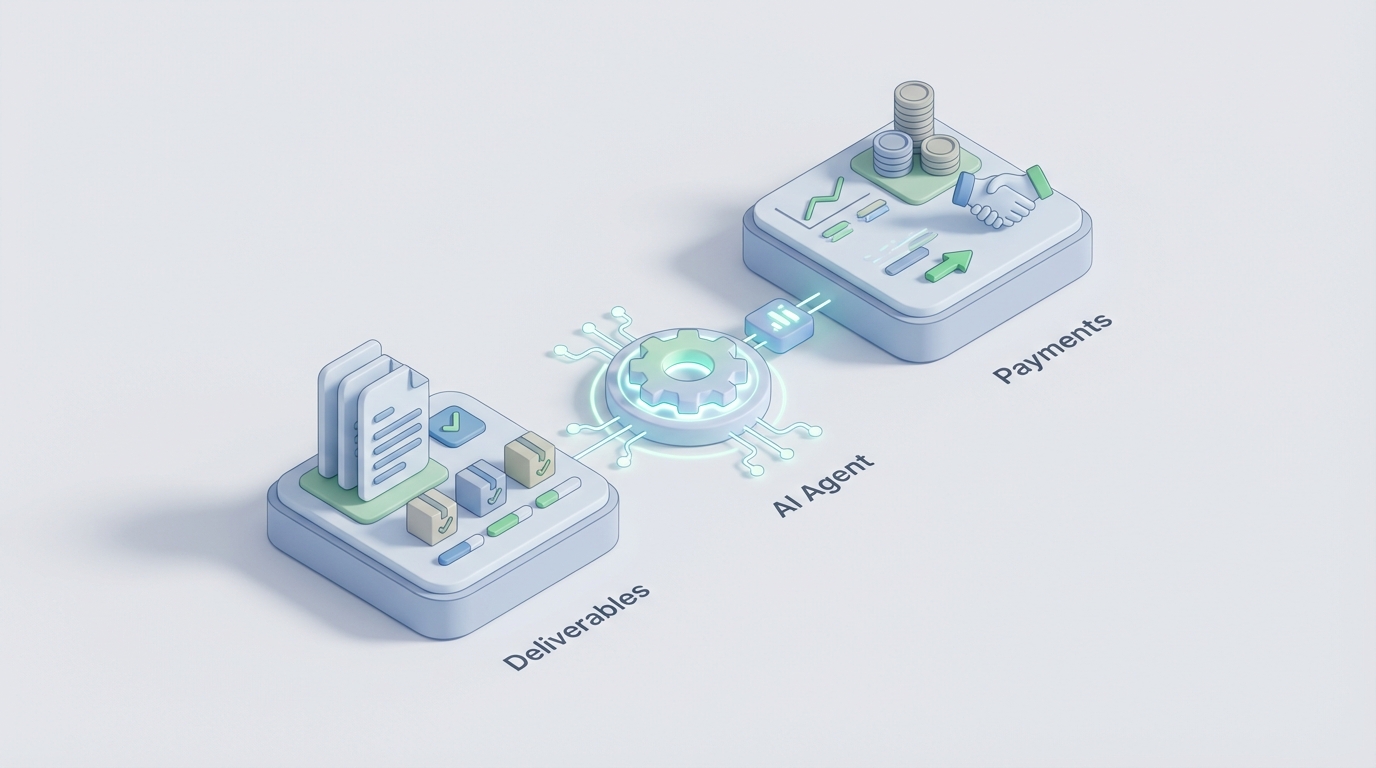
If you're running vendor management with a combination of spreadsheets, email threads, and calendar reminders, you already know the situation. You're not managing vendors—you're babysitting a process that should have been automated years ago.
The average procurement team spends 14 to 20 hours onboarding a single vendor. Finance teams burn up to 25% of their time chasing invoice exceptions. And somewhere in a shared drive, there's a spreadsheet with 200 vendor names that nobody's updated since last quarter. Meanwhile, contracts auto-renew, compliance certificates expire, and duplicate payments slip through—to the tune of millions in some cases.
This isn't a technology problem anymore. The tools exist. The problem is that most teams haven't connected the dots between what AI can actually do today and the specific, tedious workflows eating their time.
This guide walks through how to build an AI agent on OpenClaw that tracks vendor deliverables and payments—from the current mess to a working automation, with specific steps you can follow.
The Manual Workflow (And Why It's Killing Your Team)
Let's map out what vendor management actually looks like day to day in most mid-market companies. Not the idealized procurement textbook version—the real one.
Step 1: Vendor Onboarding (14–20 hours per vendor)
Someone collects W-9s, insurance certificates, NDAs, and security questionnaires. These arrive via email, sometimes as scanned PDFs, sometimes as Word docs with half the fields blank. Someone else manually enters this into whatever system you use—often a spreadsheet, sometimes an ERP. There's back-and-forth. Things get lost. A global bank profiled by Prevalent was averaging 47 days to onboard a single critical vendor across 11 different spreadsheets.
Step 2: Contract Tracking (Ongoing, but usually neglected)
Contracts live in SharePoint, Google Drive, or someone's inbox. Renewal dates get missed. Discount tiers go unclaimed. Aberdeen estimates companies lose 4 to 8 percent of spend through missed discounts and auto-renewals alone. Nobody's reading the fine print on a rolling basis because nobody has time.
Step 3: Deliverable Monitoring (Quarterly at best)
You're supposed to track whether vendors are hitting their SLAs. In practice, this means someone sends a polite email asking for a status update, then manually fills in a scorecard in Excel. Quarterly business reviews happen, but the data going into them is stale or incomplete. Only 29% of organizations have real-time visibility into vendor performance, according to Deloitte.
Step 4: Invoice Processing and Payment (The 3-Way Match Nightmare)
Purchase order, invoice, and delivery receipt all need to match. When they don't—and they often don't—someone has to figure out why. Was the quantity wrong? Did the price change? Is this a duplicate? One IOFM study found a manufacturing company with $2.3 million in duplicate vendor payments over 18 months. Finance teams at a typical mid-sized company with 200 to 500 vendors are effectively burning 8 to 15 FTEs worth of labor on this administrative work.
Step 5: Compliance and Risk Monitoring (Mostly reactive)
Insurance certificates expire. Security postures change. Vendors get acquired, go bankrupt, or show up on sanctions lists. Sixty-three percent of companies experienced a third-party data breach in the past two years. Most found out late because their "monitoring" was an annual check-in.
Add it all up, and procurement teams spend 60 to 70 percent of their time on tactical, repetitive work instead of strategic sourcing and relationship building. That's the real cost—not just the hours, but the opportunity cost of your best people doing data entry.
What Makes This So Painful
Three things compound the problem beyond just "it takes too long."
Fragmented data. Vendor information lives in your ERP, your email, your shared drive, your contract management tool (if you have one), and probably a few personal spreadsheets that only one person understands. When you need a simple answer—"Is vendor X compliant?"—you're triangulating across four systems.
Error compounding. Manual data entry has an error rate. When that error propagates through invoice matching, payment processing, and compliance tracking, small mistakes become expensive ones. Duplicate payments. Missed renewals. Expired insurance that nobody caught.
No single source of truth. When six people touch a vendor record across three systems, nobody trusts the data. So they build their own shadow tracking system. Now you have seven versions of the truth.
What AI Can Actually Handle Right Now
Let's be honest about what AI is good at today and what it isn't. The goal isn't to replace your procurement team with a chatbot. It's to eliminate the 60 to 70 percent of tactical work so your team can focus on the 30 to 40 percent that requires human judgment.
Here's what an AI agent built on OpenClaw can reliably automate right now:
Document intake and data extraction. An OpenClaw agent can process incoming vendor documents—W-9s, insurance certificates, security questionnaire responses, invoices—extract the relevant fields, and populate your vendor database. Current accuracy rates for document AI are above 90%, and with structured prompts and validation rules in OpenClaw, you can push that higher. No more manual data entry from PDFs.
Contract analysis and obligation tracking. Feed your vendor contracts into an OpenClaw agent, and it can extract key clauses: payment terms, renewal dates, SLA commitments, termination conditions, liability caps. It flags upcoming renewals 60 and 30 days out. It identifies unfavorable terms across your portfolio. Companies using AI for contract review report 70% reduction in review time.
Invoice matching and exception handling. Your OpenClaw agent can perform the three-way match automatically—comparing purchase orders, invoices, and delivery receipts. When everything aligns, it routes for payment. When something doesn't match, it flags the specific discrepancy (quantity mismatch, price variance, missing PO) and routes to the right person with context, instead of dumping it in a generic queue.
Continuous compliance monitoring. Instead of an annual check-in, your agent monitors for expiring certificates, changes in vendor financial health, news alerts (acquisitions, lawsuits, data breaches), and sanctions list updates. It doesn't make the risk decision—it surfaces the information so a human can act on it in time.
Vendor communication and status tracking. The agent can send automated follow-ups for missing documents, overdue deliverables, or approaching deadlines. It can track response times and flag vendors who are consistently late or unresponsive.
Step by Step: Building This on OpenClaw
Here's how to actually build a vendor management AI agent. This isn't theoretical—these are concrete steps you can start with this week.
Step 1: Define Your Vendor Data Schema
Before you build anything, decide what your canonical vendor record looks like. At minimum, you need:
vendor_record:
  basic_info:
    - vendor_name
    - vendor_id
    - primary_contact_email
    - category (services/goods/software)
    - risk_tier (critical/standard/low)
  compliance:
    - w9_status (received/pending/expired)
    - insurance_cert_expiry_date
    - nda_status
    - security_questionnaire_status
    - last_compliance_review_date
  contract:
    - contract_start_date
    - contract_end_date
    - auto_renewal (true/false)
    - payment_terms (net_30/net_60/etc)
    - sla_commitments []
    - total_contract_value
  financials:
    - invoices_ytd
    - total_paid_ytd
    - outstanding_balance
    - last_payment_date
    - payment_disputes []
  performance:
    - deliverable_tracking []
    - sla_compliance_rate
    - last_qbr_date
    - overall_score
This becomes the foundation your OpenClaw agent works from.
Step 2: Set Up Document Intake in OpenClaw
Create an OpenClaw agent with a document processing workflow. The agent should:
- Monitor an incoming email address or shared folder for new vendor documents.
- Classify the document type (invoice, insurance cert, W-9, contract, etc.).
- Extract relevant fields based on document type.
- Validate extracted data against your schema (e.g., is this a valid EIN format? Does the insurance coverage amount meet your minimum threshold?).
- Update the vendor record or flag for human review if confidence is below your threshold.
In OpenClaw, you'd configure this as an agent flow:
agent: vendor_document_processor
triggers:
  - new_email_to: vendors@yourcompany.com
  - new_file_in: /vendor_documents/inbox

steps:
  - classify_document:
      types: [invoice, w9, insurance_cert, contract, security_questionnaire]
      confidence_threshold: 0.85

  - extract_fields:
      based_on: document_type
      validation_rules: vendor_data_schema

  - route:
      if_confidence >= 0.90: auto_update_vendor_record
      if_confidence < 0.90: flag_for_human_review
      if_document_type == "contract": trigger contract_analysis_agent
Step 3: Build the Contract Analysis Agent
This is where things get genuinely useful. Set up a separate OpenClaw agent specifically for contract analysis:
agent: contract_analyzer
triggers:
  - new_contract_uploaded
  - scheduled: daily_renewal_check

capabilities:
  - extract_key_terms:
      - payment_terms
      - renewal_date
      - auto_renewal_clause
      - termination_conditions
      - sla_definitions
      - liability_caps
      - price_escalation_clauses

  - renewal_monitoring:
      alert_at: [90_days, 60_days, 30_days]
      notify: [procurement_lead, finance_lead]
      include: contract_summary, recommended_action

  - portfolio_analysis:
      scheduled: monthly
      output:
        - contracts_expiring_next_90_days
        - vendors_with_auto_renewal_enabled
        - contracts_with_unfavorable_terms
        - total_committed_spend_by_quarter
This agent alone will save you from the renewal leakage problem. No more auto-renewals catching you off guard.
Step 4: Automate Invoice Matching
Connect your OpenClaw agent to your accounting system (or even your accounting spreadsheet, if that's where you are):
agent: invoice_matcher
triggers:
  - new_invoice_received

steps:
  - extract_invoice_data:
      fields: [vendor_id, invoice_number, line_items, amounts, date, po_number]

  - three_way_match:
      compare: [purchase_order, invoice, delivery_receipt]
      tolerance:
        amount: 2%  # Allow minor rounding differences
        quantity: 0  # Exact match required

  - route:
      full_match: queue_for_payment
      partial_match:
        flag_discrepancy
        notify: ap_team
        include: specific_mismatch_details
      no_po_found:
        flag_as_exception
        notify: procurement_team
      duplicate_detected:
        block_payment
        notify: [ap_team, procurement_lead]
That manufacturing company with $2.3 million in duplicate payments? This agent catches that on day one.
Step 5: Set Up Deliverable Tracking
This is the agent that replaces your "send a polite email and hope for an update" approach:
agent: deliverable_tracker
triggers:
  - scheduled: daily_check
  - manual: track_new_deliverable

capabilities:
  - monitor_deliverables:
      for_each: active_vendor
      check:
        - deliverable_due_dates
        - sla_compliance
        - milestone_status

  - automated_communications:
      7_days_before_due: send_reminder_to_vendor
      on_due_date: check_status_and_alert_if_missing
      3_days_overdue: escalate_to_vendor_manager
      7_days_overdue: escalate_to_procurement_lead

  - performance_scoring:
      calculate:
        - on_time_delivery_rate
        - quality_score (from internal feedback)
        - communication_responsiveness
      update: vendor_performance_record
      generate: monthly_vendor_scorecard
Step 6: Create the Compliance Monitoring Agent
agent: compliance_monitor
triggers:
  - scheduled: daily_scan
  - event: vendor_document_expiry_approaching

monitoring:
  - insurance_certificates:
      alert: 60_days_before_expiry
      action: request_renewal_from_vendor

  - security_posture:
      check: security_questionnaire_currency
      flag: questionnaires_older_than_12_months

  - financial_health:
      monitor: credit_reports, news_alerts
      flag: significant_changes

  - regulatory:
      check: sanctions_lists, debarment_lists
      frequency: weekly
Step 7: Build Your Dashboard
All of this data flowing through OpenClaw agents should feed into a single vendor management dashboard. The agent compiles:
- Total active vendors by risk tier
- Contracts expiring in next 30/60/90 days
- Outstanding invoices and payment status
- Compliance status across all vendors (green/yellow/red)
- Deliverable tracking summary
- Payment forecast for next quarter
- Exception queue (items needing human attention)
This is your single source of truth. No more triangulating across four systems.
What Still Needs a Human
Be real about this. AI agents handle the data processing, pattern matching, and routine communications. Humans are still essential for:
Vendor selection and relationship building. Choosing the right vendor for a strategic partnership requires business context, relationship assessment, and judgment that AI can't replicate. Your OpenClaw agent can surface the data to inform the decision—it shouldn't make the decision.
Complex negotiations. AI can tell you that a vendor's pricing is 15% above market. A human needs to negotiate the deal, considering the full context of the relationship, switching costs, and strategic value.
Risk acceptance decisions. Your compliance agent flags that a vendor's security posture has degraded. A human decides whether the risk is acceptable given the vendor's criticality, available alternatives, and remediation timeline.
Dispute resolution. When a vendor relationship hits a rough patch—missed deliverables, quality issues, billing disputes—a human needs to navigate the conversation. The agent provides the documentation trail; the human provides the judgment and empathy.
Ethical and strategic decisions. Supplier diversity goals, ESG considerations, geopolitical risk assessments—these require nuanced human judgment that no AI should be making autonomously.
The split should be roughly 55 to 60 percent automated (tactical processing) and 40 to 45 percent human-led (strategic decisions). That flips the current ratio, where your team spends 60 to 70 percent on tactical work, completely on its head.
Expected Time and Cost Savings
Based on benchmarks from companies that have implemented AI-powered vendor management (Coupa, GEP SMART, SirionLabs case studies), here's what you can reasonably expect:
Onboarding time: 14–20 hours per vendor drops to 5–8 hours (40–60% reduction). The AI handles document intake, data extraction, and initial compliance checks. Humans handle relationship setup and final approvals.
Contract review time: 70% reduction. A stack of 50 contracts that took your team two weeks to review now takes three to four days, with better accuracy on clause extraction.
Invoice processing: 80 to 95 percent straight-through processing for clean invoices. Your AP team focuses only on the 5 to 20 percent that are genuine exceptions, instead of manually touching every invoice.
Compliance monitoring: From annual spot checks to continuous monitoring. The time savings are hard to quantify, but the risk reduction is significant when you consider that the average cost of a third-party data breach is in the millions.
Overall administrative time: A mid-sized company with 200 to 500 vendors can expect to reclaim 4 to 8 FTEs worth of administrative labor. That doesn't necessarily mean headcount reduction—it means those people can focus on strategic sourcing, vendor development, and cost optimization that actually moves the needle.
Dollar impact: Companies with mature vendor management programs achieve 12 to 18 percent lower total cost of ownership, according to Hackett Group benchmarks. For a company spending $50 million annually on vendors, that's $6 to $9 million in savings.
Getting Started Without Boiling the Ocean
You don't need to build all six agents at once. Start with the one that addresses your biggest pain point:
- If you're drowning in documents: Start with the document intake agent.
- If you're leaking money on renewals: Start with the contract analysis agent.
- If AP is buried in exceptions: Start with the invoice matching agent.
- If compliance keeps you up at night: Start with the compliance monitoring agent.
Build one agent, get it working, measure the impact, then expand. OpenClaw is designed for this kind of iterative build—you're not committing to a massive platform migration on day one.
Next Steps
Browse the Claw Mart marketplace for pre-built vendor management agent templates you can customize on OpenClaw. If you want someone else to build and configure this for you, check out Clawsourcing—our network of vetted developers who specialize in building OpenClaw agents for exactly these kinds of operational workflows. You describe the problem, they build the agent, and you get back the hours your team is currently wasting on spreadsheet babysitting.
The tools exist. The playbook is here. The only question is how long you want to keep doing it the hard way.