Automate Upsell and Cross-Sell Offers: AI Agent That Identifies Opportunities
Automate Upsell and Cross-Sell Offers: AI Agent That Identifies Opportunities
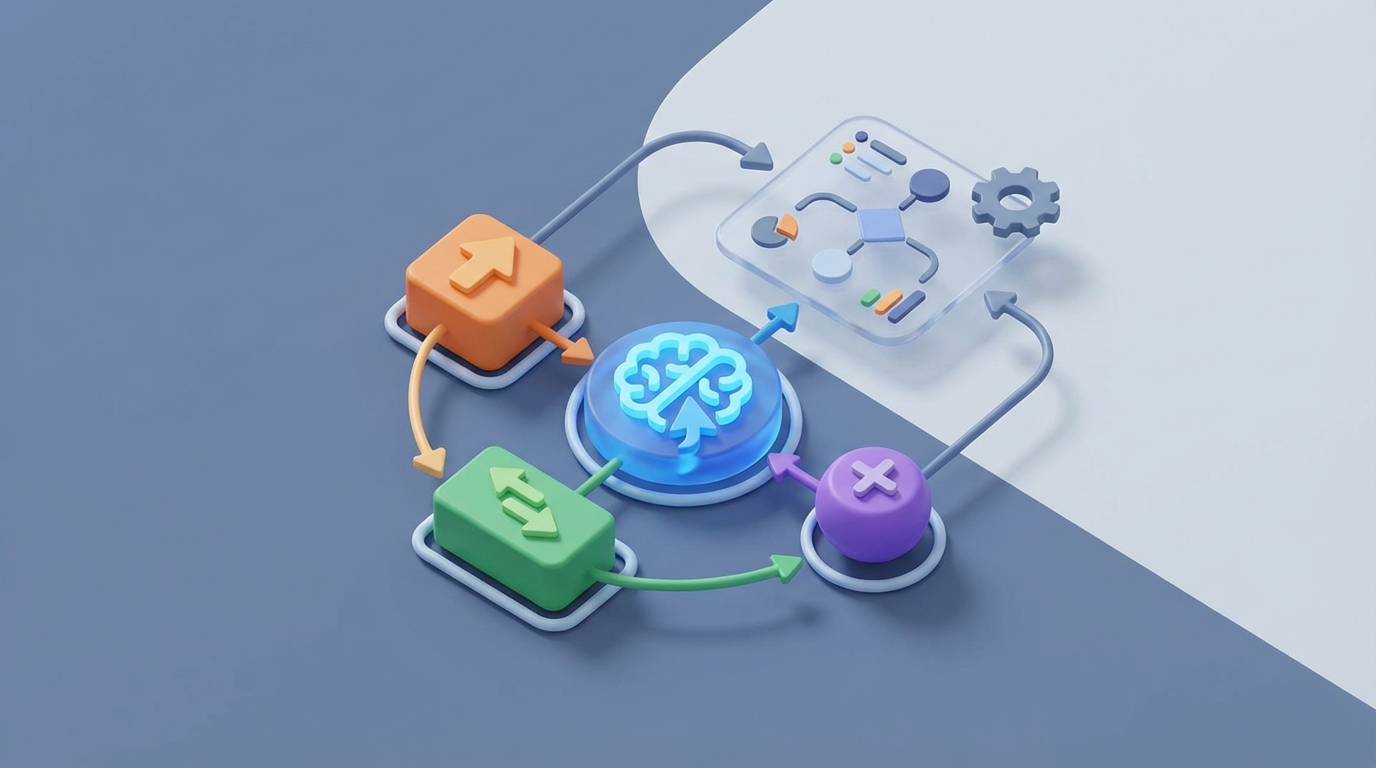
Most businesses treat upselling like a side project. Someone on the marketing team pulls a report, eyeballs a few customer segments, drafts an email, gets it approved, loads it into the ESP, and hopes for the best. Three weeks later, they check results, shrug, and do it again.
Meanwhile, Amazon is serving you a "frequently bought together" widget that accounts for your entire purchase history, browsing behavior, time of day, and probably what you had for breakfast. The gap between how most companies upsell and how the best companies upsell is enormous — and it's almost entirely an automation gap.
Here's the thing: the technology to close that gap isn't reserved for companies with 500-person engineering teams anymore. You can build an AI agent on OpenClaw that identifies upsell and cross-sell opportunities, generates personalized offers, picks the right timing and channel, and executes — with you staying in the loop for the stuff that actually needs your brain.
Let me walk through exactly how.
The Manual Upsell Workflow (And Why It's Bleeding You Dry)
Let's map out what a typical upsell campaign actually looks like in a mid-market company. Whether you're running a SaaS product, an e-commerce store, or a B2B service, the steps are shockingly similar.
Step 1: Data extraction and analysis (2–4 hours) Someone logs into your CRM, pulls purchase history, cross-references it with product usage data or browsing behavior, and maybe checks support tickets to see who's happy and who's not. This usually involves exporting CSVs from three different tools and wrestling with them in a spreadsheet.
Step 2: Customer segmentation (1–3 hours) Now you need to decide who gets what offer. "Users who bought Product A but not Product B." "Accounts using more than 80% of their plan limit." "Customers who haven't purchased in 60 days but were previously high-frequency buyers." Each segment requires manual definition and validation.
Step 3: Offer creation (1–2 hours) What's the bundle? What's the discount? What's the upgrade path? Someone sits down with a spreadsheet of products and margins and figures out what to offer each segment. In B2B, this often involves a pricing discussion with leadership.
Step 4: Messaging and creative (2–4 hours) Writing the email subject lines, body copy, SMS messages, in-app notification text, or banner creative. For each segment. Then getting it reviewed by someone for brand voice.
Step 5: Timing and channel selection (30 min–1 hour) When do we send this? Email only, or email plus in-app? Should the sales rep call instead? This is often gut-feel rather than data-driven.
Step 6: Approval and compliance (1–3 hours, plus waiting) Legal review. Brand review. Pricing approval. In regulated industries, this step alone can add days.
Step 7: Execution (1–2 hours) Loading everything into Klaviyo, HubSpot, Salesforce, or whatever tools you're using. Setting up the automations, double-checking merge tags, scheduling sends.
Step 8: Follow-up and analysis (1–2 hours, ongoing) Did it work? What converted? Updating CRM records. Deciding what to do next.
Total time for one targeted upsell campaign: 8–20 hours. And that's for a single campaign targeting a single segment. If you want to run personalized upsells across your full customer base with different offers for different segments? Multiply accordingly.
Salesforce and LinkedIn data show that SDRs commonly spend 20–35% of their time on manual upsell research and outreach alone. Gong's data puts enterprise account upsell research at 4–6 hours per account before anyone picks up the phone.
This is not a good use of human time.
What Makes This So Painful
The time cost is obvious. But there are deeper problems.
Data fragmentation kills relevance. Your CRM knows purchase history, your support tool knows the customer is frustrated, your product analytics know they just hit a usage milestone, and your marketing platform knows they opened your last three emails. But these systems don't talk to each other well, so your upsell offer goes out to a customer who filed an angry support ticket yesterday. Now you've made things worse.
Generic offers annoy people. Only 23% of companies say they're "very satisfied" with their personalization capabilities (Forrester, 2026). That means 77% know their offers feel generic. And generic upsells don't just fail to convert — they train customers to ignore you. McKinsey's 2023 data shows personalized upsells lift conversion rates by 15–25% compared to generic ones. Most companies are leaving that lift on the table.
Iteration is painfully slow. Want to test a different offer, subject line, or timing? That's another full cycle through the workflow above. Weeks to test what should take hours.
Timing is usually wrong. The best moment to upsell someone might be right after they accomplish something meaningful with your product, or right after they browse a complementary product category for the third time. By the time a human notices these signals, builds a campaign, and ships it, the moment has passed.
The cost adds up fast. If a marketer or sales ops person costs you $75–$100/hour loaded, and each campaign takes 8–20 hours, you're spending $600–$2,000 per campaign. Run 10 campaigns a month and you're looking at $6,000–$20,000 in labor alone — often for mediocre conversion rates.
Companies with effective cross-sell and upsell programs generate 10–30% more revenue per customer (Bain & Company). The opportunity cost of doing this badly is enormous.
What AI Can Actually Handle Right Now
Let's be specific about what an AI agent can reliably do today versus what still needs a human. No hand-waving.
AI handles well:
- Pattern recognition across fragmented data. An AI agent can pull from your CRM, product analytics, support tickets, and browsing data simultaneously and identify which customers show upsell readiness signals. It does this better than rules-based systems because it catches non-obvious patterns.
- Real-time next-best-offer calculation. Given a customer's full context, the agent can score and rank which offer is most likely to convert, right now.
- Personalized copy generation at scale. LLMs are genuinely good at writing upsell emails, SMS messages, and in-app notifications that feel personalized — not "Hi {first_name}" personalized, but actually referencing the customer's specific usage, purchases, and situation.
- Optimal timing prediction. Predictive models can identify the window when a customer is most receptive based on historical engagement patterns.
- Rapid testing and iteration. Multi-armed bandit approaches let the agent test multiple offers simultaneously and automatically shift traffic toward the best performer.
- Segment discovery. Instead of you manually defining segments, the AI can find them: "These 3,247 users all share this pattern that precedes an upgrade."
Still needs humans:
- Pricing strategy and discount policy (especially in B2B)
- Brand voice and positioning guardrails (you set them, the AI follows them)
- Knowing when not to upsell (relationship-sensitive situations)
- Final legal/compliance sign-off in regulated industries
- Creative strategy for high-value, high-stakes offers
- Setting ethical boundaries
The sweet spot is AI handling discovery, personalization, timing, copy, and execution — while humans own strategy, guardrails, and exceptions.
Step-by-Step: Building an Automated Upsell Agent on OpenClaw
Here's how to actually build this. I'm going to walk through the architecture using OpenClaw, since it's designed for exactly this kind of multi-step, data-aware agent workflow.
Step 1: Connect Your Data Sources
Your agent is only as good as the data it can access. In OpenClaw, you'll set up integrations to pull from:
- CRM (Salesforce, HubSpot) — purchase history, deal stages, account info
- Product analytics (Amplitude, Mixpanel, Segment) — usage data, feature adoption, engagement scores
- Support platform (Zendesk, Intercom) — open tickets, satisfaction scores, recent interactions
- E-commerce platform (Shopify, WooCommerce) — browsing behavior, cart data, order history
- Marketing platform (Klaviyo, Customer.io) — email engagement, past campaign responses
In OpenClaw, you define these as data connectors in your agent's configuration. The agent queries them as needed rather than requiring you to build and maintain a separate data warehouse.
data_sources:
  - name: crm
    type: hubspot
    credentials: ${HUBSPOT_API_KEY}
    sync_frequency: real_time
    entities: [contacts, deals, products]

  - name: product_analytics
    type: amplitude
    credentials: ${AMPLITUDE_API_KEY}
    sync_frequency: hourly
    events: [feature_used, plan_limit_approached, session_completed]

  - name: support
    type: zendesk
    credentials: ${ZENDESK_API_KEY}
    sync_frequency: real_time
    entities: [tickets, satisfaction_ratings]

  - name: ecommerce
    type: shopify
    credentials: ${SHOPIFY_API_KEY}
    sync_frequency: real_time
    entities: [orders, products, browsing_sessions]
Step 2: Define Your Upsell Signal Model
This is where you tell the agent what patterns to look for. You start with obvious signals and let the agent discover non-obvious ones.
upsell_signals:
  explicit:
    - name: plan_limit_approaching
      condition: "usage >= 0.8 * plan_limit"
      weight: 0.9

    - name: repeat_category_browsing
      condition: "category_views >= 3 AND no_purchase_in_category"
      weight: 0.7

    - name: complementary_product_gap
      condition: "purchased_product_A AND NOT purchased_product_B AND affinity_score > 0.6"
      weight: 0.8

    - name: engagement_spike
      condition: "session_frequency_7d > 2 * session_frequency_30d_avg"
      weight: 0.6

  discovery:
    enabled: true
    min_confidence: 0.75
    review_new_patterns: true  # Human reviews AI-discovered signals before activation
The discovery section is key — this lets the OpenClaw agent analyze your data for upsell-predictive patterns you haven't thought of. When it finds one with sufficient confidence, it flags it for your review before acting on it.
Step 3: Configure Offer Logic
Define what the agent can offer, with guardrails.
offer_rules:
  max_discount_percent: 15
  min_margin_percent: 30
  max_offers_per_customer_per_month: 2
  cooldown_after_rejection_days: 14

  exclusions:
    - open_support_ticket_severity: [high, critical]
    - customer_satisfaction_score_below: 3
    - account_age_days_below: 14

  offer_types:
    - plan_upgrade
    - complementary_product
    - volume_discount
    - feature_addon
    - annual_commitment_discount
Those exclusion rules are critical. You don't upsell a customer who has an open critical support ticket. You don't upsell someone who's been a customer for three days. These are the guardrails that keep the agent from doing dumb things.
Step 4: Set Up Personalized Messaging
Here's where OpenClaw's LLM layer shines. Instead of writing templates for every segment, you define voice guidelines and let the agent generate contextual copy.
messaging:
  brand_voice:
    tone: "helpful, confident, not pushy"
    avoid: ["limited time", "act now", "don't miss out"]
    style_reference: "We talk like a smart friend who happens to know about our products"

  channels:
    email:
      enabled: true
      max_length_words: 150
      requires_approval: false  # Set to true for high-value offers

    in_app:
      enabled: true
      max_length_words: 50
      trigger: contextual  # Shows when user is in a relevant part of the product

    sms:
      enabled: true
      max_length_chars: 160
      requires_approval: true

    sales_alert:
      enabled: true
      threshold_deal_value: 5000  # Alert sales rep instead of automated outreach
Notice requires_approval on SMS and the sales_alert threshold. For high-value deals or intrusive channels, you keep a human in the loop. For low-risk email and in-app offers, the agent runs autonomously.
Step 5: Build the Agent Workflow
Now connect it all into an OpenClaw agent workflow.
agent:
  name: upsell_agent
  schedule: continuous  # Evaluates opportunities in real-time

  workflow:
    - step: scan_customers
      action: evaluate_all_active_customers
      against: upsell_signals
      frequency: every_6_hours  # Full scan
      real_time_triggers: [plan_limit_event, purchase_event, browsing_event]

    - step: score_opportunities
      action: rank_opportunities
      model: next_best_offer
      inputs: [customer_context, offer_rules, historical_conversion_data]

    - step: generate_offer
      action: create_personalized_offer
      inputs: [top_opportunity, brand_voice, channel_rules]
      output: [offer_content, channel, timing]

    - step: approval_check
      action: route_based_on_rules
      auto_approve: [email_under_500_value, in_app_standard]
      human_approve: [sms, high_value, new_signal_pattern]

    - step: execute
      action: deliver_offer
      via: [klaviyo, intercom, hubspot, slack_sales_alert]

    - step: monitor
      action: track_outcomes
      metrics: [open_rate, click_rate, conversion_rate, revenue_impact]
      feedback_loop: true  # Results improve future scoring
The feedback loop in the monitor step is what makes this compound over time. Every offer the agent sends — whether it converts or not — becomes training data that improves future scoring and messaging.
Step 6: Deploy and Iterate
Start narrow. Pick one product line or customer segment and let the agent run for two weeks. Review:
- Which opportunities is it identifying? (Do they make sense?)
- What copy is it generating? (Does it match your brand?)
- What's the conversion rate compared to your manual baseline?
- Are there any false positives? (Customers who shouldn't have been targeted?)
OpenClaw's dashboard gives you visibility into each decision the agent made and why. If something's off, adjust the signal weights, exclusion rules, or brand voice guidelines and redeploy.
Once you're confident it's working on a narrow scope, expand to more segments and product lines.
What Still Needs a Human
I want to be honest about this because overpromising leads to bad outcomes.
Keep humans responsible for:
-
Pricing strategy. The agent can suggest that a customer is ready for an upgrade, but your pricing team should set the framework for what discounts are acceptable and when.
-
High-value account decisions. For your top 50 accounts, a sales rep who knows the relationship should review any upsell before it goes out. The agent can surface the opportunity and even draft the email, but a human should make the call.
-
Brand and creative strategy. The agent generates copy within your guidelines, but someone should periodically review output quality and update the voice guidelines as your brand evolves.
-
Ethical guardrails. Should you upsell a customer who's clearly overspending relative to the value they're getting? That's a human judgment call, and you should encode your values into the exclusion rules.
-
New product launches. When you launch something new, the agent has no historical conversion data to work from. Seed it with initial offers and let it learn, but expect humans to drive the strategy for the first few weeks.
Expected Time and Cost Savings
Let's do the math conservatively.
Before (manual process):
- 8–20 hours per campaign × 10 campaigns/month = 80–200 hours/month
- At $85/hour loaded cost = $6,800–$17,000/month in labor
- Conversion rate on upsells: 3–5% (generic, poorly timed offers)
- Iteration cycle: 2–4 weeks per test
After (OpenClaw agent with human oversight):
- Initial setup: 20–40 hours (one-time)
- Ongoing oversight: 5–10 hours/month (reviewing agent decisions, updating guardrails, handling high-value exceptions)
- At $85/hour = $425–$850/month in labor
- Conversion rate on upsells: 8–15% (personalized, well-timed offers — consistent with ReConvert and McKinsey benchmarks)
- Iteration cycle: hours, not weeks (agent tests continuously)
The savings:
- Labor reduction: 75–95% of time spent on upsell campaign management
- Revenue lift: 2–4x improvement in upsell conversion rates
- Speed: 10–20x faster iteration on offers
- Scale: Go from managing a handful of segments to personalizing at the individual customer level
Even if the conversion rate improvement is more modest — say you go from 4% to 8% — that's a 100% increase in upsell revenue with dramatically less human effort.
The Bigger Picture
The companies winning at upselling in 2026 aren't the ones with the biggest teams. They're the ones that figured out how to combine AI-driven discovery and execution with human strategic oversight.
The old model — pull data, build segments, write copy, get approval, launch, wait, analyze, repeat — simply can't keep up with customer behavior that changes in real time. An AI agent on OpenClaw monitors continuously, acts immediately, learns constantly, and escalates to humans only when it should.
You're not replacing your marketing or sales team. You're giving them leverage. Instead of spending 80% of their time on execution and 20% on strategy, they can flip that ratio.
If you want to find pre-built upsell and cross-sell agents, browse what's available on Claw Mart — the marketplace for OpenClaw agents, tools, and templates built by the community. Or if you've built your own upsell agent and it's performing well, list it on Claw Mart through Clawsourcing and let other businesses benefit from your work (while you earn from it). The best automation shouldn't stay locked in one company's tech stack.
Recommended for this post
Bootstrap your development environment with one command -- dependencies, configs, and toolchain.
 SpookyJuice.ai
Automate your skill release pipeline -- version, validate, publish, and announce in one workflow.
SpookyJuice.ai
Validate SKILL.md files against the OpenClaw specification -- catch formatting errors before publishing.
SpookyJuice.ai