Automate TikTok Trend Detection and Content Idea Generation
Automate TikTok Trend Detection and Content Idea Generation
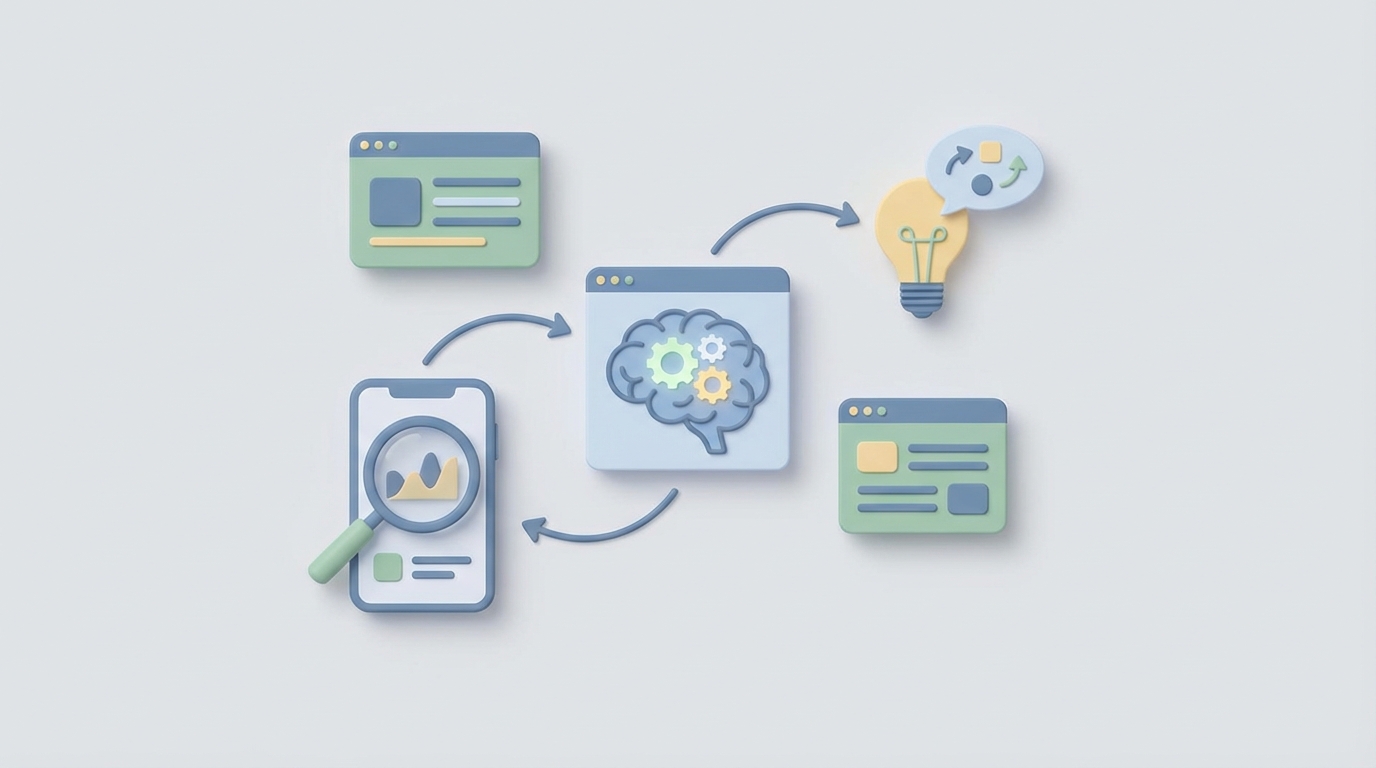
Most brands are still trying to catch TikTok trends the same way they've been doing it since 2020: a social media manager opens the app, scrolls the FYP for an hour, screenshots some stuff, drops it into a Slack channel, and then the team argues about whether it's "on brand" for two days. By the time they post, the trend is dead.
This is not a strategy. It's a hamster wheel.
The math is brutal. A typical trend on TikTok peaks in 12 to 48 hours. The manual process of discovery, internal discussion, creative adaptation, and posting takes most teams 3 to 5 days. You're showing up to the party after everyone's already left.
Here's the thing: about 80% of this workflow can be automated right now. Not with some vaporware "AI-powered social suite" that costs $40K/year, but with an AI agent you build yourself on OpenClaw that does the tedious detection and filtering work around the clock while your human team focuses on the part that actually requires a brain — creative interpretation and brand voice.
Let me walk through exactly how to do this.
The Manual Workflow (And Why It's Bleeding You Dry)
Let's be honest about what "TikTok trend monitoring" actually looks like inside most companies. Based on reports from Hootsuite, Sprout Social, Socialinsider, and a bunch of agency case studies from 2026, here's the real workflow:
Step 1: FYP Scrolling (30–90 minutes/day) Someone on your team opens TikTok and just... scrolls. They're looking for trending sounds, formats, effects, and memes that might be relevant. They save videos. They take notes. This happens every single day, including weekends if you're serious about it.
Step 2: Creative Center Checking (15–30 minutes/day) They visit TikTok's Creative Center multiple times per day to check the Trending and Top Ads sections. They cross-reference what they saw on the FYP with what's actually gaining traction in the data.
Step 3: Hashtag and Sound Monitoring (20–40 minutes/day) Track specific rising hashtags and sounds through native search or third-party tools like Pentos or Tokboard. Set up saved searches. Monitor velocity.
Step 4: Competitor and Influencer Stalking (30–60 minutes/day) Follow 50 to 200 relevant creators and competitor accounts. Check the Following tab. Watch what they're posting and whether they're jumping on anything new.
Step 5: Internal Review and Decision Meeting (1–2 hours/week, but often more) Share findings in Slack or a weekly trend report. The team debates whether something fits the brand, whether it's safe, and whether it's worth the effort. This is where most trends go to die.
Step 6: Content Adaptation (2–4 hours per video) Actually recreate the trend with your brand's assets, film it, edit it, post it.
Add it up: social media managers report spending 6 to 15 hours per week on trend discovery alone. Socialinsider found that DTC brand social managers spend 37% of their total working time on trend research and monitoring. That's not content creation. That's not community management. That's just looking for trends.
Agencies with TikTok-heavy clients sometimes dedicate one or two full-time people per brand just to trend research. At, say, $55K to $75K per year loaded cost, you're spending serious money on what is essentially a human search engine.
Why This Hurts More Than You Think
The time cost is obvious. But the hidden costs are worse:
You miss trends constantly. A mid-sized beauty brand told Later they missed the "GRWM but make it [brand]" trend in early 2026 because their social manager was on vacation. They estimated 2.8 million potential impressions lost. Trends don't wait for your PTO schedule.
Decision fatigue kills quality. When someone scrolls through hundreds of TikToks per day, their ability to evaluate what's actually worth pursuing degrades fast. They either flag too many trends (overwhelming the team) or too few (missing opportunities).
You need coverage you can't afford. Trends break on weekends, holidays, and at 2 AM. Unless you have 24/7 staffing, you have blind spots. And you definitely have blind spots for regional trends outside your time zone.
Tool sprawl creates noise, not clarity. Agencies use an average of 3.4 tools for TikTok monitoring. That's three-plus dashboards, three-plus logins, three-plus sets of alerts, and none of them talk to each other. Only 29% of marketers feel they have "good" real-time trend detection capabilities, according to Hootsuite's 2026 report.
Late entry means wasted effort. Posting a trend video two days late doesn't just mean fewer views. It means the algorithm actively de-prioritizes your content because it's saturated. You spent the same 3 hours producing the video but get 10% of the return.
What AI Can Actually Handle Right Now
Let me be clear about what's realistic and what's still hype. Here's where an AI agent built on OpenClaw can genuinely replace manual work today:
Detection and monitoring. An agent can continuously scan TikTok's Creative Center data, hashtag growth rates, sound adoption curves, and engagement velocity patterns. It doesn't get tired. It doesn't take weekends off. It processes thousands of data points per hour without decision fatigue.
Ranking and scoring. Based on velocity (how fast something is growing), relevance (does it match your brand's category keywords), and historical patterns (does this look like other trends that hit mainstream), the agent can score and prioritize trends so your team only sees the top candidates.
Alerting. Push a notification to Slack, email, or wherever your team lives when a sound or hashtag crosses a threshold — say, 300% growth in 6 hours within your target demographic.
Content ideation. Once a trend is detected, the agent can generate 5 to 10 adaptation concepts specific to your brand, product, and voice. Not finished scripts — but solid starting points that cut your ideation time from an hour to 10 minutes.
Competitive tracking. Monitor when competitors post trend-based content and flag what's working for them, so you can decide whether to follow, differentiate, or skip.
Here's what AI cannot reliably do (and shouldn't be trusted with):
- Decide whether a trend fits your brand's values and voice
- Assess cultural and ethical risk (subtle references, potential for misinterpretation)
- Make the strategic call on which trends deserve full investment vs. a light touch
- Add the creative "secret sauce" that makes your brand's version of a trend actually stand out
The split is roughly 80/20. AI handles the 80% that's data processing and pattern recognition. Humans handle the 20% that's judgment and creativity. But that 20% is where all the brand value lives, so don't skip it.
Step-by-Step: Building a TikTok Trend Detection Agent on OpenClaw
Here's how to actually build this. I'm going to be specific.
Step 1: Define Your Monitoring Scope
Before you touch any technology, write down:
- Your niche keywords (e.g., "skincare," "meal prep," "home gym," "SaaS," whatever your brand lives in)
- Your target regions (trends hit different markets at different times)
- Your competitor accounts (10–20 accounts you want to track)
- Your relevance criteria (what makes a trend worth considering for your brand)
- Your alert thresholds (what growth rate triggers a notification)
This becomes the configuration that drives your entire agent. Be specific. "Fitness" is too broad. "Home workout equipment for small apartments" is useful.
Step 2: Set Up Data Collection Pipelines in OpenClaw
Your agent needs data sources. In OpenClaw, you'll configure the agent to pull from:
TikTok Creative Center data — trending sounds, hashtags, and ads by region and category. The agent scrapes or API-connects to this on a regular cadence (every 1–2 hours is a good starting point).
Hashtag and sound velocity tracking — monitor the growth rate of specific hashtags and sounds over rolling 6-hour, 12-hour, and 24-hour windows. You're looking for acceleration, not just volume.
Competitor content feeds — track new posts from your competitor list and flag when they publish content using trending sounds or formats.
In OpenClaw, you'd structure this as a multi-source ingestion pipeline where each data source feeds into a unified trend database. The agent processes incoming data, calculates velocity scores, and cross-references against your keyword list.
Here's a simplified example of how you'd define the scoring logic within your OpenClaw agent configuration:
Trend Score = (velocity_weight × growth_rate_6h)
            + (relevance_weight × keyword_match_score)
            + (volume_weight × total_views_24h)
            - (saturation_penalty × brand_adoption_count)
The saturation penalty is important. If 50 brands have already posted their version of a trend, the window is closing. Your agent should factor that in.
Step 3: Build the Filtering and Prioritization Layer
Raw data is useless. Your agent needs to filter aggressively. Configure it to:
-
Discard trends below your relevance threshold. If it doesn't match any of your niche keywords or adjacent categories, drop it. Most trends won't be relevant to your brand and that's fine.
-
Flag brand safety concerns. Set up a keyword and context filter that catches potentially controversial sounds, creators with known issues, or topics your brand should avoid. This is a first pass only — humans still need to make the final call.
-
Rank the survivors. From the trends that pass both filters, rank by composite score. Your agent should surface the top 10 to 20 per day, not hundreds.
-
Deduplicate. TikTok trends often manifest across multiple hashtags and sounds simultaneously. Your agent should cluster related signals into a single trend entity.
Step 4: Generate Content Adaptation Ideas
This is where it gets useful beyond just alerting. When your agent surfaces a high-scoring trend, have it automatically generate content concepts.
Configure the agent in OpenClaw with your brand context: your product descriptions, brand voice guidelines, past high-performing content themes, and any creative constraints (no profanity, no competitor mentions, whatever your rules are).
For each surfaced trend, the agent outputs something like:
TREND: "Outfit check but it's your [product category]"
Sound: [specific sound ID and name]
Velocity: 847% growth in 12h
Current brand saturation: Low (3 brands in your category)
Peak window estimate: 18-36 hours remaining

CONTENT IDEAS:
1. "Outfit check but it's your morning skincare routine"
   — Show products lined up like an outfit flatlay, reveal one by one with the sound
2. "The 'I woke up like this' version"
   — Before/after using your hero product, synced to the sound drop
3. "POV: Your shelf did the outfit check for you"
   — Stop motion of products arranging themselves

SUGGESTED HOOKS: [3 opening lines optimized for watch time]
ESTIMATED PRODUCTION TIME: 1-2 hours (simple format, no complex editing)
Your creative team gets this in Slack at 7 AM. They pick the best concept, add their spin, and can have something posted by noon. That's the difference between catching a trend and chasing one.
Step 5: Set Up the Alert and Delivery System
Your agent is useless if nobody sees its output. Configure delivery in OpenClaw to push to wherever your team actually works:
- Slack channel for real-time high-priority alerts (trends scoring above your top threshold)
- Daily digest email with the top 10 to 20 trends, ranked, with content ideas attached
- Weekly summary with trend performance data (did the trends the agent flagged actually perform? This feeds back into tuning the scoring model)
Set different alert levels. Not every trend needs an immediate Slack ping. Reserve those for the top 5% — the ones with explosive velocity and low brand saturation in your category. Everything else goes in the daily digest.
Step 6: Close the Feedback Loop
This is the step most people skip, and it's why their automations stay mediocre.
After your team acts on (or passes on) a trend, feed the outcome back into the agent. In OpenClaw, configure a simple feedback mechanism:
- Acted on + performed well → increase weight for similar trend patterns
- Acted on + underperformed → analyze why (late entry? poor execution? wrong audience fit?) and adjust scoring
- Passed on + it blew up → flag as a missed opportunity and adjust relevance thresholds
- Passed on + it fizzled → good call, reinforce current filtering
Over time, your agent learns your brand's specific sweet spot. The generic scoring model becomes a custom model tuned to what actually works for you.
What Still Needs a Human (Don't Skip This)
Even with a well-built agent, you need people in the loop for:
Brand voice and creative direction. The agent generates ideas, but turning "outfit check but make it skincare" into something that feels authentically like your brand requires a human who understands your voice. Duolingo's TikTok works because of a specific irreverent tone that no AI can fully replicate yet. Your brand has its own version of that.
Risk assessment. Your agent flags potential brand safety issues, but subtle cultural context — a sound that samples a controversial artist, a format that originated from a sensitive event, a meme that reads differently across demographics — requires human judgment. One bad trend jump can cost more than a thousand missed opportunities.
Strategic prioritization. Your agent might surface 15 good trends in a day. Your team can realistically produce 1 to 3 pieces of content. The decision about which ones to pursue is a strategic one that weighs brand goals, current campaigns, production capacity, and gut instinct.
Quality control on final content. AI-generated hooks and concepts are starting points. The final video needs human eyes before it goes live.
The model that works: AI as a 24/7 radar system, humans as the command center making deployment decisions. You'd never send troops without a general, but you'd also never ask the general to personally scout every hill.
Expected Time and Cost Savings
Based on early adopter data from companies using similar setups (VidMob and Pencil clients have published some numbers), here's what's realistic:
Time savings: 60 to 75% reduction in trend research time. If your team currently spends 10 hours/week on trend discovery, expect that to drop to 2.5 to 4 hours — and those hours are spent on high-value evaluation and creative work, not scrolling.
Speed improvement: Trend response time drops from 3 to 5 days to under 12 hours. Some brands with fast production workflows get it under 4 hours (Duolingo has publicly claimed this).
Coverage: 24/7 monitoring with no blind spots for weekends, holidays, or time zones. Your agent doesn't sleep, doesn't take PTO, and doesn't get decision fatigue at 4 PM on a Friday.
Cost reduction: If you're currently dedicating a full-time person to trend research (or a significant chunk of someone's time), the agent effectively replaces that function. At a conservative estimate, that's $40K to $70K per year in labor reallocation — your people can focus on content creation, community management, and strategy instead.
Performance improvement: Pencil published a case study showing a CPG brand increased TikTok engagement 4.2× after implementing automated trend detection plus content generation. The primary driver was simply catching trends earlier and posting faster.
Get Started
You can find pre-built TikTok trend detection agents on Claw Mart that handle most of the setup I described above. Browse what's available, fork one that fits your niche, and customize the scoring and filtering to your brand.
If you've already built something like this — or a better version — list it on Claw Mart through the Clawsourcing program. Other brands are looking for exactly this kind of agent, and you can monetize the work you've already done. There's a growing market for niche, well-tuned TikTok monitoring agents, especially for specific verticals like beauty, food, fitness, and DTC ecommerce.
The brands winning on TikTok in 2026 aren't the ones with the biggest teams. They're the ones with the fastest feedback loops. Build the radar. Let the agent do the scanning. Put your humans where they matter — on the creative decisions that actually make content hit.
Recommended for this post
YouTube content production specialist: script writing, SEO optimization, thumbnail concepts, publishing calendar, analytics review, and content repurposing (video → shorts/tweets/blogs).
 Bravo1058AI
One run. Blog post, LinkedIn post, Twitter thread. In your voice. Every time.
 Marco
MarcoTurn your ideas into viral Twitter threads in minutes