Automate Sales Pipeline Updates: Build an AI Agent That Syncs Deal Stages
Automate Sales Pipeline Updates: Build an AI Agent That Syncs Deal Stages
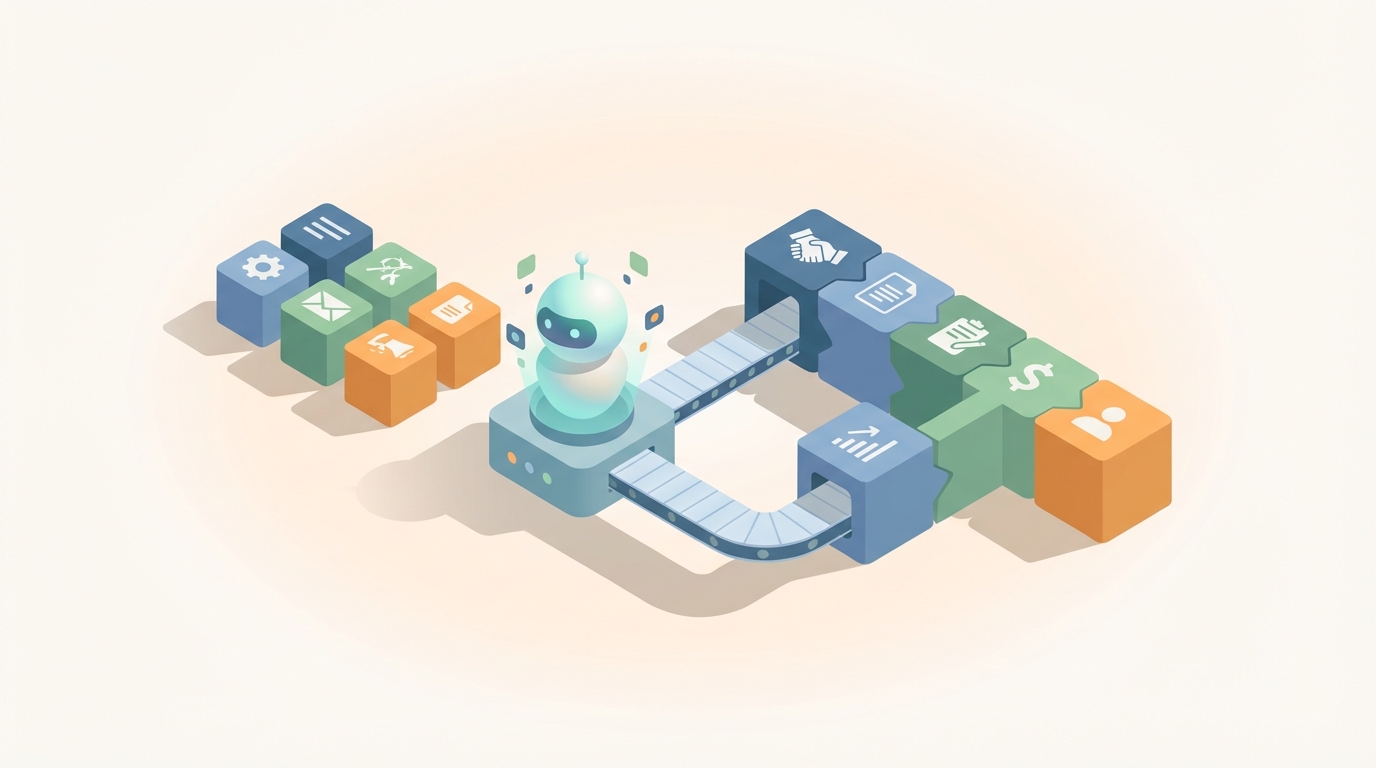
Every sales rep I've ever talked to has the same complaint: they spend more time updating Salesforce than actually selling. And the data backs them up — reps burn 6 to 8 hours per week on CRM data entry, activity logging, and forecast updates. That's an entire working day, every week, spent on busywork that contributes exactly zero to closing deals.
The kicker? After all that manual effort, 40-60% of CRM data is still inaccurate or incomplete. So you're paying your highest-cost employees to do low-skill data entry, and they're doing it badly. Not because they're bad at their jobs — because it's tedious, context-switching hell and they have better things to do.
This is exactly the kind of workflow AI agents are built for. Not the sexy "AI will replace salespeople" narrative. The boring, practical, "let the machine handle the mechanical parts so humans can focus on judgment" kind of automation.
Here's how to build an AI agent on OpenClaw that keeps your sales pipeline updated automatically — what it can handle, what it can't, and how to wire the whole thing together.
The Manual Workflow Today (and Why It's Broken)
Let's be specific about what happens after every single customer interaction. A rep finishes a call, a demo, a meeting, or even a meaningful email exchange. Then they have to:
Step 1: Switch context. Close the call tool, open the CRM. Find the right tab. Wait for Salesforce to load (if you know, you know).
Step 2: Find the record. Search for the contact or opportunity. Hope there aren't three duplicates. Click into the right one.
Step 3: Update the deal stage. Was this Discovery, Technical Evaluation, Negotiation, or Proposal? Move it. Update the close date. Adjust the deal amount if pricing came up. Change the forecast category.
Step 4: Fill in custom fields. Budget confirmed? Decision makers mapped? Pain level? Competitor status? Timeline? Most CRMs have 8-15 custom fields per opportunity that need periodic updates.
Step 5: Write notes. Summarize what was discussed. Document objections, next steps, key stakeholder comments.
Step 6: Log the activity. Create a call record, attach it to the opportunity, note the duration and outcome.
Step 7: Update related records. Add new contacts mentioned in the meeting. Update the account record. Create follow-up tasks.
Step 8: Notify the team. Drop a note in Slack. @mention the manager if the deal stage changed significantly. Hand off to an SE or CSM if needed.
Step 9: Re-forecast. Many orgs require a separate forecast adjustment — updating probability, commit status, or a forecast spreadsheet that lives outside the CRM entirely.
This repeats 20-50+ times per week per rep. And according to CSO Insights, only 28-34% of a salesperson's time is actually spent selling. The rest is this.
What Makes This So Painful
The time cost is obvious — 6-8 hours per week per rep. For a 10-person sales team, that's 60-80 hours of collective time every week, or roughly 1.5-2 full-time equivalent employees doing nothing but data entry.
But the downstream costs are worse:
Forecast inaccuracy. When reps update stages manually, they're notoriously optimistic. They leave deals in late stages that should've been moved back. They inflate probabilities. This creates pipeline bloat that makes forecasting unreliable. HubSpot found that 57% of sales leaders cite poor data quality as their top barrier to accurate forecasting.
Delayed visibility. Leadership sees the pipeline as it was 2-3 days ago, not as it is now. By the time a deal goes sideways and someone notices, the window to intervene has closed.
Knowledge loss. When a rep leaves (and in sales, turnover is high), all those half-written notes and context-dependent updates walk out the door with them. The next rep inherits a CRM record that tells them almost nothing useful.
Rep burnout. This is the one nobody talks about in ROI analyses. Making your highest-paid, highest-energy employees do repetitive administrative work is a morale killer. It's the number one reason reps resist CRM adoption in the first place — not because they don't see the value, but because the tax on their time is too high.
People.ai found that reps perform over 1,800 manual CRM actions per month. That's not a workflow. That's a punishment.
What AI Can Actually Handle Right Now
Let's be honest about what works and what doesn't. The industry is in a transition period — full autonomous pipeline management isn't here yet, but a huge chunk of the mechanical work is automatable with high reliability today.
Things an AI agent can do well:
- Activity capture. Automatically log emails sent and received, calendar events, call recordings and transcripts, and LinkedIn messages. No rep action required.
- Meeting summarization. Extract key discussion points, objections raised, stakeholder names mentioned, next steps agreed upon, and competitive intel from call transcripts.
- Field population from conversation data. Detect budget ranges, timeline mentions, decision-maker names, pain points, and technical requirements from natural language and map them to CRM fields.
- Stage movement suggestions. Based on conversational signals and historical patterns — "customer asked for a proposal" maps to Proposal stage; "legal is reviewing the contract" maps to Negotiation; "they mentioned a competing vendor's POC" triggers a competitive flag.
- Engagement signal processing. Email open rates, website visits, content downloads, and reply sentiment all feed into deal health scoring.
- Duplicate detection and data enrichment. Merge duplicate contacts, enrich company data, and keep records clean without manual intervention.
- Forecast probability scoring. ML-based probability assignments that are typically more accurate than rep gut feel.
Things that still need a human (and probably will for a while):
- Final stage approval on high-value deals
- Qualification judgment — distinguishing real opportunities from polite conversations
- Reading stakeholder politics and hidden objections
- Relationship and trust assessment with the economic buyer
- Strategic decisions (discount, walk away, escalate)
- Compliance and legal considerations
- Forecast commitment — someone has to own the number
The rule of thumb emerging in 2026-2026 is that AI should handle 70-80% of the mechanical pipeline work and surface insights. Humans focus on the 20-30% that requires judgment, strategy, and accountability.
Step-by-Step: Building the Agent on OpenClaw
Here's how to build a pipeline sync agent using OpenClaw that handles the automatable 70-80%. The architecture is straightforward: ingest signals, process them, update the CRM, and flag anything that needs human review.
Step 1: Define Your Agent's Scope
Before you build anything, write down exactly what this agent should and shouldn't do. For a pipeline sync agent, a good starting scope looks like this:
Should do automatically:
- Log all email and calendar activity to the correct CRM record
- Summarize every call/meeting and attach notes to the opportunity
- Update contact and account fields from conversation data
- Suggest deal stage changes with confidence scores
- Auto-move stages when confidence is above 85%
- Flag deals with no activity in 14+ days as "at risk"
- Send a daily Slack digest of pipeline changes to the sales manager
Should flag for human review:
- Stage changes with confidence below 85%
- Any backward stage movement (e.g., Negotiation → Discovery)
- Deals above $50K threshold before moving to Closed-Won
- Conflicting signals (positive email sentiment but missed meetings)
Step 2: Set Up Data Ingestion
Your agent needs to listen to three primary data streams:
Email sync. Connect your team's Gmail or Outlook accounts. OpenClaw's integration layer can watch for emails to/from contacts in your CRM and capture them in real time. You're looking for: sender, recipient, subject, body text, timestamps, and thread context.
Calendar events. Pull meeting invites, attendees, duration, and any attached agendas or documents. Post-meeting, the agent checks if a recording or transcript exists.
Call transcripts. If your team uses a conversation intelligence tool like Fireflies.ai, Grain, or even Zoom's native transcription, pipe those transcripts into OpenClaw via webhook or API. The raw transcript is the richest data source you have.
In OpenClaw, you'd configure these as input connectors:
agent: pipeline-sync
inputs:
  - type: email
    provider: gmail
    filter: contacts_in_crm
    frequency: real_time
  - type: calendar
    provider: google_calendar
    filter: external_attendees
    frequency: real_time
  - type: transcript
    provider: webhook
    endpoint: /ingest/call-transcript
    format: json
Step 3: Build the Processing Logic
This is where OpenClaw's agent framework does the heavy lifting. For each incoming signal, the agent runs through a processing chain:
Extract structured data from unstructured input. Given a call transcript, pull out:
- Key topics discussed
- Objections or concerns raised
- Budget, timeline, or authority mentions
- Next steps and commitments
- Stakeholder names and roles
- Competitive mentions
Configure your extraction prompt in OpenClaw to be specific to your sales process. Generic extraction misses domain-specific signals. If you sell enterprise software, "they mentioned needing SOC 2 compliance" is a meaningful signal that should map to a security review field. If you sell marketing services, "they want to see case studies in our vertical" maps to the Evaluation stage.
processing:
  - step: extract_deal_signals
    model: openclaw-agent-v2
    prompt_template: |
      Analyze this sales interaction and extract:
      1. Deal stage indicators (map to: Discovery, Evaluation,
         Proposal, Negotiation, Closed-Won, Closed-Lost)
      2. Budget signals (any mention of budget, pricing, ROI)
      3. Timeline signals (urgency, deadlines, fiscal year)
      4. Stakeholder updates (new names, roles, sentiment)
      5. Competitive mentions
      6. Objections or risks
      7. Agreed next steps

      Return structured JSON with confidence scores for each.
    output_format: json
Map extracted signals to CRM fields. This is a deterministic mapping layer — you define the rules:
  - step: map_to_crm_fields
    rules:
      - if: stage_indicator.confidence > 0.85
        action: auto_update_stage
      - if: stage_indicator.confidence between 0.5 and 0.85
        action: flag_for_review
      - if: budget_signal exists
        action: update_field
        field: budget_confirmed
      - if: new_stakeholder detected
        action: create_or_link_contact
      - if: next_steps exist
        action: create_tasks
Step 4: Connect to Your CRM
OpenClaw supports direct API integration with the major CRMs. For Salesforce, HubSpot, or Pipedrive, you'll configure the output connector with your API credentials and field mappings.
outputs:
  - type: crm
    provider: hubspot  # or salesforce, pipedrive
    actions:
      - update_deal_properties
      - create_activity_log
      - create_or_update_contacts
      - create_tasks
      - add_notes
  - type: slack
    channel: "#sales-pipeline-updates"
    notify_on:
      - stage_change
      - deal_at_risk
      - human_review_needed
  - type: slack_dm
    notify_on:
      - task_assigned_to_rep
The key architectural decision: always write back to the CRM as the source of truth. Don't create a shadow system. Your agent updates the same fields your reps would update manually. The CRM remains the system of record; the agent just removes the data entry burden.
Step 5: Build the Human Review Queue
This is the piece most people skip, and it's the most important. Your agent will encounter ambiguous situations — conflicting signals, low-confidence predictions, edge cases. You need a clean, simple interface where reps and managers can review and approve flagged changes.
In OpenClaw, configure a review queue that surfaces pending changes:
review_queue:
  display:
    - deal_name
    - current_stage
    - suggested_stage
    - confidence_score
    - evidence_summary  # Why the agent thinks this
    - source_interaction  # Link to the call/email
  actions:
    - approve
    - reject
    - modify_and_approve
  escalation:
    if_unreviewed_for: 48h
    notify: sales_manager
The evidence summary is critical. Nobody will trust a black box that says "move this deal to Negotiation" without explaining why. Show the specific conversational excerpts or email snippets that drove the recommendation. OpenClaw's agent output includes the reasoning chain by default — surface it.
Step 6: Deploy, Monitor, Tune
Start with a single rep or a small team. Run the agent in "suggest only" mode for two weeks — it processes everything and makes recommendations, but doesn't auto-update anything. This lets you:
- Validate accuracy against what reps would have done manually
- Identify mapping gaps (signals your agent misses or misinterprets)
- Calibrate confidence thresholds (you might need to adjust that 85% cutoff)
- Build trust with the sales team (critical for adoption)
After the validation period, gradually turn on auto-updates for high-confidence actions. Start with activity logging and note creation (low risk). Then move to field population. Then stage changes.
Track these metrics weekly:
- Accuracy rate: What percentage of auto-updates were correct (validated by rep review)?
- Coverage rate: What percentage of interactions resulted in a successful CRM update?
- Time saved per rep per week (measure via CRM login time and manual update counts)
- Pipeline data freshness: Average time between customer interaction and CRM update
Expected Time and Cost Savings
Based on what companies using similar automation stacks have reported:
Time savings: People.ai published a case study showing reps went from 6.2 hours to 1.1 hours per week on CRM updates — an 82% reduction. For a 10-person team, that's reclaiming 51 hours per week, or over 2,600 hours per year.
Forecast accuracy: Clari has published cases showing forecast accuracy improving from 68% to 87% when automated activity capture replaces manual logging. Better data in means better predictions out.
Pipeline freshness: Updates that used to happen 1-3 days after an interaction now happen within minutes. Managers see the pipeline as it actually is, not as it was last Tuesday.
Data quality: Automatic capture consistently achieves 90%+ completeness rates, compared to the 40-60% you get from manual entry.
Dollar impact: If your average rep has an OTE of $150K and you're recovering 5+ hours per week of selling time, that's roughly 13% more capacity. Across a team, that's the equivalent of adding headcount without hiring.
The ROI case is not subtle. This is one of the clearest automation wins available to sales organizations right now.
What You Should Do Next
If your team is still manually updating pipeline stages after every call, you're leaving money and morale on the table. The technology to automate 70-80% of this work exists today and is practical to implement.
OpenClaw gives you the agent framework to build this without stitching together a dozen point solutions. The pre-built CRM integrations, the conversation processing pipeline, and the human review queue are designed for exactly this kind of workflow automation.
You can find pipeline sync agent templates and pre-configured CRM connectors on Claw Mart, where the community has published ready-to-deploy agents for HubSpot, Salesforce, and Pipedrive pipelines. Most teams get a working prototype running within a day and are in production within two weeks.
Need someone to build this for you? If you'd rather hand off the implementation entirely, post your project on Clawsourcing — the marketplace for hiring OpenClaw developers who specialize in sales automation agents. Describe your CRM setup, your sales process stages, and your data sources, and get matched with a builder who's done this before. Most pipeline sync agents are scoped at 1-2 weeks of build time.
Stop paying your closers to be data clerks. Automate the pipeline. Let them sell.
Recommended for this post
Your orchestrator that coordinates agent swarms with task decomposition and consensus protocols -- agents working together.
 SpookyJuice.ai
Your agent builder that designs self-healing autonomous systems with perception-action loops -- agents that run themselves.
SpookyJuice.ai
Your memory engineer that builds persistent context, tiered storage, and retrieval systems -- agents that remember.
SpookyJuice.ai