Automate Purchase Order to Payment Matching: Build an AI Agent That Closes the Loop
Automate Purchase Order to Payment Matching: Build an AI Agent That Closes the Loop
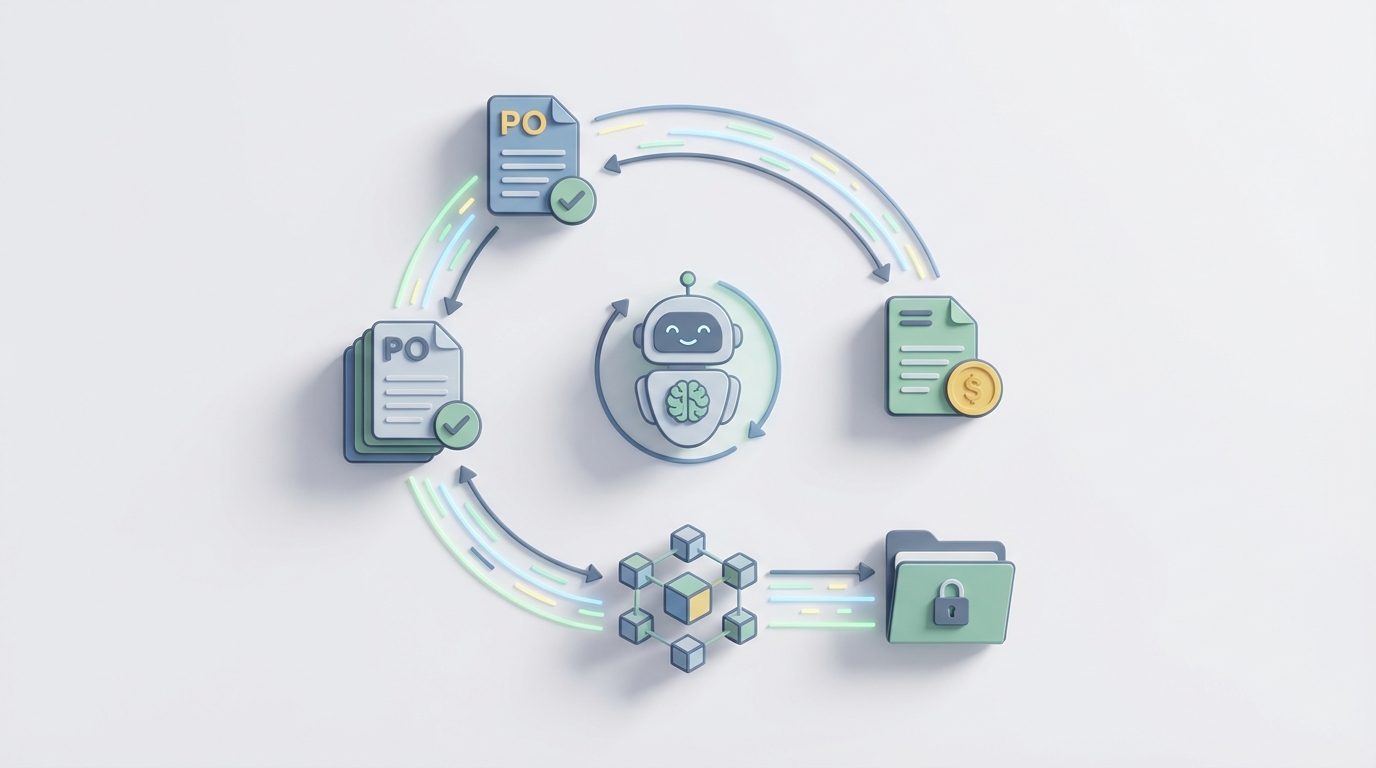
Every AP team has the same dirty secret: you bought fancy software, maybe even an ERP that cost seven figures, and someone on your team is still eyeballing invoices against purchase orders in a spreadsheet. Maybe they're toggling between three browser tabs. Maybe they printed something out. The point is, the "automation" most companies have for PO-to-payment matching is a thin veneer over a brutally manual process.
I'm going to walk through exactly how to fix this by building an AI agent on OpenClaw that handles the full loop — from purchase order creation through invoice matching, exception handling, and payment approval routing. Not a conceptual overview. Actual steps, with examples of the agent logic you'd configure.
Let's get into it.
The Manual Workflow (and Why It's Worse Than You Think)
Here's what PO-to-payment matching actually looks like in most mid-market and even enterprise companies today:
Step 1: PO Creation and Approval (Day 1) A buyer creates a purchase order in the ERP — SAP, NetSuite, Dynamics 365, whatever. It routes through one to three approvers depending on dollar amount. This part is usually somewhat automated, though "somewhat" is doing heavy lifting in that sentence.
Step 2: Goods or Service Receipt (Day 3–10) The warehouse logs a Goods Receipt Note (GRN), or someone in operations confirms the service was delivered. This often happens late. Sometimes days late. Sometimes it doesn't happen at all until AP calls to ask why the invoice doesn't have a matching receipt.
Step 3: Invoice Arrives (Day 5–15) The supplier sends an invoice. It arrives via email (PDF attachment), sometimes through a supplier portal, occasionally through EDI, and in a depressing number of cases, via physical mail. Someone in AP manually enters the invoice into the system, or an OCR tool takes a first pass and a human cleans up the errors.
Step 4: Three-Way Matching (Day 6–20) Now the real fun begins. An AP clerk pulls up the PO, the GRN, and the invoice, then checks:
- Do the quantities match across all three documents?
- Do the unit prices on the invoice match the PO?
- Are tax, freight, and discount calculations correct?
- Do the payment terms align?
If everything lines up perfectly — and it won't — the invoice gets approved.
Step 5: Exception Handling (Day 7–30+) Here's where the process goes to die. Industry data from IOFM and Ardent Partners consistently shows that 50–70% of invoices have some discrepancy. A quantity mismatch because of a partial shipment. A unit price that's off by 3% because the supplier applied a surcharge. A missing PO number entirely. Each exception triggers a chain of emails to the buyer, the requester, sometimes the supplier. People forget to respond. Things sit in inboxes.
Step 6: Approval and Payment (Day 10–30+) Once the match is resolved, the invoice routes for final approval, gets batched for payment, and eventually hits the bank. Then someone reconciles it in the GL.
Total timeline: 6–30 days per invoice. Cost: $15–$30 per invoice when you factor in labor. For a company processing 5,000 invoices a month, that's $75K–$150K monthly in processing costs alone, before you count late payment penalties and missed early-pay discounts.
What Makes This So Painful
The cost numbers above are bad enough, but the real damage is more insidious:
Errors compound. Manual data entry and comparison means duplicate payments slip through. Ardent Partners estimates that duplicate payments affect 0.1–0.5% of all invoices. Sounds small until you realize that on $100M in annual spend, that's $100K–$500K walking out the door.
AP teams become bottlenecks. When 40% of your AP team's time goes to chasing exceptions — emailing buyers, calling suppliers, tracking down GRNs that were never entered — they're not doing anything strategic. They're playing detective on $47.50 discrepancies.
Supplier relationships erode. One in five invoices gets paid late due to matching delays. Suppliers notice. They stop offering you favorable terms. The good ones start prioritizing customers who pay on time.
Visibility is terrible. At any given moment, most AP managers can't tell you how many invoices are stuck in matching, what the average resolution time is, or which suppliers consistently cause exceptions. The data exists in theory, scattered across the ERP, email inboxes, and Karen's personal Excel tracker.
Fraud exposure increases. The more manual the process, the easier it is for fraudulent invoices to slip through. If nobody's systematically comparing patterns across thousands of invoices, a fake vendor billing $8,000 a month can fly under the radar for years.
What AI Can Handle Right Now
Let me be direct about what's realistic. AI won't replace your AP team. But it can handle the tedious, high-volume matching work that currently eats most of their time, and it can make the exception handling that remains dramatically faster.
Here's what an AI agent built on OpenClaw can do today:
Intelligent document extraction. OpenClaw agents can process invoices in any format — PDFs, scanned images, email bodies, EDI files — and extract structured data with over 95% accuracy. Not basic OCR that chokes on a slightly rotated scan. Actual understanding of document layout, line items, tax calculations, and header information, even when every supplier uses a different format.
Fuzzy matching across documents. This is where OpenClaw really shines compared to rigid rules engines. The agent doesn't just check "does field A equal field B." It understands that "Widget Assembly Kit - 12pk" on the PO and "Widget Assy Kit (12)" on the invoice are the same thing. It handles unit-of-measure conversions, partial shipment matching across multiple GRNs, and price variances within configurable tolerances.
Automated exception classification and routing. When discrepancies exist, the OpenClaw agent doesn't just flag them and dump them in a queue. It classifies the exception type (price variance, quantity mismatch, missing receipt, PO not found), estimates the likely root cause based on historical patterns, and routes to the specific person who can resolve it — with all the relevant context attached.
Anomaly detection. The agent continuously monitors for patterns that suggest problems: a supplier whose invoices are suddenly 15% higher than PO prices, duplicate invoice numbers, invoices from new suppliers that weren't onboarded through procurement. These get flagged before they become approved payments.
Auto-approval for clean matches. For the invoices that match cleanly within tolerance — and with a well-configured agent, this should be 70–85% of volume — the agent auto-approves and routes directly to payment processing. No human touch required.
Step-by-Step: Building the Agent on OpenClaw
Here's how you'd actually build this. I'm going to be specific.
Step 1: Define Your Data Sources
Your OpenClaw agent needs access to three core data streams:
- Purchase Orders — from your ERP (SAP, NetSuite, Dynamics, etc.) via API or database connection
- Goods Receipts / Service Confirmations — same source, different tables
- Invoices — from email inboxes, supplier portals, EDI feeds, or document management systems
In OpenClaw, you'd configure these as data connectors. The platform supports direct API integrations with major ERPs and can ingest documents from email (via IMAP/Exchange), SFTP folders, or webhook-triggered uploads.
# Example: OpenClaw data source configuration
data_sources:
  purchase_orders:
    type: erp_api
    system: netsuite
    endpoint: /purchaseorders
    sync_frequency: every_15_minutes

  goods_receipts:
    type: erp_api
    system: netsuite
    endpoint: /itemreceipts
    sync_frequency: every_15_minutes

  invoices:
    type: email_ingestion
    mailbox: ap-invoices@yourcompany.com
    protocol: imap
    attachment_types: [pdf, tiff, png, xml]
    processing: extract_on_arrival
Step 2: Configure the Extraction Agent
This is the agent that reads incoming invoices and turns unstructured documents into structured data. On OpenClaw, you define an extraction schema that tells the agent what to look for:
# Invoice extraction schema
extraction_schema:
  header_fields:
    - supplier_name
    - supplier_tax_id
    - invoice_number
    - invoice_date
    - due_date
    - po_reference
    - currency
    - payment_terms

  line_items:
    - item_description
    - item_code
    - quantity
    - unit_of_measure
    - unit_price
    - line_total
    - tax_rate
    - tax_amount

  totals:
    - subtotal
    - total_tax
    - freight_charges
    - discount_amount
    - invoice_total

  validation_rules:
    - line_totals_sum_to_subtotal
    - tax_calculation_check
    - invoice_total_equals_subtotal_plus_tax_plus_freight_minus_discount
The OpenClaw agent handles format variations automatically. It's not matching pixel positions on a template — it understands the semantic structure of invoices. A supplier who puts the PO number in the header vs. one who buries it in a notes field at the bottom: both get extracted correctly.
Step 3: Build the Matching Logic
This is the core of the agent. You're defining how it performs three-way matching:
# Matching configuration
matching_rules:
  po_lookup:
    strategy: fuzzy
    match_fields: [po_reference, supplier_name, supplier_tax_id]
    fallback: search_by_line_items_and_amounts

  quantity_matching:
    tolerance_type: percentage
    tolerance_value: 2%
    allow_partial_receipts: true
    cumulative_receipt_matching: true

  price_matching:
    tolerance_type: percentage
    tolerance_value: 1%
    check_against: po_unit_price
    include_tax_variance: separate_check

  total_matching:
    tolerance_type: absolute
    tolerance_value: 5.00
    currency: match_po_currency

  auto_approve_conditions:
    - all_quantities_within_tolerance
    - all_prices_within_tolerance
    - total_within_tolerance
    - grn_exists_and_matches
    - supplier_in_approved_vendor_list
    - invoice_amount_below: 50000
A few things to note here. The fallback: search_by_line_items_and_amounts is critical — it handles the very common case where the supplier doesn't include a PO number on their invoice. The agent will attempt to match based on line item descriptions, quantities, and amounts against open POs for that supplier. This single capability eliminates one of the most common exception types.
The cumulative_receipt_matching flag handles partial shipments. If a PO is for 1,000 units and you've received three separate shipments of 300, 400, and 300, the agent tracks cumulative receipts and matches the invoice against the aggregate.
Step 4: Configure Exception Handling Workflows
For the invoices that don't match cleanly, you need smart routing:
# Exception handling
exception_workflows:
  price_variance_above_tolerance:
    severity: medium
    route_to: original_buyer
    include_context:
      - po_price_vs_invoice_price
      - historical_prices_for_item
      - supplier_price_change_history
    auto_resolve_if: buyer_confirms_within_48h
    escalate_after: 72h
    escalate_to: procurement_manager

  quantity_mismatch:
    severity: medium
    route_to: warehouse_manager
    include_context:
      - po_quantity_vs_grn_quantity_vs_invoice_quantity
      - delivery_tracking_info
    auto_resolve_if: grn_updated_to_match

  missing_grn:
    severity: low
    action: send_reminder_to_requester
    reminder_frequency: daily
    escalate_after: 5_business_days
    escalate_to: requester_manager

  po_not_found:
    severity: high
    route_to: ap_supervisor
    include_context:
      - similar_open_pos
      - supplier_recent_pos
      - suggested_po_matches_with_confidence_scores

  suspected_duplicate:
    severity: high
    route_to: ap_supervisor
    include_context:
      - matching_invoice_details
      - payment_status_of_potential_duplicate
    block_payment: true
The key differentiator here is the include_context sections. When a buyer gets notified about a price variance, they don't just see "Invoice #4521 has a price discrepancy." They see the PO price, the invoice price, the percentage difference, what this supplier has charged for this item over the past 12 months, and whether the supplier recently submitted a price change notification. That context turns a 20-minute investigation into a 2-minute decision.
Step 5: Set Up the Payment Approval Pipeline
Clean matches flow directly to payment:
# Payment pipeline
payment_routing:
  auto_approved:
    batch_frequency: daily
    payment_method_rules:
      - amount_below_1000: virtual_card
      - amount_below_10000: ach
      - amount_above_10000: wire
    early_payment_discount:
      check_terms: true
      prioritize_if_discount_available: true

  manually_approved:
    require_final_sign_off: true
    approval_matrix:
      - amount_below_5000: ap_supervisor
      - amount_below_50000: controller
      - amount_above_50000: cfo
The early payment discount logic is a nice bonus. The agent automatically identifies invoices with discount terms (e.g., 2/10 Net 30) and prioritizes them in the payment queue so you actually capture those discounts. Most companies miss 30–50% of available early-pay discounts because invoices are stuck in matching when the discount window closes.
Step 6: Deploy and Monitor
Once configured, deploy the agent and set up a monitoring dashboard. OpenClaw provides built-in analytics for:
- Straight-through processing rate (target: 70–85%)
- Average time to match
- Exception volume by type
- Exception resolution time
- Cost per invoice processed
- Duplicate detection rate
You'll want to review the agent's performance weekly for the first month, tuning tolerances and routing rules based on actual results. After that, monthly reviews are usually sufficient.
What Still Needs a Human
I said I'd be honest about this, so here it is. Even with a well-configured OpenClaw agent handling 75–85% of invoices automatically, humans are still essential for:
Complex contract interpretation. A service contract with milestone billing, penalty clauses, or variable pricing based on deliverables requires someone who understands the business context. The agent can flag these and pull up the contract terms, but a person needs to make the judgment call.
Quality disputes. The goods arrived and the GRN was entered, but the product is defective. That's not a data matching problem — it's a business problem that requires negotiation with the supplier.
High-value transactions. Most companies (wisely) keep human approval for invoices above a certain threshold. The agent handles the matching and presents all the data, but a controller or CFO signs off.
Fraud investigation. The agent detects anomalies and flags suspicious patterns. A human investigates, makes judgment calls, and takes action. You don't want an AI deciding whether to accuse a supplier of fraud.
Supplier relationship management. When a supplier is consistently sending invoices that don't match POs, someone needs to have a conversation with them about their billing process. That's a relationship issue, not a data issue.
Policy exceptions. "We agreed to pay this at a different price because of the supply shortage." These verbal or informal agreements exist in every company. The agent should flag the discrepancy; a human should authorize the override.
The point isn't to eliminate humans from the process. It's to make sure humans are spending their time on the 15–25% of transactions that genuinely need judgment, not on the 75–85% that are straightforward matching.
Expected Savings
Let me put real numbers on this. Take a company processing 5,000 invoices per month:
Before (mostly manual):
- Cost per invoice: $20 (conservative mid-range)
- Monthly processing cost: $100,000
- Average processing time: 12 days
- Straight-through processing rate: 25%
- Early-pay discounts captured: ~40%
- Duplicate payment rate: 0.3%
After (OpenClaw agent handling matching):
- Cost per invoice: $4–$6
- Monthly processing cost: $20,000–$30,000
- Average processing time: 2–3 days
- Straight-through processing rate: 75–85%
- Early-pay discounts captured: ~90%
- Duplicate payment rate: <0.05%
Annual savings:
- Direct processing cost reduction: $840K–$960K
- Additional early-pay discounts captured (assuming $50M annual spend, 2% discount terms on 30% of invoices): $150K–$200K
- Reduced duplicate payments: $75K–$200K
- Total: roughly $1M–$1.3M annually for a mid-size operation
And that's before you count the intangible benefits: faster close cycles, better supplier relationships, your AP team actually having time to do analysis instead of data entry, and the reduced fraud exposure.
Processing time dropping from 12 days to 2–3 days also means your working capital position improves. You're not sitting on unprocessed invoices that are accruing late fees or damaging supplier terms.
Getting Started
The biggest mistake companies make with AP automation is trying to boil the ocean. You don't need to automate everything on day one. Here's the pragmatic path:
- Start with your highest-volume suppliers. The top 20% of suppliers typically generate 80% of invoices. Configure the OpenClaw agent for those first.
- Set conservative tolerances initially. You can always loosen them once you trust the system. Start with 1% price tolerance and 0% quantity tolerance, then adjust based on your exception data.
- Run in shadow mode first. Let the agent process invoices alongside your existing team for 2–4 weeks. Compare results. Build confidence.
- Expand supplier coverage gradually. Add the next tier of suppliers each month until you're covering 95%+ of invoice volume.
If you want to skip the build-from-scratch approach, the Claw Mart marketplace has pre-built AP matching agent templates for common ERP configurations. You can grab one, customize the matching rules and tolerances for your business, and be running in days instead of weeks.
For companies that want someone else to handle the implementation entirely — configuring the data connections, tuning the matching logic, training the exception workflows on your historical data — that's exactly what Clawsourcing is for. You describe the workflow, and the Clawsourcing team builds and deploys the agent for you. You get the results without needing to become an AI engineer.
The PO-to-payment loop has been broken in most companies for decades. The tools to fix it are here now. The only question is how much longer you want to pay $20 per invoice for something an agent can do for $5.