Automate Monthly Financial Report Generation: Build an AI Agent That Pulls and Formats Data
Automate Monthly Financial Report Generation: Build an AI Agent That Pulls and Formats Data
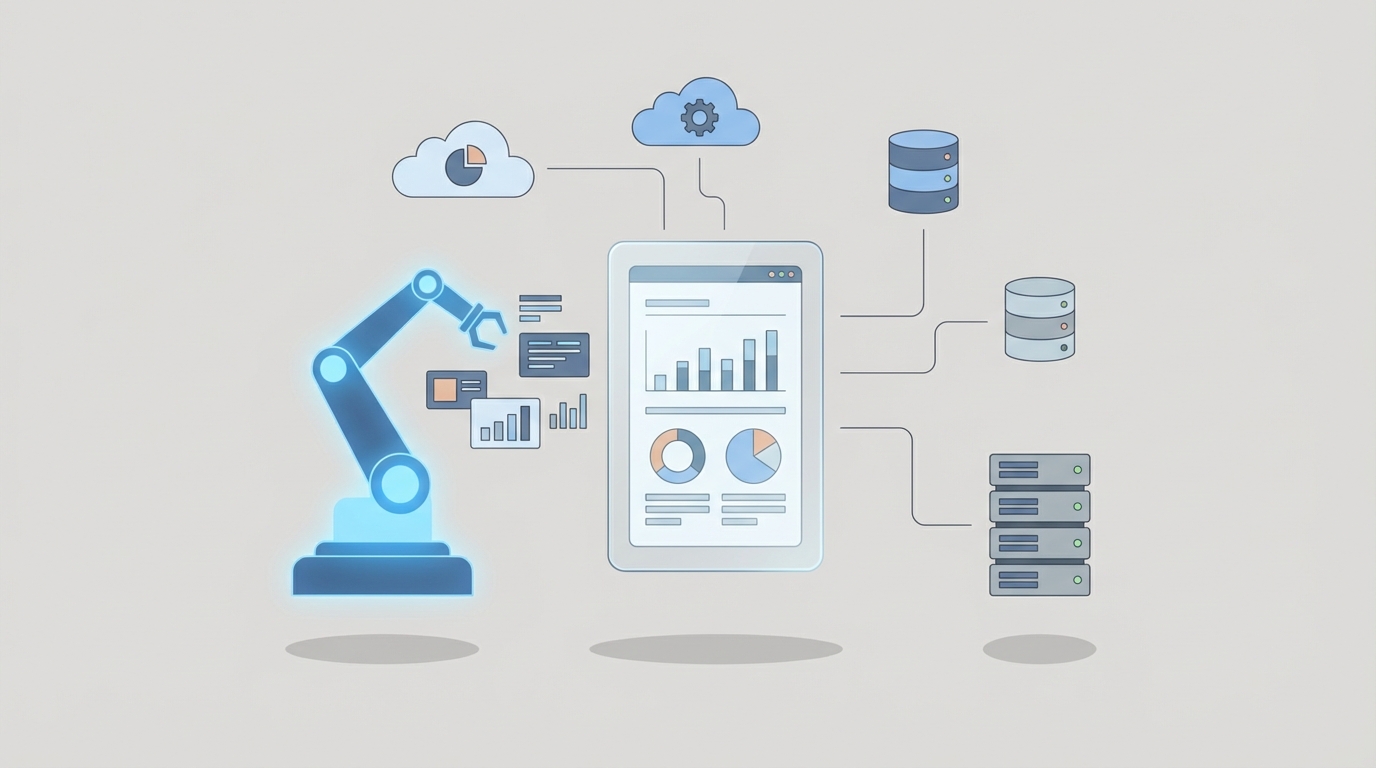
Every month, the same ritual plays out in finance departments everywhere. Someone opens seventeen tabs, pulls numbers from three different systems, pastes them into a spreadsheet template that was built by a person who left the company two years ago, cross-references bank statements, writes variance explanations, formats everything into a slide deck, and sends it to a CFO who inevitably asks why one number doesn't match something they saw in the ERP. The whole thing takes a week. Sometimes longer.
This is not a technology problem. The tools to fix it have existed in pieces for years. It's an integration problem. The data lives in different places, the logic lives in someone's head, and the formatting lives in a Word doc template nobody wants to touch.
That's exactly the kind of problem an AI agent is built to solve. Not "AI" in the marketing-slide sense. An actual autonomous workflow that pulls data, reconciles it, applies your reporting logic, generates formatted output, and flags the stuff that needs a human eye.
Here's how to build one with OpenClaw.
What the Manual Workflow Actually Looks Like
Let's be honest about what "monthly financial report generation" means in practice. It's not one task. It's a chain of fifteen to twenty discrete steps that most finance teams treat as a single blob of pain.
Week one of close (Days 1–4):
- Export trial balance data from your ERP (SAP, NetSuite, Oracle, Dynamics — pick your poison)
- Pull bank statements and reconcile cash accounts
- Collect subsidiary data, often via emailed spreadsheets
- Post manual journal entries — accruals, allocations, adjustments
- Run intercompany eliminations and currency translations
- Reconcile key accounts (AR, AP, inventory, prepaid)
Week two (Days 5–9):
- Generate preliminary financial statements (income statement, balance sheet, cash flow)
- Run variance analysis — actual vs. budget, actual vs. prior period
- Investigate significant variances (this usually means Slacking someone in sales or ops)
- Write management commentary and variance explanations
- Assemble the board deck or management reporting package
- Format everything — charts, tables, consistent formatting across twenty pages
- Route for review — controller reviews, CFO reviews, maybe legal reviews
- Incorporate feedback, fix errors, reformat
- Finalize and distribute
The timeline: Public companies average 6–9 days to close. Complex multinationals take 10–15+. Mid-market companies without dedicated FP&A headcount often take the full month, which means they're closing last month while the current month is already running away from them.
The labor cost: Finance teams spend 60–80% of their time on data collection, validation, and manual reporting rather than actual analysis. That stat comes from PwC's 2026 Finance Effectiveness Survey, and it matches every conversation I've had with controllers and CFOs. The smart people you're paying to think about your business are instead spending their weeks copying and pasting.
Why This Hurts More Than You Think
The obvious costs are time and headcount. A mid-sized company burns 200–400 person-hours per quarterly reporting cycle on non-value-add work. 43% of finance teams report working overtime during close periods. You're paying senior accountants $80–150/hour to do data entry.
But the hidden costs are worse.
Error rates in manual processes run 1–5%. That's not a rounding error when you're talking about financial statements. One wrong sign on an intercompany elimination can cascade into a material misstatement. One transposed number in a variance explanation can send the board chasing a problem that doesn't exist.
Version control is a nightmare. The report goes through four rounds of review. Each reviewer makes changes in a different copy. Someone consolidates them at 11 PM. Something gets missed. The CFO presents numbers to the board that don't match what the controller signed off on. I've seen this happen at companies with nine-figure revenues. It's embarrassing and it's preventable.
Disconnected data sources create multiple versions of truth. Workiva's 2026 research found 71% of organizations cite this as a top pain point. When the ERP says one thing, the consolidation spreadsheet says another, and the board deck says a third, you don't have a reporting process. You have a guessing process.
Talent attrition is real. Junior accountants don't go through four years of school and pass the CPA exam to copy-paste numbers between Excel and PowerPoint for a week every month. They burn out. They leave. You hire replacements and train them on the same broken process. The cycle continues.
What AI Can Actually Handle Right Now
I want to be specific here because the AI hype machine has made everyone either overly optimistic or overly skeptical. Here's what works today — not in theory, not in a demo, but in production.
High-confidence automation targets:
- Data extraction and ingestion — Pulling structured data from ERPs via API, parsing bank statements, reading emailed spreadsheets from subsidiaries. LLMs are genuinely good at understanding messy tabular data and normalizing it.
- Reconciliation and anomaly detection — Matching transactions across systems, flagging discrepancies that exceed thresholds. BlackLine's AI already achieves >95% auto-match rates. An OpenClaw agent can do the same thing with your specific data sources and rules.
- Variance analysis and commentary generation — "Revenue decreased 8.2% month-over-month, driven primarily by a $340K decline in Enterprise segment, partially offset by a $120K increase in SMB." This is formulaic. AI handles it well.
- Report assembly and formatting — Taking validated numbers and populating a template with consistent formatting, charts, and tables. This is pure automation. No judgment required.
- First-draft narrative — Management discussion, executive summary, risk callouts. Current models produce drafts that need about 20–30% human editing, per Workiva's customer studies.
What requires human judgment (and should stay that way):
- Materiality decisions and accounting treatment calls
- Complex revenue recognition scenarios
- Strategic narrative and investor communication tone
- Final sign-off and SOX compliance
- Responding to one-off or novel transactions
The goal isn't to replace your controller. It's to give your controller their week back.
Step by Step: Building the Automation with OpenClaw
Here's the practical architecture for a financial report generation agent on OpenClaw. I'm going to walk through this in enough detail that your team can actually build it.
Step 1: Define Your Data Sources and Access Layer
Before you touch any AI, map every data source your monthly report pulls from:
- Primary ERP (trial balance, GL detail, subledgers)
- Bank feeds or treasury management system
- Subsidiary reporting (often Excel files via email or SharePoint)
- Budget/forecast data (from your EPM tool or a spreadsheet)
- Prior period actuals (for comparative analysis)
In OpenClaw, you'll set up connectors for each source. For ERP data, this typically means API connections. For messier sources like emailed spreadsheets, you can configure the agent to monitor an inbox or shared folder and parse incoming files.
# OpenClaw agent configuration — data source setup
agent:
  name: monthly-financial-report
  data_sources:
    - type: erp_api
      system: netsuite
      endpoints:
        - trial_balance
        - general_ledger
        - accounts_receivable
        - accounts_payable
      auth: oauth2
      schedule: monthly_close_trigger

    - type: bank_feed
      provider: plaid
      accounts: [operating, payroll, reserve]

    - type: file_monitor
      path: /shared/subsidiary-reports/
      file_types: [.xlsx, .csv]
      parse_method: structured_extraction

    - type: spreadsheet
      source: budget_2025_v_final_FINAL_v2.xlsx
      sheet: annual_budget
      note: yes_this_is_actually_what_it's_called
Step 2: Build the Data Validation and Reconciliation Layer
This is where the agent earns its keep. Configure validation rules that match your close checklist:
# Reconciliation rules
reconciliation:
  - name: cash_reconciliation
    compare:
      source_a: erp_api.trial_balance.cash_accounts
      source_b: bank_feed.ending_balances
    threshold: 0.01
    action_on_mismatch: flag_for_review

  - name: intercompany_elimination
    method: auto_eliminate
    entities: [parent, sub_us, sub_eu, sub_apac]
    currency_translation: spot_rate
    rate_source: ecb_daily

  - name: variance_detection
    compare: [current_month_actual, prior_month_actual, current_month_budget]
    flag_threshold:
      absolute: 50000
      percentage: 10
    auto_investigate: true
The auto_investigate: true flag is where it gets interesting. When the agent detects a variance above threshold, it doesn't just flag it — it drills into the GL detail, identifies the top contributing transactions or accounts, and generates a preliminary explanation. Your controller reviews the explanation instead of doing the detective work.
Step 3: Configure Report Templates and Output Formatting
Define your output format once, and the agent populates it every month:
# Report output configuration
output:
  - type: financial_statements
    format: excel
    template: /templates/monthly_financials_template.xlsx
    sections:
      - income_statement:
          periods: [current_month, ytd, prior_year, budget]
          variance_columns: [vs_budget_pct, vs_prior_year_pct]
      - balance_sheet:
          as_of: month_end
          comparative: prior_month_end
      - cash_flow:
          method: indirect
          periods: [current_month, ytd]

  - type: management_deck
    format: powerpoint
    template: /templates/board_deck_template.pptx
    sections:
      - executive_summary:
          content: ai_generated
          tone: concise_factual
          max_length: 300_words
      - kpi_dashboard:
          metrics: [revenue, gross_margin, ebitda, cash_position, ar_days, ap_days]
          visualization: charts_from_template
      - variance_commentary:
          content: ai_generated
          include_top_n_variances: 5
          require_human_review: true

  - type: supporting_schedules
    format: excel
    include: [ar_aging, ap_aging, debt_schedule, capex_tracker]
Step 4: Set Up the Review and Approval Workflow
This is critical. The agent doesn't publish the report. It generates a draft, routes it for review, and tracks feedback.
# Review workflow
review:
  stage_1:
    reviewer: senior_accountant
    scope: data_accuracy
    sla: 24_hours
    actions: [approve, reject_with_comments, request_rerun]

  stage_2:
    reviewer: controller
    scope: full_report
    sla: 48_hours
    actions: [approve, edit_narrative, request_changes]

  stage_3:
    reviewer: cfo
    scope: executive_summary_and_kpis
    sla: 24_hours
    actions: [approve, final_edits]

  on_approval:
    distribute_to: [leadership_team, board_portal]
    archive: /reports/2026/
Step 5: Test with Parallel Runs
Don't flip the switch and trust it. Run the agent in parallel with your manual process for two to three months. Compare outputs. Every discrepancy is a learning opportunity — either the agent needs a rule adjustment or (more commonly) you discover an inconsistency in your manual process that nobody had caught.
This is where OpenClaw's iterative development approach pays off. You're not deploying a monolithic system. You're building an agent that gets smarter with each cycle as you refine its rules and review its outputs.
What Still Needs a Human
I said this above, but it bears repeating because it's the difference between a useful tool and a liability:
Keep humans on:
- Accounting judgment calls. Is this lease an operating lease or a finance lease? Does this contract modification require cumulative catch-up revenue recognition? These require professional judgment and carry legal liability. AI can surface the question. A CPA answers it.
- Materiality assessments. What's material changes based on context, not just thresholds. A $100K variance might be immaterial in Q1 and material in Q4 if it affects a covenant.
- Tone and strategic narrative. The AI can draft "Revenue declined due to customer churn in the mid-market segment." A human decides whether the board deck says that plainly or frames it within a strategic pivot narrative.
- Final sign-off. Someone's name goes on the report. That someone should have reviewed it. SOX compliance, audit committee expectations, and basic professional responsibility all demand this.
- Novel transactions. An acquisition, a restatement, a new accounting standard — these are inherently one-time events that require human reasoning.
The agent handles the 80% that's repetitive. Humans handle the 20% that matters most. That's not a limitation. That's the correct division of labor.
Expected Time and Cost Savings
Let me give you realistic numbers, not vendor marketing numbers.
Time savings:
- Data collection and ingestion: 80–90% reduction. What took 2–3 days takes 30 minutes of agent runtime plus spot-checking.
- Reconciliation: 70–80% reduction. Auto-matching handles the bulk. Humans investigate the exceptions.
- Variance analysis and commentary: 60–70% reduction. First drafts are generated automatically. Humans edit and add context.
- Report assembly and formatting: 90%+ reduction. This is pure template population. The agent does it in seconds.
- Review cycles: 30–40% reduction. Fewer errors mean fewer revision rounds.
Overall close timeline: Companies implementing this level of automation typically move from 8–12 day closes to 3–5 days. Some get to a "virtual close" where preliminary numbers are available within 1–2 days of month-end.
Dollar impact for a mid-market company ($50M–$500M revenue):
- 150–300 person-hours saved per month at blended rates of $75–125/hour = $11,000–$37,500/month in direct labor savings.
- Reduced overtime during close periods.
- Fewer errors reaching external stakeholders (hard to quantify, but the cost of a board-level correction or audit finding is significant).
- Controller and FP&A team can reallocate time to actual financial analysis, forecasting, and strategic support — the work you hired them to do.
Implementation cost: Building this on OpenClaw is a fraction of deploying enterprise platforms like BlackLine or OneStream (which run $100K–$500K+ annually for mid-market companies). You're building a custom agent tailored to your specific workflow, data sources, and reporting requirements, without the six-month implementation timeline and consulting fees.
Getting Started
If you're spending more than five days closing your books each month, or if your finance team is burning nights during close, this is solvable.
The fastest path: browse the financial automation agents available on Claw Mart, where you'll find pre-built components for ERP data extraction, reconciliation workflows, and report generation that you can customize for your stack. These aren't generic templates — they're working agent configurations built by people who've solved these exact problems.
If your workflow is complex enough to need something custom, that's where Clawsourcing comes in. Post your specific financial reporting automation project, describe your ERP, your report formats, and your pain points, and get matched with builders who specialize in exactly this kind of OpenClaw agent development. Real builders, real implementations, not a chatbot pretending to understand your chart of accounts.
Your finance team didn't sign up to be data entry clerks. Stop making them be one.