Automate Meta Ads Creative Testing and Winner Selection Workflow
Automate Meta Ads Creative Testing and Winner Selection Workflow
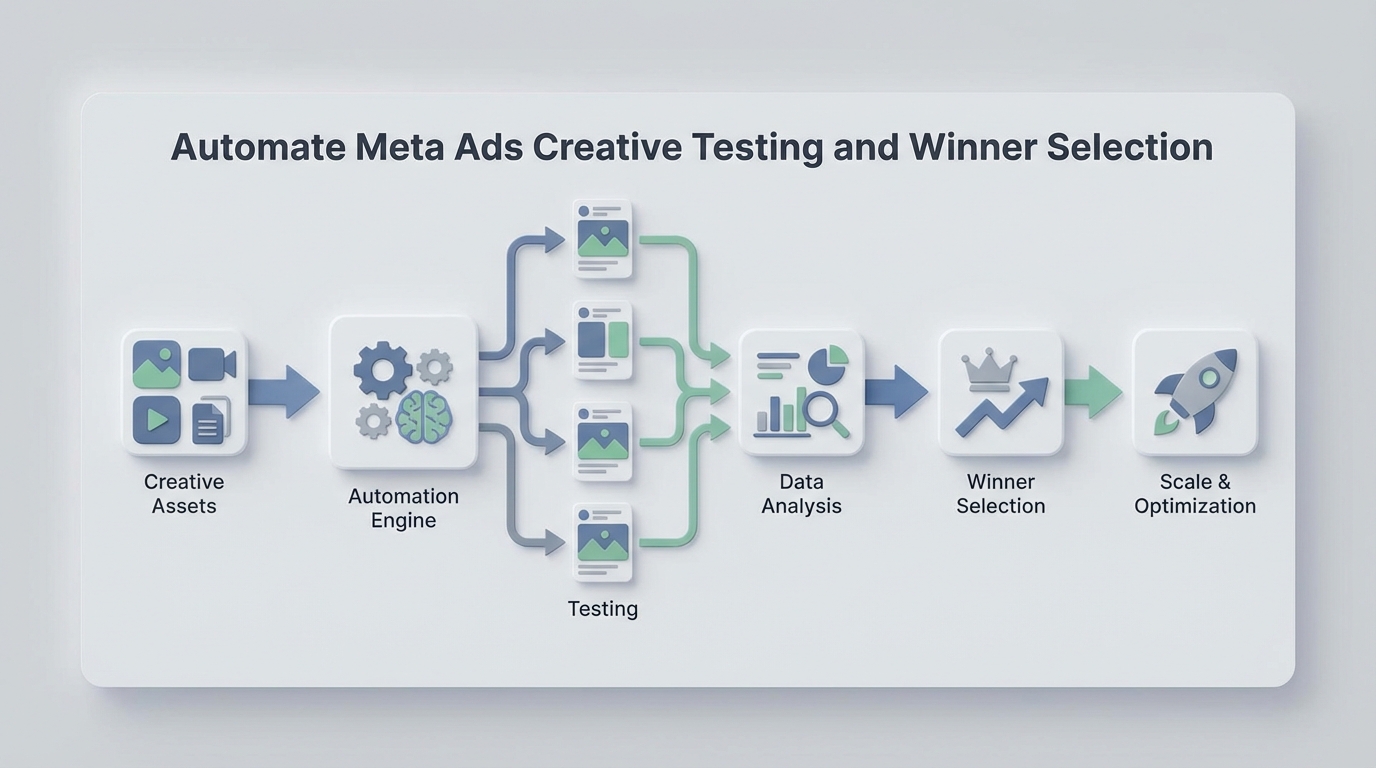
Most brands running Meta ads are stuck in a loop that looks something like this: spend a week making creatives, spend another week testing them, spend half a day staring at a spreadsheet trying to figure out what won, then repeat. The entire cycle eats 15–25 hours of human time, burns through thousands in test budget, and still produces a winner maybe 15–30% of the time.
The frustrating part isn't that the process is wrong. It's that most of it is mechanical. The steps between "here are our new creatives" and "here's what we're scaling" are largely rule-based decisions that a well-built AI agent can handle faster, cheaper, and more consistently than a human refreshing Ads Manager at 2 PM on a Tuesday.
This guide walks through exactly how to build that automation using OpenClaw — from pulling performance data out of Meta, to scoring creatives, to flagging winners and killing losers, to notifying your team what to do next. No hand-waving. Actual steps.
The Manual Workflow Today
Let's be honest about what a typical creative testing cycle actually looks like for a DTC brand or agency spending $30k–$150k/month on Meta:
Step 1: Research and Ideation (2–8 hours) Someone on your team reviews past winners, scrolls through competitor ads on AdSpy or the Meta Ad Library, and brainstorms new angles. This part is genuinely creative work.
Step 2: Creative Production (8–40 hours) Designers and editors produce 8–30 variations — static images, carousels, short-form video, UGC-style clips. Copywriters generate 10–50 combinations of headlines, primary text, and descriptions. Tools range from Figma and Canva to CapCut and Premiere.
Step 3: Test Setup in Meta Ads Manager (2–6 hours) Someone builds out the campaign structure. Either they use Dynamic Creative Optimization (DCO) and upload multiple assets for Meta to mix-and-match, or they manually create separate ad sets for A/B testing. Budget allocation is typically $50–$300/day per creative group.
Step 4: Monitoring (5–14 days, ongoing) Someone checks Ads Manager daily or every couple of days. They pull numbers into Google Sheets or a dashboard tool. They wait for enough data to accumulate.
Step 5: Analysis and Decision (4–12 hours) The media buyer or strategist determines which creatives are winning based on CPA, ROAS, CTR, and frequency. They try to assess statistical significance — most do this with gut feel or basic threshold rules rather than actual statistics. They kill the losers, scale the winners, and brief the creative team on what to iterate on next.
Step 6: Repeat every 1–4 weeks.
Total time per cycle: 12–25 hours of human work, spread across multiple people. And if you're spending $50k+ per month on ads, you probably need 50–150 new creatives monthly to keep up with fatigue. That's a relentless pace.
What Makes This Painful
The time cost is obvious, but there are subtler problems that compound over time:
Budget waste from slow decisions. It takes 7–21 days to reach statistical significance depending on your spend level and audience size. During that window, underperforming creatives are burning budget. If your media buyer checks results every 2–3 days instead of continuously, a bad creative can waste hundreds or thousands of dollars before anyone notices.
Creative fatigue moves faster than most teams. Winning creatives typically see a 40–60% CTR decline after 10–14 days of heavy spending. If your testing cycle is 2–3 weeks, you're often scaling a creative right as it starts dying.
High failure rate is normal but expensive. Industry benchmarks consistently show 70–85% of new creatives underperform or outright fail. That means testing typically consumes 15–30% of total ad spend before you find something worth scaling. For a brand spending $100k/month, that's $15k–$30k in testing costs.
Human inconsistency in analysis. Different team members apply different thresholds. One person kills a creative after 500 impressions; another waits for 5,000. There's no standardized decision framework, so results vary based on who's looking at the dashboard that day.
The scaling bottleneck is real. One 8-figure supplement brand reported their 3-person creative team spent 35 hours every two-week cycle on production alone — and they could only test about 40% of the ideas they had. A fashion brand spent $18,000/month on creative production before adopting AI tools.
The core issue: the mechanical parts of this workflow — monitoring, analysis, decision-making based on rules, reporting — are consuming skilled human time that should be spent on creative strategy and concept development.
What AI Can Handle Now
Before building anything, it's worth being precise about what an AI agent can reliably do in this workflow versus what still needs a human brain. Overpromising here leads to bad automations that make expensive mistakes.
High-confidence automation (an OpenClaw agent handles this well):
- Pulling performance data from the Meta Marketing API on a scheduled basis
- Calculating derived metrics (CPA, ROAS, CTR, cost per click, frequency) per creative
- Applying statistical significance tests to determine if enough data exists for a decision
- Scoring and ranking creatives against your defined KPI thresholds
- Flagging winners that meet scaling criteria
- Flagging losers that should be paused
- Detecting creative fatigue (rising frequency + declining CTR over time)
- Generating summary reports with plain-language recommendations
- Sending notifications via Slack, email, or webhook when action is needed
- Pausing underperforming ads automatically via the Meta API (if you want fully hands-off)
Requires human judgment (don't automate this):
- Deciding what concepts and angles to test next
- Evaluating brand alignment, tone, and emotional resonance
- Quality control on AI-generated creative assets
- Understanding why something worked (not just that it worked)
- Legal and compliance review of ad claims
- Final sign-off on scaling decisions for high-budget creatives
The sweet spot is automating the monitoring-analysis-recommendation loop while keeping humans in charge of creative direction and strategic decisions.
Step-by-Step: Building the Automation with OpenClaw
Here's how to build a Meta Ads creative testing and winner selection agent on OpenClaw. This isn't theoretical — these are the actual components you'd wire together.
Step 1: Connect to the Meta Marketing API
Your agent needs read access (and optionally write access for pausing ads) to your Meta ad account. In OpenClaw, you'll set up an API integration with the following:
- Meta App ID and Secret (from your Meta Developer account)
- Access Token with
ads_readandads_managementpermissions - Ad Account ID
The agent will query the /insights endpoint to pull performance data at the ad level. Here's the kind of query structure you're working with:
GET /{ad-id}/insights?fields=impressions,clicks,spend,actions,
cost_per_action_type,ctr,frequency&date_preset=last_7d
In your OpenClaw agent configuration, you'll set this as a scheduled data fetch — typically every 6–12 hours for active test campaigns. No need to poll more frequently; Meta's reporting data has a natural delay anyway.
Step 2: Define Your Scoring Framework
This is where you encode your media buyer's brain into rules. You need to define:
Minimum data thresholds (don't make decisions too early):
min_impressions: 1000
min_spend: 50
min_days_active: 3
Winner criteria (what "good" looks like for your account):
winner_thresholds:
  cpa_max: 25.00          # Must be under $25 CPA
  roas_min: 2.5            # Must be above 2.5x ROAS
  ctr_min: 1.2             # CTR above 1.2%
  frequency_max: 3.0       # Not yet fatigued
Loser criteria (when to kill):
loser_thresholds:
  cpa_above: 45.00         # CPA over $45 after min spend
  ctr_below: 0.5           # CTR under 0.5%
  no_conversions_after_spend: 100  # $100 spent, zero conversions
Fatigue detection:
fatigue_signals:
  frequency_above: 4.0
  ctr_decline_pct: 30      # 30%+ CTR drop from first 3 days
  lookback_window_days: 7
In OpenClaw, you'd configure these as the agent's decision parameters. The beauty of making them explicit is that your entire team now operates from the same playbook — no more inconsistency between who's looking at the dashboard.
Step 3: Build the Analysis Logic
Your OpenClaw agent processes each active ad through the scoring framework every time it fetches new data. The logic flow:
For each ad in active test campaign:
  1. Check if minimum thresholds are met (impressions, spend, days)
     → If not: label "INSUFFICIENT_DATA", skip

  2. Calculate current CPA, ROAS, CTR, frequency

  3. Check against loser criteria
     → If any loser threshold is triggered: label "LOSER"
     → Recommendation: Pause immediately

  4. Check against winner criteria
     → If ALL winner thresholds are met: label "WINNER"
     → Recommendation: Scale budget, create iterations

  5. Check fatigue signals (for ads running 5+ days)
     → If frequency > threshold AND CTR declining: label "FATIGUING"
     → Recommendation: Prepare replacement, reduce budget

  6. Everything else: label "TESTING"
     → Recommendation: Continue monitoring
For statistical significance, you can have the agent run a basic conversion rate comparison. A simple approach that works well enough for most ad accounts:
# Simplified significance check
import scipy.stats as stats

def is_significant(conversions_a, impressions_a, conversions_b, impressions_b):
    rate_a = conversions_a / impressions_a
    rate_b = conversions_b / impressions_b
    # Two-proportion z-test
    z_stat, p_value = stats.proportions_ztest(
        [conversions_a, conversions_b],
        [impressions_a, impressions_b]
    )
    return p_value < 0.05
OpenClaw can execute this kind of logic as part of your agent's evaluation step, comparing each creative against your account's baseline conversion rate or against the test cohort average.
Step 4: Automate Actions
Once the agent has labeled and scored each creative, it can take action. You have two modes:
Advisory mode (recommended to start): The agent sends a Slack message or email digest with its recommendations:
📊 Creative Test Update — Campaign: Summer_Collection_Test_v3

✅ WINNERS (2):
  • Ad 12345 — "Beach Day UGC" — CPA: $18.40, ROAS: 3.2x, CTR: 1.8%
    → Recommend: Scale to $200/day, brief iterations

  • Ad 12348 — "Product Close-up Static" — CPA: $21.10, ROAS: 2.8x, CTR: 1.5%
    → Recommend: Scale to $150/day

❌ LOSERS (4):
  • Ad 12346 — "Lifestyle Carousel" — CPA: $52.00, CTR: 0.4%
    → Recommend: Pause immediately (wasted $156 since last check)

  [... additional losers ...]

⚠️ FATIGUING (1):
  • Ad 12340 — "Testimonial Video" — Frequency: 4.2, CTR down 35% from launch
    → Recommend: Reduce budget, prepare replacement

⏳ STILL TESTING (3):
  • Ads 12349, 12350, 12351 — Need 2-3 more days of data

💰 Test spend this cycle: $2,340
💡 Suggested next test: Iterate on "Beach Day UGC" hook with new thumbnails
Autonomous mode (for experienced teams): The agent uses the Meta API to automatically pause losers and adjust budgets on winners:
POST /{ad-id}
{ "status": "PAUSED" }
POST /{adset-id}
{ "daily_budget": 20000 }  // $200.00 in cents
Start with advisory mode. Trust the agent for a couple of cycles. Then selectively enable autonomous actions for obvious decisions (like pausing an ad that spent $100 with zero conversions).
Step 5: Set Up the Feedback Loop
The most valuable part of this system isn't any single analysis — it's the compounding intelligence over time. Configure your OpenClaw agent to:
- Log every decision (what was labeled, what action was taken, what the outcome was)
- Track creative attributes (format, hook type, angle, CTA style) alongside performance data
- Generate monthly pattern reports: "UGC-style video outperforms studio shots by 2.3x on CPA. Problem-solution hooks outperform benefit-only hooks by 40% on CTR."
This turns your agent from a monitoring tool into a creative intelligence system. After 2–3 months, you'll have data-backed answers to questions like "should we make more carousels or more Reels?" instead of relying on hunches.
What Still Needs a Human
Being clear about this makes the automation more trustworthy, not less.
Creative strategy is still a human job. Deciding to test a completely new messaging angle (say, shifting from "premium quality" to "everyday value") requires understanding your brand positioning, competitive landscape, and customer psychology in ways that rule-based agents don't handle.
Concept review before launch matters. Even if you're using AI tools to generate creative variations at scale, someone needs to look at the output before it goes live. AI-generated creatives can have weird artifacts, off-brand tone, or compliance issues that would get your ad account flagged.
Interpreting why something won is where human insight creates leverage. Your agent can tell you that the UGC testimonial video outperformed everything else by 3x. But understanding that it worked because the creator addressed a specific objection that your audience has — that's the insight that shapes your next round of creative briefs.
High-stakes scaling decisions should have human sign-off. When you're about to put $500/day behind a single creative, a human should confirm the call.
The model that works best: the agent handles the 80% of decisions that are straightforward (kill obvious losers, flag obvious winners, detect fatigue). Humans handle the 20% that require judgment and creativity.
Expected Time and Cost Savings
Based on the workflow breakdown above, here's what changes when you automate the monitoring-analysis-decision loop:
| Task | Manual Time | With OpenClaw Agent | Savings |
|---|---|---|---|
| Test monitoring (daily checks) | 5–8 hrs/cycle | 0 hrs (automated) | 5–8 hrs |
| Data analysis & scoring | 4–12 hrs/cycle | 0 hrs (automated) | 4–12 hrs |
| Reporting & communication | 2–4 hrs/cycle | 0 hrs (auto-generated) | 2–4 hrs |
| Decision execution (pausing/scaling) | 1–2 hrs/cycle | 0 hrs or 15 min review | ~1–2 hrs |
| Total per cycle | 12–25 hrs | 0–2 hrs | 10–23 hrs |
On the budget side, the bigger wins come from:
- Faster loser detection: Catching bad creatives 1–2 days earlier saves $50–$300 per loser per cycle. With 15–20 losers per cycle, that's $750–$6,000 saved.
- Faster winner scaling: Getting an extra 2–3 days of scaling on a winning creative before it fatigues can add meaningful revenue.
- Fatigue prevention: Catching declining performance before it costs you lets you swap creatives proactively instead of reactively.
For a brand running $75k/month in Meta spend with bi-weekly creative testing, realistic savings are in the range of 40–80 hours/month of human time and $2,000–$8,000/month in reduced waste from faster, more consistent decisions.
Get Started
If you want to build this but don't want to start from scratch, this is exactly the kind of workflow you can find pre-built on Claw Mart — or hire someone through Clawsourcing to build it for your specific account setup, KPIs, and tools.
The practical path: start with the advisory-mode agent that sends you daily Slack digests with recommendations. Run it alongside your existing manual process for two weeks. Compare the agent's recommendations to the decisions your team actually made. You'll quickly see where the agent catches things faster and where you still need human input.
Then expand from there. Add autonomous pausing. Add fatigue detection. Add the creative attribute tracking. Each layer compounds.
The teams that figure out this loop — AI handles the mechanical decisions, humans handle the creative ones — are going to operate at a speed and consistency that manual teams simply can't match. The tools exist now. The question is just whether you build it.