Automate Meeting Scheduling for Sales Demos: AI Agent That Books Calls
Automate Meeting Scheduling for Sales Demos: AI Agent That Books Calls
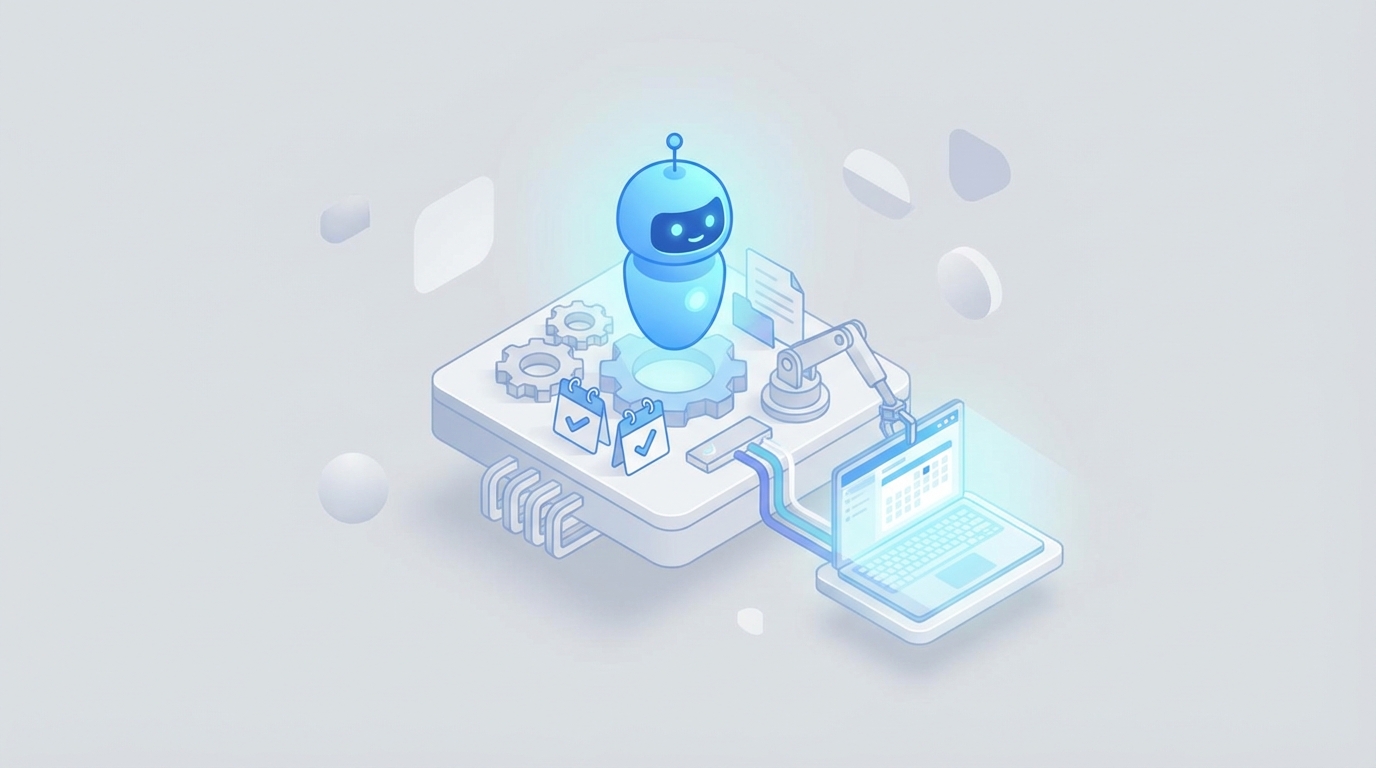
Every sales team I've ever worked with has the same dirty secret: their reps spend more time playing calendar Tetris than actually selling. The data backs this up — Salesforce's own research shows reps spend only 28–33% of their time in actual selling activities. The rest? Admin work, CRM updates, and the soul-crushing back-and-forth of scheduling demos.
The average B2B meeting takes 4.1 emails to book. Multiply that across 40–60 scheduling-related emails per week per SDR, and you've got people whose entire job has become "professional email ping-pong player."
This is fixable. Not with another scheduling link tool — we've had Calendly for years and the problem persists — but with an AI agent that handles the entire workflow from lead intake to calendar confirmation. I'm going to walk through exactly how to build one on OpenClaw.
The Manual Workflow Today (And Why It's Broken)
Let's map out what actually happens when someone requests a sales demo at a typical B2B company:
Step 1: Lead Intake (2–5 minutes) A prospect fills out a form, sends an email, or clicks "Request a Demo" on your site. That submission lands in a CRM or inbox. Someone has to notice it.
Step 2: Lead Qualification (5–15 minutes) An SDR reviews the submission. Company size? Industry? Role? Do they match your ICP? Often this requires a follow-up email asking clarifying questions — "What's your team size? What tools are you currently using?" — which adds another 24–48 hours of latency.
Step 3: Availability Coordination (5–20 minutes, spread across days) The SDR checks the account executive's calendar. Maybe a solutions engineer needs to join too. They draft an email with 3–5 time slots. The prospect responds that none work. More slots are proposed. Time zones create confusion. This is where those 4.1 emails live.
Step 4: Calendar Management (3–5 minutes) Once a time is agreed on, the SDR creates the event, adds the Zoom link, includes the agenda, CC's the right people, and makes sure there are buffers around the meeting so the AE isn't running from one demo straight into the next.
Step 5: Confirmation and Reminders (2–5 minutes) Manual confirmation email. Reminder email the day before. Sometimes a "looking forward to it!" nudge the morning of.
Step 6: No-Show Handling (5–15 minutes) Demo no-show rates average 18–28%. When someone doesn't show, the rep has to follow up, offer new times, and restart the coordination cycle.
Total time per scheduled demo: 15–30 minutes of active work, spread across 2–5 days.
That's the per-meeting cost. At scale, this is devastating. A team of 5 SDRs scheduling 15 demos each per week is burning 20–35 hours weekly on scheduling logistics. That's nearly a full headcount doing nothing but coordinating calendars.
What Makes This Painful Beyond Just Time
The time cost is obvious. The hidden costs are worse:
Speed-to-lead decay. Research from multiple sources consistently shows that responding to a lead within 5 minutes versus 30 minutes dramatically changes conversion rates. When your SDR is buried in scheduling emails, new leads sit untouched. Every hour of delay bleeds pipeline.
Qualification waste. Without pre-qualification automation, 20–40% of booked demos are with prospects who were never a good fit. Your AE just burned 30–45 minutes on a demo that was dead before it started. Gong found that deals requiring more than 5 emails to schedule the first meeting had a 32% lower close rate — not because the emails caused the problem, but because friction is a signal and a cause of disengagement.
Context evaporation. By the time the demo happens, the AE has to re-read an email thread to understand what the prospect actually cares about. Information gathered during qualification lives in scattered emails, not structured fields. Prep takes longer than it should.
Compounding rescheduling. One reschedule triggers a cascade — the AE's calendar shifts, the SE's availability changes, and suddenly you're back to square one. Multiply this by the 18–28% no-show rate and you've got a system that's constantly churning.
The real problem isn't that companies don't have tools. Most teams already use Calendly or HubSpot Meetings plus Salesforce plus Outreach or Salesloft. The problem is that these tools handle individual steps — they don't handle the workflow. Nobody is connecting qualification to routing to scheduling to follow-up to no-show recovery in a single intelligent system.
That's what an AI agent does.
What an AI Agent Can Actually Handle Now
Let me be specific about what's realistic today with OpenClaw, because there's a lot of hype in the "AI agent" space and I want to draw clear lines.
An AI agent built on OpenClaw can reliably handle:
-
Instant lead response. The moment a form is submitted or an email arrives, the agent responds. No 5-minute window — sub-minute response times, 24/7.
-
Conversational qualification. The agent asks targeted questions via email or chat to assess fit. Company size, use case, timeline, current tools, budget range. It can follow BANT or MEDDPICC frameworks, adapting its questions based on previous answers.
-
Intent scoring and routing. Based on qualification responses plus firmographic data (pulled from enrichment APIs like Clearbit or Apollo), the agent scores the lead and routes them to the right calendar — enterprise AE, mid-market AE, or self-serve product tour.
-
Multi-person availability matching. The agent checks calendars across the AE, SE, and any other required attendee. It accounts for time zones, meeting buffers, and scheduling preferences. It proposes optimal times without the back-and-forth.
-
Personalized scheduling emails. Not generic "pick a time" messages. The agent references what the prospect told it during qualification: "Based on your interest in automating onboarding workflows for your 50-person team, I've set up time with Sarah, who specializes in teams your size."
-
Smart reminders and reschedule handling. Automated but context-aware. If a prospect reschedules, the agent re-checks all calendars and proposes new times instantly. If there's a no-show, it follows up within 10 minutes with a rebooking option.
-
CRM and briefing doc updates. The agent writes qualification data directly into your CRM and generates a pre-demo brief for the AE — no manual data entry, no context loss.
How to Build This on OpenClaw: Step by Step
Here's the practical implementation. I'm assuming you have a CRM (Salesforce or HubSpot), Google Workspace or Microsoft 365 for calendars, and a form or landing page where demos are requested.
Step 1: Define Your Qualification Logic
Before you touch OpenClaw, write down your qualification criteria. Be specific:
QUALIFIED if:
  - Company size >= 50 employees
  - Role is Director+ or Founder
  - Use case matches one of: [onboarding, scheduling, support automation]
  - Timeline <= 6 months
  - Currently using a competitor or manual process

ROUTE TO:
  - Enterprise AE: Company size >= 500
  - Mid-Market AE: Company size 50–499
  - Self-Serve: Company size < 50 (send product tour link)
This becomes the decision tree your agent follows. Don't skip this step — garbage qualification logic in means garbage routing out.
Step 2: Set Up the OpenClaw Agent
In OpenClaw, create a new agent with the following configuration:
Agent role definition:
You are a sales development assistant for [Company Name]. Your job is to:
1. Respond to inbound demo requests within 60 seconds
2. Ask qualification questions conversationally (not like a survey)
3. Score and route leads based on their answers
4. Propose meeting times that work for all required attendees
5. Handle rescheduling and no-show follow-up

Tone: Professional but human. Brief. No fluff.
Never reveal you are an AI unless directly asked.
Qualification conversation flow:
Greeting → Role/Company confirmation → Use case discovery →
Timeline question → Current solution → Route decision →
Calendar proposal
The key here is making the agent conversational rather than interrogative. Instead of "What is your company size?", the agent should say something like "To make sure I connect you with the right person on our team — roughly how large is your organization?"
Step 3: Connect Your Integrations
OpenClaw supports integration with the tools your team already uses. You'll need to connect:
- Calendar API (Google Calendar or Microsoft Graph) — for real-time availability checks across multiple team members
- CRM (Salesforce or HubSpot) — for lead creation, contact updates, and activity logging
- Email — for sending and receiving scheduling conversations
- Enrichment (optional but recommended) — Clearbit, Apollo, or similar, to pre-fill firmographic data so the agent doesn't have to ask questions you can already answer
For calendar integration, you'll configure availability rules:
AE calendars:
  - Check for conflicts
  - Require 15-min buffer between meetings
  - Only propose times within business hours (prospect's time zone)
  - Max 4 demos per AE per day

SE calendars (if required):
  - Cross-reference with AE availability
  - Prioritize SE with relevant domain expertise
Step 4: Build the Routing Logic
This is where the qualification data feeds into action. In OpenClaw, you set up conditional workflows:
IF qualified AND company_size >= 500:
  → Check Enterprise AE calendar pool
  → Propose 3 available times in next 3 business days
  → Create Salesforce Opportunity (Stage: Demo Scheduled)
  → Generate pre-demo brief

IF qualified AND company_size 50–499:
  → Check Mid-Market AE calendar
  → Same booking flow

IF unqualified OR company_size < 50:
  → Send product tour link + self-serve resources
  → Create Lead in CRM with "Nurture" status
  → Add to marketing email sequence
Step 5: Configure the Meeting Creation
When a time is confirmed, the agent should automatically:
- Create the calendar event for all attendees
- Add a video conferencing link (Zoom, Google Meet, or Teams)
- Include a personalized agenda based on the qualification conversation
- Attach any relevant resources (product one-pager, case study matching their industry)
- Log the activity in the CRM
- Send a confirmation email with all details
The agenda generation is where OpenClaw shines. Because the agent conducted the qualification conversation, it has full context:
Demo Agenda – [Company Name]
- Brief intro (5 min)
- [Specific use case they mentioned] walkthrough (15 min)
- [Second priority they raised] overview (10 min)
- Q&A and next steps (10 min)

Attendees: [Prospect Name], [AE Name], [SE Name if applicable]
Your AE walks into the demo fully prepped, without reading a single email thread.
Step 6: Set Up Reminder and No-Show Sequences
Configure the agent to send:
- 24 hours before: Confirmation with agenda and any pre-demo materials
- 1 hour before: Quick reminder with the meeting link
- 5 minutes after scheduled start (if no-show): "Hey, looks like we might have missed each other — want to reschedule?" with one-click rebooking options
- 24 hours after no-show: Second follow-up with new time proposals
Each of these should be personalized based on the conversation history, not generic templates.
Step 7: Monitor and Iterate
Once the agent is live, track these metrics weekly:
- Response time (target: under 2 minutes)
- Qualification accuracy (are AEs agreeing with the agent's routing decisions?)
- Booking rate (what percentage of qualified leads actually book?)
- No-show rate (should decrease with better reminders)
- Time-to-book (from first contact to confirmed meeting)
- AE satisfaction (are the pre-demo briefs actually useful?)
OpenClaw gives you visibility into each conversation, so you can audit the agent's qualification decisions and refine its logic. Expect to iterate the qualification criteria 2–3 times in the first month as you see edge cases.
What Still Needs a Human
I said I'd be honest about the limits. Here's what the AI agent should not handle:
High-stakes enterprise deals. When a Fortune 500 company reaches out, a human should be in the loop for qualification. The subtlety of enterprise buying processes — multiple stakeholders, procurement complexity, political dynamics — requires judgment that an AI agent can't reliably provide yet.
Objection handling during scheduling. If a prospect pushes back — "We're not ready for a demo, we're just exploring" — the agent can handle basic responses, but nuanced objection handling ("I understand, many of our customers started the same way — would a 15-minute overview be more useful than a full demo?") is better done by a skilled SDR.
Relationship-driven decisions. Sometimes the right move is to hop on a quick call instead of scheduling a formal demo. Sometimes it's to send a Loom video. The agent follows its playbook; a human can read between the lines.
Custom demo scoping for complex products. If your product has 15 modules and the demo needs to be carefully tailored based on subtle buying signals, a human should own the scoping. The agent can gather initial information, but the final demo plan needs human judgment.
The right model is the agent handling 70–80% of the workflow autonomously, with humans stepping in for the 20–30% that requires judgment and relationship skills.
Expected Savings
Let's do the math with conservative numbers:
Before (manual):
- 5 SDRs × 15 demos/week × 25 min avg per demo = 31.25 hours/week on scheduling
- No-show rate: 23% → ~17 no-shows/week requiring follow-up
- Unqualified demo rate: 30% → ~22 wasted AE demos/week
- Average time from first contact to booked demo: 3.2 days
After (OpenClaw agent):
- SDR scheduling time reduced by ~75% → ~8 hours/week (they focus on high-touch deals and agent oversight)
- No-show rate drops to 12–15% (with smart reminders and easy rescheduling)
- Unqualified demo rate drops to 10–15% (with automated pre-qualification)
- Average time from first contact to booked demo: under 24 hours for standard leads
That's roughly 23 hours per week recovered — more than half an FTE — plus significantly higher quality demos because AEs are only meeting qualified prospects and walking in fully prepared.
Companies that have implemented similar automation (using various tools, pre-OpenClaw) have reported 7+ hours saved per rep per week and qualified demo rates jumping from ~40% to over 70%.
The ROI math practically does itself. If your average ACV is $30K and better qualification increases your demo-to-close rate by even a few percentage points, you're looking at hundreds of thousands in additional revenue per year from a system that costs a fraction of one SDR's salary.
Get Started
The fastest way to get this running is through Claw Mart — browse pre-built scheduling and sales automation agents that you can customize to your qualification criteria and tool stack. You don't need to build from scratch. Find agents that match your workflow, configure your routing rules and calendar connections, and you can be live in days, not months.
If you want a fully customized implementation tailored to your sales process, Clawsource it — post your project and let an OpenClaw expert build, test, and optimize the agent for your specific stack and qualification framework. This is particularly worth it if you have complex routing logic, multiple product lines, or enterprise-grade compliance requirements.
Your SDRs didn't sign up to be calendar coordinators. Let the agent handle the coordination so your team can do what they're actually good at — selling.
Recommended for this post
Your orchestrator that coordinates agent swarms with task decomposition and consensus protocols -- agents working together.
 SpookyJuice.ai
Your agent builder that designs self-healing autonomous systems with perception-action loops -- agents that run themselves.
SpookyJuice.ai
Your memory engineer that builds persistent context, tiered storage, and retrieval systems -- agents that remember.
SpookyJuice.ai