How to Automate Personalized LinkedIn Commenting and Engagement at Scale
How to Automate Personalized LinkedIn Commenting and Engagement at Scale
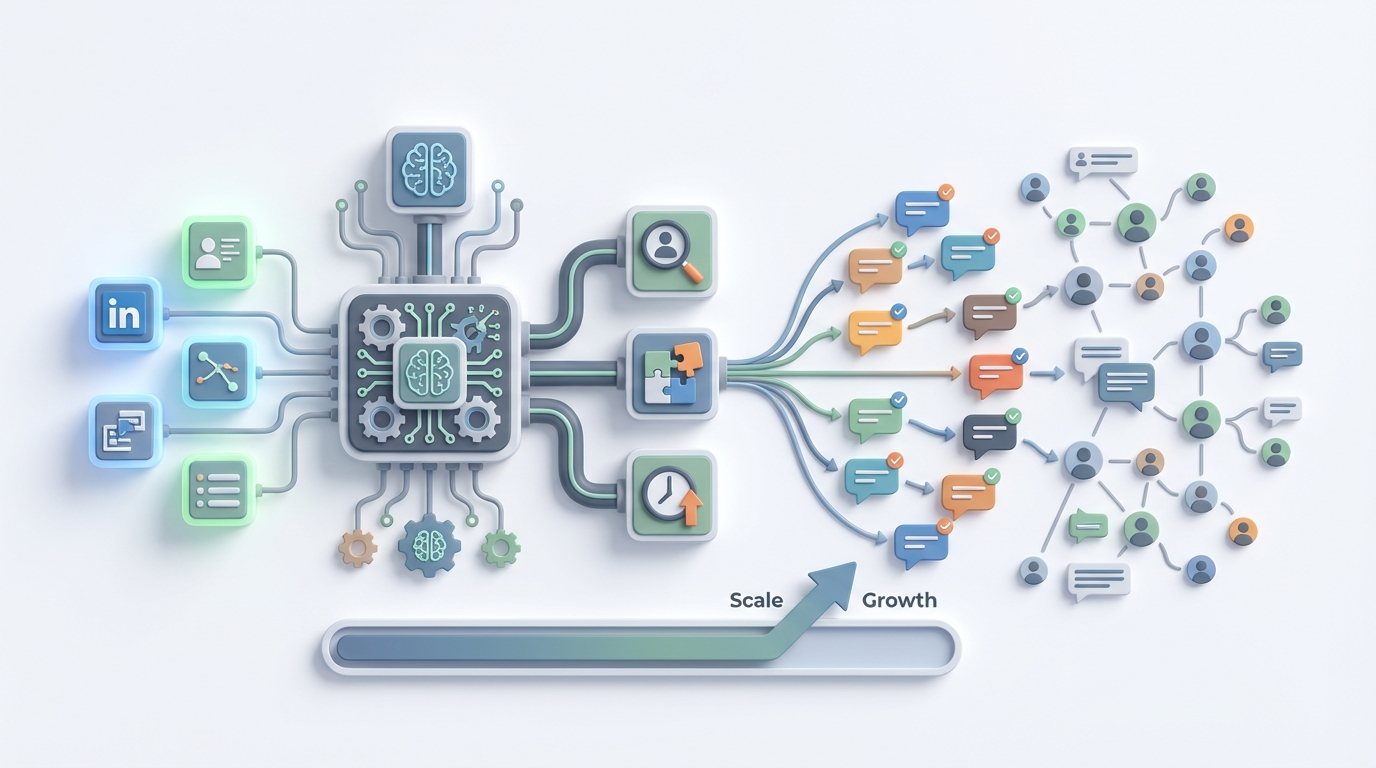
Let's be honest about LinkedIn commenting: everyone knows it works, almost nobody does it consistently, and the people who do are either burning hours they don't have or posting "Great insight!" on everything like a bot pretending to be human.
The data backs this up. Salespeople who comment consistently close 15–20% more deals. Profiles that comment regularly see 2x more profile views. Posts with meaningful comments get 3–5x more distribution from LinkedIn's algorithm. Yet only 23% of sales teams do it regularly because it takes so damn long.
The good news: this is exactly the kind of workflow that an AI agent can handle—not by replacing you entirely, but by doing the 80% of grunt work that makes you want to quit after two weeks of trying to keep up.
Here's how to build that system on OpenClaw, step by step, without getting your LinkedIn account banned or turning into that person whose comments all sound like they were written by a college student trying to hit a word count.
The Manual Workflow (And Why It's Brutal)
Before automating anything, you need to understand what "good LinkedIn commenting" actually looks like when done manually. Here's the typical workflow for a sales rep, founder, or social media manager doing this right:
Step 1: Discovery (15–25 minutes/day) Scroll through your feed, use LinkedIn search or Sales Navigator filters, hunt for hashtags—basically, find posts worth commenting on. You're looking for target accounts, industry keywords, competitors' content, or posts with high engagement from people in your ICP.
Step 2: Evaluation (10–15 minutes/day) Read the full post plus top comments. Is this worth engaging with? Is it recent enough? Is the poster someone who matters for your pipeline? Will a comment here actually get seen, or is it buried under 300 other replies?
Step 3: Research (10–15 minutes/day) Quick check of the poster's profile. Recent activity. Mutual connections. What do they care about? What's their company doing? You need this context to write something that doesn't sound generic.
Step 4: Crafting (30–45 minutes/day) Write a comment that adds value. An insight, a question, a personal anecdote, a respectful counterpoint. Not "Love this!" Not "Couldn't agree more!" Something that makes the poster think, "Who is this person? I should check their profile."
Step 5: Editing and Posting (5–10 minutes/day) Check tone, check for errors, make sure you're not accidentally being a jerk, post it, and occasionally follow up on replies.
Step 6: Tracking (10–15 minutes/day) Note which comments led to profile views, connection requests, or conversations. Most people use spreadsheets, CRM notes, or just… don't track at all.
Total time for 20–40 quality comments: 60–120 minutes per day.
A B2B agency in the RevGenius community reported their team of six used to spend roughly 90 hours per month on commenting alone. That's more than two full work weeks of collective time, every single month, just on leaving comments.
This is why people burn out after two to three weeks. The math doesn't work when you're also trying to, you know, do your actual job.
What Makes This Painful (Beyond Just Time)
Time is the obvious problem, but it's not the only one.
Consistency death spiral. You go hard for a week, see some results, get busy with client work, disappear for ten days, lose all momentum, start over. LinkedIn's algorithm rewards consistency, and human willpower is not consistent.
Quality degrades at scale. Comment number five is thoughtful and specific. Comment number thirty-five is "Really interesting perspective, thanks for sharing!" You know it. The poster knows it. Everyone knows it.
The generic comment trap. LinkedIn users have developed finely tuned BS detectors. Anything that smells like a template gets ignored. Anything that smells like automation gets you mentally flagged as a spammer—or worse, actually flagged by LinkedIn's enforcement systems.
No measurement, no improvement. Without tracking, you have no idea which types of comments drive pipeline and which are wasted effort. You're flying blind, spending hours a day on something you can't prove works.
Team inconsistency. If you have multiple people commenting on behalf of your brand, they all sound different. One person is casual and funny, another is formal and stiff, a third is accidentally aggressive. There's no unified voice.
LinkedIn's enforcement is real. The platform aggressively detects automation. Their 2026 transparency report showed they took action on millions of fake and automated accounts. High-velocity commenting from tools that don't respect rate limits will get you restricted or banned. This isn't a theoretical risk—it happens constantly.
What AI Can Handle Right Now
Here's where it gets practical. Not everything in this workflow needs a human. In fact, most of it doesn't. Here's the breakdown:
AI handles well:
- Post discovery based on keywords, intent signals, and target account lists
- Initial analysis of post content—what's it about, what's the sentiment, is it worth engaging with
- Draft comment generation that's personalized using the poster's name, company, role, recent activity, and the specific content of their post
- Scheduling comments within safe daily limits (staying under 30–40 per day)
- Tracking which comment styles and topics generate the most engagement
- Simple follow-up replies when someone responds to your comment
Still needs a human:
- Strategic selection—deciding which posts matter for business reasons that an AI can't see
- Relationship context—knowing you had dinner with this person last month, or that they just lost a deal and might not appreciate a peppy comment
- Tone and authenticity final check—making sure nothing sounds robotic or tone-deaf
- Controversy avoidance—AI is terrible at detecting when a post is politically charged or when engaging would be a bad look
- Final approval before posting
The hybrid model that's winning right now: AI generates 10–20 draft comments, a human spends 15–20 minutes reviewing, editing, and posting. This cuts time by 60–75% while keeping quality high.
How to Build This with OpenClaw: Step by Step
Here's the actual implementation. We're building an AI agent on OpenClaw that handles post discovery, analysis, draft generation, and tracking—then hands things off to a human for the final mile.
Step 1: Define Your Target Universe
Before you build anything, get specific about who you want to engage with. Your agent needs clear instructions, not vibes.
Create a targeting document that includes:
- Target accounts (company names, ideally with LinkedIn URLs)
- Target roles (VP of Marketing, Head of Sales, Founders, etc.)
- Industry keywords (the topics your ICP actually posts about)
- Competitor accounts (whose audience overlaps with yours)
- Hashtags worth monitoring
- Engagement thresholds (minimum follower count, minimum post engagement to justify commenting)
This becomes part of your agent's knowledge base in OpenClaw. The more specific you are here, the less time you spend later filtering out irrelevant posts.
Step 2: Build the Discovery and Analysis Agent
In OpenClaw, you'll set up an agent workflow that handles the first three steps of the manual process: discovery, evaluation, and research.
The agent's job is to:
-
Pull in posts from your target universe. This can integrate with LinkedIn data via Sales Navigator exports, RSS feeds from LinkedIn content, or third-party data tools like Phantombuster that feed structured post data into your pipeline. The agent processes whatever you feed it.
-
Score and filter posts based on your criteria. The agent evaluates each post for relevance (does this match your keywords and ICP?), recency (was it posted in the last 12–24 hours?), engagement potential (is there already a conversation happening?), and strategic value (is this a target account or high-influence poster?).
-
Research the poster. Pull in available context—their role, company, recent posts, mutual connections, and anything else that helps personalize the comment. This context gets bundled with the post content and passed to the next step.
Your OpenClaw agent configuration for this step should include clear instructions like:
You are a LinkedIn engagement analyst for [Company Name].
Your job is to evaluate LinkedIn posts and determine which ones
are worth commenting on.

Score each post 1-10 based on:
- Poster matches our ICP (role, industry, company size)
- Topic relevance to [your core topics]
- Post recency (prefer last 12 hours)
- Engagement level (10-200 comments is sweet spot;
  too few = low visibility, too many = buried)
- Strategic value (target account, competitor audience,
  industry influencer)

Only pass posts scoring 7+ to the drafting stage.
Include poster context: name, role, company, and any
relevant recent activity.
Step 3: Build the Comment Drafting Agent
This is where the magic happens. A second agent (or a second stage in the same workflow) takes the filtered posts plus context and generates draft comments.
The key to making this work is a detailed system prompt that captures your voice, your constraints, and your strategy. Here's a framework:
You are writing LinkedIn comments on behalf of [Name],
[Role] at [Company].

Voice guidelines:
- Conversational but professional
- Specific, never generic
- Ask questions when appropriate
- Share relevant experience when you have it
- Never use phrases like "Great post!", "Love this!",
  "Couldn't agree more!", or "Thanks for sharing!"
- Keep comments between 2-5 sentences
- Never pitch or sell in comments
- Match the energy of the original post
  (serious post = serious comment, light post = lighter comment)

For each post, generate ONE draft comment that:
1. References something specific from the post
   (a stat, a claim, a story)
2. Adds value (new perspective, related experience,
   thoughtful question)
3. Uses the poster's first name naturally if appropriate
4. Incorporates any relevant context about their
   company or recent activity

Also generate a 1-sentence rationale for why this
comment adds value, so the human reviewer can
quickly approve or edit.
You can browse Claw Mart for pre-built agent templates that handle LinkedIn engagement workflows. Some of these come with voice calibration prompts and scoring logic already built in, which saves you the setup time of writing everything from scratch.
Step 4: Set Up the Human Review Queue
This is critical. Do not skip this. Full auto-posting of comments to LinkedIn is how you get your account restricted and your reputation damaged.
Your OpenClaw workflow should output the drafts to a review interface—this could be a simple dashboard, a Slack channel, a Notion database, or an email digest. Each item includes:
- The original post (with link)
- The poster's name, role, and company
- The draft comment
- The agent's rationale for why this comment is worth posting
- An approve/edit/reject option
The human reviewer's job is now just 15–20 minutes of scanning, tweaking, and approving. They're not writing from scratch. They're editing and making judgment calls. This is a fundamentally different (and faster) task.
Step 5: Implement Rate Limiting and Safety
Your workflow needs built-in guardrails:
- Daily comment cap: Stay under 30–40 comments per day, maximum. Many experienced users recommend starting at 15–20 and scaling up slowly.
- Time spacing: Don't post ten comments in five minutes. Space them out across the day with natural-looking intervals—think 15–30 minutes between comments.
- Variety monitoring: The agent should flag if comments are starting to sound similar. LinkedIn's systems look for repetitive patterns.
- Blocklist: Maintain a list of accounts, topics, and keywords to never engage with (competitors you don't want to amplify, politically charged topics, etc.).
Step 6: Track and Optimize
Set up your OpenClaw agent to log every comment with metadata:
- Post topic and poster details
- Comment text and style (question, insight, anecdote, etc.)
- Time posted
- Resulting engagement (likes on your comment, replies, profile views in the 24 hours after)
- Whether the interaction led to a connection request or conversation
After two to four weeks, you'll have enough data to see patterns. Which comment styles generate the most engagement? Which types of posts are worth your time? Which poster segments actually convert to conversations?
Feed these insights back into your agent's instructions. This is the compounding advantage of building on a platform like OpenClaw—your agent gets better over time because you're refining it based on real performance data, not guesses.
What Still Needs a Human (Don't Automate These)
I want to be direct about the boundaries here because overselling AI capabilities is how you end up with embarrassing comments attached to your name.
Don't automate strategic decisions. Your agent can score posts, but a human should make the final call on whether engaging with a specific person or topic is strategically wise. Business context, relationship history, and political dynamics don't live in data that an AI can access.
Don't automate crisis moments. If someone posts about layoffs at their company, a difficult personal situation, or an industry controversy, your AI will not handle this well. These require human empathy and judgment. Build a filter that flags emotionally charged or sensitive posts for manual-only handling.
Don't automate the follow-up conversation. When someone replies to your comment and a real conversation starts, that's where the actual business value is. A human should take over immediately. This is where deals start, partnerships form, and relationships build.
Don't automate connection requests tied to comments. "Hey, loved your post about X" connection messages are already spammy enough when humans send them. Automated ones are worse. If a comment leads to a natural connection opportunity, do it manually with genuine context.
Expected Time and Cost Savings
Let's do the math based on what teams are actually reporting.
Before (manual workflow):
- 20–30 quality comments/day
- 90–120 minutes/day per person
- 6-person team: ~90 hours/month
- Quality degrades by comment #20
- No consistent tracking
- Burnout after 2–3 weeks
After (OpenClaw-assisted hybrid workflow):
- 25–35 quality comments/day (higher volume because the barrier is lower)
- 15–25 minutes/day per person (review and approve)
- 6-person team: ~25 hours/month
- Quality stays consistent because the agent doesn't get tired
- Automated tracking and optimization
- Sustainable indefinitely because the human time commitment is manageable
That's roughly a 70% reduction in time with equal or better output quality. For a team of six, you're getting back 65 hours per month. That's almost two full work weeks of time redirected to actual selling, building, or strategizing.
The Taplio case studies from 2026 tell a similar story: users went from 8 to 35 quality comments per day with AI assistance. One SaaS founder claimed a 4x increase in inbound demos. The agency example from RevGenius cut their commenting time from 90 to 25 hours per month with higher engagement rates.
These numbers are achievable. They're not hype. They're what happens when you remove the tedious parts of a proven workflow and let humans focus on the parts that actually require human judgment.
Start Building
If you want to skip the setup work of building your own LinkedIn engagement agent from scratch, browse Claw Mart for pre-built agent workflows designed for social selling and LinkedIn engagement. Some are ready to deploy with minimal configuration; others give you a solid foundation to customize.
If you've already built a LinkedIn commenting workflow that's working well—whether on OpenClaw or adapted from your own process—consider listing it on Claw Mart through Clawsourcing. Other teams are looking for exactly what you've built, and you can monetize the work you've already done.
Either way, stop spending two hours a day writing LinkedIn comments from scratch. The workflow is too repeatable and too structured to justify doing it manually in 2026. Automate the grunt work, keep the human judgment, and actually make LinkedIn engagement sustainable for more than three weeks at a time.