Automate CSAT Surveys: Build an AI Agent That Sends and Analyzes Feedback
Automate CSAT Surveys: Build an AI Agent That Sends and Analyzes Feedback
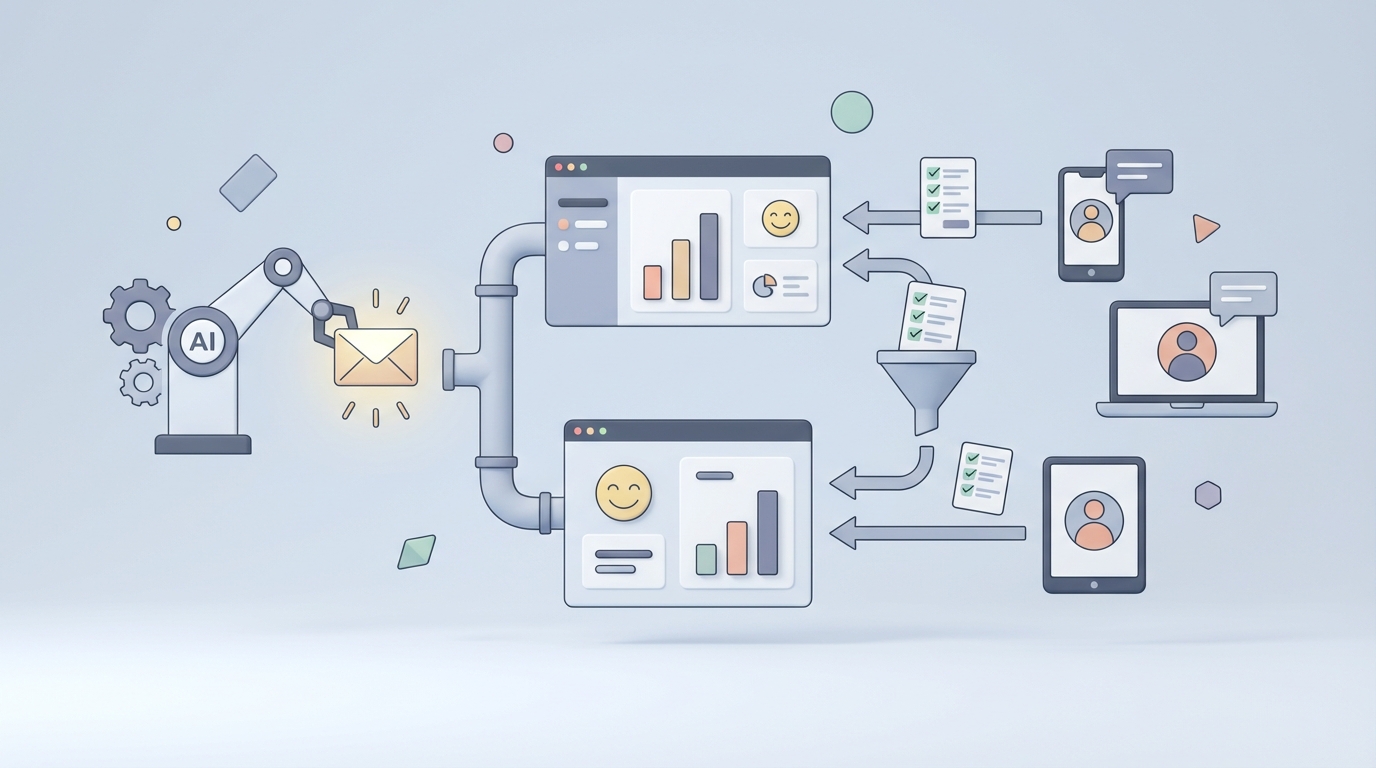
Most companies treat CSAT surveys like a checkbox. Ticket closes, survey fires, score lands in a spreadsheet, someone glances at it during a quarterly review, nothing changes. Then leadership wonders why churn is creeping up.
The irony is that you're collecting the exact data that tells you why customers leave — you're just not doing anything useful with it. Not because you don't care, but because the manual work required to actually extract insight from feedback is brutal, and most teams don't have the bandwidth.
Here's the good news: this is one of those workflows where AI automation isn't a "nice to have someday" thing. It's ready now. You can build an AI agent on OpenClaw that handles survey distribution, response analysis, theme extraction, routing, and reporting — and have it running within a week.
Let me walk you through exactly how.
The Manual CSAT Workflow (And Why It's a Time Pit)
Let's be honest about what the typical CSAT process actually looks like in most companies. Not the idealized version. The real one.
Step 1: Survey Design (2–4 hours) Someone picks a tool — Typeform, Delighted, Nicereply, or the built-in option in Zendesk or Freshdesk. They write a question or two, pick a scale (1–5 is standard), maybe add an open-text field for comments. They fiddle with branding. This part isn't terrible, but it happens every time you want to survey a new touchpoint.
Step 2: Trigger Setup (1–3 hours) You need to decide when the survey fires. After ticket close? 24 hours after purchase? Post-onboarding? This means setting up automations in your CRM or support tool — or worse, building Zapier workflows that break when someone renames a field.
Step 3: Audience Segmentation (1–2 hours per segment) Not every customer should get the same survey at the same time. Enterprise accounts might get a different cadence than free-tier users. You don't want to survey someone who just filed a complaint about billing and a separate complaint about a bug — that's two surveys in a week, and now they hate you more. Managing suppression lists and segmentation logic is tedious and error-prone.
Step 4: Distribution and Reminders (30 min setup, ongoing monitoring) Emails go out. Response rates are dismal — industry average is 10–25% for email, maybe 30–50% if you're doing in-app or SMS. So you set up reminders, which means more templates, more timing logic, more things to maintain.
Step 5: Data Aggregation (2–5 hours/month) Responses come back into... wherever. Maybe your survey tool. Maybe Zendesk. Maybe both, plus a Google Form someone on the product team set up six months ago. Now you're exporting CSVs, merging spreadsheets, and trying to get everything into one place. This is where souls go to die.
Step 6: Quantitative Analysis (3–5 hours/month) Calculate the averages. Build the pivot tables. Slice by segment, by agent, by product area, by region. Look at trends. This is straightforward but repetitive, and most teams only do it monthly because it takes so long.
Step 7: Qualitative Analysis (15–40 hours/month) This is the real killer. You've got hundreds or thousands of open-text comments. Someone has to read them, tag them with themes (slow response, bug, pricing, helpful agent, confusing UI), and try to surface patterns. Manual tagging is inconsistent — what one analyst calls "UX issue" another calls "navigation problem." According to Thematic's research, companies spend 15–40 hours per month on theme tagging alone for moderate volumes. Forrester found that CX analysts spend 40–60% of their time on data prep and basic analysis instead of actually generating insights.
Step 8: Reporting (3–6 hours/month) Build the dashboard. Write the summary. Make it look presentable for the leadership meeting. Repeat every month.
Step 9: Follow-Up and Action (Varies wildly — often zero) This is where the process breaks down completely. SuperOffice found that only 30% of companies consistently follow up on negative feedback. A customer gives you a 1/5 and writes a paragraph about why they're frustrated, and it just... sits there. Maybe someone sees it eventually. Maybe not.
Total estimated time for a mid-size company: 30–60+ hours per month. That's practically a full-time employee doing nothing but survey management and analysis. For most companies, that person doesn't exist, so the work gets half-done or not done at all.
What Makes This Painful (Beyond Just Time)
The time cost is obvious. The hidden costs are worse.
Delayed insights mean delayed action. If you're reviewing CSAT monthly or quarterly, a problem that started in week one doesn't get addressed until week four or twelve. By then, customers have already churned. A product that shipped with a confusing flow is frustrating users for weeks before anyone connects the dots.
Inconsistent tagging produces unreliable data. When humans manually categorize comments, they disagree with each other 20–40% of the time. Your "themes" dashboard looks authoritative but is built on shaky foundations. You might invest engineering resources to fix a "performance issue" that was actually about perceived slowness in customer support response times — because the tags were sloppy.
Low response rates create sampling bias. If only your most satisfied and most angry customers respond (which is typical), your CSAT scores are skewed. You're making decisions based on the extremes, not the middle.
Data silos hide the full picture. Support CSAT lives in Zendesk. Post-purchase feedback lives in Typeform. Product feedback lives in a Notion database someone set up. Nobody has a unified view, so nobody sees the cross-functional patterns.
The cost of inaction is invisible but massive. Bain & Company's classic research shows that a 5% increase in customer retention can increase profits by 25–95%. Every month you're not acting on feedback is a month you're leaking revenue from preventable churn.
What AI Can Handle Right Now
Let's be clear about what's realistic in 2026. I'm not going to tell you AI solves everything. It doesn't. But the analysis and orchestration layer — the 30–60 hours of monthly grind — is exactly where AI agents excel.
Here's what an OpenClaw-powered agent can reliably do today:
Automated survey triggering and personalization. Your agent monitors events in your CRM, support tool, or product analytics. Ticket closed? Order shipped? Onboarding completed? The agent fires the right survey to the right person through the right channel (email, SMS, in-app) at the right time. It handles suppression logic so you don't over-survey. It can even personalize the survey based on the interaction — referencing the specific product they bought or the issue they reported.
Sentiment analysis on open-text responses. Modern LLMs hit 80–92% accuracy on clear sentiment cases, and they're better than most human taggers at handling volume consistently. Your OpenClaw agent reads every single comment, scores sentiment, and flags anything that needs attention. No more reading hundreds of comments manually.
Theme extraction and categorization at scale. Instead of a human reading comments and deciding "this is a pricing complaint" vs. "this is a billing issue," your agent extracts themes automatically and applies them consistently across every response. It can detect multiple themes in a single comment. It improves over time as you provide feedback on its categorization.
Anomaly detection and real-time alerts. CSAT for your mobile app dropped 18% among European users this week? Your agent catches that immediately and alerts the relevant team — not four weeks later in a quarterly report.
Automated report generation. Weekly or daily summaries, trend analysis, segment breakdowns — your agent produces them automatically, formatted for whatever audience needs them. Leadership gets the executive summary. Product gets the feature-specific breakdown. Support gets the agent-performance view.
Intelligent routing of negative feedback. A customer gives a 1/5 and mentions a billing error? The agent routes it directly to the billing team with context. Someone mentions a bug? It goes to engineering with the relevant details extracted. No more manual triage.
Response rate optimization. Your agent can A/B test send times, subject lines, and channels, then automatically shift toward whatever gets the highest completion rates for each customer segment.
Step-by-Step: Building Your CSAT Agent on OpenClaw
Here's how to actually build this. I'll assume you're using a common stack (Zendesk or similar for support, plus email for distribution), but the logic applies regardless of your specific tools.
Step 1: Define Your Triggers and Data Sources
Start by mapping every event that should trigger a CSAT survey. Be specific:
- Support ticket resolved → send survey 2 hours after resolution
- Order delivered → send survey 24 hours after delivery confirmation
- Onboarding completed → send survey 3 days after last onboarding step
- Feature adoption milestone → send survey when user completes key action 5 times
In OpenClaw, you configure your agent to listen for these events via webhooks or API polling from your existing tools. Here's a simplified example of defining a trigger in your agent configuration:
triggers:
  - event: ticket_resolved
    source: zendesk
    delay: 2h
    conditions:
      - ticket.type != "spam"
      - customer.survey_last_sent > 14d
      - customer.tier in ["pro", "enterprise"]
    action: send_csat_survey
    channel_priority: [in_app, email, sms]
The customer.survey_last_sent > 14d condition is crucial — that's your suppression logic preventing survey fatigue. The channel priority lets the agent pick the best channel based on what's available for that customer.
Step 2: Build the Survey Delivery Pipeline
Your OpenClaw agent handles the actual sending. For email, you'll connect it to your email service (SendGrid, Postmark, or whatever you use). For in-app, you'll push to your notification system. The agent manages:
- Template selection based on the trigger type and customer segment
- Personalization (inserting the customer's name, the specific interaction, the agent who helped them)
- Reminder scheduling (one reminder after 48 hours if no response, then stop)
- Response rate tracking per channel and segment
# Example: Agent logic for survey personalization
def build_survey_payload(customer, interaction):
    return {
        "recipient": customer.email,
        "template": select_template(interaction.type, customer.segment),
        "variables": {
            "name": customer.first_name,
            "interaction_summary": summarize(interaction),
            "agent_name": interaction.assigned_agent.name,
            "survey_link": generate_unique_link(customer.id, interaction.id)
        },
        "send_at": calculate_optimal_time(customer.timezone, customer.engagement_history),
        "reminder": {
            "enabled": True,
            "delay": "48h",
            "max_reminders": 1
        }
    }
Step 3: Configure the Analysis Pipeline
This is where the real value kicks in. When responses come back, your agent processes them in real time. Here's the analysis chain you'll set up in OpenClaw:
Quantitative scoring: Straightforward — the agent logs the numeric score, associates it with the customer, interaction, agent, product area, and any other relevant metadata.
Sentiment and theme extraction on open-text: The agent analyzes every text comment using its built-in language model capabilities. You'll define your initial theme taxonomy, but the agent can also surface new themes it discovers:
analysis:
  sentiment:
    model: openclaw_sentiment_v2
    output: [positive, neutral, negative, mixed]
    confidence_threshold: 0.75

  themes:
    predefined:
      - billing_issue
      - slow_response
      - bug_report
      - helpful_agent
      - confusing_ui
      - pricing_complaint
      - feature_request
      - onboarding_difficulty
    allow_new_themes: true
    new_theme_threshold: 5  # Surface a new theme after 5+ similar comments
    multi_label: true  # A comment can have multiple themes
Anomaly detection: The agent maintains rolling baselines for your CSAT scores across every dimension (overall, by segment, by product, by agent, by region) and alerts you when something deviates significantly:
alerts:
  - metric: csat_score_avg
    dimensions: [product_area, customer_segment, region]
    window: 7d
    threshold: -10%  # Alert if score drops more than 10% vs. 30-day average
    notify: [slack_channel_cx, email_cx_lead]
    include_context: true  # Agent includes top themes driving the drop
Step 4: Set Up Automated Routing and Follow-Up
Negative feedback should trigger immediate action, not sit in a queue. Configure your agent to route based on the analysis:
routing:
  - condition: score <= 2 AND theme contains "billing_issue"
    action: create_ticket
    destination: billing_team_queue
    priority: high
    include: [customer_context, interaction_history, comment_analysis]

  - condition: score <= 2 AND theme contains "bug_report"
    action: create_issue
    destination: engineering_jira
    priority: medium
    include: [extracted_bug_details, customer_segment, frequency]

  - condition: score == 5 AND sentiment == "positive"
    action: flag_for_testimonial
    destination: marketing_team
    include: [comment, customer_details]
Notice that last rule — your agent doesn't just handle problems. It also identifies happy customers who might provide testimonials or case studies. That's free marketing intelligence that almost nobody captures systematically.
Step 5: Configure Reporting
Set up automated reports that go to the right people at the right cadence:
reports:
  - name: weekly_csat_summary
    schedule: every Monday 9am
    audience: [cx_team, support_leads]
    contents:
      - overall_score_trend
      - score_by_segment
      - top_themes_this_week
      - notable_comments
      - follow_up_status

  - name: monthly_executive_report
    schedule: first Monday of month
    audience: [leadership_team]
    contents:
      - executive_summary  # AI-generated narrative
      - score_trends_with_context
      - top_3_actionable_insights
      - comparison_to_previous_period
      - recommended_priorities
The executive summary is particularly powerful. Instead of someone spending hours writing up "here's what happened this month in CSAT," your OpenClaw agent generates a concise narrative that highlights what changed, why (based on theme analysis), and what the data suggests should be prioritized.
Step 6: Build the Feedback Loop
This is what separates a good setup from a great one. Your agent should learn from corrections:
- When a human re-categorizes a theme the agent assigned, the agent incorporates that feedback.
- When follow-up actions are taken on routed issues, the agent tracks resolution and can report on "time from feedback to action."
- When response rates change after A/B tests on send times or channels, the agent automatically adjusts its delivery strategy.
Over time, your agent gets more accurate and more efficient without you having to manually tune it.
What Still Needs a Human
I want to be direct about this because overpromising on AI automation is how you end up with a system that actively damages customer relationships.
Strategic prioritization. Your agent can tell you that "confusing UI" is the top negative theme this month, appearing in 34% of low-score responses. It cannot tell you whether to prioritize fixing that over the "slow response time" theme that affects fewer customers but higher-value accounts. That's a business judgment that requires understanding of your roadmap, resources, and strategy.
Contextual interpretation. A sudden CSAT drop might be caused by a product change you intentionally made (sunsetting a legacy feature, changing pricing). Your agent will flag it as an anomaly. A human needs to say "yes, we expected that, and it's acceptable" or "no, this is worse than we anticipated, let's adjust."
Genuine customer outreach. When a longtime customer leaves a scathing 1/5, someone needs to personally reach out. Not a templated response. Not an AI-generated email. A real human conversation. Your agent should surface these moments and provide context, but the interaction itself needs to be human.
Validation and quality checks. Especially in the first few months, you should review 10–20% of your agent's theme categorizations. LLMs are good but not perfect. Sarcasm, cultural nuance, and industry-specific jargon can trip them up. As accuracy stabilizes, you can reduce the review percentage, but never eliminate it entirely.
Privacy and compliance decisions. GDPR, CCPA, and industry-specific regulations govern how you collect, store, and process feedback data. Your agent operates within the rules you set, but defining those rules — and updating them as regulations change — requires human judgment and likely legal review.
Expected Time and Cost Savings
Let's put real numbers on this. Based on what companies using AI-augmented CSAT processes report:
| Task | Manual Time | With OpenClaw Agent | Savings |
|---|---|---|---|
| Survey trigger setup & maintenance | 3–5 hrs/month | 30 min/month (monitoring) | ~90% |
| Distribution & reminder management | 2–4 hrs/month | Fully automated | ~95% |
| Data aggregation | 2–5 hrs/month | Fully automated | ~100% |
| Quantitative analysis | 3–5 hrs/month | Fully automated | ~100% |
| Qualitative analysis (theme tagging) | 15–40 hrs/month | 2–4 hrs/month (review) | ~85% |
| Reporting | 3–6 hrs/month | 1 hr/month (review & edit) | ~80% |
| Routing & follow-up triage | 4–8 hrs/month | Mostly automated | ~85% |
| Total | 32–73 hrs/month | 4–6 hrs/month | ~85–92% |
The remaining 4–6 hours is the high-value human work: reviewing the agent's analysis, making strategic decisions, and handling sensitive customer interactions. That's what your CX team should be spending their time on — not copy-pasting data between spreadsheets.
For a company where that 32–73 hours represents a significant chunk of a CX analyst's time (or is being spread across multiple people who should be doing other things), the ROI is immediate and obvious. You're not just saving time — you're getting insights faster, catching problems earlier, and actually following up on the feedback you worked so hard to collect.
Thematic published case studies showing their AI customers reduced analysis time from 30 hours to 6 hours monthly. Qualtrics iQ users report 70–80% reduction in manual coding time. These numbers are consistent with what an OpenClaw agent delivers, with the added benefit that you own the entire pipeline and can customize it to your exact workflow rather than fitting into someone else's opinionated SaaS product.
What To Do Next
If you're currently doing CSAT manually — or, more likely, doing it half-manually and half-not-at-all — this is one of the highest-ROI automations you can build. The feedback is already there. Your customers are already telling you what's wrong and what's right. You just need a system that actually processes it and turns it into action.
Start with a single trigger (post-support-ticket CSAT is usually the easiest) and build from there. Get the analysis pipeline working, validate it against a month of manually tagged data, and expand once you trust the output.
The data is clear: companies that act on customer feedback systematically retain more customers and grow faster. The barrier was never "we don't have the data." It was "we don't have the time to do anything with it." That barrier is gone.
Need help building your CSAT automation agent? Browse the Claw Mart marketplace for pre-built OpenClaw agents and templates, or work with a Clawsourcer who specializes in CX automation to get your pipeline running in days instead of weeks. Find a Clawsourcer →