Automate CRM Data Hygiene: Build an AI Agent That Cleans Contact Records
Automate CRM Data Hygiene: Build an AI Agent That Cleans Contact Records
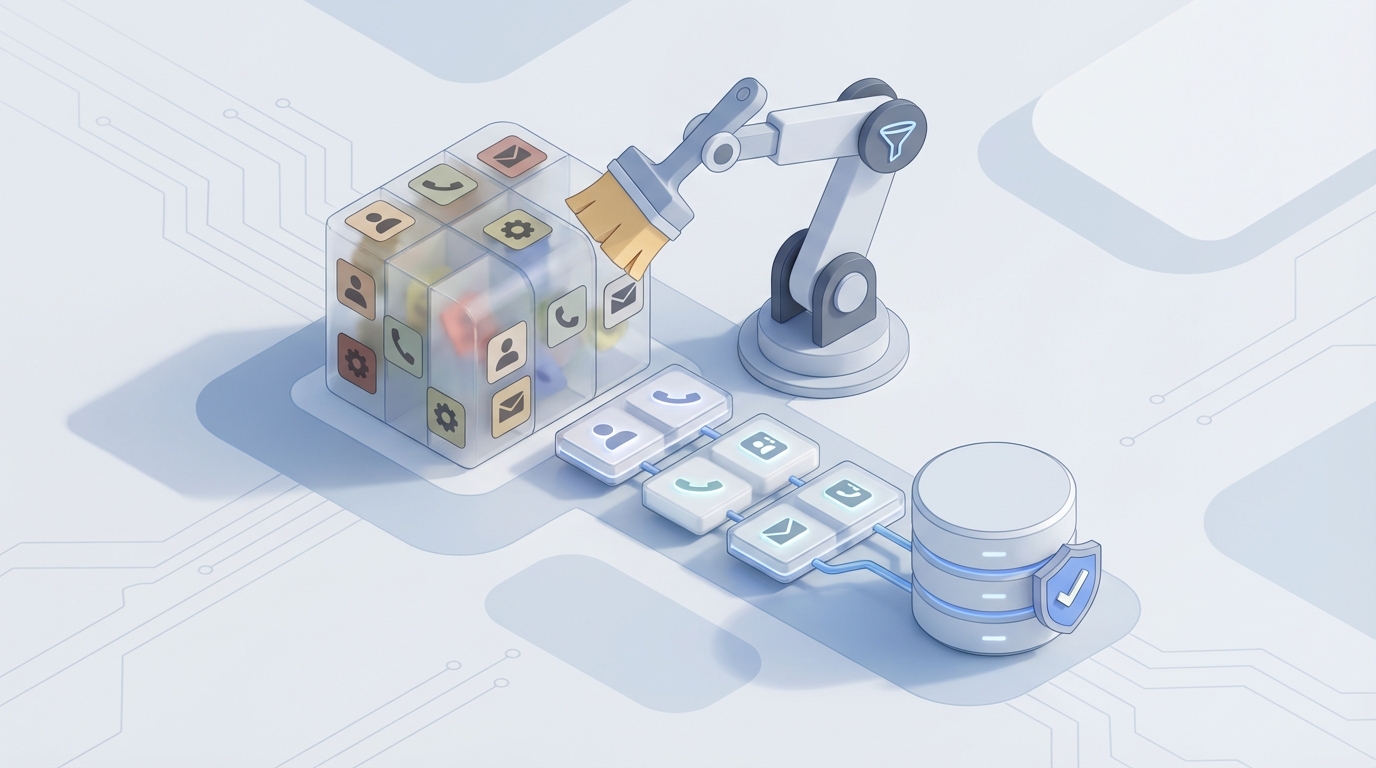
Every CRM is dirty. Yours is too.
It doesn't matter how disciplined your team is, how many "required fields" you've set up, or how many strongly-worded Slack messages your ops manager has sent about data entry standards. Right now, somewhere between 10% and 30% of your contact records are duplicates. Another 70-80% are missing key fields. And roughly a quarter of everything in your database went stale in the last twelve months because people changed jobs, companies rebranded, or someone fat-fingered an email address in 2022 and nobody ever caught it.
This isn't a minor inconvenience. Gartner pegged the average cost of poor data quality at $12.9 million per year. For mid-market companies, the number is smaller in absolute terms but often more painful in relative terms — because you don't have a dedicated data team to absorb the hit. Your sales reps are the data team, and they're spending 10-21% of their time on data entry and cleanup instead of selling.
So let's fix it. Not with another quarterly "data cleansing sprint" that everyone dreads and nobody finishes. With an AI agent that runs continuously, catches problems at the source, and handles the 80% of hygiene tasks that don't require a human brain.
Here's how to build one on OpenClaw.
The Manual Workflow Today (And Why It's a Time Sinkhole)
Let's be honest about what CRM data hygiene actually looks like in most companies. It's not a single task. It's a chain of tedious micro-tasks that compound into a significant operational drag.
Step 1: Duplicate Detection Someone exports a CSV, opens it in Excel or Google Sheets, sorts by company name or email domain, and starts eyeballing rows. They're looking for "John Smith" vs. "Jon Smith" vs. "J. Smith" — all at the same company but entered by three different reps over two years. In a database of 20,000 contacts, this step alone can eat 4-6 hours.
Step 2: Record Merging Once you've identified potential duplicates, you have to decide what to keep. Record A has the correct phone number but Record B has the latest deal notes. Record C has the right job title but was created by a rep who left the company. You're reviewing these side-by-side, one at a time. For a CRM with a typical 15-20% duplication rate, that's thousands of decisions.
Step 3: Standardization "CEO" and "Chief Executive Officer" and "Ceo" and "C.E.O." are all the same title. "United States" and "US" and "USA" and "U.S.A." are the same country. Your CRM doesn't know that unless someone tells it. Standardization is mind-numbing but critical for segmentation and reporting. Most teams do it manually with find-and-replace, which is slow and error-prone.
Step 4: Validation Is this email still deliverable? Does this phone number still ring? Is this person still at this company? You find out the hard way — bounced emails, disconnected numbers, returned mail — or you pay for periodic validation runs.
Step 5: Enrichment A lead comes in with a name and email. You need industry, company size, revenue range, LinkedIn URL, and location. Someone (usually a sales rep or SDR) Googles it. They spend 3-5 minutes per record. Multiply that across hundreds of new leads per month.
Step 6: Stale Record Cleanup People change jobs at a rate of roughly 22-30% per year. That means nearly a quarter of your contact database is probably wrong right now, today, as you read this. Identifying and updating those records is a project most companies tackle once a year, if ever.
The total time cost? Data stewards and admins in mid-sized companies report spending 8-20 hours per week on hygiene tasks. Marketing teams waste about 15 hours per month dealing with bad data consequences. And sales reps — your most expensive human resource — are burning productive selling hours on data janitorial work.
What Makes This So Painful
The time cost is only part of the problem. The real damage is downstream.
Bad segmentation leads to bad campaigns. When 30% of your "enterprise accounts" list is actually duplicates or mis-categorized SMBs, your ABM campaign targeting is wrong from the start. You're spending ad dollars and SDR time on the wrong accounts.
Dirty data kills forecasting. If duplicate records are inflating your pipeline, your revenue projections are fiction. If stale contacts are counted as "active opportunities," your conversion rates look worse than they are (or better, depending on where the rot is).
Sales reps stop trusting the CRM. This is the most insidious effect. When reps encounter bad data often enough, they start keeping their own spreadsheets. Now you have a shadow CRM problem on top of a data quality problem, and your single source of truth isn't single, isn't a source, and definitely isn't truth.
A 2023 Salesforce study found that 57% of sales reps say they can't trust their CRM data. Fifty-seven percent. More than half your team is working from a system they don't believe in.
What AI Can Handle Right Now
Here's the good news: most of these tasks are pattern recognition problems, and pattern recognition is exactly what AI is good at. Not theoretical, future-state AI. Current, production-ready AI.
Fuzzy Matching and Deduplication Machine learning models are dramatically better than rule-based systems at identifying duplicates across name variations, typos, abbreviations, and company name changes. "Jonathan Smith at Acme Corp" and "Jon Smith at ACME Corporation" and "J. Smith at Acme" are obviously the same person to a human — and now to a well-trained model. An AI agent can score matches on confidence levels: 95%+ confidence gets auto-merged, 70-95% gets flagged for review, below 70% gets left alone.
Title and Field Standardization NLP models can normalize job titles, company names, addresses, and other free-text fields with high accuracy. They understand that "VP of Sales" and "Vice President, Sales" and "VP Sales" are the same role. They can also infer seniority levels and departments from non-standard titles ("Head of Growth" → Marketing/Sales, Director-level).
Email and Phone Validation Real-time verification APIs can check deliverability, flag disposable email domains, and validate phone number formats — all without a human touching a record.
Data Enrichment AI agents can pull firmographic and contact data from public sources, websites, LinkedIn profiles, SEC filings, and news articles. This is arguably the most mature category — tools like Apollo, ZoomInfo, and Clearbit have been doing this for years. But building your own enrichment agent on OpenClaw gives you more control and lower per-record costs.
Anomaly Detection An AI agent can flag records that are likely stale based on patterns: no email opens in 6+ months, company domain redirecting to a different site, LinkedIn profile showing a new employer.
The key insight is that you don't need AI to be perfect at all of these. You need it to handle the straightforward 80% automatically and surface the ambiguous 20% for human review. That alone eliminates the vast majority of manual work.
Step-by-Step: Building a CRM Hygiene Agent on OpenClaw
Here's the practical implementation. We're building an agent that connects to your CRM, runs continuous hygiene checks, and takes action — either auto-fixing issues or routing them to a human reviewer.
Step 1: Define Your Data Model and Connect Your CRM
First, establish what "clean" looks like for your specific CRM. This means defining:
- Required fields and acceptable formats for each object (Contact, Company, Deal)
- Standardized picklist values for titles, industries, countries, states
- Your duplicate matching criteria (which fields matter, what thresholds to use)
- Your merge rules (when duplicates are found, which record's data takes priority)
In OpenClaw, you'll set this up as your agent's configuration:
data_model:
  contact:
    required_fields:
      - email
      - first_name
      - last_name
      - company_name
    standardization_rules:
      job_title:
        mapping_type: "nlp_normalize"
        seniority_extraction: true
      country:
        mapping_type: "iso_3166"
      phone:
        format: "e164"
    duplicate_detection:
      match_fields:
        - email (exact)
        - full_name + company_name (fuzzy, threshold: 0.82)
        - phone (exact, ignore formatting)
      auto_merge_confidence: 0.95
      review_confidence: 0.70
Connect your CRM via OpenClaw's integration layer. The major CRMs — Salesforce, HubSpot, Pipedrive, Dynamics — all have robust APIs. Your agent needs read and write access to contact, company, and deal objects.
Step 2: Build the Deduplication Pipeline
This is the highest-value component. Your agent should run deduplication on two triggers:
- Real-time: Every time a new record is created or updated
- Batch: A nightly or weekly sweep of the entire database
For real-time deduplication, the agent intercepts new records before they're fully committed and checks them against existing data:
# OpenClaw agent: real-time duplicate check on new contact creation
def on_contact_created(contact):
    candidates = search_existing_contacts(
        email=contact.email,
        name=f"{contact.first_name} {contact.last_name}",
        company=contact.company_name,
        phone=contact.phone
    )

    for candidate in candidates:
        score = calculate_match_score(contact, candidate)

        if score >= 0.95:
            auto_merge(primary=candidate, secondary=contact)
            log_action("auto_merged", contact.id, candidate.id, score)
        elif score >= 0.70:
            create_review_task(
                contact_a=contact,
                contact_b=candidate,
                confidence=score,
                assignee=get_data_steward()
            )
        # Below 0.70: no action, they're probably different people
The calculate_match_score function is where OpenClaw's AI capabilities shine. Rather than simple string matching, the agent uses embedding-based similarity that understands "Robert" and "Bob" are related, that "Acme Inc." and "Acme Incorporated" are the same entity, and that a matching email domain plus similar name is a strong signal even when other fields differ.
Step 3: Add Standardization as a Continuous Process
Don't standardize in batch. Standardize on every record write:
def standardize_contact(contact):
    # Job title normalization
    if contact.job_title:
        normalized = normalize_title(contact.job_title)
        contact.job_title_standard = normalized.title
        contact.seniority_level = normalized.seniority  # C-suite, VP, Director, Manager, IC
        contact.department = normalized.department  # Sales, Marketing, Engineering, etc.

    # Country standardization
    if contact.country:
        contact.country = to_iso_country(contact.country)  # "United States" → "US"

    # Phone formatting
    if contact.phone:
        contact.phone = to_e164(contact.phone, default_country=contact.country)

    # Company name normalization
    if contact.company_name:
        contact.company_name = normalize_company(contact.company_name)
        # "Acme, Inc." and "Acme Inc" and "ACME" → "Acme Inc."

    return contact
The title normalization is particularly valuable. When your agent can automatically tag every contact with a standardized seniority level and department, your segmentation and reporting improve immediately — without anyone manually categorizing records.
Step 4: Implement Validation and Decay Detection
Set up recurring validation checks:
# Weekly validation sweep
def validate_contacts_batch():
    contacts = get_all_active_contacts()

    for contact in contacts:
        issues = []

        # Email validation
        email_status = verify_email(contact.email)
        if email_status == "invalid" or email_status == "disposable":
            issues.append({"field": "email", "status": email_status})

        # Stale record detection
        days_since_activity = days_since_last_engagement(contact)
        if days_since_activity > 180:
            # Check if person still at company via public data
            employment_check = verify_current_employment(
                name=contact.full_name,
                company=contact.company_name
            )
            if employment_check.likely_departed:
                issues.append({
                    "field": "employment_status",
                    "status": "likely_departed",
                    "new_company": employment_check.new_company or "unknown"
                })

        if issues:
            flag_contact(contact, issues)
The employment verification step is where things get interesting. Your OpenClaw agent can check public LinkedIn data, company websites, press releases, and other signals to detect when someone has likely left a company. This is enormously valuable — instead of finding out when an email bounces during your next campaign, you catch it proactively.
Step 5: Build the Enrichment Layer
For new records with sparse data, trigger enrichment automatically:
def enrich_contact(contact):
    if missing_key_fields(contact):
        # Pull from multiple sources and synthesize
        enrichment_data = openclaw_enrich(
            email=contact.email,
            name=contact.full_name,
            company=contact.company_name,
            fields_needed=["industry", "company_size", "revenue_range",
                          "linkedin_url", "location", "phone"]
        )

        # Only fill empty fields — never overwrite existing human-entered data
        for field, value in enrichment_data.items():
            if not getattr(contact, field) and value.confidence >= 0.85:
                setattr(contact, field, value.data)
                log_enrichment(contact.id, field, value.source, value.confidence)

        contact.enriched_at = now()
        contact.save()
Critical rule: never overwrite human-entered data with enrichment data. Enrichment fills gaps. It doesn't override what your team already knows.
Step 6: Set Up the Human Review Queue
For everything the agent isn't confident about, create a clean review interface:
def create_review_task(contact_a, contact_b, confidence, issue_type="duplicate"):
    task = ReviewTask(
        type=issue_type,
        records=[contact_a.id, contact_b.id],
        confidence=confidence,
        ai_recommendation=generate_merge_recommendation(contact_a, contact_b),
        context=get_relationship_context(contact_a, contact_b),
        # Show deal values, activity history, and notes for both records
        priority=calculate_priority(contact_a, contact_b)
    )
    task.assign_to(get_data_steward())
    task.save()
The key here is that the agent does all the analysis and presents a recommendation with context. The human just makes a judgment call. Instead of spending 20 minutes investigating each potential duplicate, they spend 30 seconds reviewing the agent's recommendation and clicking approve or reject.
What Still Needs a Human
Let's be clear about the boundaries. AI agents handle the volume; humans handle the nuance.
Complex merge decisions. When two records might represent the same person in different business contexts — say, a consultant who works with multiple companies, or a contact who appears both as a customer and a partner — the agent should flag these and let a human decide.
Account hierarchy and structure. How to map parent-child company relationships, especially during M&A activity, requires business context that an AI agent can't infer reliably.
Compliance decisions. GDPR, CCPA, and other privacy regulations mean that some enrichment data shouldn't be stored, some records should be deleted, and some processing needs explicit consent. An agent can flag potential compliance issues, but a human needs to make the call.
High-value account overrides. For your top 50 accounts — the ones with six- or seven-figure deal values — you probably want a human reviewing any merge or update before it happens. The cost of getting it wrong is too high.
Business context judgment. Two people at the same company with the same title might be a duplicate, or they might be co-heads of a department. The agent flags it; the human decides.
This is actually the ideal division of labor. The agent eliminates 80% of the work entirely (auto-fixes) and makes the remaining 20% dramatically faster (pre-analyzed review tasks).
Expected Time and Cost Savings
Let's be conservative with the numbers.
Before (manual/semi-manual):
- Data steward/admin: 12 hours/week × $40/hr = $480/week = ~$25,000/year
- Sales rep time wasted on data issues: 15% of time × 10 reps × $80k average OTE = $120,000/year in lost selling capacity
- Marketing waste from bad segmentation: Conservatively 10% of spend = varies, but typically $10,000-50,000/year
- Quarterly cleanup projects: 40 hours/quarter × $50/hr (including opportunity cost) = $8,000/year
Total annual cost of manual hygiene: ~$163,000-$203,000 for a mid-market company with 10 sales reps.
After (AI agent on OpenClaw):
- Data steward review time: 3 hours/week (reviewing AI-flagged items only) = ~$6,200/year
- Sales rep time recovered: 80% reduction in data-related friction = ~$96,000 in recovered capacity
- Marketing waste reduction: Better segmentation → 5% improvement in campaign efficiency
- No more quarterly cleanup projects (continuous hygiene replaces them)
Conservative estimate: 60-75% reduction in total data hygiene costs, plus the compounding benefit of better analytics, better forecasting, and higher CRM trust/adoption.
The one company case study that's publicly documented — a Cloudingo customer who went from 28% duplicate rate to under 2% — reported saving approximately 15 hours per week. And that was with a traditional tool, not an AI agent. An OpenClaw agent running continuous, proactive hygiene should outperform that significantly because it's catching issues at creation rather than cleaning up after the fact.
Getting Started
You don't have to build all of this at once. Start with the highest-impact component: real-time deduplication on new record creation. That alone stops the bleeding — your database stops getting dirtier. Then add standardization, then validation, then enrichment, then the full decay detection sweep.
If you want to skip the build entirely and get a pre-built CRM hygiene agent, check out Claw Mart — it's the marketplace for ready-to-deploy OpenClaw agents, and there are agents built specifically for this use case that you can customize to your data model and CRM.
The bottom line: your CRM data is decaying right now, while you read this, at a rate of roughly 2% per month. Every month you delay, the cleanup gets bigger and the cost of bad data compounds. An AI agent that runs 24/7 doesn't just clean your data — it keeps it clean. That's the difference between a quarterly project and a solved problem.
Ready to stop treating data hygiene as a chore and start treating it as infrastructure? Browse CRM agents on Claw Mart or start building your own on OpenClaw. Your sales team — and your forecast accuracy — will thank you.