How to Automate A/B Testing for Email Subject Lines and Landing Pages
How to Automate A/B Testing for Email Subject Lines and Landing Pages
Most marketing teams treat A/B testing like flossing: they know they should do it consistently, they do it sporadically, and they feel vaguely guilty about the gap between intention and execution.
Here's the reality. The average mid-market marketing team runs four to six email A/B tests per month. They want to test every campaign. They test maybe a third of them. Each test takes two to eight hours of human time when you factor in hypothesis design, variant creation, audience segmentation, monitoring, statistical analysis, and rollout. Multiply that across a weekly email cadence and you're looking at one person spending 15 to 30 hours a week just on testing logistics.
Meanwhile, the data is unambiguous: companies that rigorously test see 20 to 30 percent higher revenue per email. Brands testing subject lines weekly see open rates climb by 14 percent on average. The ROI is obvious. The execution is where everyone falls apart.
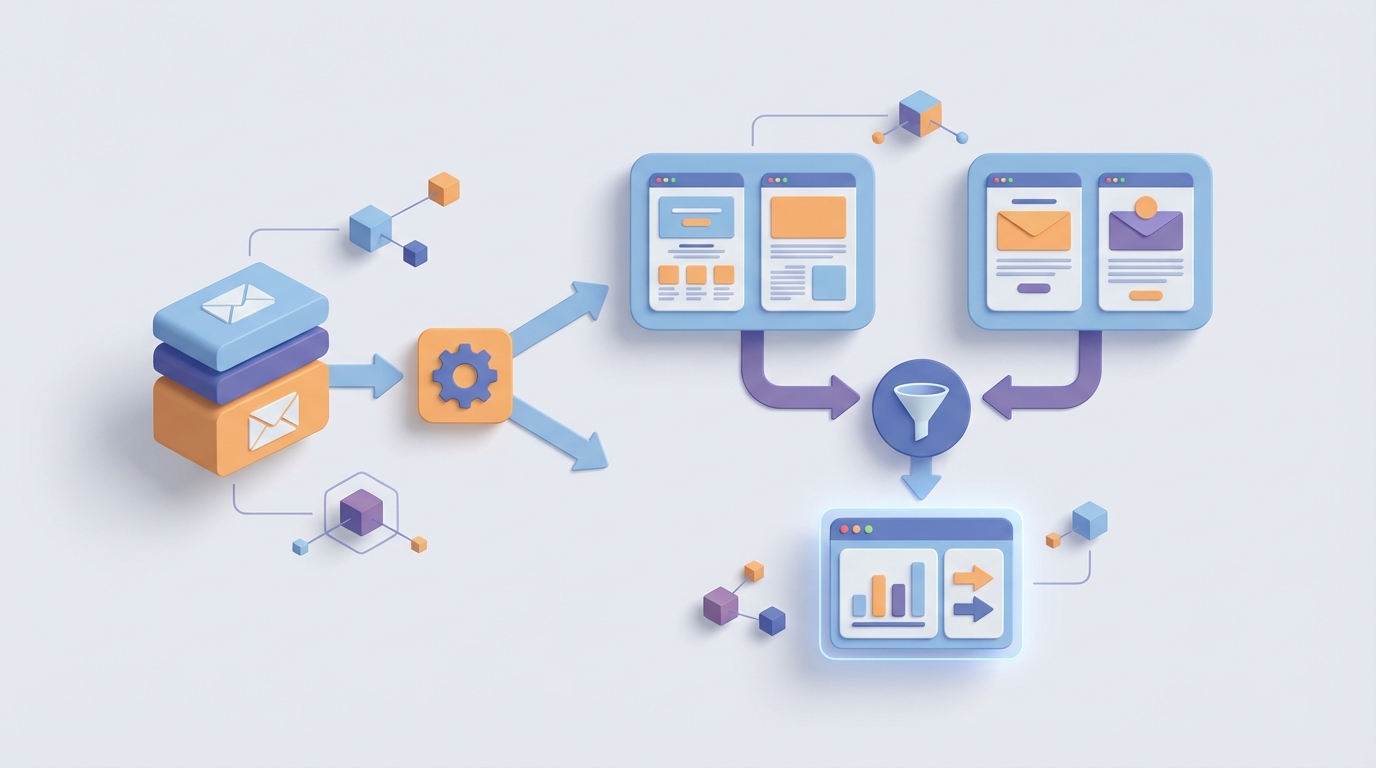
This is a guide to building an AI agent on OpenClaw that automates the grunt work of A/B testing for email subject lines and landing pages—so your team can run ten times more tests in a fraction of the time, without sacrificing statistical rigor or brand quality.
The Manual Workflow Today (And Why It's Broken)
Let's be honest about what "A/B testing" actually looks like inside most organizations. It's not a clean, automated pipeline. It's a series of manual handoffs that look something like this:
Step 1: Hypothesis and Test Design (30–90 minutes). A marketer decides what to test. Usually it's a subject line because that's the easiest thing to vary. Sometimes it's a CTA, a hero image, or a landing page headline. This step involves reading past test results (if anyone logged them), picking a variable, and writing a brief.
Step 2: Variant Creation (1–4 hours). A copywriter writes two to five subject line variations. If you're testing landing pages, a designer gets involved. Most teams test only two variants because creating more is too time-consuming.
Step 3: Audience Segmentation and Test Setup (20–45 minutes). The marketer logs into the ESP—Klaviyo, Mailchimp, ActiveCampaign, HubSpot, whatever—splits the list (usually 10 to 20 percent as a test group), sets the winner criteria (open rate, click-through rate, revenue), and schedules the test window.
Step 4: Test Launch and Monitoring (4–48 hours of waiting, plus check-ins). The test sends. Someone checks on it periodically. Often this means refreshing a dashboard every few hours and hoping for statistical significance.
Step 5: Statistical Analysis (20–60 minutes). Someone eyeballs the results, maybe runs them through a significance calculator, declares a winner. Here's a painful stat: 42 percent of email A/B tests are declared winners before reaching statistical significance. Teams are making decisions on noise.
Step 6: Rollout and Reporting (15–40 minutes). The winner gets sent to the rest of the list. Results get logged in a spreadsheet or dashboard that nobody looks at again until the next quarterly review.
Total time per test: 2–8 hours. Total tests most teams can sustain: four to six per month. Total tests they should be running: every single campaign, across multiple variables.
The math doesn't work with humans doing every step.
What Makes This Painful
The time cost is obvious. But there are three deeper problems that don't show up on a timesheet.
Problem 1: Creative fatigue kills quality. Copywriters and designers report spending 60 to 70 percent of their email time on minor variations rather than new strategy. Writing the fourteenth version of "Don't miss our summer sale" isn't creative work. It's tedious labor that drains the people you need thinking about bigger problems.
Problem 2: Statistical sloppiness wastes the effort. When teams rush to declare winners—and most do—they're not actually learning anything. They're acting on random variance and calling it insight. The "send the better one after four hours" method that most platforms default to is statistically flawed for anything but massive send volumes. You end up with a graveyard of "learnings" that are really just coinflips.
Problem 3: No compounding knowledge. Even when tests are run properly, the results live in platform dashboards or spreadsheets that nobody synthesizes. The insight from a January test doesn't inform the March strategy. Every test is an island. The organization never builds a systematic understanding of what works for their audience.
Only 58 percent of companies do any A/B testing on email at all. Of those, only about 25 percent do it consistently on every campaign. The opportunity cost is enormous.
What AI Can Handle Right Now
Here's where people either overhype or underhype AI. Let me be specific about what's actually automatable today—and how OpenClaw makes it practical to build these automations without a team of ML engineers.
Subject line generation at scale. An AI agent can generate 20 to 40 subject line variations in seconds, calibrated to your brand voice, past performance data, and the specific campaign context. This isn't theoretical. Brands using AI-generated subject lines with human curation are seeing 9.4 percent higher open rates than fully manual approaches, according to recent benchmark data from Klaviyo and Really Good Emails.
Landing page copy variations. The same agent can produce headline, subheadline, and CTA variations for landing pages—pulling from your existing brand guidelines and past test winners to stay on-voice.
Pre-send performance prediction. Modern AI can score subject lines and copy variants for predicted open rate and click-through rate before you send a single email. This lets you filter from 30 variations down to the 3 to 5 most promising ones without waiting for real-world data.
Automated statistical analysis. An agent can monitor test results in real time, calculate confidence intervals properly, and only declare a winner when statistical significance is actually reached—not when someone gets impatient at 3pm on a Tuesday.
Cross-test learning synthesis. This is the big one. An AI agent can ingest every test result across months of campaigns and surface patterns: "Urgency-based subject lines outperform curiosity-based ones by 22 percent for your VIP segment, but underperform by 8 percent for new subscribers." No human is doing this synthesis consistently.
Send-time optimization. Nearly every major platform handles this now, but an agent can coordinate send-time optimization with subject line testing to avoid confounding variables—something most teams don't think about.
Step by Step: Building the A/B Testing Agent on OpenClaw
Here's how to build this as a practical automation. OpenClaw is the platform you'll use to orchestrate the agent, connect to your existing tools, and keep a human in the loop where it matters.
Step 1: Define the Agent's Scope and Connections
Start by being specific about what this agent will own. For most teams, the highest-leverage starting point is email subject line testing, because it's high-frequency, low-risk, and the results compound fast.
In OpenClaw, you'll set up your agent with connections to:
- Your ESP (Klaviyo, Mailchimp, ActiveCampaign, etc.) for sending tests and pulling results
- Your analytics platform (Google Analytics, Amplitude, or your ESP's native revenue tracking) for measuring downstream impact
- Your brand guidelines document as context for generation
- A historical test results repository (even if it's just a CSV to start)
OpenClaw's integration layer handles the API connections. You configure them once and the agent can read and write to these systems as part of its workflow.
Step 2: Build the Generation Pipeline
This is where the agent creates test variants. Configure it with a prompt structure like this:
You are an email subject line specialist for [BRAND].

Brand voice: [paste guidelines or examples]
Campaign context: {campaign_description}
Target segment: {segment_name}
Past winners for this segment: {top_5_historical_winners}
Past losers for this segment: {bottom_5_historical_losers}

Generate 25 subject line variations across these angles:
- Urgency/scarcity (5 variations)
- Curiosity/intrigue (5 variations)
- Benefit-led (5 variations)
- Social proof (5 variations)
- Direct/straightforward (5 variations)

For each, provide:
- The subject line (max 50 characters)
- The preheader text (max 100 characters)
- A predicted performance score (1-10) with reasoning
- Which historical winner it's most similar to
The agent runs this generation step, then automatically scores and ranks the outputs. For landing pages, you'd build a parallel pipeline that generates headline, subheadline, body copy, and CTA variations.
Step 3: Configure Human Review Checkpoints
This is critical. You do not want a fully autonomous agent sending emails to your entire list without review. OpenClaw lets you build in approval gates—specific points in the workflow where the agent pauses and surfaces its recommendations for a human to approve, edit, or reject.
Set up a review checkpoint after generation where the agent presents:
- Its top 4 recommended variants (out of 25 generated)
- The reasoning for each selection
- Predicted performance scores
- Any brand compliance flags
Your marketer spends five minutes reviewing and approving instead of two hours writing from scratch. That's the leverage.
Step 4: Automate Test Configuration and Launch
Once variants are approved, the agent handles the tedious setup work:
- Creates the A/B test in your ESP via API
- Sets statistically appropriate sample sizes based on your list size and desired confidence level (most platforms default to inadequate sample sizes—the agent should calculate this properly)
- Configures winner criteria aligned with your actual business goals (revenue per recipient, not just open rate)
- Schedules the test with appropriate duration for significance
- Launches the test
Here's a sample configuration the agent would use for statistical rigor:
Test parameters:
- Minimum detectable effect: 5%
- Statistical significance threshold: 95%
- Test duration: minimum 24 hours or until significance reached
- Sample size per variant: calculated using power analysis
- Winner metric: revenue per recipient (primary), open rate (secondary)
- Auto-rollout: only if significance threshold met
- If no significance after 48 hours: flag for human review
Step 5: Build the Monitoring and Decision Loop
While the test runs, the agent monitors results and handles the statistical analysis that most teams botch. It checks significance continuously, accounts for time-of-day effects, and only triggers the winner rollout when the math actually supports it.
If a test doesn't reach significance—and remember, 42 percent of them don't—the agent flags it for human review instead of quietly picking the slightly-better-looking variant and pretending it learned something.
Step 6: Close the Learning Loop
This is where the real compounding happens. After every test, the agent:
- Logs the full results to your historical repository
- Updates its model of what works for each audience segment
- Generates a brief summary of key learnings
- Compares results to its pre-send predictions (and recalibrates)
- Surfaces monthly and quarterly trend reports
Over time, the agent gets better at predicting winners, generating on-brand copy, and identifying which test angles are worth pursuing for which segments. This organizational learning is the thing that almost no team does manually, and it's where the real revenue impact lives.
You can find pre-built agent templates for workflows like this on Claw Mart, which is OpenClaw's marketplace for agent configurations, integrations, and workflow components. Instead of building every piece from scratch, you can grab a tested email-testing agent template, customize it for your brand, and be running within a day instead of a week.
What Still Needs a Human
I want to be straightforward about this because the AI hype cycle has made people either overestimate or underestimate what's possible.
Humans still own strategic direction. The agent can tell you that urgency-based subject lines outperform curiosity-based ones for your audience. It cannot tell you that this quarter you should be testing price anchoring strategies because your competitive landscape shifted. Strategic hypothesis generation—the "what should we be learning?"—remains a human job.
Humans still own brand judgment on close calls. When two variants are within the statistical margin of error but one feels more on-brand, that's a human call. The agent can flag the situation. It shouldn't make the decision.
Humans still own creative direction. AI is exceptional at generating variations within a framework. It's mediocre at inventing entirely new frameworks. Your creative team should be spending their freed-up time on the bigger swings—new campaign concepts, new angles, new formats—while the agent handles the optimization of known approaches.
Humans still own compliance in regulated industries. If you're in finance, healthcare, or any industry with strict advertising regulations, every variant needs human review before send. The agent can flag potential issues, but the liability sits with people.
The model that works best is what the most sophisticated teams are already converging on: AI generates, humans curate, AI executes, humans synthesize. OpenClaw is built around this human-in-the-loop pattern, which is why the approval gates and escalation paths are first-class features, not afterthoughts.
Expected Time and Cost Savings
Let's get concrete with the math.
Before automation (typical mid-market team):
- Time per test: 4–6 hours
- Tests per month: 4–6
- Monthly testing time: 16–36 hours
- Variables tested per campaign: 1 (usually just subject line)
- Statistical rigor: inconsistent
After building the OpenClaw agent:
- Time per test: 20–30 minutes (human review and approval only)
- Tests per month: 20–40 (every campaign, multiple variables)
- Monthly testing time: 7–20 hours
- Variables tested per campaign: 2–3 (subject line + preheader + CTA)
- Statistical rigor: consistent (automated significance checking)
That's a 5–10x increase in test volume with a 40–60 percent reduction in human time. Based on the benchmark data, companies testing at this frequency see 20 to 30 percent higher revenue per email.
For a company sending 500,000 emails per month generating $2 per email in revenue, a 20 percent improvement is $200,000 per month in incremental revenue. Even a conservative 10 percent improvement—$100,000 per month—makes the automation investment look trivial.
The time savings alone justify it. The revenue impact makes it one of the highest-ROI automation projects a marketing team can take on.
Where to Start
Don't try to automate everything at once. Here's the sequence that works:
Week 1: Set up the OpenClaw agent with your ESP connection and brand guidelines. Start with subject line generation only. Run your first AI-assisted test with full human review at every step.
Week 2–3: Refine the generation prompts based on what your team approves and rejects. Build the statistical monitoring and auto-rollout logic. Start logging results systematically.
Month 2: Add preheader and CTA testing. Reduce human review to the approval checkpoint only. Start landing page variant generation.
Month 3: Turn on the learning synthesis loop. Let the agent start using historical data to improve its recommendations. Review the first monthly trend report.
By month three, you should be running more tests per week than you previously ran per month, with better statistical rigor and a growing repository of actual insights about your audience.
Browse Claw Mart for pre-built agent templates, ESP integrations, and statistical analysis components that can accelerate this timeline. If you want a custom setup for your specific stack, submit a Clawsourcing request and let the OpenClaw community build it with you. Most email testing agent configurations can be scoped and delivered within a week through Clawsourcing—dramatically faster than building from zero.
The testing infrastructure is the competitive moat. Start building it now.