Automate 90-Day Check-In Scheduling and Follow-Up: Build an AI Agent for New Hires
Automate 90-Day Check-In Scheduling and Follow-Up: Build an AI Agent for New Hires
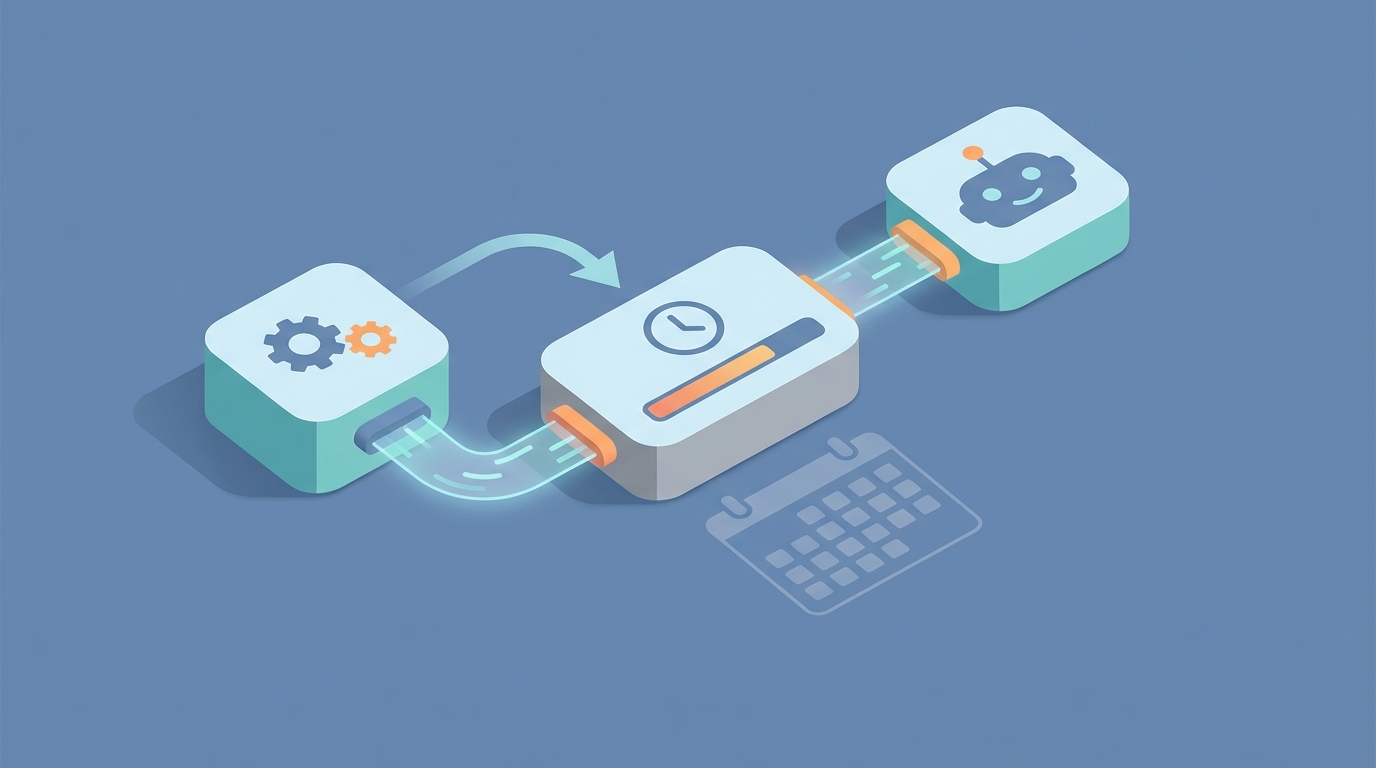
Every HR team I've talked to in the last year has the same dirty secret: their 90-day check-in process is a mess. Not because they don't care about new hires — they do — but because the actual mechanics of scheduling, reminding, collecting feedback, documenting, and following up are brutally manual. And manual processes at scale don't work. They just quietly fail.
Here's the thing: about 70-80% of the work involved in a 90-day check-in is administrative. Detecting who's hitting the milestone, sending emails, scheduling meetings, pre-filling forms, chasing completions, filing documents. None of that requires human judgment. It requires a system that doesn't forget.
That's what we're building today — an AI agent on OpenClaw that handles the entire administrative layer of 90-day new hire check-ins, so your managers and HR team can focus on the part that actually matters: the conversation.
The Manual Workflow Today (And Why It's Worse Than You Think)
Let me walk through what actually happens in most companies with 50-500 employees when a new hire approaches their 90-day mark.
Step 1: Identify who's due. Someone in HR — usually a People Ops coordinator — opens a spreadsheet or runs a report from BambooHR, Rippling, or whatever HRIS they use. They're looking for employees whose start date was roughly 80-85 days ago. This takes 15-30 minutes per cycle, and it happens weekly or biweekly if you're diligent. Many teams do it monthly, which means people slip through the cracks.
Step 2: Notify the manager. HR sends an email (or Slack message) to each relevant manager saying, "Hey, [Employee] is coming up on 90 days. Please schedule a check-in." This is usually a templated email that HR personalizes one by one. For a company hiring 10-15 people per month, this alone eats 1-2 hours.
Step 3: Schedule the meeting. The manager now has to find time on both their calendar and the employee's calendar. Back-and-forth ensues. Sometimes it happens promptly. Often it doesn't.
Step 4: Prepare review materials. HR sends the manager a form — Google Form, Lattice questionnaire, Word doc, whatever. The manager fills it out. The employee fills out a self-assessment. These forms are often generic, with questions that don't reflect the specific role or goals set during onboarding.
Step 5: Hold the meeting. This is the one part that actually requires humans. A 30-60 minute conversation about how things are going, what's working, what isn't, and where to go from here.
Step 6: Document and file. After the meeting, the manager writes up notes, action items, and any development plans. These get uploaded to the HRIS, a shared drive, or — let's be honest — they sit in the manager's email drafts forever.
Step 7: Follow up on action items. HR is supposed to track whether the check-in actually happened, whether documentation was completed, and whether action items are being addressed. In practice, this follow-up is sporadic at best.
Step 8: Aggregate and report. Leadership occasionally wants to know: How are new hires doing? What's our 90-day attrition look like? Are there patterns? HR scrambles to pull data from multiple sources and build a report manually.
The total time cost? According to Mercer's 2022 data, managers spend 4-8 hours per employee on a single review cycle. BambooHR's 2023 State of HR report found that HR teams at 150-person companies spend 12-25 hours per month just chasing 90-day reviews. That's a part-time job dedicated to administrative overhead.
What Makes This Painful
The time cost is obvious, but the real damage is subtler.
People fall through the cracks. Lattice benchmark data from 2026 shows that without automation, completion rates for 90-day reviews sit at 60-75%. That means a quarter to a third of your new hires never get a structured check-in. SHRM and Aberdeen Group studies consistently find that 33-50% of new hires who don't receive structured 90-day check-ins leave within six months. You're spending thousands to recruit these people and then losing them because someone forgot to send a calendar invite.
Quality is inconsistent. When Manager A asks thoughtful, role-specific questions and Manager B rushes through a generic form, you get wildly different experiences for new hires on the same team. Gallup's 2023 data is damning here: only 21% of employees strongly agree their performance is managed in a way that motivates them.
Documentation is scattered or nonexistent. When action items live in email threads, Slack DMs, and half-completed Google Docs, nothing gets followed up on. The check-in becomes a checkbox exercise rather than a meaningful touchpoint.
It doesn't scale. A company hiring 5 people a month can handle this manually. A company hiring 20 cannot — at least not without dedicated headcount. And dedicated headcount for administrative scheduling is an expensive, soul-crushing use of a human being's time.
The data is unusable. When everything is manual, you can't answer basic questions like: "What percentage of new hires report feeling unclear about their role at 90 days?" or "Which departments have the lowest check-in completion rates?" The data exists in fragments across too many systems.
Deloitte's 2023 Global Human Capital Trends report found that 68% of organizations still rate their performance management process as "ineffective." The process isn't broken because of the conversations. It's broken because of everything around the conversations.
What AI Can Handle Now
Here's where I get specific. An AI agent built on OpenClaw can automate the entire administrative wrapper around 90-day check-ins. Not the conversation itself — we'll talk about that boundary later — but everything before it and after it.
Milestone detection and triggering. Connect your HRIS (BambooHR, Rippling, Workday, whatever you use) to OpenClaw via API or webhook. The agent monitors employee start dates and triggers a workflow at Day 80, giving enough lead time to schedule before Day 90. No spreadsheets. No one has to remember.
Personalized outreach and scheduling. The agent drafts and sends personalized emails or Slack messages to both the manager and the new hire. Not a generic template — a message that references the employee's name, role, department, and manager. It includes a Calendly or scheduling link with pre-configured availability windows. If neither party books within 48 hours, it follows up. If they still don't book, it escalates to HR.
Pre-populated review forms. Instead of sending a blank form, the agent pulls data from your HRIS, project management tools, and communication platforms to pre-fill context. Things like: goals set during onboarding, projects the employee has been assigned to, any feedback already logged in 1:1 tools, and attendance/completion data from onboarding programs. The manager gets a form that's already 40% filled in with relevant context.
Dynamic question generation. Using OpenClaw's ability to work with structured prompts and role-specific templates, the agent generates check-in questions tailored to the employee's role, department, and any flags from the first 90 days. An engineer gets different questions than a sales rep. Someone who completed onboarding ahead of schedule gets different questions than someone who struggled.
Meeting prep packets. Before the check-in, the agent compiles a one-page summary for the manager: key milestones hit, any concerns flagged in pulse surveys or 1:1 notes, suggested talking points, and a reminder of what was discussed at the 30-day and 60-day check-ins (if those exist).
Post-meeting documentation. After the meeting, the agent processes notes (either from a connected tool like Otter.ai or Fireflies, or from the manager's written summary) and extracts action items, flags, sentiment themes, and development plan elements. It formats these into your standard documentation template and files them in your HRIS or shared drive.
Follow-up and accountability. The agent tracks action items from the check-in and sends reminders at configured intervals. If the manager committed to connecting the new hire with a mentor by Day 100, the agent follows up at Day 98. If HR needs to review a performance concern flagged during the check-in, the agent routes it to the right person.
Reporting and pattern detection. All check-in data flows into a structured format that OpenClaw can analyze. You can ask questions like: "Which departments have the lowest 90-day satisfaction scores?" or "What are the most common concerns raised by new hires in engineering?" The data is already there, already structured, already queryable.
Step-by-Step: Building This on OpenClaw
Here's how to actually build this. I'm assuming you have an HRIS, use email or Slack for internal communication, and have some kind of calendar system. If you have all three, you can get this running in a day or two.
Step 1: Define Your Data Sources and Connections
Map out what systems the agent needs to talk to:
- HRIS (BambooHR, Rippling, etc.) — for employee start dates, role, department, manager
- Calendar (Google Calendar, Outlook) — for scheduling
- Communication (Slack, email via Gmail/Outlook) — for outreach and reminders
- Documentation (Google Drive, Notion, SharePoint) — for filing completed reviews
- Forms (Google Forms, Typeform, or your performance management tool) — for collecting responses
In OpenClaw, you'll set up integrations with each of these. Most connect via OAuth or API key. The platform handles the authentication layer so you're not writing custom middleware.
Step 2: Build the Trigger Logic
Create an OpenClaw agent with a daily scheduled task that queries your HRIS for employees where:
current_date - start_date >= 80 days
AND 90_day_review_status != "completed"
AND 90_day_review_status != "scheduled"
This gives you a rolling list of employees who need check-ins initiated. The 80-day threshold provides a 10-day buffer for scheduling.
Step 3: Configure the Outreach Sequence
For each employee flagged, the agent executes the following sequence:
Day 80: Send personalized message to manager via Slack or email.
Subject: 90-Day Check-In Coming Up for [Employee Name]

Hi [Manager Name],

[Employee Name] is approaching their 90-day mark on [Date] in their role
as [Job Title] on the [Department] team.

I've put together a prep packet with their onboarding progress,
goals set during their first week, and suggested discussion topics.
You can review it here: [Link]

Please schedule the check-in using this link: [Calendly Link]

If you have questions about the process, let me know.
Day 80: Send a separate message to the new hire.
Hi [Employee Name],

You're coming up on 90 days at [Company]! Your manager [Manager Name]
will be scheduling a check-in with you soon to discuss how things
are going.

Before the meeting, please take 10 minutes to fill out this
self-reflection: [Form Link]

This isn't a test — it's a chance to share what's working, what isn't,
and what support you need.
Day 83 (if not scheduled): Follow-up reminder to manager.
Day 86 (if still not scheduled): Escalation to HR with manager name and employee details.
Step 4: Generate the Prep Packet
When the trigger fires, the agent also compiles a meeting prep document by pulling:
- Onboarding checklist completion status from your HRIS or onboarding tool
- Goals or OKRs set in the first two weeks (from your performance management tool or a stored document)
- Any notes from previous 1:1s (if logged in a tool like Lattice, 15Five, or even a shared Google Doc)
- Pulse survey responses (if you run them)
- Project assignments and completion data (from Asana, Jira, Linear, etc.)
The agent assembles this into a structured one-page summary using an OpenClaw template. The output looks something like:
## 90-Day Check-In Prep: [Employee Name]
**Role:** [Job Title] | **Department:** [Department] | **Start Date:** [Date]
**Manager:** [Manager Name]

### Onboarding Progress
- Completed 8/10 onboarding milestones
- Outstanding: Security training, benefits enrollment confirmation

### Goals Set at Hire
1. [Goal 1] — Status: On track
2. [Goal 2] — Status: Needs discussion
3. [Goal 3] — Status: Completed ahead of schedule

### Notes from Previous Check-Ins
- Week 2: "Feeling good about team dynamics, still ramping on [tool]"
- Week 6: "Would like more context on [project]"

### Suggested Discussion Topics
- Follow up on [Goal 2] status and any blockers
- Discuss career development interests mentioned in self-assessment
- Address outstanding onboarding items
- Confirm alignment on Q2 priorities
This alone saves the manager 1-2 hours of prep work per review.
Step 5: Post-Meeting Processing
After the check-in meeting, the agent handles documentation in one of two ways:
Option A: Meeting transcription integration. If you use Otter.ai, Fireflies, or Grain, the agent ingests the transcript and extracts key themes, action items, sentiment indicators, and decisions made. It formats these into your standard review documentation template.
Option B: Manager submits structured notes. The agent sends the manager a post-meeting form with prompts:
- Overall assessment (on track / needs support / at risk)
- Key strengths observed
- Areas for development
- Action items (with owners and due dates)
- Any flags for HR
Either way, the agent takes the raw input, structures it, files it in your HRIS or document repository, and creates follow-up tasks.
Step 6: Action Item Tracking
For each action item generated from the check-in, the agent creates a tracked reminder:
- For the manager: "You committed to scheduling a shadow session for [Employee] by [Date]. This is a reminder."
- For HR: "A development plan was flagged for [Employee]. Please review and confirm next steps by [Date]."
- For the employee: "Your manager suggested completing [Training/Certification] by [Date]. Here's the link to get started."
If action items aren't completed by their due date, the agent sends a follow-up and can escalate if configured to do so.
Step 7: Reporting Dashboard
All the data flowing through this system is structured and queryable. Configure your OpenClaw agent to generate weekly or monthly reports:
- Check-in completion rate by department
- Average time from trigger to completed check-in
- Most common themes in employee self-assessments
- Distribution of overall assessment ratings
- Action item completion rate
- Departments or managers with consistently late or missing check-ins
You can have these reports delivered to HR leadership via email or Slack on a schedule, or query them on demand.
What Still Needs a Human
I want to be explicit about the boundaries here, because overpromising on AI automation is how you end up with a worse process than what you started with.
The conversation itself. The 30-60 minute check-in meeting between a manager and their new hire is the entire point of this process. It's where trust gets built, where nuanced concerns get surfaced, where a manager reads body language and realizes something is wrong even when the employee says "everything's fine." No AI agent should conduct this meeting.
Interpreting complex situations. If a new hire's 90-day data shows mixed signals — great project output but low engagement scores, or strong peer feedback but a strained relationship with their skip-level — a human needs to interpret what's actually happening and decide how to respond.
Delivering difficult feedback. If the check-in reveals that a new hire isn't meeting expectations and may need a performance improvement plan, that's a conversation requiring empathy, legal awareness, and professional judgment. The agent can flag the situation and route it to the right people. It should not make the call.
Career development coaching. The generative parts of a check-in — helping a new hire think about their growth trajectory, connecting their interests with organizational opportunities, providing mentorship — are fundamentally human activities.
Fairness and bias review. When patterns emerge in the data (e.g., one department consistently rates new hires lower), a human needs to investigate whether that reflects actual performance issues or systemic bias. The agent surfaces the pattern. Humans interpret it.
The framework is simple: the agent handles logistics, data, and accountability. Humans handle judgment, relationships, and decisions.
Expected Time and Cost Savings
Let me lay out realistic numbers based on the research data and what companies report after automating similar workflows.
For a company with 150 employees, hiring ~12 new people per month:
| Task | Manual Time (Monthly) | With OpenClaw Agent | Savings |
|---|---|---|---|
| Identifying employees due for review | 2-4 hours | 0 (automated) | 2-4 hours |
| Sending notifications and reminders | 3-5 hours | 0 (automated) | 3-5 hours |
| Scheduling follow-up / chasing | 4-8 hours | 0 (automated, with escalation) | 4-8 hours |
| Preparing review materials | 2-3 hours per review × 12 = 24-36 hours (manager time) | ~30 min per review × 12 = 6 hours | 18-30 hours |
| Post-meeting documentation | 1-2 hours per review × 12 = 12-24 hours | ~15 min per review × 12 = 3 hours | 9-21 hours |
| Follow-up on action items | 3-6 hours | 0 (automated) | 3-6 hours |
| Reporting | 4-8 hours | 0 (automated) | 4-8 hours |
| Total | 52-91 hours/month | ~9 hours/month | 43-82 hours/month |
That's roughly a full-time equivalent saved every month for a mid-sized company. And that's conservative — it doesn't account for the cost of new hires leaving because they never got a proper check-in.
On completion rates: companies that automate the scheduling and reminder layer consistently see completion rates jump from the 60-75% range to 90%+ (Lattice 2026 benchmarks). That means fewer new hires falling through the cracks, which directly impacts six-month retention.
The less quantifiable but equally important benefit: manager satisfaction. When managers get a pre-filled prep packet instead of a blank form and a guilt-inducing email from HR, they actually engage with the process. The check-in becomes useful instead of obligatory.
Getting Started
If you're running 90-day check-ins manually today and feeling the pain, here's what I'd do:
This week: Map your current process end-to-end. Write down every step, every tool, every handoff. Identify where things break down (it's usually scheduling and follow-up).
Next week: Set up an OpenClaw agent with your HRIS integration and the trigger logic described above. Start with just the notification and scheduling automation — that alone will save you 10+ hours per month and boost completion rates.
Week three: Add the prep packet generation. Connect your project management and goal-tracking tools so the agent can pull meaningful context.
Week four: Layer in post-meeting documentation processing and action item tracking.
You don't have to build the entire system at once. Each layer adds value independently.
If you want pre-built components for this workflow, check out what's available on Claw Mart — there are agent templates and integration configurations specifically designed for HR automation workflows that you can customize rather than building from scratch.
And if you'd rather have someone build this for you, that's exactly what Clawsourcing is for. Post the project, describe your HRIS setup and current process, and let an experienced OpenClaw builder handle the implementation. Most teams have this running within a week.
The 90-day check-in matters. It's one of the highest-leverage moments in the employee lifecycle. Stop letting administrative friction turn it into a missed opportunity.