Replace Your Video Editor (Social Clips) with an AI Video Editor (Social Clips) Agent
Replace Your Video Editor (Social Clips) with an AI Video Editor (Social Clips) Agent
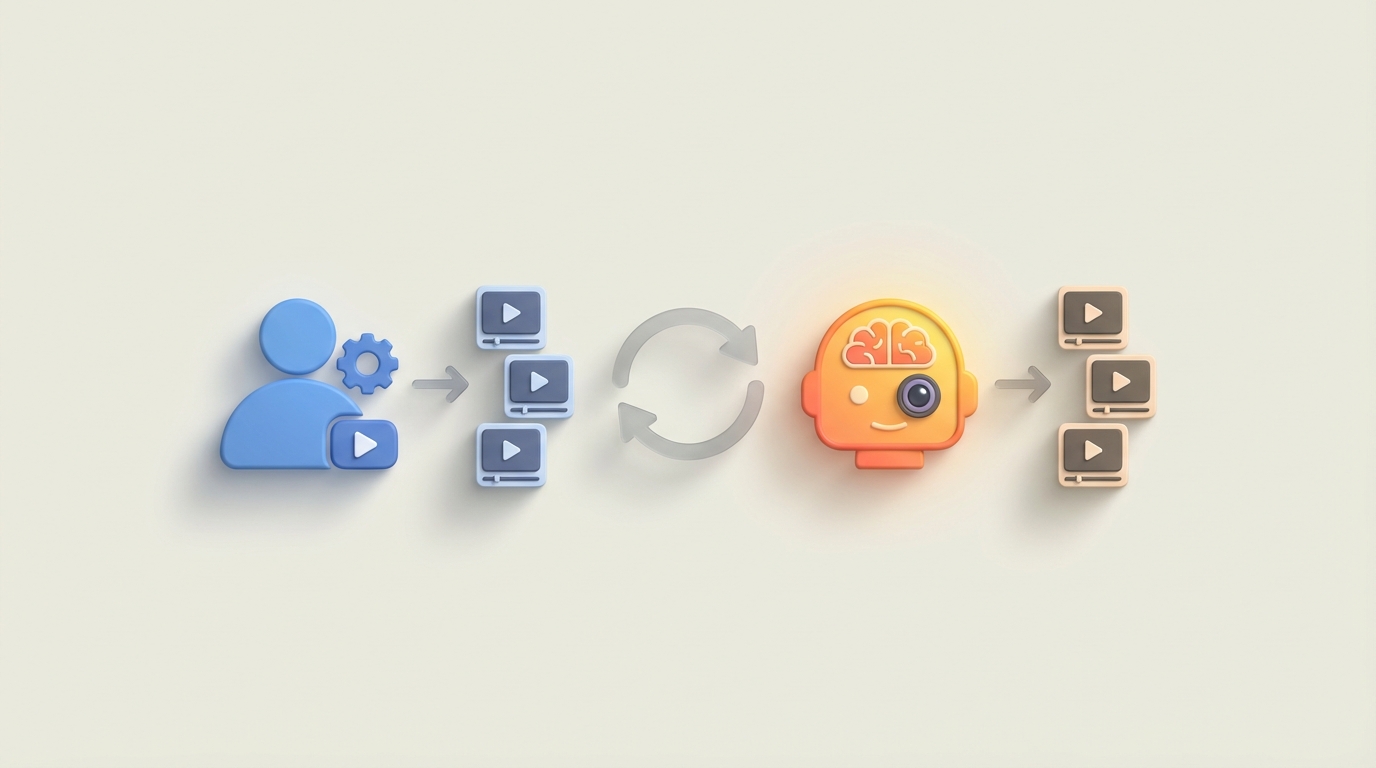
Most social media teams are paying $65,000–$95,000 a year for someone to do what is, frankly, a lot of repetitive mechanical work. I'm not saying video editors aren't skilled — they absolutely are. But when you break down what a Social Clips editor actually does hour by hour, you realize that a massive chunk of their day is pattern-matching and template execution, not creative genius.
That's the kind of work AI agents eat for breakfast.
Let me walk you through what this role really looks like, what it actually costs, and how to replace the automatable parts with an AI agent built on OpenClaw — while being honest about where you still need a human in the loop.
What a Social Clips Video Editor Actually Does All Day
Forget the job title. Here's the actual workflow, broken into how time gets spent:
Footage Review & Selection (20–30% of time) They're scrubbing through hours of raw footage — podcast recordings, talking-head videos, event clips, behind-the-scenes content — and flagging the "good moments." The ones with energy, a strong hook, a quotable line, a reaction worth clipping. They're logging timestamps, tagging clips, organizing assets into folders.
Rough Assembly (20–25%) Cutting the selected moments down into 15–60 second clips. Sequencing them into a basic timeline. Getting the pacing roughly right. Nothing fancy yet — just structure.
Creative Editing (25–30%) This is where the "editing" part actually happens: transitions, speed ramps, text overlays, captions, stickers, lower-thirds, branded graphics, motion templates. Most of this follows a formula. Hook in the first 1–2 seconds. Pattern interrupt around second 3–5. B-roll or visual break at the midpoint. CTA or punchline at the end. Every platform has its own flavor, but the underlying structure is remarkably consistent.
Audio Work (10–15%) Syncing background music, ducking audio levels so speech stays clear, cleaning up noise, sometimes adding sound effects or voiceover. Finding royalty-free tracks that match the vibe.
Polish & Export (15–20%) Color correction, 9:16 formatting, rendering multiple versions for different platforms, creating thumbnails, uploading and scheduling.
Revisions (The Hidden Time Killer) Revision rounds eat 30–40% of total project time according to Frame.io's 2023 post-production report. "Can you make the hook punchier?" "Try a different song." "The text is too small on mobile." Each round means re-rendering, re-exporting, re-uploading.
A full-time editor handles somewhere between 3 and 10 clips per day, depending on complexity. High-volume shops (think GaryVee's team) push 100+ clips per week across multiple brands.
That's the job. Now let's talk about what it costs.
The Real Cost of This Hire
The salary is just the beginning.
| Level | Annual Salary | With Benefits & Overhead (1.3x) |
|---|---|---|
| Entry (0–2 years) | $45,000–$65,000 | $58,500–$84,500 |
| Mid (3–5 years) | $65,000–$95,000 | $84,500–$123,500 |
| Senior (5+ years) | $95,000–$130,000+ | $123,500–$169,000+ |
If you're freelancing it out, expect $100–$500 per simple Reel, or $50–$150/hour. Agencies charge clients $200–$1,000 per clip.
But the real costs are hidden:
- Software licenses: Premiere Pro ($23/mo), After Effects ($23/mo), DaVinci Resolve (free to $295 one-time), CapCut Pro ($8/mo), music libraries like Epidemic Sound ($15/mo). Per editor, per month. It adds up.
- Training and ramp-up: Every brand has its own style guide, caption preferences, color palette, music vibe. Getting a new editor fluent takes 2–6 weeks of reduced output.
- Turnover: Social clips editors burn out. The work is fast, repetitive, and the algorithms they're optimizing for change every few weeks. Average tenure in social media roles is 18–24 months. Every departure costs you the ramp-up cycle again.
- Management overhead: Someone has to brief them, review cuts, give feedback, manage revision rounds. That's your time or your creative director's time — and it's expensive time.
A mid-level social clips editor, fully loaded, costs your business roughly $100,000/year when you account for everything. And they work 8 hours a day, 5 days a week, with vacation and sick days.
An AI agent works 24/7, doesn't burn out, doesn't quit after 18 months, and costs a fraction of that to run.
What AI Can Actually Handle Right Now
I want to be specific here because vague "AI will change everything" takes are useless. Here's what works today, broken down by task:
Captioning and Subtitles — 90%+ Automated
This is essentially a solved problem. Tools like Descript and CapCut AI hit 95%+ accuracy across 50+ languages. OpenClaw agents can call transcription APIs, apply branded caption styles, and handle the entire subtitle pipeline without human input. The remaining 10% is edge cases: unusual names, slang, intentional mispronunciations for humor.
Clip Selection from Long-Form Content — 80% Automated
This is where things get powerful. AI models can now analyze a 60-minute podcast and identify the 10–20 moments most likely to perform as standalone clips. They score based on emotional intensity, topic shifts, audience engagement patterns, and hook strength. Opus Clip built a whole company around this. With OpenClaw, you can build your own version that's tuned to your specific brand voice and audience.
Basic Assembly and Cuts — 75% Automated
Once you've identified the moments, cutting them into clips with proper in/out points, adding padding, handling transitions — this is mechanical work. OpenClaw agents can sequence clips, apply template-based structures (hook → content → CTA), and output rough cuts that need minimal human review.
Audio Work — 70% Automated
Background music selection, audio level normalization, noise reduction, speech enhancement — all of this can be automated. Adobe's Enhance Speech tool is almost magical for cleaning up talking-head audio. OpenClaw agents can orchestrate the full audio pipeline: clean the speech, select a track from a licensed library based on mood tags, duck the music under speech, and normalize levels for platform specs.
Effects, Text Overlays, and Formatting — 65% Automated
Template-based effects (zoom-ins on key words, emoji overlays, branded lower-thirds) follow predictable rules. The agent can apply these based on transcript analysis — emphasize this word, add a reaction emoji here, insert B-roll there. Platform-specific formatting (aspect ratios, safe zones, duration limits) is fully automatable.
Color Correction — 60% Automated
Auto color matching and basic correction is solid now. DaVinci Resolve's AI tools handle this well. What's harder to automate is creative grading — the specific look that gives a brand its visual identity. But for most social clips, "make it look clean and consistent" is enough, and AI handles that fine.
Full Pipeline (End-to-End) — 50% Automated
Tools like Klap.app already do podcast-to-clips in one shot. The results are decent but generic. With OpenClaw, you can build an agent that handles the full pipeline with your specific brand rules, templates, and quality standards baked in — and it gets better over time as you feed it examples of what "good" looks like for your content.
What Still Needs a Human (Being Honest)
Here's where I pump the brakes. AI is not replacing your creative director. Not yet. Probably not for a while.
Strategic Decisions: Which clips to actually post, when, and on which platforms. Understanding why a specific hook will resonate with your audience this week versus last week. Reading the cultural room. An AI can suggest; a human decides.
Emotional Pacing and Storytelling: AI knows that a clip is "funny" based on patterns. It doesn't know why it's funny to your specific audience or how to build tension and release across a 45-second story. The difference between a clip that gets 10K views and one that gets 1M is often in the subtle pacing choices that only a skilled editor intuits.
Brand Voice Nuance: Templates get you 80% there. The last 20% — the specific way your brand uses humor, the exact level of polish versus rawness, the unspoken rules about what you would and wouldn't post — that's human judgment.
Revision Interpretation: "Make it feel more energetic" means different things to different clients. A human editor navigates that ambiguity. An AI agent needs those instructions translated into specific, actionable parameters.
Trend Contextualization: An AI can identify that a specific audio or format is trending on TikTok. It can't tell you whether jumping on that trend aligns with your brand or will look cringe. That's cultural awareness, and it's still a distinctly human skill.
The honest math, per Deloitte's AI in Media report: AI can handle roughly 60–70% of the mechanical execution in social clip production. Humans are still needed for the remaining 30–40% — primarily the strategic and creative judgment layer.
The right model isn't "replace the editor." It's "give one editor the output capacity of five."
How to Build a Social Clips AI Agent with OpenClaw
Here's where we get practical. OpenClaw lets you build AI agents that chain together multiple tools and decision points into automated workflows. For a Social Clips agent, you're essentially building a pipeline with several stages.
Step 1: Define Your Inputs and Outputs
Your agent needs to know what it's working with and what it's producing.
agent:
  name: social-clips-editor
  description: Converts long-form video into platform-ready social clips
  inputs:
    - type: video
      source: upload | url | google_drive
      max_duration: 3600  # 1 hour max
    - type: config
      brand_template: "default_brand_v2"
      platforms: ["tiktok", "instagram_reels", "youtube_shorts"]
      clips_per_run: 10
  outputs:
    - type: video_clips
      format: mp4
      aspect_ratio: "9:16"
      include_captions: true
    - type: metadata
      includes: ["title", "description", "hashtags", "thumbnail"]
Step 2: Build the Clip Selection Stage
This is the highest-leverage automation. The agent ingests your video, transcribes it, and identifies the best clip-worthy moments.
stages:
  - name: transcribe_and_analyze
    tool: openclaw.transcription
    config:
      model: whisper-large-v3
      speaker_diarization: true
      sentiment_analysis: true
    actions:
      - transcribe full video with timestamps
      - score each 30-60 second segment on:
          - emotional_intensity (0-1)
          - hook_strength (0-1)  # How compelling is the opening line?
          - standalone_clarity (0-1)  # Does it make sense without context?
          - topic_relevance (weighted by brand keywords)
      - rank segments and select top N based on clips_per_run
Step 3: Automated Editing Pipeline
Once you've got your clip candidates, the agent processes each one through your editing pipeline.
  - name: edit_clips
    tool: openclaw.video_editor
    config:
      template: "{{brand_template}}"
    actions:
      for_each: selected_clips
      steps:
        - trim to optimal start/end points (cut before filler words, end on punchline)
        - apply brand intro (0.5s animated logo)
        - generate captions from transcript segment
        - style captions per brand guide (font, color, position, animation)
        - apply auto color correction
        - normalize audio levels to -14 LUFS (platform standard)
        - select background music:
            mood: match segment sentiment
            library: epidemic_sound | brand_library
            volume: duck under speech at -18dB
        - add text hook overlay for first 2 seconds
        - apply platform-specific safe zones
        - render at platform-optimal settings:
            tiktok: 1080x1920, h264, 30fps
            reels: 1080x1920, h264, 30fps
            shorts: 1080x1920, h264, 30fps
Step 4: Metadata Generation
Each clip needs a title, description, hashtags, and thumbnail. The agent handles this too.
  - name: generate_metadata
    tool: openclaw.content_generator
    actions:
      for_each: rendered_clips
      steps:
        - generate title (max 100 chars, hook-style)
        - generate description with relevant keywords
        - select hashtags (mix of trending + evergreen + branded)
        - extract best frame for thumbnail
        - apply thumbnail template (text overlay, contrast boost)
Step 5: Human Review Gate
This is critical. Don't fully automate the final publish step. Build in a review gate.
  - name: human_review
    tool: openclaw.review_queue
    config:
      notify: ["slack:#social-clips", "email:editor@company.com"]
      approval_required: true
      auto_approve_after: null  # Never auto-approve; always require human sign-off
    actions:
      - present all clips with metadata in review dashboard
      - allow approve / reject / send to revision
      - track approval patterns to improve future clip selection
Step 6: Deploy and Iterate
Start with your last 10 published clips as training examples. Upload them with performance data (views, engagement, completion rate) and let the agent learn what "good" looks like for your specific audience.
  - name: feedback_loop
    tool: openclaw.learning
    config:
      training_data: performance_metrics
      optimize_for: completion_rate  # or views, engagement, shares
    actions:
      - ingest performance data from published clips
      - adjust clip selection scoring weights
      - refine hook detection model
      - update caption styling based on engagement correlation
Run the agent on 3–5 videos before trusting it with volume. Review every clip for the first two weeks. After that, you'll have a good sense of its strengths and where you need to intervene.
What This Looks Like in Practice
Let's say you're a podcast that publishes three 60-minute episodes per week. Currently, your editor spends 4–6 hours per episode creating 5–8 social clips. That's 12–18 hours per week, or roughly half a full-time position.
With an OpenClaw agent:
- Automated stages (transcription, clip selection, rough editing, captions, audio, metadata): 15–20 minutes of compute time per episode. No human time.
- Human review and refinement: 30–45 minutes per episode. Cherry-pick the best clips, tweak a caption here, swap a music track there.
- Total human time: 1.5–2.25 hours per week instead of 12–18.
That's an 85–90% reduction in human editing time. Your editor goes from cranking out clips to curating and refining them. They spend their time on the creative judgment that actually moves the needle, not on dragging clips around a timeline.
You can now either:
- Produce 5x more clips with the same editor
- Redeploy that editor to higher-value creative work
- Skip the full-time hire entirely and have your content strategist handle the review layer
The economics shift dramatically. Instead of $100K/year fully loaded for an editor, you're looking at the OpenClaw agent cost plus maybe 5–10 hours/week of a content person's time for review. For most teams, that's a net savings of $60,000–$80,000/year, with higher output volume.
The Companies Already Doing This
This isn't theoretical. GaryVee's VaynerMedia reportedly cut their editor headcount by 50% using AI clipping tools. Ali Abdaal's team uses Opus Clip to turn podcast episodes into dozens of shorts automatically. HubSpot's marketing team uses AI-assisted editing to produce social clips at scale across multiple brands.
The difference with building on OpenClaw versus using off-the-shelf tools like Opus Clip or Klap: you own the pipeline. You can customize every stage. You're not locked into someone else's idea of what a "viral clip" looks like. Your agent learns your brand, your audience, your specific definition of quality. And you can plug in any tools you want at each stage — your preferred transcription model, your music library, your caption style, your review workflow.
Off-the-shelf tools give you generic output. An OpenClaw agent gives you your output, automated.
Next Steps
If you're spending more than $3,000/month on social clip production (in-house or freelance), you have enough volume to justify building an agent.
Start here:
- Audit your current workflow. Map every step from raw footage to published clip. Time each one.
- Identify which steps follow rules versus require judgment. Rules-based steps are your automation targets.
- Build your first OpenClaw agent using the pipeline structure above. Start simple — just transcription and clip selection — and add stages as you validate each one.
- Run it alongside your current process for two weeks. Compare output quality and time savings.
- Iterate based on what the agent gets right and wrong. Tighten the feedback loop.
Or, if you'd rather not build it yourself: hire us to build it through Clawsourcing. We'll audit your current video workflow, design an OpenClaw agent tailored to your brand and platforms, deploy it, and train your team to manage the review layer. You get the time savings without the build time.
Either way, stop paying full-time rates for work that's 70% mechanical. Put humans where humans matter — on the creative decisions that actually drive performance — and let the agent handle the rest.
Recommended for this post
The Podcast Producer
Persona
You record it. It does everything else.
 Charles AI
Competitor analysis, script writing, and social media repurposing from YouTube videos
 Dima Vogel
Automated tweet scheduling, engagement monitoring, pixel art, and audience building. The exact stack behind @ai_maduro.
 Maduro AI