Replace Your Technical Support Rep with an AI Technical Support Rep Agent
Replace Your Technical Support Rep with an AI Technical Support Rep Agent
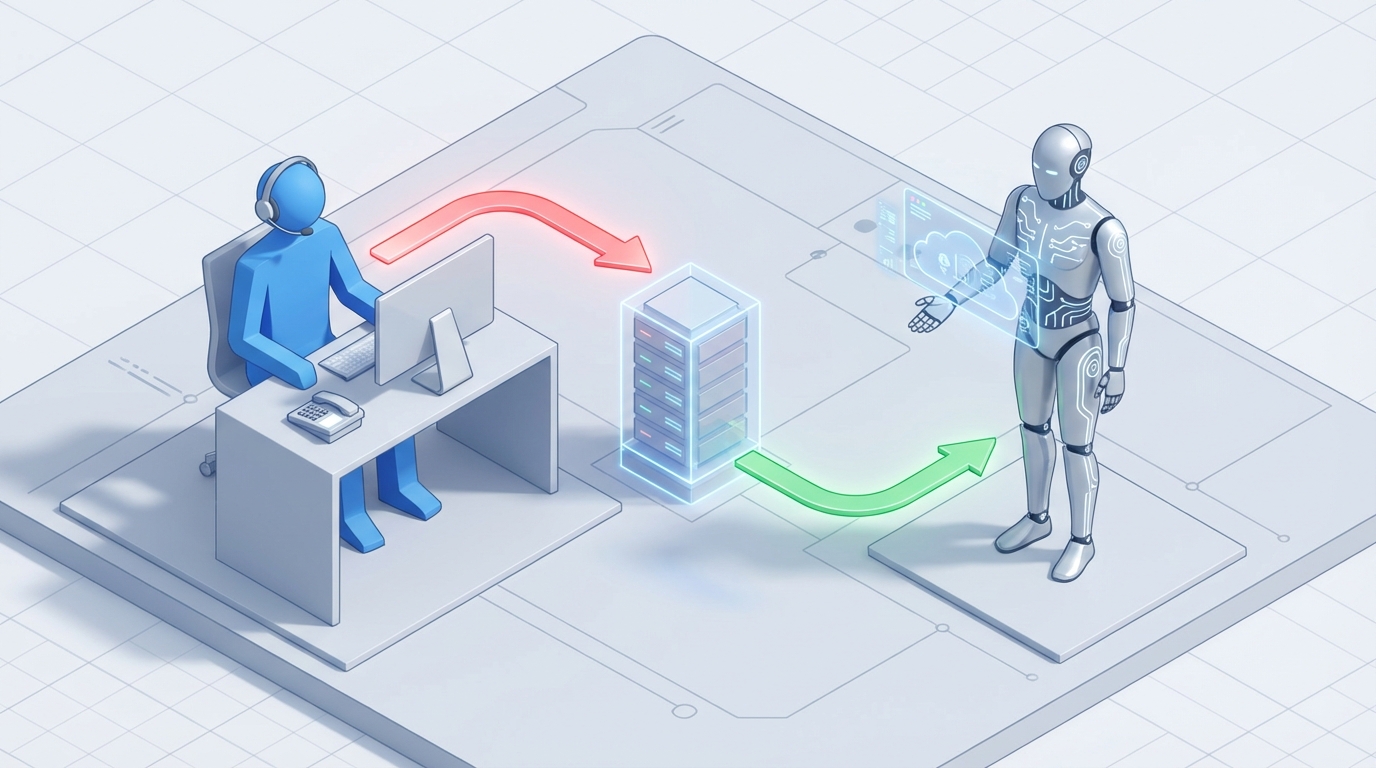
Most technical support reps spend their day doing the same thing over and over. Password resets. "How do I install this?" Connectivity troubleshooting that follows a decision tree someone already mapped out three years ago. They handle 20 to 50 interactions per shift, and roughly 70% of those tickets are resolved in under five minutes with information that already exists in a knowledge base somewhere.
This is not a knock on technical support reps. It's a knock on the way we deploy human capital. You're paying a person $60,000 a year plus benefits to copy-paste answers from a wiki. That person is burned out, undertrained for the hard problems because they never get to practice on them, and statistically likely to quit within two years.
There's a better way to structure this. Let's get into it.
What a Technical Support Rep Actually Does All Day
Forget the job description. Here's what the day-to-day actually looks like for most Tier 1 technical support reps:
The repetitive bulk (40-60% of time): Password resets. Walking someone through a software install. Telling a user to restart their router. Checking if a service is down. Confirming account details. These are pattern-match tasks. The rep identifies a known problem and delivers a known solution. Volume is high — some reps handle 100+ tickets per day in SaaS environments — and the cognitive demand is low.
Research and verification (20-30% of time): Digging through internal knowledge bases, testing a fix in a sandbox, waiting on a vendor response, searching Confluence for that one article someone wrote eight months ago. This is the part that feels productive but is mostly just information retrieval with extra steps.
Documentation (15-25% of time): Writing ticket notes, updating CRM fields in Zendesk or ServiceNow, drafting follow-up emails, logging resolution codes. Necessary work, but it's data entry dressed up as knowledge work.
The actually hard stuff (10-20% of time): Complex escalations. A user has a problem no one has seen before. Something is broken at the infrastructure level. A customer is furious and needs de-escalation before you can even get to the technical issue. This is where human judgment, creativity, and empathy genuinely matter.
The ratio tells the story. Somewhere between 80% and 90% of a technical support rep's day involves tasks that follow predictable patterns. The remaining 10-20% is where human intelligence is irreplaceable.
So why are we paying for 100% of a human when we only need one for 10-20% of the work?
The Real Cost of a Technical Support Hire
Let's do the actual math, because salary is never the full picture.
Direct compensation: The median salary for a Computer User Support Specialist in the US is $59,660 according to the Bureau of Labor Statistics. In San Francisco or New York, you're looking at $75,000-$80,000. Entry-level in a lower cost-of-living area might get you down to $45,000.
The multiplier no one talks about: SHRM data consistently shows total cost to company runs 1.25x to 1.5x base salary. That covers health insurance, 401(k) matching, payroll taxes, equipment, software licenses, office space, and the management overhead of having another direct report. A $60,000 salary becomes $75,000-$90,000 in real cost.
Training: Onboarding a new support rep takes 2-4 weeks minimum, during which they're producing almost nothing. Ongoing training for new products, new tools, and new processes eats another 5-10% of annual productive time. Every time someone quits, you restart that clock.
Turnover: This is the killer. Technical support roles see 20-30% annual turnover. That means for every team of five reps, you're replacing one or two every year. Each replacement costs roughly 50-75% of annual salary when you factor in recruiting, interviewing, onboarding, and the productivity ramp. For a $60,000 role, that's $30,000-$45,000 per departure.
The fully loaded annual cost of one Tier 1 technical support rep: Conservatively $85,000-$110,000 when you account for everything. For a team of five, you're spending $425,000-$550,000 per year, and a meaningful chunk of that is going toward password resets and "have you tried turning it off and on again."
Multiply that by the number of reps you need for 24/7 coverage (typically 4-5x a single shift's headcount) and you start to see why companies are rethinking this from the ground up.
What an AI Technical Support Agent Handles Right Now
Not in theory. Not in some future release. Right now, today, with existing technology.
An AI technical support agent built on OpenClaw can handle the following without human intervention:
Tier 1 Ticket Resolution
The entire category of "known problem, known solution" queries. Password resets, account unlocks, software installation walkthroughs, basic connectivity troubleshooting, FAQ responses, license verification, feature explanations, status checks. These are pattern-match tasks, and pattern matching is exactly what large language models excel at.
On OpenClaw, you feed your knowledge base — your existing documentation, runbooks, FAQ pages, resolution guides — into the agent as context. The agent retrieves the right information and delivers it conversationally, adapting the explanation to the user's apparent technical level.
This alone covers 40-60% of a typical rep's workload.
Intelligent Ticket Triage and Routing
Instead of a human reading every incoming ticket, categorizing it, and assigning it to the right queue, the AI agent does this automatically. It reads the ticket content, classifies the issue type, assesses severity based on keywords and context, and routes to the appropriate team or escalation path.
OpenClaw lets you define routing logic within your agent's instructions. You can set rules like: if the issue involves data loss, escalate immediately to Tier 2 with a priority flag. If it's a billing question that ended up in technical support, redirect to the billing queue. The agent handles this in seconds instead of the minutes a human would spend reading, thinking, and clicking.
Automated Diagnostics
Your AI agent can execute diagnostic scripts, query system status APIs, check service health dashboards, and pull up relevant log entries — then interpret the results and present them to the user or to the next-tier human who picks up the escalation.
On OpenClaw, this works through tool integration. You connect your agent to your monitoring tools, your admin APIs, your user management systems. The agent calls these tools mid-conversation to gather information and take action. Here's what a simplified tool setup looks like in an OpenClaw agent configuration:
tools:
  - name: check_service_status
    description: "Check if a specific service or endpoint is currently operational"
    endpoint: "https://api.yourcompany.com/status/{service_name}"
    method: GET
    auth: bearer_token

  - name: reset_user_password
    description: "Reset a user's password and send a recovery email"
    endpoint: "https://api.yourcompany.com/users/{user_id}/reset-password"
    method: POST
    auth: bearer_token

  - name: lookup_user_account
    description: "Retrieve account details and recent activity for a user"
    endpoint: "https://api.yourcompany.com/users/{email}/details"
    method: GET
    auth: bearer_token

  - name: check_known_issues
    description: "Search the known issues database for matching problems"
    endpoint: "https://api.yourcompany.com/known-issues/search"
    method: POST
    auth: bearer_token
The agent decides which tools to call based on the conversation. User says "I can't log in" — the agent looks up their account, checks for known authentication issues, verifies the service is up, and either resolves it directly or presents the diagnostic findings to a human.
Documentation and Summarization
Every interaction gets automatically logged with structured notes: problem description, steps attempted, resolution applied, time to resolution. No more relying on reps to write coherent ticket notes at the end of a draining shift. The AI does this natively because the entire conversation is already in text.
OpenClaw agents can push these summaries directly to your ticketing system via API integration. Every ticket gets consistent, thorough documentation without anyone having to type it manually.
24/7 Availability Without Shift Premiums
An AI agent doesn't need night shift differential. It doesn't need weekend coverage scheduling. It doesn't call in sick. Your technical support is available at 3 AM on a holiday with the same quality and speed as 10 AM on a Tuesday. For global companies or products with users across time zones, this alone justifies the implementation.
What Still Needs a Human (Being Honest About This)
AI technical support agents are not a complete replacement for every function a human support team performs. Pretending otherwise would be dishonest and would set you up for a bad implementation. Here's where humans remain essential:
Novel, never-before-seen problems. If no one at your company has encountered the issue before, it's not in your knowledge base, and it doesn't match any known pattern, the AI agent will either hallucinate an answer or correctly identify that it doesn't know and escalate. Both outcomes require a human. Current resolution rates for non-standard issues hover around 60-80% — not good enough for production-critical problems.
Emotionally charged interactions. About 20-30% of support interactions involve frustrated, angry, or distressed users. AI can detect negative sentiment and escalate, but it cannot genuinely empathize. Studies consistently show a 20-30% CSAT boost when upset customers talk to a human who handles the conversation well. For high-value customers or situations involving data loss, account compromise, or service outages affecting their business, you want a person.
Physical hardware issues. "My laptop screen is cracked" or "the server rack is making a weird noise" — these require hands, eyes, and sometimes a screwdriver. AI can guide remote diagnostics, but anything requiring physical intervention is out of scope.
Strategic and systemic decisions. Identifying that the same issue is affecting 200 users and escalating it as a product bug rather than handling each ticket individually. Deciding to push an emergency patch. Negotiating with a vendor about a broken integration. These require judgment, authority, and cross-functional coordination that AI agents don't have.
Compliance-sensitive situations. Depending on your industry, certain interactions may require human oversight for legal, regulatory, or audit reasons. HIPAA, SOC 2, GDPR — the specifics vary, but the principle is the same: some decisions need a human in the loop.
The smart play is not "replace all humans with AI." It's "let AI handle the 70-80% of interactions that are repetitive and predictable, so your human reps can focus on the 20-30% where they actually add irreplaceable value." Your best reps should be solving hard problems and building customer relationships, not resetting passwords.
How to Build an AI Technical Support Agent on OpenClaw
Here's a practical implementation path, assuming you have existing documentation, a ticketing system, and at least one person who understands your support workflows.
Step 1: Audit Your Ticket Data
Pull the last 90 days of tickets from your system. Categorize them by issue type. You're looking for the clusters — the 5-10 issue categories that make up 70-80% of your volume. For most companies, this list looks something like:
- Password/authentication issues
- Software installation and configuration
- Connectivity and access problems
- "How do I do X?" feature questions
- Account management (upgrades, downgrades, cancellations)
- Known bugs and workarounds
- Billing inquiries that ended up in tech support
These are your automation targets.
Step 2: Prepare Your Knowledge Base
Your AI agent is only as good as the information it has access to. Gather your existing documentation: FAQ pages, troubleshooting guides, runbooks, internal wikis, product documentation. Clean it up. Remove outdated information. Fill in gaps for the high-volume categories you identified in Step 1.
This is usually the most time-consuming step, but it pays dividends regardless of the AI implementation because it also improves your human reps' effectiveness.
Step 3: Build the Agent on OpenClaw
In OpenClaw, you'll set up your agent with:
System instructions that define the agent's role, tone, and boundaries:
You are a technical support agent for [Company Name]. Your job is to help
users resolve technical issues with [Product Name].

Rules:
- Always verify the user's identity before making account changes
- If you cannot resolve an issue within your capabilities, escalate to a
  human agent with a summary of what you've tried
- Never guess at solutions for problems you haven't been trained on
- Be direct and concise. Users contacting support want answers, not small talk
- If a user expresses significant frustration or anger, acknowledge it
  briefly and offer to connect them with a human agent
Knowledge base integration with your documentation uploaded as retrievable context. OpenClaw handles the chunking and retrieval so the agent pulls relevant information based on the user's query.
Tool connections to your systems — your ticketing platform, user management API, monitoring tools, and any other services the agent needs to query or act on. Each tool gets defined with its endpoint, authentication, and a description of when to use it.
Escalation logic that defines when and how the agent hands off to a human:
Escalation triggers:
- User explicitly requests a human agent
- Issue does not match any known resolution pattern after 2 clarifying questions
- User sentiment detected as highly negative (anger, distress)
- Issue involves potential data breach or security compromise
- Resolution requires physical access to hardware
- Issue has been open for more than 3 exchanges without progress
Step 4: Test Against Historical Tickets
Before you go live, run your agent against a sample of real historical tickets. Take 100-200 closed tickets from your archives, feed the user's initial message to the agent, and compare the agent's response to what your human rep actually did.
You're measuring:
- Accuracy: Did the agent provide the correct resolution?
- Completeness: Did it gather the right information and take the right steps?
- Escalation appropriateness: Did it correctly identify cases that needed a human?
- Tone: Does it sound helpful and professional without being robotic?
Aim for 85%+ accuracy on your target categories before going live. If you're below that, it usually means your knowledge base has gaps.
Step 5: Deploy Gradually
Don't flip a switch and send 100% of your traffic to the AI agent on day one. Start with a specific channel — maybe live chat only, or email tickets for a specific product line. Monitor closely for the first two weeks. Review escalated tickets to make sure the agent is handing off appropriately. Check customer satisfaction scores against your baseline.
A reasonable rollout timeline:
- Week 1-2: AI handles 10-20% of incoming tickets (selected categories only)
- Week 3-4: Expand to 40-50% based on performance data
- Month 2-3: Full deployment on target categories, with continuous monitoring
- Ongoing: Weekly review of edge cases, knowledge base updates, accuracy tracking
Step 6: Reallocate Your Human Reps
This is the part most companies skip, and it's why some AI implementations fail to deliver expected ROI. You're not just deploying AI — you're restructuring your support operation. Your remaining human reps should be redeployed to:
- Complex Tier 2/3 escalations
- Customer success and relationship management
- Knowledge base maintenance and improvement
- Edge case analysis and product feedback loops
- Training and quality assurance for the AI agent
The humans become more valuable, not less. They're doing work that actually requires human intelligence instead of burning out on repetitive tickets.
The Numbers
Let's be conservative. Say you have five Tier 1 support reps at a fully loaded cost of $90,000 each. That's $450,000 per year. If an OpenClaw AI agent handles 60% of your ticket volume — a realistic number based on what companies like Telus, Shopify, and Atlassian report with AI support tools — you can reduce your Tier 1 headcount from five to two. Those two remaining reps handle escalations, complex issues, and agent oversight.
Annual savings: Roughly $270,000 in direct costs, plus reduced turnover costs, plus 24/7 coverage you weren't getting before.
OpenClaw cost: A fraction of that. Even with robust usage, you're looking at a fraction of a single rep's salary for an agent that works every shift, every day, and gets better over time as you refine its knowledge base.
The ROI case isn't speculative. It's arithmetic.
Or Just Have Us Build It
If you've read this far and thought "this makes sense but I don't have the bandwidth to build it," that's exactly why Clawsourcing exists.
We build production-ready AI agents on OpenClaw for companies that want the results without the build time. We handle the knowledge base preparation, system integrations, testing, deployment, and ongoing optimization. You get an AI technical support agent that's tuned to your product, connected to your tools, and handling tickets within weeks instead of months.
Whether you build it yourself or let us handle it — the underlying point is the same. The majority of Tier 1 technical support work is a solved problem. The technology exists today to automate it reliably, and the cost savings are substantial and measurable. The only question is how quickly you want to capture them.
Recommended for this post
Identify repetitive tasks, build automation, and reclaim hours per week.
 SpookyJuice.ai
Reed
Persona
Autonomous support operator — ticket triage, refund routing, FAQ generation, and 48-hour follow-up without founder invol
 Skippythemagnificent
AI Cofounder
Persona
A full-stack AI cofounder that runs sales, marketing, engineering, finance, and operations — not just answers questions. Half the price of competing personas, twice the operational depth.