AI Operations Manager: Streamline Workflows and Track KPIs
Replace Your Operations Manager with an AI Operations Manager Agent
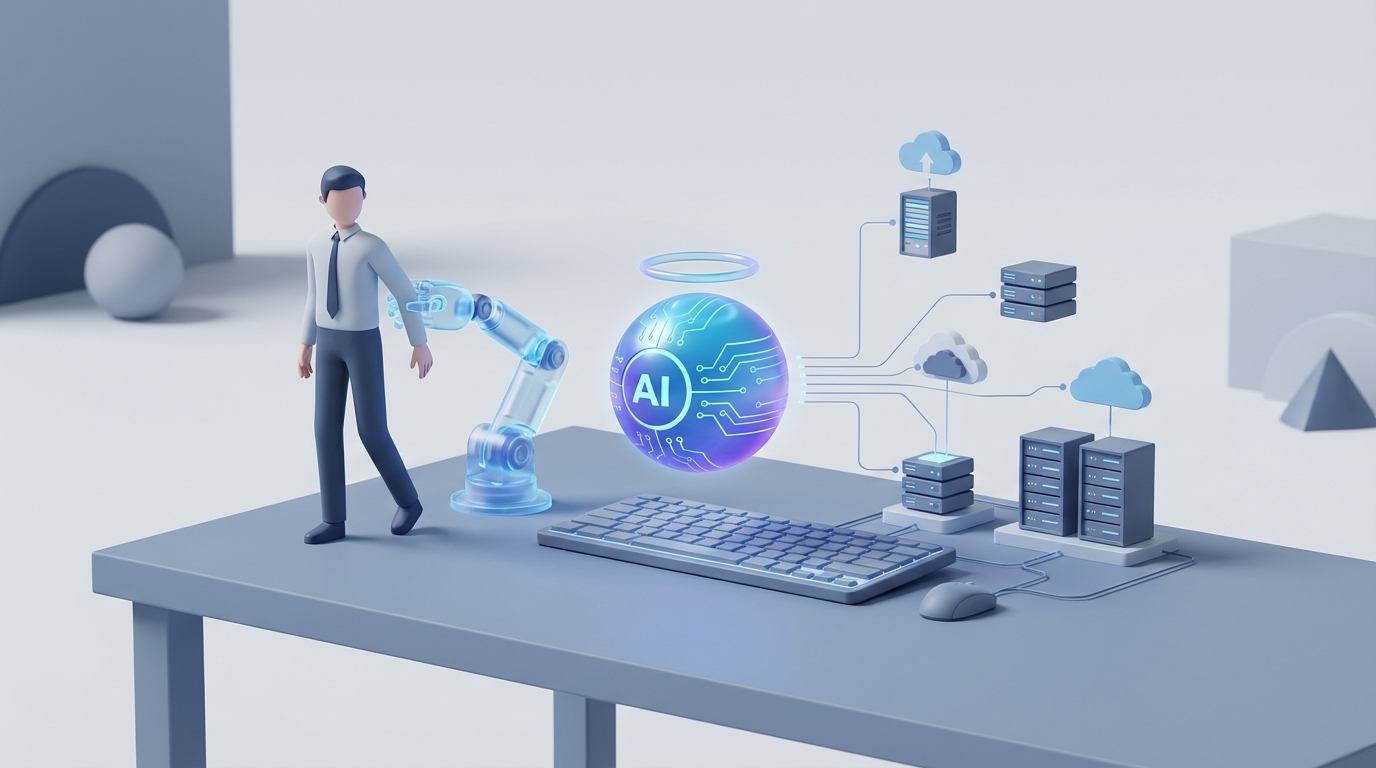
Most operations managers spend their days doing work that looks important but isn't actually hard. Compiling reports. Checking inventory levels. Sending the same Slack messages about the same recurring issues. Shuffling schedules when someone calls out sick. Sitting in meetings that could have been a dashboard.
That's not a criticism of the people in those roles — it's a criticism of the role itself. We've built a position that bundles together genuinely strategic thinking with an enormous amount of repetitive process management, then we pay someone $130K+ a year to do both. The strategic thinking is worth every penny. The rest of it? An AI agent can handle it today.
Not theoretically. Not in some future state. Right now, on OpenClaw.
Let me walk through what this actually looks like.
What an Operations Manager Actually Does All Day
Forget the job description. Here's what the day really looks like for most ops managers across manufacturing, logistics, retail, and services:
Morning (7-10 AM): Check overnight production data or sales numbers. Scan emails for supplier issues, customer complaints, or equipment alerts. Run through the day's schedule. Attend a 30-minute stand-up where everyone says roughly the same thing they said yesterday.
Mid-Morning (10 AM - 12 PM): Pull KPI dashboards. Notice something's off — throughput dropped, a shipment is delayed, inventory on SKU #4827 is lower than expected. Start investigating. Send three Slacks, two emails, make a call. Halfway through resolving it, get pulled into a meeting about next quarter's headcount.
Afternoon (1-4 PM): Approve purchase orders. Review a vendor contract. Check in with a team lead about a personnel issue. Start building a report for the VP that was due yesterday. Get interrupted by a quality issue on the floor.
Late Afternoon (4-6 PM): Finish the report. Adjust tomorrow's schedule because two people requested time off. Answer more emails. Leave feeling like you were busy all day but didn't actually move anything forward strategically.
Surveys from Deloitte and McKinsey consistently show the time breakdown: 25-35% goes to team management and meetings, 20-30% to data analysis and reporting, 15-25% to firefighting and issue resolution, 10-20% to inventory and supply chain monitoring, and 10-15% to pure admin — budgeting, compliance paperwork, vendor coordination.
The highest-performing ops managers spend less time on that bottom 60% and more time on strategy, process improvement, and people development. The problem is, most can't get out from under the operational grind long enough to do the high-value work.
That's the gap an AI agent fills.
The Real Cost of This Hire
Let's talk money, because this is where the math gets uncomfortable.
The median US salary for an operations manager is around $127,000 according to the Bureau of Labor Statistics (May 2023). But median is misleading — in manufacturing, you're looking at $130K-$160K. In tech or services, $140K-$180K. Even retail ops managers pull $100K-$130K.
Now add the stuff companies don't like to talk about:
- Benefits and overhead: Health insurance, 401(k) match, payroll taxes, office space, equipment. Industry standard is 1.3-1.5x base salary. That $130K hire actually costs $170K-$195K.
- Recruiting costs: Average cost-to-hire for a mid-level management role is $15K-$25K when you factor in recruiter fees, job postings, interview time, and onboarding.
- Training and ramp-up: It takes 3-6 months for an ops manager to reach full productivity in a new environment. During that window, you're paying full price for 60-70% output.
- Turnover: Operations management sees 20-30% annual turnover in many industries. When your ops manager leaves after 18 months (common), you eat the full recruiting and ramp-up cost again.
All in, you're spending $150K-$210K per year for a single operations manager. And every time they leave, there's a $30K-$50K transition penalty plus the institutional knowledge that walks out the door with them.
An AI agent doesn't quit. Doesn't need benefits. Doesn't take 6 months to learn your systems. And it costs a fraction of that annual total.
What an AI Operations Manager Agent Handles Right Now
This isn't speculative. These are tasks that companies like Amazon, UPS, Walmart, P&G, and Siemens are already offloading to AI systems. The difference is, those companies spent millions building proprietary solutions. On OpenClaw, you can build the same capabilities without the enterprise price tag.
Here's what an AI Operations Manager Agent built on OpenClaw can do today:
Automated KPI Monitoring and Reporting
Instead of your ops manager spending 2-3 hours daily pulling data from Tableau, your ERP, and three spreadsheets, an OpenClaw agent connects to your data sources, monitors KPIs in real time, and generates reports automatically. It flags anomalies — throughput dropped 12% on Line 3 between 2-4 AM — and routes alerts to the right person with context.
The agent doesn't just say "something's wrong." It says "throughput on Line 3 dropped 12% during the overnight shift, correlating with a 15-minute equipment stoppage logged at 2:47 AM. Similar patterns preceded the motor failure on Line 2 last March. Recommend scheduling preventive maintenance within 48 hours."
That's the difference between a dashboard and an agent. Dashboards display data. Agents interpret it and recommend action.
Demand Forecasting and Inventory Optimization
An OpenClaw agent can ingest your historical sales data, seasonality patterns, supplier lead times, and external signals (weather, economic indicators, even social media trends for retail) to forecast demand with 85-95% accuracy. It automatically generates purchase orders when inventory hits reorder points, adjusts safety stock levels based on supplier reliability scores, and flags potential stockouts before they happen.
Companies using AI for this consistently report 30-50% reductions in stockouts and 15-25% reductions in carrying costs. That's not hype — those are numbers from Blue Yonder implementations at P&G and Walmart's Symphony platform.
Intelligent Scheduling and Resource Allocation
Feed the agent your team roster, skill matrices, labor regulations, and demand forecasts. It generates optimal shift schedules that balance coverage requirements, overtime costs, employee preferences, and compliance with labor laws. When someone calls out, it automatically identifies the best replacement based on skills, availability, overtime status, and cost — then sends the request.
IBM Watson-style scheduling tools save 20-40 hours per week in large operations. On OpenClaw, you build this with your specific constraints and rules, not a one-size-fits-all SaaS product.
Process Monitoring and Anomaly Detection
Connect your IoT sensors, production logs, and quality data to an OpenClaw agent. It monitors process variables continuously, detects drift before it causes defects, and triggers corrective actions. Think of what Siemens does with MindSphere in their rail operations — they cut downtime 30% with predictive maintenance. Same concept, built for your specific operation.
Vendor and Supply Chain Management
The agent tracks supplier performance metrics (on-time delivery, defect rates, price changes), alerts you to risks (a key supplier's lead time has increased 40% over three months), and even drafts RFQ documents when it's time to source alternatives. It won't negotiate a contract for you — that's still a human job — but it does all the analytical groundwork that makes negotiations faster and better-informed.
Compliance Monitoring
Regulatory requirements, safety standards, ISO documentation, ESG reporting — an OpenClaw agent can continuously audit your operations against compliance frameworks, flag gaps, generate documentation, and track corrective actions. Instead of a quarterly panic to prepare for an audit, you have continuous compliance monitoring running in the background.
What Still Needs a Human (Be Honest About This)
I'm not going to pretend an AI agent replaces everything an ops manager does. It doesn't. Here's what still needs a person:
People leadership. Coaching an underperforming team member. Navigating a conflict between two shift leads. Making the call to let someone go. Building a culture where people actually want to show up and do good work. AI can surface the data — "this employee's productivity has declined 25% over 6 weeks" — but the conversation that follows requires empathy, judgment, and relational trust that AI doesn't have.
Novel crisis management. When something truly unprecedented happens — a factory flood, a major supplier going bankrupt, a product recall — you need a human who can synthesize ambiguous information, make judgment calls under pressure, and lead people through uncertainty. AI handles routine disruptions beautifully. It handles black swan events poorly.
Strategic decision-making. Should we open a second facility? Should we vertically integrate this part of our supply chain? Should we invest in automation for Line 4 or hire three more operators? The AI agent can model scenarios, forecast outcomes, and present data-driven recommendations. But the final call — the one that weighs company culture, risk tolerance, market timing, and gut instinct — that's human territory.
Change management. Implementing a new process is 20% technical and 80% getting people to actually do it differently. AI can design the process. It cannot convince a 20-year veteran on the floor that the new way is better.
Vendor relationships. The data and analytics around vendor management? AI handles that. The relationship-building, the trust, the negotiation where you read the room and know when to push and when to concede? That's still human.
The honest framing is this: an AI Operations Manager Agent handles the operational 60-70% of the role — the monitoring, analyzing, scheduling, reporting, and routine decision-making. That frees a human operator (whether that's a remaining ops manager, a COO, or even a founder) to focus entirely on the strategic and relational 30-40% that actually drives the business forward.
You're not eliminating human judgment. You're eliminating the busywork that buries it.
How to Build One on OpenClaw
Here's where it gets practical. Building an AI Operations Manager Agent on OpenClaw involves three layers: data integration, agent logic, and action outputs.
Step 1: Connect Your Data Sources
Your agent is only as good as the data it can access. On OpenClaw, you connect your existing systems:
data_sources:
  erp:
    type: api
    provider: sap_business_one  # or NetSuite, Odoo, etc.
    sync: real_time
    tables: [production_orders, inventory, purchase_orders]

  hr_system:
    type: api
    provider: gusto  # or BambooHR, Workday
    sync: daily
    tables: [employees, schedules, time_off_requests]

  iot_sensors:
    type: mqtt
    broker: your_mqtt_broker
    topics: [factory/line_*/throughput, factory/line_*/temperature]

  supply_chain:
    type: api
    provider: shipbob  # or your 3PL
    sync: real_time
    tables: [shipments, inventory_levels, supplier_performance]
OpenClaw supports direct API connections, database connectors, webhook listeners, and file ingestion. The key is getting all your operational data into one place where the agent can reason across it.
Step 2: Define Agent Workflows
This is where you specify what your agent actually does. On OpenClaw, you define workflows as a combination of triggers, analysis steps, and actions:
workflows:
  daily_ops_report:
    trigger: schedule("0 6 * * *")  # 6 AM daily
    steps:
      - pull_kpis: [throughput, defect_rate, on_time_delivery, labor_utilization]
      - compare_to_targets: threshold_config
      - generate_narrative_summary: true
      - identify_anomalies: sensitivity_medium
    actions:
      - send_report: [slack:#ops-leadership, email:vp_ops@company.com]
      - if_anomaly: create_investigation_ticket

  inventory_reorder:
    trigger: inventory_level_below(reorder_point)
    steps:
      - forecast_demand: horizon_30_days
      - calculate_optimal_order_qty: [demand_forecast, lead_time, holding_cost]
      - select_preferred_supplier: [cost, reliability_score, current_capacity]
    actions:
      - draft_purchase_order: true
      - route_for_approval: manager_threshold($5000)
      - auto_approve_below: $5000

  shift_coverage:
    trigger: time_off_request_approved OR callout_reported
    steps:
      - identify_gap: [shift, role, skills_required]
      - find_eligible_replacements: [availability, skills, overtime_status, cost]
      - rank_options: priority_weights
    actions:
      - send_coverage_request: top_3_candidates
      - if_no_response(2hrs): escalate_to_supervisor
      - update_schedule: on_acceptance
Step 3: Configure Decision Boundaries
This is critical. You need to tell the agent what it can decide autonomously and what needs human approval. Think of it as setting the guardrails:
decision_authority:
  autonomous:
    - generate_reports
    - send_alerts
    - draft_purchase_orders_under: $5000
    - schedule_preventive_maintenance: non_critical_equipment
    - adjust_safety_stock: within_10_percent
    - approve_shift_swaps: if_coverage_maintained

  requires_approval:
    - purchase_orders_above: $5000
    - schedule_changes_affecting: >3_employees
    - supplier_changes
    - process_modifications
    - anything_involving: [hiring, firing, disciplinary]

  escalation:
    - unresolved_anomaly_after: 4_hours
    - kpi_deviation_above: 20_percent
    - supplier_delivery_failure: critical_items
    - safety_incident: immediate
Step 4: Train on Your Context
Out of the box, the agent understands general operations management. But your operation has specific quirks — your Line 2 always runs slower on Mondays because of weekend cooldown, your supplier in Shenzhen goes dark during Chinese New Year, your best operator refuses to work with Dave.
On OpenClaw, you feed in your operational context:
context_documents:
  - sops/production_procedures.pdf
  - historical/incident_reports_2022_2024.csv
  - vendor/supplier_scorecards.xlsx
  - hr/team_skills_matrix.csv
  - custom/operational_notes.md  # "Line 2 needs 45-min warmup on Mondays"
The agent learns from your institutional knowledge, so it doesn't just make generic recommendations — it makes recommendations that account for how your specific operation actually works.
Step 5: Deploy and Iterate
Launch the agent, let it run in shadow mode for 2-4 weeks (it makes recommendations but doesn't take actions), validate its outputs against what your human ops manager would have done, then gradually turn on autonomous actions starting with the lowest-risk workflows.
Most teams using OpenClaw for operations management see the agent reach reliable autonomous performance within 4-6 weeks. After that, you're looking at:
- 70-80% reduction in time spent on reporting and data analysis
- 30-50% reduction in inventory-related issues
- 20-40 hours per week freed from scheduling and administrative tasks
- Continuous monitoring that catches issues at 3 AM instead of 9 AM
McKinsey estimates AI can automate 45% of ops manager tasks today. Based on what I've seen built on OpenClaw, that number is conservative when you include the compound effect of an agent that learns and improves over time.
The Bottom Line
The math is straightforward. You're currently paying $150K-$210K per year (fully loaded) for an operations manager who spends 60-70% of their time on work that an AI agent handles faster, more consistently, and without taking vacation.
You have two options:
Option 1: Build the agent yourself on OpenClaw. The platform gives you the infrastructure, the connectors, and the agent framework. If you have someone technical on your team — or even a technically-inclined ops person — the build takes 2-4 weeks for a solid v1. You keep your ops manager but transform their role from "person who compiles reports and manages schedules" to "strategic operator who makes decisions based on AI-generated insights." Or you redeploy that headcount entirely.
Option 2: Have us build it for you. Our Clawsourcing team has built AI Operations Manager Agents across manufacturing, logistics, e-commerce, and services. We handle the data integration, workflow design, context training, and deployment. You tell us how your operation works; we build the agent that runs it.
Either way, the operational busywork that buries your best people? That's a solved problem now. The only question is how long you keep paying six figures for someone to do it manually.
Recommended for this post
GitHub Autopilot
Skill
Autonomous PR reviews, bug triage, code generation, and sprint management. Your agent becomes a senior engineer who never sleeps and never misses a CI failure.

Felix
Entrepreneur
Your AI CEO — ships products, manages code, handles comms, remembers everything, runs your business
 Felix Craft
Track, analyze, and optimize your agent's performance in real-time. Know exactly how your agent is performing.
 Just Dan