Replace Your Marketing Operations Manager with an AI Marketing Operations Manager Agent
Replace Your Marketing Operations Manager with an AI Marketing Operations Manager Agent
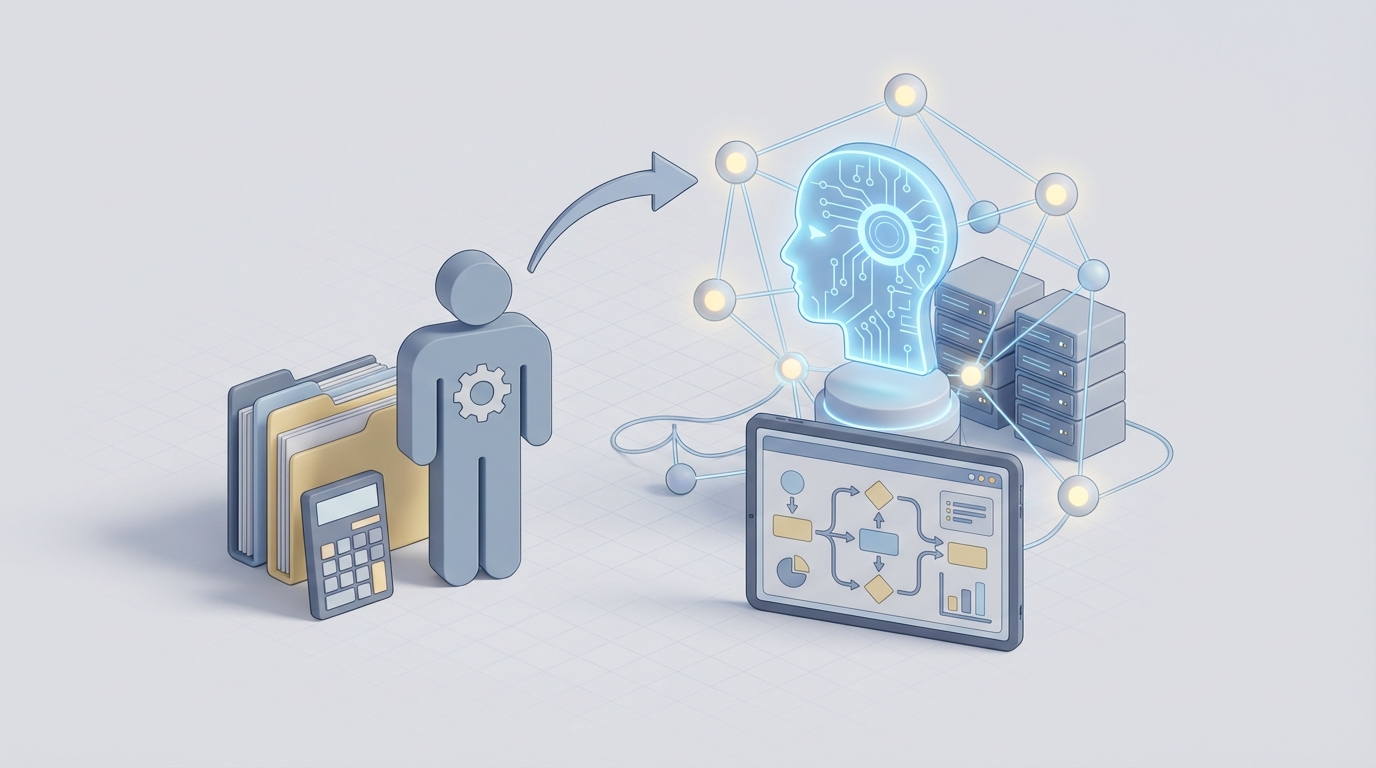
Most companies hire a Marketing Operations Manager when their marketing tech stack turns into a Frankenstein monster. Tools don't talk to each other. Data is rotting in six different platforms. Nobody knows which campaigns are actually driving revenue. So you post the job, wait three months to fill it, pay $150K+ in total comp, and hope they don't leave in 18 months when a recruiter from a Series C startup slides into their DMs.
Here's the thing: about 60-70% of what a Marketing Operations Manager does daily is repetitive, systematic, and rule-based. It's the kind of work that an AI agent can handle right now — not in some speculative future, but today, with tools that already exist.
This isn't a "fire everyone and let the robots take over" post. Some of the work genuinely requires a human brain. But the split between what needs a person and what doesn't is way more lopsided than most companies realize. Let me break it down.
What a Marketing Operations Manager Actually Does All Day
If you've never worked closely with a MoP (Marketing Operations Manager), you might think they're "the Marketo person" or "the one who builds dashboards." That undersells it. A good MoP is the connective tissue between marketing strategy and marketing execution. They're the reason campaigns actually launch and the reason leadership can look at a number and trust it.
Here's where their time goes:
Data Management & Integration (25-35% of their time) This is the biggest time sink. They're deduplicating contacts in the CRM, enriching lead records with firmographic data, building and maintaining integrations between Salesforce and HubSpot and Segment and whatever else you're running. They're setting up lead scoring models, making sure data flows correctly from webinar platform to CRM to marketing automation. When a Zapier integration breaks at 2 AM and leads stop routing to sales, they're the ones who get the Slack message.
MarTech Stack Management (20-30%) The average MoP manages 10-15 tools. CRM, marketing automation, analytics, CDP, attribution, ABM platform, SEO tools, ad platforms, enrichment tools — the list keeps growing. They're evaluating new tools, managing renewals, maintaining configurations, training teams on how to actually use the stack, and constantly fighting the urge to throw it all away and start over.
Analytics & Reporting (15-20%) Building dashboards in Looker, Tableau, or Power BI. Defining and tracking KPIs: MQLs, SQLs, pipeline velocity, CAC, channel-level ROI. Pulling weekly reports for the CMO. Monthly board-level summaries. And then fielding the inevitable "can you slice this differently?" requests that eat another two hours.
Campaign Operations (15-20%) Setting up email workflows, configuring A/B tests, building landing pages in the marketing automation platform, personalizing customer journeys, QA-ing everything before launch. This is the "make it actually work" layer between what the campaign manager designed and what the audience sees.
Process Optimization & Cross-Functional Work (10-15%) Auditing workflows, documenting processes, aligning with sales on lead handoff, working with IT on compliance (GDPR, CCPA), and training people on tools they don't want to learn.
Notice a pattern? A huge chunk of this is systematic, repeatable, and driven by rules or data transformations. It's important work — critical, even — but it's not work that requires human judgment on every task.
The Real Cost of This Hire
Let's talk numbers, because this is where the math starts to get uncomfortable.
Base salary: $130,000-$160,000 for a mid-level MoP in the US. Senior hires in tech hubs like SF or NYC? $160,000-$220,000+.
Total compensation: Add bonuses, equity, and benefits — you're looking at $150,000-$200,000 for mid-level, $200,000-$250,000+ for senior.
Full cost to company: Once you factor in benefits (health, 401k match), payroll taxes, equipment, software licenses, training budget, and the tools they'll inevitably want to add to the stack, you're at $180,000-$250,000 annually.
Hidden costs nobody budgets for:
- Recruiting: 3-4 months to fill the role. Recruiter fees of 20-25% of base salary if you use an agency. That's $26,000-$40,000 just to find them.
- Ramp time: 2-3 months before they're productive. They need to learn your stack, your data model, your processes, your politics.
- Turnover: Average tenure for MoPs is 18-24 months. Then you start over. Each turnover cycle costs 50-200% of annual salary when you factor in lost productivity, knowledge loss, and rehiring.
- Contractors as a bridge: While the role is empty, you're paying a contractor $100-$200/hr to keep things running. That's $16,000-$32,000/month.
So the real question isn't "can we afford an AI agent?" It's "can we afford to keep doing this the old way?"
What AI Handles Right Now (And How to Build It on OpenClaw)
Let me be specific about what's automatable today — not with vaporware, but with agents you can build and deploy on OpenClaw right now.
Data Cleaning & Enrichment: 80-90% Automatable
This is the lowest-hanging fruit and the biggest time saver. An OpenClaw agent can:
- Deduplicate contacts by matching on fuzzy name + email + company combinations, flagging probable duplicates for merge
- Enrich lead records by pulling firmographic and technographic data from enrichment APIs (Clearbit, ZoomInfo, Apollo) automatically when new leads enter the system
- Detect anomalies in data quality — sudden spikes in bounced emails, incomplete records, fields that stopped populating because an integration broke
- Enforce data hygiene rules continuously — standardizing job titles, normalizing company names, flagging records that violate your data model
Here's what a basic data cleaning agent looks like when you're configuring it in OpenClaw:
agent:
  name: data-hygiene-agent
  description: Monitors CRM for data quality issues and auto-remediates

  triggers:
    - type: schedule
      cron: "0 */4 * * *"  # Runs every 4 hours
    - type: webhook
      source: salesforce
      event: lead.created

  tasks:
    - name: deduplicate_check
      action: fuzzy_match
      params:
        fields: ["email", "company_name", "full_name"]
        threshold: 0.85
        on_match: flag_for_review

    - name: enrich_new_leads
      action: api_call
      params:
        service: clearbit
        endpoint: /v2/people/find
        input: "{{lead.email}}"
        map_fields:
          company_size: "{{response.company.metrics.employees}}"
          industry: "{{response.company.category.industry}}"
          seniority: "{{response.person.seniority}}"

    - name: standardize_titles
      action: llm_classify
      params:
        field: job_title
        categories: ["C-Suite", "VP", "Director", "Manager", "IC", "Other"]
        update_field: title_tier

    - name: quality_alert
      action: notify
      condition: "{{anomaly_score > 0.7}}"
      params:
        channel: slack
        message: "Data quality issue detected: {{anomaly_description}}"
This agent replaces 8-12 hours per week of manual data work. It runs 24/7. It doesn't get bored on the third hour of deduplication and start making mistakes.
Automated Reporting & Insights: 90% Time Savings
Instead of your MoP spending every Monday morning pulling numbers and building slides, an OpenClaw agent can:
- Generate weekly marketing performance reports automatically, pulling from your analytics platforms, CRM, and ad accounts
- Surface anomalies and insights in natural language — "Email open rates dropped 23% week-over-week. Likely cause: subject line change in nurture sequence B."
- Answer ad-hoc questions from stakeholders via Slack integration — "What was our CAC for Q3?" and get an accurate, sourced answer in seconds
- Forecast pipeline based on historical conversion rates and current funnel data
agent:
  name: marketing-reporting-agent
  description: Generates automated marketing reports and answers data questions

  triggers:
    - type: schedule
      cron: "0 8 * * 1"  # Every Monday at 8 AM
    - type: slack_mention
      channel: "#marketing-ops"

  data_sources:
    - name: google_analytics
      type: api
      credentials: "{{secrets.ga4_key}}"
    - name: salesforce
      type: api
      credentials: "{{secrets.sf_token}}"
    - name: hubspot
      type: api
      credentials: "{{secrets.hs_key}}"
    - name: google_ads
      type: api
      credentials: "{{secrets.gads_token}}"

  tasks:
    - name: weekly_report
      action: aggregate_metrics
      params:
        metrics: ["MQLs", "SQLs", "pipeline_created", "CAC", "channel_ROI"]
        compare: "week_over_week"
        output_format: "narrative_summary"
        deliver_to:
          - slack: "#marketing-leadership"
          - email: "cmo@company.com"

    - name: anomaly_detection
      action: statistical_analysis
      params:
        method: z_score
        threshold: 2.0
        on_anomaly:
          action: investigate
          depth: "root_cause"
          notify: true

    - name: ad_hoc_query
      trigger: slack_mention
      action: natural_language_query
      params:
        context: "all_connected_data_sources"
        response_format: "conversational"
        include_source_links: true
Salesforce reports that their internal teams saw 40% time savings just from automating reporting with AI. With OpenClaw, you can get similar results without being locked into Salesforce's ecosystem.
Campaign Operations: 70% Automatable
An OpenClaw agent handles the mechanical parts of campaign execution:
- Workflow automation: When a lead hits a scoring threshold, automatically route them to the right sales rep, enroll them in the right nurture sequence, update their lifecycle stage — all without a human touching it
- A/B test management: Set up tests, monitor statistical significance, auto-promote winners, and log results for future reference
- Personalization at scale: Dynamically adjust email content, landing page elements, and ad creative based on segment, behavior, and intent signals
- QA automation: Before any campaign goes live, the agent checks links, validates UTM parameters, tests rendering across email clients, and flags issues
MarTech Monitoring & Troubleshooting: 60% Automatable
This is the one that saves your weekends:
- Integration monitoring: The agent watches all your Zapier/API connections and alerts you the moment something breaks — before leads start falling through cracks
- Performance monitoring: Tracks tool uptime, API rate limits, sync status across your stack
- Auto-remediation: For common failures (expired tokens, rate limits, timeout errors), the agent can retry, refresh credentials, or switch to a backup flow without human intervention
agent:
  name: martech-monitor
  description: Monitors marketing tech stack health and auto-remediates common issues

  triggers:
    - type: schedule
      cron: "*/15 * * * *"  # Every 15 minutes

  monitors:
    - name: salesforce_hubspot_sync
      check: api_health
      endpoint: "{{integrations.sf_hs_sync.status_url}}"
      on_failure:
        - action: retry
          max_attempts: 3
          backoff: exponential
        - action: alert
          condition: "retries_exhausted"
          channel: slack
          message: "SF-HubSpot sync down. Attempted auto-recovery failed. Manual intervention needed."
          mention: "@ops-oncall"

    - name: lead_flow_check
      check: data_flow
      expected: "leads.created > 0 in last 2 hours during business hours"
      on_anomaly:
        action: investigate
        checks: ["source_api", "webhook_delivery", "automation_status"]
What Still Needs a Human (Being Honest Here)
AI agents are powerful, but they're not a full replacement. Here's what you still need a person for:
Strategy & Prioritization: An agent can tell you that Channel X has 3x the ROI of Channel Y. It can't decide whether to double down on Channel X or diversify risk. It can't weigh that decision against your company's brand positioning or competitive dynamics. Strategic resource allocation requires judgment that comes from understanding the business holistically.
Vendor Negotiations & Relationships: Choosing between Marketo and HubSpot isn't just a feature comparison. It involves contract negotiations, understanding your future roadmap, assessing vendor stability, and leveraging relationships for better terms. An agent can do the analysis; a human needs to make the call and shake the hand.
Creative Direction & Brand Judgment: AI can generate email subject lines and test them. It can't decide what your brand voice should sound like or whether a campaign concept will resonate with your specific audience in a way that aligns with your brand's trajectory.
Complex, Novel Problem-Solving: When you're migrating from one CRM to another, or restructuring your entire data model, or navigating a merger that requires combining two marketing stacks — these are one-time, high-stakes problems where the edge cases are the whole game. AI handles the 80% of routine cases well. The 20% that's weird, ambiguous, or politically sensitive? That's human territory.
Ethics, Compliance, and Edge Cases: AI can flag potential GDPR issues. A human needs to make the judgment call on borderline cases, work with legal, and take responsibility for decisions that carry regulatory risk.
Cross-Functional Alignment: Getting sales and marketing to agree on a lead definition isn't a data problem. It's a people problem. You need someone who can sit in a room, read the dynamics, and broker a compromise that everyone actually follows.
The honest assessment: you probably don't need a full-time senior MoP anymore. You need an AI agent handling 60-70% of the operational work, and a part-time or fractional human handling strategy, relationships, and the genuinely complex stuff. That shifts your $200K+ annual cost to maybe $40-60K in agent infrastructure plus $50-80K for a fractional hire. You do the math.
How to Build Your Marketing Ops Agent on OpenClaw
Here's the practical roadmap. Not theory — steps you can actually follow.
Step 1: Audit Your Current Operations
Before you build anything, map out what your MoP actually does for two weeks. Categorize every task:
- Automate now: Repetitive, rule-based, data-driven (data cleaning, report generation, integration monitoring)
- Automate partially: Needs human review but AI can do 80% of the work (campaign setup, A/B test analysis)
- Keep human: Strategic, political, novel (vendor selection, org alignment, compliance decisions)
Step 2: Connect Your Data Sources
In OpenClaw, start by connecting your core systems. Most marketing stacks have the same spine:
- CRM (Salesforce, HubSpot) — your source of truth for contacts and deals
- Marketing Automation (Marketo, HubSpot, Pardot) — where campaigns execute
- Analytics (GA4, Mixpanel) — behavioral data
- Ad Platforms (Google Ads, LinkedIn, Meta) — spend and performance data
- Enrichment (Clearbit, ZoomInfo, Apollo) — lead and account intelligence
OpenClaw supports API connections to all of these out of the box. Set up your credentials in the secrets manager, configure the data source connections, and validate that data is flowing correctly before you build any agent logic.
Step 3: Build Your Agents Incrementally
Don't try to automate everything at once. Start with the highest-impact, lowest-risk agent:
Week 1-2: Data Hygiene Agent Start with the data cleaning agent I outlined above. It's the safest entry point because the worst-case failure mode is "a record doesn't get cleaned" — not "a campaign sends to the wrong audience."
Week 3-4: Reporting Agent Connect your data sources to an automated reporting agent. Start with your most-requested report (usually the weekly marketing performance summary) and automate it. Validate the numbers against your manual reports for two weeks before trusting it fully.
Week 5-6: Integration Monitor Deploy the MarTech monitoring agent. This one pays for itself the first time it catches a broken sync at 2 AM that would have otherwise gone unnoticed until Monday.
Week 7-8: Campaign Ops Agent This is where you start automating campaign setup, A/B testing, and workflow management. Start with your most standardized campaign type (e.g., webinar promotion) and expand from there.
Step 4: Set Up Human-in-the-Loop Checkpoints
For every agent, define clear escalation paths. OpenClaw lets you configure approval gates where the agent pauses and waits for human confirmation before taking high-stakes actions:
approval_gates:
  - action: merge_duplicate_contacts
    condition: "confidence < 0.95"
    require: human_approval
    notify: slack
    timeout: 24h
    on_timeout: skip

  - action: send_campaign
    condition: "audience_size > 10000"
    require: human_approval
    notify: email
    timeout: 4h
    on_timeout: hold
This is critical. You want the agent handling the routine stuff autonomously while flagging anything that could cause real damage.
Step 5: Monitor, Iterate, Expand
Once your agents are running, use OpenClaw's built-in observability to track:
- Task completion rates: Are agents successfully completing their assigned work?
- Error rates: Where are they failing? Why?
- Time savings: How many hours per week are you reclaiming?
- Quality metrics: Is data quality actually improving? Are reports accurate?
Use these insights to fine-tune your agents and gradually expand their scope.
The Bottom Line
The Marketing Operations Manager role isn't going away entirely. But the job description is changing fast. The tactical, repetitive, data-wrangling work that consumes 60-70% of a MoP's time is now automatable with AI agents. Companies like Salesforce, HubSpot, and Adobe are already doing this internally. The difference is they built custom solutions with massive engineering teams.
OpenClaw lets you build the same thing without the massive engineering team.
The realistic play: deploy AI agents for the operational heavy lifting, shift your human talent to the strategic work that actually requires a brain, and cut your marketing operations costs by 40-60% in the process.
You can build this yourself with OpenClaw — everything I've outlined above is doable with their platform, documentation, and agent builder.
Or, if you'd rather not spend eight weeks configuring YAML files and debugging API connections, hire us to build it for you through Clawsourcing. We'll audit your current marketing ops, design your agent architecture, build and deploy it on OpenClaw, and hand you back a system that runs your marketing operations at a fraction of the cost of a full-time hire.
Either way, the tools exist. The question is how long you want to keep paying $200K+ a year for work that an agent can do in its sleep.
Recommended for this post
AI Cofounder
Persona
A full-stack AI cofounder that runs sales, marketing, engineering, finance, and operations — not just answers questions. Half the price of competing personas, twice the operational depth.

Akira
Product Expert
Your product expert that turns user signal into roadmap decisions, not feature lists. 20+ Core Capabilities.
 Clarence Maker
Aaron
Content Operator
Runs your content pipeline on autopilot. Best for X, IG, FB, LinkedIn. Repurposing engine, content management, & performance digest. 16+ Core Capabilities.
Clarence Maker