Replace Your Marketing Analyst with an AI Marketing Analyst Agent
Replace Your Marketing Analyst with an AI Marketing Analyst Agent
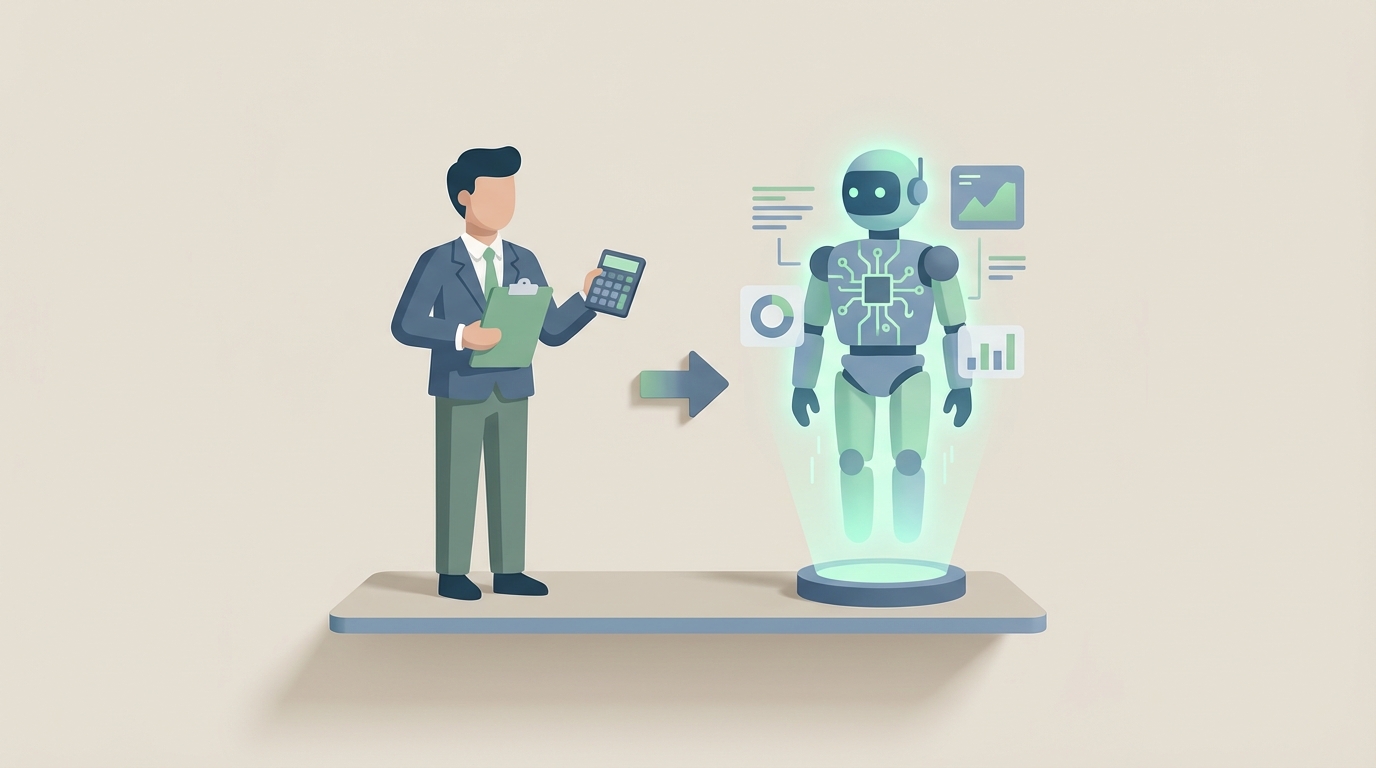
Most companies hiring a marketing analyst are paying $70,000–$130,000 a year for someone who spends the majority of their time doing work a machine can do faster, cheaper, and without calling in sick.
That's not a knock on marketing analysts. It's a knock on how the role has been structured. When you actually break down what a marketing analyst does day-to-day, the bulk of it — data pulls, report generation, dashboard updates, basic performance tracking — is repetitive, rule-based work. The kind of work AI agents were literally designed to handle.
The strategic stuff? The "why did this campaign tank in the Midwest" and "should we shift budget from paid social to CTV" questions? Those still need a human brain. But that's maybe 20% of the job.
So here's the real question: what if you built an AI agent that handles the 80%, and let a human (or yourself) focus on the 20% that actually moves the needle?
That's exactly what you can do with OpenClaw. Let me walk you through it.
What a Marketing Analyst Actually Does All Day
Job descriptions make this role sound glamorous. "Drive data-informed strategy." "Unlock customer insights." "Shape the future of our brand."
Here's what actually happens on a Tuesday:
Morning (2–3 hours): Data pulls and reporting. Log into Google Analytics. Pull last week's traffic numbers. Cross-reference with the CRM (Salesforce, HubSpot, whatever). Check ad platform dashboards — Google Ads, Meta Ads, maybe TikTok. Copy numbers into a spreadsheet or update a Looker Studio dashboard. Format it so the marketing director can understand it in the 15 minutes they'll actually look at it.
Late morning (1–2 hours): Campaign performance analysis. How did that email blast perform? What's the conversion rate on the new landing page? What's our CAC trending at this month versus last? Run some SQL queries or pivot tables. Flag anything that looks off.
Afternoon (1 hour): Ad-hoc requests. The VP of Marketing wants to know how a specific segment performed in Q3. A product manager needs engagement data for a feature launch. Someone asks "can you pull the numbers on..." for the third time this week.
Late afternoon (maybe 1 hour, if lucky): Actual strategic work. Competitor analysis. Forecasting next quarter's budget allocation. Designing an A/B test. Thinking about what the data actually means.
That's the reality. Gartner and McKinsey have both found that marketing analysts spend 60–80% of their time on data preparation, reporting, and reactive queries. The high-value strategic thinking gets squeezed into whatever time is left.
The Real Cost of This Hire
Let's do the math, because this is where it gets uncomfortable.
A mid-level marketing analyst in the US — someone with 3–5 years of experience, proficient in SQL, comfortable with Tableau or Looker, familiar with your ad platforms — runs about $70,000 to $95,000 in base salary.
But salary isn't cost. Total cost to employer includes:
- Benefits (health, dental, 401k match): Add 25–30%. That $85k salary becomes $110k.
- Software licenses: Tableau ($70/user/month), SEMrush ($130+/month), various analytics tools. Call it $3,000–$5,000/year.
- Onboarding and training: It takes 3–6 months for a new analyst to fully ramp. During that time, they're producing at maybe 50% capacity while drawing full salary. That's $25k–$40k in effective ramp cost.
- Management overhead: Someone has to manage this person, review their work, sit in syncs. That's a time cost on your senior team.
- Turnover: The average tenure for a marketing analyst is about 2 years. Then you start the cycle over. Recruiting costs alone run 15–20% of salary.
All in, you're looking at $110,000–$150,000 per year for a mid-level marketing analyst when you account for the real costs. Senior-level? Push that to $125,000–$170,000+.
And the kicker: most of that spend is going toward work that an AI agent can now handle.
What AI Handles Today (and What It Doesn't)
Let's be honest about this, because nothing kills credibility faster than pretending AI can do everything. It can't. But what it can do today is substantial enough to fundamentally change how you staff this function.
Tasks AI handles well right now:
Automated data collection and cleaning. An AI agent can connect to your Google Analytics, ad platforms, CRM, and email tools via APIs, pull the data on a schedule, normalize it, handle missing values, and merge it into a unified dataset. This is the single biggest time sink for analysts — 40–50% of their day — and it's almost entirely automatable.
Recurring reporting and dashboards. Weekly performance reports. Monthly executive summaries. Campaign post-mortems with standard KPIs. An AI agent can generate these automatically, format them for your audience, and distribute them without anyone lifting a finger.
KPI tracking and anomaly detection. Conversion rate dropped 15% on Thursday? CAC spiked in a specific channel? An AI agent can monitor your metrics continuously and flag anomalies in real time — not three days later when an analyst finally gets around to checking.
A/B test analysis. Feed in the test parameters and results, and an AI agent can calculate statistical significance, estimate lift, and recommend whether to ship or kill the variant. Optimizely and VWO have been doing this for years; now you can build it into a unified agent.
Segmentation and cohort analysis. Customer segments based on behavior, demographics, purchase history — this is pattern recognition at scale, exactly what AI excels at.
Competitor monitoring. Track competitor pricing, ad spend estimates, keyword rankings, and content output. Summarize changes weekly. No human needs to manually check SEMrush every morning.
Predictive forecasting. Budget allocation modeling, campaign performance projections, demand forecasting. These are well-established ML use cases with enough training data in most marketing orgs.
Tasks that still need a human:
Strategic interpretation. AI can tell you what happened. It struggles with why it happened in context. "Conversions dropped because we launched during a cultural moment that made our messaging tone-deaf" — that requires human judgment, cultural awareness, and institutional knowledge.
Creative recommendations. Data can inform creative direction, but the leap from "this segment responds to urgency-based messaging" to an actual campaign concept still needs a human.
Stakeholder communication. Presenting to the CMO, getting buy-in from cross-functional teams, navigating organizational politics — this is human territory.
Ethical and privacy decisions. GDPR compliance, deciding what data you should collect versus what you can collect, handling sensitive customer information. You want a human making these calls.
Novel hypothesis generation. AI is great at testing hypotheses. It's less great at generating truly novel ones, especially in ambiguous or unprecedented situations.
Here's the honest breakdown: AI can handle roughly 60–70% of a marketing analyst's workload today. The remaining 30–40% needs human oversight, judgment, and creativity. But that remaining work doesn't require a full-time hire. It requires a few hours a week from someone on your team who understands marketing strategy — or a fractional resource.
How to Build Your AI Marketing Analyst Agent with OpenClaw
Here's where we get practical. OpenClaw lets you build AI agents that can actually do the work described above — not just chat about it, but connect to your data sources, run analyses, generate reports, and take action.
Here's how to structure this build:
Step 1: Define Your Agent's Core Functions
Before you touch any code, get specific about what you want the agent to do. Start with the three highest-volume tasks your current analyst (or you) handles:
- Daily/weekly data pulls and reporting from Google Analytics, your ad platforms, and your CRM
- KPI monitoring with anomaly alerting across key metrics
- Campaign performance analysis with automated recommendations
Don't try to build everything at once. Start with these three and expand.
Step 2: Set Up Data Connections
Your OpenClaw agent needs to talk to your marketing stack. The most common integrations:
# Example: Connecting to Google Analytics via OpenClaw
data_sources = {
    "google_analytics": {
        "type": "ga4",
        "property_id": "YOUR_GA4_PROPERTY_ID",
        "credentials": "service_account.json",
        "metrics": ["sessions", "conversions", "engagementRate", "bounceRate"],
        "dimensions": ["date", "source", "medium", "campaign"],
        "refresh_schedule": "daily_6am_utc"
    },
    "meta_ads": {
        "type": "facebook_marketing_api",
        "account_id": "YOUR_AD_ACCOUNT_ID",
        "access_token": "YOUR_ACCESS_TOKEN",
        "metrics": ["spend", "impressions", "clicks", "conversions", "cpc", "cpa"],
        "refresh_schedule": "daily_6am_utc"
    },
    "hubspot_crm": {
        "type": "hubspot",
        "api_key": "YOUR_HUBSPOT_API_KEY",
        "objects": ["contacts", "deals", "campaigns"],
        "refresh_schedule": "daily_6am_utc"
    }
}
Map out every data source your analyst currently touches. For most marketing teams, that's 5–8 platforms. OpenClaw handles the API connections and data normalization so you're working with a unified dataset, not five different exports pasted into a Google Sheet.
Step 3: Build Your Reporting Workflows
This is where you replace 2–3 hours of daily analyst work. Define your report templates in OpenClaw:
# Weekly Marketing Performance Report
weekly_report = {
    "name": "Weekly Marketing Performance",
    "schedule": "every_monday_8am",
    "recipients": ["marketing-team@company.com", "cmo@company.com"],
    "sections": [
        {
            "title": "Traffic Overview",
            "data_source": "google_analytics",
            "metrics": ["sessions", "users", "pageviews"],
            "comparison": "previous_week",
            "include_chart": True
        },
        {
            "title": "Paid Channel Performance",
            "data_source": ["google_ads", "meta_ads"],
            "metrics": ["spend", "conversions", "cpa", "roas"],
            "comparison": "previous_week",
            "flag_anomalies": True,
            "anomaly_threshold": 0.15  # Flag changes > 15%
        },
        {
            "title": "Pipeline Impact",
            "data_source": "hubspot_crm",
            "metrics": ["new_leads", "mqls", "opportunities", "revenue_attributed"],
            "comparison": "previous_week"
        },
        {
            "title": "AI Analysis & Recommendations",
            "type": "llm_analysis",
            "prompt": "Analyze this week's marketing data compared to last week. Identify the top 3 insights and provide specific, actionable recommendations. Be direct. No fluff."
        }
    ],
    "format": "pdf_and_slack",
    "slack_channel": "#marketing-analytics"
}
The key differentiator with OpenClaw here is that last section — the AI-generated analysis. It doesn't just spit out numbers. It interprets the trends, flags what matters, and recommends next steps. Your Monday morning marketing meeting just got 10x more useful without anyone staying up Sunday night building a deck.
Step 4: Configure Anomaly Detection and Alerting
This replaces the "something looks off, let me investigate" portion of the analyst role:
# Real-time KPI monitoring
monitoring_config = {
    "metrics_to_watch": [
        {
            "metric": "conversion_rate",
            "source": "google_analytics",
            "baseline": "rolling_30_day_average",
            "alert_threshold": {
                "drop": 0.20,  # Alert if conversion rate drops 20%+
                "spike": 0.30  # Also alert on unusual spikes
            }
        },
        {
            "metric": "cpa",
            "source": "meta_ads",
            "baseline": "rolling_7_day_average",
            "alert_threshold": {
                "increase": 0.25  # Alert if CPA increases 25%+
            }
        },
        {
            "metric": "email_unsubscribe_rate",
            "source": "hubspot_crm",
            "baseline": "rolling_30_day_average",
            "alert_threshold": {
                "spike": 0.50  # Alert if unsub rate spikes 50%+
            }
        }
    ],
    "alert_channels": ["slack", "email"],
    "include_diagnosis": True,  # AI attempts to explain the anomaly
    "check_frequency": "every_4_hours"
}
When something breaks — and in marketing, something always breaks — you'll know about it in hours instead of days. The agent doesn't just alert you; it pulls in contextual data to suggest why the anomaly occurred. Did a landing page go down? Did a competitor launch a competing campaign? Did an ad set exhaust its audience? OpenClaw's agent cross-references across your connected data sources to give you a starting hypothesis.
Step 5: Build the A/B Test Analysis Module
# A/B Test Analysis Agent
ab_test_analyzer = {
    "trigger": "manual_or_scheduled",
    "inputs": {
        "test_name": "Homepage CTA Variant B",
        "control": {"visitors": 12500, "conversions": 375},
        "variant": {"visitors": 12500, "conversions": 425},
        "confidence_level": 0.95
    },
    "outputs": [
        "statistical_significance",
        "confidence_interval",
        "estimated_annual_impact",
        "recommendation",  # Ship, kill, or extend test
        "caveats"  # Sample size concerns, segment differences, etc.
    ]
}
This handles the math that analysts do after every test, but it also adds the interpretive layer: estimating business impact, flagging potential issues with the test design, and recommending clear next steps.
Step 6: Deploy and Iterate
Start with your weekly report automation. Get that running reliably for two weeks. Then layer in anomaly detection. Then A/B test analysis. Build incrementally so you can catch issues early and refine the agent's outputs based on what your team actually finds useful.
The beauty of building this on OpenClaw is that you're not locked into a rigid BI tool's template. You're building an agent that understands your specific marketing context, speaks your team's language, and improves as you feed it more data and feedback.
What This Actually Looks Like in Practice
Companies are already doing this. HubSpot reduced manual analysis time by 50% using AI-driven reporting and predictive lead scoring. Airbnb cut campaign reporting from days to hours using automated forecasting and A/B test analysis. Unilever automated 70% of their data preparation tasks with AI, freeing analysts to focus on strategic consumer insights.
The pattern is consistent: AI handles the volume, humans handle the judgment. The result isn't fewer insights — it's more insights, delivered faster, at a fraction of the cost.
The difference with OpenClaw is that you don't need to be Unilever or Airbnb to do this. You don't need a machine learning team or a six-figure analytics platform contract. You need to define your workflows, connect your data sources, and let the agent do what agents do best: repetitive, data-intensive work at scale.
The Honest Math
Let's bring this full circle.
Current cost of a mid-level marketing analyst: $110,000–$150,000/year (fully loaded).
What an OpenClaw AI agent replaces: 60–70% of that workload — the data pulls, reporting, monitoring, and standard analysis.
What you still need a human for: Strategic interpretation, creative direction, stakeholder management, ethical decisions. This is 10–15 hours per week of work, not 40.
You could handle that remaining work with:
- An existing team member who spends a few hours weekly reviewing the agent's outputs and making strategic calls
- A fractional marketing strategist at $2,000–$5,000/month
- Yourself, if you're a founder or marketing lead who actually wants to engage with the strategy
Either way, you're looking at a 60–80% cost reduction while getting faster, more consistent analysis. The agent doesn't take two weeks to ramp up on a new data source. It doesn't quit after 18 months. It doesn't have an off day.
Next Steps
You have two options:
Option 1: Build it yourself. Use the framework above. Start with OpenClaw, connect your data sources, and build your reporting and monitoring workflows. If you're technical enough to manage API integrations and comfortable defining your own analytics logic, you can have a working agent in a few weeks.
Option 2: Hire us to build it. If you'd rather skip the build phase and go straight to having a working AI marketing analyst agent, that's exactly what Clawsourcing does. We'll scope your marketing analytics workflows, build the agent on OpenClaw, connect it to your stack, and hand you a system that runs. You focus on strategy. The agent handles everything else.
The marketing analyst role isn't disappearing. But the version of it that spends 80% of its time copying data between tools and formatting charts? That version's already gone. The question is whether you adapt now or keep paying $130k a year for someone to do what an agent does before breakfast.
Recommended for this post
Your AI agent's guide to X/Twitter intel, engagement analysis, and content strategy that actually ships
 DMO Geek
Expert Web Research
Skill
Research any topic like a senior analyst — 15+ targeted queries, tiered source hierarchy, bias controls, and a structured recommendation with explicit confidence levels. Not a search wrapper. An actual research methodology.
 James
James
Deep market research in 15 minutes - your AI analyst
 CaptainRecap