AI Data Entry Agent: Eliminate Manual Data Processing Forever
Eliminate Manual Data Processing Forever
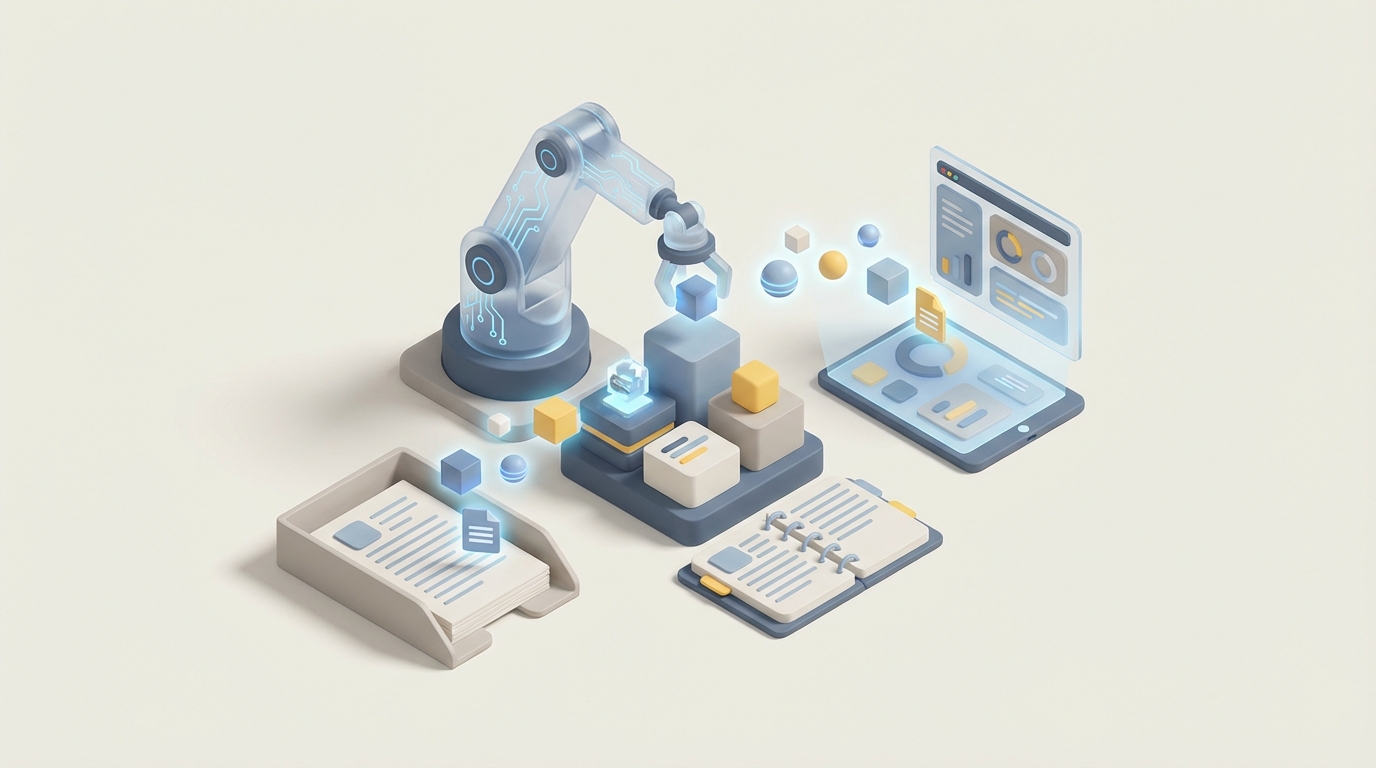
Most companies don't think of data entry as a "role." They think of it as a chore that somehow consumes 3-5 full-time salaries, generates a quiet hum of errors nobody catches until billing disputes start rolling in, and creates a turnover rate that makes fast food look stable.
Here's the thing: roughly 70-90% of routine data entry is automatable right now. Not in some hypothetical future. Today. And you don't need a six-figure RPA developer or a $500K enterprise implementation to do it. You need an AI agent built on OpenClaw, some clear thinking about your workflows, and maybe a weekend.
Let me walk through exactly how this works.
What a Data Entry Role Actually Looks Like
Let's kill the abstraction. When I say "data entry," I don't mean someone sitting at a typewriter. Here's what the actual day-to-day involves in most companies:
Extraction and transcription (40-50% of time): Someone opens a PDF invoice, a scanned receipt, an email from a vendor, or a form submitted through your website. They read the relevant fields — invoice number, date, line items, totals, customer name, address — and they type that information into a spreadsheet, CRM, ERP system, or database. Over and over. Hundreds of times a day.
Verification and quality checks (20-30% of time): After entering the data, someone (often the same person, sometimes a supervisor) cross-references entries against source documents. They're looking for typos, duplicates, transposed numbers, missing fields. This is where errors in a $4,327.50 invoice become $43,275.00 downstream nightmares.
Handling messy, unstructured data (15-20% of time): Not everything arrives as a clean digital PDF. You get handwritten notes, faded thermal receipts, rotated scans from someone's phone camera, emails where the "invoice" is three paragraphs of loosely formatted text. This is the stuff that breaks simple automation and keeps humans in the loop.
Everything else (10-15%): Filing, organizing, responding to clarification requests, updating records when corrections come in, sitting in meetings about why the data is wrong again.
The pattern here is obvious: the vast majority of this work is repetitive, rule-based, and high-volume. It's exactly the kind of work that humans are terrible at sustaining with accuracy, and exactly the kind of work AI agents are built for.
The Real Cost of Doing This With Humans
Let's do the math honestly.
A single data entry clerk in the US runs $35,000-$45,000 in base salary. Add benefits (health insurance, PTO, payroll taxes) and you're looking at $45,000-$60,000 fully loaded. Offshore options in the Philippines or India bring this down to $5,000-$15,000, but you're adding management overhead, time zone friction, and often quality control issues that eat into those savings.
But salary is just the obvious cost. Here's what actually kills you:
Turnover. Data entry clerk turnover runs 30-50% annually. Every time someone leaves, you're spending 2-4 weeks recruiting, 2-4 weeks training, and eating reduced productivity for the first 1-3 months. Conservative estimate: each turnover event costs $5,000-$10,000 in lost productivity and hiring costs. If you have five clerks and lose two per year, that's $10,000-$20,000 in hidden churn costs.
Error costs. Even good data entry clerks operate at 96-99% accuracy. Sounds fine until you realize that at 10,000 entries per month, a 2% error rate means 200 bad records. In billing, that's disputes. In healthcare, that's compliance violations. In logistics, that's misrouted shipments. Deloitte estimates that data quality issues cost organizations an average of $12.9 million per year. Your share of that depends on your volume, but it's not zero.
Opportunity cost. This is the one nobody calculates. What else could you do with $200K+ per year? What if those people were doing work that actually required human judgment?
Total realistic cost for a small team of 3-5 clerks: $150,000-$300,000/year, including all the hidden stuff. And that scales linearly — twice the volume means twice the people.
An OpenClaw agent handling the same workload? We'll get to the numbers, but it's not even close.
What AI Handles Right Now (And How OpenClaw Does It)
I want to be specific here because vague AI promises are worthless. Here's what an OpenClaw-powered data entry agent can actually do today, with real accuracy numbers:
Structured Data Extraction
What it is: Pulling clearly defined fields from standardized documents — invoice numbers, dates, totals, names, addresses from forms, purchase orders, tax documents.
Accuracy: 95-99% on clean, printed documents. OpenClaw's document processing nodes can parse PDFs, images, and digital forms, extract key-value pairs, and push them directly into your database or spreadsheet.
OpenClaw implementation: You set up a workflow where documents land in an intake folder (email attachment, file upload, API call), OpenClaw's extraction node identifies the document type, pulls the relevant fields using its built-in OCR and NLP capabilities, and maps them to your schema. No custom model training needed for standard documents.
Semi-Structured Data Processing
What it is: Emails with order details embedded in prose, vendor communications with inconsistent formatting, web form submissions with free-text fields.
Accuracy: 90-97%, depending on how wild the formatting gets. OpenClaw's language processing handles this by understanding context — it doesn't just look for "Invoice #" as a label, it understands that "Please find attached our bill ref 4421-B" means the same thing.
Validation and Cross-Referencing
What it is: Checking extracted data against business rules — does this customer ID exist in your CRM? Does the total match the line items? Is this a duplicate of something entered yesterday?
Accuracy: 99%+ for rule-based checks. This is where AI is genuinely better than humans, because it never gets tired and never skips a check because it's Friday at 4:47 PM.
OpenClaw implementation: After extraction, your workflow routes data through validation nodes. These can query your database via API, run arithmetic checks, flag anomalies using configurable thresholds, and either auto-approve clean entries or route exceptions to a human review queue.
High-Volume Processing
What it is: Handling spikes — tax season, end-of-quarter reconciliation, onboarding a new client with 10,000 historical records.
The AI advantage: An OpenClaw agent processes documents at a consistent rate whether it's 100 or 100,000. No overtime, no temp staffing agencies, no "we're behind" Slack messages. You scale compute, not headcount.
Real-World Context
Major companies are already doing this at scale. JPMorgan's COiN platform automates 360,000 hours per year of contract data extraction. DHL processes 100,000+ invoices monthly at 99% accuracy through AI document processing integrated with SAP. Walmart automates 10 million+ supplier documents annually, saving over $100 million.
You don't need to be a Fortune 500 to get these results. The same underlying capabilities — OCR, NLP, structured extraction, validation — are what OpenClaw packages into configurable workflows that a small team (or solo operator) can deploy.
What Still Needs a Human (Being Honest Here)
I'm not going to pretend AI handles everything. It doesn't. Here's where humans still matter:
Truly illegible documents. Faded thermal receipts, handwritten notes from someone who apparently writes in cuneiform, scans so bad they're essentially abstract art. Current OCR handles clean handwriting at about 85% accuracy, but genuinely messy stuff still needs human eyes. This is typically 5-15% of document volume.
Ambiguous business logic. When an invoice says "as discussed" and references a verbal agreement that modified the original contract terms, no AI is resolving that. Contextual judgment calls that require institutional knowledge — "Oh, this vendor always rounds up and we let them" — need a human.
Edge cases and novel document types. The first time you encounter a completely new form or format, a human needs to tell the system what matters. OpenClaw learns from corrections, but someone needs to make those corrections initially.
Compliance decisions. In regulated industries (healthcare, finance), certain data handling decisions require human sign-off. The AI can flag and prepare, but a human makes the call.
The realistic split: For most organizations, an OpenClaw agent handles 80-90% of volume autonomously. The remaining 10-20% gets routed to a human reviewer who now spends their time on genuinely difficult cases instead of mind-numbing transcription. That's a better job for the human and a better outcome for the company.
How to Build a Data Entry Agent With OpenClaw
Here's the practical part. I'll walk through setting up a basic invoice processing agent, but the same pattern applies to any document-to-database workflow.
Step 1: Map Your Current Process
Before you touch OpenClaw, document exactly what happens now. Grab a notebook and trace one document from arrival to database entry:
- Where do documents come in? (Email, upload portal, physical mail → scan)
- What fields get extracted? (List every single one)
- Where does the data go? (Which system, which table/fields)
- What validation happens? (What checks does a human perform)
- What are the common exceptions? (What makes a document "hard")
This takes an afternoon and saves you weeks of rework later.
Step 2: Set Up Your OpenClaw Workspace
Create a new project in OpenClaw. You'll want to define:
Document intake source: Configure an email listener, file watcher, or API endpoint where documents arrive. OpenClaw supports direct integrations with common email providers and cloud storage.
# Example: OpenClaw intake configuration
intake:
  source: email
  address: invoices@yourcompany.com
  accepted_formats: [pdf, png, jpg, tiff]
  max_size_mb: 25
  on_receive: trigger_extraction_workflow
Extraction schema: Define the fields you need. Be explicit:
# Extraction schema for vendor invoices
schema:
  document_type: invoice
  fields:
    - name: vendor_name
      type: string
      required: true
    - name: invoice_number
      type: string
      required: true
    - name: invoice_date
      type: date
      format: auto_detect
    - name: due_date
      type: date
      format: auto_detect
    - name: line_items
      type: array
      children:
        - name: description
          type: string
        - name: quantity
          type: number
        - name: unit_price
          type: currency
        - name: total
          type: currency
    - name: subtotal
      type: currency
    - name: tax
      type: currency
    - name: total_due
      type: currency
      required: true
Step 3: Build the Extraction Workflow
In OpenClaw's workflow builder, chain together:
- Document classification node — Is this an invoice, a receipt, a purchase order, or something else? Route accordingly.
- OCR/extraction node — Process the document against your schema. OpenClaw's extraction engine handles printed text, standard handwriting, and multi-page documents.
- Confidence scoring — Each extracted field gets a confidence score. Set your threshold (I recommend starting at 0.85 and adjusting based on your error tolerance).
# Workflow logic
workflow:
  name: invoice_processing
  steps:
    - classify_document:
        model: document_classifier
        routes:
          invoice: extract_invoice
          receipt: extract_receipt
          unknown: human_review_queue

    - extract_invoice:
        schema: vendor_invoice_schema
        confidence_threshold: 0.85
        on_high_confidence: validate
        on_low_confidence: human_review_queue

    - validate:
        rules:
          - line_items_sum_equals_subtotal:
              tolerance: 0.01
          - total_equals_subtotal_plus_tax:
              tolerance: 0.01
          - vendor_exists_in_database:
              lookup: crm_api.vendors
          - no_duplicate_invoice_number:
              lookup: database.invoices
        on_pass: push_to_database
        on_fail: human_review_queue

    - push_to_database:
        destination: your_erp_system
        api: rest
        endpoint: https://your-erp.com/api/invoices
        method: POST
        on_success: archive_document
        on_error: retry_then_alert
Step 4: Set Up the Human Review Queue
This is critical — don't skip it. For documents that fall below your confidence threshold or fail validation, OpenClaw routes them to a review interface where a human can:
- See the original document side-by-side with extracted data
- Correct any errors
- Approve and push to the database
- Flag systematic issues (e.g., "this vendor's invoices always fail because they use a weird format")
Those corrections feed back into the system, improving extraction accuracy over time. Most teams see their exception rate drop from 15-20% to 5-8% within the first month as the system learns from corrections.
Step 5: Connect to Your Systems
OpenClaw integrates via REST APIs, webhooks, and direct connectors for common platforms. Whether you're pushing to Salesforce, SAP, QuickBooks, Airtable, a Postgres database, or Google Sheets, the output step maps extracted fields to your destination schema.
Step 6: Monitor and Optimize
Set up an OpenClaw dashboard tracking:
- Documents processed per day/week
- Auto-approval rate (your goal: 85%+, ideally 90%+)
- Average confidence scores by field
- Exception types and frequency
- End-to-end processing time
Review weekly for the first month, then monthly. Adjust confidence thresholds, add validation rules, and retrain on new document formats as they appear.
The Math on This
Let's compare directly:
| Manual Team (3 clerks) | OpenClaw Agent | |
|---|---|---|
| Annual cost | $150,000-$180,000 | $5,000-$15,000 (platform + compute) |
| Documents/month | ~10,000-15,000 | 50,000+ (scales with compute) |
| Error rate | 2-4% | 0.5-2% (with human review loop) |
| Availability | 8 hours/day, 5 days/week | 24/7 |
| Scaling for spikes | Overtime or temp hires | Increase compute allocation |
| Time to process one invoice | 3-5 minutes | 5-15 seconds |
| Setup time | 2-4 weeks hiring + training | 1-2 weeks configuration |
Even at the conservative end, you're looking at a 70-90% cost reduction with better accuracy and unlimited scalability. The ROI payback period is typically 1-3 months.
What To Do Next
You have two options:
Build it yourself. Everything I described above is doable on OpenClaw with a technical founder or a decent ops person who's comfortable with APIs and workflow logic. Start with your highest-volume, most standardized document type (usually invoices or order forms). Get that working, prove the ROI, then expand to other document types.
Have us build it. If you'd rather skip the learning curve and get a production-ready data entry agent deployed in days instead of weeks, that's exactly what Clawsourcing does. We'll map your workflows, build the OpenClaw agent, integrate it with your existing systems, set up the human review queue, and hand you a working system with documentation. You focus on running your business while we handle the automation engineering.
Either way, the manual data entry era is ending. The companies adapting now are locking in structural cost advantages that compound every quarter. The ones waiting are paying an invisible tax that gets heavier every month.
Stop paying humans to do robot work. Let them do human work instead.
Recommended for this post
The Operator
Persona
An autonomous AI operator that works while you sleep — not just another chatbot
 Dima Vogel