Replace Your Customer Support Rep with an AI Agent
Replace Your Customer Support Rep with an AI Agent
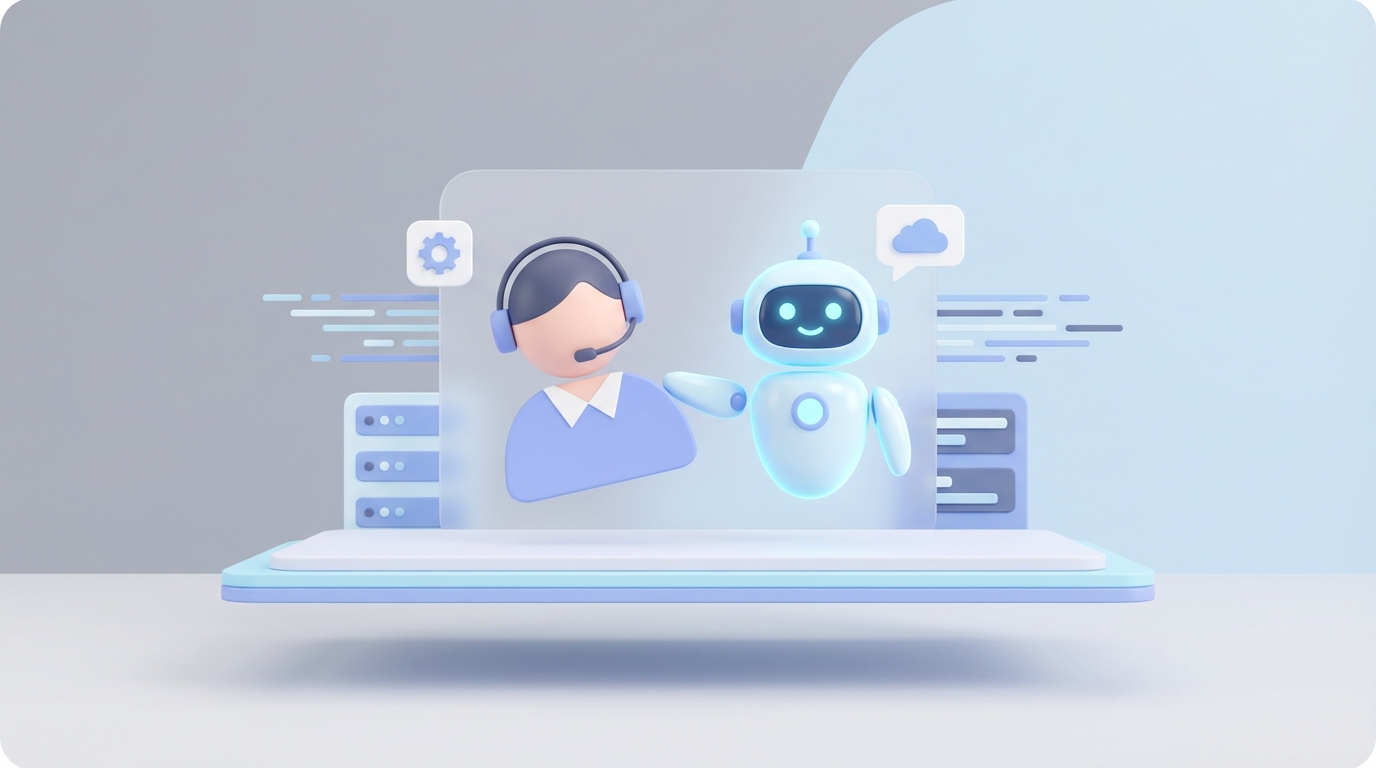
Most customer support teams are stuck in a loop. A customer asks where their order is. An agent looks it up. They copy-paste a tracking link. They close the ticket. This happens 80 times a day. The agent burns out in nine months. You hire a replacement. Train them for three weeks. They burn out too.
Meanwhile, the actual hard problems—the angry customer whose shipment arrived damaged, the enterprise client threatening to churn, the weird edge case that requires talking to engineering—those get buried under a mountain of "What's my password?" tickets.
This is not an argument that customer support doesn't matter. It matters enormously. It's an argument that most of the work inside customer support is mechanical, repetitive, and perfectly suited for an AI agent. And with OpenClaw, you can build one that handles the mechanical stuff reliably so your humans can focus on the work that actually requires being human.
Let me walk through what this looks like in practice.
What a Customer Support Rep Actually Does All Day
If you've never sat next to a support agent for a full shift, here's the reality. It's not one job—it's six jobs crammed into one role, and most of them are boring.
The ticket grind. A typical agent handles 50 to 100 tickets per day. The majority—somewhere between 60 and 70 percent—are routine. Order status checks. Return requests. Password resets. Billing questions with straightforward answers. "How do I cancel?" "Do you ship to Canada?" "My promo code isn't working." These aren't hard questions. They're volume questions.
Multichannel juggling. Your agent isn't just in one inbox. They're bouncing between email (which accounts for roughly 25 to 30 percent of tickets), live chat (20 to 25 percent), phone (15 to 20 percent), social media DMs, and whatever self-service portal you've set up. Each channel has its own tool, its own tone expectations, its own queue. Switching between them eats 10 to 15 percent of an agent's productive time. Not answering questions—just navigating tabs.
Documentation theater. Every interaction needs to be logged in the CRM. Zendesk, Salesforce, HubSpot, whatever you're running. The agent writes a summary, tags the ticket, updates the customer record, and maybe flags it for follow-up. This takes 20 to 25 percent of their day. It's necessary work. It's also mind-numbing.
Escalation and follow-up. When something actually requires expertise—an engineering bug, a legal question, a high-value account threatening to leave—the agent's job is to triage, document, and hand it off. Then they follow up later to make sure it got resolved. This is where judgment matters. This is also maybe 15 percent of their day at most.
Proactive outreach. In theory, agents also monitor reviews, send satisfaction surveys, and even upsell during conversations. In practice, this barely happens because they're buried in ticket volume.
Here's the uncomfortable math: roughly 70 percent of what a support agent does every day could be handled by a well-built AI agent. The other 30 percent is where you actually need a person.
The Real Cost of This Hire
Let's talk numbers, because "just hire someone" sounds cheap until you actually do it.
An entry-level support agent in the US costs $35,000 to $45,000 in base salary. But salary is never the real cost. Add benefits, payroll taxes, equipment, software licenses, management overhead, and office space (or remote stipends), and you're looking at $60,000 to $90,000 per agent, per year. An experienced agent with three or more years? That's $90,000 to $140,000 all-in.
Then there's turnover. Customer support has roughly a 40 percent annual turnover rate. That means for every three agents you hire, one is gone within a year. Each replacement costs you recruiting fees, three to six weeks of training, and months of reduced productivity while they ramp up. Conservative estimates put the cost of replacing a single agent at 50 to 75 percent of their annual salary.
Let's say you have a five-person support team. All-in, you're probably spending $400,000 to $600,000 per year. And two of those agents will probably leave before next January.
If you outsource to the Philippines or India, you can cut that to $20,000 to $50,000 per agent. But you trade cost savings for timezone gaps, language nuance issues, and less control over quality. It's a real tradeoff.
Now compare that to an AI agent running on OpenClaw. The platform costs are a fraction of a single salary. The agent doesn't quit, doesn't need PTO, doesn't have a bad Monday. It handles the 70 percent of routine tickets at 3 AM on a holiday weekend with the same quality it delivers at 2 PM on a Tuesday.
This doesn't mean you fire your whole team. It means you might need two people instead of five, and those two people spend their time on work that actually requires human judgment.
What an AI Agent Handles Right Now
I want to be specific here, because vague claims about "AI-powered support" are worthless. Here's what an OpenClaw agent can reliably do today, with concrete examples.
FAQ and knowledge base queries. "What's your return policy?" "Do you offer student discounts?" "How do I integrate with Shopify?" These are lookup tasks. You feed your knowledge base, documentation, and policy documents into OpenClaw, and the agent answers accurately based on your actual content. No hallucinating an answer from the internet—it's grounded in your data.
Order status and tracking. Customer provides an order number or email. The OpenClaw agent queries your order management system via API, pulls the tracking info, and responds with the current status. This is one of the highest-volume ticket types for any ecommerce or SaaS company, and it requires zero human judgment.
Returns and refund processing. For standard returns that fall within your policy (bought within 30 days, item unused, etc.), an AI agent can walk the customer through the process, generate a return label, and initiate the refund. You set the rules, OpenClaw follows them.
Account management. Password resets, email updates, subscription changes, billing inquiries. These are API calls wrapped in a conversational interface. OpenClaw connects to your auth provider and billing system and handles the mechanics.
Ticket triage and routing. Even when the agent can't resolve an issue directly, it can categorize the ticket, assess sentiment, identify urgency, and route it to the right human. This alone saves agents 20 to 30 percent of their time. Instead of a human reading every ticket to decide who should handle it, OpenClaw handles the sorting and the humans just work their queue.
Multilingual support. OpenClaw can handle conversations in over 100 languages with strong accuracy. Not perfect—idioms and cultural nuance still trip up AI—but for factual queries ("Where's my package?" in German), it works well. This is especially valuable if you serve international customers but can't justify hiring agents in every timezone and language.
Follow-up automation. After a ticket is resolved, OpenClaw can send follow-up messages, request CSAT ratings, and flag customers who respond negatively for human review. The agent handles the mechanical outreach; a human steps in only when something's wrong.
Companies are already doing this at scale. Shopify deflects 40 percent of tickets with AI. Lemonade Insurance processes 95 percent of claims through their AI bot. KLM resolves 65 percent of queries without a human agent. These aren't experiments—they're production systems handling millions of interactions.
What Still Needs a Human
I'm not going to pretend AI handles everything. It doesn't, and overselling this is how you end up with angry customers and a PR problem. Here's where you still need people.
High-empathy situations. A customer whose order was a gift for their kid's birthday and it arrived broken. A user who's been a loyal subscriber for five years and is considering canceling. These conversations require genuine emotional intelligence—reading between the lines, knowing when to bend a policy, making someone feel heard. AI can simulate empathy. Customers can tell. CSAT scores drop 10 to 15 percent when AI handles emotionally charged interactions alone.
Complex, multi-step investigations. "I was charged twice, but one charge is from three months ago, and it might be related to a subscription I thought I canceled but actually just paused." These tangled situations require a human who can dig through systems, make judgment calls, and sometimes just pick up the phone and talk it out.
Negotiation and retention. When a high-value customer is threatening to leave, you want a human who can negotiate, offer custom deals, and build a relationship. Data from Bain & Co. shows that humans retain 20 to 30 percent more customers than AI in these scenarios.
Edge cases and novel problems. AI works from patterns. When something genuinely new comes up—a product bug no one's seen before, a policy gap, an unusual regulatory question—a human needs to figure it out, and then that resolution can be added to the AI's knowledge base for next time.
Accountability decisions. Refunds over a certain threshold, legal escalations, anything that could become a liability. A human needs to own these decisions.
The smart play is a hybrid model. AI handles first contact, resolves what it can, and escalates what it can't—with full context attached so the human doesn't start from scratch. This is exactly what OpenClaw is designed for.
How to Build a Customer Support Agent with OpenClaw
Here's the practical part. Let's walk through building a support agent on OpenClaw that handles the routine work and escalates the rest.
Step 1: Define Your Scope
Before you touch any configuration, write down exactly what your agent should and shouldn't do. Be specific.
Should handle: Order status inquiries, return initiation (orders under 30 days, under $200), password resets, FAQ responses, ticket categorization, basic billing questions.
Should escalate: Refunds over $200, complaints mentioning legal action, customers flagged as VIP in your CRM, any interaction where sentiment analysis detects high frustration after two exchanges.
This scoping document becomes your agent's operating manual. Skip this step and you'll get an agent that either does too much (badly) or too little (uselessly).
Step 2: Connect Your Data Sources
OpenClaw agents are only as good as the data they can access. You'll want to connect:
- Your knowledge base (help docs, FAQ pages, policy documents)
- Your order management system (Shopify, WooCommerce, custom OMS) via API
- Your CRM (Zendesk, Salesforce, HubSpot) for customer history and ticket logging
- Your billing system (Stripe, Chargebee) for subscription and payment queries
OpenClaw supports API integrations and document ingestion. Upload your docs, configure your API endpoints, and the agent can pull real-time data during conversations.
Step 3: Build Your Agent's Workflow
In OpenClaw, you define the agent's behavior through a combination of system instructions and workflow logic. Here's a simplified example of how you'd configure the core support flow:
agent:
  name: "Support Agent"
  role: "Customer Support Specialist"
  instructions: |
    You are a customer support agent for [Company Name].
    Answer questions using only the connected knowledge base and live data from APIs.
    Never fabricate information. If you don't know the answer, say so and escalate.
    Maintain a helpful, professional tone. Do not offer discounts or refunds
    above $200 without human approval.

  workflows:
    - trigger: "order_status"
      action: query_oms_api
      response_template: |
        Your order {{order_id}} is currently {{status}}.
        Tracking: {{tracking_url}}
        Expected delivery: {{eta}}

    - trigger: "return_request"
      conditions:
        - order_age_days: "<= 30"
        - order_value: "<= 200"
      action: initiate_return
      escalate_if_fail: true

    - trigger: "sentiment_negative"
      threshold: 0.8
      action: escalate_to_human
      context: include_full_transcript

    - trigger: "unknown_query"
      action: search_knowledge_base
      fallback: escalate_to_human
This is a simplified representation. OpenClaw's actual configuration is more robust, but the logic is the same: define triggers, set conditions, specify actions, and always include fallback escalation paths.
Step 4: Set Up Escalation Rules
This is where most AI support implementations fail. They either never escalate (frustrating customers) or always escalate (defeating the purpose). OpenClaw lets you define escalation based on multiple signals:
- Sentiment score drops below a threshold
- Number of exchanges exceeds a limit without resolution
- Specific keywords detected (e.g., "lawyer," "cancel," "speak to a manager")
- Customer tier (VIP accounts always get human backup)
- Monetary thresholds (refund requests above a set amount)
When escalation triggers, OpenClaw passes the full conversation transcript and context to the human agent's queue. The human picks up where the AI left off—no "Can you repeat the issue?" friction.
Step 5: Test Before You Deploy
Run your agent through your last 500 support tickets. Seriously—take real historical tickets, feed them into the agent, and compare its responses to what your human agents actually said. You're looking for:
- Accuracy: Did the agent give correct information?
- Appropriate escalation: Did it know when to hand off?
- Tone: Does it sound like your brand?
- Hallucinations: Did it make anything up?
Fix what's broken. Adjust your knowledge base. Tighten your escalation rules. Then run the test again. Don't deploy until you're consistently hitting 90 percent or better accuracy on historical tickets.
Step 6: Deploy in Shadow Mode First
Before your AI agent goes live with real customers, run it in shadow mode. It "handles" tickets alongside your human agents, but its responses aren't sent to customers. Instead, a human reviews the AI's proposed response before it goes out. This catches edge cases your test set missed and lets your team build confidence in the system.
After one to two weeks of shadow mode with low error rates, start routing low-risk ticket types (order status, FAQ) directly to the agent. Gradually expand its scope as it proves reliable.
Step 7: Monitor and Improve Continuously
Post-deployment, you need a feedback loop. OpenClaw provides analytics on resolution rates, escalation frequency, CSAT scores, and response accuracy. Review these weekly. When you see patterns in escalated tickets—questions the AI couldn't answer—update your knowledge base. When you see false escalations, refine your thresholds.
Your AI agent should get better every week. If it doesn't, something is wrong with your feedback process.
The Honest Tradeoffs
Building an AI support agent isn't free. There's real upfront work: connecting systems, writing documentation, configuring workflows, testing. Plan for 40 to 80 hours of setup depending on the complexity of your support operation.
And AI won't deliver 100 percent customer satisfaction on its own. The 5 to 10 percent error rate on AI responses is real. Hallucinations happen. Tone-deaf responses happen. The mitigation isn't pretending these don't exist—it's building safety nets (escalation rules, human review for edge cases, regular audits) that catch problems before they reach the customer.
The payoff is also real. Companies running hybrid AI-human support models report 20 to 50 percent cost reduction, faster response times (AI responds in seconds, not hours), and—counterintuitively—higher CSAT scores, because the humans who remain on the team have time to actually care about the hard problems instead of being ground down by repetitive ticket volume.
What To Do Next
You've got two options.
Option one: Build it yourself. Sign up for OpenClaw, connect your data sources, configure your workflows, and start testing. Everything I described above is doable by a technical founder or a small ops team with API experience. The platform is built for this.
Option two: Hire us to build it. If you don't have the bandwidth or the technical chops to set this up, that's what Clawsourcing is for. We'll scope your support operation, build your OpenClaw agent, integrate it with your existing tools, and get it deployed. You focus on your business; we handle the automation.
Either way, stop paying six figures a year for someone to copy-paste tracking numbers. That's not a good use of anyone's time—yours or theirs.
Recommended for this post
Identify repetitive tasks, build automation, and reclaim hours per week.
 SpookyJuice.ai
Reed
Persona
Autonomous support operator — ticket triage, refund routing, FAQ generation, and 48-hour follow-up without founder invol
 Skippythemagnificent
AI Cofounder
Persona
A full-stack AI cofounder that runs sales, marketing, engineering, finance, and operations — not just answers questions. Half the price of competing personas, twice the operational depth.