Replace Your Accounts Payable Clerk with an AI Accounts Payable Clerk Agent
Replace Your Accounts Payable Clerk with an AI Accounts Payable Clerk Agent
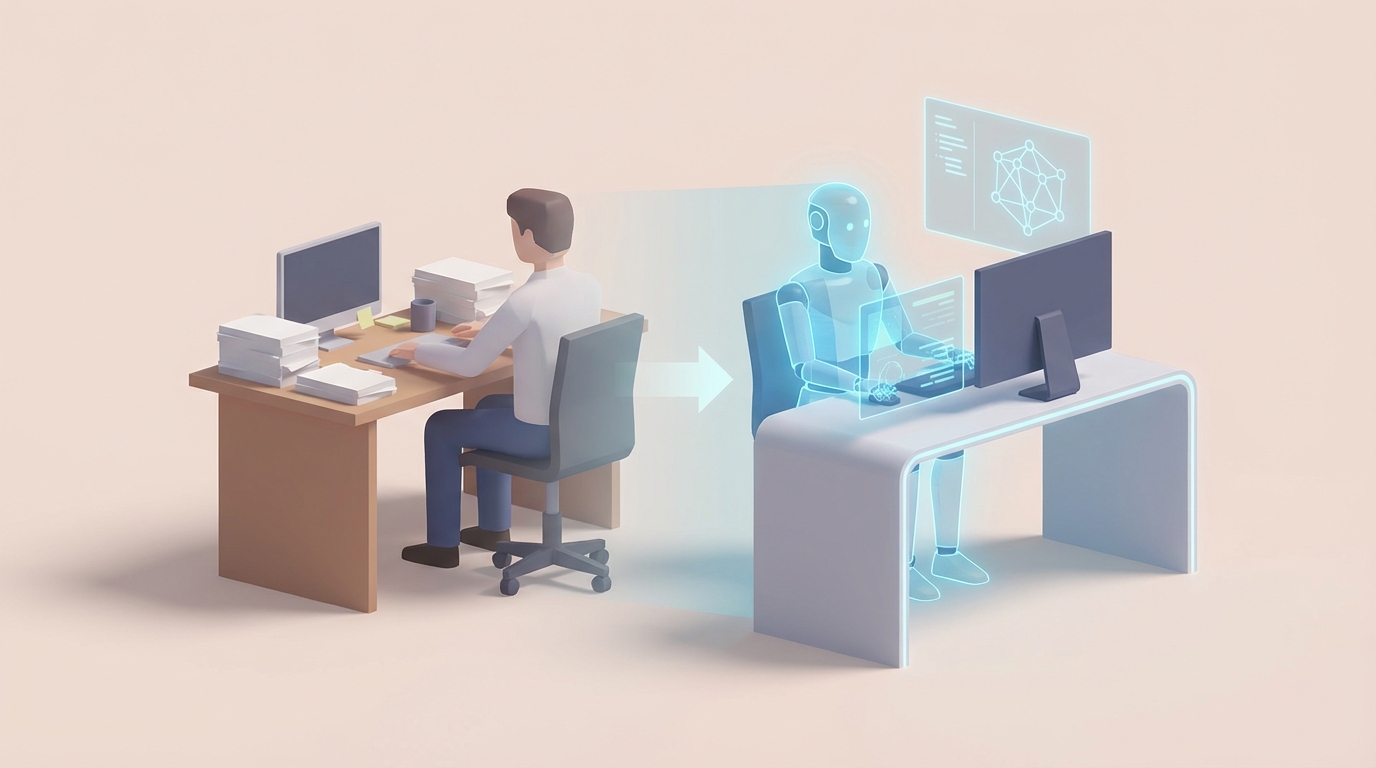
Most accounts payable clerks spend their days doing work that follows predictable rules. Receive invoice. Match it to a purchase order. Check the quantities. Code it to the right GL account. Route it for approval. Schedule payment. Repeat, hundreds of times per week.
That's not a knock on AP clerks — it's an observation about the nature of the work. And it's exactly why this role is one of the strongest candidates for replacement by an AI agent.
Not partial automation. Not "AP software that helps your clerk work faster." An actual AI accounts payable clerk that handles the full workflow — from invoice intake to payment execution — with a human only stepping in for the weird stuff.
Here's how the role actually works, what it really costs you, and how to build an AI accounts payable clerk agent on OpenClaw that does 80% of the job at a fraction of the price.
What an Accounts Payable Clerk Actually Does All Day
Let's get specific, because "processes invoices" doesn't capture the reality.
An AP clerk's day breaks down roughly like this:
Invoice processing (40-50% of the day): Invoices arrive via email, snail mail, vendor portals, and sometimes fax (yes, still). The clerk opens each one, reads or scans it, pulls out the key data — vendor name, invoice number, line items, amounts, tax, payment terms — and enters it into the ERP. QuickBooks, SAP, Oracle NetSuite, whatever. For non-PO invoices, they also have to figure out the right GL coding, which means understanding the chart of accounts well enough to categorize a "consulting fee" differently from a "software subscription."
Three-way matching (20-30%): This is the core control function. Every invoice gets compared against a purchase order (did we actually order this?) and a receiving report (did we actually get it?). When the quantities match and the price matches, it sails through. When they don't — and they don't match maybe 15-25% of the time — the clerk has to investigate. Was there a partial shipment? Did the vendor change the price? Is the PO even in the system? This chasing eats hours.
Vendor management (10-15%): Onboarding new vendors means collecting W-9s, setting up payment information, verifying bank details. Ongoing management means handling address changes, payment method updates, responding to "where's my payment?" calls, and resolving disputes when the vendor says they shipped 500 units but receiving says they only got 480.
Payment execution (10%): Running payment batches — ACH, checks, wires, credit cards — on schedule. Making sure you're paying within terms, ideally capturing early-pay discounts (net-10 2% terms, for example). This also means tracking which invoices are approved and ready to pay versus which are stuck in someone's approval queue.
Reconciliation and reporting (5-10%): Matching payments to bank statements, clearing open items, running AP aging reports, handling month-end accruals, and supporting audits with documentation.
Here's the pattern: roughly 60-70% of this work is rule-following. Predictable inputs, predictable logic, predictable outputs. The remaining 30-40% is exception handling, judgment calls, and communication. That ratio matters a lot when you're thinking about AI.
What This Role Actually Costs You
The median salary for an accounts payable clerk in the US is about $47,000 per year, according to the Bureau of Labor Statistics. But salary is the starting point, not the total.
Here's a more honest accounting:
- Base salary: $45,000–$55,000 (varies by geography — add 20-30% for California or New York)
- Benefits: Health insurance, 401(k), PTO — typically 25-30% on top of base. Call it $12,000–$16,000.
- Payroll taxes: FICA, unemployment, workers' comp — another $4,000–$5,000.
- Training and ramp-up: New AP clerks take 2-4 months to get fully productive. During that time, they're at maybe 50-70% efficiency while someone else trains them. Cost of lost productivity: hard to quantify but real.
- Turnover: AP clerk turnover runs 20-30% annually. Every time someone leaves, you eat recruiting costs ($3,000–$8,000), training costs, and the productivity dip all over again.
All-in cost: $65,000–$85,000 per year per clerk.
For a mid-size company processing 2,000–5,000 invoices per month, you might need two to four clerks. That's $130,000–$340,000 annually in AP labor alone.
And here's the thing that never shows up on a spreadsheet: errors. Manual data entry carries a 1-3% error rate. On a $5 million annual spend, that's $50,000–$150,000 in overpayments, duplicate payments, and missed discounts floating around in your system. According to IOFM, 60-70% of early-pay discounts get missed simply because invoices don't get processed fast enough. That's real money left on the table.
What an AI Accounts Payable Clerk Can Handle Right Now
This isn't theoretical. Companies like Siemens, Coca-Cola, Unilever, and Walmart are already running AI-driven AP operations. Siemens cut invoice processing time by 80%. Unilever reduced AP headcount by 40%. Walmart achieves 90% straight-through processing on millions of invoices.
You don't need to be a Fortune 500 company to do this. Here's what an AI agent built on OpenClaw can handle today:
Invoice data extraction: Modern OCR combined with natural language processing can pull vendor name, invoice number, date, line items, quantities, unit prices, tax, and totals from invoices — whether they arrive as PDFs, scanned images, or emails — with 95%+ accuracy. OpenClaw agents can be configured to watch an email inbox or a shared drive, grab new invoices, extract the data, and structure it for your ERP.
GL coding: Given enough historical examples (your past 6-12 months of coded invoices), an OpenClaw agent learns your chart of accounts and applies the right codes to incoming invoices. "Office supplies from Staples" → 6500-Office Supplies. "Monthly Salesforce subscription" → 6200-Software. It handles the pattern-matching that your clerk does from memory.
Two-way and three-way matching: The agent pulls the corresponding PO from your ERP, compares line items, quantities, and prices, and either confirms the match or flags specific discrepancies. "Invoice shows $12.50/unit, PO shows $12.00/unit — price variance of $0.50 on 200 units." No human needed for the 80% that match cleanly.
Duplicate detection: AI catches duplicate invoices with near-perfect accuracy by comparing invoice numbers, amounts, dates, and vendor information — including fuzzy matches that catch things like the same invoice submitted with a slightly different number format.
Approval routing: Based on your rules — dollar thresholds, department, expense type — the agent routes invoices to the right approver and follows up automatically when approvals stall. "This invoice has been pending Jane's approval for 3 days. Sending reminder."
Payment file generation: Once invoices are matched and approved, the agent batches them into payment files — ACH, wire instructions, check runs — formatted for your bank. It optimizes timing to capture early-pay discounts when available.
Compliance checks: Sales tax verification, PO validity, vendor status checks, duplicate payment prevention — all rule-based, all automatable.
Vendor communications (routine): Sending payment remittance advice, responding to standard payment status inquiries ("Your invoice #4521 is scheduled for payment on 6/15"), and requesting missing documentation.
The net result: 70-80% of invoices process without any human touching them. Industry benchmarks call this "touchless processing," and mature AI implementations consistently hit these numbers.
What Still Needs a Human
I'm not going to pretend AI handles everything. It doesn't, and claiming otherwise erodes trust. Here's what still requires a real person:
Complex exception resolution: When a vendor shipped a partial order, substituted a product, or applied a credit from six months ago against the current invoice, the AI will flag the discrepancy but a human needs to investigate. This often requires context that isn't in the system — a phone call, a judgment about whether the substitution is acceptable, a decision about whether to accept the partial shipment and short-pay.
Vendor negotiations and disputes: When a vendor disagrees about a chargeback, wants to renegotiate terms, or escalates a payment issue, that's a relationship conversation. AI can surface the data ("Here's the full history of invoices, payments, and credits for this vendor"), but a human needs to handle the negotiation.
Fraud judgment: AI catches obvious patterns — duplicate invoices, payments to suspicious accounts, invoices from unknown vendors. But sophisticated fraud requires contextual judgment. An invoice from a vendor you've used for years, at a normal dollar amount, but for services that were never actually performed — that takes human investigation.
Policy exceptions: A department head wants to pay a vendor outside normal terms. A new vendor needs to be onboarded without standard documentation because it's an emergency purchase. These require someone who understands the business context and has the authority to make exceptions.
Strategic work: Cash flow forecasting, vendor relationship strategy, process improvement, audit support — this is where you want your humans spending their time instead of typing invoice numbers into spreadsheets.
The honest split: AI handles 70-80% of the volume, humans handle the remaining 20-30% that requires judgment, negotiation, or context. One experienced AP person overseeing an AI agent can do what three or four manual clerks used to do.
How to Build an AI Accounts Payable Clerk on OpenClaw
Here's where it gets practical. OpenClaw lets you build an AI agent that handles the full AP workflow, not just one piece of it. Here's the architecture:
Step 1: Define the Invoice Intake Pipeline
Your agent needs to watch for incoming invoices across all your channels. Set up intake nodes in OpenClaw for:
- Email monitoring: Connect your AP inbox (ap@yourcompany.com). The agent scans incoming emails, identifies which ones contain invoices (versus spam or general correspondence), and extracts attachments.
- File drop monitoring: Point the agent at a shared drive or cloud folder where scanned mail gets deposited.
- Portal integration: If you use a vendor portal, connect it via API so invoices flow directly into the pipeline.
# OpenClaw Invoice Intake Configuration
agent:
  name: "AP_Clerk_Agent"
  intake_sources:
    - type: email
      address: ap@yourcompany.com
      filter: "has_attachment AND (subject CONTAINS 'invoice' OR attachment_type IN ['pdf', 'xlsx'])"
    - type: file_watch
      path: "/shared/ap/incoming/"
      formats: ["pdf", "tiff", "png", "xlsx"]
    - type: api
      endpoint: "https://vendor-portal.example.com/api/invoices"
      poll_interval: "15m"
Step 2: Configure Data Extraction
OpenClaw's extraction engine handles OCR and data parsing. You define the fields you need and provide sample invoices for the agent to calibrate against your vendors' typical formats.
# Data Extraction Schema
extraction:
  fields:
    - name: vendor_name
      type: string
      required: true
    - name: invoice_number
      type: string
      required: true
    - name: invoice_date
      type: date
      required: true
    - name: due_date
      type: date
      required: true
    - name: line_items
      type: array
      fields:
        - description: string
        - quantity: number
        - unit_price: currency
        - total: currency
    - name: subtotal
      type: currency
    - name: tax
      type: currency
    - name: total
      type: currency
    - name: payment_terms
      type: string
  confidence_threshold: 0.92
  low_confidence_action: "flag_for_review"
The confidence_threshold setting is key. When the agent is less than 92% sure about a field extraction, it flags the invoice for human review rather than guessing. You can tune this up or down based on your risk tolerance.
Step 3: Build the Matching Logic
Connect OpenClaw to your ERP via API and define your matching rules:
# Three-Way Matching Rules
matching:
  erp_connection:
    system: "quickbooks_online"  # or sap, oracle, netsuite
    api_key: "${ERP_API_KEY}"
  rules:
    po_match:
      lookup_field: "po_number"
      tolerance:
        quantity: 0.02      # 2% tolerance on quantity
        unit_price: 0.01    # 1% tolerance on price
    receiving_match:
      lookup_field: "receiving_report_id"
      tolerance:
        quantity: 0.05      # 5% tolerance (accounts for minor discrepancies)
    actions:
      full_match: "auto_approve"
      partial_match: "flag_with_details"
      no_match: "route_to_human"
Step 4: Set Up GL Coding
Feed the agent your historical invoice data — ideally 6-12 months — and define your chart of accounts. OpenClaw's classification engine learns from your past coding decisions.
# GL Auto-Coding
gl_coding:
  training_data: "/data/historical_invoices_coded.csv"
  chart_of_accounts: "/data/coa.csv"
  confidence_threshold: 0.90
  fallback: "route_to_human_with_suggestion"
  rules_override:
    - vendor: "Amazon Web Services"
      always_code: "6210-Cloud Infrastructure"
    - vendor: "Staples"
      always_code: "6500-Office Supplies"
Notice the rules_override — for vendors you pay regularly for the same thing, you can hardcode the GL account. The ML classification handles the long tail.
Step 5: Configure Approval Workflows
# Approval Routing
approvals:
  routing_rules:
    - condition: "total < 500"
      action: "auto_approve"
    - condition: "total >= 500 AND total < 5000"
      approver: "department_manager"
      escalation: "3_business_days"
    - condition: "total >= 5000"
      approver: "controller"
      escalation: "2_business_days"
  notifications:
    channel: "slack"  # or email, teams
    reminder_frequency: "daily"
Step 6: Payment Execution
# Payment Processing
payments:
  schedule: "weekly"  # or bi-weekly, monthly
  optimize_for: "early_pay_discounts"
  methods:
    - type: "ach"
      bank_connection: "${BANK_API}"
      default: true
    - type: "wire"
      condition: "amount > 25000 OR vendor_preference == 'wire'"
    - type: "check"
      condition: "vendor_preference == 'check'"
      print_queue: "ap_printer_01"
  pre_payment_checks:
    - duplicate_invoice_scan: true
    - vendor_status_verification: true
    - budget_availability_check: true
Step 7: Deploy and Monitor
Once configured, deploy the agent and set up a monitoring dashboard. OpenClaw provides real-time visibility into:
- Invoices processed vs. flagged for review
- Match rates and common exception types
- Processing time (intake to payment)
- Discount capture rate
- Error rates and confidence scores
Start with a parallel run — let the AI agent process invoices alongside your existing clerk for 2-4 weeks. Compare results. Tune the confidence thresholds. Add rules for edge cases that come up. Then gradually shift volume to the agent.
The Math
Let's run the numbers for a mid-size company processing 3,000 invoices per month.
Current state: 3 AP clerks at $75,000 all-in each = $225,000/year. Plus missed early-pay discounts, error costs, and the ongoing grind of hiring and training replacements.
With OpenClaw: 1 AP specialist overseeing the AI agent, handling exceptions and vendor relationships = $65,000–$75,000. OpenClaw platform costs vary but run significantly less than two fully loaded headcount. Net savings: $100,000–$150,000+ per year. And that's before counting the value of faster processing, fewer errors, and captured discounts.
Your remaining AP person isn't doing data entry anymore. They're handling the exceptions that require judgment, managing vendor relationships, and providing strategic insight into cash flow and spending patterns. That's a better job, honestly.
Next Steps
You have two options:
Build it yourself. Sign up for OpenClaw, follow the architecture above, and configure an AI accounts payable clerk agent for your specific setup. The platform is designed so you don't need a machine learning background — if you can write a YAML config and connect an API, you can build this. Start with invoice extraction and matching, then layer on the GL coding and payment execution.
Or hire us to build it. If you'd rather hand this to someone who's done it before and get a production-ready AI accounts payable clerk agent deployed for your business, that's what Clawsourcing is for. We scope your AP workflow, build the agent on OpenClaw, integrate it with your ERP, run the parallel testing, and hand you a working system. You tell us what ERP you're on and how your invoices come in, we handle the rest.
Either way, the days of paying three people to type invoice numbers into spreadsheets are numbered. The technology works. The ROI is obvious. The only question is whether you build the agent this quarter or next.