Personalized Sales Call Agents with Voice AI
Voice AI agents that handle discovery calls, qualify leads, and book demos. Convert 3x more inbound traffic while you sleep.
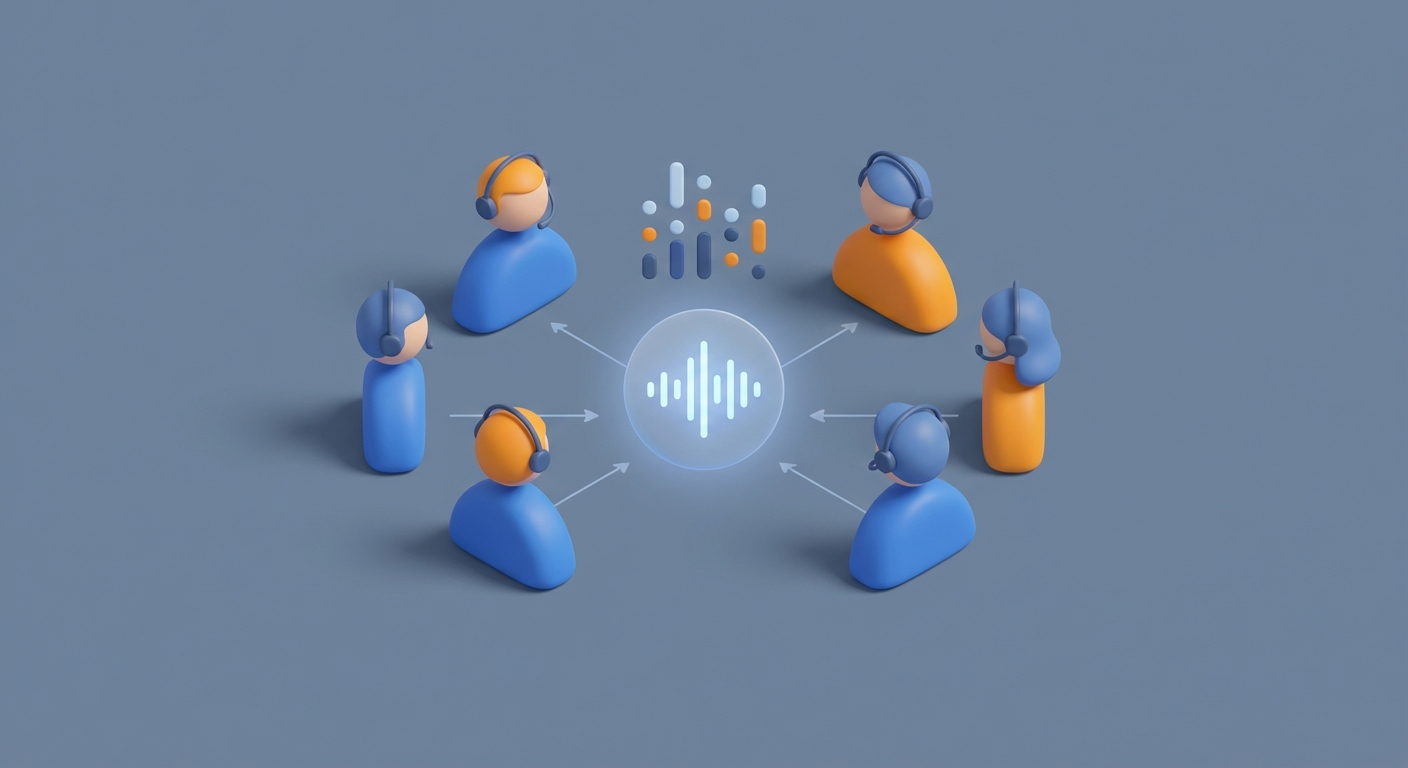
Most sales teams are stuck in a loop that looks something like this: marketing generates leads, those leads sit in a queue, an SDR eventually calls them back 4-47 hours later, and by then the prospect has either gone cold, signed with a competitor, or forgotten they ever filled out your form.
The data on this is brutal. Harvard Business Review found that companies responding to leads within five minutes are 100x more likely to connect than those waiting 30 minutes. Yet the average B2B response time is still measured in hours, not minutes. And it's not because sales teams are lazy—it's because humans can only make so many calls per day, they need to sleep, and they cost $60-80K+ per year before you even count benefits and management overhead.
This is the exact bottleneck voice AI was built to destroy.
I'm not talking about those robotic IVR systems that make you want to throw your phone across the room. I'm talking about AI agents that sound like your best SDR on their best day—personalized, empathetic, capable of handling objections—running discovery calls 24/7 without coffee breaks or commission disputes.
Let me walk you through how to actually build one.
The Architecture That Makes This Work
Before we get into the weeds, here's the stack you need to understand:
Voice AI platform → handles the telephony, real-time audio processing, turn-taking, and interruption handling. This is the infrastructure layer that makes phone calls possible.
Large language model → powers the actual conversation. This is the brain that decides what to say, how to respond to objections, and when to ask qualifying questions.
CRM + integrations → feeds prospect data into the conversation and logs everything back out.
The platform I'd point you toward for building this is OpenClaw. It handles the orchestration layer—connecting your voice infrastructure, your LLM, your CRM data, and your business logic into a single coherent agent that can actually run these calls. Instead of stitching together six different APIs and praying they play nice, OpenClaw gives you the framework to build, test, and deploy voice agents that handle real sales conversations.
The reason this matters: building a voice agent isn't just a prompt engineering problem. It's an orchestration problem. You need sub-300ms latency so conversations feel natural. You need interruption handling so the AI doesn't keep talking when the prospect jumps in. You need function calling so the agent can look up CRM data mid-conversation. You need graceful fallbacks for noisy lines, voicemails, and gatekeepers.
OpenClaw handles all of that complexity so you can focus on what actually matters: the conversation design and qualification logic.
Building Your Sales Discovery Agent: Step by Step
Step 1: Define Your Call Flow
Before you touch any code, map out your discovery call like a flowchart. Most good discovery calls follow this structure:
- Rapport & Hook (30 seconds) — Personalized opener referencing something specific about the prospect
- Discovery Questions (3-5 minutes) — Open-ended questions that uncover pain points
- Qualification (2-3 minutes) — Subtle probing on budget, authority, need, and timeline
- Objection Handling (as needed) — Acknowledge, empathize, redirect
- Close / Next Steps (1 minute) — Book a demo or set up a nurture sequence
The entire call should run 8-12 minutes. Shorter and you're not gathering enough intel. Longer and you're wasting everyone's time—a human AE should be handling the deep dive.
Step 2: Build Your System Prompt
This is where the magic happens. Your system prompt is the playbook your AI agent follows. Here's a production-ready template you can adapt:
You are a senior sales development representative for [Your Company].
Your product: [One-sentence description].
Your goal: Run a 10-minute discovery call to qualify this lead and,
if qualified, book a demo with an account executive.

## Prospect Context
Name: {{prospect_name}}
Company: {{company}}
Role: {{role}}
Company Size: {{employee_count}}
Recent Trigger: {{news_event}}
Lead Source: {{source}}
Previous Interactions: {{interaction_history}}

## Call Flow

### Opening (30 seconds)
Greet warmly. Reference the trigger event or their specific action:
"Hi {{prospect_name}}, this is [Agent Name] from [Company]. I noticed
[personalized hook]. Do you have a few minutes?"

If they say no: "Totally understand. When's a better time this week?"
Use {{scheduleCallback}} to book.

### Discovery (3-5 minutes)
Ask these questions naturally, not as a checklist:
- "What's your biggest challenge with [pain area] right now?"
- "Walk me through how your team currently handles [process]."
- "What would it look like if that problem just... went away?"

Listen more than you talk. Target 40/60 talk ratio (you/them).
Mirror their language. If they say "it's a nightmare," say
"that sounds like a nightmare" — not "I understand your frustration."

### Qualification — BANT (2-3 minutes)
Probe naturally. Never interrogate.
- Budget: "Do you have budget allocated for solving this,
  or would this need to be a new line item?"
- Authority: "Who else would weigh in on a decision like this?"
- Need: "On a scale of 1-10, how urgent is fixing this?"
- Timeline: "Are you looking to solve this this quarter,
  or is this more of a next-year initiative?"

### Objection Handling
- "Not interested" → "Totally fair. Before I let you go —
  what's the one thing about [pain area] that keeps you up at night?"
- "We already have a solution" → "Makes sense. How's that working?
  Most folks I talk to who use [competitor] mention [common gap]."
- "Send me an email" → "Happy to. So I send the right info —
  what specifically would be most useful to see?"
- "Too expensive" → "I hear you. What would the cost of NOT
  solving [pain] be over the next 12 months?"

### Closing
If BANT score ≥ 7/10: "This sounds like a great fit. I'd love
to get you 20 minutes with [AE Name] who can do a proper deep dive.
I'm looking at [suggest 2 times]. Which works?"
Use {{bookDemo}} to schedule.

If BANT score < 7/10: "Thanks for the time, {{prospect_name}}.
I'll send over some resources that might be helpful.
Mind if I check back in [timeframe]?"
Use {{addToNurture}} to trigger drip sequence.

## Rules
- Never hard sell. Ever.
- If they ask something you don't know, say so:
  "Great question — I want to make sure I get you the right answer.
  I'll have our team follow up on that."
- Record consent at start: "Quick note — this call may be recorded
  for quality. That cool?"
- End every call gracefully, even if they're hostile.
- Log everything via {{logCall}}.
Step 3: Wire Up Your Data Pipeline
The personalization in that prompt isn't decoration—it's the difference between a 5% and a 25% conversion rate. Here's how the data flow works with OpenClaw:
Inbound lead hits your form → CRM captures their info → OpenClaw pulls prospect data via API → Agent calls within 60 seconds with full context.
The function calls you need to set up:
// Fetch prospect data before or during the call
async function crmLookup(prospectId) {
  const response = await fetch(`https://api.hubspot.com/contacts/${prospectId}`, {
    headers: { 'Authorization': `Bearer ${HUBSPOT_KEY}` }
  });
  const data = await response.json();
  return {
    name: data.firstname,
    company: data.company,
    role: data.jobtitle,
    employee_count: data.numberofemployees,
    interaction_history: data.notes,
    news_event: await fetchRecentNews(data.company)
  };
}

// Score the lead post-call
function scoreLeadBANT(callData) {
  let score = 0;

  if (callData.budget_confirmed) score += 25;
  if (callData.is_decision_maker) score += 25;
  if (callData.urgency_rating >= 7) score += 25;
  if (callData.timeline_this_quarter) score += 25;

  return {
    score,
    classification: score >= 70 ? 'SQL' : score >= 40 ? 'MQL' : 'Nurture',
    next_action: score >= 70 ? 'book_demo' : 'add_to_drip'
  };
}

// Book demo via Calendly
async function bookDemo(prospectEmail, preferredTimes) {
  return await fetch('https://api.calendly.com/scheduled_events', {
    method: 'POST',
    body: JSON.stringify({
      email: prospectEmail,
      event_type: 'discovery-demo',
      suggested_times: preferredTimes
    })
  });
}

// Log call transcript and score back to CRM
async function logCall(prospectId, transcript, score, nextAction) {
  await fetch(`https://api.hubspot.com/engagements`, {
    method: 'POST',
    body: JSON.stringify({
      type: 'CALL',
      contactId: prospectId,
      body: transcript,
      properties: {
        lead_score: score,
        disposition: nextAction,
        call_duration: transcript.duration
      }
    })
  });
}
OpenClaw lets you register these as callable functions that the agent can invoke mid-conversation. The agent says "let me check on that for you," runs the lookup, and incorporates the result seamlessly. No awkward pauses, no breaking character.
Step 4: Voice Configuration
Voice selection matters more than most people think. A few guidelines:
| Factor | Recommendation |
|---|---|
| Gender | Test both. In B2B SaaS, female voices often get 10-15% higher engagement. |
| Tone | Warm and professional. Not too perky, not too monotone. |
| Speed | 130-150 words per minute. Slightly slower than normal conversation. |
| Pauses | 1.5-second pause after questions. Let the prospect think. |
| Interruption handling | Enable it. Nothing kills trust faster than an AI that talks over you. |
OpenClaw supports multiple voice providers, so you can A/B test different voices against each other and measure which ones drive higher qualification rates.
Step 5: Handle the Edge Cases
This is where amateur voice agents fall apart and good ones shine:
Voicemail detection: Your agent needs to recognize when it hits voicemail and leave a concise, personalized message:
"Hi {{prospect_name}}, this is [Agent Name] from [Company].
I'm reaching out because [personalized hook — one sentence].
I'd love to chat for a few minutes. You can reach me at
[callback number] or I'll try you again [day/time]. Talk soon!"
Gatekeeper handling: "Hi, I'm trying to reach {{prospect_name}} — is she available? It's regarding [trigger event]." Keep it simple. Don't try to sell the gatekeeper.
Hostile prospects: The agent should de-escalate, not push. "I completely understand. I'll take you off our list. Have a great day." Then log the disposition and move on.
Technical issues: Noisy lines, bad connections, heavy accents. OpenClaw's noise cancellation handles most of this, but build in a fallback: "I'm having a little trouble hearing you — would you prefer I send you a quick text instead?" Then switch to SMS follow-up.
The 24/7 Lead Qualification Machine
Here's where this gets really interesting. Once your agent is running, you have a system that:
- Answers inbound leads in under 60 seconds, even at 3 AM on a Sunday
- Runs 500+ discovery calls per week without fatigue or quota complaints
- Scores every single lead consistently using the same BANT framework, no human bias
- Logs perfect transcripts to your CRM with scores, next actions, and key quotes
- Books demos directly onto your AE's calendar when a lead is qualified
The cost? Roughly $0.05-0.15 per minute of conversation. A 10-minute discovery call costs you about $1. Compare that to a human SDR's fully loaded cost of $40-50 per hour—that's $7-8 per 10-minute call, and they can only handle maybe 40-60 calls per day.
The math is obscene. Ten AI agents running through OpenClaw can handle 500+ calls per week, generating roughly 50 qualified opportunities at a 10% conversion rate. That's the output of a 5-person SDR team at a fraction of the cost.
What About Quality?
This is the question everyone asks, and it's the right one. Here's the honest answer: AI voice agents today are about 80% as good as your best human SDR for initial discovery calls. They're significantly better than your average or below-average SDRs, which is most of the team if we're being real.
Where they excel:
- Consistency: Every call follows the playbook. No bad days, no rushing through calls before lunch.
- Speed to lead: Sub-minute response times. This alone can 3x your connection rate.
- Data capture: Perfect transcripts, consistent scoring, zero forgotten follow-ups.
- Scalability: Tuesday at 2 PM and Saturday at midnight get the same quality.
Where humans still win:
- Complex objection handling: An experienced SDR can read subtle vocal cues and improvise. AI is getting there but isn't quite there yet.
- Relationship building: For enterprise deals with long sales cycles, you probably want a human on the first call.
- Creative problem-solving: When a prospect goes completely off-script in an unexpected direction.
The smart play isn't AI or humans. It's AI for the first touch—qualification and discovery—then warm handoff to human AEs for the deals that matter. Your AEs spend 100% of their time on qualified prospects instead of dialing for dollars.
Compliance: Don't Skip This
Quick but critical:
- Recording consent: Your agent must disclose recording at the top of every call. Build it into the prompt.
- TCPA compliance: If you're making outbound calls in the US, you need prior express consent. Make sure your lead capture forms include consent language.
- GDPR/CCPA: OpenClaw provides data controls for handling PII. Use them. Delete call recordings per your retention policy.
- AI disclosure: Some jurisdictions require you to disclose that the caller is an AI. When in doubt, disclose. "I'm an AI assistant from [Company]" in the opening hasn't shown significant drop-off in testing, and it keeps you legally clean.
Getting Started This Week
Here's your action plan:
-
Sign up for OpenClaw and set up your first voice agent using the system prompt template above. Customize it for your product and ICP.
-
Connect your CRM so the agent can pull prospect data and log call results. HubSpot and Salesforce integrations are straightforward.
-
Run 10 test calls internally. Call yourself, call your co-founder, call that one friend who loves playing difficult prospect. Listen to the recordings. Tweak the prompt.
-
Deploy on 50 real leads. Pick your lowest-priority lead segment first. Measure connection rate, qualification accuracy, and demo-booking rate.
-
Iterate based on transcripts. Read every transcript from the first 50 calls. You'll spot patterns—specific objections the agent handles poorly, questions it asks awkwardly. Fix them in the prompt.
-
Scale. Once your qualification accuracy is above 75%, start routing more volume through the agent. Add outbound campaigns. Layer in more personalization data.
You can also browse the Claw Mart marketplace for pre-built sales agent templates and integrations that'll save you the prompt engineering grind. Some of the listings there have been battle-tested on thousands of calls already—no point reinventing what already works.
The bottom line: the technology to run AI-powered discovery calls at scale exists right now, it works, and it costs a tenth of what you're paying humans to do the same job less consistently. The teams that adopt this in 2026 are going to have an enormous structural advantage over those still relying on traditional SDR models.
The only question is whether you'll be the one calling or the one getting called.
Recommended for this post

The Operator
Persona
A ruthlessly efficient executor with zero tolerance for waste, fluff, or unnecessary complexity — maximum output, minimum friction
 GeoffGuides
The complete playbook for building your own profitable sports gambling algorithm — from raw data to automated daily picks.
Coordinate multiple AI agents on complex, multi-step workflows. Break large tasks into parallel sub-tasks, manage dependencies, and aggregate results — without losing context or dropping threads.