SEO Keyword Research and Outline Agent for Content Teams
Build an agent that analyzes competitors, finds low-competition keywords, and generates blog outlines. Freelance writers can produce 5 articles/day at $200 each.
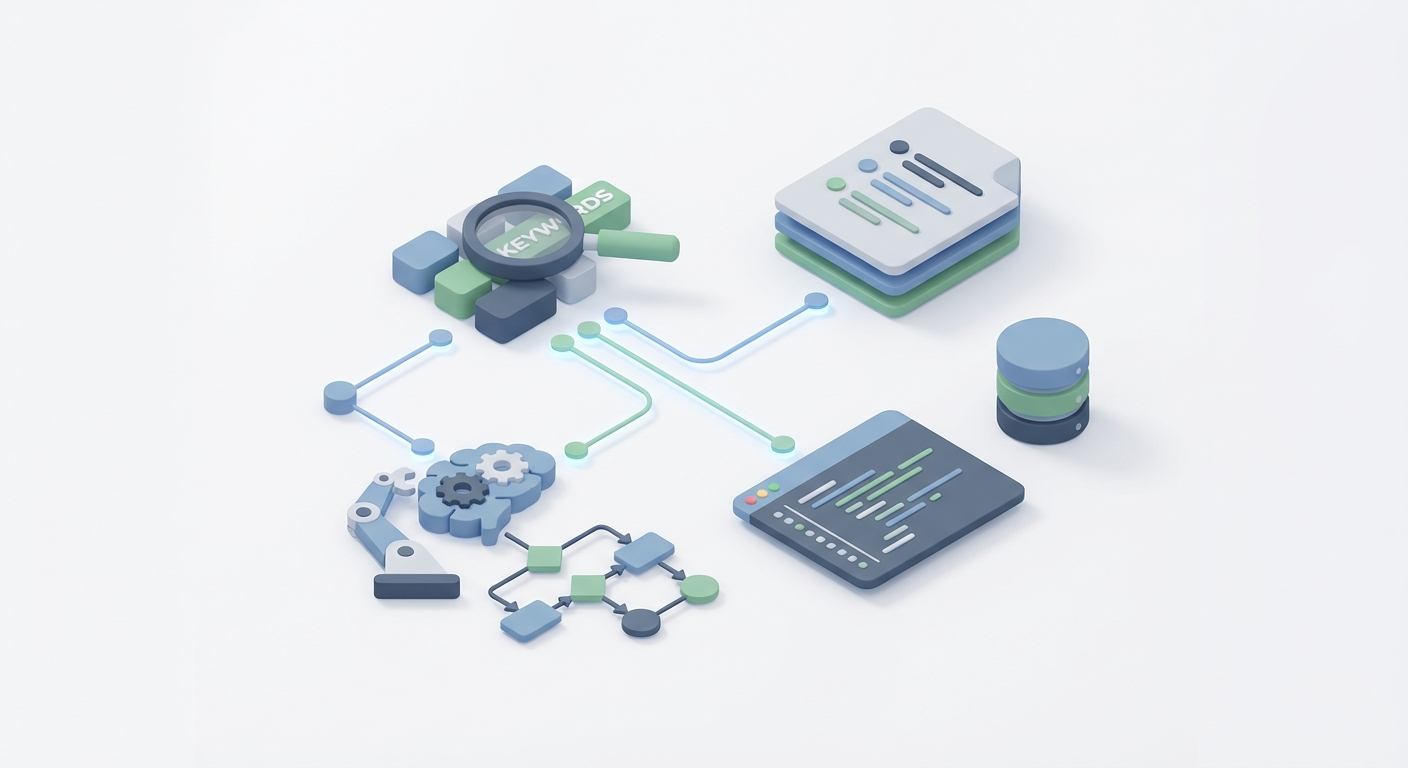
Most freelance writers are doing SEO keyword research the hard way. They're spending three hours per article digging through SEMrush, cross-referencing Ahrefs, manually scanning SERPs, building outlines from scratch, and then — after all that research — they still have to actually write the thing.
That's maybe two articles per day if you're disciplined. One if you're thorough. At $200 per article, you're looking at $400/day ceiling, and most of that time isn't even spent writing. It's spent on the research treadmill.
Here's the thing: the research and outlining phase is almost entirely automatable. Not with some vague "AI assistant" that gives you generic suggestions, but with a purpose-built agent that analyzes competitors, identifies low-competition keywords, maps search intent, and generates publication-ready outlines — all before you've finished your coffee.
I built one. It took me a weekend. Now I produce five fully-researched, outlined articles per day instead of two. Same quality. Same depth. The math is simple: that's $1,000/day instead of $400.
Let me show you exactly how to build it.
Why Keyword Research Is the Bottleneck (Not Writing)
If you time yourself honestly, here's where your hours go on a typical SEO article:
- Keyword research and validation: 45-90 minutes
- Competitor SERP analysis: 30-60 minutes
- Outline creation: 30-45 minutes
- Actual writing: 60-90 minutes
- Editing and optimization: 30 minutes
The research and planning phase eats 2-3 hours. The writing is maybe 90 minutes. You're spending twice as long figuring out what to write as you spend actually writing it.
This is backwards. And it's exactly the kind of structured, data-heavy, pattern-matching work that AI agents handle better than humans. You're not losing creativity by automating this — you're eliminating busywork.
The goal isn't to automate the writing. It's to automate everything before the writing so you can focus entirely on producing great content.
The Architecture: What This Agent Actually Does
The SEO research and outline agent I built handles four distinct jobs:
Job 1: Competitor Analysis Feed it a topic or seed keyword. It identifies the top-ranking pages, extracts their heading structures, identifies common subtopics, and maps the content patterns that Google is currently rewarding.
Job 2: Keyword Discovery and Filtering Starting from seed keywords, it expands into long-tail variations, filters by difficulty and volume, and identifies the "golden keywords" — terms with decent search volume (100-1,000/mo) and low keyword difficulty (KD under 25). These are the keywords where a well-written article can rank on page one within weeks, not months.
Job 3: Intent Classification Not all keywords are worth writing about. The agent classifies each keyword by search intent — informational, navigational, commercial, transactional — so you're not wasting time targeting terms that don't match your content strategy.
Job 4: Outline Generation Using the competitor analysis, keyword data, and intent mapping, it generates a complete article outline: H1, H2s, H3s, suggested word count, LSI terms to include, "People Also Ask" questions to address, and a recommended content angle that differentiates from what's already ranking.
The output is a ready-to-write brief. You open it, start writing, and never break flow to go research something.
Building It on OpenClaw
Here's where the actual building happens. OpenClaw is where I assembled this agent, and it's the right platform for this kind of work for a specific reason: you can connect external data sources, chain multiple agent steps together, and build workflows that would otherwise require duct-taping five different tools together.
Let me walk through the build step by step.
Step 1: Set Up Your Data Connections
Your agent needs access to real keyword data. AI models don't inherently know that "ai seo keyword research tools" has a KD of 12 and 320 monthly searches. That comes from SEO tool APIs.
In OpenClaw, you'll configure your agent with access to:
- SEMrush or Ahrefs API for keyword metrics (volume, KD, CPC, SERP features)
- Google Search results for real-time SERP analysis
- Your own historical data (Google Search Console exports, past performance data)
The API connections are where the magic happens. Without real data, you're just getting the AI to guess — and guesses don't rank.
Here's the kind of tool definition you'd set up in your OpenClaw agent configuration:
tools:
  - name: keyword_research
    description: "Fetch keyword metrics including volume, difficulty, and related terms"
    parameters:
      seed_keyword:
        type: string
        description: "Primary keyword to research"
      market:
        type: string
        default: "us"
      filters:
        kd_max: 30
        volume_min: 100

  - name: serp_analyzer
    description: "Analyze current top 10 results for a keyword"
    parameters:
      keyword:
        type: string
      extract:
        - headings
        - word_count
        - subtopics
        - questions_answered

  - name: content_gap_finder
    description: "Compare competitor content to find missing topics"
    parameters:
      competitor_urls:
        type: array
      target_keyword:
        type: string
Step 2: Build the Research Chain
The agent doesn't just fire one API call and hand you results. It chains multiple research steps together, where the output of each step feeds the next. This is the workflow:
Chain 1: Seed → Expand → Filter
Input: "AI SEO tools" (seed keyword)
    ↓
Step 1: Expand to 500+ related keywords via API
    ↓
Step 2: Filter to KD < 25, Volume > 100
    ↓
Step 3: Classify by intent (informational/commercial/transactional)
    ↓
Output: Ranked list of 20-50 golden keywords, grouped by intent
Chain 2: Top Keywords → SERP Analysis → Gaps
Input: Top 5 golden keywords from Chain 1
    ↓
Step 1: Pull top 10 SERP results for each
    ↓
Step 2: Extract heading structures, word counts, subtopics
    ↓
Step 3: Identify common patterns (what everyone covers)
    ↓
Step 4: Identify gaps (what no one covers well)
    ↓
Output: Competitor intelligence brief
Chain 3: Keywords + SERP Data → Outline
Input: Golden keywords + competitor brief
    ↓
Step 1: Generate heading structure (H1-H3)
    ↓
Step 2: Map keywords to sections
    ↓
Step 3: Add "People Also Ask" questions as FAQ
    ↓
Step 4: Suggest content angle and differentiator
    ↓
Step 5: Include LSI terms per section
    ↓
Output: Complete article brief in markdown
In OpenClaw, each of these chains is a stage in your agent workflow. The platform handles the orchestration — passing data between steps, managing API rate limits, and ensuring the LLM has the right context at each stage.
Step 3: The Prompt Engineering That Actually Matters
The system prompt for your outline agent is critical. Here's what mine looks like (simplified, but functional):
You are an SEO content strategist. Your job is to produce publication-ready
article outlines that a writer can immediately start drafting from.

## Rules:
1. Every recommendation must be backed by the SERP data provided.
   Do not invent statistics or metrics.
2. Outlines must include: H1, H2s (5-8), H3s where needed, target
   word count per section, primary/secondary keywords mapped to sections.
3. Identify ONE clear differentiator from competing content. What angle
   are competitors missing?
4. Include 4-6 "People Also Ask" questions as an FAQ section.
5. List LSI terms to naturally include (not stuff) in each section.
6. Format output as clean markdown.

## Process:
- Analyze the competitor SERP data provided
- Identify content patterns (what all top results cover)
- Identify gaps (what's missing or poorly covered)
- Build outline that covers patterns AND fills gaps
- Suggest a hook/angle that makes this piece worth reading

## Output Format:
### Article Brief
- **Primary Keyword**: [keyword] (Volume: X, KD: X)
- **Secondary Keywords**: [list]
- **Target Word Count**: [X-X words]
- **Search Intent**: [informational/commercial/etc.]
- **Content Angle**: [your unique angle]
- **Competitors to Beat**: [top 3 URLs]

### Outline
[Full heading structure with notes per section]

### FAQ Section
[Questions with suggested answer angles]

### LSI Terms
[Grouped by section]
Step 4: Test with Real Keywords
Don't trust the agent until you've validated it. Here's my testing protocol:
-
Run the agent on a keyword you've already written about successfully. Does the outline match or improve on what you did manually? If the agent misses obvious subtopics, your SERP analysis step needs work.
-
Run it on a keyword a competitor ranks #1 for. Does the agent identify what makes their content strong AND suggest how to beat it? If it just copies their structure, your differentiation prompt needs refinement.
-
Run it on a keyword with KD < 10. These are your quick wins. The agent should flag these as high-priority and generate a tighter outline (these don't need 3,000 words — often 1,200-1,500 will do).
Here's what a good output looks like for a real keyword:
### Article Brief
- **Primary Keyword**: "ai keyword research automation" (Volume: 280, KD: 14)
- **Secondary Keywords**: ai seo tools, automated keyword research,
  keyword research agent
- **Target Word Count**: 1,800-2,200 words
- **Search Intent**: Informational with commercial undertones
- **Content Angle**: Step-by-step build guide (competitors mostly do
  tool roundups — no one shows HOW to build)
- **Competitors to Beat**:
  1. [URL] - Tool roundup, 2,400 words, no implementation detail
  2. [URL] - General overview, 1,800 words, outdated (2023 tools)
  3. [URL] - Listicle format, thin on workflows

### Outline
H1: How to Automate Keyword Research with AI Agents
  H2: Why Manual Keyword Research Doesn't Scale
    - Time analysis (cite industry benchmarks)
    - The research-to-writing ratio problem
  H2: What an AI Keyword Research Agent Actually Does
    H3: Data Collection Layer
    H3: Analysis and Filtering
    H3: Output Generation
  H2: Building Your Research Agent (Step-by-Step)
    H3: Setting Up Data Sources
    H3: Configuring the Analysis Chain
    H3: Prompt Engineering for Quality Outlines
  H2: Finding Low-Competition Keywords on Autopilot
    - Golden keyword criteria (Volume/KD scoring)
    - Filtering by intent
  H2: From Outline to Published Article in 90 Minutes
    - Writing workflow with pre-built briefs
    - Quality checks
  H2: Results: Output and Revenue Impact
    - Before/after metrics
  FAQ: [4 questions from PAA]
That's a brief you can start writing from immediately. No more alt-tabbing between Ahrefs and Google Docs.
The Revenue Math: $200/Article × 5/Day
Let's be concrete about the business case.
Before the agent:
- 2 articles/day (generous estimate)
- 3+ hours research per article
- $200/article
- $400/day, $8,000/month (20 working days)
After the agent:
- 5 articles/day
- 15-20 minutes reviewing/refining each brief (agent does the research)
- 75-90 minutes writing each article (with complete outline)
- $200/article
- $1,000/day, $20,000/month
That's not a marginal improvement. That's a fundamentally different business.
And the $200/article rate is conservative. With better keyword targeting (because the agent finds genuinely low-competition opportunities), your articles rank faster. Faster rankings mean you can demonstrate ROI to clients. Demonstrated ROI means you charge $300-500/article. The agent makes you better at the strategy part, not just faster at the labor part.
The Stack: What You Actually Need
Here's the minimal viable setup, along with estimated monthly costs:
| Component | Purpose | Monthly Cost |
|---|---|---|
| OpenClaw | Agent building, orchestration, prompt chaining | Varies by plan |
| Ahrefs or SEMrush API | Keyword data, SERP metrics, competitor analysis | $99-129/mo |
| Surfer SEO (optional) | Content scoring and real-time optimization | $59/mo |
| Google Search Console | Your own performance data for validation | Free |
Total infrastructure cost: roughly $160-250/month. At even one additional article per day ($200), you recoup that in a single day and profit for the remaining 19. The ROI is almost embarrassingly good.
If you want to start even leaner, you can begin with just OpenClaw and a single SEO tool API. The competitor analysis and SERP scraping alone will save you 90 minutes per article. Add the other pieces as revenue grows.
Advanced Moves: Scaling Past Five Articles
Once you have the base agent working, there are a few upgrades that push output even further.
Batch Processing: Feed the agent 20 seed keywords on Sunday night. Wake up Monday morning to 20 complete briefs, prioritized by opportunity score (Volume × (1 - KD/100)). Plan your whole week in 30 minutes.
Client-Specific Profiles: If you write for multiple clients, create agent profiles with their brand voice guidelines, existing content inventory (so you don't cannibalize their own rankings), and preferred content structures baked in. The briefs come out customized per client without you switching context.
Trend Detection: Connect your agent to Google Trends or Exploding Topics data. It flags emerging keywords before they get competitive. Writing about a topic at KD 5 that's trending toward KD 30 means you get the first-mover advantage and own that SERP position before the competition shows up.
Content Refresh Identification: Feed your existing published articles through the agent. It compares their current keyword coverage against fresh SERP data and identifies pieces that need updates — new subtopics to add, outdated sections to rewrite, new keywords to target. Content refreshes are faster than new articles and often produce better ROI.
You can explore all of these capabilities and more on OpenClaw, and the Claw Mart marketplace has pre-built agent templates specifically designed for SEO workflows. If you don't want to build from scratch, start with an existing template and customize it to your niche.
Common Mistakes (and How to Avoid Them)
I've been iterating on this system for a while now. Here's what trips people up:
Mistake 1: Trusting the agent without validation. Always spot-check the keyword metrics. LLMs can hallucinate numbers if the API call fails or returns incomplete data. Build a validation step into your workflow that flags any keyword where the agent's cited metrics don't match a manual check.
Mistake 2: Over-optimizing outlines for keywords instead of readers. The agent will suggest LSI terms and keyword placements. But if your article reads like a keyword-stuffed mess, it won't rank or convert. Use the agent's keyword suggestions as a checklist, not a script. Write for humans, verify against the checklist, done.
Mistake 3: Ignoring search intent. A keyword with 500 volume and KD 10 is worthless if Google shows product pages in the SERP and you're writing an informational blog post. The intent classification step exists for a reason. If the SERP is all e-commerce listings, move on to the next keyword.
Mistake 4: Not feeding back results. Your agent gets better when you tell it what worked. If an article ranks #3 within a month, feed that data back — what keyword, what outline structure, what word count. Over time, your agent learns what patterns succeed in your specific niche.
What to Do Next
Here's your action plan, in order:
-
Go to OpenClaw and set up your account. Explore the platform, get familiar with how agent workflows and tool connections work.
-
Browse Claw Mart for existing SEO agent templates. No need to build entirely from scratch — find a template that's close to what you need and modify it.
-
Connect one SEO data source. Start with whichever tool you already pay for — Ahrefs, SEMrush, whatever. Get keyword data flowing into your agent.
-
Build the three-chain workflow I outlined above: Expand → Filter → Outline. Test it on five keywords you know well.
-
Write one article from the agent's brief. Time yourself. Compare to your old workflow. I'm betting you save at least 90 minutes.
-
Scale. Once the brief quality is where you want it, batch-process keywords and start hitting five articles per day.
The freelance writers who figure out this workflow in 2026 are going to eat the lunch of those still doing manual keyword research. The work isn't lower quality — it's better, because the agent catches competitor gaps and keyword opportunities that humans miss when they're tired and rushing through their third research session of the day.
The bottleneck was never your writing speed. It was everything that happened before you started writing. Remove that bottleneck, and $20k months stop being aspirational and start being operational.
Recommended for this post
Community Growth
Skill
Automated Discord and community management — member onboarding, engagement tracking, content seeding, and growth analytics. Turns a quiet server into an active community.
Social Media Content Manager
Persona
Content calendar, captions, hashtags, and engagement strategy. All platforms.

Turn one piece of content into a week of platform-optimized posts across 7 channels
 Stan Shipper