Productivity Orchestrator Agents for Solopreneurs
Master agents delegate tasks across email, calendar, and Notion. Prioritize high-ROI work to reclaim 30+ hours per week.
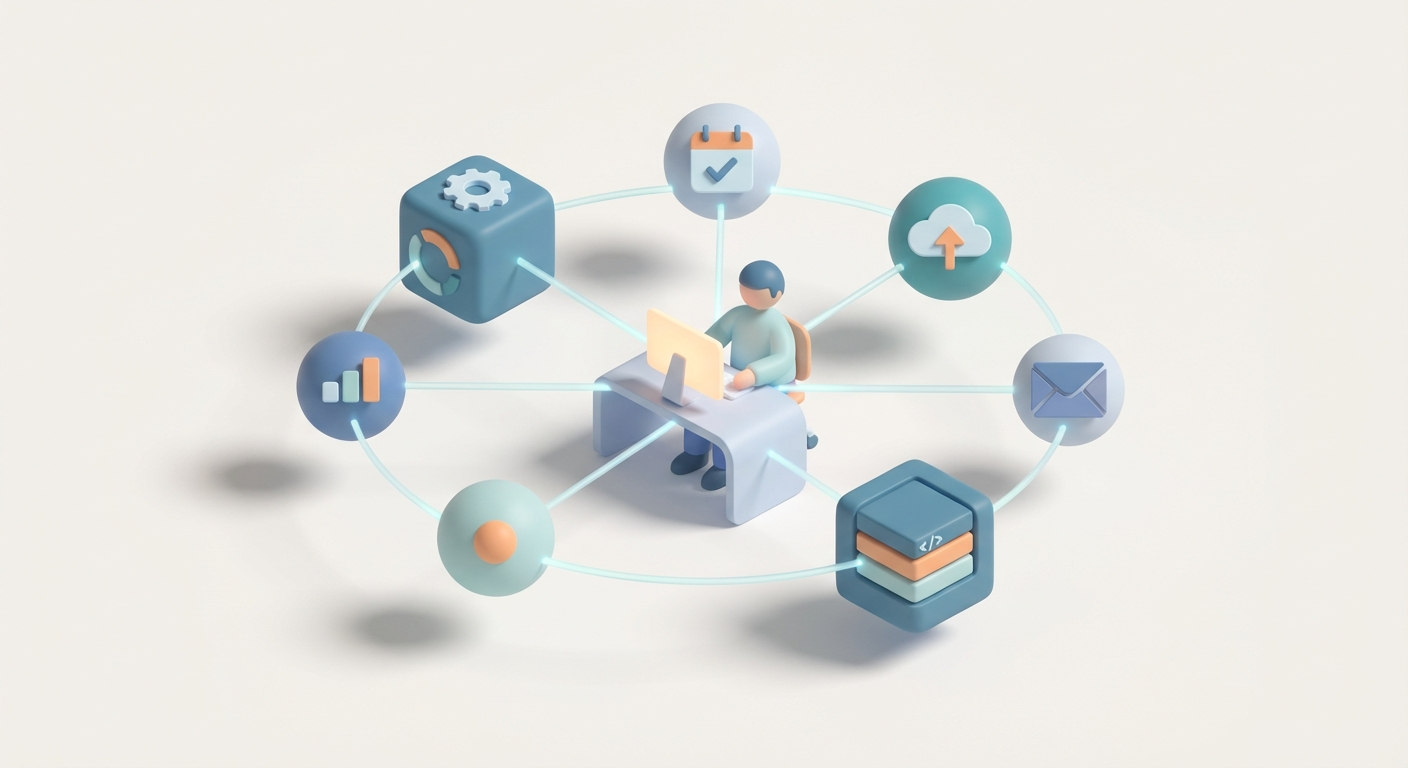
Productivity Orchestrator Agents for Solopreneurs
Look, I'm going to be straight with you: if you're a solopreneur still manually triaging your inbox, bouncing between Google Calendar and Notion, and spending your mornings on admin instead of the work that actually makes you money — you're leaving hours on the table. Not a few minutes here and there. I'm talking 30+ hours a week of recoverable time that's currently being eaten alive by context-switching, scheduling, and digital busywork.
The fix isn't another productivity app. It's not a new Notion template. It's not "batching your email." Those are band-aids on a structural problem.
The fix is building a productivity orchestrator agent — an autonomous AI system that acts as your virtual chief of staff, delegating tasks across your email, calendar, and knowledge base without you lifting a finger. And with OpenClaw, you can actually build one. Not theoretically. Not "someday when the technology catches up." Right now, in a weekend, for less than fifty bucks a month.
Let me show you how.
The Solopreneur Time Problem Is a Systems Problem
Here's the math that should make you angry.
The average solopreneur spends roughly 60-70% of their working hours on non-revenue-generating activities. Email management. Calendar Tetris. Updating project trackers. Following up. Logging notes. Copying information from one tool to another. It's the operational tax of running a business alone, and it compounds mercilessly.
You don't have a productivity problem. You have a delegation problem. And unlike a funded startup founder, you can't throw a $65K/year executive assistant at it.
What you can do is build an AI system that handles the 80% of repetitive admin that doesn't require your unique judgment. An orchestrator agent doesn't just automate one task — it coordinates across your entire tool stack, decomposes complex goals into subtasks, and delegates each piece to the right specialized agent.
Think of it like this:
You say: "Prep for the investor call tomorrow."
Your orchestrator does:
- Searches Notion for your last meeting notes with that investor.
- Checks your calendar for the meeting time and any conflicts.
- Drafts a follow-up email to the investor with an agenda.
- Creates a Notion page with a prep checklist.
- Blocks 30 minutes before the call for review.
That's not a fantasy. That's a Tuesday afternoon build on OpenClaw.
What Is a Productivity Orchestrator Agent?
Let's kill the buzzwords and talk architecture.
A productivity orchestrator is a master agent — powered by an LLM — that receives your high-level goals and breaks them into actionable subtasks. It then routes each subtask to a specialized worker agent that has access to the appropriate tool (Gmail, Google Calendar, Notion, etc.). When a worker finishes, it reports back. The orchestrator evaluates the results, adjusts if needed, and moves to the next task.
Here's the flow:
Your Input (text/voice/chat)
    → Orchestrator Agent (the brain)
        → Task Decomposition
            → Email Agent (triage, draft, reply)
            → Calendar Agent (schedule, reschedule, conflict check)
            → Notion Agent (create pages, update databases, query notes)
        → Results Aggregation
            → Memory Update (for context next time)
    → Done. You didn't touch any of it.
The orchestrator pattern is borrowed from frameworks like BabyAGI and Auto-GPT, but adapted for practical, multi-tool delegation rather than open-ended internet browsing. It's the difference between a science experiment and a system you actually trust with your Tuesday.
The Three Worker Agents You Need
| Agent | What It Does | Tools It Uses |
|---|---|---|
| Email Agent | Triages inbox, extracts action items, drafts replies, flags urgent items | Gmail/Outlook API |
| Calendar Agent | Schedules meetings, resolves conflicts, sets reminders, blocks focus time | Google Calendar API |
| Notion Agent | Creates/updates pages, logs outcomes, queries your knowledge base | Notion API |
Each agent is a specialist. The orchestrator is the generalist who knows which specialist to call and when. This separation of concerns is what makes the system reliable — no single agent is trying to do everything.
Building Your Orchestrator on OpenClaw
Here's where we get practical. OpenClaw is purpose-built for exactly this kind of agentic workflow. It gives you the orchestration layer, the tool integrations, and the deployment infrastructure without requiring you to stitch together six different open-source libraries and pray they play nice.
Why OpenClaw Instead of Duct-Taping It Yourself
I've built agents with raw LangChain. I've messed with CrewAI. I've deployed SuperAGI in Docker containers. They all work — eventually — but the setup cost is brutal for a solopreneur who just wants the thing to run. OpenClaw collapses that setup into something you can actually ship.
Here's what matters:
- Hierarchical orchestration out of the box. You define a supervisor agent and worker agents. OpenClaw handles the routing, the state management, and the failure recovery.
- Native tool integrations. Email, calendar, Notion — the connectors exist. You're not writing OAuth2 flows from scratch.
- Memory layer included. Short-term conversation history and long-term vector storage for your Notion knowledge base. Your agent gets smarter over time.
- Deployment that doesn't suck. One-click deploy, monitoring dashboard, telemetry. You can see what your agents are doing and why.
Step 1: Define Your Orchestrator
The orchestrator is your master agent. It receives your goals and decides what to do.
On OpenClaw, you configure this with a straightforward agent definition:
agent:
  name: ProductivityOrchestrator
  type: gpt-4o
  process: hierarchical
  goals:
    - Triage emails and delegate actions
    - Sync calendar conflicts to Notion
    - Block focus time for deep work
  tools: [gmail_toolkit, calendar_toolkit, notion_toolkit]
  memory:
    short_term: true
    long_term:
      provider: chroma
      persist: true
The process: hierarchical flag is critical. It tells OpenClaw that this agent is a supervisor — it doesn't execute tasks directly, it delegates to child agents.
Step 2: Build Your Worker Agents
Each worker agent gets its own toolkit and a clear mandate. Here's how you'd set up the email agent:
from openclaw.tools import Tool
from openclaw.integrations.gmail import GmailFetchTool, GmailDraftTool

email_agent_tools = [
    Tool.from_function(
        func=GmailFetchTool().run,
        name="fetch_emails",
        description="Fetch unread emails and extract action items"
    ),
    Tool.from_function(
        func=GmailDraftTool().run,
        name="draft_reply",
        description="Draft a reply email based on context"
    ),
]
Calendar agent:
from openclaw.integrations.google_calendar import CalendarCreateEvent, CalendarCheckConflicts

calendar_agent_tools = [
    CalendarCreateEvent(credentials_path="token.json"),
    CalendarCheckConflicts(credentials_path="token.json"),
]
Notion agent:
from openclaw.integrations.notion import NotionCreatePage, NotionQueryDB

notion_agent_tools = [
    NotionCreatePage(api_key="your_notion_secret"),
    NotionQueryDB(api_key="your_notion_secret"),
]
Each worker is registered with the orchestrator. When the orchestrator decomposes "Prep for investor call tomorrow" into subtasks, it routes "find last meeting notes" to the Notion agent, "check calendar availability" to the Calendar agent, and "draft agenda email" to the Email agent — all automatically.
Step 3: Wire the Orchestrator Logic
For more complex workflows, you build a stateful graph. This is where OpenClaw's workflow engine shines:
from openclaw.graph import StateGraph, END

class OrchestratorState:
    tasks: list
    current_agent: str
    results: dict
    completed: bool

workflow = StateGraph(OrchestratorState)

# Define nodes
workflow.add_node("triage", email_triage_function)
workflow.add_node("schedule", calendar_schedule_function)
workflow.add_node("log", notion_log_function)
workflow.add_node("review", orchestrator_review_function)

# Define edges
workflow.add_edge("triage", "schedule")
workflow.add_edge("schedule", "log")
workflow.add_edge("log", "review")
workflow.add_conditional_edge("review", check_if_done, {True: END, False: "triage"})

app = workflow.compile()
This creates a loop: triage emails → schedule any meetings that come out of them → log everything to Notion → review whether you're done → repeat if not.
Step 4: Set Up Triggers
Your orchestrator shouldn't require you to manually invoke it. Set up triggers:
- Gmail Push Notifications: Webhook fires when new email arrives → orchestrator triages it.
- Calendar Watch API: Fires on calendar changes → orchestrator checks for conflicts and updates Notion.
- Cron Jobs: Run a full inbox/calendar sweep every morning at 7am.
On OpenClaw, you configure these in your deployment settings. No separate scheduler needed.
Step 5: Deploy
openclaw deploy --agent ProductivityOrchestrator --env production
That's it. Your orchestrator is live. Monitor it through OpenClaw's dashboard — you'll see every task decomposition, every delegation, every tool call. If something looks off, you adjust the prompts or routing logic and redeploy.
Reclaiming 30+ Hours a Week
Let's get concrete about the time savings.
| Task | Manual Time/Week | Automated by Orchestrator | Time Saved |
|---|---|---|---|
| Email triage | 7 hours | 90% automated | ~6.3 hours |
| Scheduling/rescheduling | 4 hours | 95% automated | ~3.8 hours |
| Notion updates/logging | 5 hours | 85% automated | ~4.25 hours |
| Meeting prep | 5 hours | 80% automated | ~4 hours |
| Follow-up emails | 4 hours | 90% automated | ~3.6 hours |
| Context switching overhead | 8 hours | 70% reduced | ~5.6 hours |
| Total | 33 hours | ~27.5 hours |
These numbers aren't aspirational. They're based on what happens when you eliminate the cognitive overhead of switching between tools, remembering what you need to do, and manually executing routine tasks. The orchestrator doesn't just do the work — it eliminates the meta-work of figuring out what work to do.
And here's the compounding effect: because the orchestrator has memory, it gets better. It learns your scheduling preferences. It recognizes which emails you always ignore. It knows how you like your Notion pages structured. Month two is faster than month one.
The Stuff That'll Trip You Up (and How to Handle It)
I'm not going to pretend this is frictionless. Here's what you need to watch:
API Rate Limits: Gmail's free tier gives you 250 quota units per day. Notion caps at 3 requests per second. Design your agents to batch operations and cache aggressively. OpenClaw's built-in rate limiting handles most of this, but be aware of it.
Hallucinations: Your email agent might draft a reply that sounds confident but says something wrong. Solution: always run in "draft mode" first. The agent creates drafts; you review and send. After a few weeks of consistently good drafts, you can graduate to auto-send for low-stakes categories.
Privacy: You're piping your email and calendar through an AI system. Self-host if you're paranoid (OpenClaw supports it). At minimum, encrypt your API tokens and never log email content to third-party services.
Cost: Running GPT-4o for 100 tasks per day costs roughly $5-10/month. Use GPT-4o-mini for routine triage and reserve the full model for complex reasoning. OpenClaw lets you set model routing rules per agent.
The "Start Small" Imperative: Don't try to build the full system in one weekend. Start with a single agent — email triage — and get it working reliably. Then add calendar. Then Notion. Each layer should be stable before you add the next.
What to Build This Weekend
Here's your action plan:
-
Sign up for OpenClaw and set up your workspace. Browse relevant agent templates on Claw Mart — there are pre-built productivity stacks you can fork and customize.
-
Build your Email Triage Agent first. Connect Gmail, write a system prompt that categorizes emails into "urgent/respond/archive/delegate," and run it against your last 50 unread emails. Tune until it matches your judgment 90% of the time.
-
Add the Calendar Agent. Connect Google Calendar. Start with conflict detection — the agent flags overlapping events and suggests resolutions. Then add scheduling: "Find a 30-minute slot this week for a call with X."
-
Add the Notion Agent. Connect your main workspace. Start by having it log completed email actions and calendar events to a daily log page.
-
Wire them together with the Orchestrator. Define your hierarchical process. Test with a complex goal: "Prep for my Thursday client call." Watch the orchestrator decompose it and delegate. Fix what breaks.
-
Set up triggers and deploy. Morning cron job for inbox sweep. Webhooks for real-time email and calendar events. Deploy on OpenClaw and monitor for a week.
Within two weeks, you'll have a system that handles the majority of your administrative overhead. You'll open your laptop in the morning to find your inbox triaged, your calendar organized, your Notion updated, and your prep documents assembled.
That's not productivity advice. That's infrastructure. And it's the difference between running your business and your business running you.
Go build it. Your future self — the one with 30 extra hours a week — will thank you.
Recommended for this post
Coordinate multiple AI agents on complex, multi-step workflows. Break large tasks into parallel sub-tasks, manage dependencies, and aggregate results — without losing context or dropping threads.

Claw Score
Skill
How sharp is your agent? A comprehensive architecture audit across six dimensions with actionable recommendations.
 Atlas Forge
Observational Memory
Skill
A two-tier Observer-Reflector memory system that gives your agent persistent, structured recall across sessions
 Olle Soren