Why OpenClaw Memory Isn't Persisting (And How to Fix It)
Why OpenClaw Memory Isn't Persisting (And How to Fix It)
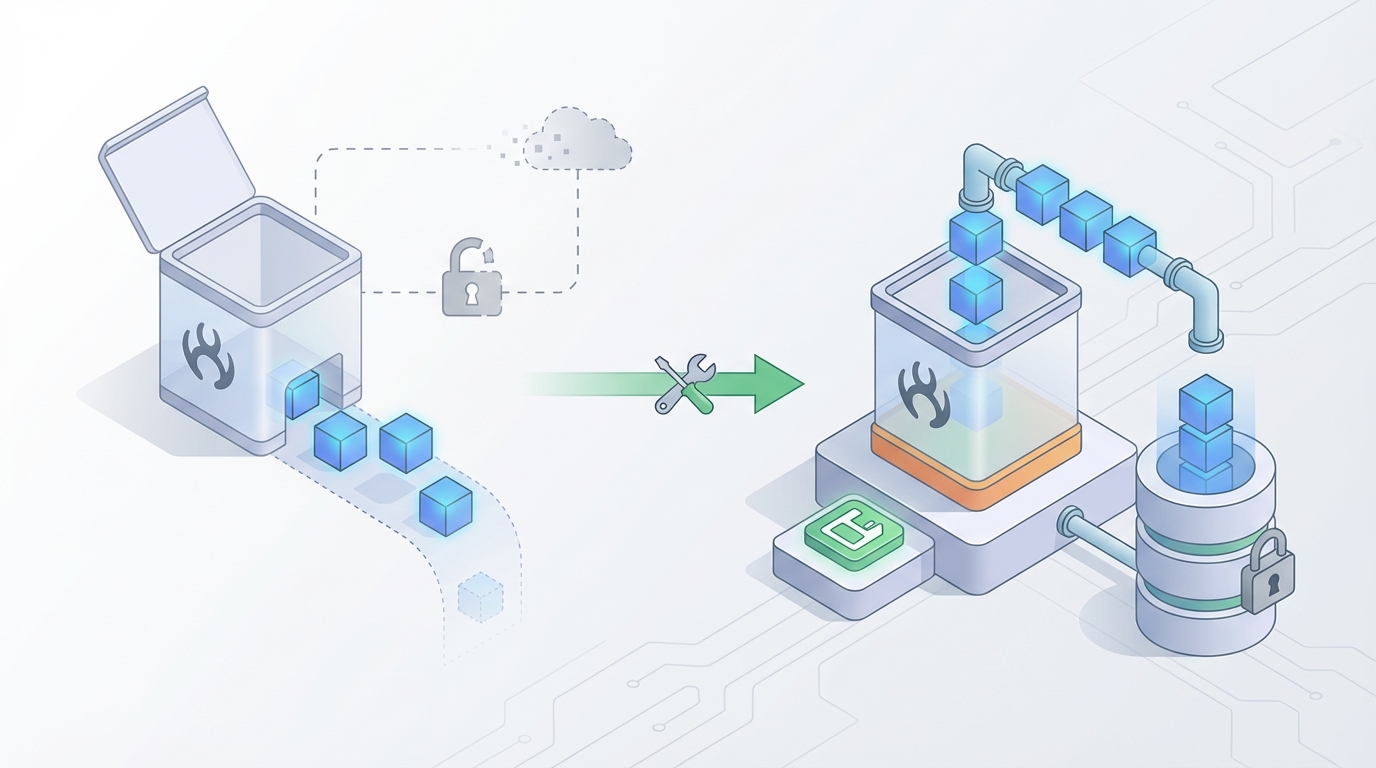
Look, I've been there. You set up an OpenClaw agent, spend an hour teaching it your preferences, feeding it context, getting it dialed in — and then you restart the session and it greets you like a stranger. All that context, gone. Every preference, every instruction, every piece of learned behavior — wiped clean.
It's maddening. And based on what I've seen in community channels and forums, it's the single most common frustration people hit when they start building with OpenClaw. The good news: it's completely fixable. The better news: once you understand why it happens, you'll never make the same mistake again.
Let's get into it.
The Root Problem: Volatile Memory Is the Default
Here's the thing most people don't realize when they first start building agents on OpenClaw: memory is volatile by default. That's not a bug. It's a design choice — and honestly, for quick prototyping and throwaway experiments, it makes sense. You don't want every test run cluttering up a persistent store.
But the moment you're building anything real — a personal assistant, a customer-facing support agent, a research bot, a game NPC — volatile memory becomes your worst enemy.
What's actually happening under the hood is straightforward. When you spin up an OpenClaw agent without configuring a persistence layer, all of its memory lives in the runtime process. Think of it like a Python dictionary sitting in RAM. The agent accumulates context during the session — conversation history, learned preferences, entity relationships, tool outputs — and it all works beautifully. Then the process stops, the container restarts, or you close the terminal, and that dictionary evaporates.
This is what I call the "demo trap." Everything looks incredible during a single session. You show it to someone, they're impressed, and then the next day it asks your user for their name again. Trust: destroyed.
Why Your Current Fix Probably Isn't Working
Before I walk through the actual solution, let me address the three most common "fixes" people try that either don't work or only half-work.
1. Dumping Everything to a JSON File
I see this constantly. People serialize the conversation buffer to a JSON file at the end of each session and reload it at the start of the next one. It technically works for trivial cases, but it falls apart fast:
- The file grows without bound. A week of conversations and you're loading megabytes of raw chat history into context.
- There's no relevance filtering. The agent gets distracted by irrelevant old conversations.
- Concurrent access? Forget about it. Two sessions writing to the same file means data loss.
- Complex objects like tool call results and nested agent state often don't serialize cleanly.
2. Hooking Up a Vector Database Without a Strategy
This is the more sophisticated version of the same mistake. People connect Chroma or Qdrant, embed every message, and assume semantic search will magically surface the right memories at the right time.
It won't. Not without a retrieval strategy. Raw semantic similarity is a blunt instrument. Your agent asks "What does the user like to eat?" and the vector search returns a message from three weeks ago where the user mentioned eating lunch — not the message where they explicitly said they're vegetarian. Relevance and recency need to be balanced, and that requires intentional design.
3. Increasing the Context Window
"I'll just use a model with 128k context and stuff everything in there."
Sure, if you enjoy burning money. A single long-running agent session can rack up tens of thousands of tokens per turn if you're naively injecting all historical context. And even with large context windows, models get worse at retrieving specific details from the middle of enormous prompts. This is the well-documented "lost in the middle" problem, and throwing more tokens at it doesn't fix it — it makes it worse.
The Actual Solution: OpenClaw's Persistence Layer, Configured Correctly
OpenClaw has the tools to handle this properly. You just need to set them up with intention. Here's the architecture that actually works, broken into three layers.
Layer 1: Session State Checkpointing
This is your bread and butter. OpenClaw supports checkpointing agent state to a persistent backend — SQLite for local development, PostgreSQL or Redis for production. When configured, the platform automatically serializes the full agent graph state (messages, tool call history, branch decisions, custom variables) at each step and writes it to your chosen store.
This means you can kill the process, restart your machine, deploy a new version, and pick up exactly where the agent left off. Not "kind of" where it left off — exactly where it left off.
Here's what a basic persistence configuration looks like in your OpenClaw agent setup:
# openclaw-agent.yaml
agent:
  name: "my-assistant"
  model: "gpt-4o"

memory:
  persistence:
    backend: "sqlite"
    path: "./data/agent_state.db"
    checkpoint_frequency: "every_step"  # Options: every_step, end_of_turn, manual

  session:
    resume_on_start: true
    session_id_strategy: "user_bound"  # Ties sessions to user IDs
That's it for basic persistence. The resume_on_start: true flag tells OpenClaw to check the database for existing state when the agent initializes. If it finds a session for that user, it loads it. If not, it starts fresh.
For production, you'll want to swap SQLite for something more robust:
memory:
  persistence:
    backend: "postgres"
    connection_string: "${DATABASE_URL}"
    checkpoint_frequency: "every_step"
    max_checkpoints_per_session: 100  # Prunes old checkpoints to control storage
The max_checkpoints_per_session parameter is important. Without it, long-running agents accumulate checkpoints indefinitely. A hundred checkpoints gives you plenty of rollback capability without eating your database alive.
Layer 2: Long-Term Semantic Memory
Checkpointing handles state resumption — picking up where you left off. But what about memories that span sessions? The user told your agent their birthday three months ago. They mentioned they're allergic to shellfish last Tuesday. They prefer email over Slack for notifications.
This is where OpenClaw's long-term memory module comes in. It works alongside checkpointing, not instead of it. Think of checkpointing as "save/load game" and long-term memory as "the character's accumulated knowledge."
memory:
  long_term:
    enabled: true
    store: "vector"
    provider: "chroma"  # Also supports qdrant, pinecone, weaviate
    collection: "user_memories"
    embedding_model: "text-embedding-3-small"

    consolidation:
      enabled: true
      strategy: "entity_extraction"  # Extracts structured facts from conversations
      frequency: "end_of_session"
The consolidation block is the key piece most people miss. Instead of blindly embedding every message, the entity extraction strategy runs a pass at the end of each session (or at whatever frequency you configure) that pulls out structured facts:
- User preferences ("prefers dark mode," "vegetarian," "lives in Austin")
- Stated goals ("wants to launch a SaaS by Q3," "studying for the bar exam")
- Relationship data ("works with Sarah on the marketing team," "reports to James")
- Past decisions and their outcomes
These get stored both as vector embeddings (for semantic retrieval) and as structured key-value pairs (for direct lookup). When the agent needs to know the user's dietary restrictions, it doesn't have to pray that semantic search surfaces the right chat message — it can directly query the entity store.
Layer 3: Scoped Retrieval
The final piece is controlling how memories get injected into the agent's context. This is where most people's vector DB setups fail. You need a retrieval strategy that balances relevance, recency, and importance.
memory:
  retrieval:
    strategy: "weighted_hybrid"
    max_memories_per_turn: 10
    weights:
      semantic_similarity: 0.4
      recency: 0.3
      importance: 0.3

    filters:
      exclude_older_than_days: 90  # Optional: ignore very old memories
      require_minimum_similarity: 0.65
The weighted_hybrid strategy scores each candidate memory on three dimensions and returns the top results. This prevents the "lost shellfish allergy" problem — even if a memory isn't the most semantically similar to the current query, if it's marked as high importance (because the consolidation step flagged it as a health-related preference), it still gets surfaced.
The require_minimum_similarity threshold is also crucial. Without it, the system always returns max_memories_per_turn results even if none of them are actually relevant. A 0.65 threshold means "only inject memories that are genuinely related to what's happening right now." Irrelevant context is worse than no context.
Putting It All Together
Here's a complete, production-ready memory configuration:
# openclaw-agent.yaml
agent:
  name: "personal-assistant"
  model: "gpt-4o"
  system_prompt: |
    You are a personal assistant with persistent memory.
    You remember user preferences, past conversations, and commitments.
    Never ask the user to repeat information they've already shared.

memory:
  persistence:
    backend: "postgres"
    connection_string: "${DATABASE_URL}"
    checkpoint_frequency: "every_step"
    max_checkpoints_per_session: 100
    session:
      resume_on_start: true
      session_id_strategy: "user_bound"

  long_term:
    enabled: true
    store: "vector"
    provider: "chroma"
    collection: "user_memories"
    embedding_model: "text-embedding-3-small"
    consolidation:
      enabled: true
      strategy: "entity_extraction"
      frequency: "end_of_session"

  retrieval:
    strategy: "weighted_hybrid"
    max_memories_per_turn: 10
    weights:
      semantic_similarity: 0.4
      recency: 0.3
      importance: 0.3
    filters:
      require_minimum_similarity: 0.65

skills:
  - memory_reflect  # Periodic self-review of stored memories
  - memory_forget   # Explicit deletion when user requests it
Notice the two skills at the bottom: memory_reflect and memory_forget. The reflect skill lets the agent periodically review and consolidate its memories — catching things the automatic consolidation might miss. The forget skill gives users explicit control over their data, which matters both for trust and for compliance.
The Shortcut: Felix's OpenClaw Starter Pack
Now, I just walked you through a lot of configuration. And honestly, there's more nuance beyond what I've covered — tuning the consolidation prompts, handling multi-user environments, setting up proper database migrations, configuring the reflect skill's cadence.
If you don't want to set all of this up manually, Felix's OpenClaw Starter Pack on Claw Mart includes a pre-built version of this entire memory architecture. For $29, you get pre-configured skills — including the persistence setup, the long-term memory consolidation, the retrieval strategy, and the reflect/forget skills — all wired together and tested. I've seen people spend days debugging memory serialization issues that this pack solves out of the box.
It's not the only way to get this done, but if you want to skip the yak-shaving and get straight to building your actual agent's capabilities, it's the fastest path I've found. The skills are well-documented too, so you can customize them once you understand the foundation.
Common Gotchas (Save Yourself the Debugging)
Even with everything configured correctly, there are a few traps people fall into:
1. Forgetting to set a session ID strategy. If you don't bind sessions to user IDs (or some other stable identifier), the agent creates a new session every time. Memory persists in the database but never gets loaded because the system doesn't know which session belongs to which user. Always set session_id_strategy.
2. Running consolidation too aggressively. If you consolidate after every single turn instead of at the end of each session, you're burning tokens on entity extraction constantly. For most use cases, end-of-session consolidation is the sweet spot. If your sessions are very long (hours), consider every_n_turns: 20 or similar.
3. Not testing memory retrieval separately. Before you trust your agent's memory in production, query the retrieval layer directly. Send it test queries and see what comes back. "What does the user eat?" should return dietary preferences, not random messages that mention food. If it doesn't, adjust your weights or your consolidation strategy.
4. Ignoring memory cleanup. Old, outdated memories can actively harm your agent. If a user changed jobs six months ago, you don't want the agent referencing their old employer. The memory_forget skill helps, but you should also consider TTLs (time-to-live) on certain memory categories or periodic "memory audits" via the reflect skill.
5. Not handling first-run gracefully. When a user first interacts with your agent, there are no memories to retrieve. Make sure your agent's behavior is good in the zero-memory state too. Don't build flows that assume memories exist.
What This Gets You
When memory persistence is set up correctly on OpenClaw, the difference is night and day. Your agent:
- Resumes seamlessly after restarts, deploys, and crashes. Users never notice downtime.
- Remembers preferences without being told twice. Dietary restrictions, communication preferences, project context — all retained.
- Builds trust over time. An agent that remembers is an agent people actually use daily instead of abandoning after the novelty wears off.
- Saves tokens and money by retrieving only relevant context instead of stuffing everything into the prompt.
- Gives users control with explicit memory management (viewing, editing, deleting stored memories).
This is what separates a toy demo from a product. And it's entirely achievable on OpenClaw today — you just have to configure it.
Next Steps
-
If you're starting fresh: Grab Felix's OpenClaw Starter Pack, deploy it, and customize from there. It's the lowest-friction path to a working persistent agent.
-
If you have an existing agent: Add the persistence configuration block first. Get checkpointing working with SQLite locally. Verify that sessions survive restarts. Then layer on long-term memory and retrieval.
-
If you're building for production: Start with PostgreSQL for checkpointing from day one. Set up the consolidation pipeline. Test retrieval quality extensively before shipping. Add the reflect and forget skills.
Memory persistence isn't a nice-to-have. It's the foundation that makes every other capability of your agent meaningful. Get it right early, and everything you build on top of it works better.
Stop letting your agents forget. Fix the memory layer and move on to the interesting problems.