OpenClaw for Restaurants: Automate Reservations, Reviews, and Staff Scheduling
How restaurants can use OpenClaw to automate reservation management, review responses, and shift scheduling.
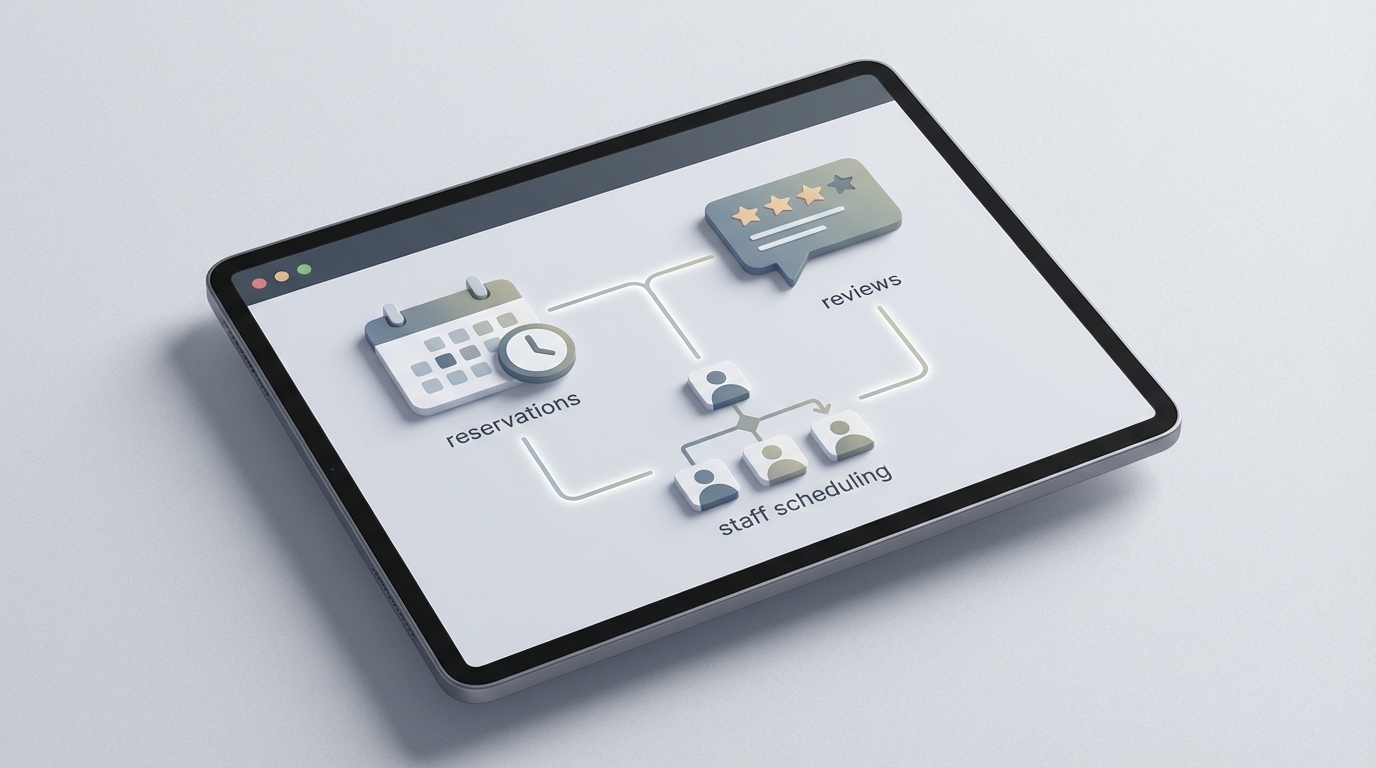
Running a restaurant is one of those businesses where everyone sees the magic—the plating, the ambiance, the perfectly timed courses—and nobody sees the misery. The spreadsheets at midnight. The frantic group texts when someone calls out sick. The 47 unread Yelp reviews, half of which are from people who've never eaten there. The no-shows on a Saturday night that just cost you $800 in empty seats.
Most restaurants operate on 3-5% margins. That means for every $100 you bring in, you keep maybe a fiver. So when a no-show wastes a prime four-top, when you over-order $200 in shrimp that goes bad, when you're paying three servers to stand around on a dead Tuesday because nobody checked the forecast—that's not just annoying. That's existential.
The restaurant industry loses staggering amounts of money to problems that are, frankly, automatable. Not the cooking. Not the hospitality. The operational drudgework that buries managers and owners under busywork while the actual restaurant suffers.
This is where OpenClaw comes in. Not as some silver-bullet SaaS that promises to "revolutionize dining" (spare me), but as a platform where you can build AI agents that handle the specific, repetitive, soul-crushing tasks that eat your time and money. You build what you need. You connect it to the tools you already use. And you stop doing the stuff a machine should've been doing years ago.
Let's get into the specifics.
The Seven Workflows That Actually Matter
After looking at where restaurants hemorrhage time and money, there are seven areas where AI agents deliver real, measurable ROI. Not theoretical. Not "imagine if." Actual dollars saved and revenue recovered.
- Reservation management and no-show follow-up
- Review monitoring and response drafting
- Staff scheduling and shift swaps
- Inventory and supplier ordering
- Customer loyalty and birthday campaigns
- Catering and private event coordination
- Social media content from daily specials
You don't need to automate all seven on day one. Pick the one that's causing you the most pain and start there. But let's walk through each so you can see what's possible.
1. Reservation Management and No-Show Follow-Up
No-shows run 15-30% at most restaurants. On a busy Friday, that's potentially thousands of dollars in lost revenue from tables sitting empty that could've been filled from the waitlist.
The manual fix—calling every reservation to confirm—takes 1-2 hours per night. Nobody has time for that.
An OpenClaw agent connected to your reservation system (OpenTable, Resy, or even a simple Google Sheet) can:
- Send automated confirmation texts 48 hours before the reservation
- Follow up 4 hours before with a "Still joining us?" nudge
- Detect no-shows after a configurable window and automatically send a polite follow-up with an incentive to rebook
- Track no-show patterns per customer and flag chronic offenders
- Analyze historical data to suggest smart overbooking levels on specific nights
Here's a simplified example of what the no-show follow-up agent looks like in OpenClaw:
agent: no_show_followup
trigger: reservation_time + 30min AND guest_not_seated
actions:
  - lookup:
      source: reservations_db
      fields: [guest_name, phone, email, visit_history]
  - condition:
      if: no_show_count >= 3
      then: flag_for_manager
      else: send_followup
  - send_followup:
      channel: sms
      template: |
        Hi {{guest_name}}, we missed you tonight at {{restaurant_name}}!
        We'd love to see you — here's 15% off your next visit: {{coupon_link}}
        Reply BOOK to reschedule.
  - log:
      update: guest_record
      set: no_show_count + 1
That agent runs every night, automatically. No human involvement unless someone gets flagged as a chronic no-show. Restaurants using similar setups report 20-30% reductions in no-show rates and 10-25% revenue increases from better table utilization.
2. Review Monitoring and Response Drafting
You're on Google, Yelp, TripAdvisor, maybe Instagram comments. Monitoring all of those manually takes 5-10 hours a week. Most restaurant owners either ignore reviews (bad for SEO and reputation) or respond with copy-paste generic nonsense that makes things worse.
One unanswered negative review can drop your rating by half a star. That half star costs you 5-10% in bookings. This is not a vanity problem. It's a revenue problem.
An OpenClaw agent can:
- Monitor Google, Yelp, and TripAdvisor via their APIs in real-time
- Run sentiment analysis on every review as it comes in
- Auto-draft personalized responses based on the review content and your restaurant's voice guidelines
- Escalate genuinely serious complaints (health, safety, discrimination) to a manager immediately
- Queue drafted responses for quick human approval before posting
agent: review_responder
trigger: new_review_detected
actions:
  - analyze:
      input: review_text
      output: sentiment_score, key_topics, urgency_level
  - condition:
      if: urgency_level == "critical"
      then: alert_manager_immediately
      else: draft_response
  - draft_response:
      style: empathetic, specific, on-brand
      include_offer: true if sentiment_score < 0.3
      template_context:
        restaurant_name: "{{restaurant_name}}"
        manager_name: "{{manager_name}}"
        topics_mentioned: "{{key_topics}}"
  - queue_for_approval:
      channel: slack
      message: "New {{platform}} review ({{sentiment_score}}/1.0). Draft response ready for review."
The key here is that the agent doesn't just say "Sorry for the inconvenience!" It reads that the customer complained about a 45-minute wait for their entrée and specifically acknowledges that. It references the key topics. It sounds like a human because you've trained it on your voice. You review the draft, hit approve, and it's posted. What used to take 10 minutes per review now takes 10 seconds.
Restaurants that respond to reviews within 24 hours see ratings improve by 0.2-0.5 stars over six months. That's not nothing—that's the difference between showing up first or fifth in local search results.
3. Staff Scheduling and Shift Swaps
Labor is 30-35% of revenue. Scheduling is a nightmare. You either overstaff and bleed money or understaff and bleed customers. Then someone calls out, group chat chaos ensues, and your Tuesday night manager is suddenly working their sixth double this month.
An OpenClaw agent can:
- Pull historical sales data from your POS (Toast, Square, Lightspeed—all have APIs)
- Cross-reference with weather forecasts, local events, and holidays
- Generate optimized schedules that hit your target labor-to-revenue ratio
- Manage shift swaps by matching available staff based on skills, certifications, and labor law constraints
- Auto-notify when swaps are confirmed
agent: schedule_optimizer
trigger: weekly on Sunday at 6am
actions:
  - forecast:
      sources: [pos_sales_history, weather_api, local_events_api]
      output: predicted_covers_by_hour
  - generate_schedule:
      constraints:
        - max_hours_per_employee: 40
        - min_staff_per_shift: {{role_minimums}}
        - labor_cost_target: 32% of projected_revenue
      preferences:
        - employee_availability
        - seniority_preference
  - publish:
      channel: scheduling_app
      notify: all_staff via sms
  - enable_swap_agent:
      rules: auto_approve if replacement_qualified AND shift_covered
This cuts scheduling time from hours to minutes. It reduces overtime by 15-20%. And the swap agent alone eliminates the group-text chaos that makes your managers want to quit.
4. Inventory and Supplier Ordering
Food waste runs 4-10% of purchases. For a restaurant doing $1M in annual food costs, that's $40,000-$100,000 in the trash. Literally.
An OpenClaw agent connected to your POS can track what's selling, predict what you'll need, and auto-generate supplier orders.
agent: inventory_manager
trigger: daily at 11pm
actions:
  - analyze:
      source: pos_sales_data
      window: last_7_days + same_period_last_year
  - predict:
      output: ingredient_demand_next_3_days
      factor_in: [weather, reservations, event_calendar]
  - compare:
      current_inventory vs predicted_demand
  - generate_orders:
      for_items: where projected_stock < safety_threshold
      preferred_suppliers: {{supplier_priority_list}}
      optimize_for: [freshness, cost, minimum_order_quantities]
  - send_for_approval:
      channel: email
      to: kitchen_manager
One restaurant chain reported saving $100K annually from AI-driven inventory management. Even for a single-location spot, cutting waste by 20-30% can mean $10K-$25K back in your pocket.
5. Customer Loyalty and Birthday Campaigns
Your regulars spend 2x more than new customers. But most restaurants track loyalty in their heads ("Oh yeah, that's Jim, he comes every Thursday") and forget birthdays entirely.
An OpenClaw agent can segment your customer base from POS and reservation data, then automatically trigger personalized campaigns:
- Birthday emails/texts with a specific offer (free dessert, complimentary glass of wine)
- Win-back messages when a regular hasn't visited in 30+ days
- VIP recognition alerts to staff when a high-value customer makes a reservation
Personalized campaigns see 30% higher redemption rates than generic blasts. Birthday automations alone can drive $20-50 in average check uplift per triggered visit.
6. Catering and Event Coordination
For restaurants where catering represents 20-30% of revenue, missed inquiries are devastating. Someone fills out your website form at 10pm on a Tuesday. You don't see it until Wednesday afternoon. By then they've booked your competitor.
An OpenClaw agent can respond to catering inquiries instantly—24/7—qualifying the lead, suggesting menu options based on party size and budget, checking your event calendar for availability, and even generating a preliminary proposal. The human steps in to close the deal, not to do the initial back-and-forth.
Restaurants using automated inquiry response report 30-50% more event bookings simply because they respond faster.
7. Social Media Content from Daily Specials
Your chef preps a gorgeous special. It goes on a chalkboard. Maybe someone snaps a photo for Instagram if they remember. Usually they don't, because they're busy actually cooking.
An OpenClaw agent can pull daily specials from your POS, generate platform-specific posts with captions and hashtags optimized for engagement, and schedule them at peak times. You review and approve from your phone in 30 seconds.
agent: social_content
trigger: daily_special_entered in POS
actions:
  - generate_post:
      platforms: [instagram, facebook, twitter]
      include: item_name, description, price, relevant_emoji
      tone: casual, appetizing, urgent
      hashtags: auto_generate based on {{cuisine_type}} + {{location}}
  - schedule:
      time: optimize_for_engagement based on historical_data
  - queue_for_approval:
      channel: sms_to_manager
      one_tap_approve: true
One pizzeria saw 10% more foot traffic directly attributed to consistent daily special posts. Consistency is the key—not virality—and an agent never forgets to post.
Getting Started with OpenClaw for Your Restaurant
Here's the practical path:
Step 1: Pick your biggest pain point. For most restaurants, it's either scheduling or no-shows. Start there.
Step 2: Set up OpenClaw and connect your existing tools. OpenClaw integrates with Toast, Square, Lightspeed, OpenTable, Resy, Google Business, Yelp, and dozens more via API connections and Zapier. You don't need to rip and replace anything.
Step 3: Build your first agent. Use the templates in the Claw Mart marketplace as a starting point. There are pre-built restaurant agents for most of the workflows above. Customize them to your specific setup—your POS, your review platforms, your scheduling preferences.
Step 4: Test with human-in-the-loop. Don't go fully autonomous on day one. Set every agent to "draft and approve" mode. Review the outputs for a week or two. Train the agent on corrections. Then gradually let it run.
Step 5: Measure and expand. Track the metrics that matter: labor cost percentage, no-show rate, review response time, food waste percentage. Once you see the numbers move, build the next agent.
Most restaurants see payback within 3-6 months. The cost of running these agents through OpenClaw is a fraction of one employee's wages, and they work 24/7 without calling out sick.
What This Actually Looks Like in Practice
Imagine this: It's Friday morning. Your OpenClaw scheduling agent already published next week's schedule last Sunday—optimized for predicted demand, accounting for the college football game Saturday. Two shift swaps happened automatically on Monday, zero group-text drama.
Last night, three tables no-showed. By 8:30pm, each had received a personalized text with a rebooking incentive. One already rebooked for next week.
A negative Yelp review came in at 2am about slow service. By the time you check your phone at 7am, there's a draft response waiting in Slack that specifically addresses the wait time issue and offers a complimentary appetizer. You tap approve. Done.
Your inventory order for the weekend was auto-generated based on reservation counts and sales trends. Your kitchen manager reviewed it, swapped one supplier for a better price, and submitted it. Took five minutes instead of forty-five.
Your daily special—pan-seared halibut with Meyer lemon butter—was posted to Instagram and Facebook at 11:15am, right when your local audience is most active. It's already got 40 likes and a comment asking for a reservation.
None of this is science fiction. This is what OpenClaw agents do, right now, for restaurants that set them up.
Next Steps
Head to Claw Mart and browse the restaurant automation agents. There are pre-built templates for every workflow I've described here—reservation management, review monitoring, scheduling, inventory, loyalty, catering, and social content.
If you want to build something custom—maybe you have a unique POS setup or a specific workflow that doesn't fit a template—OpenClaw's agent builder lets you configure triggers, actions, integrations, and approval flows without writing production code.
Stop spending your nights on spreadsheets and your mornings on Yelp. Build the agents, reclaim your time, and run your restaurant like someone who actually gets to enjoy running a restaurant.