OpenClaw for Personal Trainers / Fitness Coaches: Train Clients, Not Spreadsheets
How OpenClaw automates workout programming, check-ins, and scheduling for personal trainers and fitness coaches.
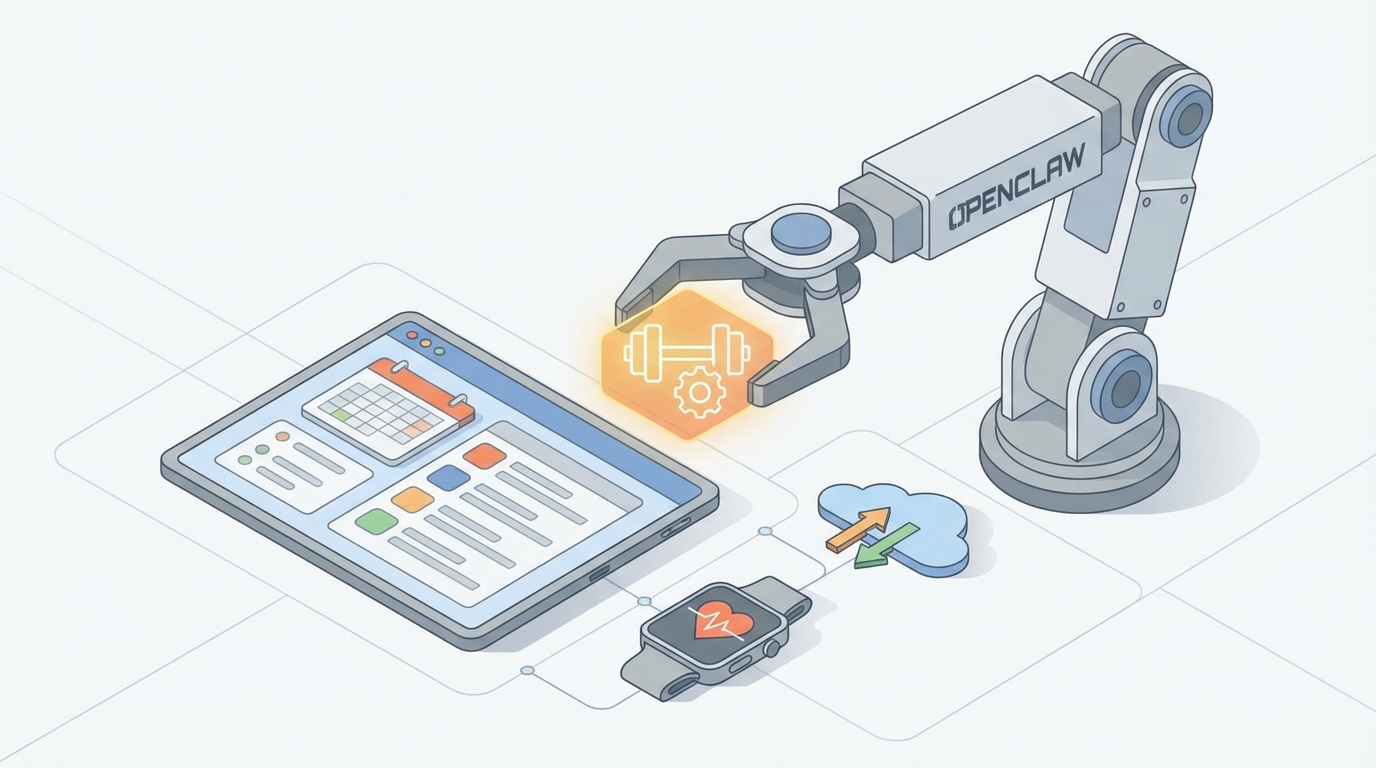
Here's the reality: you got into personal training because you love helping people get stronger, healthier, and more confident. You did not get into it to spend four hours a day copy-pasting check-in templates into WhatsApp, manually rescheduling no-shows, or chasing cold leads through Instagram DMs at 11 PM.
And yet, that's exactly what the job has become.
Industry data backs this up. Trainers lose 40-60% of their working hours to non-training tasks. Client communication alone eats 15-25 hours per week. Scheduling and rescheduling? Another 10-15. Workout programming, lead follow-up, invoicing, waivers — it all stacks up until you're capped at 20-30 clients, burning out, and wondering why you're making less per hour than the barista at the gym café.
The bottleneck isn't your coaching ability. It's the operational overhead that comes with running a one-person service business across five fragmented apps with zero automation.
OpenClaw fixes this. Not by replacing you — by giving you AI agents that handle the grind so you can do what actually generates revenue: train clients, create content, and grow your business.
Let me walk you through exactly how to set this up.
What OpenClaw Actually Is (And Why It Matters for Trainers)
OpenClaw is an open-source AI agent platform. You use it to build autonomous agents — think of them as digital assistants that don't sleep, don't forget follow-ups, and don't need to be reminded to send Monday check-ins.
Unlike stitching together five Zapier automations with duct tape and prayer, OpenClaw lets you build agents that understand context, handle multi-step workflows, and integrate with the tools you already use: Calendly, Trainerize, WhatsApp, Instagram, Stripe, Google Sheets, Airtable — whatever your stack looks like.
The agents live in Claw Mart, where you can browse pre-built skills (modular capabilities you plug into your agents) or build custom ones. Think of skills like apps for your agent — scheduling skills, communication skills, document generation skills — that you combine based on your specific workflow.
Now let's get into the use cases that will actually change how you operate.
Use Case 1: Scheduling and Rescheduling That Doesn't Make You Want to Quit
The Problem:
You're texting back and forth with eight people trying to find a 45-minute window that works. Someone cancels 20 minutes before a session. Another person ghosts after saying "yeah Tuesday works!" three days ago. You have a 25% no-show rate and it's costing you $500-$1,000/month in lost revenue.
The OpenClaw Solution:
Build a Scheduling Agent that handles the entire booking flow — from initial inquiry to confirmation to rescheduling — without you touching it.
Agent Configuration:
- Channel Integration: Connect to Instagram DMs, WhatsApp (via Twilio), and SMS
- Calendar Skill: Sync with Calendly or Google Calendar API to read/write availability in real time
- Conversation Skill: Natural language understanding so clients can say "Can we do Thursday afternoon instead?" and the agent just handles it
- Reminder Skill: Automated confirmations 24 hours and 2 hours before each session
- No-Show Protocol Skill: If a client doesn't confirm the 2-hour reminder, the agent opens the slot for waitlisted clients and sends a rebooking message
Here's what the flow looks like:
- A lead DMs you on Instagram: "Hey, do you have availability this week?"
- Your OpenClaw agent responds instantly (not three hours later when you're between sessions): "Hey! I'd love to get you in. Are you looking for in-person or online? And do mornings or afternoons work better?"
- The lead says "In-person, mornings."
- The agent checks your calendar, offers three slots, and sends a booking link.
- Once booked, it sends a confirmation with prep instructions and an auto-generated intake form.
- 24 hours before: reminder. 2 hours before: confirmation request.
- Client needs to reschedule? The agent handles it. No DMs to you. No back-and-forth.
Claw Mart Skills to Use:
calendar-sync— bidirectional calendar integrationsmart-scheduling— intelligent slot suggestion based on client preferences and your buffer timesreminder-sequences— configurable reminder chains with escalationchannel-router— handles conversations across IG, WhatsApp, SMS from one agent
Expected Impact: Reclaim 10+ hours per week. Reduce no-shows from 25% to under 10%. Convert 40% more inquiries into booked sessions because you're responding in seconds, not hours.
Use Case 2: Client Communication That Scales Without Losing the Personal Touch
The Problem:
You have 30 clients. Each one needs weekly check-ins, workout feedback, nutrition nudges, and the occasional "is this normal?" message about soreness. That's 100+ messages per day across WhatsApp, text, email, and your client app. You're copy-pasting the same responses, and the clients who need the most attention are the ones who get the least because you're drowning.
The OpenClaw Solution:
Build a Client Communication Agent that handles routine interactions, personalizes responses based on each client's profile and history, and only escalates to you when it actually matters.
Agent Configuration:
- Client Profile Skill: Connects to your client database (Airtable, Google Sheets, or Trainerize) — stores goals, training history, injuries, preferences, communication style
- Check-In Skill: Sends personalized weekly check-ins at scheduled times, collects responses, and summarizes them for you
- Smart Response Skill: Answers common questions (nutrition, soreness, substitutions) using your coaching methodology — not generic internet advice
- Escalation Skill: Flags anything that needs your direct input (injury concerns, emotional distress, program overhaul requests)
Here's what the flow looks like:
- Monday 8 AM: Your agent texts each client a personalized check-in. Not a generic template — something like: "Hey Sarah, how'd the new squat progression feel last week? Rate your energy 1-10, and send a quick pic of yesterday's meals if you can."
- Sarah replies: "Squats felt good but my left knee was bugging me on the last set. Energy maybe a 6. Here's my food log."
- The agent processes this: checks her injury history (previous ACL note in her profile), recognizes the knee flag, and responds: "Nice work pushing through the progression! For the knee — let's swap barbell back squats for box squats this week to reduce shear force. Here's a demo video. I'm flagging this for [your name] to review before Thursday's session."
- You get a Slack notification: "Sarah — knee discomfort on squats, suggested box squat substitution, review recommended." You glance at it between sessions, approve or adjust, done.
- Meanwhile, the agent also parsed her food log photo, noted she's hitting protein targets but low on fiber, and sent: "Protein looks solid. Try adding a handful of spinach to your morning smoothie — easy fiber bump."
You just handled a full client interaction in zero minutes of your time.
Claw Mart Skills to Use:
client-profile-manager— structured client data with history trackingcheck-in-automator— scheduled, personalized outreach with response collectionnutrition-analyzer— parses food logs and photos against client macrosexercise-substitution— rule-based + intelligent exercise swaps based on client constraintsescalation-router— configurable triggers for when the agent hands off to you
Expected Impact: Reduce your daily messaging time by 80%. Handle 50+ clients with the same quality of communication you currently give 20. Clients feel more attended to because responses are instant, not delayed by 18 hours.
Use Case 3: Lead Follow-Up That Actually Converts
The Problem:
Someone comments "How much?" on your Instagram post. You reply four hours later. They've already moved on. Or worse — someone does your free consultation, seems excited, and then goes silent. You send one follow-up, feel awkward, and never message again. Your lead-to-client conversion rate is sitting at 20% when it should be 45%+.
The OpenClaw Solution:
Build a Lead Nurture Agent that qualifies inbound leads, follows up on a strategic cadence, and warms prospects until they're ready to buy — all without you sending a single awkward "Just checking in!" text.
Agent Configuration:
- Lead Capture Skill: Ingests leads from Instagram comments/DMs, Facebook, website forms, and email into a single pipeline
- Qualification Skill: Asks screening questions (goals, experience level, budget, timeline) and scores leads as hot, warm, or cold
- Nurture Sequence Skill: Runs multi-day follow-up sequences customized by lead score and expressed interests
- Conversion Skill: Identifies buying signals and either books a call or sends a signup link at the right moment
Here's the flow:
- Someone DMs: "What are your rates?"
- Your agent responds within 30 seconds: "Hey! Happy to share — quick question first so I can point you to the right option. What's your main goal right now? (Weight loss / muscle gain / sport performance / general health)"
- They answer. The agent asks 2-3 more qualifying questions, then: "Based on what you're looking for, my 3x/week hybrid coaching program would be the best fit. It's $299/month and includes custom programming, weekly check-ins, and nutrition guidance. Want to book a free 15-min call to see if it's a good fit? [Calendly link]"
- They don't book. No problem.
- Day 1: "Hey — just wanted to share a quick client transformation that's similar to your goals. [Link/image] Let me know if you have any questions!"
- Day 3: "Saw you were interested in weight loss — here's a free 7-day kickstart guide I made. No strings attached. [PDF link]"
- Day 7: "Last thing — I've got 2 spots opening up next week. If the timing's right, I'd love to help you get started. Book here: [link]"
- If they engage at any point, the agent adjusts the sequence. If they book, it hands off to your Scheduling Agent for the consultation.
Claw Mart Skills to Use:
multi-channel-lead-capture— unified inbox across all platformslead-scorer— automatic qualification and prioritizationdrip-sequence-engine— configurable follow-up cadences with branching logicsocial-proof-injector— automatically pulls relevant testimonials and transformations based on lead profile
Expected Impact: 2-3x your booking rate from inbound leads. Never lose a prospect to a slow reply again. Build a pipeline that compounds — every piece of content you post feeds leads into a system that actually follows through.
Use Case 4: Workout Programming at 10x Speed
The Problem:
You spend 8-12 hours per week building and adjusting workout programs. Every client needs a custom plan. Every week, someone says "I couldn't do lunges, what should I do instead?" and you're rewriting programs on the fly between sessions.
The OpenClaw Solution:
Build a Programming Agent that generates, adjusts, and delivers workout plans based on client profiles, feedback, and progression data.
Agent Configuration:
- Program Builder Skill: Generates periodized workout plans based on client goals, experience, equipment access, and schedule
- Auto-Adjust Skill: Modifies programs based on client feedback (too hard, too easy, injury, equipment change) without requiring you to rebuild from scratch
- Delivery Skill: Pushes updated programs to Trainerize, TrueCoach, Everfit, or a shared Google Sheet — wherever your clients access their plans
- Progression Tracker Skill: Monitors logged workouts and auto-suggests progressive overload (add weight, add reps, reduce rest)
Example:
New client onboards → the agent pulls their intake data → generates a 4-week training block → you review it in 5 minutes instead of building it from scratch in 45. Client says squats hurt? Agent swaps in an appropriate variation and updates the program. Client hits all their rep targets for two weeks? Agent suggests a 5% load increase.
Claw Mart Skills to Use:
program-generator— template-based program creation with intelligent customizationexercise-database— searchable library with substitution logicprogression-engine— auto-periodization based on training logsclient-app-sync— push programs to major fitness platforms via API
Expected Impact: Cut programming time from 8-12 hours to 2-3 hours per week. Deliver more consistent, data-driven programs. Free up mental bandwidth for the clients who need truly complex programming.
Use Case 5: Automated Document Handling and Onboarding
The Problem:
Every new client needs a waiver, an intake form, a contract, and a welcome packet. You're manually sending Google Forms, chasing signatures, and copying info into spreadsheets. It takes 30-45 minutes per new client, and half the time something gets missed.
The OpenClaw Solution:
Build an Onboarding Agent that runs the entire new-client workflow automatically.
Flow:
- Client signs up (via your lead agent or manually) → Onboarding agent triggers
- Sends digital waiver (DocuSign/PandaDoc integration) → tracks signature
- Sends intake questionnaire → parses responses into client profile
- Generates welcome message with first-week expectations, session prep, and app setup instructions
- Triggers your Programming Agent to build their first training block
- Adds them to your check-in schedule
You go from "new client signed up" to "fully onboarded with a program" in under an hour, with zero manual work.
Claw Mart Skills to Use:
onboarding-flow— multi-step new client automationdocument-generator— auto-create waivers, contracts, and intake formse-signature-integrator— DocuSign/PandaDoc connectionworkflow-trigger— chain agents together (onboarding → programming → check-ins)
The Math That Should Convince You
Let's be conservative. Say you're currently maxed at 25 clients, charging an average of $250/month. That's $6,250/month.
With OpenClaw handling scheduling, communication, follow-up, programming, and onboarding, you realistically scale to 50 clients without increasing your working hours. That's $12,500/month. You just doubled your revenue.
And the cost? OpenClaw is open-source. Your main expenses are the API integrations and any premium Claw Mart skills you add — we're talking $50-200/month total, not the $500+ you'd spend trying to cobble together Zapier, ManyChat, ActiveCampaign, and a prayer.
How to Get Started This Week
Don't try to build all five agents at once. Here's your roadmap:
Week 1: Scheduling Agent. This is highest impact, lowest complexity. Connect your calendar, set up the WhatsApp/IG integration, configure your reminder sequence. You'll feel the difference immediately.
Week 2: Client Communication Agent. Start with automated check-ins for your existing clients. Add the smart response layer once you've dialed in the check-in flow.
Week 3: Lead Nurture Agent. Connect your social channels, build your qualification flow, and set up a 7-day follow-up sequence. Watch your conversion rate climb.
Week 4: Programming + Onboarding. Now you're building infrastructure for scale. These agents compound the value of everything else.
Head to Claw Mart, browse the skills library, and start building your first agent. The platform is open-source, the community is active, and there are templates specifically built for service-based businesses like personal training.
You became a trainer to change lives. Let OpenClaw handle everything else.